5. Deploy and upgrade Windows clients using cloud based tools - Autopilot
 Studied by 0 people
 Call Kai
 Learn
Learn Practice Test
 Spaced Repetition
 Match
Match Flashcards
 Knowt Play
1/27

There's no tags or description
Looks like no tags are added yet.
Name | Mastery | Learn | Test | Matching | Spaced | Call with Kai |
|---|
No analytics yet
Send a link to your students to track their progress
28 Terms
How does Intune identify devices that are set up in Autopilot?
By the device's Device ID, AKA Hardware ID (Which is found on the motherboard)
Can VMs be enrolled in Autopilot?
Yes because VMs still have unique identifiers.
What happens when an Autopilot enrolled device is setting up?
Desired software is added
Bloatware is removed
Policies are applied
When buying laptops in bulk from an OEM, what are two ways the OEM can assist with enrolling the laptops into Autopilot.
The OEM can enroll the devices for you or they can send you a csv of the hardware IDs for you to import into Intune.
What command can be used to see Autopilot info on a computer?
Get-WindowsAutopilotInfo
To install scripts in PowerShell, the Execution policy has to allow it. What command lets you see what the execution policy is set to?
Get-ExecutionPolicy
What command lets you set the execution policy?
Set-ExecutionPolicy -ExecutionPolicy (Restricted/Unrestricted)
Write a command to gather Autopilot info from the local machine and export the results to a csv on the C drive called "deviceID.csv".
Get-WindowsAutoPilotInfo -OutputFile C:\deviceID.csv
Get-WindowsAutopilotInfo can be used to target multiple computers over the network. Write a command to gather Autopilot info from PC1, PC2, and PC3 and export the results to a csv on the C drive called "deviceID.csv"
Get-WindowsAutoPilotInfo.ps1 -ComputerName @(PC1, PC2, PC3) -OutputFile C:\deviceID.csv
Where do you go in Intune to import a hardware id into Windows Autopilot?
Devices > Enrollment > under Windows Autopilot click Devices > Import
After a device ID(s) is imported in to Autopilot, it then needs to be assigned to a ___________
deployment profile (Devices > Enrollment > Deployment profiles)
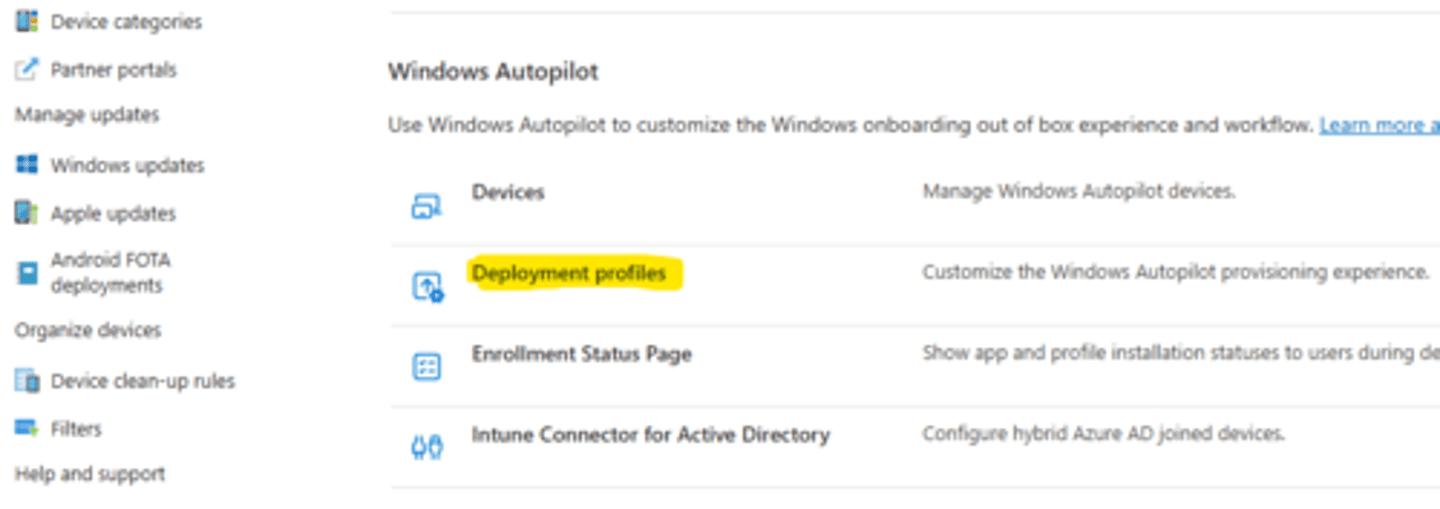
You have a Autopilot deployment profile. Now how do you make it so all your Autopilot devices are assigned to the profile without having to add each one manually?
Create a dynamic device group and assign it to the deployment profile
When a device is registered in Autopilot it is given a unique identifier called a __________
Zero Touch Device ID (ZTDID)
You want to create a dynamic device group that automatically adds devices registered in Autopilot. What would the syntax be for the membership rule to do this?
(device.devicePhysicalIds -any _ -contains "[ZTDID]")
![<p>(device.devicePhysicalIds -any _ -contains "[ZTDID]")</p>](https://knowt-user-attachments.s3.amazonaws.com/02fffb6b-26c2-45b9-bdcb-4c7bdcfe51c9.png)
When you create a Autopilot deployment profile, one of the options is "Convert all targeted devices to Autopilot" if they aren't already. Saying yes to this option will not have any effect on the target computers until they are ______
reset to OOBE
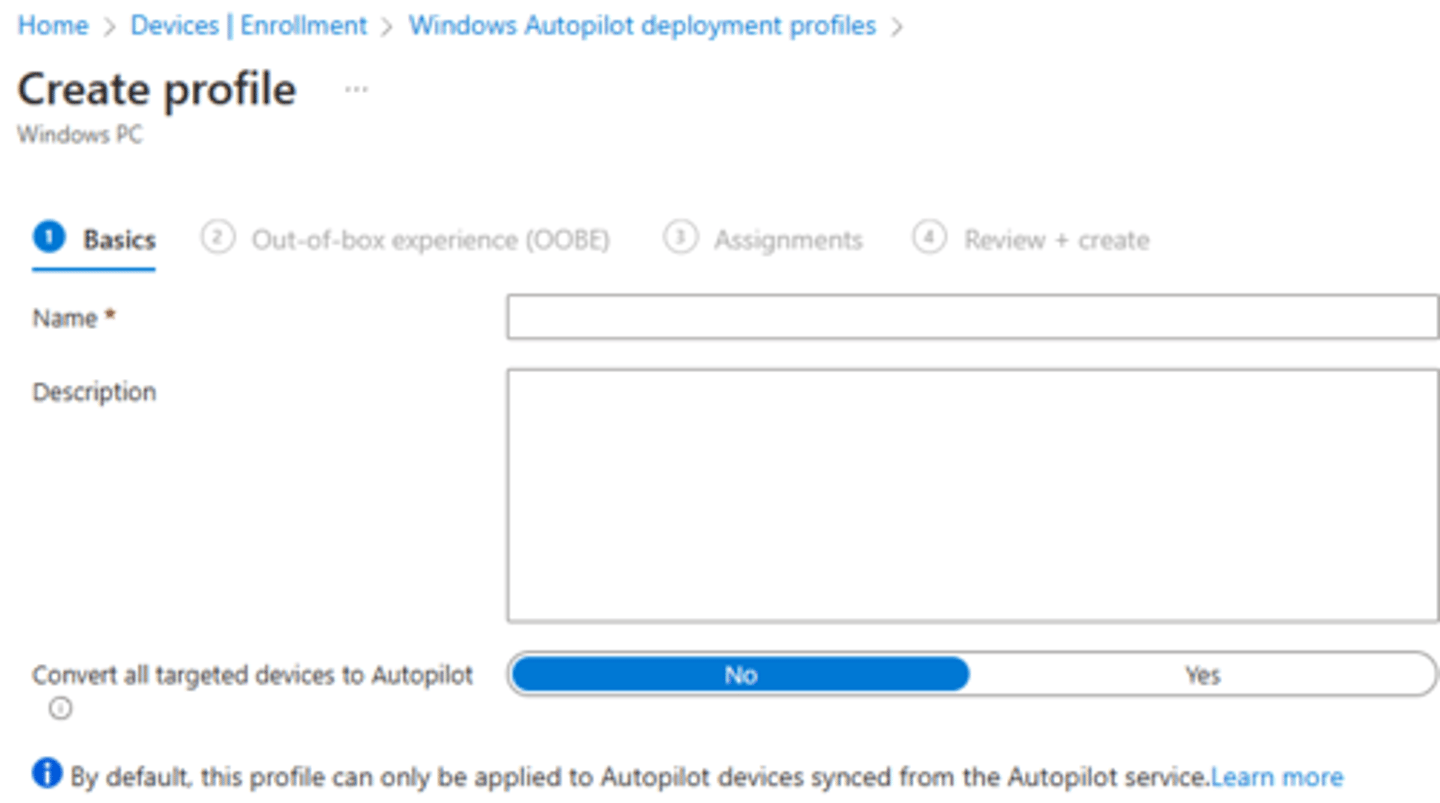
Autopilot deployment profile setup. You can set the deployment mode to User-Driven which means the device is associated with the user enrolling the device and user credentials are required to provision the device. The other option is Self-Deploying. What does this option do?
Devices are not associated with the user enrolling the device and user credentials are not required to provision the device
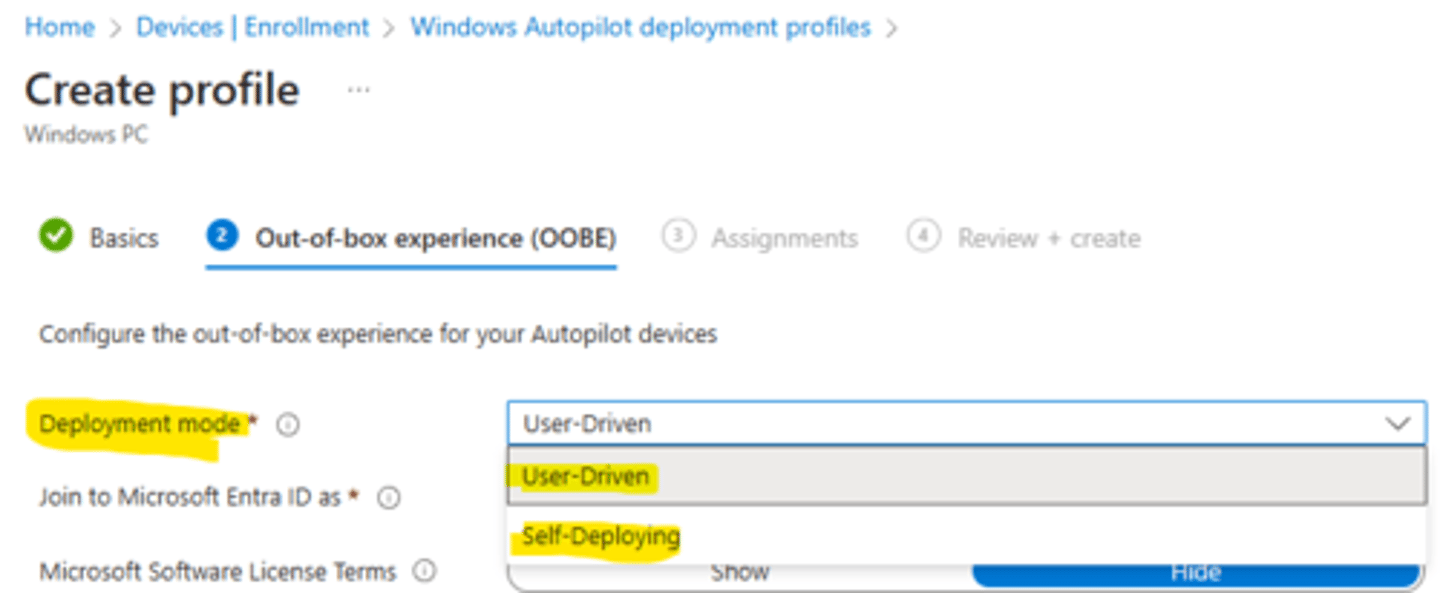
Autopilot deployment profile setup. What does turning on "Allow pre-provisioning deployment" do?
Enables pressing Windows key 5 times to run OOBE without user authentication to enroll device and provision all system-context apps and settings. User-context apps and settings will be delivered when the user signs in.

Devices > Enrollment > under Windows Autopilot there is an option called "Enrollment Status Page". What is that?
It controls what setup status the user sees when their device is setting up after signing in for the first time.
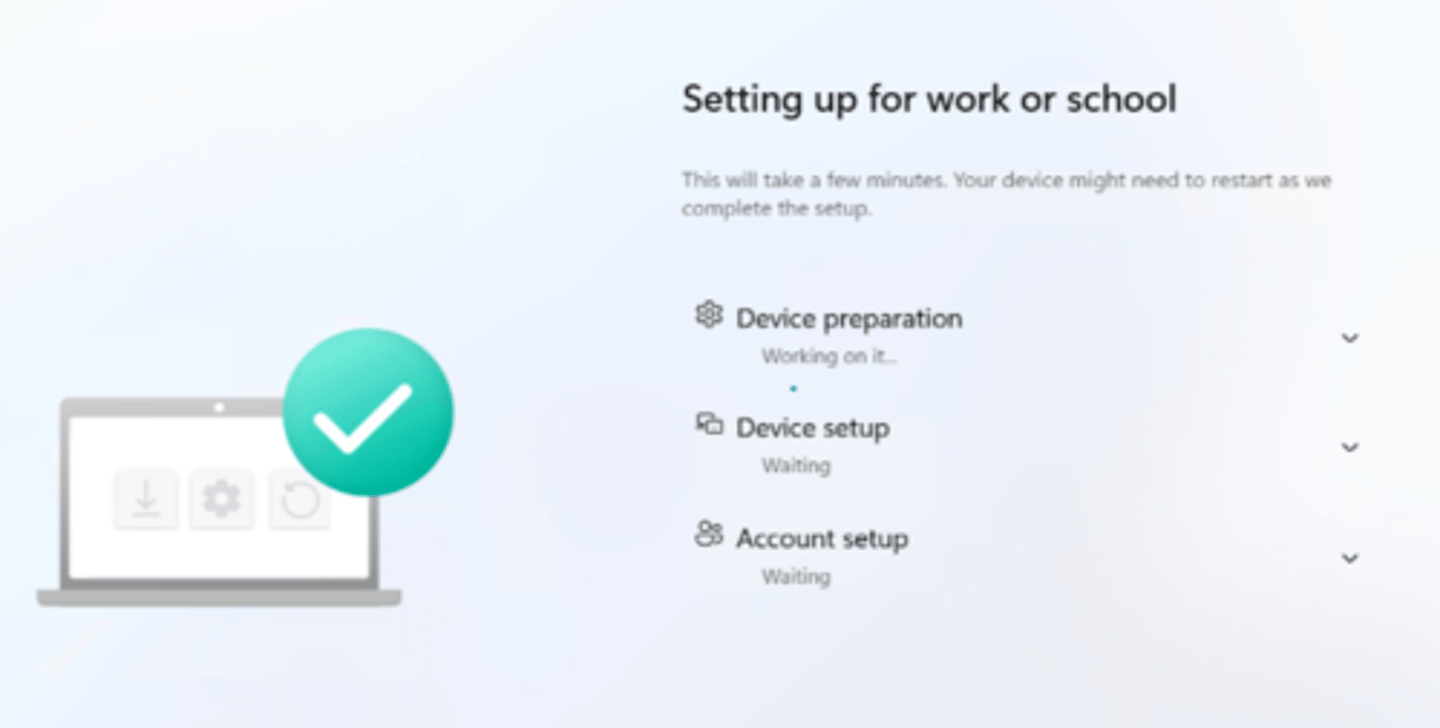
You can create an Enrollment status page profile and make what kinds of changes?
-Show an error message after a specified time of installing
-Set a custom message for when an error occurs
-Block device use until all apps and profiles are installed
-Allow users to reset device if installation errors
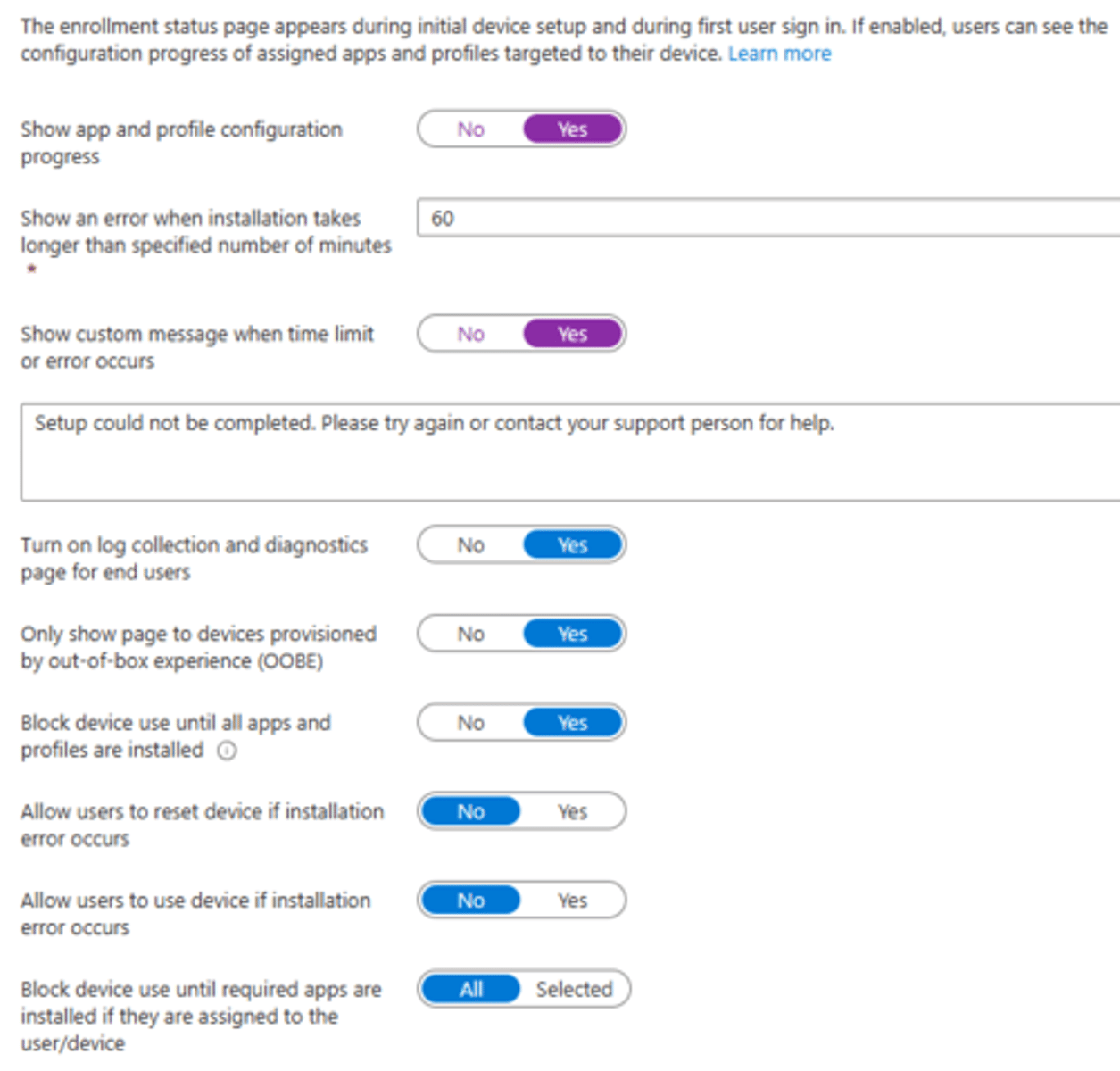
There is a feature in the status enrollment page that can assist you with troubleshooting Autopilot issues. What feature is it?
Turn on log collection and diagnostics page for end users

Understanding the Windows Autopilot flow is important for troubleshooting issues with Autopilot. What is that flow?
1. Network Connection is established
2. Autopilot profile is downloaded
3. User authentication occurs
4. Device joins Entra ID
5. Device automatically enrolls in MDM
6. Settings are applied
As soon as an Autopilot registered device boots up, what does it do?
It attempts to connect to the Autopilot service and download an Autopilot deployment profile. After each reboot, the device will download the profile again.
How do you reboot a device during OOBE to retrieve a new Autopilot profile, how do you do it without performing hard shutdown?
1. Press Shift + F10 to open CMD
2. Run: shutdown.exe /r /t 0
(or /s instead of /r to shut down)
What are the device requirements for Autopilot?
-Windows 10/11 (Pro, Enterprise, or Education)
-TPM 2.0
At what point in the process of adding a brand new Windows device to Autopilot does it get added as an object to Entra ID and Intune?
When the device's hardware ID is imported into Autopilot

To add a newly Autopilot registered device to a dynamic device group you have to set the dynamic membership rule.
What needs to be set as the property in the picture?
devicePhysicalIds

To add a newly Autopilot registered device to a dynamic device group you have to set the dynamic membership rule.
What needs to be set as the operator in the picture?
Any

To add a newly Autopilot registered device to a dynamic device group you have to set the dynamic membership rule.
What needs to be set as the value in the picture?
(_ -contains "[ZTDID]
 Note
Note  Flashcards (21)