week 11 readings
 Call Kai
 Learn
Learn Practice Test
 Spaced Repetition
 Match
Match Flashcards
 Knowt Play
1/22

There's no tags or description
Looks like no tags are added yet.
Name | Mastery | Learn | Test | Matching | Spaced | Call with Kai |
|---|
No analytics yet
Send a link to your students to track their progress
23 Terms
What are the most common image formats?
JPEG, GIF, PNG, TIFF, BMP, and PDF
JPEG (or JPG)
compressed, small file, used for web (more compression = less quality)
GIF - Graphics Interface Format
very small graphics, limited colors, screen only
PNG - Portable Network Graphics
small, used for screen, more colors than GIF
TIFF - Tagged Image File Format
large, high resolution, used for print
BMP - Bitmap
an uncompressed image format for storing and displaying high-quality digital images
originally developed by Microsoft for Windows
PDF - Portable Document Format
Great for sharing multiple images at once
Best web image formats (Just Good Pictures)
• JPEG (or JPG), GIF, and PNG
• All of these file types can be compressed and adjusted to fit your web needs
Best lossless image formats (Good Pics Stay Best)
GIF, PNG, TIFF, and BMP
Best image formats to send pictures (Just Hit Post)
JPEG (or JPG) → email or web
HEIC → phones
PDF → multiple images/cloud/email
Best image formats for printing (Just Print Today)
JPEG (or JPG), PDF, and TIFF
Higher-resolution images look best when printed
How to choose the highest image quality format for your website.
Use consistent pixel dimensions
Choose format based on: file size, color, display needs
JPG or JPEG advantages/disadvantages
Advantages:
Small file size → for web and email
works on all devices
Good for small prints
Disadvantages:
Lossy compression → loses quality
Quality degrades with editing
Bad for large prints
TIFF advantages/disadvantages
Advantages:
Uncompressed → max data
High quality → best for printing
Can compressed without loss of data
Disadvantages:
Very large file sizes
Needs more storage and a good computer
Not web-friendly
Slow to upload/transfer
PSD advantages/disadvantages
Advantages:
Contains layers, adjustments, full image data
Ideal for editing and saving work
Disadvantages:
Mostly only recognized by Photoshop
Limited software compatibility
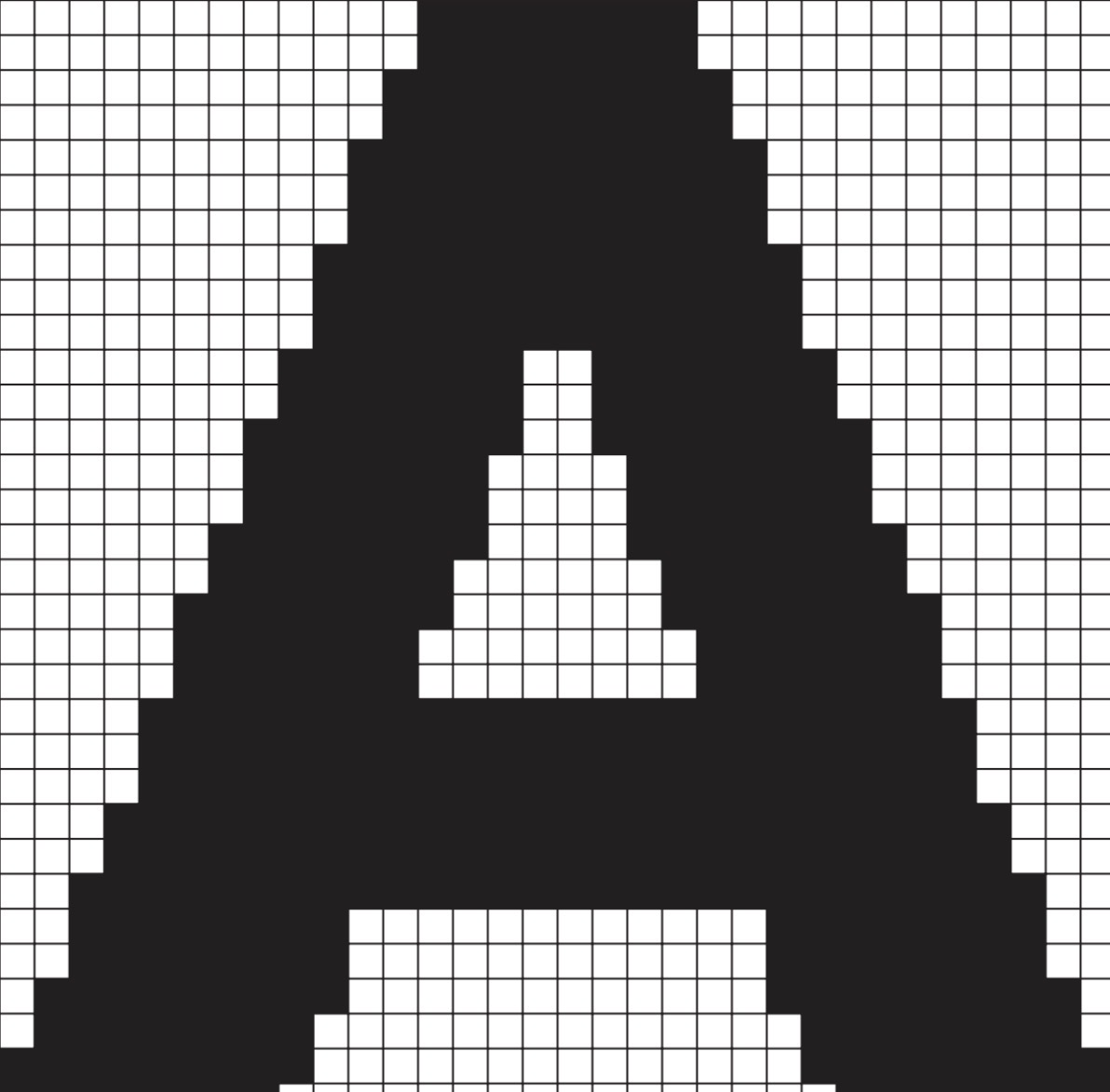
Raster Images
pixel images (bitmap)
Require higher resolution to appear smooth
Best for: photographs and subtle shading (continuous tone images)
Vector images
Made of line and shapes (mathematical definitions)
Edges stay smooth
scaleable without losing quality
Used for: fonts, charts/graphs, illustrations

Raster formats (Tiny Jumpy Pixels Go Bonkers)
TIFF, JPG, PNG, GIF, BMP
Vector formats (Edges Ever Perfect Permanetly)
EMF → Microsoft Windows vector art file
EPS → vector file (can include raster images), used for illustrations, logos, graphs
PDF → can be vector or raster (depends on original file) often a mix
PS → file in the PostScript language
Color modes
Monochrome → black and white
Grayscale → 256 shades of gray
CMYK → printing (cyan, magenta, yellow, black)
RGB → screens (red, green, blue)
Media literacy
ability to:
identify different types of media
understand the messages they’re sending
Importance of Media Literacy
Credible vs non-credible info
Has become a growing concern
Real world example
After the 2016 election:
13 Russians and 3 companies charged for undermining the election
Shows importance of understanding media

