ap csp unit 4 vocab

0.0(0)
studied byStudied by 0 people
0.0(0)
full-widthCall Kai
learnLearn
examPractice Test
spaced repetitionSpaced Repetition
heart puzzleMatch
flashcardsFlashcards
GameKnowt Play
Card Sorting

1/21

encourage image

There's no tags or description

Looks like no tags are added yet.

Study Analytics
Name
Mastery
Learn
Test
Matching
Spaced

No study sessions yet.

22 Terms

1
New cards

value

one piece of information. can only hold one value. if it gets assigned a new value throw the old value away

2
New cards

numbers

type of value made of digits 0-9. do not need quotes

3
New cards

strings

type of value. made of any characters you see on the keyboard. inside ““ quotes

  • \n

4
New cards

operators

Use + to attach two strings, or a number and a string

  • +: Addition

  • -: Subtraction

  • *: Multiplication

  • /: Division

  • %: Modulus (Remainder)

  • **: Exponentiation (power)

  • ++: Increment (increase by 1)

  • --: Decrement (decrease by 1)

5
New cards

expressions

the action of combining two variables using an operator

  • Primary Expressions: These are the most basic, including literals (e.g., 42, "hello", true), the this keyword, and grouping operators ().

  • Arithmetic Expressions: These use arithmetic operators to evaluate a numeric value.

    • Example: (5 + 6) * 10 evaluates to 110.

  • Assignment Expressions: These assign a value to a variable, and the expression itself evaluates to the assigned value.

    • Example: let x = 5.

  • Logical Expressions: These use logical operators (like &&, ||, !) and evaluate to a boolean value (true or false).

    • Example: a > 5 && b < 10

  • Function Expressions: A function expression defines a function within an expression context, such as assigning it to a variable or passing it as an argument. They can be anonymous (without a name) or named.

    • Example: const add = function(a, b) { return a + b; };

6
New cards

variables

can hold one value. have names that use no quotation marks, include no spaces, and must start with a letter

  • Must start with a letter, underscore (_), or dollar sign ($).

  • Cannot start with a number.

  • Cannot use reserved JavaScript keywords (e.g., function, let, for).

  • Case sensitive (myAge is different from myage).

  • Convention: Use camelCase for variable names (e.g., userName, totalCount). Use UPPER_CASE_SNAKE_CASE for truly constant values that will never change (e.g., const PI = 3.14). 

7
New cards

var

is the command that tells the computer to create a variable

To assign a variable means to associate a specific piece of information with a name

8
New cards

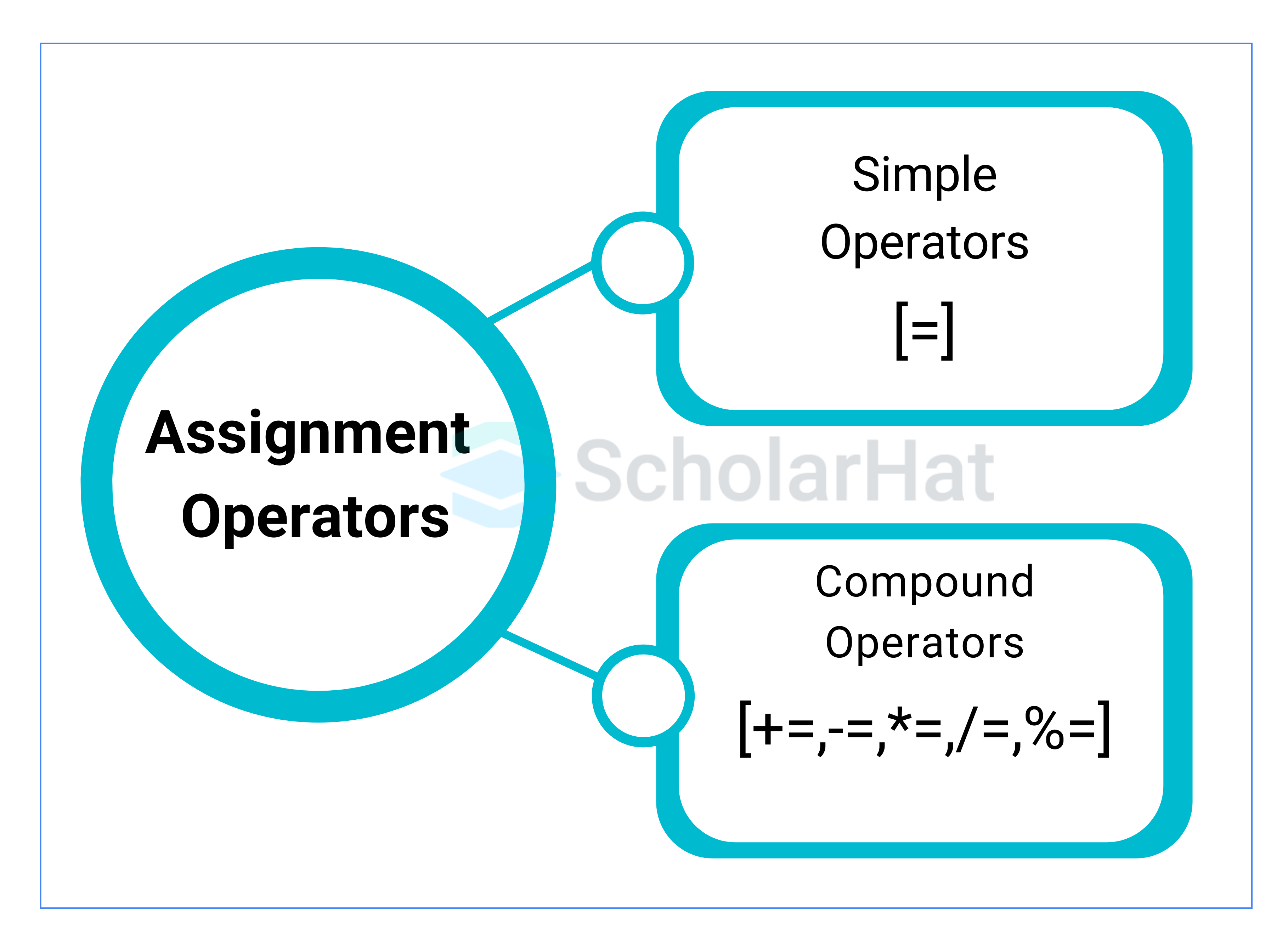
assignment operator

can be = or <- , means gets or gets the value of

Operator 

Name

Example

Same As

+=

Addition assignment

x += y

x = x + y

-=

Subtraction assignment

x -= y

x = x - y

*=

Multiplication assignment

x *= y

x = x * y

/=

Division assignment

x /= y

x = x / y

%=

Remainder assignment

x %= y

x = x % y

**=

Exponentiation assignment

x **= y

x = x ** y

<p>can be = or &lt;- , means gets or gets the value of</p><table style="width: 0px;"><colgroup></colgroup><tbody><tr><th colspan="undefined" rowspan="1" style="border-bottom: 1px solid rgb(218, 220, 224); min-width: 4em; vertical-align: top;"><p>Operator<span><span>&nbsp;</span></span></p></th><th colspan="undefined" rowspan="1" style="border-bottom: 1px solid rgb(218, 220, 224); min-width: 4em; vertical-align: top;"><p>Name</p></th><th colspan="undefined" rowspan="1" style="border-bottom: 1px solid rgb(218, 220, 224); min-width: 4em; vertical-align: top;"><p>Example</p></th><th colspan="undefined" rowspan="1" style="border-bottom: 1px solid rgb(218, 220, 224); min-width: 4em; vertical-align: top;"><p>Same As</p></th></tr><tr><td colspan="NaN" rowspan="1" style="border-bottom: 1px solid rgb(218, 220, 224); min-width: 4em; vertical-align: top;"><p><code>+=</code></p></td><td colspan="NaN" rowspan="1" style="border-bottom: 1px solid rgb(218, 220, 224); min-width: 4em; vertical-align: top;"><p>Addition assignment</p></td><td colspan="NaN" rowspan="1" style="border-bottom: 1px solid rgb(218, 220, 224); min-width: 4em; vertical-align: top;"><p><code>x += y</code></p></td><td colspan="NaN" rowspan="1" style="border-bottom: 1px solid rgb(218, 220, 224); min-width: 4em; vertical-align: top;"><p><code>x = x + y</code></p></td></tr><tr><td colspan="NaN" rowspan="1" style="border-bottom: 1px solid rgb(218, 220, 224); min-width: 4em; vertical-align: top;"><p><code>-=</code></p></td><td colspan="NaN" rowspan="1" style="border-bottom: 1px solid rgb(218, 220, 224); min-width: 4em; vertical-align: top;"><p>Subtraction assignment</p></td><td colspan="NaN" rowspan="1" style="border-bottom: 1px solid rgb(218, 220, 224); min-width: 4em; vertical-align: top;"><p><code>x -= y</code></p></td><td colspan="NaN" rowspan="1" style="border-bottom: 1px solid rgb(218, 220, 224); min-width: 4em; vertical-align: top;"><p><code>x = x - y</code></p></td></tr><tr><td colspan="NaN" rowspan="1" style="border-bottom: 1px solid rgb(218, 220, 224); min-width: 4em; vertical-align: top;"><p><code>*=</code></p></td><td colspan="NaN" rowspan="1" style="border-bottom: 1px solid rgb(218, 220, 224); min-width: 4em; vertical-align: top;"><p>Multiplication assignment</p></td><td colspan="NaN" rowspan="1" style="border-bottom: 1px solid rgb(218, 220, 224); min-width: 4em; vertical-align: top;"><p><code>x *= y</code></p></td><td colspan="NaN" rowspan="1" style="border-bottom: 1px solid rgb(218, 220, 224); min-width: 4em; vertical-align: top;"><p><code>x = x * y</code></p></td></tr><tr><td colspan="NaN" rowspan="1" style="border-bottom: 1px solid rgb(218, 220, 224); min-width: 4em; vertical-align: top;"><p><code>/=</code></p></td><td colspan="NaN" rowspan="1" style="border-bottom: 1px solid rgb(218, 220, 224); min-width: 4em; vertical-align: top;"><p>Division assignment</p></td><td colspan="NaN" rowspan="1" style="border-bottom: 1px solid rgb(218, 220, 224); min-width: 4em; vertical-align: top;"><p><code>x /= y</code></p></td><td colspan="NaN" rowspan="1" style="border-bottom: 1px solid rgb(218, 220, 224); min-width: 4em; vertical-align: top;"><p><code>x = x / y</code></p></td></tr><tr><td colspan="NaN" rowspan="1" style="border-bottom: 1px solid rgb(218, 220, 224); min-width: 4em; vertical-align: top;"><p><code>%=</code></p></td><td colspan="NaN" rowspan="1" style="border-bottom: 1px solid rgb(218, 220, 224); min-width: 4em; vertical-align: top;"><p>Remainder assignment</p></td><td colspan="NaN" rowspan="1" style="border-bottom: 1px solid rgb(218, 220, 224); min-width: 4em; vertical-align: top;"><p><code>x %= y</code></p></td><td colspan="NaN" rowspan="1" style="border-bottom: 1px solid rgb(218, 220, 224); min-width: 4em; vertical-align: top;"><p><code>x = x % y</code></p></td></tr><tr><td colspan="NaN" rowspan="1" style="border-bottom: 1px solid rgb(218, 220, 224); min-width: 4em; vertical-align: top;"><p><code>**=</code></p></td><td colspan="NaN" rowspan="1" style="border-bottom: 1px solid rgb(218, 220, 224); min-width: 4em; vertical-align: top;"><p>Exponentiation assignment</p></td><td colspan="NaN" rowspan="1" style="border-bottom: 1px solid rgb(218, 220, 224); min-width: 4em; vertical-align: top;"><p><code>x **= y</code></p></td><td colspan="NaN" rowspan="1" style="border-bottom: 1px solid rgb(218, 220, 224); min-width: 4em; vertical-align: top;"><p><code>x = x ** y</code></p></td></tr></tbody></table><p></p>
9
New cards

concatenation

process of appending one string to the end of another string. can concatenate by using + operator

let firstName = "John";
let lastName = "Doe";
let fullName = firstName + " " + lastName;
// Output: "John Doe"

10
New cards

boolean value

a data type that is either true or false

let isCodingFun = true;
let isTheSkyGreen = false;
let x = 5;
let isGreaterThanEight = (x > 8); // isGreaterThanEight is false
let isEqual = (x == 5);          // isEqual is true

11
New cards

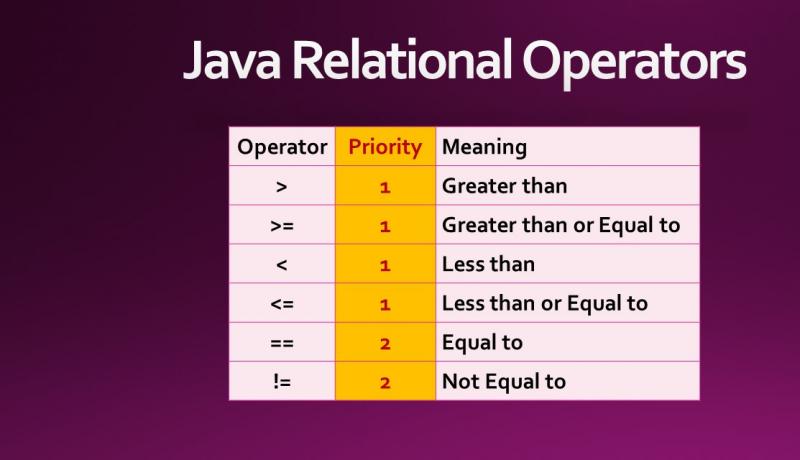
comparison operator

indicate a boolean value

Operator 

Description

Example

Result

==

Equal to (loose equality - allows type coercion)

5 == "5"

true

===

Strict equal to (strict equality - no type coercion)

5 === "5"

false

!=

Not equal to (loose inequality - allows type coercion)

5 != "6"

true

!==

Strict not equal to (strict inequality - no type coercion)

5 !== "6"

true

>

Greater than

5 > 4

true

<

Less than

4 < 5

true

>=

Greater than or equal to

5 >= 5

true

<=

Less than or equal to

4 <= 5

true

<p>indicate a boolean value</p><table style="width: 0px;"><colgroup></colgroup><tbody><tr><th colspan="undefined" rowspan="1" style="border-bottom: 1px solid rgb(218, 220, 224); min-width: 4em; vertical-align: top;"><p>Operator<span><span>&nbsp;</span></span></p></th><th colspan="undefined" rowspan="1" style="border-bottom: 1px solid rgb(218, 220, 224); min-width: 4em; vertical-align: top;"><p>Description</p></th><th colspan="undefined" rowspan="1" style="border-bottom: 1px solid rgb(218, 220, 224); min-width: 4em; vertical-align: top;"><p>Example</p></th><th colspan="undefined" rowspan="1" style="border-bottom: 1px solid rgb(218, 220, 224); min-width: 4em; vertical-align: top;"><p>Result</p></th></tr><tr><td colspan="NaN" rowspan="1" style="border-bottom: 1px solid rgb(218, 220, 224); min-width: 4em; vertical-align: top;"><p><code>==</code></p></td><td colspan="NaN" rowspan="1" style="border-bottom: 1px solid rgb(218, 220, 224); min-width: 4em; vertical-align: top;"><p><strong>Equal to</strong> (loose equality - allows type coercion)</p></td><td colspan="NaN" rowspan="1" style="border-bottom: 1px solid rgb(218, 220, 224); min-width: 4em; vertical-align: top;"><p><code>5 == "5"</code></p></td><td colspan="NaN" rowspan="1" style="border-bottom: 1px solid rgb(218, 220, 224); min-width: 4em; vertical-align: top;"><p><code>true</code></p></td></tr><tr><td colspan="NaN" rowspan="1" style="border-bottom: 1px solid rgb(218, 220, 224); min-width: 4em; vertical-align: top;"><p><code>===</code></p></td><td colspan="NaN" rowspan="1" style="border-bottom: 1px solid rgb(218, 220, 224); min-width: 4em; vertical-align: top;"><p><strong>Strict equal to</strong> (strict equality - no type coercion)</p></td><td colspan="NaN" rowspan="1" style="border-bottom: 1px solid rgb(218, 220, 224); min-width: 4em; vertical-align: top;"><p><code>5 === "5"</code></p></td><td colspan="NaN" rowspan="1" style="border-bottom: 1px solid rgb(218, 220, 224); min-width: 4em; vertical-align: top;"><p><code>false</code></p></td></tr><tr><td colspan="NaN" rowspan="1" style="border-bottom: 1px solid rgb(218, 220, 224); min-width: 4em; vertical-align: top;"><p><code>!=</code></p></td><td colspan="NaN" rowspan="1" style="border-bottom: 1px solid rgb(218, 220, 224); min-width: 4em; vertical-align: top;"><p><strong>Not equal to</strong> (loose inequality - allows type coercion)</p></td><td colspan="NaN" rowspan="1" style="border-bottom: 1px solid rgb(218, 220, 224); min-width: 4em; vertical-align: top;"><p><code>5 != "6"</code></p></td><td colspan="NaN" rowspan="1" style="border-bottom: 1px solid rgb(218, 220, 224); min-width: 4em; vertical-align: top;"><p><code>true</code></p></td></tr><tr><td colspan="NaN" rowspan="1" style="border-bottom: 1px solid rgb(218, 220, 224); min-width: 4em; vertical-align: top;"><p><code>!==</code></p></td><td colspan="NaN" rowspan="1" style="border-bottom: 1px solid rgb(218, 220, 224); min-width: 4em; vertical-align: top;"><p><strong>Strict not equal to</strong> (strict inequality - no type coercion)</p></td><td colspan="NaN" rowspan="1" style="border-bottom: 1px solid rgb(218, 220, 224); min-width: 4em; vertical-align: top;"><p><code>5 !== "6"</code></p></td><td colspan="NaN" rowspan="1" style="border-bottom: 1px solid rgb(218, 220, 224); min-width: 4em; vertical-align: top;"><p><code>true</code></p></td></tr><tr><td colspan="NaN" rowspan="1" style="border-bottom: 1px solid rgb(218, 220, 224); min-width: 4em; vertical-align: top;"><p><code>&gt;</code></p></td><td colspan="NaN" rowspan="1" style="border-bottom: 1px solid rgb(218, 220, 224); min-width: 4em; vertical-align: top;"><p><strong>Greater than</strong></p></td><td colspan="NaN" rowspan="1" style="border-bottom: 1px solid rgb(218, 220, 224); min-width: 4em; vertical-align: top;"><p><code>5 &gt; 4</code></p></td><td colspan="NaN" rowspan="1" style="border-bottom: 1px solid rgb(218, 220, 224); min-width: 4em; vertical-align: top;"><p><code>true</code></p></td></tr><tr><td colspan="NaN" rowspan="1" style="border-bottom: 1px solid rgb(218, 220, 224); min-width: 4em; vertical-align: top;"><p><code>&lt;</code></p></td><td colspan="NaN" rowspan="1" style="border-bottom: 1px solid rgb(218, 220, 224); min-width: 4em; vertical-align: top;"><p><strong>Less than</strong></p></td><td colspan="NaN" rowspan="1" style="border-bottom: 1px solid rgb(218, 220, 224); min-width: 4em; vertical-align: top;"><p><code>4 &lt; 5</code></p></td><td colspan="NaN" rowspan="1" style="border-bottom: 1px solid rgb(218, 220, 224); min-width: 4em; vertical-align: top;"><p><code>true</code></p></td></tr><tr><td colspan="NaN" rowspan="1" style="border-bottom: 1px solid rgb(218, 220, 224); min-width: 4em; vertical-align: top;"><p><code>&gt;=</code></p></td><td colspan="NaN" rowspan="1" style="border-bottom: 1px solid rgb(218, 220, 224); min-width: 4em; vertical-align: top;"><p><strong>Greater than or equal to</strong></p></td><td colspan="NaN" rowspan="1" style="border-bottom: 1px solid rgb(218, 220, 224); min-width: 4em; vertical-align: top;"><p><code>5 &gt;= 5</code></p></td><td colspan="NaN" rowspan="1" style="border-bottom: 1px solid rgb(218, 220, 224); min-width: 4em; vertical-align: top;"><p><code>true</code></p></td></tr><tr><td colspan="NaN" rowspan="1" style="min-width: 4em; vertical-align: top;"><p><code>&lt;=</code></p></td><td colspan="NaN" rowspan="1" style="min-width: 4em; vertical-align: top;"><p><strong>Less than or equal to</strong></p></td><td colspan="NaN" rowspan="1" style="min-width: 4em; vertical-align: top;"><p><code>4 &lt;= 5</code></p></td><td colspan="NaN" rowspan="1" style="min-width: 4em; vertical-align: top;"><p><code>true</code></p></td></tr></tbody></table><p></p>
12
New cards

logical operator

NOT, AND, and OR, which evaluate to a boolean value
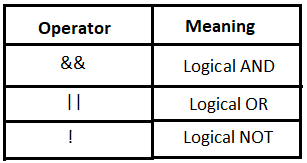
<p>NOT, AND, and OR, which evaluate to a boolean value</p>
13
New cards

conditional statement

tells the computer to run specific code if something is true

let age = 20;
if (age >= 18) {
  console.log("You are eligible to vote."); // This code runs
}

14
New cards

mod/modulus

the remainder that is left after a number is divided by another number.

  • determine even or odd OR if a number is divisible by another number

function mod(n, m) {
  return ((n % m) + m) % m;
}

Example 

Remainder (%)

True Modulo (mod())

mod(10, 3)

1

1

mod(-10, 3)

-1

2

mod(10, -3)

1

-2

mod(-10, -3)

-1

-1

function isEven(num) {
  return num % 2 === 0;
}

// Examples:
console.log(isEven(4)); // true
console.log(isEven(7)); // false

function isOdd(num) {
  return num % 2 !== 0;
}

// Examples:
console.log(isOdd(4)); // false
console.log(isOdd(7)); // true

15
New cards

if statement

used to check if statement is true

let age = 20;

if (age >= 18) {
  console.log("You are old enough to enter this site.");
}
// Output: You are old enough to enter this site.
  • If the condition age >= 18 is false, the code inside the curly braces is skipped. 

16
New cards

if else

statement type of conditional statement. else only runs if the statement is false

  • executes a block of code if a condition is true, and another block if the same condition is false. It is a fundamental control flow statement that allows a program to make decisions. 

  • If the condition is false, the code in the else block will run. 

let time = 14;

if (time < 10) {
  console.log("Good morning");
} else {
  console.log("Good day");
}
// Output: Good day, because the condition 'time < 10' is false.

17
New cards

functions

are declared in your program in order to give a group of commands a name (defines them).

are called to run those commands

  • is only declared one but is called as many times as you wish

// Function definition (declaration)
function addNumbers(num1, num2) {
  return num1 + num2; // The return statement specifies the value the function sends back
}

// Function invocation (calling)
let result = addNumbers(5, 3); // result will be 8

18
New cards

and/or operator

check two boolean statements at once

Logical AND

The && operator returns true only if all conditions being evaluated are true. If any condition is false, the entire expression is false, and evaluation stops (short-circuiting). 

  • both statements must be true to get an answer

let age = 25;
let hasLicense = true;

if (age >= 18 && hasLicense) {
  console.log("You are eligible to drive."); // Logs this message
}

Logical OR

The || operator returns true if at least one of the conditions is true. The evaluation stops as soon as a true condition is found (short-circuiting). 

  • only one statement must be true to evaluate to true. If both statements are false, it evaluates to false

let userInput = ""; // Falsy value
let username = userInput || "Guest"; // Assigns "Guest" if userInput is falsy

console.log("Welcome, " + username); // Logs: Welcome, Guest
  • Short-Circuit Evaluation: Both operators use short-circuiting for efficiency. The && operator stops as soon as it finds a false value, and || stops as soon as it finds a true value.

  • Truthy and Falsy Values: In JavaScript, not all values are explicit booleans. Certain values are "falsy" (e.g., false, 0, "", null, undefined, NaN), while all others are "truthy".

  • Operator Precedence: The && operator has a higher precedence than the || operator, much like multiplication has higher precedence than addition in mathematics. You can use parentheses () to control the order of evaluation in complex expressions. 

19
New cards

function call

using the function in your program

function greetUser(name) {
  return "Hello, " + name + "!";
}

// Calling the function with an argument
let message = greetUser("Anna");
console.log(message); // Output: Hello, Anna!

20
New cards

scope

Where in the program can you talk about or use this variable

  • defines the accessibility and visibility of variables, functions, and objects in a particular part of your code

21
New cards

global scope

var created outside a function or onEvent

// Variable declared in the global scope
const globalMessage = "I am accessible everywhere";

function logMessage() {
  // This function can access the global variable
  console.log(globalMessage);
}

logMessage(); // Output: I am accessible everywhere
console.log(globalMessage); // Output: I am accessible everywhere

22
New cards

local scope

can only be used inside the function or onEvent where it was created

  • Local variables are created when their containing function or block starts executing and are effectively deleted when the execution finishes. They cannot be accessed from a parent or global scope

  • two versions:

    • Function Scope: Variables declared inside a function with the var, let, or const keywords are local to that function and can only be accessed within it.

    • Block Scope: Introduced in ES6, let and const keywords also create a new, local scope within any pair of curly braces {}, such as those used in if statements, for loops, or standalone blocks. Variables declared with var do not have block scope and are instead scoped to the entire function they are in (or the global scope if outside any function).