A+ 1202 Windows OS Security Settings
 Studied by 0 people
 Call Kai
 Learn
Learn Practice Test
 Spaced Repetition
 Match
Match Flashcards
 Knowt Play
1/53

There's no tags or description
Looks like no tags are added yet.
Name | Mastery | Learn | Test | Matching | Spaced | Call with Kai |
|---|
No analytics yet
Send a link to your students to track their progress
54 Terms
How do you activate Microsoft Defender Antivirus on a Windows system?
Go to Windows Security > Virus & threat protection > Manage settings > Turn on Real-time protection.
How do you deactivate Microsoft Defender Antivirus temporarily?
Turn off Real-time protection under Virus & threat protection settings.
How do you manually update Microsoft Defender Antivirus definitions?
Go to Virus & threat protection > Check for updates > Update.
How do you activate the Windows Firewall?
Go to Control Panel > Windows Defender Firewall > Turn Windows Defender Firewall on or off.
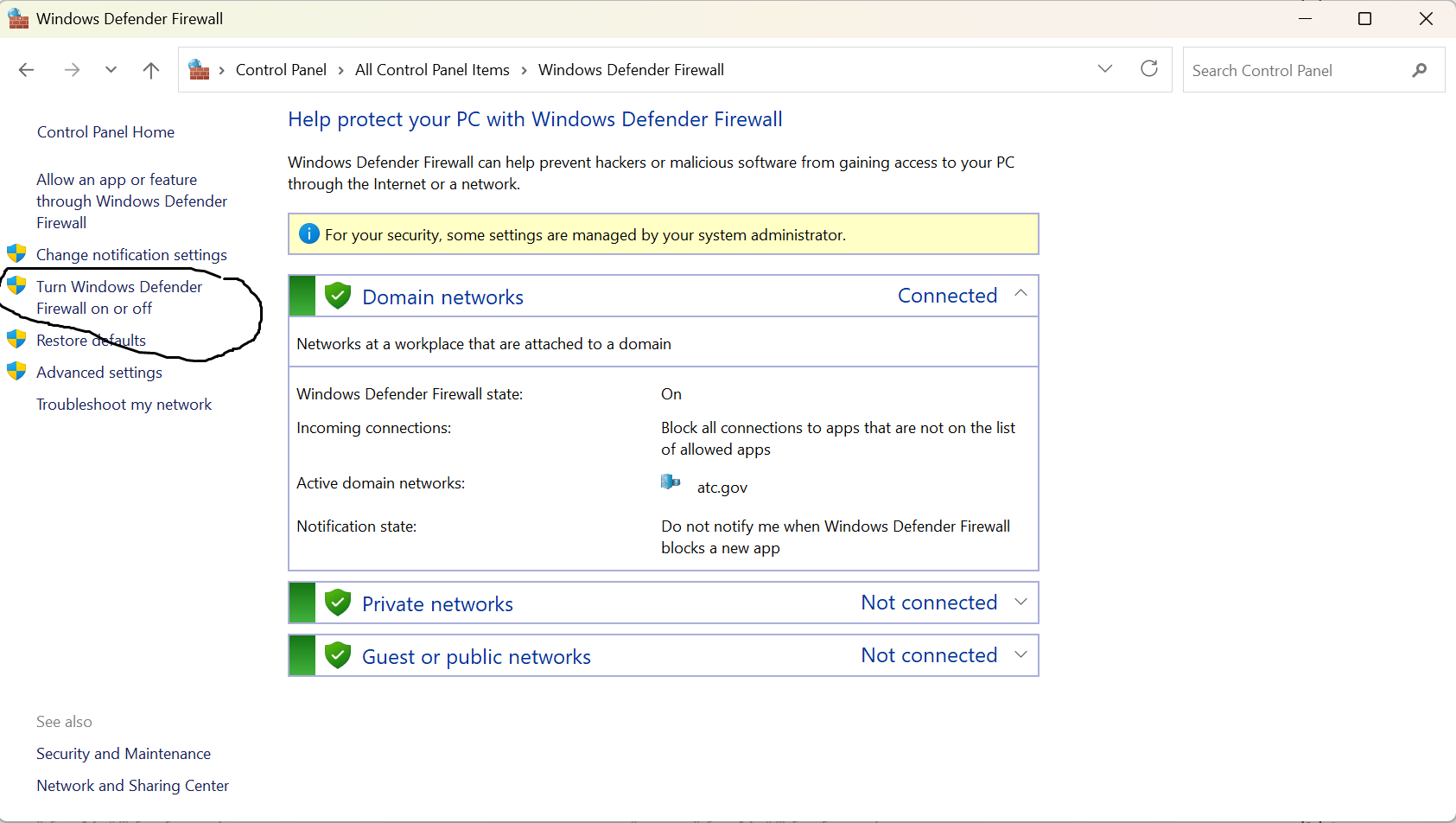
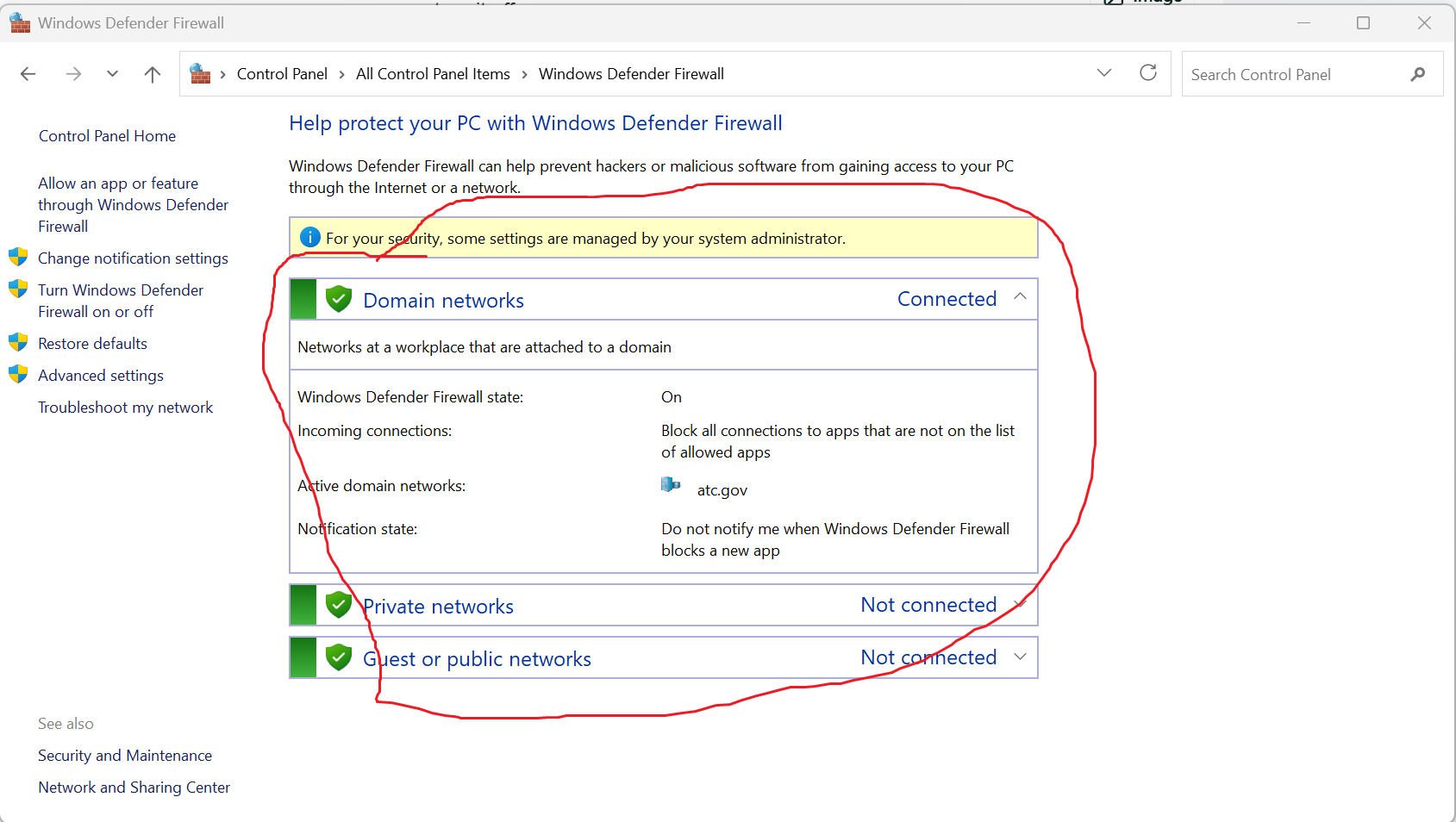
How do you deactivate the Windows Firewall for a specific network profile?
Choose the network (Private or Public) under Firewall settings and turn it off.
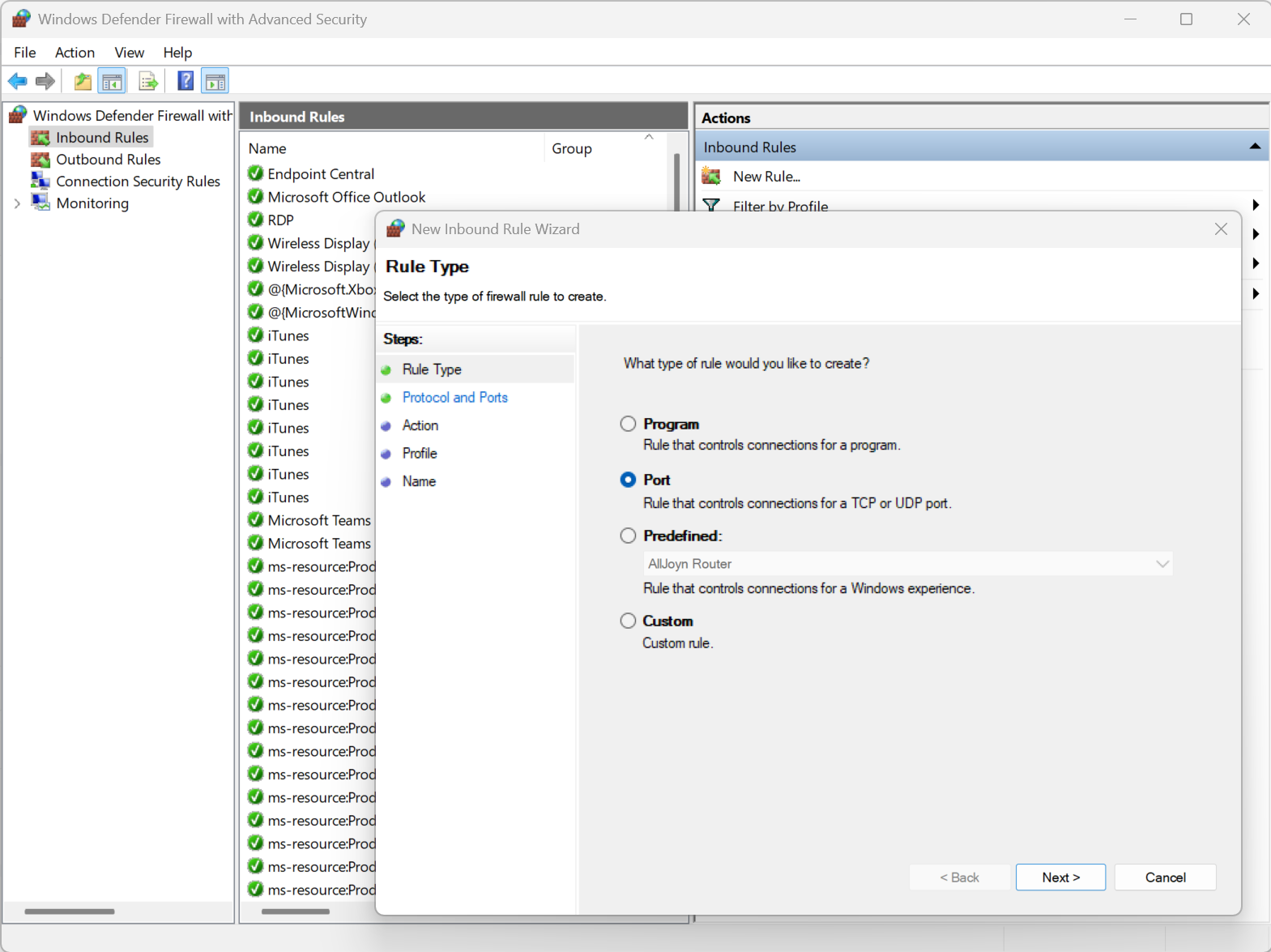
How do you allow or block a specific port through the Windows Firewall?
Advanced settings > Inbound/Outbound Rules > New Rule > Port.
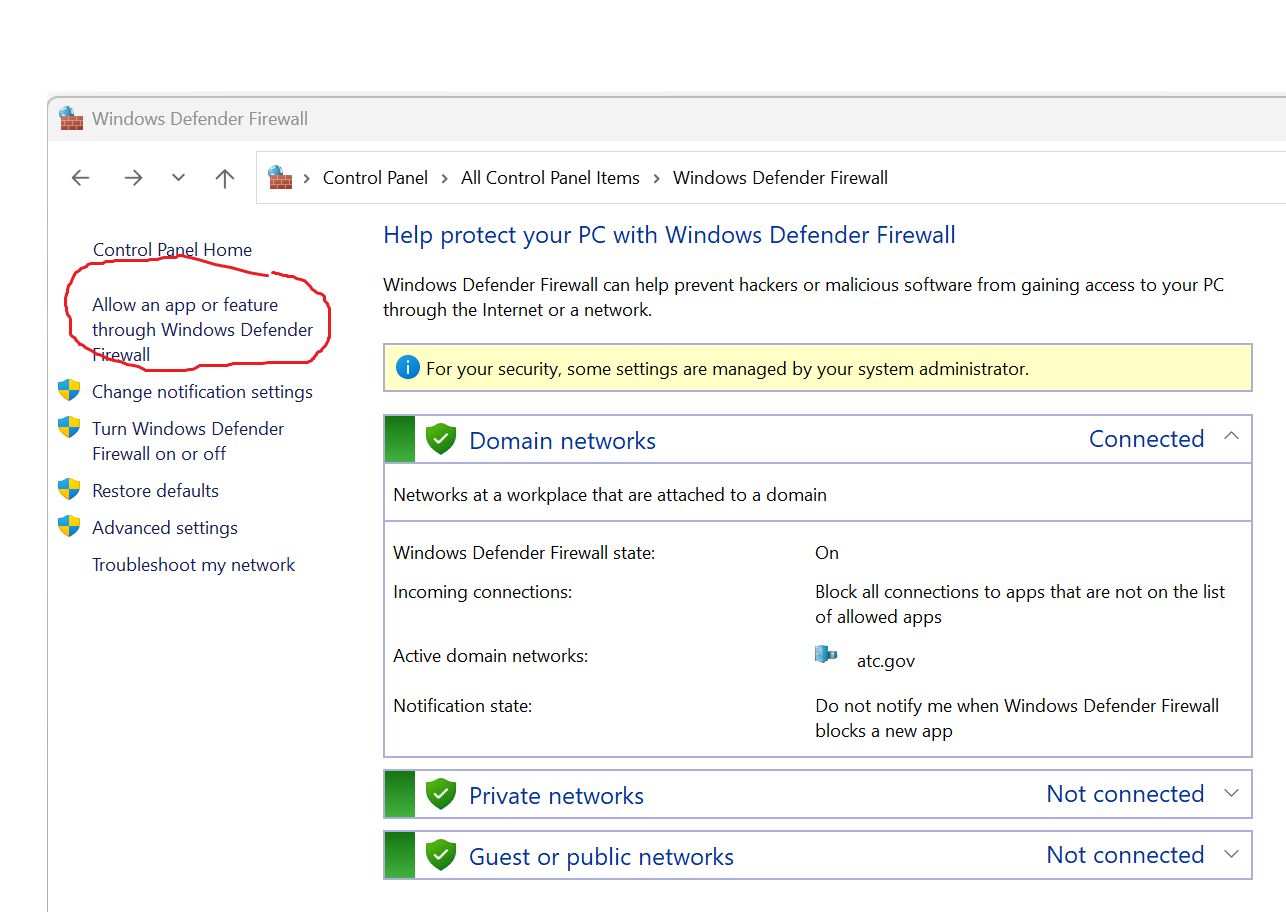
How do you control application access through the Windows Firewall?
Go to Firewall settings > Allow an app or feature through Windows Defender Firewall > Choose app.
How do you check if a user account is a local account or a Microsoft account?
Settings > Accounts > Your Info will show "Local account" or email address for Microsoft account.
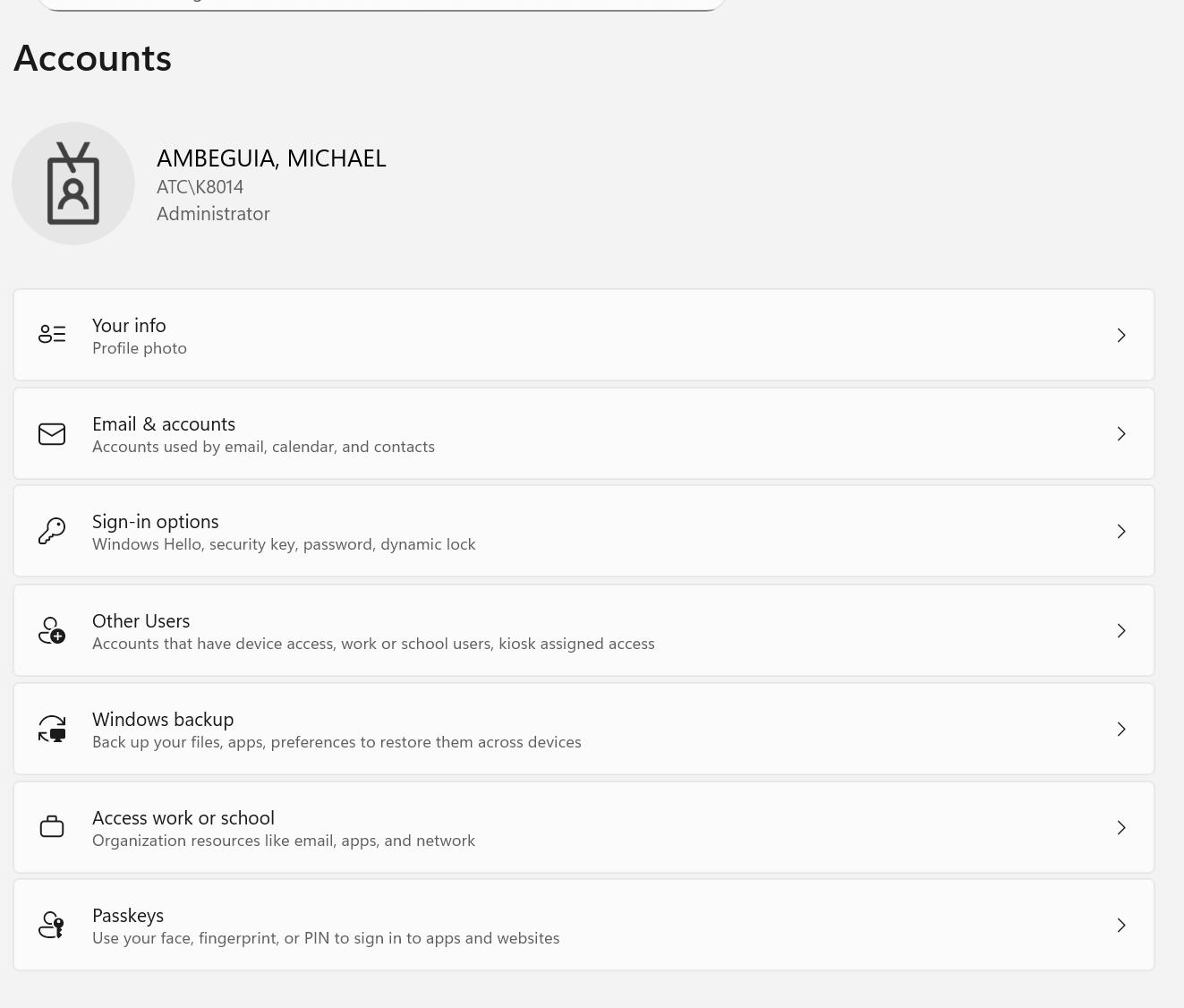
How do you create a standard user account on Windows?
Settings > Accounts > Family & other users > Add someone else to this PC > Assign Standard account.
How do you make a user an administrator?
How do you enable or disable the Guest user account?
net user Guest /active:yes or no
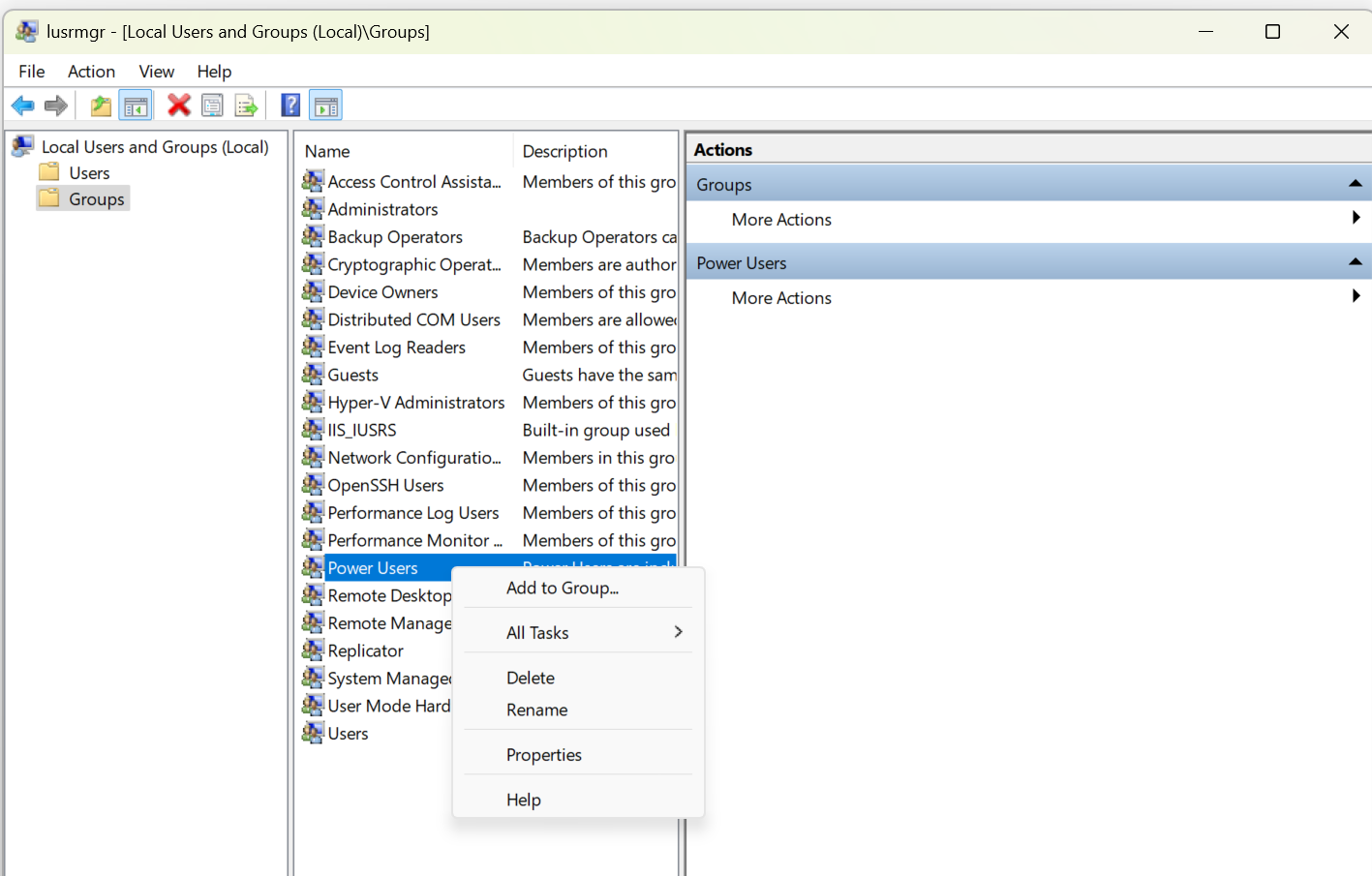
How do you assign Power User privileges to an account?
Use Local Users and Groups (lusrmgr.msc) > Add to group > Power Users.
What is the difference between a local account and a Microsoft account?
A local account is stored only on the computer, while a Microsoft account connects to online services and syncs settings across devices.
What is a standard user account in Windows?
An account with limited permissions that can use most software but cannot make system-wide changes.
Your company requires all employees to change their passwords every 60 days. A user reports they're locked out after multiple failed attempts. What steps would you take to resolve this issue and ensure compliance with the policy?
In group policy I would change the Computer Configuration > Policies > Windows Settings > Security Settings > Account Policies > Password Policy setting so that passwords expire after 60 days. As for account lock outs I would increase the number of attempts via group policy as well. Perhaps give users 2 extra attempts.
An employee complains they can’t use their Windows Hello PIN after a recent password change. What could be causing this issue, and how would you resolve it?
You’ve been asked to configure fingerprint login for a team using laptops with fingerprint readers. What are the key steps you’d take to implement this securely?
After setting up facial recognition, a user reports it fails to recognize them consistently in low-light conditions. What troubleshooting steps would you take?
Your organization uses Azure AD for SSO. A user says they have to log in separately to Outlook and Teams. What might be misconfigured?
Your IT department wants to move toward a passwordless environment using Windows Hello. What configurations and prerequisites must be met on both the client and server sides?
A user reports they cannot modify a file on a shared drive even though they have full share permissions. What NTFS attributes could be affecting their access?
You move a file into a folder with restrictive NTFS permissions, but the user who had access to the file before can still open it. Why might that be happening?
A user cannot install an application they need. They’re logged in with a standard account. How would you approach granting them the required access securely?
An application always triggers a UAC prompt even though it's from a trusted publisher. The user wants to avoid this. What are the secure options to manage this behavior?
You’re asked to deploy BitLocker across all company laptops. What steps do you take to ensure data is encrypted and recovery keys are properly stored?
An employee loses a USB drive containing confidential files. You had configured BitLocker-To-Go on the device. What would your next steps be, and what protections are in place?
A user encrypts files with EFS and then reimages their computer without backing up their certificate. Now they can’t access their files. What went wrong and how can this be avoided in the future?
A new workstation needs to be joined to the domain, but it fails during the process. What could be the causes, and how would you troubleshoot it?
You want to map a shared network drive for users upon login. How would you configure a log-in script in Active Directory to achieve this?
You need to apply different GPOs to sales and marketing teams. How would moving users to separate OUs help, and what considerations are involved?
ou are tasked with creating home folders for each user that redirect to a file server. How do you assign these using Active Directory?
Users in a specific OU need restricted control panel access. What steps would you take to create and apply a GPO that enforces this restriction?
You want to grant a group of users access to a secure folder on the network. How do you configure and apply the correct security group settings?
Your organization wants to redirect “Documents” folders to a network share for backup purposes. How would you configure folder redirection using Group Policy?
A user is a member of two groups: one with "Full Control" on a folder and another with "Deny Write" permission. The user cannot modify files. Why is this happening, and how would you resolve it?
You suspect a user’s access to a folder is incorrect due to complex group memberships. How would you verify their effective NTFS permissions?
You set up a secure folder and want it to have completely custom permissions, not inherited from its parent. What steps would you take to configure this properly?
You believe unauthorized users are accessing confidential documents in a folder. How would you use NTFS permissions and auditing to monitor this activity?
You modify permissions on a top-level folder and expect all subfolders to have the same permissions, but they don't. What might be the issue, and how do you enforce the change?
A user moved a folder from one location to another and lost access. Why might this happen, and how do NTFS permissions behave during file or folder moves?
You notice a folder has a “CREATOR OWNER” permission entry. What does this mean, and how does it affect access control in a shared environment?
You want to give a user access to a folder for one week only. How can you manage this with NTFS permissions and ensure it's removed automatically or easily?
You need to allow a backup service account to read and back up all files, including those the account normally wouldn’t have access to. What NTFS permissions or special settings are required?
You need to allow a backup service account to read and back up all files, including those the account normally wouldn’t have access to. What NTFS permissions or special settings are required?
You give a user "Read" permission on an executable file (.exe), but they can't run it. What does the "Read" permission allow, and what permission is needed to run the file?
You give a user "Modify" permission on a folder. What actions can the user perform on the files inside that folder? Can they delete files?
You assign only "Write" permission to a user on a folder. Can they open and read existing files? Why or why not?
If a user has write permissions on a folder they can only ad files or create new files/folders under it. They cannot read or open files since that would require the read permisison.
A user with "Modify" permission can delete files, but cannot change the folder’s permissions. What additional actions does "Full Control" grant that "Modify" does not?
You give a user only the "List folder contents" permission on a directory. Can they open files within it? What does this permission specifically control?
What does the "Take ownership" permission allow a user to do, and why should this permission be assigned carefully?
You want a user to manage who can access a folder but not allow them to delete or modify files. Which specific NTFS permission do they need to do this, and what are the risks?
You need to allow a user to delete files but not modify them. Which special NTFS permissions must you configure to achieve this?
A user can delete files inside a folder but not the folder itself. Which permission are they likely missing?
You set "Read" permission on a parent folder. A new file is added by another user. What permissions will apply to the new file, and why?
 Note
Note  Flashcards (46)