Canon XA-65 Camcorder H TV
 Studied by 0 people
 Call Kai
 Learn
Learn Practice Test
 Spaced Repetition
 Match
Match Flashcards
 Knowt Play
1/59

There's no tags or description
Looks like no tags are added yet.
Name | Mastery | Learn | Test | Matching | Spaced |
|---|
No study sessions yet.
60 Terms
Focus/zoom ring
Allows you to manually change the zoom or focus of the camera lens
Data/video connections
location of all external data and video connectors
Shoe mount
Allows attachment of external mic or tally light
Viewfinder
this swings open from the camcorder to allow you to view what is being filmed
Power switch
turns the camera on into one of its two modes
Grip zoom rocker
allows you to zoom in or out when holding the camcorder in your hand
Camera mode switch
changes the camera from its automatic settings to manually adjusted ones
Eye cup
optional method of viewing what you are filming
Focus/zoom ring switch
changes the role of the ring at front of camera
Menu button
allows you to change the cameras settings
Battery
provides power to the camera without outlet
Start/stop button
Starts/stops recording when filming
Headphones port
3.5mm connection to monitor live audio
USB-C port
Allows you to transfer video files from camera directly to a computer
Remote port
Connection for remote zoom/record functions
SDI Port
primary video output
Mic port
3.5mm connection for external microphone
HDMI port
Mini-HDMI video output
SD card slots
location where you insert up to two memory cards to record video footage onto
Sensitivity switches
sets the mode for the XLR input
Line (sensitivity switch)
Used for non-mic input
Mic (sensitivity switches)
used for handheld or electric mics
MIC +48V
used for condenser mics
XLR input on/off switch
activates either XLR inputs or internal microphone
Audio level switches
changes the input between automatic or manual audio volume adjusting
Audio level dials
Adjusts the input volume only when input is in manual mode
Input terminals
XLR inputs for external audio sources
Record indicator
indicates that you are recording
Battery indicator
Indicates battery life
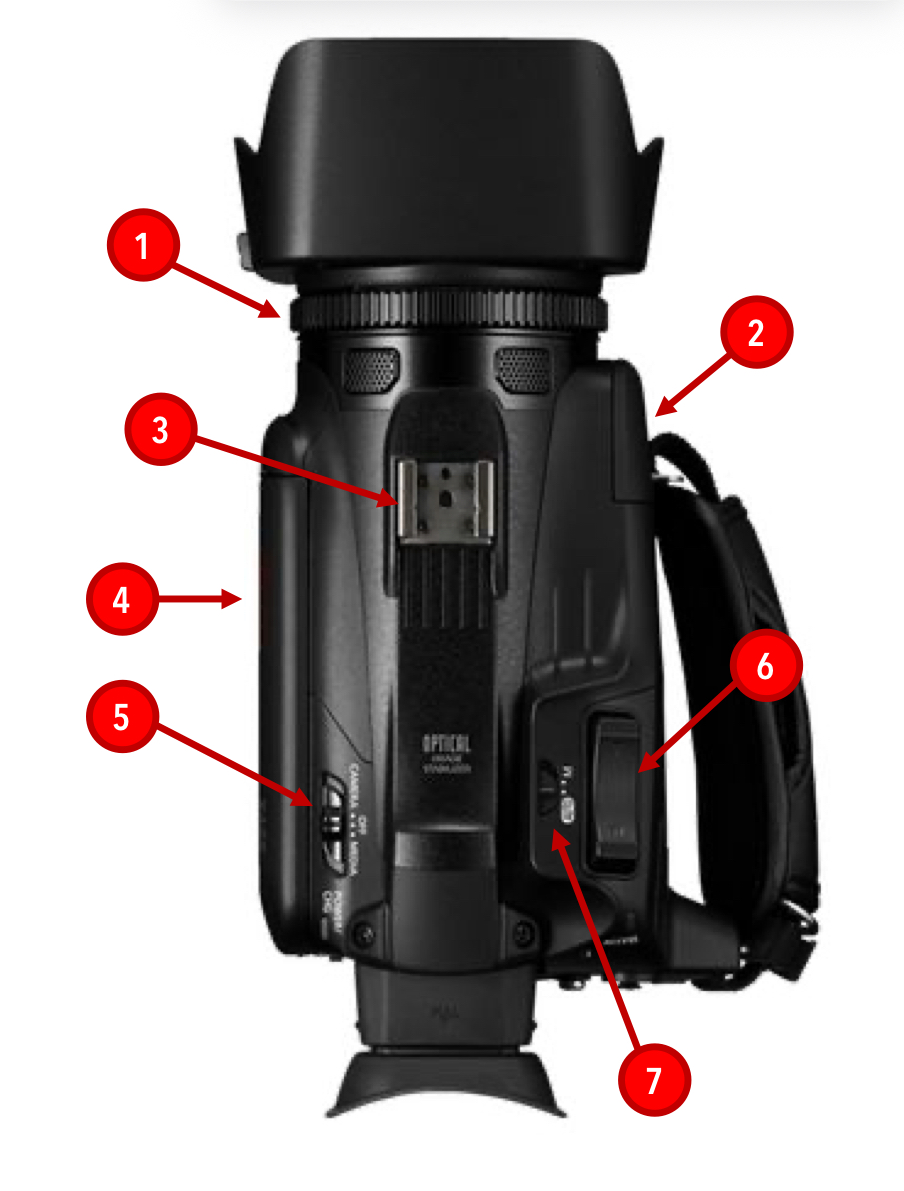
What is the red #1 pointing to?
Focus/zoom ring
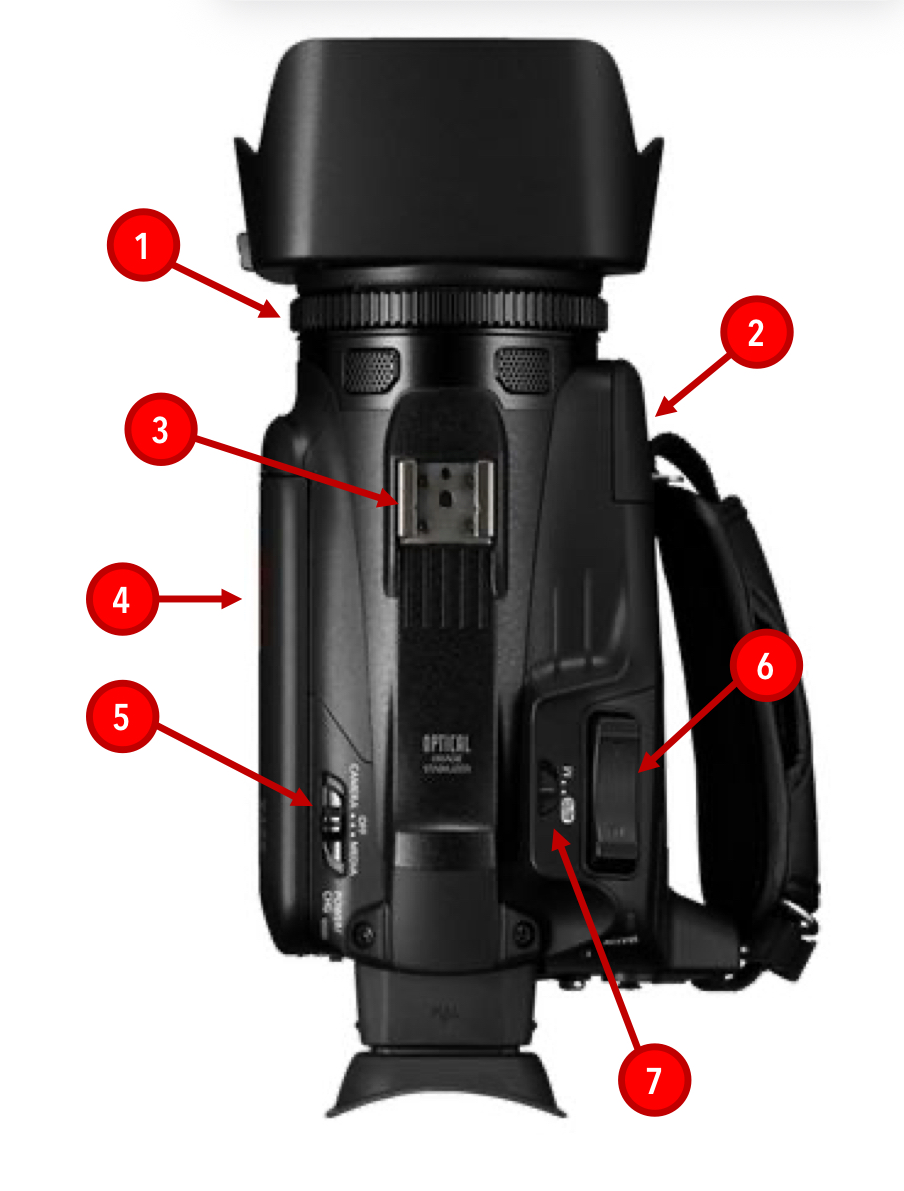
What is the red #2 pointing to
Data/video connections
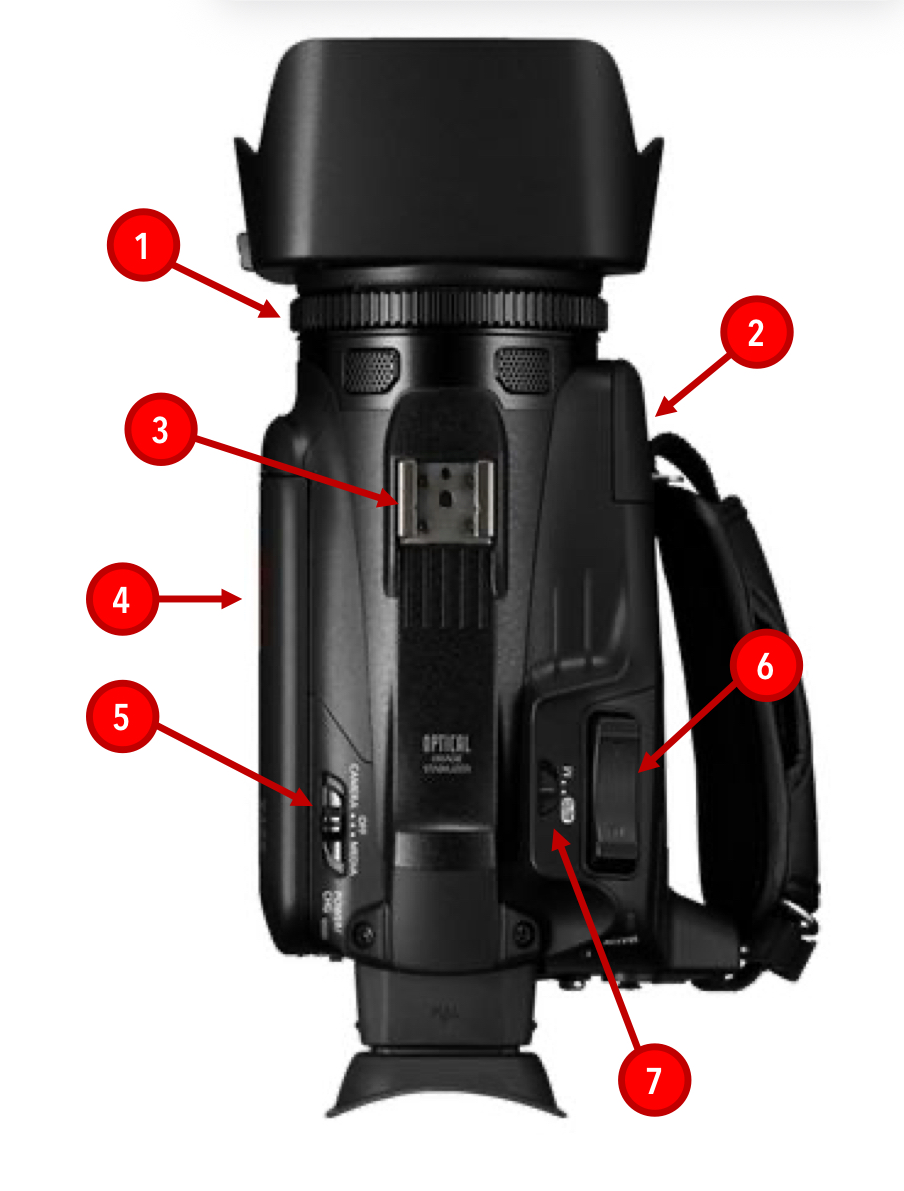
What is the red #3 pointing to
Shoe mount
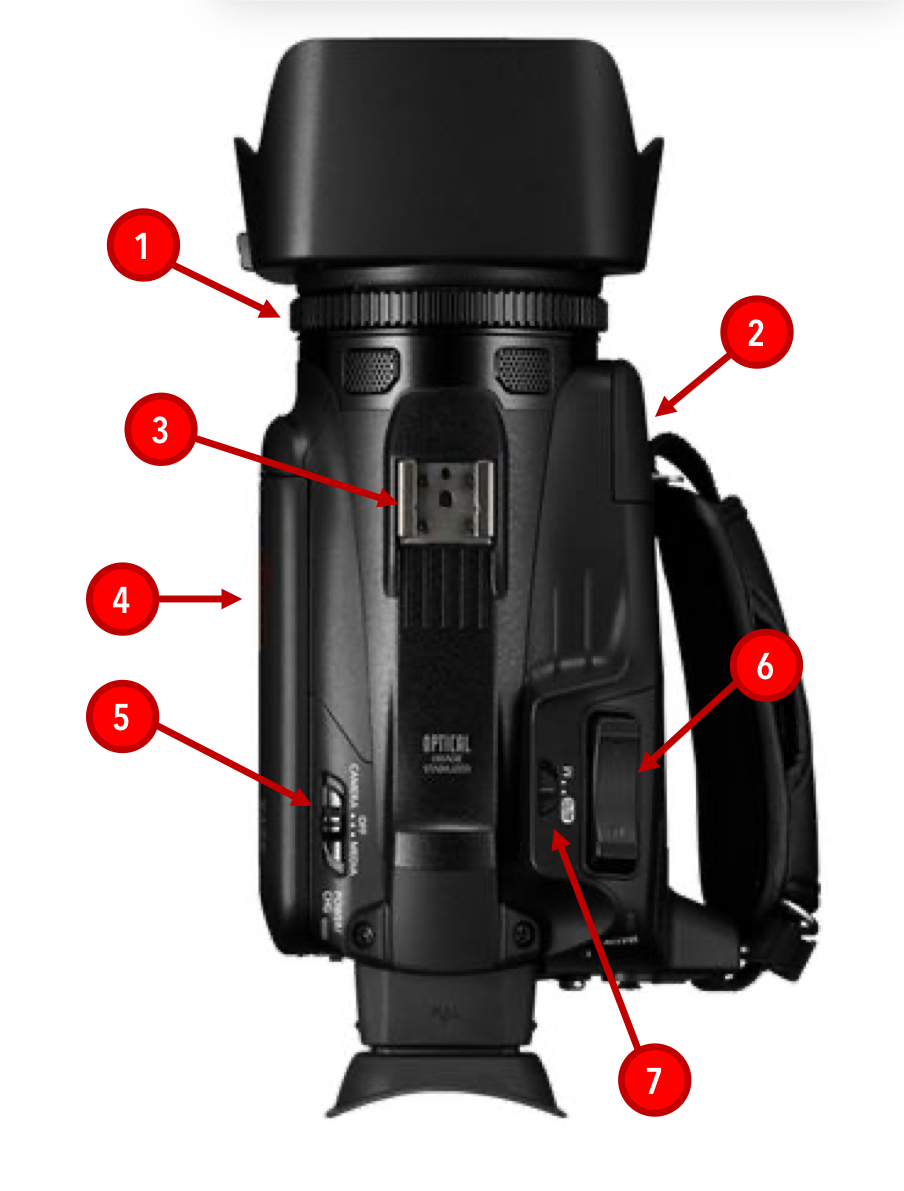
What is the red #4 pointing to
Viewfinder
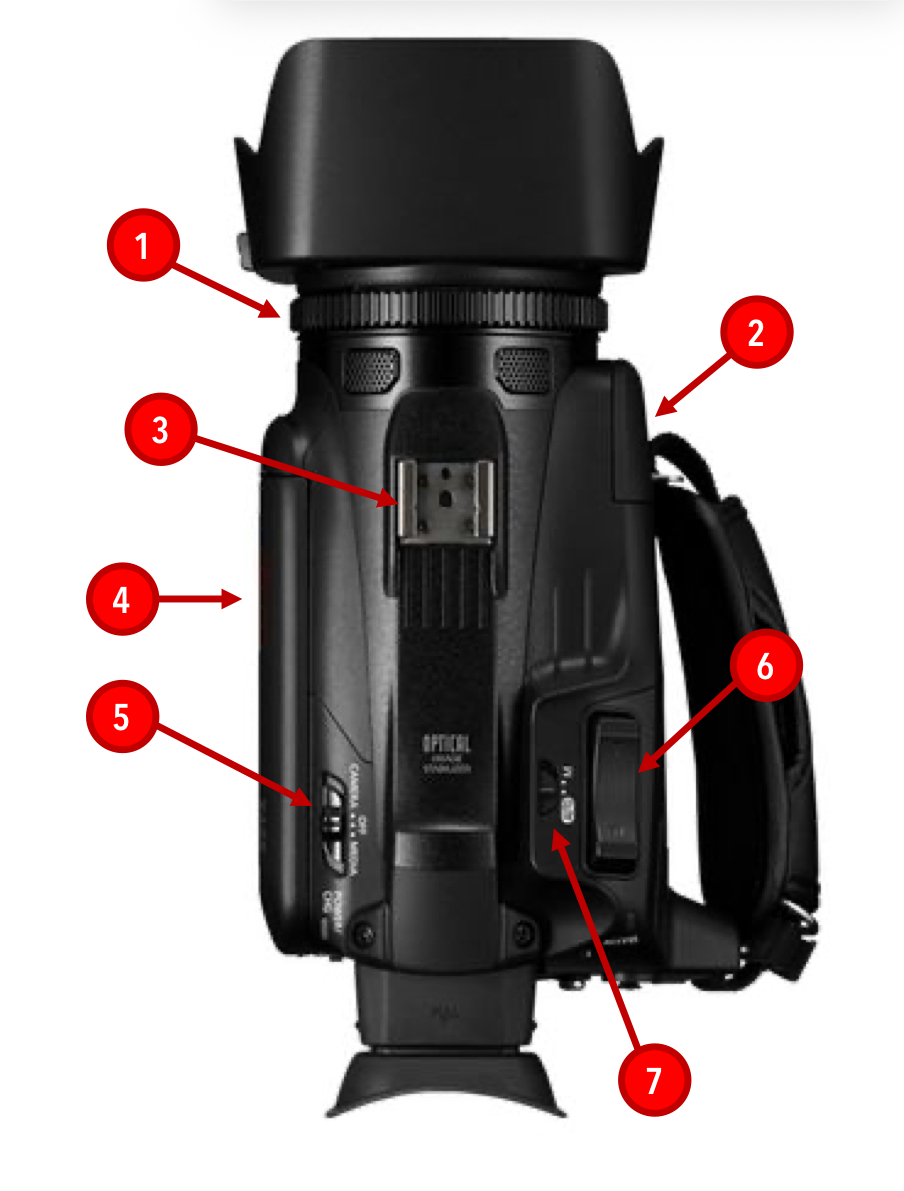
What is the red #5 pointing to
power switch
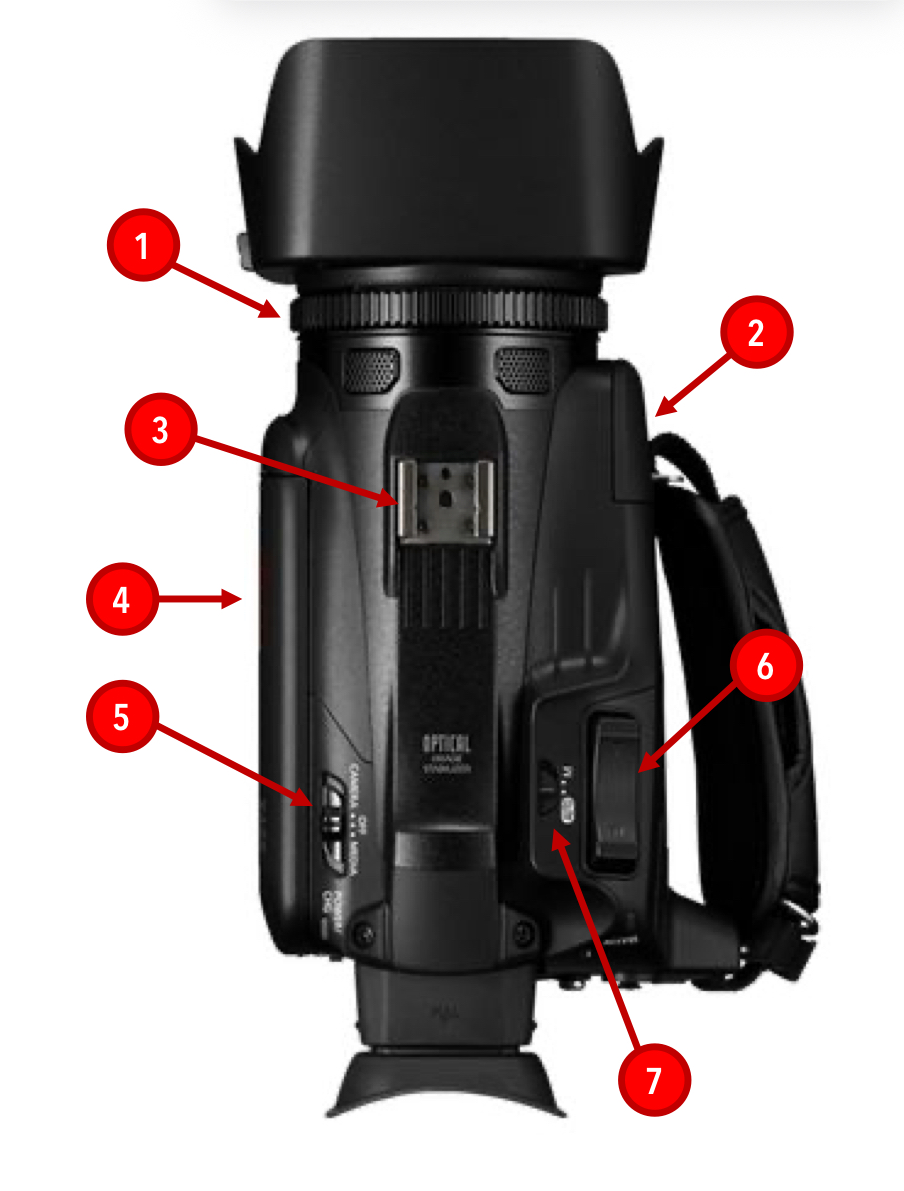
What is the red #6 pointing to
Grip zoom rocker

What is the red #7 pointing to
Camera mode switch
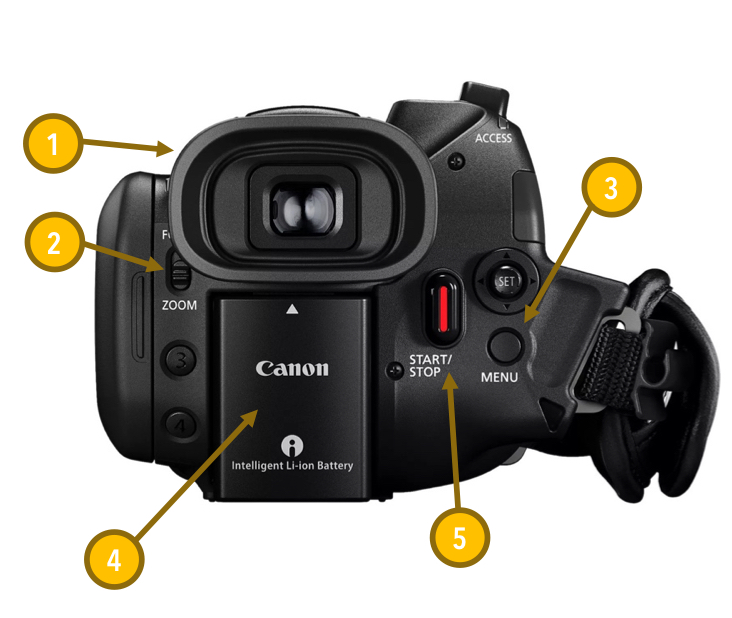
What is the yellow #1 pointing to
Eye cup
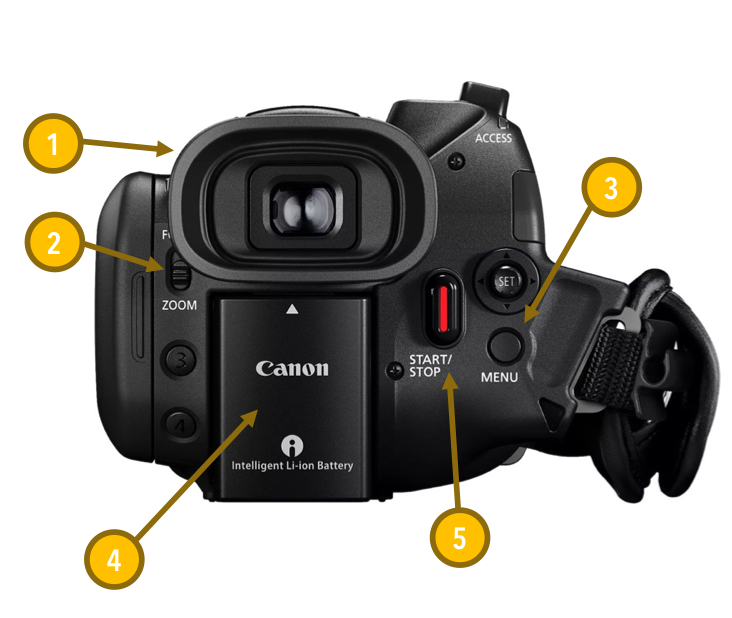
What is the yellow #2 pointing to
Focus/zoom ring switch
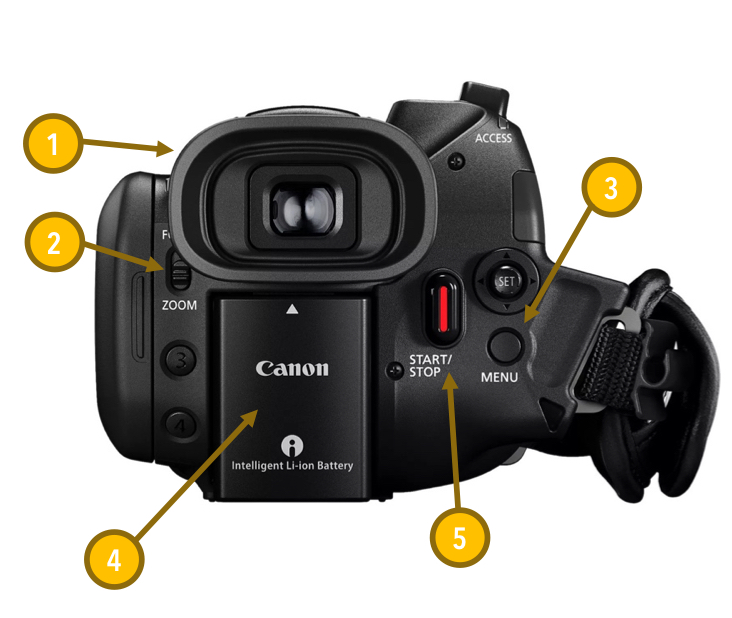
What is the yellow #3 pointing to
Menu button

What is the yellow #4 pointing to
Battery
What is the yellow #5 pointing to
Start/stop button
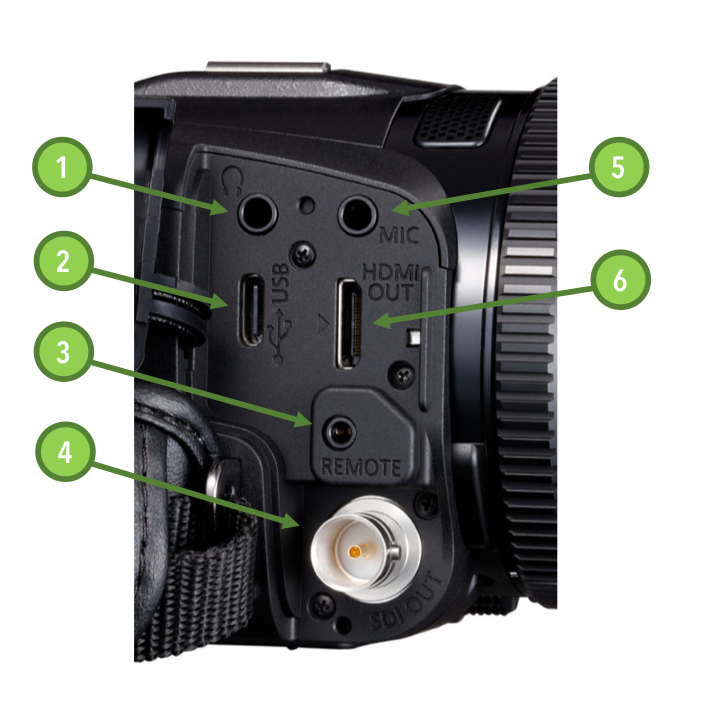
What is green #1 pointing to
Headphones port
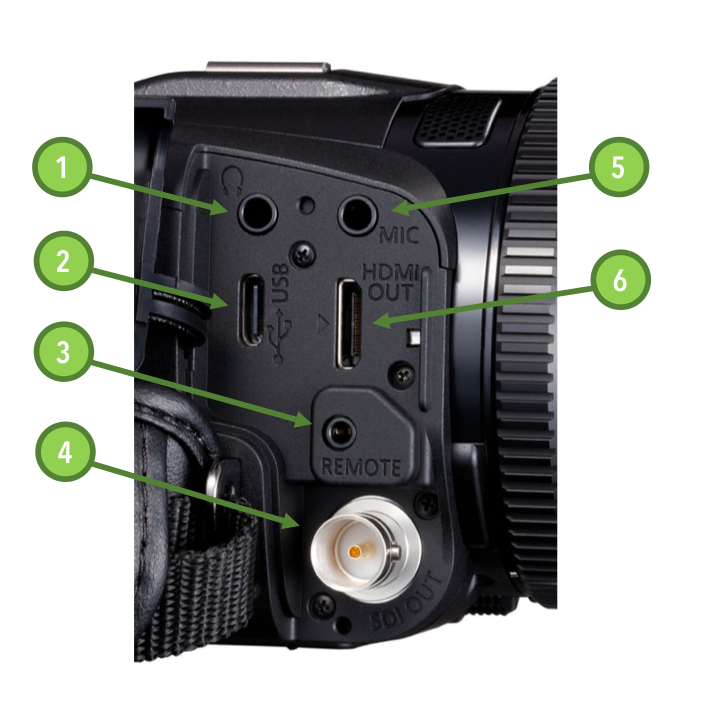
What is green #2 pointing to
USB-C port
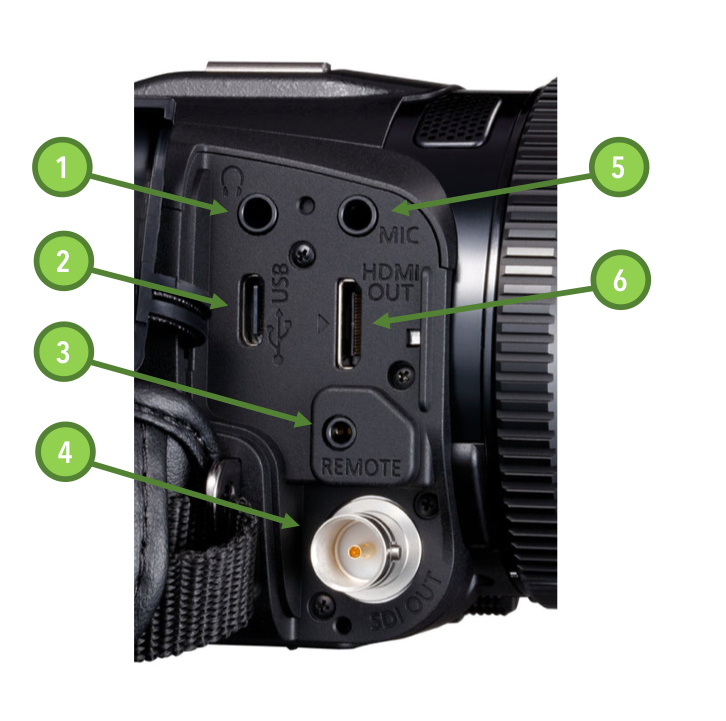
What is the green #3 pointing to
remote port
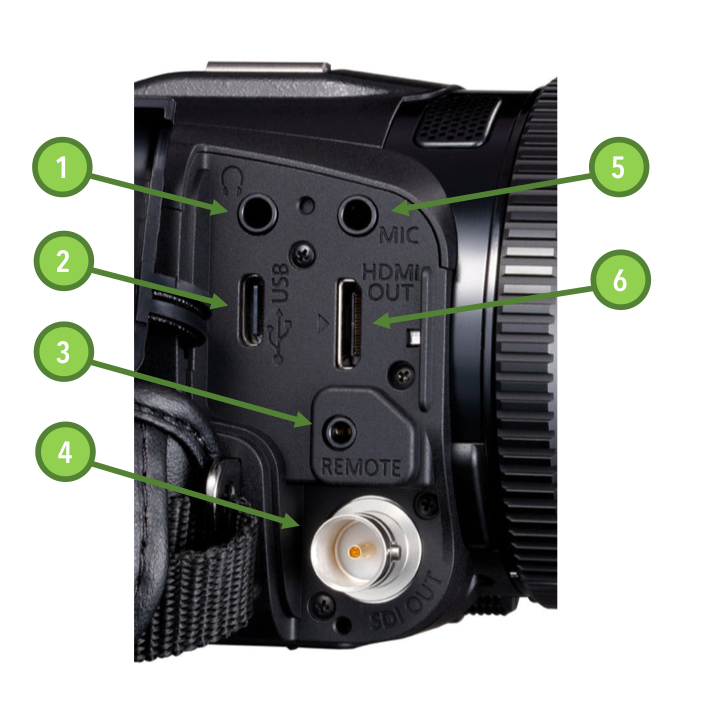
What is the green #4 pointing to
SDI port
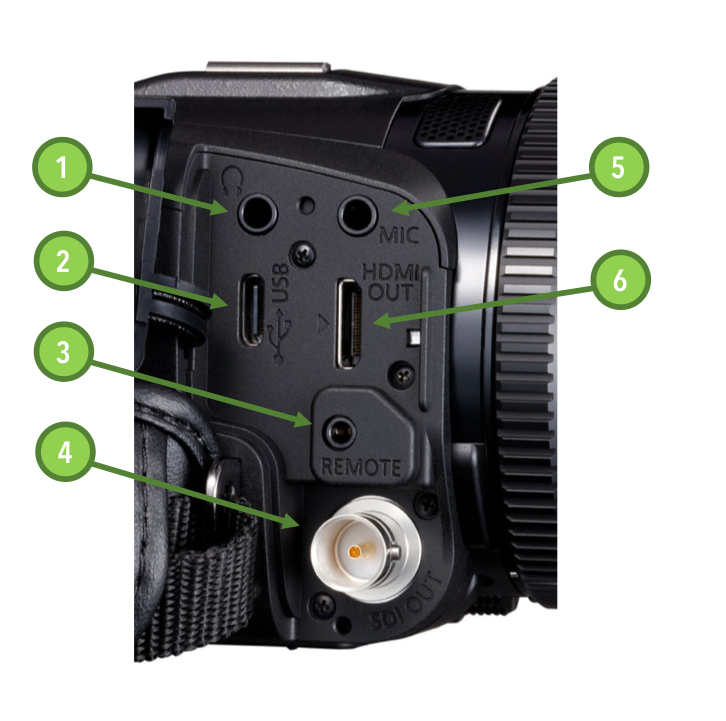
What is the green #5 pointing to
Mic port
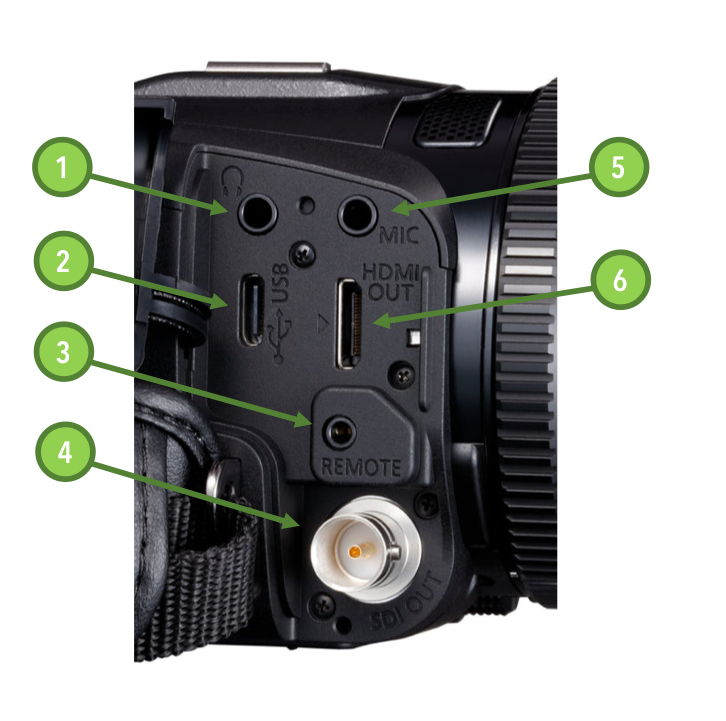
What is the green #6 pointing to
HDMI port
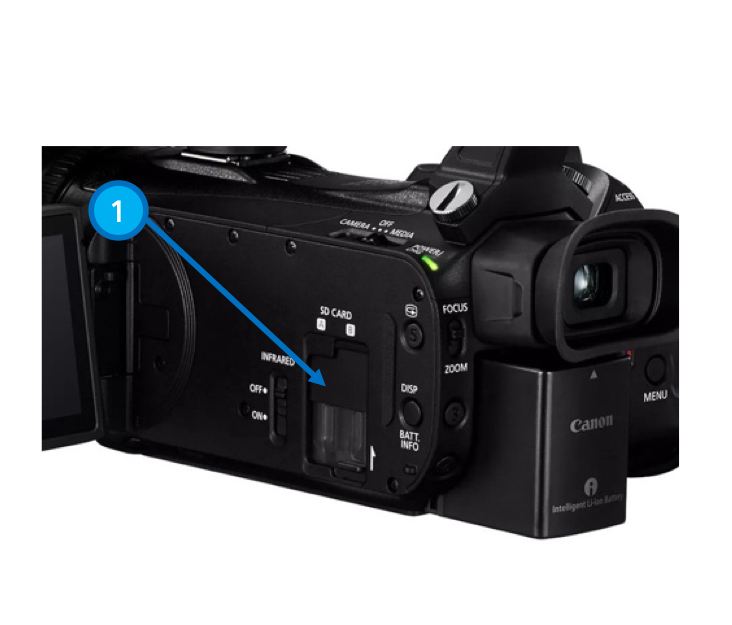
What is the blue #1 pointing to
SD card slots
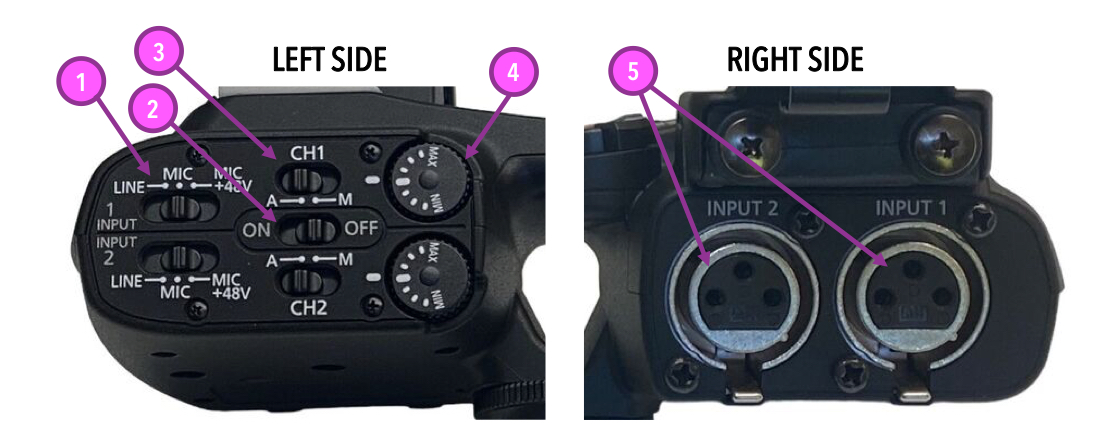
What is the pink #1 pointing to
Sensitivity switches
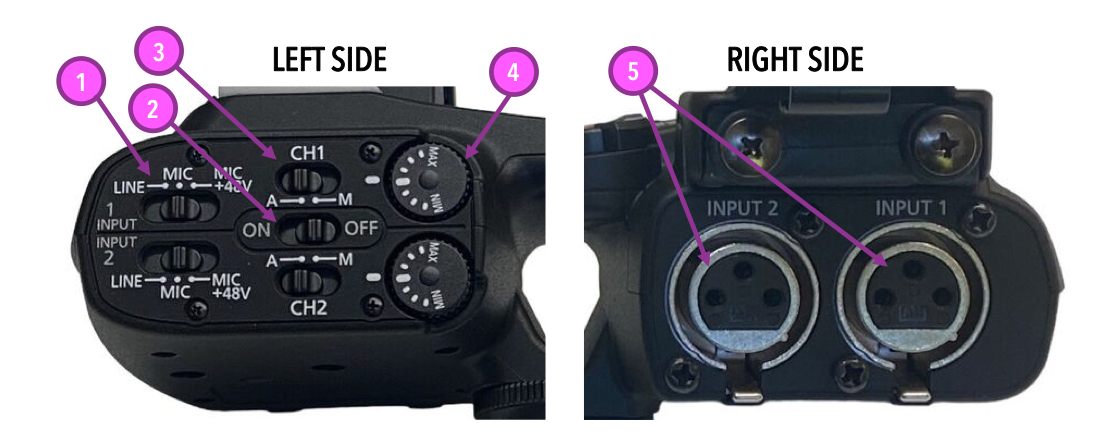
What is the pink #2 pointing to
XLR input on/off switch
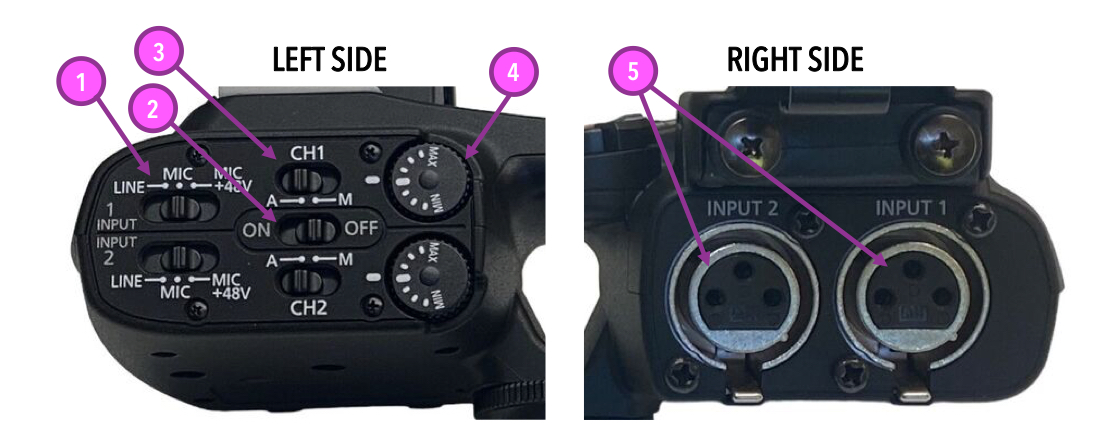
What is the pink #3 pointing to
Audio level switches

What is the pink #4 pointing to
Audio level dials
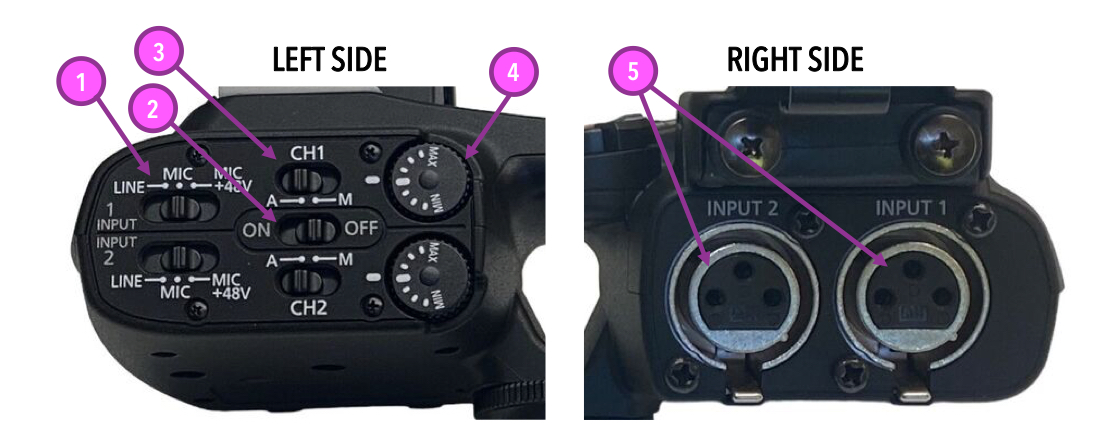
What is the pink #5 pointing to
Input terminals
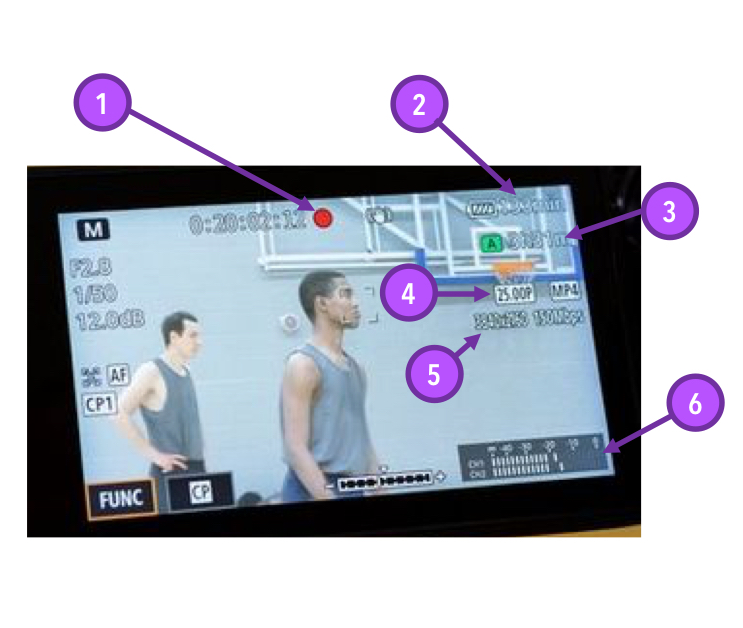
What is the purple #1 pointing to
Record indicator
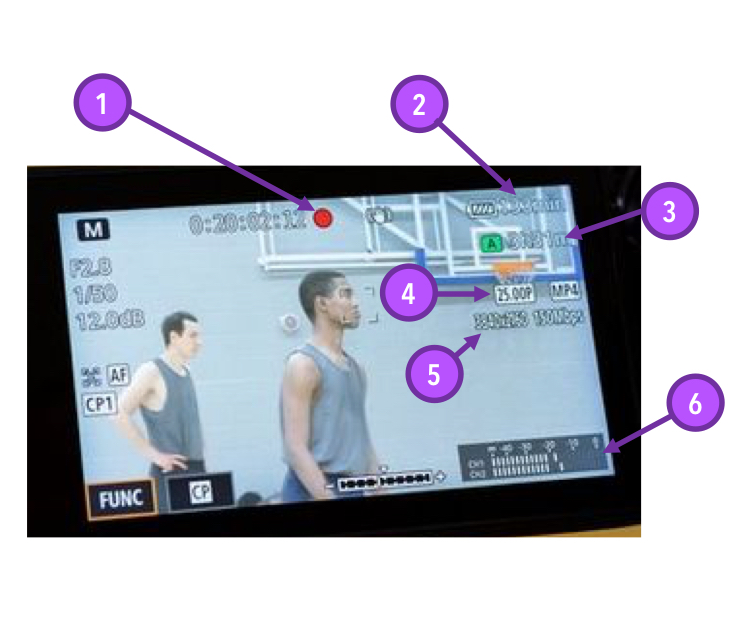
What is the purple #2 pointing to
Battery indicator
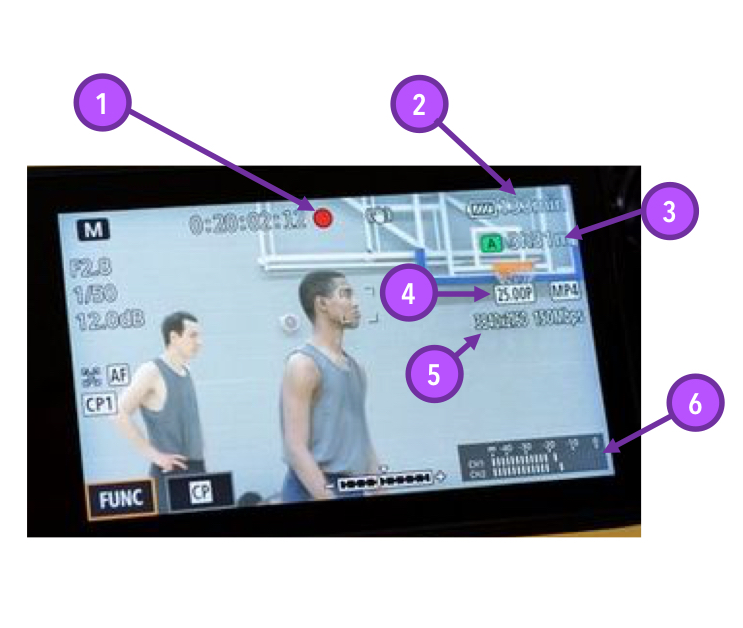
What is the purple #3 pointing to
Memory card indicator
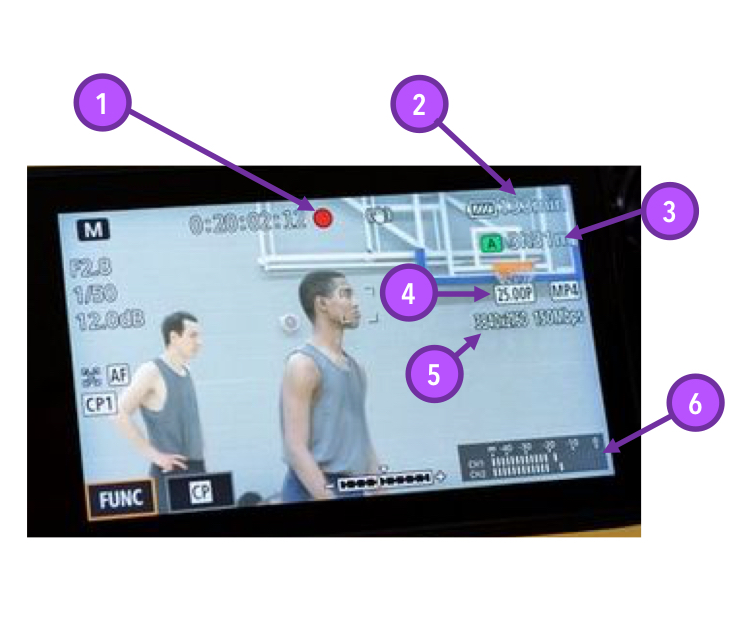
What is the purple #4 pointing to
Frame rate
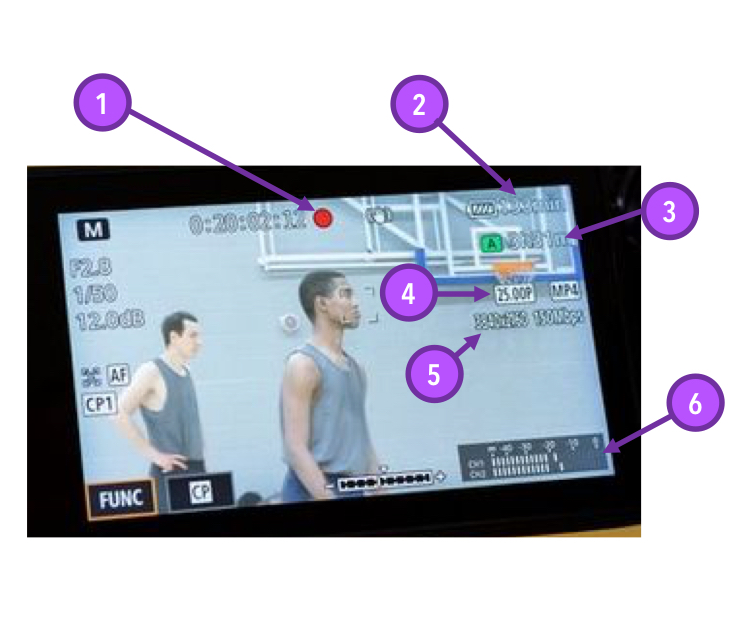
What is the purple #5 pointing to
Resolution
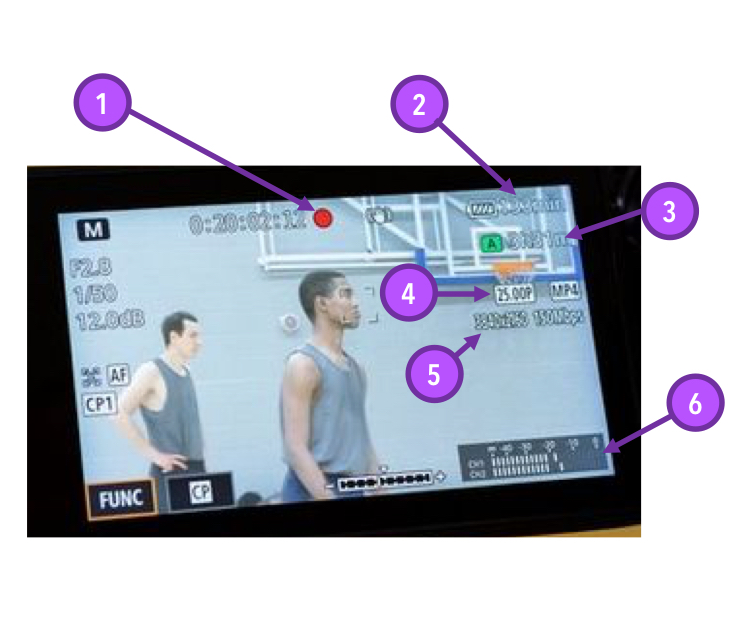
What is the purple #6 pointing to
Audio meter
 Note
Note  Flashcards (22)