CompTIA A+ 220-1201 (3.4 - RAID)
 Studied by 0 people
 Call with Kai
 Learn
Learn Practice Test
 Spaced Repetition
 Match
Match Flashcards
 Knowt Play
1/6

Earn XP
Description and Tags
Name | Mastery | Learn | Test | Matching | Spaced | Call with Kai |
|---|
No study sessions yet.
7 Terms
Data redundancy
• Hard drives store huge amounts of important data
• Hard drives are moving components - They will eventually break
• What happens to the data when the drive fails?
- You can prepare for that; Use an array of drives
• RAID is not backup
RAID
• Redundant Array of Independent Disks
- They're also inexpensive disks.
• Different RAID levels - Some redundant, some not
• RAID 0 - Striping
• RAID 1 - Mirroring
• RAID 5 - Striping with one parity drive
• RAID 6 - Striping with two parity drives
• Nested RAID - RAID 1+0 (a.k.a. RAID 10) - A stripe of mirrors
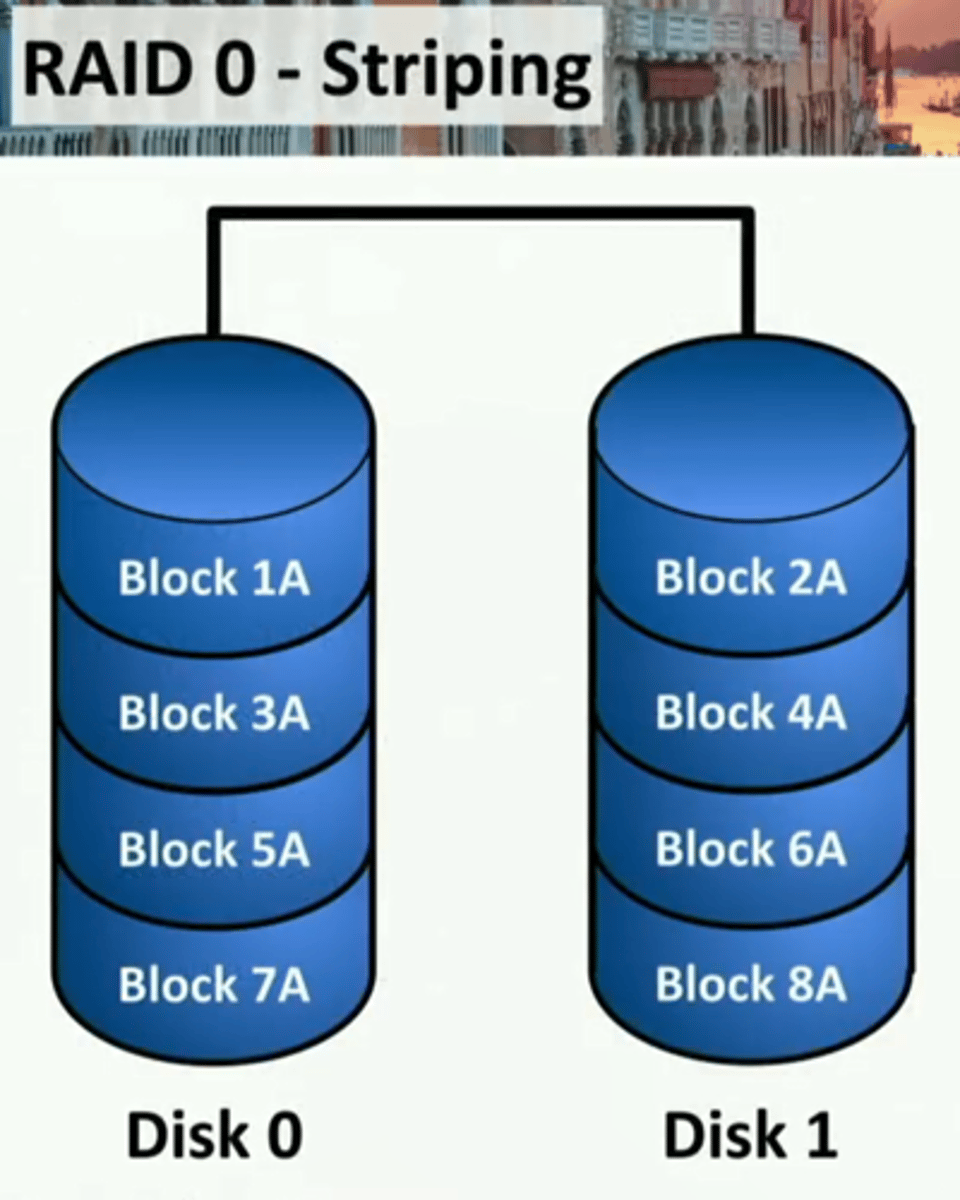
RAID 0 - Striping
• File blocks are split between
two or more physical drives
- High performance
- Data written quickly
• No redundancy
- A drive failure breaks the array
- Raid 0 is zero redundancy
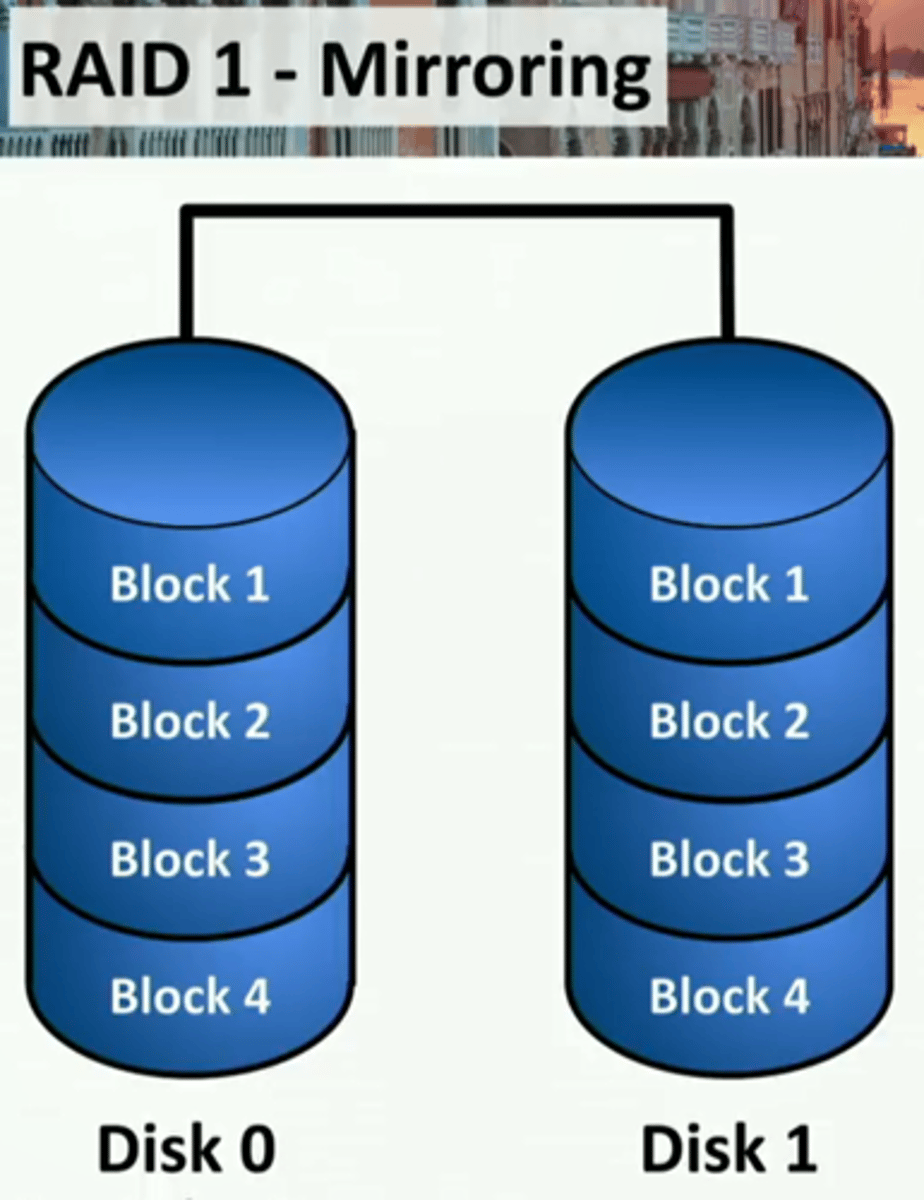
RAID 1 - Mirroring
• File blocks are duplicated between
two or more physical drives
• High disk utilization
- Every file is duplicated
- Required disk space is doubled
• High redundancy
- Drive failure does not affect data availability
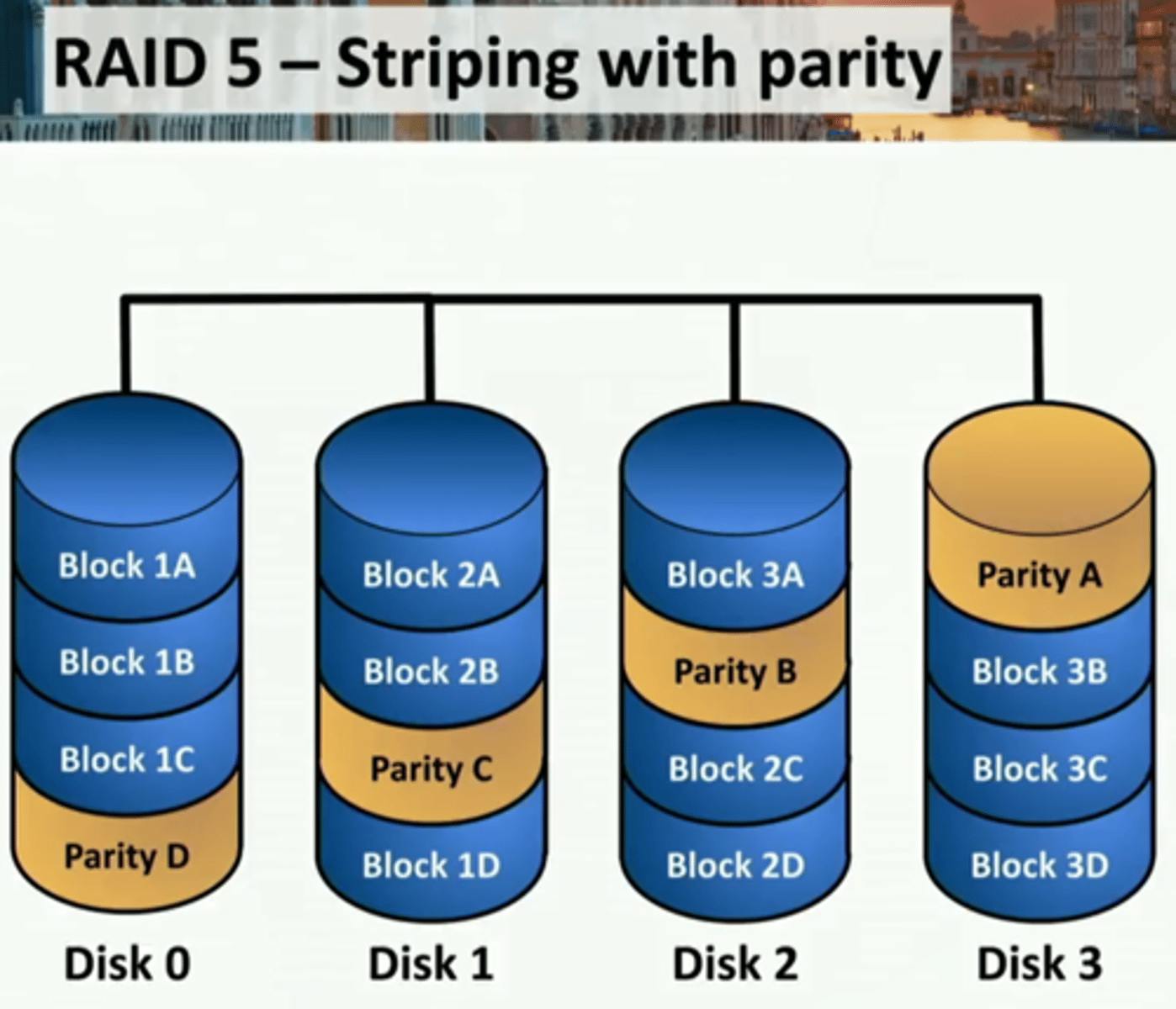
RAID 5 - Striping with parity
• File blocks are striped
- Along with a parity block
- Requires at least three disks
• Efficient use of disk space
- Files aren't duplicated, but space
is still used for parity
• High redundancy
- Drive is available after a failure
- Parity calculation may affect
performance
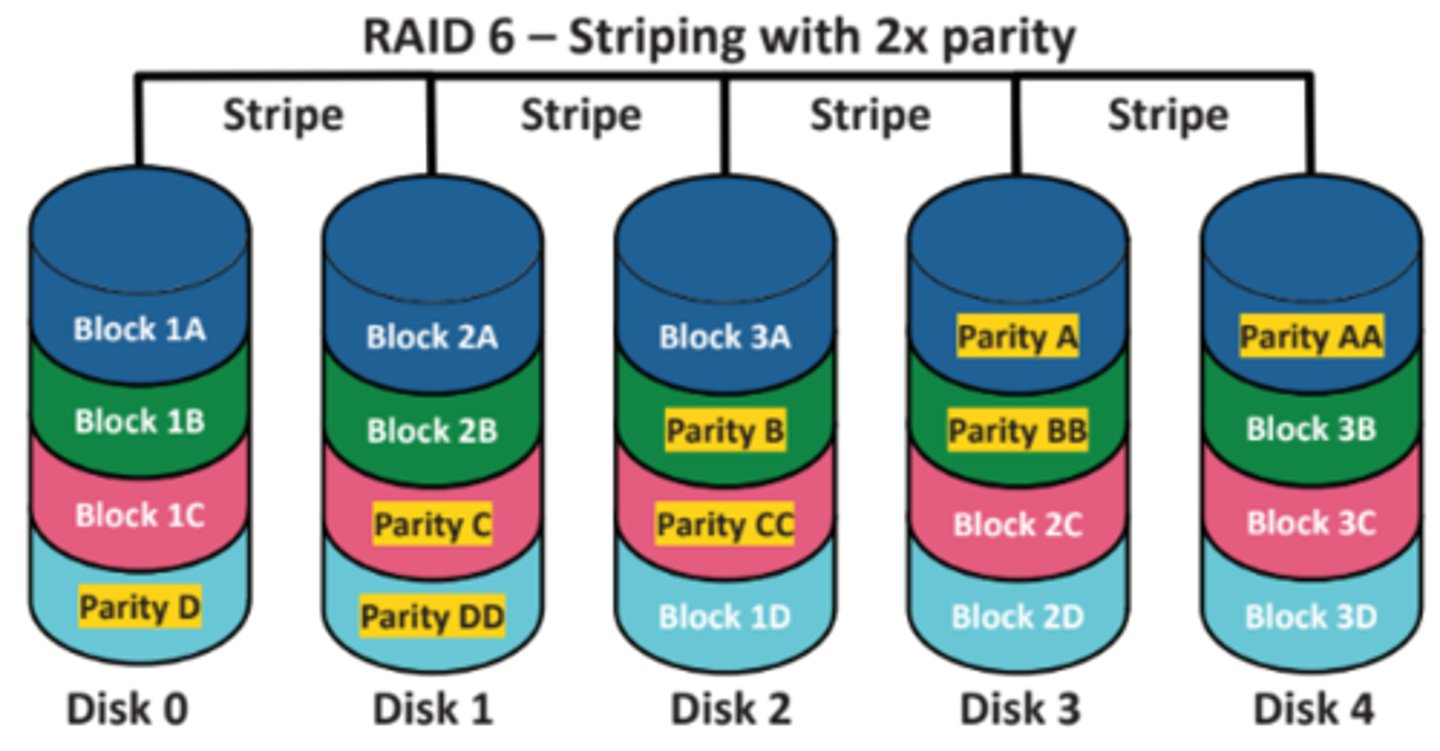
RAID 6
• Add another parity block
- Requires at least four drives
• Could lose two drives
- Data would continue to be available
• Requires another drive
- Adds more parity
- Does not add more capacity
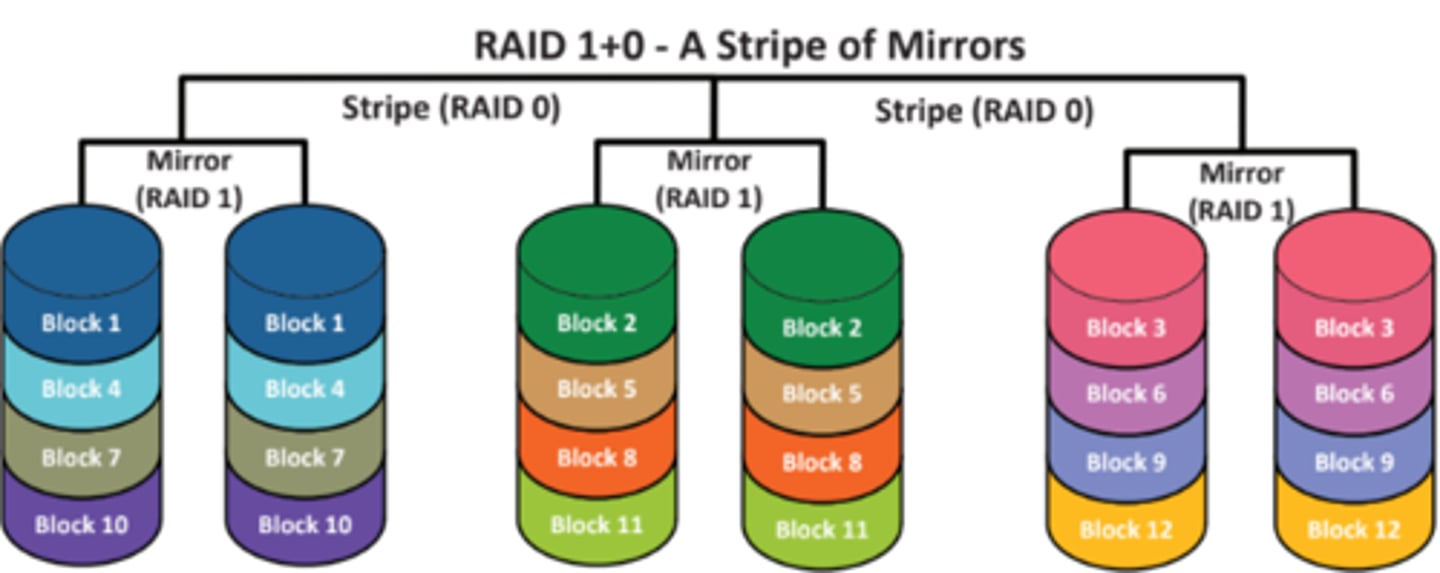
RAID 1+0 - A stripe of mirrors
• The speed of striping, the
redundancy of mirrors
• Need at least 4 drives
 Note
Note  Flashcards (64)