1.6.2: A First Program (Participation Activity)
 Call Kai
 Learn
Learn Practice Test
 Spaced Repetition
 Match
Match Flashcards
 Knowt Play
1/5

Earn XP
Description and Tags
Name | Mastery | Learn | Test | Matching | Spaced | Call with Kai |
|---|
No analytics yet
Send a link to your students to track their progress
6 Terms
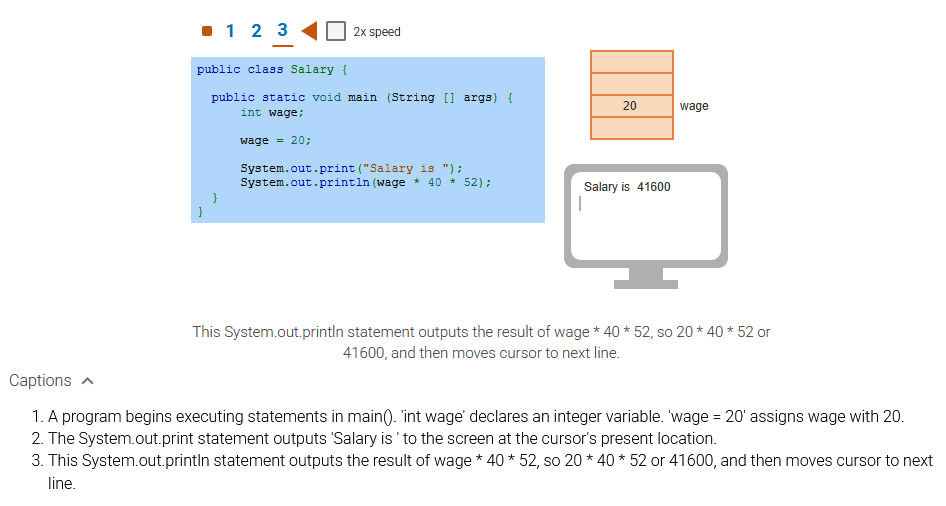
Program execution begins at main() and executes statements surrounded by which symbols?
{} (Explanation: The statements within main() are contained within { }, called curly braces. The { indicates the start of main's statements, and the } indicates the end of main's statements, here meaning the end of the program.)
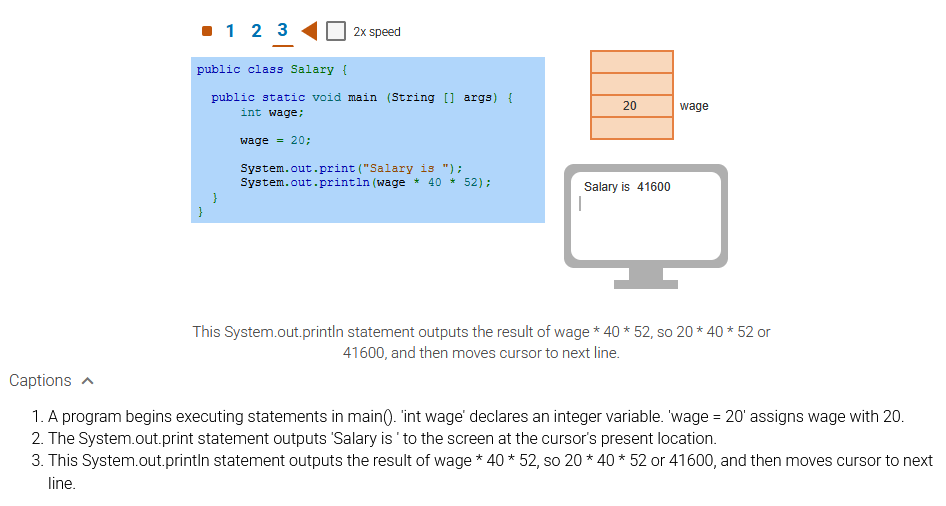
The statement int wage; creates a variable named wage that is used to _____ the value 20.
hold (Explanation: The variable wage holds the value 20. The variable wage can be assigned with a different value later in the program, so because the value held can vary, the item is called a variable. Program variables are different from variables in algebra.)
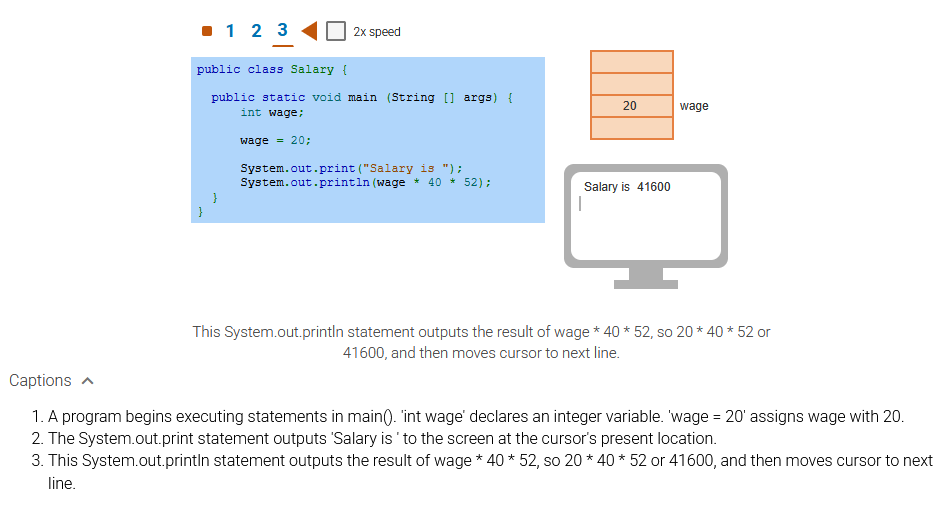
Would the following order of statements work the same as above?
wage = 20;
int wage;
No (Explanation: This order doesn't work. Statements are executed one at a time, starting from the first statement after the opening {. The program must first create the variable wage to hold a value, and only then can assign wage with the value 20. As an analogy, in everyday life, the instructions "Get a teapot. Fill with water." make sense. But the reverse-order "Fill with water. Get a teapot." make no sense, and water will end up on the floor.)
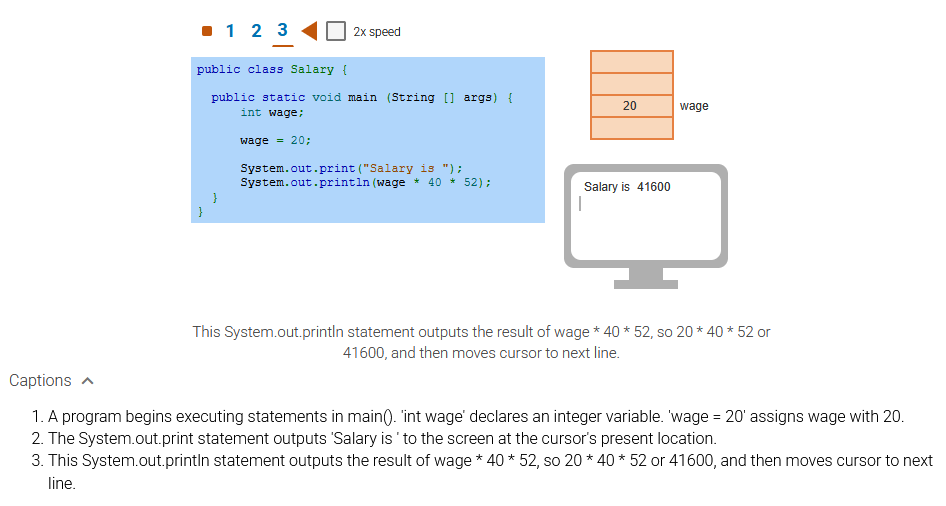
Each statement ends with what symbol?
Semicolon ; (Explanation: Like a period ends an English sentence, a semicolon ends a program statement. Even though each statement is usually written on a unique line, a semicolon is needed as a separator because multiple statements could appear on the same line (though that practice is strongly discouraged)).
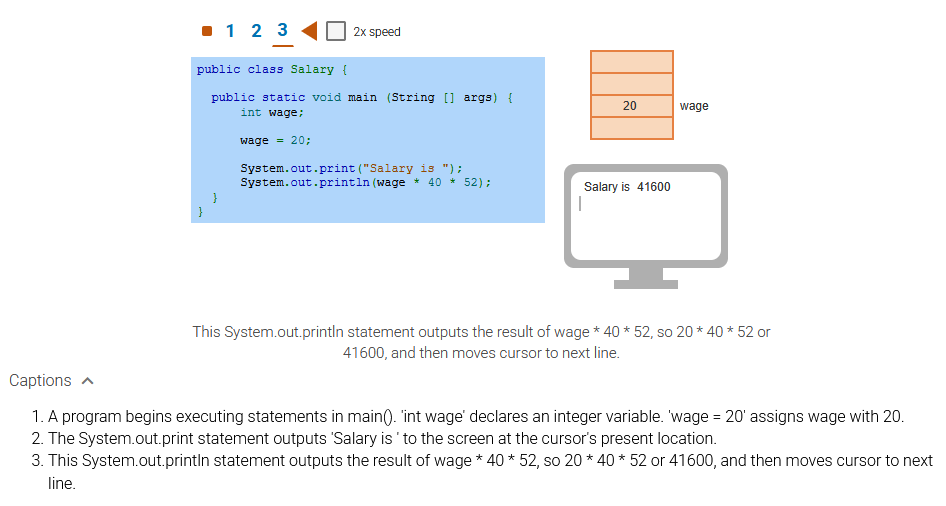
The expression wage 40 52 resulted in what value?
41600 (Explanation: The variable wage holds 20, so wage 40 52, will calculate 20 40 52, which is 41600. Note that the symbol for multiplication is * (an asterisk)).
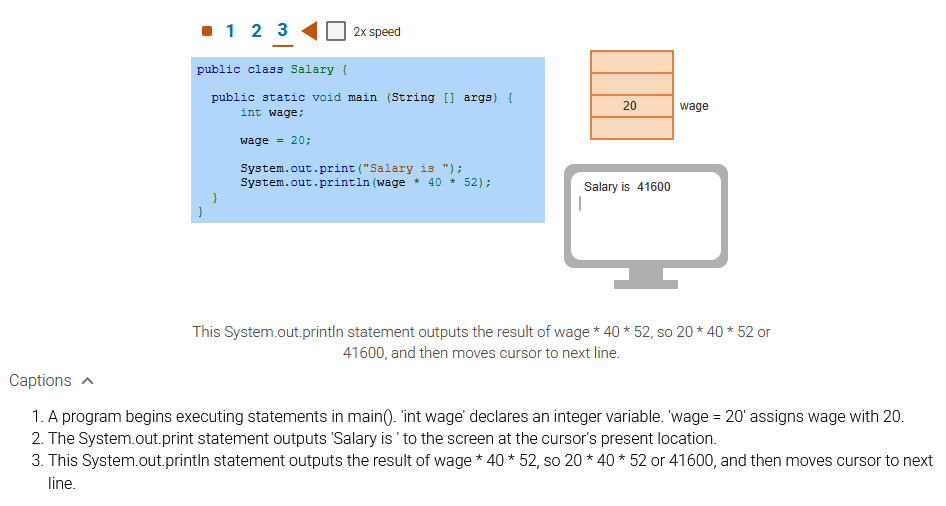
Each System.out.print() and System.out.println() statement outputs items to _____.
The screen (Explanation: In the example, each System.out.print() or System.out.println() statement puts an item on the screen, starting at the screen cursor's present location, and moving the cursor after each output item. System.out.print() just prints the item. System.out.println() prints the item and then moves the cursor to the next line.)

