AutoCAD for Design and Drafting Professional Certification Prep
 Studied by 0 people
 Call Kai
 Learn
Learn Practice Test
 Spaced Repetition
 Match
Match Flashcards
 Knowt Play
1/116

There's no tags or description
Looks like no tags are added yet.
Name | Mastery | Learn | Test | Matching | Spaced | Call with Kai |
|---|
No analytics yet
Send a link to your students to track their progress
117 Terms
Which layer property controls whether objects are continuous or dashed?
Linetype
3 multiple choice options
When layer properties are overridden within a viewport, how is this indicated in the Layer Properties Manager?
The layer name and specific property overrides are shown with a blue background color.
3 multiple choice options
When do results of a layer properties filter become visible?
In real time as the filter is being defined.
3 multiple choice options
When binding an xref, what should be taken into consideration when choosing between the Insert and Bind options?
How the xref's layers will be merged.
3 multiple choice options
When a new user coordinate system is created with a new base point and rotation, which of the following should be expected? (Drawing settings are not impacted by creating a new user coordinate system that is rotated at 45 degrees.)
The orientation of the cursor crosshairs are reoriented to align with the new UCS's rotation.
3 multiple choice options
What occurs if no objects are selected in the Properties palette?
Drawing properties are shown.
3 multiple choice options
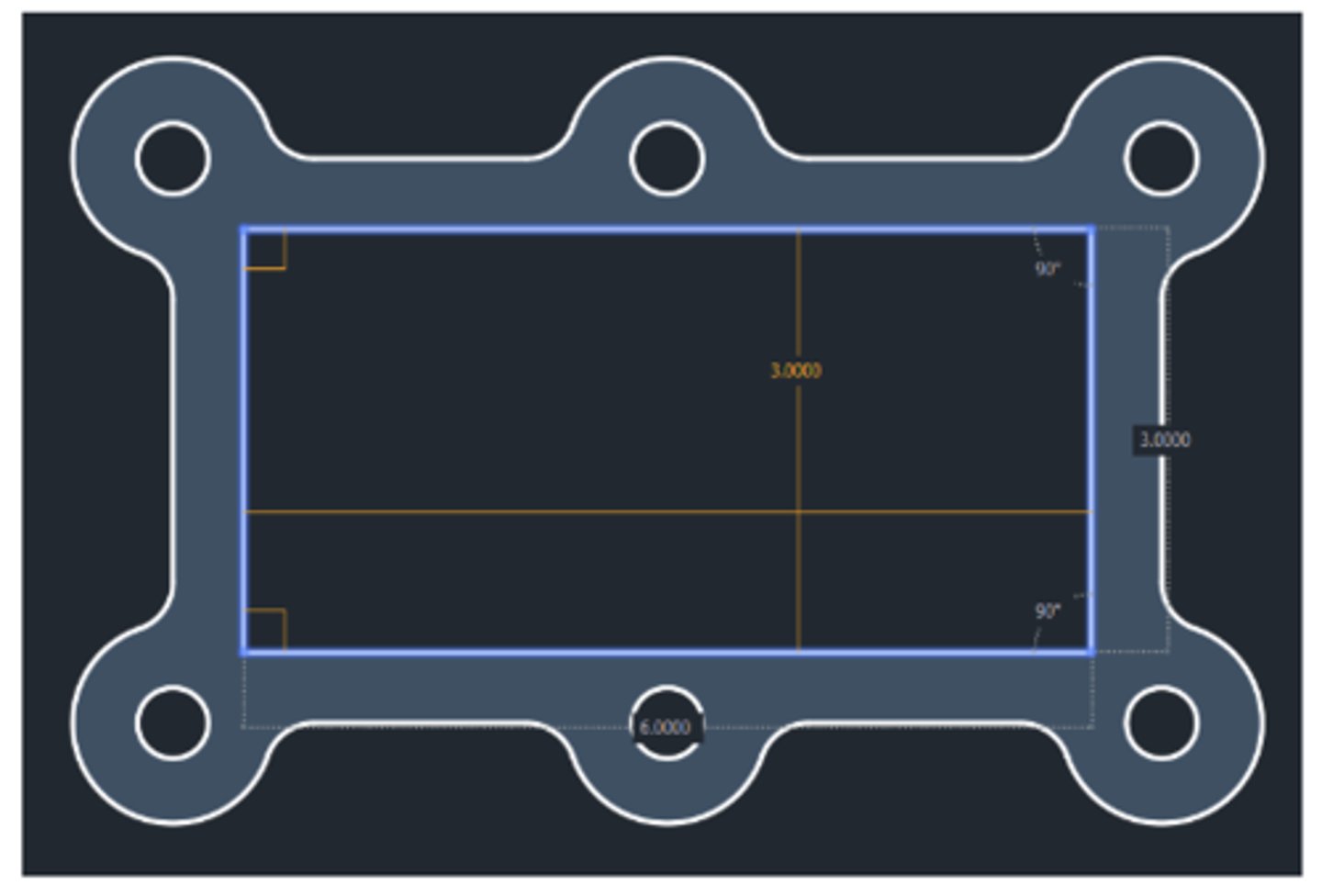
When using the MEASUREGEOM command’s Quick Mode, what does an orange box in a corner indicate?
The lines creating the corner are at a right angle.
3 multiple choice options
Which objects can be counted with the COUNT command?
Non-block objects in model space.
3 multiple choice options
What action prevents a palette from being docked while dragging to the side of the display?
Press and hold the Control key.
3 multiple choice options
How is the Status bar customized?
Click the Customize tool on the Status bar.
3 multiple choice options
What restriction exists when using the AUDIT command?
It can only be used in the current drawing.
3 multiple choice options
What cannot be purged when using the PURGE command?
Orphaned xrefs
3 multiple choice options
Which file type is not displayed by the Drawing Recovery Manager in the list of files requiring recovery?
DWL
3 multiple choice options
Which of the following are valid properties of a text style?
Text effects (Backwards, Upside down, etc.)
3 multiple choice options
How is the table style changed for an existing table?
Select a table and choose the desired table style in the Properties palette.
3 multiple choice options
What effect does resetting the annotation scale list have on custom annotation scales?
Only unused custom scales are removed.
3 multiple choice options
To which object type can annotative scales be applied?
Hatch
3 multiple choice options
To ensure that letters automatically appear in uppercase when typing in the In-place MText editor, what action should be taken?
Choose the All Caps option in the right-click menu.
3 multiple choice options
When editing text in an AutoCAD table, what purpose does the Tab key serve?
Advances to the next cell.
3 multiple choice options
What occurs to blocks when the Scale uniformly option is selected in the Block Definition dialog?
They can't have different X and Y scales.
3 multiple choice options
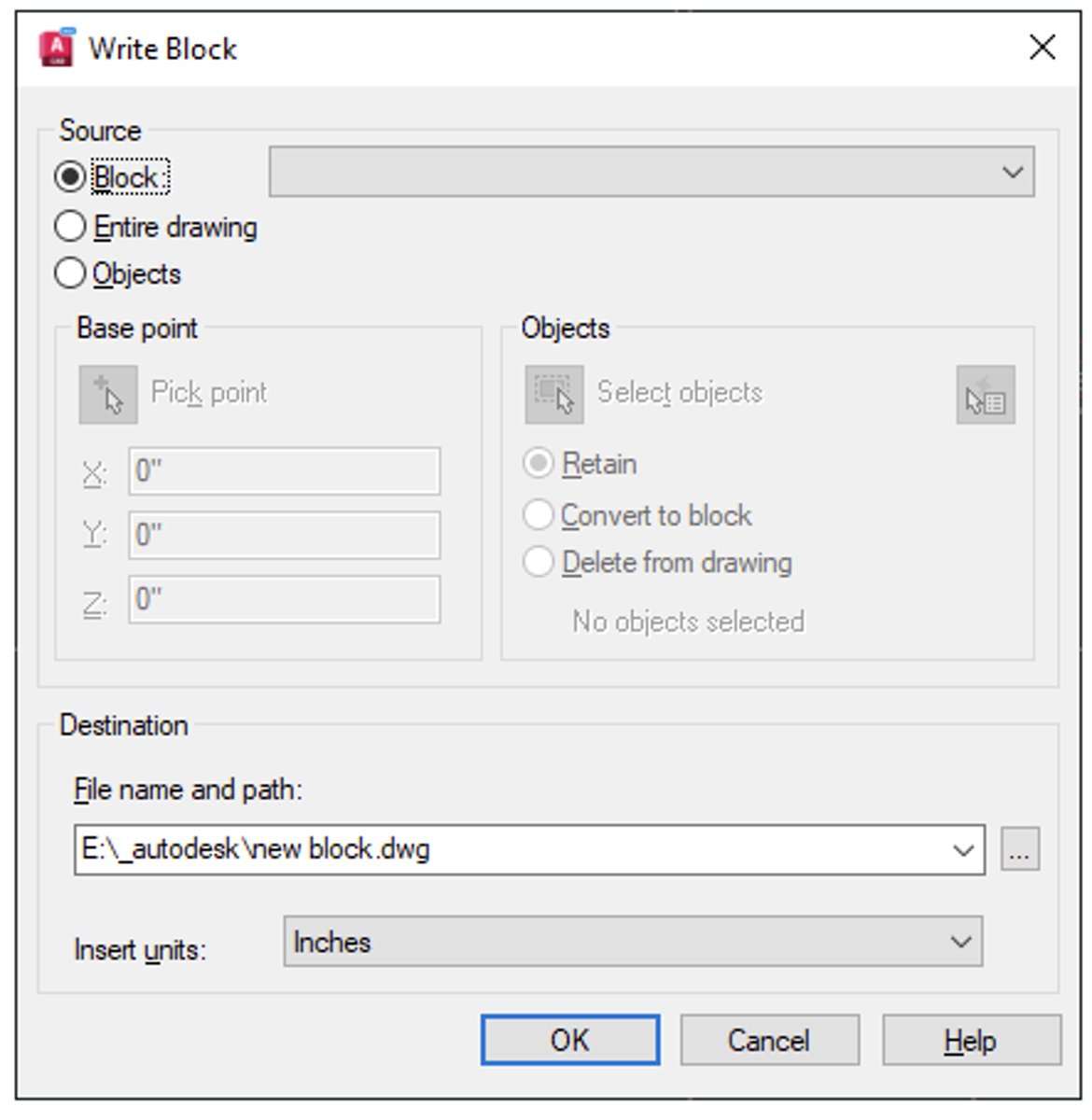
When using the WBLOCK command, if Block is selected as the source, what does not need to be specified?
The block's base point.
3 multiple choice options
When inserting a block, what should be done if the position, scale or rotation suggested by the auto-placement feature is not correct?
Press the Control key to toggle through the other placement options.
3 multiple choice options
When copying from the clipboard, which of the following methods should be used to ensure the basepoint is correct when the objects are pasted?
Press the B key at the Specify Insertion Point prompt to pick a new basepoint.
3 multiple choice options
How can the direction of an arc be changed?
It can be overridden by using the Control key.
3 multiple choice options
After combining multiple hidden lines into a polyline, the resulting linetype has unwanted gaps at the corners. What setting should be changed to remove these gaps?
Linetype generation
3 multiple choice options
After offsetting a yellow line, the new line is green. What is the cause of this condition?
The offset's Layer option is not set to Source.
3 multiple choice options
Which two of the following are valid object type options in the BOUNDARY command? (Select two.)
Polyline, Region
3 multiple choice options
Which method will delete an individual element within an array?
Use the Control key to select a specific element and press the Delete key.
3 multiple choice options
After selecting an object or objects, what occurs when one of the grips is selected?
A grip-edit is initiated, starting with the Stretch option.
3 multiple choice options
Which method allows multiple grips to be selected simultaneously?
Select them while holding down the Shift key.
3 multiple choice options
When grip editing an object with dynamic input enabled, what does the small lock icon next to the highlighted value indicate?
The object is constrained by a previously entered value.
3 multiple choice options
When drawing a line with dynamic input enabled, how do you toggle between the displayed values?
Press the Tab key.
3 multiple choice options
Which of the following statements accurately describes an object snap override?
An object snap override is a specific object snap that takes precedent over the running object snaps for a single pick.
3 multiple choice options
What keyboard symbol informs AutoCAD that the coordinate values being entered are relative coordinates (in relation to the previously picked point)?
The @ symbol.
3 multiple choice options
What workflow should be used to apply a page setup to the current layout?
Select the page setup in the Page Setup Manager and set it current.
3 multiple choice options
What step should be taken to ensure that a viewport’s scale is not impacted by Zoom or Pan?
Lock the viewport.
3 multiple choice options
Which two of the following are valid clipping objects for clipping a viewport? (Select two.)
An ellipse , A closed polyline
3 multiple choice options
How can model space be excluded from the default sheet list in the PUBLISH command?
Deselect the Include Model When Adding Sheets option.
3 multiple choice options
Why is it good practice to select Set Default Plotter to None when creating an eTransmittal package?
To avoid potential plotter issues for the recipient.
3 multiple choice options
How is the sort order of sheets in a sheet set determined?
Sheets are sorted manually using the drag-and-drop method.
3 multiple choice options
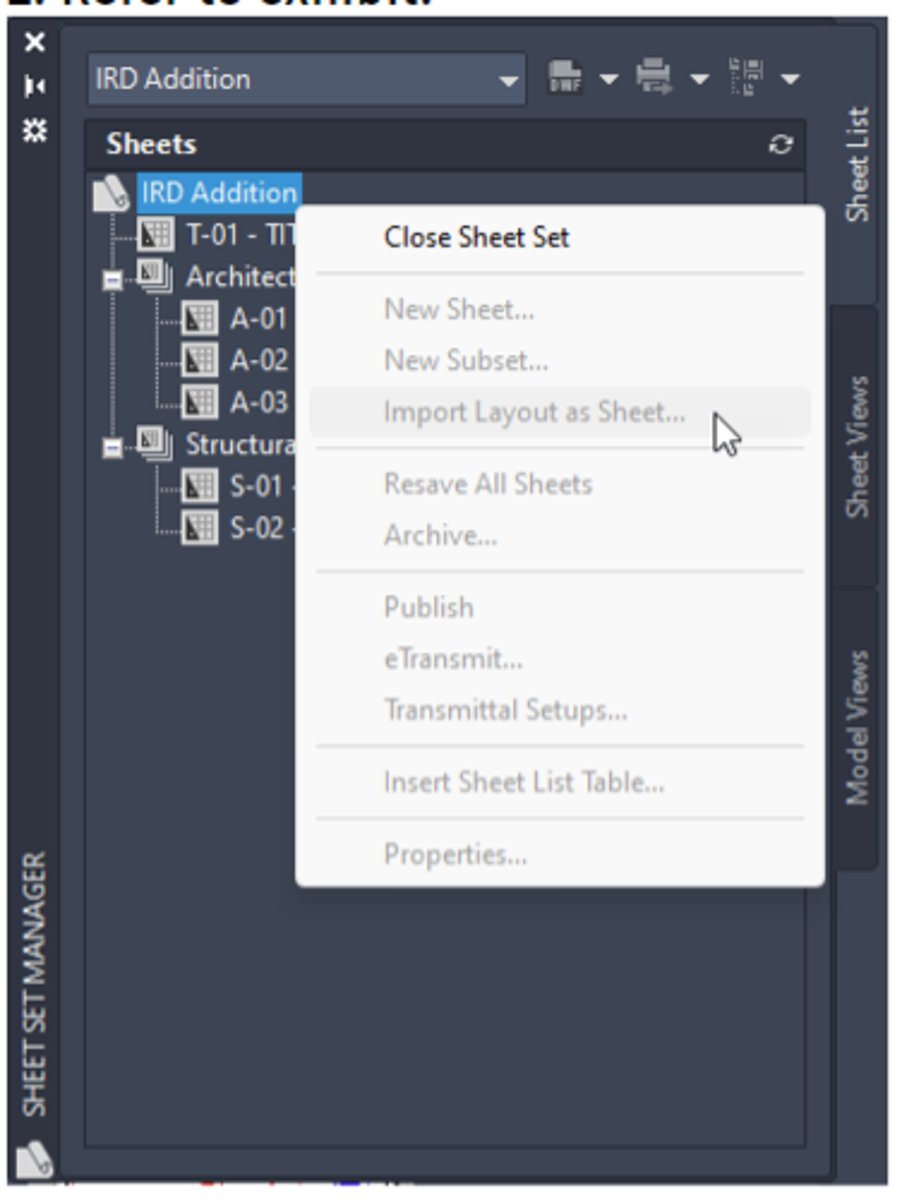
After changing sheet set properties, what step is required to update all sheets in the set to reflect the changed property?
Right-click on the Sheet Set and choose Resave All Sheets.
3 multiple choice options
Share links expire after how many days?
Seven.
3 multiple choice options
When working in Trace (Front) mode, which tools can be used?
All standard drawing and modify tools.
3 multiple choice options
What is one way the DWG Compare tool represents differences between drawings?
A revision cloud shows the changed objects.
3 multiple choice options
In the current drawing, if a drawing is referenced which contains both an overlay and an attach reference, how will they appear different?
The overlay reference will not be visible.
3 multiple choice options
Which path type option will result in the same path being shown in both the Found At and Saved Path properties?
Make Absolute
3 multiple choice options
To prevent the frame of an image or underlay from plotting, what workflow should be used?
Set the frame variable to not plot.
3 multiple choice options
To convert PDF content into AutoCAD objects, which workflow should be used?
Use the Import as Objects tool.
3 multiple choice options
When a data-linked table is selected, what does the lock icon beside the cursor indicate?
The content in the table is locked.
3 multiple choice options
If a field is associated with a line that gets erased, what happens to the field?
Its property changes to show all hash (#) marks.
3 multiple choice options
What should be done to prevent a viewport’s scale from being changed accidentally?
Lock the viewport.
3 multiple choice options
A CAD designer wants to publish a sheet set (project), but Publish is disabled. What step is missing in the workflow?
A drawing must be open to publish sheets.
3 multiple choice options
A CAD designer needs to combine the content within an attached xref into the current drawing. The xref's layers should remain distinct from those in the current drawing. What xref method will accomplish this?
Bind the xref using the Bind option.
3 multiple choice options
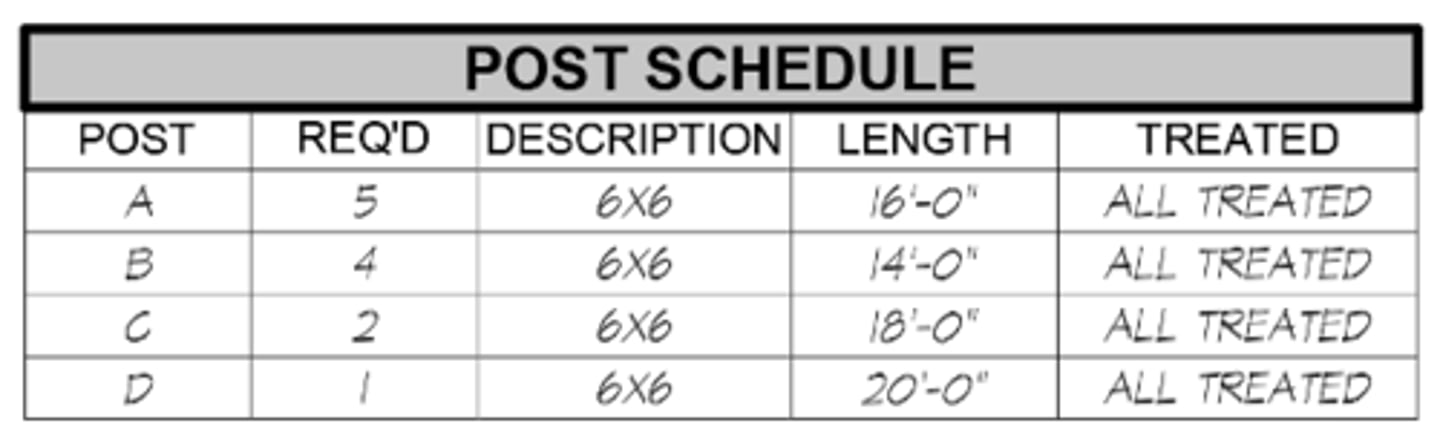
A CAD designer has received feedback that the company no longer wants to use the hand-lettered type font in tables. What should the designer do to ensure that existing and future tables comply with this request?
Edit the table style and change the Data cell style to use a different text style.
3 multiple choice options
A CAD designer restores a file from an online backup of a past project but is unable to open it. What should be done?
Use the RECOVER command to attempt to fix the file.
3 multiple choice options
A CAD designer is required by the client to use an SHX font for text, but needs to add italic text to a drawing. The SHX font does not have an italic option. What are the designer’s options?
Change the oblique angle property of the text.
3 multiple choice options
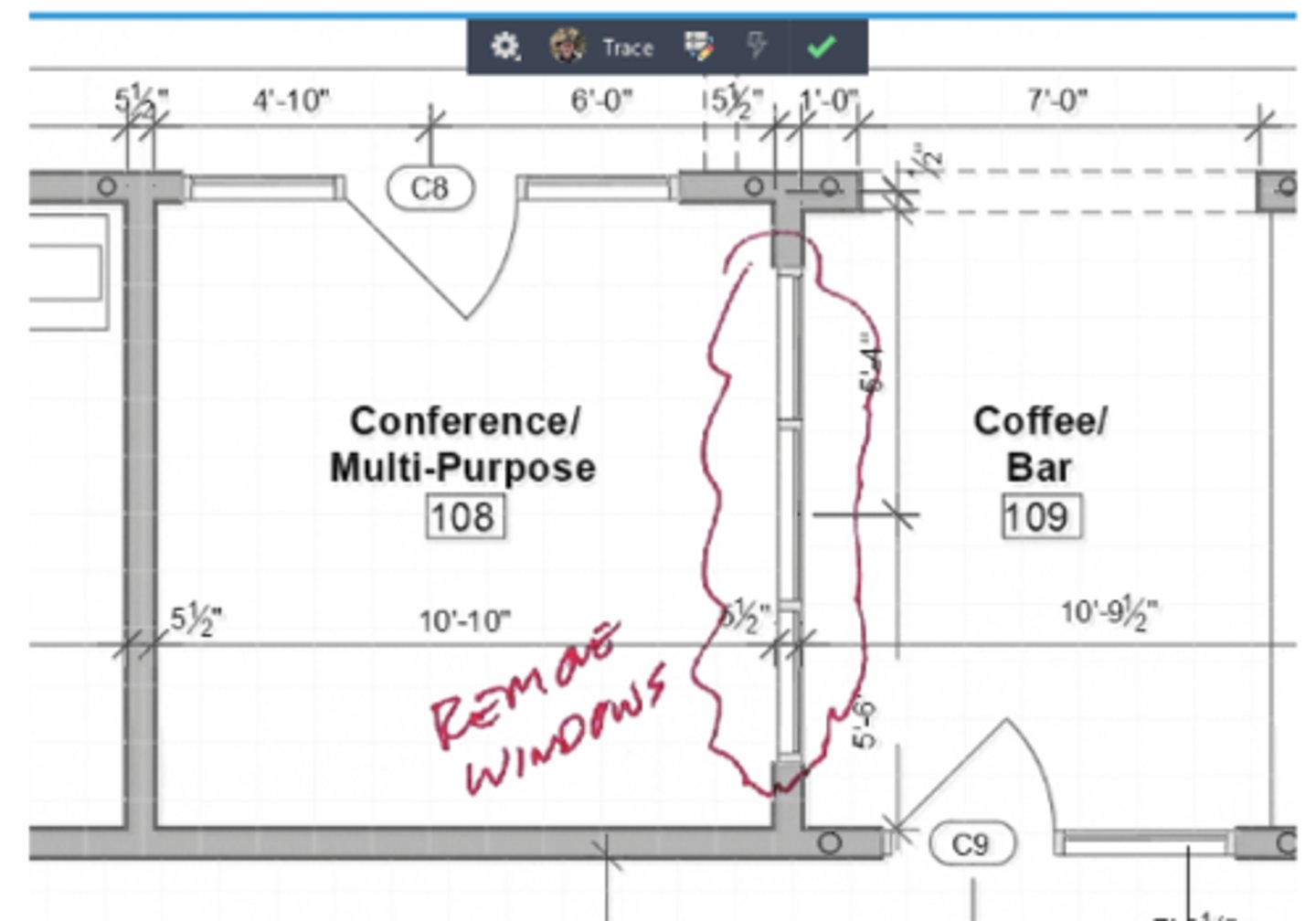
A CAD designer has imported client markups as a trace in the current drawing. During the import, Markup Assist reported that markups were detected, but when the designer turns on TRACEVIEW, the markups don’t appear to be identified. What does the designer need to do?
Turn on Markup Assist mode via the toolbar.
3 multiple choice options
An annotative multileader is visible in two viewports, each with a different annotation scale. The multileader’s text is being cut off by the viewport and needs to be repositioned. How should a CAD designer fix the multileader in one viewport without affecting it in the other viewport?
Use grip-stretch to move the multileader text.
3 multiple choice options
While using the WBLOCK command to export a block to a drawing file, a CAD Designer notices that the Base point option is disabled. What would cause this?
The block's base point is already defined in the block definition.
3 multiple choice options
When moving a palette to the left side of the screen, the palette changes into a box as shown in the exhibit, indicating it’s going to be docked. When this occurs, what should be done to prevent the palette from docking?
Press and hold the Control key and release the left mouse button.
3 multiple choice options
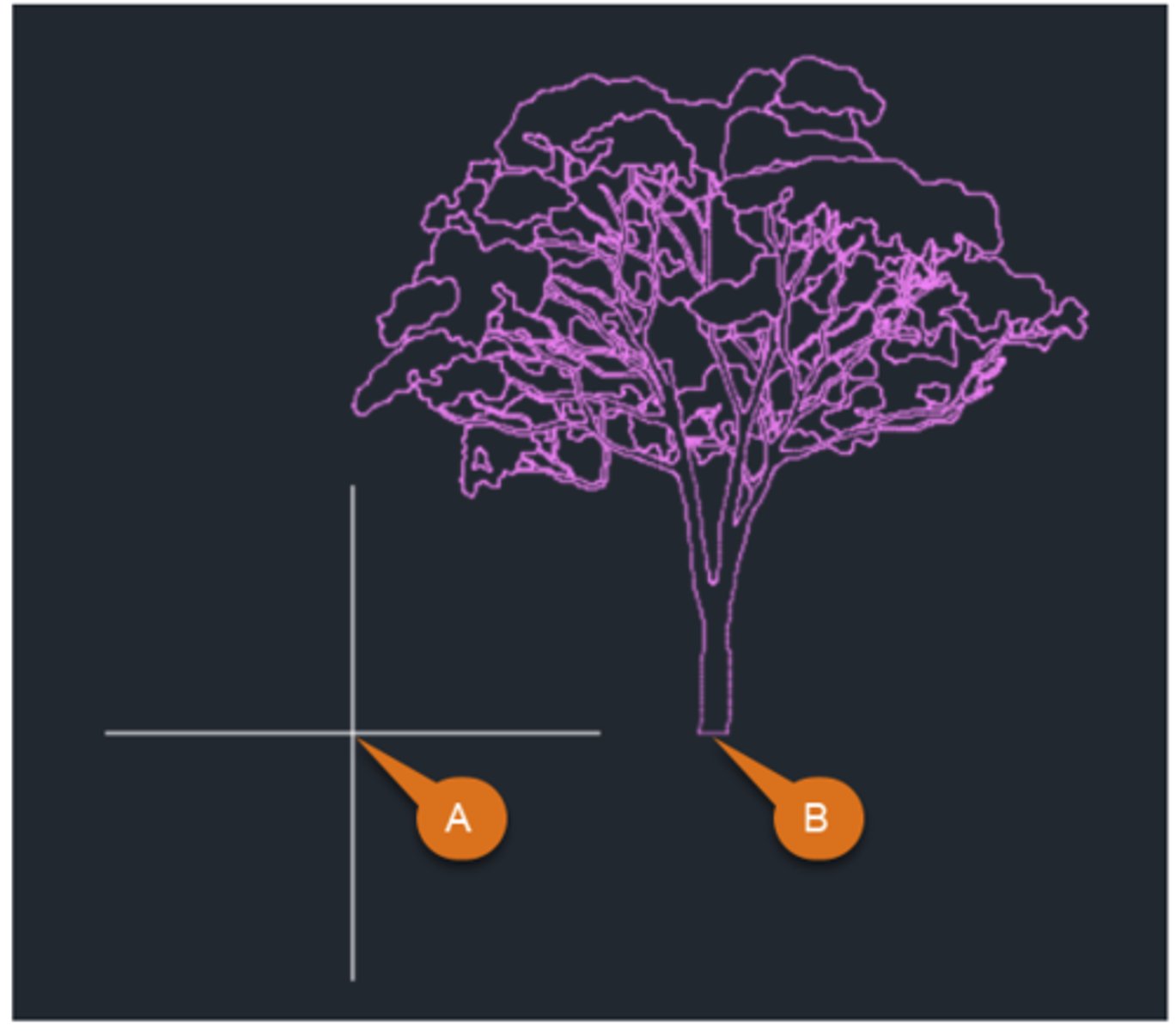
A CAD designer copies a tree elevation from another drawing to the clipboard. While pasting it on a new elevation, the insertion point for the tree is at (A) instead of at the base of the tree trunk (B) as preferred. What should the designer do to ensure that the objects paste as preferred?
Use the Copy with Basepoint command.
3 multiple choice options
While drawing a line, which two symbols would be used to enter relative polar coordinates? (Select two.)
@, <
3 multiple choice options
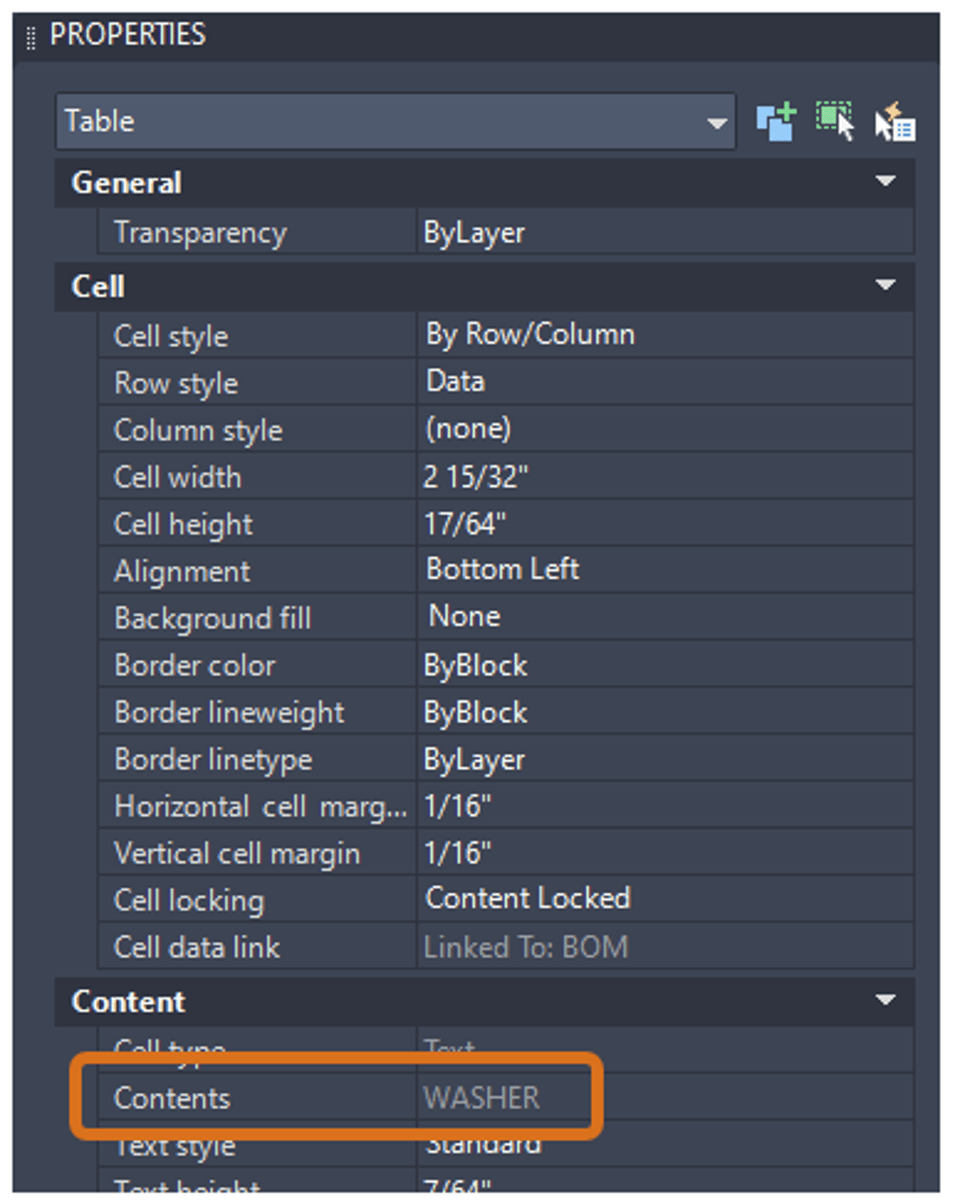
A CAD designer needs to make updates to an existing data-linked table, however, the Contents field in the Properties palette is disabled. How can the cell contents be changed in the table?
Change the Cell locking property to Unlocked.
3 multiple choice options
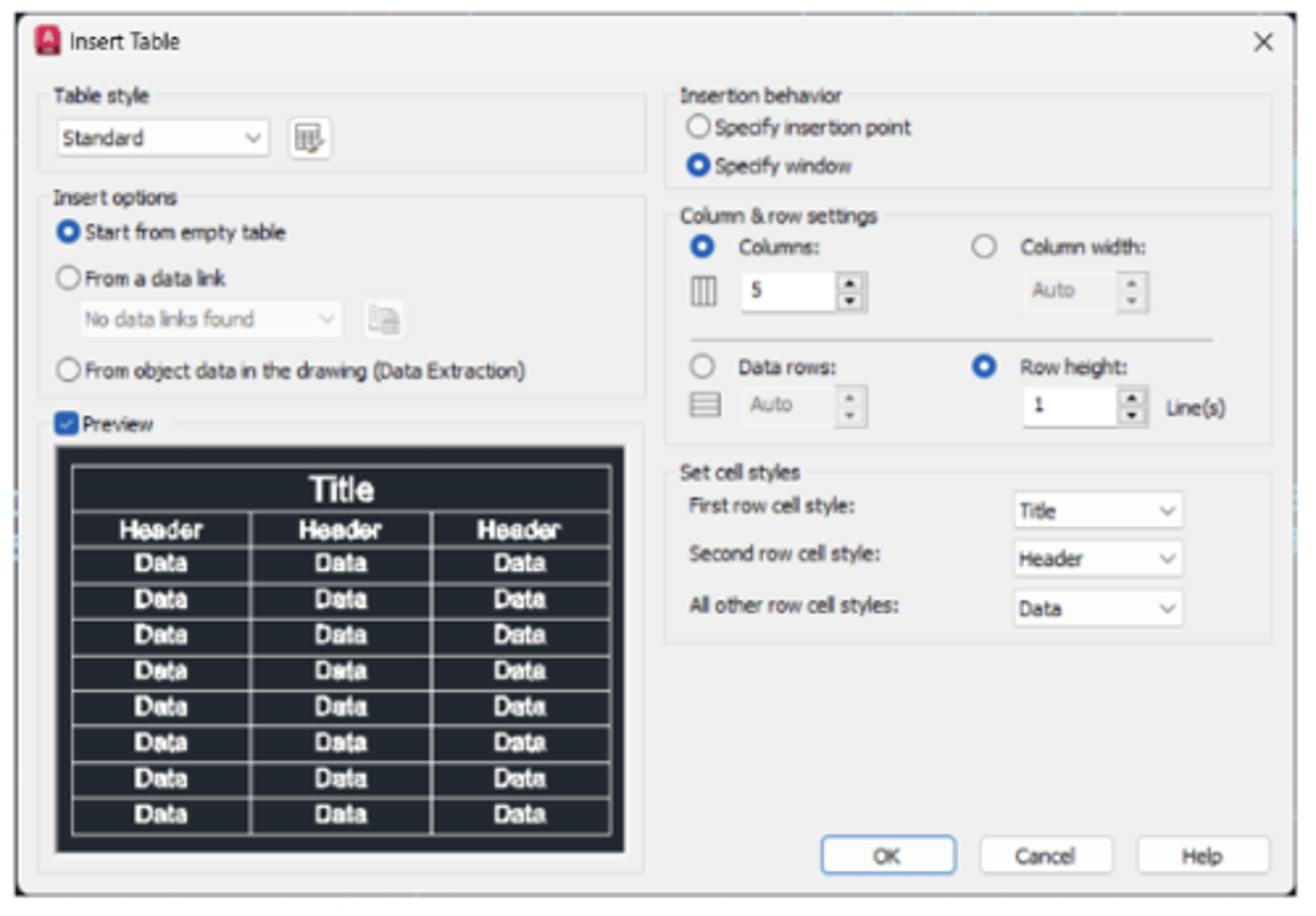
A CAD designer needs to add a table to a drawing and would like to set all the column and row settings before inserting the table. The Insert Table dialog, however, is only letting the designer specify the number of columns or column width, not both. Similarly with rows. What table insertion option should be changed to permit presetting all the desired column and row settings in the Insert Table dialog?
Use the Specify insertion point option.
3 multiple choice options
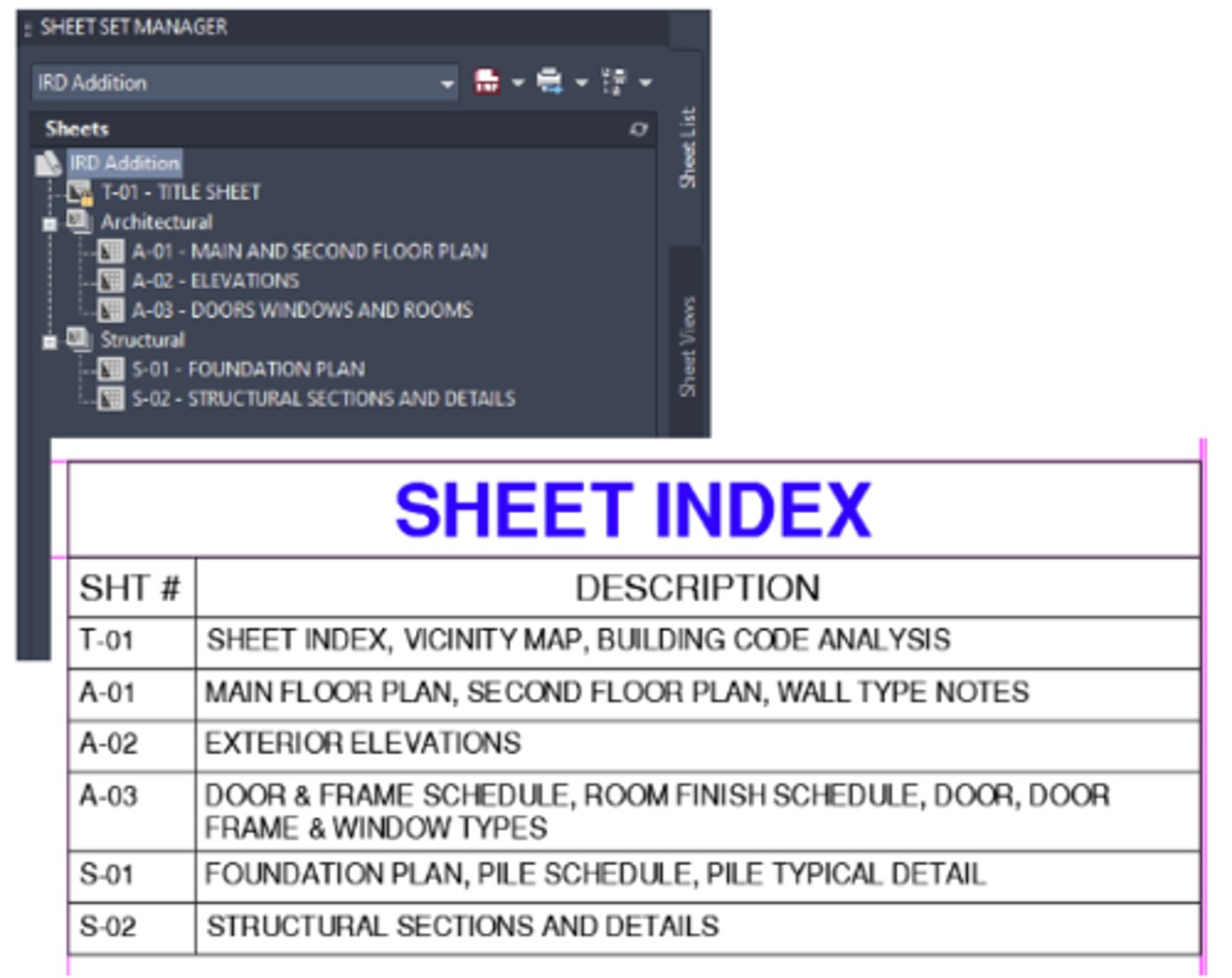
A CAD designer has used Sheet Set Manager (Project Manager) to create the sheet index shown in the exhibit and prefers that the sheets are shown their respective discipline subsets (groups). What setting should be used when creating the sheet list (layout)?
Use Show Subheader option
3 multiple choice options
While working in a paper space viewport, a CAD designer wants to create a new layer that should not appear in any other viewport. What method should be used?
In the viewport, use the Layer Properties Manager palette to create the new layer. Right-click on the layer created and choose VP Freeze Layer > In All Viewport Except Current.
3 multiple choice options
A company has a particular block that designers are encouraged to use frequently to bring in standard settings. What workflow should a CAD designer use to make this block easier to insert in the future?
After inserting the block initially, right-click on its thumbnail and select Copy to Favorites.
3 multiple choice options
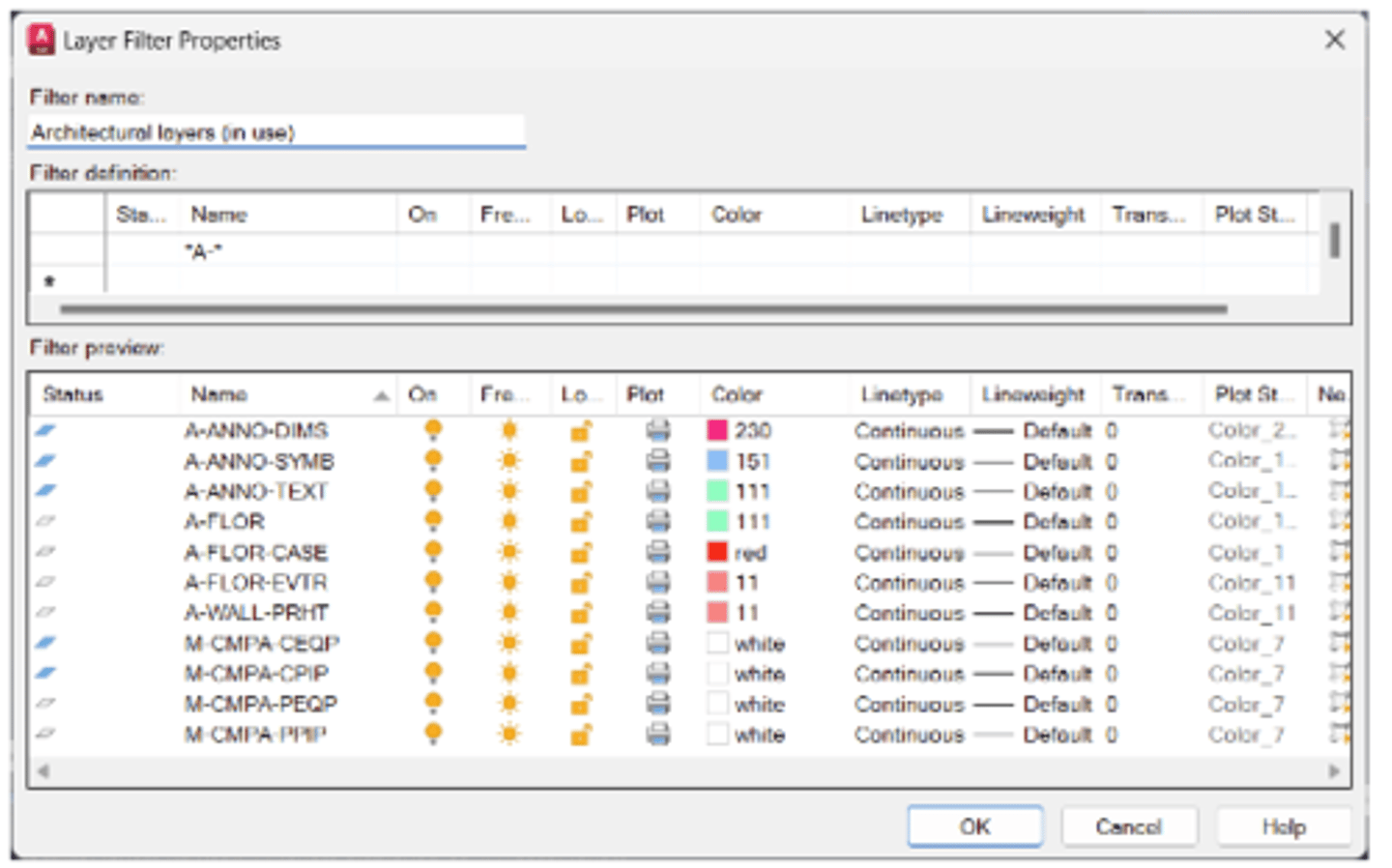
A CAD designer needs to create a layer filter that includes architectural layers (with an A- prefix) that contain objects. The filter should also be defined to accommodate any architectural layers brought in in the future from attached or bound references. After defining the initial filter shown in the exhibit, the preview is showing some unwanted layers. Which of the following filter definitions will provide the desired results?
A-
3 multiple choice options
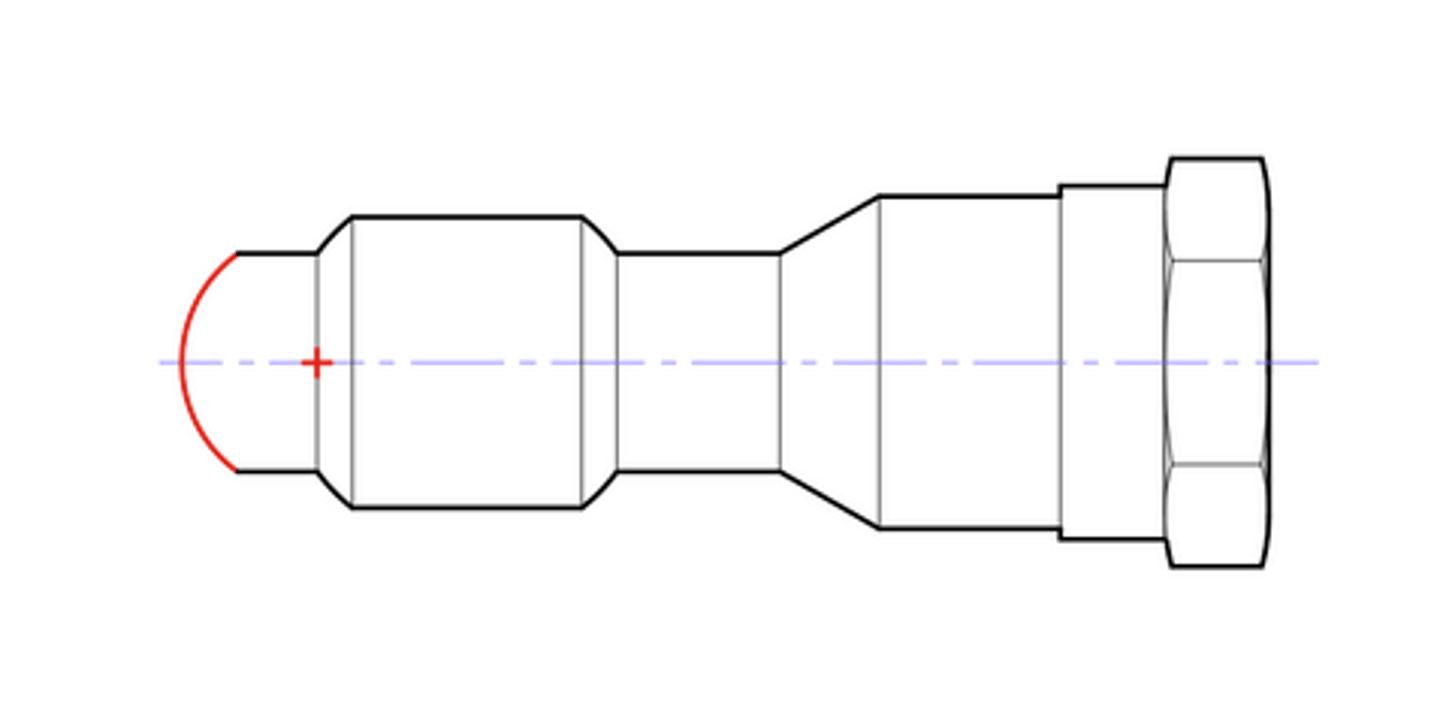
A CAD designer notices that an arc (represented in red in the exhibit) is missing from a drawing. Which two Arc methods could be used to draw the missing arc? (Select two.)
Start, Center, Length & Center, Start, Length
3 multiple choice options
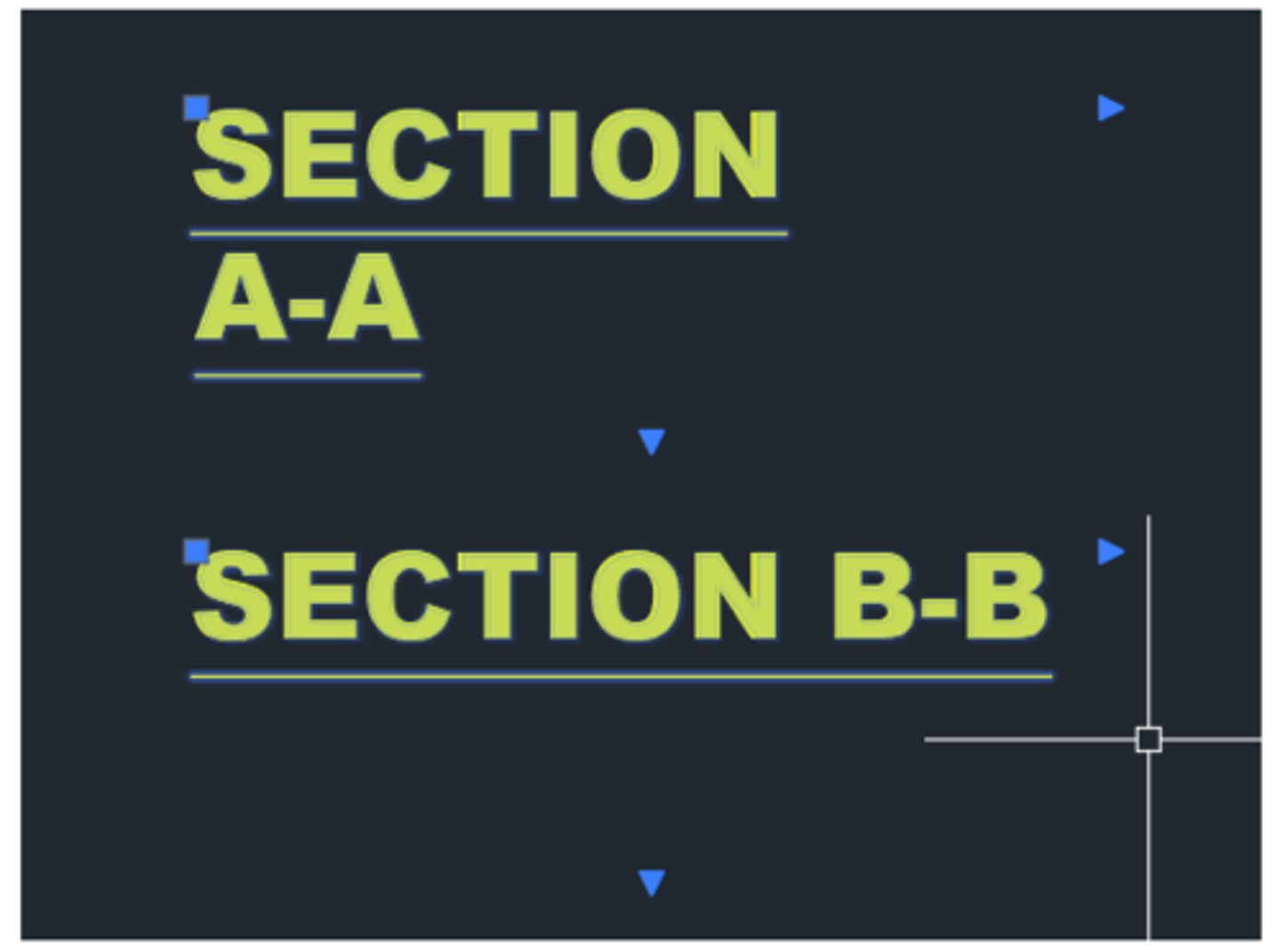
A CAD designer notices that the upper drawing title is in two lines, even though the grips indicate that the text width is the same as the lower title. What should the designer do to return the upper title to a single line?
Edit the text and remove the carriage return or extra spaces causing the line break after SECTION.
3 multiple choice options
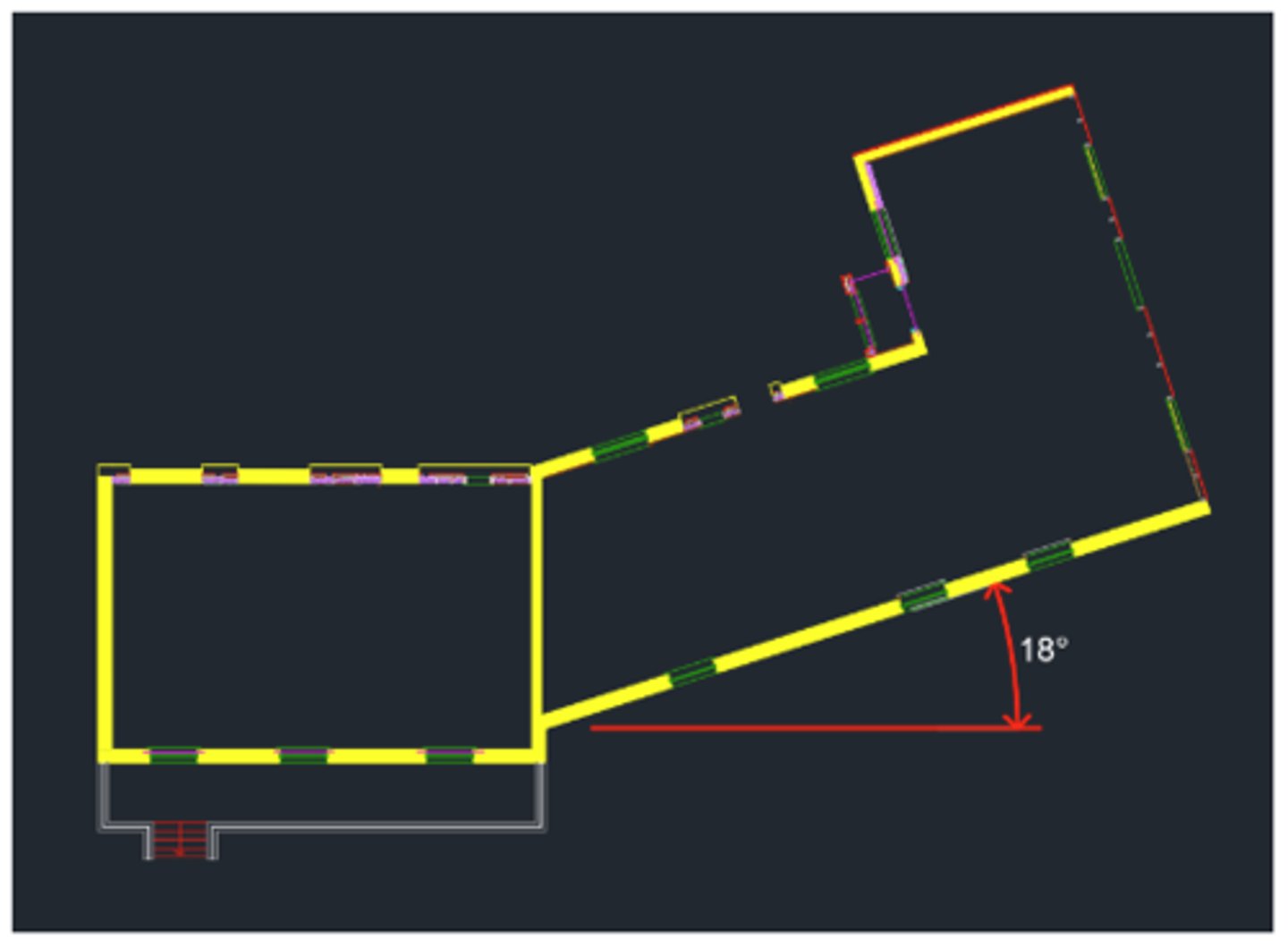
A CAD drawing of a new office shows has a wing that is angled at 18 degrees off of horizontal. To simplify laying out walls orthogonally in the wing and to be able to easily switch between the two areas, what workflow should the CAD designer use?
Create and save a custom UCS for the angled wing.
3 multiple choice options
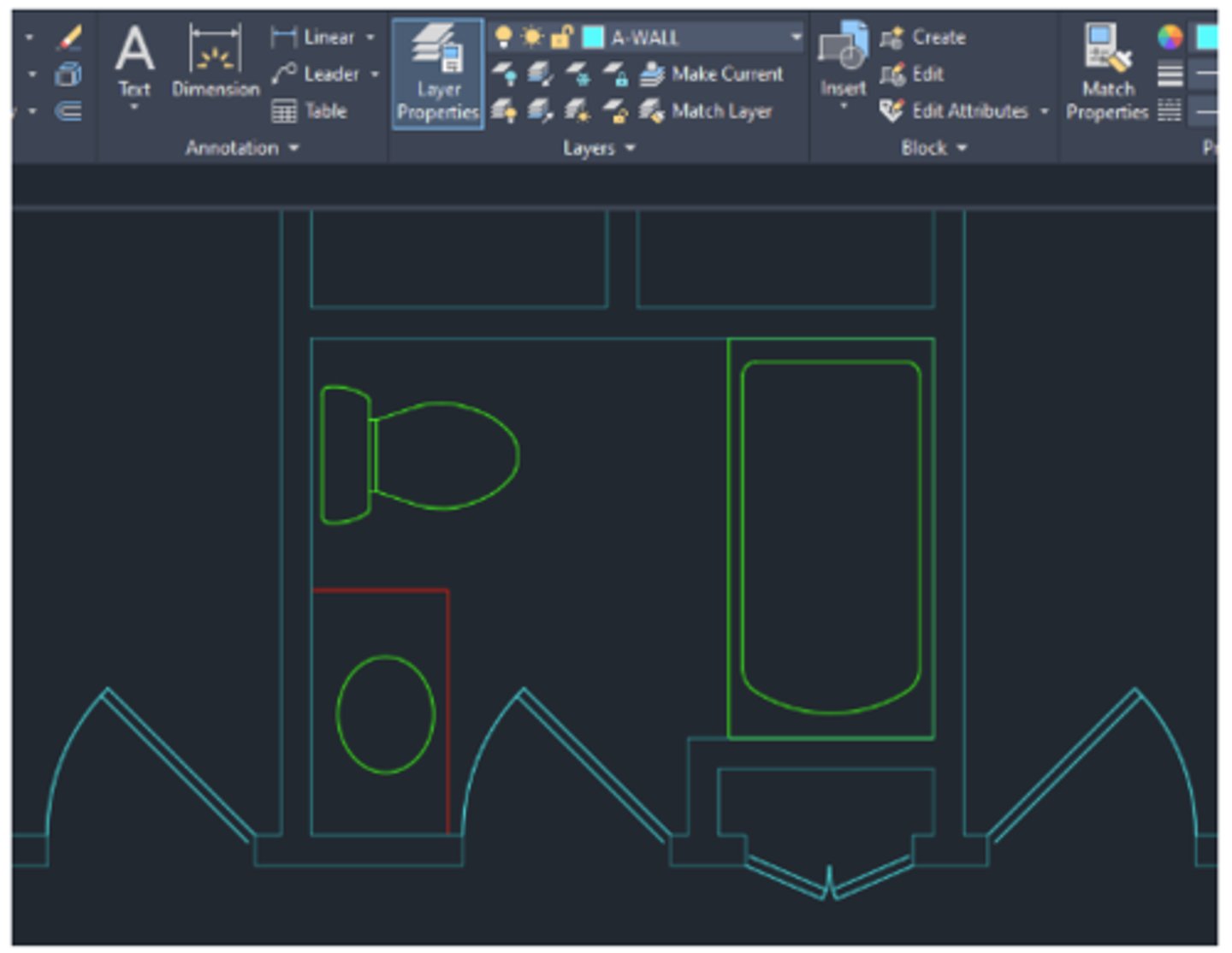
In the floor plan shown, the visual properties of the walls and doors should match. Both layers, A-WALL and A-DOOR, have the color property set to CYAN. Which layer property should be modified so that the objects on both layers appear the same?
Transparency
3 multiple choice options
The Quick Access toolbar (Tool bar) can be customized by using what method?
Right-click on the Quick Access Toolbar (Tool bar) and choose Customize.
3 multiple choice options
A CAD designer left a drawing open overnight and the IT department performed a patch, causing the system to reboot. What occurs when AutoCAD restarts?
The Drawing Recover Manager opens to aid in recovering files impacted by the reboot.
3 multiple choice options
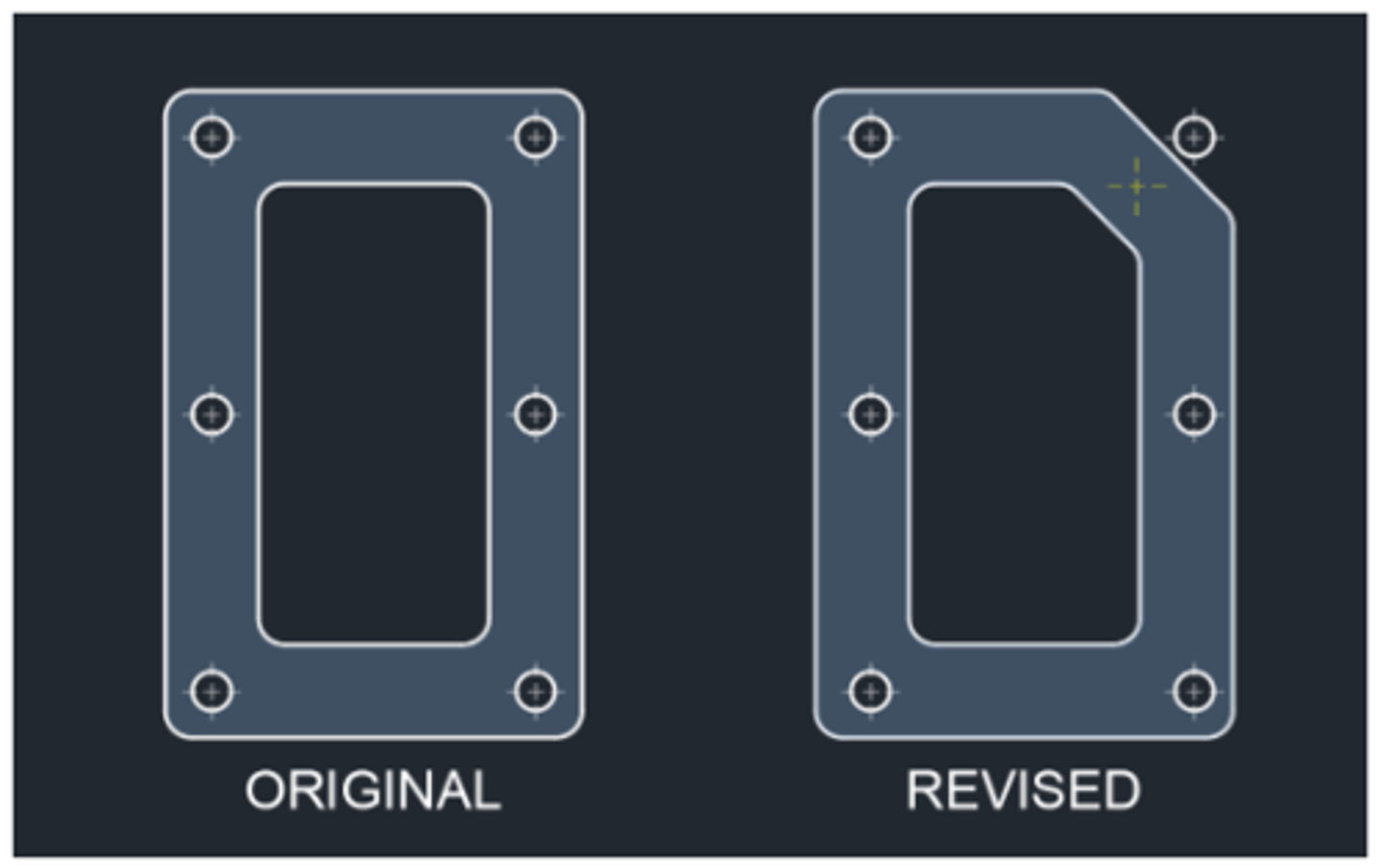
The holes for the original gasket design were created as a rectangular array. In the revised gasket, the upper-right hole needs to be positioned where the yellow centerlines are shown. What should the CAD designer do to update the array?
Use the Control key to select the circle in the array and use its grip to move it to the new location.
3 multiple choice options
A CAD designer wants the Properties palette to remain open (visible) but also wants to use a much of the screen as possible for the drawing canvas. What palette settings can be changed to achieve this?
Apply a transparency to the palette.
3 multiple choice options
A CAD designer has applied lineweights to the layers but doesn’t have a quick way to toggle the lineweight display on or off. What change should be made to the interface to make it easier to toggle lineweight visibility?
Customize the status bar to include the Lineweight toggle.
3 multiple choice options
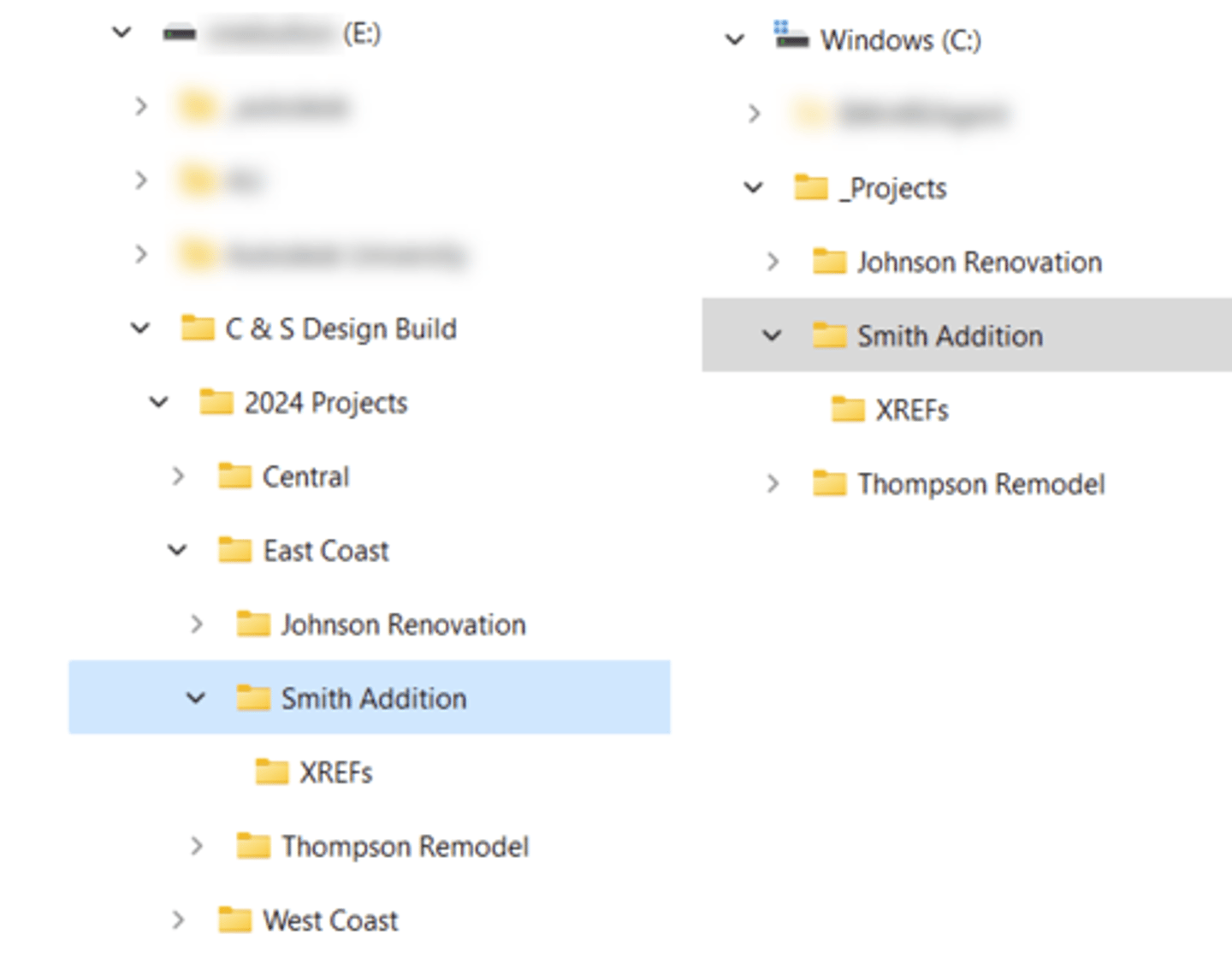
CAD designer needs to transfer project files and folders from the company network (left path in exhibit) to a laptop (right path in exhibit). One of the xrefs is missing from the main drawing but all the files transferred successfully. How should the references' paths have been set up to accommodate this scenario?
Relative paths should have been used to accommodate the different drive letter and parent folders.
3 multiple choice options
What workflow should a CAD designer use to make it possible to edit grips simultaneously?
Press and hold the Shift key down while selecting grips.
3 multiple choice options
To eliminate the need to add annotation scales to annotative objects when a viewport’s scale changes, what setting should a CAD designer enable before changing the viewport scale?
Turn on the Add Scales to Annotative Objects When the Annotation Scale Changes option.
3 multiple choice options
After combining a collection of lines and arcs into a polyline with the PEDIT command, a CAD designer notices that its dashed linetype creates some undesired gaps at a number of the vertices. What can the designer do to remedy this?
Use the Properties palette to disable the polyline's linetype generation.
3 multiple choice options
The current drawing is missing a number of predefined annotation scales. What should be done to resolve this?
Use the Reset option in the SCALELISTEDIT command.
3 multiple choice options
After restoring the World Coordinate System, a CAD designer notices that a previously created User Coordinate System (UCS) is no longer available. What step did the designer forget to take?
Save the UCS.
3 multiple choice options
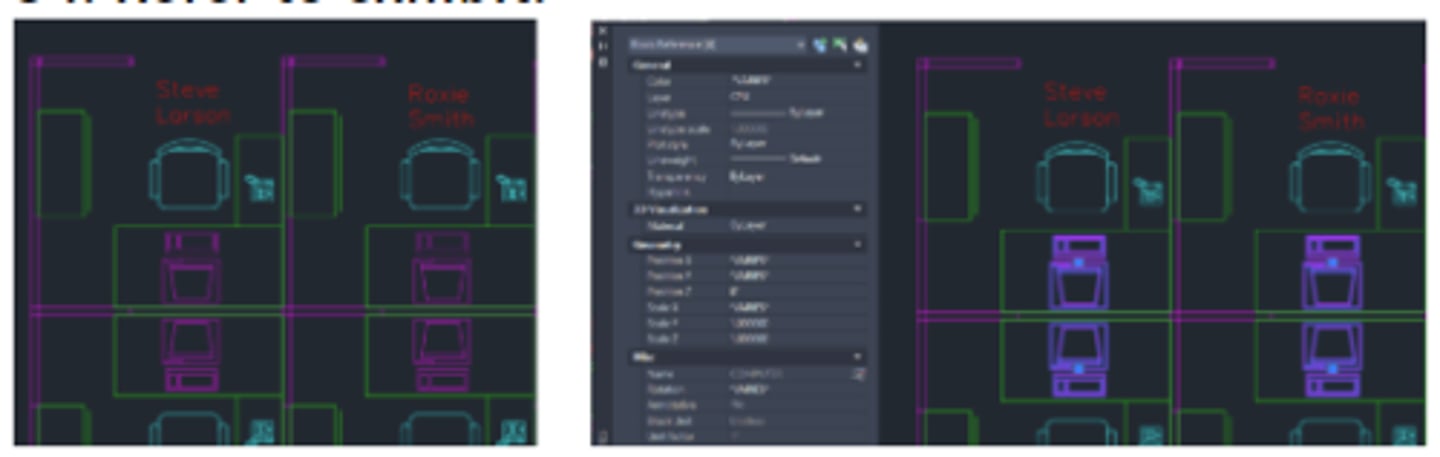
In the exhibit at the left, all the computers are the same color (magenta). When a CAD designer selects them, however, the Properties palette shows the color property as "VARIES". The blocks are all on the same CPU layer and that layer's color is set to Magenta. Why would the Properties palette report "VARIES" for the color property?
Some of the selected objects have a color override.
3 multiple choice options
A drawing contains a number of blocks that are no longer used. A CAD designer would like to ensure that these blocks are removed. After purging, more blocks appear in the list of Named Items Not Used. What option should the designer have used in the PURGE dialog to purge these additional blocks at the same time?
Purge Nested Items
3 multiple choice options
A CAD designer has attached a PDF as an underlay and wants the PDF to plot without the frame around it. What workflow should be used?
Adjust the PDFFRAMES variable to Display but not plot frames.
3 multiple choice options
What two MVIEW options will create a non-rectangular viewport? (Select two.)
Object & Polygonal
3 multiple choice options
A few weeks after sending a client a shared file link, a CAD designer receives a complaint that the link is not working. What is the reason that the shared link no longer works?
Shared links expire after (7) days.
3 multiple choice options
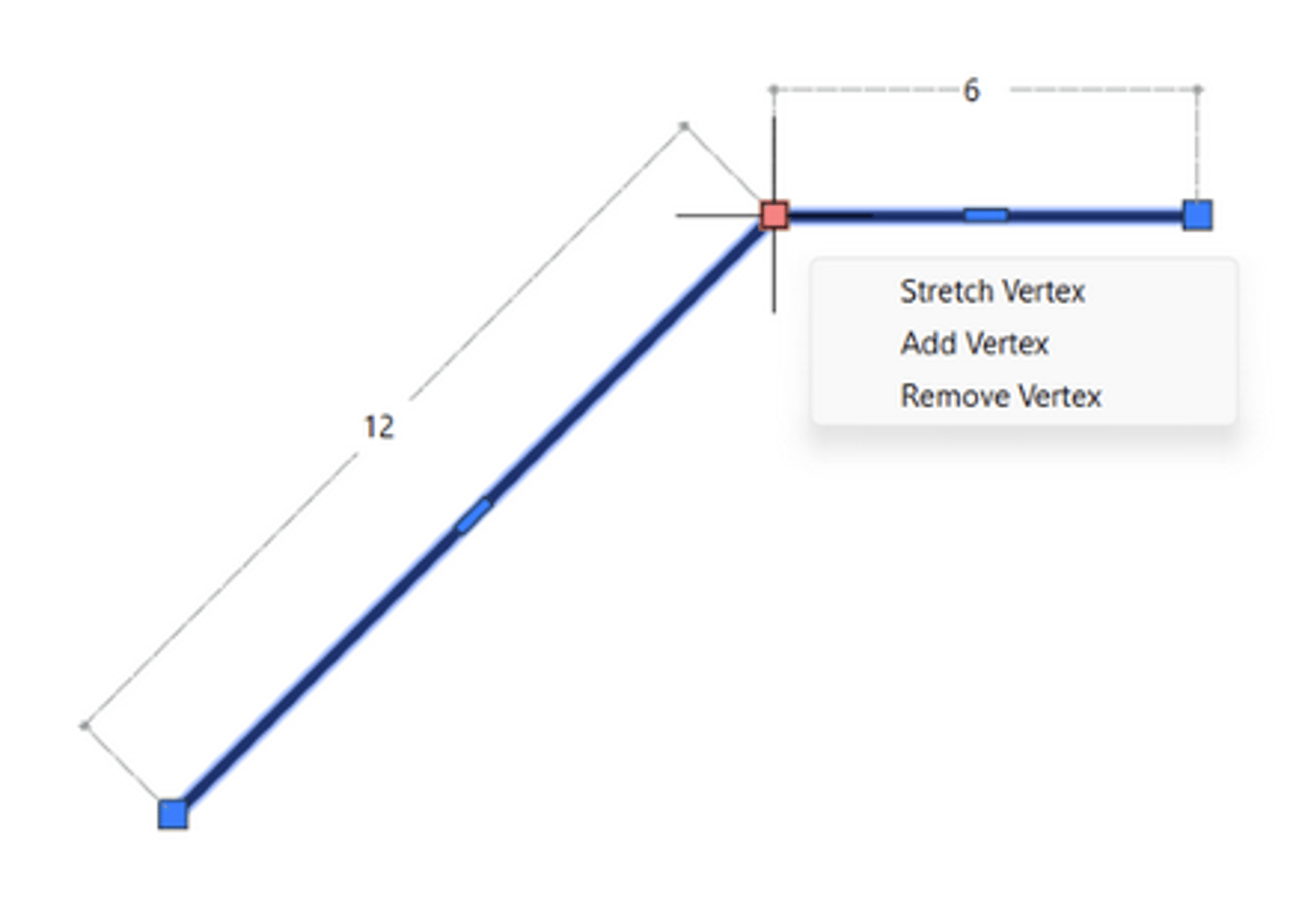
When hovering over one of a polyline's grips, the dimensions displayed in the exhibit indicate what setting is turned on?
Dynamic Input is enabled.
3 multiple choice options
When hovering the cursor over annotative text, what does the badge beside the cursor indicate about the object?
It has more than one annotation scale assigned.
3 multiple choice options
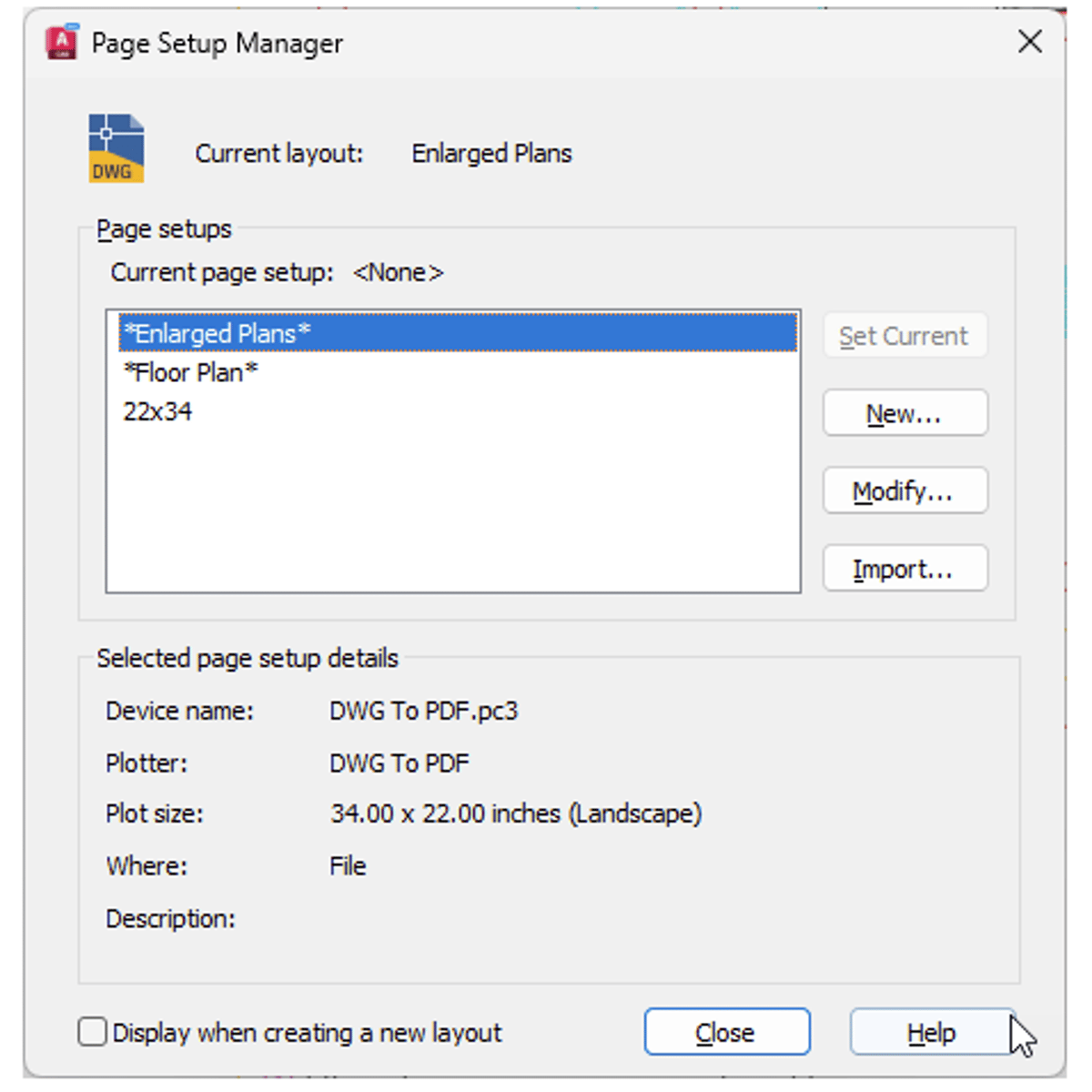
In the Page Setup Manager, a CAD designer notices that the Set Current option is disabled. What could be the issue?
The highlighted entry can't be set current because it is the current layout.
3 multiple choice options
While using the MEASUREGEOM command, a CAD designer notices that the orange horizontal dimension does not show a distance. What does this indicate about the geometry?
The vertical lines of the gasket opening are not parallel.
3 multiple choice options
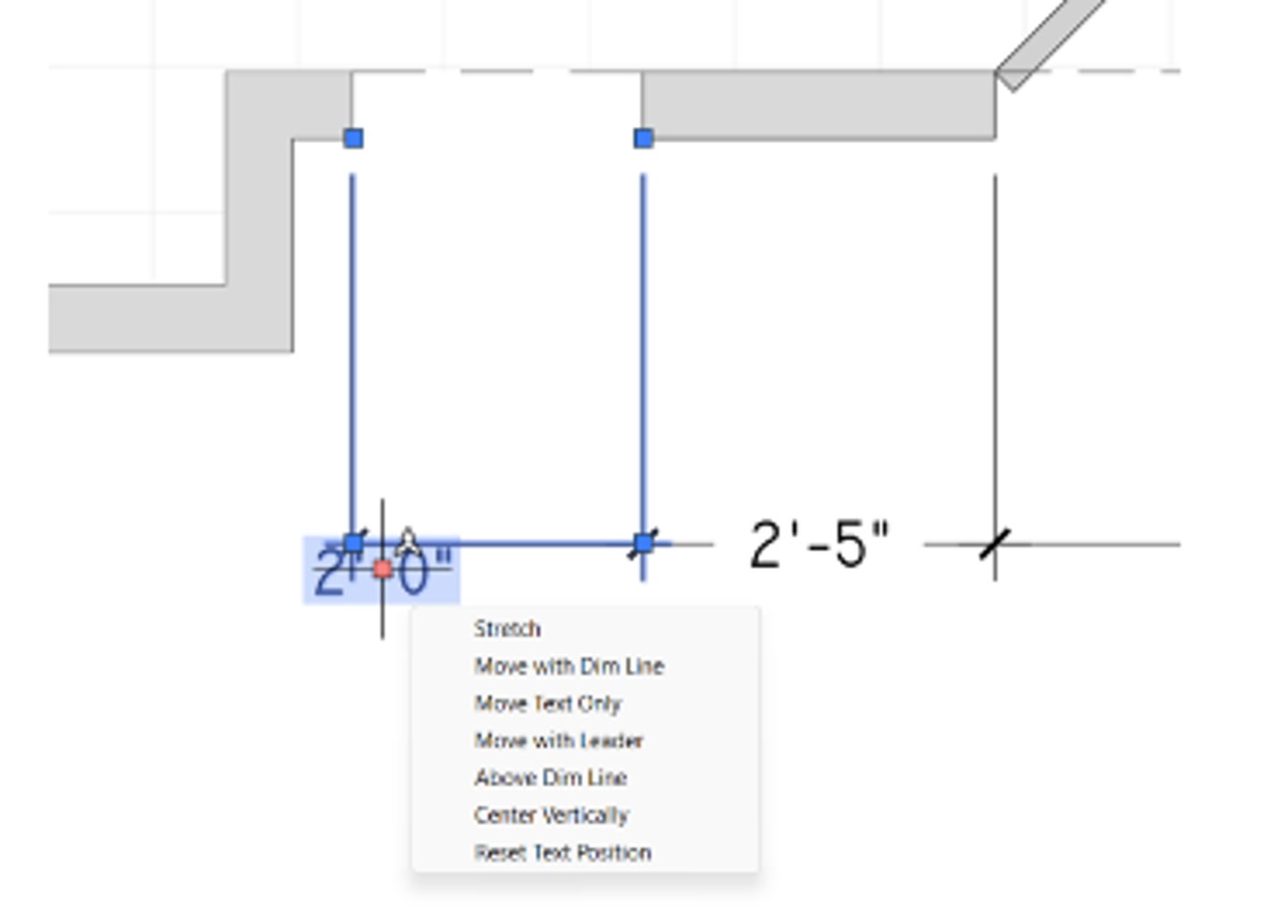
The selected dimension text in the exhibit has been moved and needs to be restored to its original location. Which multifunctional grip function should be used?
Reset Text Position
3 multiple choice options
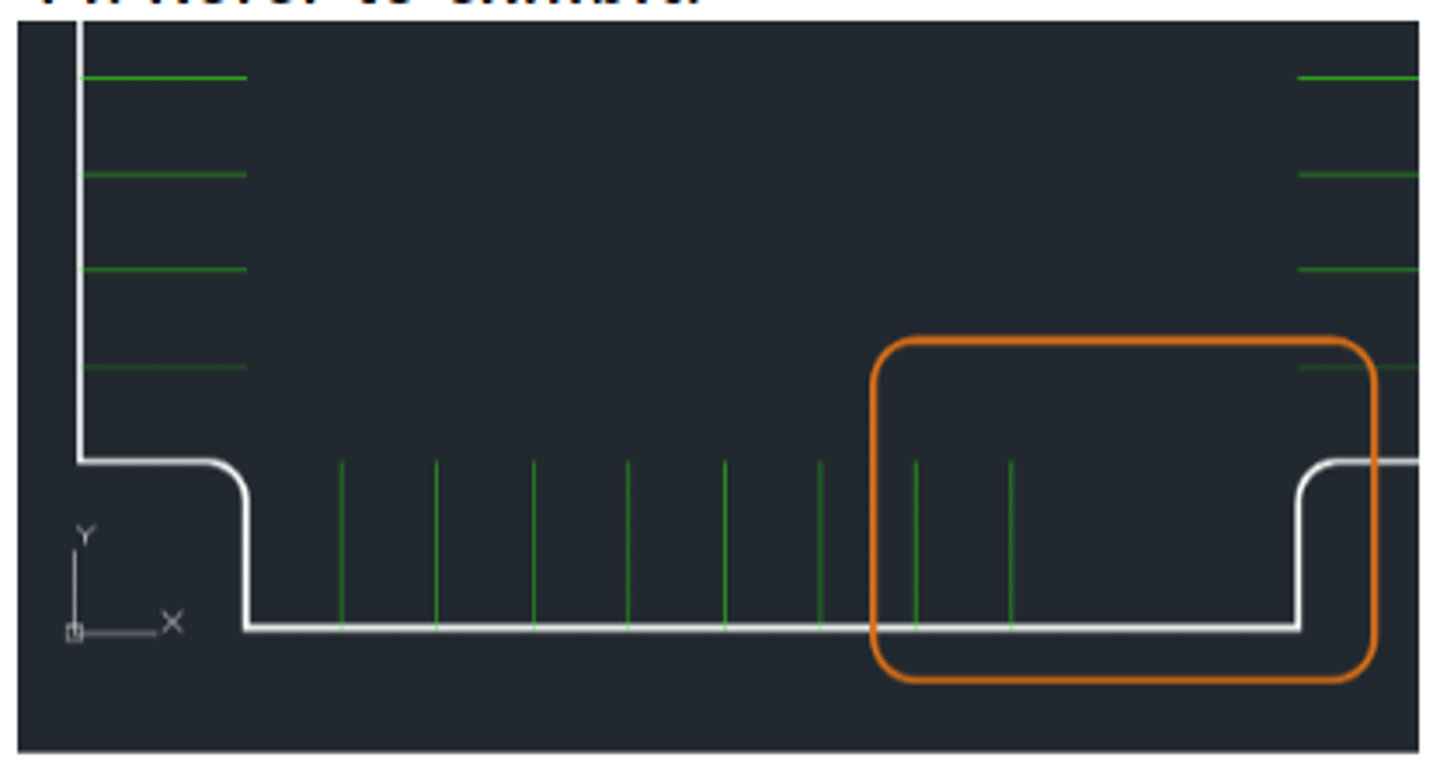
A CAD designer needs to add more spaces to a parking lot and starts the OFFSET command but doesn’t know the spacing that was used for the adjacent spaces. At this point, what workflow should the designer use?
Pick two points of an existing space at the Specify offset distance prompt to establish the distance.
3 multiple choice options
A CAD designer realizes that every time annotation scales are changed, that scale is applied to all the annotative objects in the drawing. What setting should be changed to prevent this?
Deselect the Add Scales to Annotative Objects When the Annotation Scale Changes setting.
3 multiple choice options
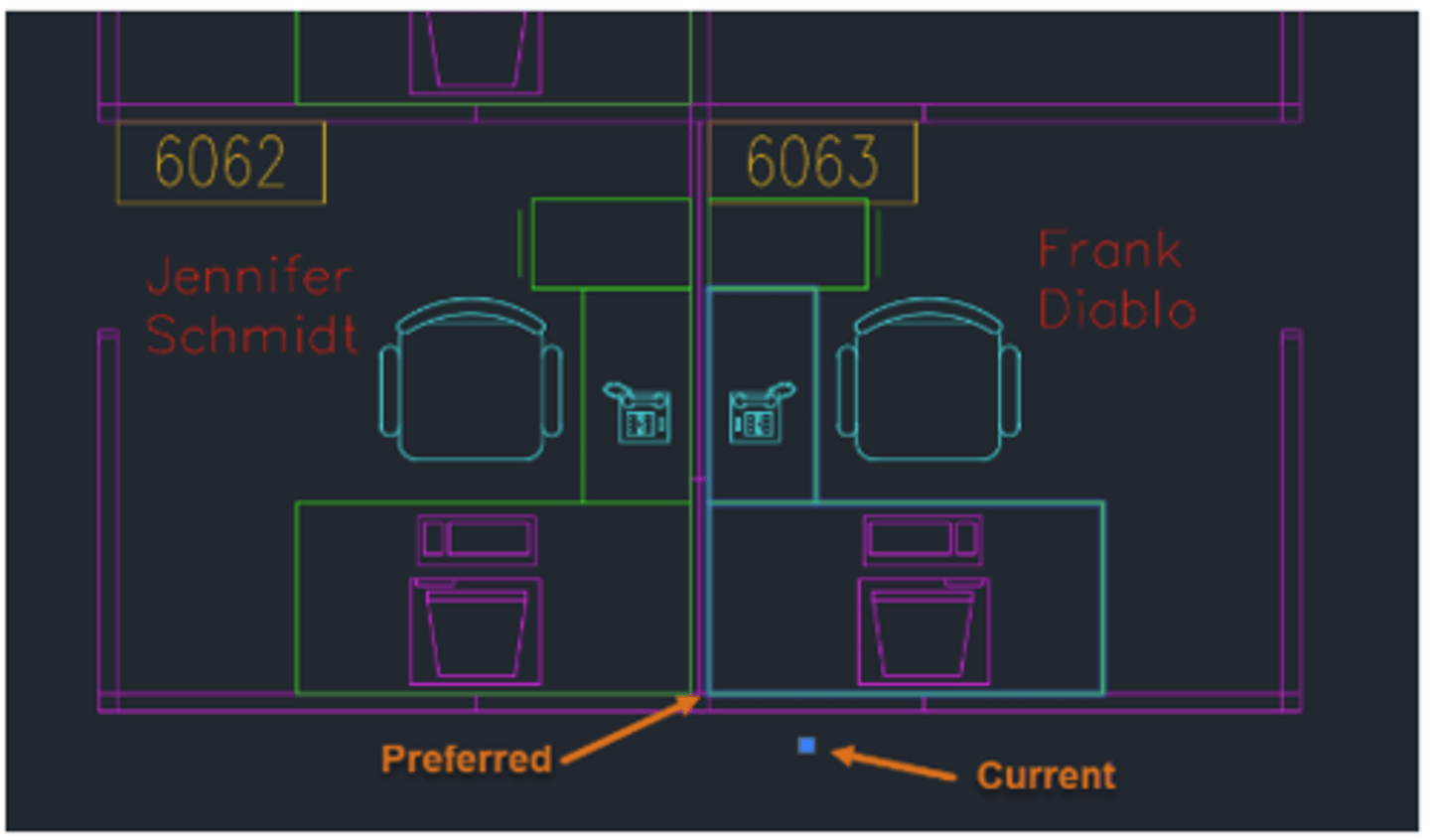
A CAD designer has selected the desk block in cubicle 6063 and notices that the grip representing the block’s insertion point is oddly located. They would prefer the base point to be in the corner. What does this tell the designer about the block?
The block's base point is incorrect in the block definition.
3 multiple choice options
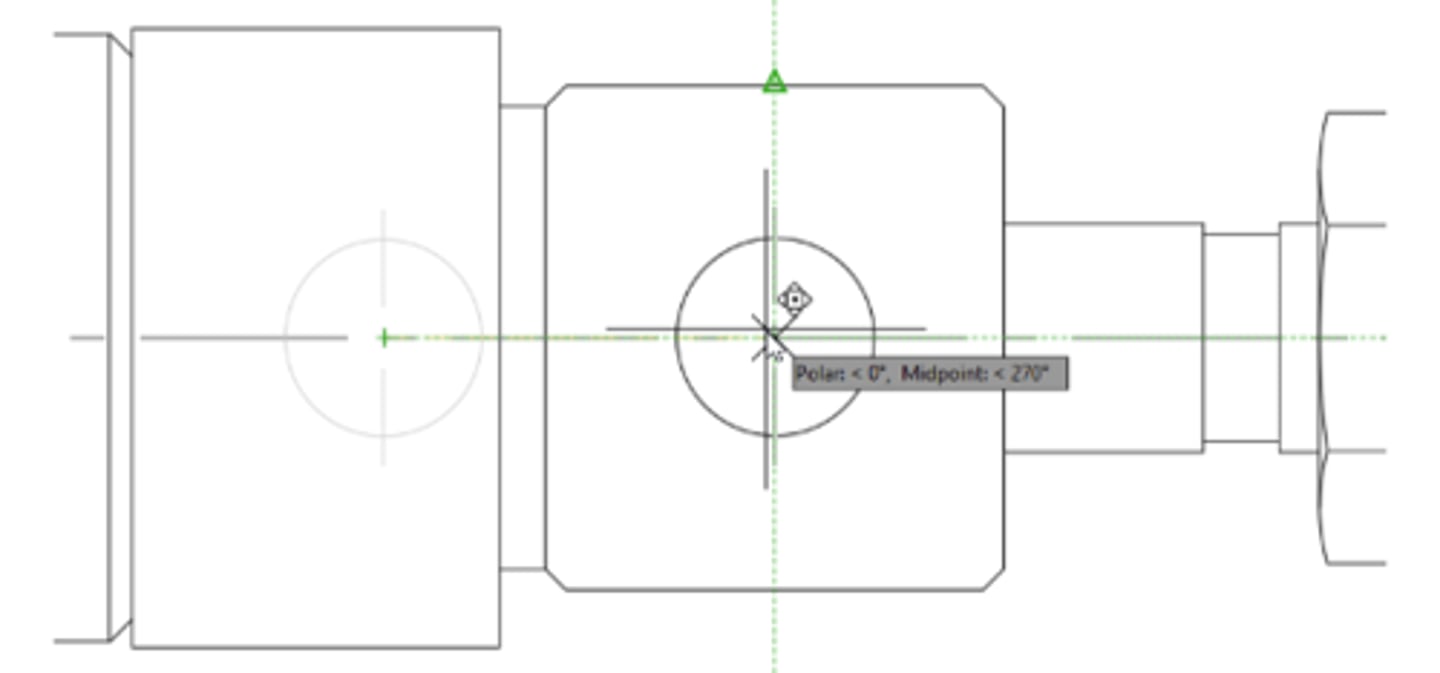
What AutoCAD feature is indicated by the green dotted reference lines shown in the exhibit?
Object snap tracking
3 multiple choice options
While reviewing a drawing, a CAD designer notices that the objects in a paper space viewport are a different color than they are in model space. What would cause this to occur?
A color override has been applied to the layers in the viewport.
3 multiple choice options
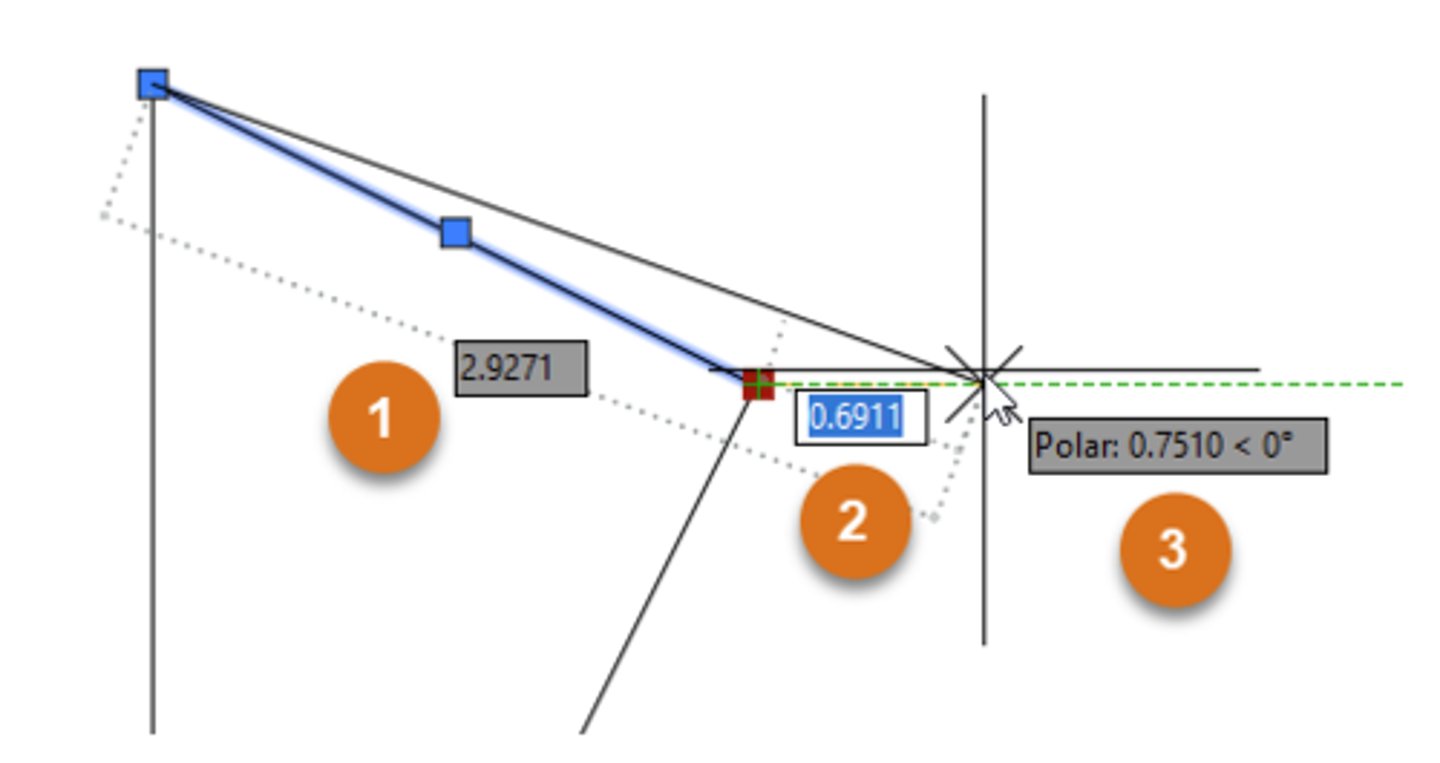
While grip editing a line with Dynamic Input enabled, three boxes are displayed as shown in the exhibit. What workflow should be used to enter a new value for box #1?
Press the Tab key repeatedly until the focus is on box #1.
3 multiple choice options
While comparing two drawings, a CAD designer would like to import selected objects from the compared drawing into the current drawing. What is the most efficient workflow that could be used?
Use the Import Objects feature.
3 multiple choice options
 Note
Note  Flashcards (145)