Substrates Final 4-4
 Studied by 0 people
 Call Kai
 Learn
Learn Practice Test
 Spaced Repetition
 Match
Match Flashcards
 Knowt Play
1/20

There's no tags or description
Looks like no tags are added yet.
Name | Mastery | Learn | Test | Matching | Spaced | Call with Kai |
|---|
No analytics yet
Send a link to your students to track their progress
21 Terms
On a press, consistency refers to optimizing print quality by eliminating mechanical defects and determining optimum ink density.
True
False
True
On an inkjet printer, consistency refers to determining the optimum ink density.
True
False
True
If you are using a printer with the manufacturer’s free driver, the manufacturer has already determined the optimum ink density settings.
True
False
True
If you are using a third-party software RIP, you will need to print a target to determine the optimum ink density settings.
True
False
True
In printer profiling, calibration refers to the process of creating evenly spaced tone values within the established ink limits.
True
False
True
Linearization ensures your printer prints tone values evenly throughout the scale, from 0-100%.
True
False
True
Non-PostScript printers usually are treated as RGB printers.
True
False
True
Gray Component Replacement (GCR) replaces process color with black in grays, which saves ink and makes color more stable on press.
True
False
True
Undercolor Removal (UCR) replaces process color with black only in the shadows.
True
False
True
If the printer is non-linear, a color target with 300-500 patches may be sufficient.
True
False
False
The IT8.7/3 target is used for
a. Printer profiling
b. Scanning reflection material
c. Scanning negatives
d. Scanning transparency material
a. Printer profiling
The ECI 2002 target is used for
a. Printer profiling
b. Scanning reflection material
c. Scanning negatives
d. Scanning transparency material
a. Printer profiling
Each one of images used in one document has a different profile assigned to it. Ultimately, all these elements will wind up being converted to the same output space.
True
False
True
To ensure you see correct colors on the screen you would need to check which of the following?
a. The printer profile
b. The image mode
c. The monitor profile
d. The sRGB profile
c. The monitor profile
The working spaces selection allows you to specify default profiles for RGB and CMYK.
True
False
True
Photoshop, Illustrator, and Indesign also let you perform profile assignments and conversions while you’re working on a document.
True
False
True
All ICC profiles need to be saved to the proper color folder. Which of following is the correct directory for a Mac?
a. Library > ColorSync > Profiles
b. Applications > ColorThink > Profiles
c. System > Library
d. Overall
a. Library > ColorSync > Profiles
All ICC profiles need to be saved to the proper color folder. Which of following is the correct directory for a PC?
a. Windows > System32 > Sport > Drivers > Color
b. Windows > System32 > Spool > Drivers > Color
c. Windows > System > Spool > Drivers > Color
d. None of the above
b. Windows > System32 > Spool > Drivers > Color
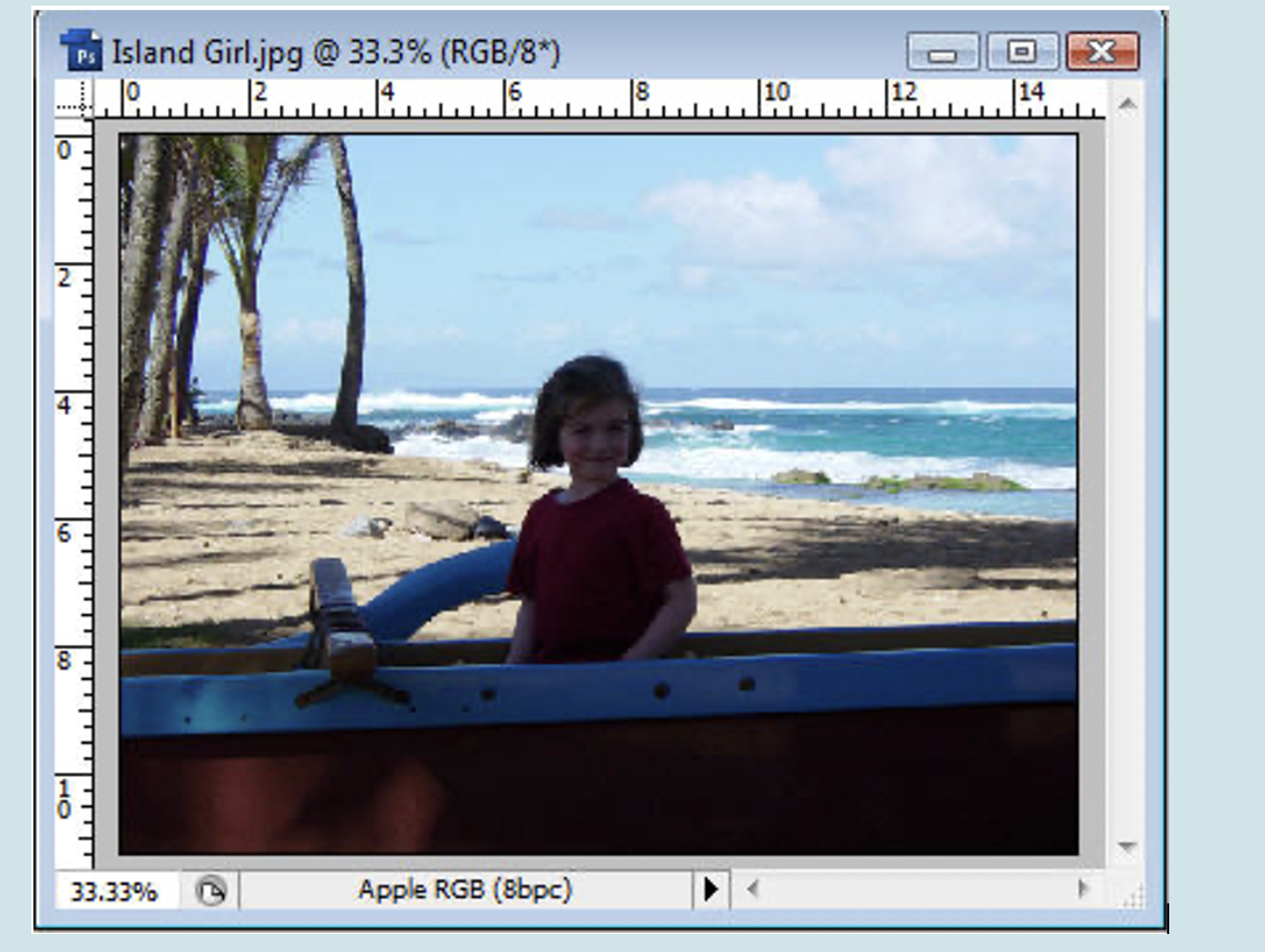
What is the profile associated with the following image?
a. sRGB
b. RGB
c. Apple RGB
d. ColorMatch RGB
c. Apple RGB
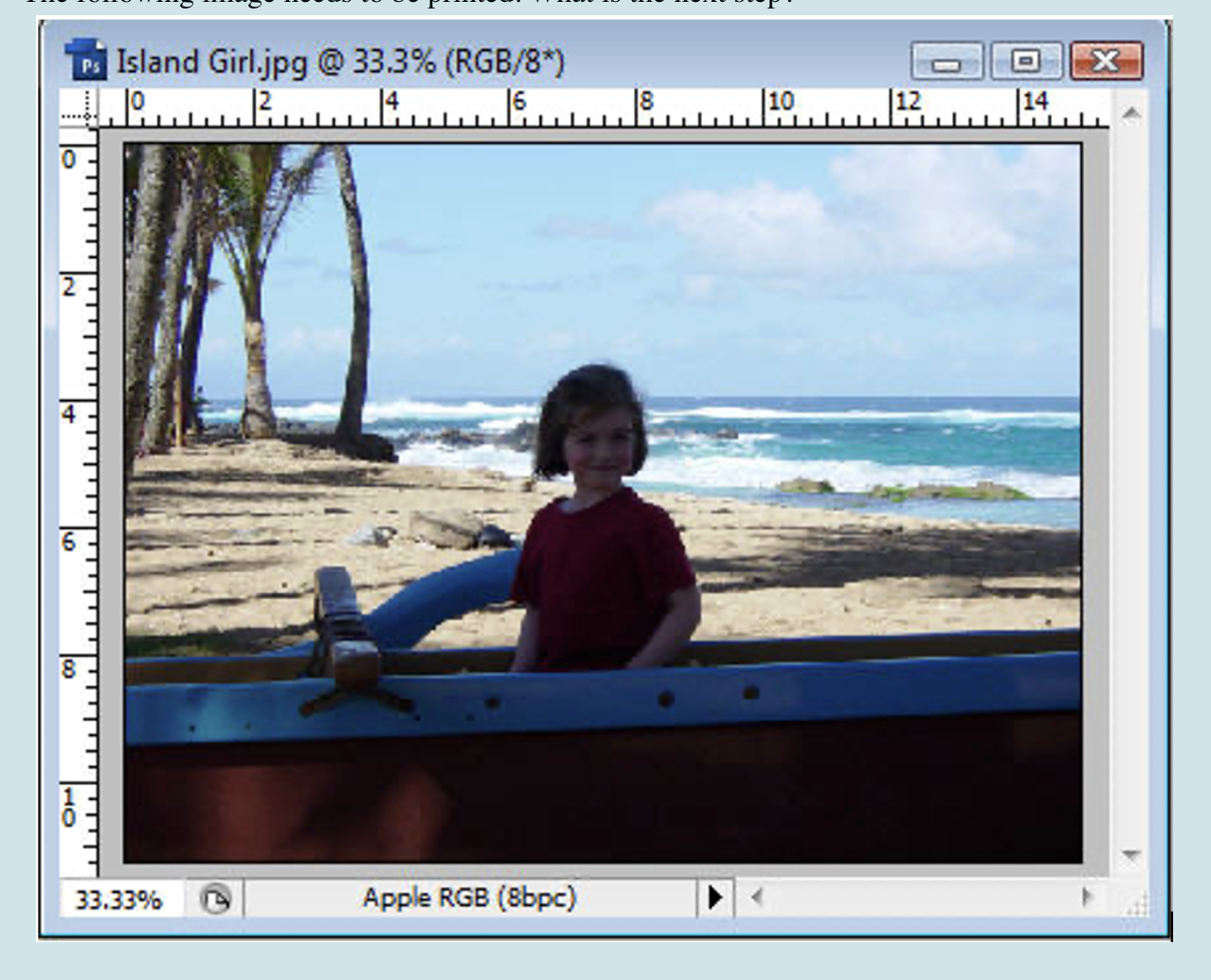
The following image needs to be printed. What is the next step?
a. Convert it to sRGB
b.Convert it to the RGB working space
c. Assign a CMYK output profile
d. Convert it to CMYK using an output profile
d. Convert it to CMYK using an output profile
To ensure you see correct colors on the printed substrates you would need to check which of the following?
a. The printer profile
b. The image mode
c. The monitor profile
d. The sRGB profile
a. The printer profile
 Note
Note  Flashcards (100)