Chapter 4: Data Storage and Sharing
 Studied by 0 people
 Call Kai
 Learn
Learn Practice Test
 Spaced Repetition
 Match
Match Flashcards
 Knowt Play
1/64

There's no tags or description
Looks like no tags are added yet.
Name | Mastery | Learn | Test | Matching | Spaced | Call with Kai |
|---|
No analytics yet
Send a link to your students to track their progress
65 Terms
What are the three common storage technologies?
Magnetic- to store data on spinning disks (HDDs)
Optical - Uses a laser to read and write data on discs. (CDs / DVDs)
Solid State - Uses flash memory to store data electronically. (SSDs/USBs)
File sizes and disk storage capacity are measured in ______.
bytes
One byte is ____ ______ ______.
eight binary digits (bits)
A binary digit is either a _____ or a _____ and is the _____ _____ of _____ on a computer.
one
zero
smallest unit
storage
Most files are measured in _______ or ______.
kilobytes
megabytes
Storage devices are measured in ______ or _______.
Gigabytes
Terabytes
What’s Kb, Mb, Gb, Tb?
Kilobit, Megabit, Gigabit, Terabit
The lowercase b indicates: bytes or bits?
bits
1 byte =
8 bits
Storage is described in _______.
bytes, such as 100GB
True or False: Data transfer rates are usually described as a certain number of bits per second, as in 1 Gbps.
True
These days most _____ is stored on magnetic, optical, and solid-state _______ _______.
data
storage devices
True or False: All storage devices are internal.
False, most of them are internal but there are some external
What does HDD stand for?
Hard Disk Drive
What is a Hard Disk Drive?
magnetic storage device used in computers to store data like:
Your operating system
Applications
Documents, photos, videos, etc.
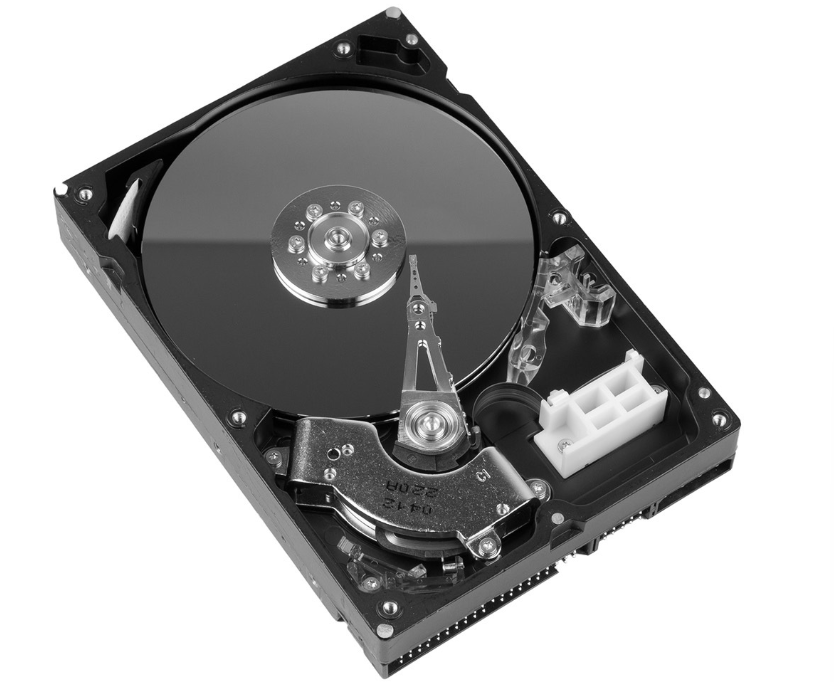
What’s this?
the inside of a hard disk drive
Once HDD platters spin up, they spin at a constant ______ ______.
rotation speed
What does CD stand for?
Compact Disc
What does DVD stand for?
Digital Versatile Disc
What does BD stand for?
Blu-ray Disc
What is a Optical Storage Device?
A device that uses light to store and retrieve data on optical media.
What is a Solid-State Storage?
A type of computer storage that uses electronic circuits to store data.
True or False: A solid state storage uses nonvolatile (flash) memory that can retain data when powered down.
True
What does local storage mean?
It means it is physically connected to the individual computer accessing it. It is always available on that device, fast, and convenient.
What is Network Storage?
It is connected to the LAN to share files with other devices on the same LAN.
True or False: Businesses use network storage extensively to make sure all employees have access to important data and applications. A computer can access network storage only as long as it remains connected to the network.
True
What if devices aren’t on the same network?
you turn to online storage, one form of which is cloud storage, where the files are available anywhere in the world via the Internet.
What does DAS stand for?
Direct Attached Storage
Local storage also called a ______ _____ _______.
direct attached storage
What is local storage?
is where your files are stored on a physical device that is directly connected to your computer or phone.
Where are internal storage devices physically located?
inside the main case of the computer
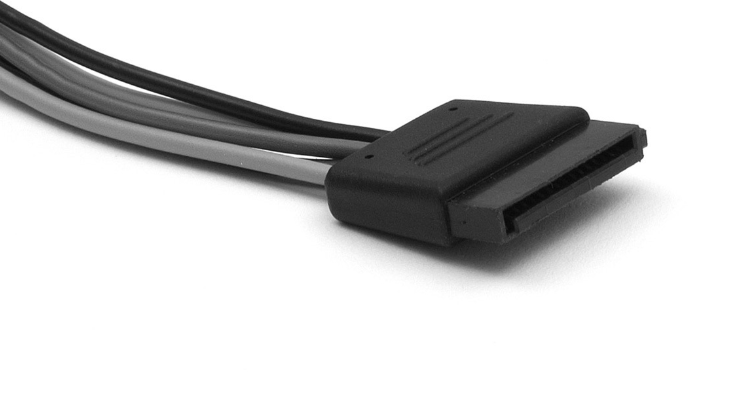
What’s this?
A SATA power cable - the wire that supplies power to the drive.
What is SATA used for?
cable/interface that connects storage devices like hard drives and SSDs to your computer so they can send and receive data.
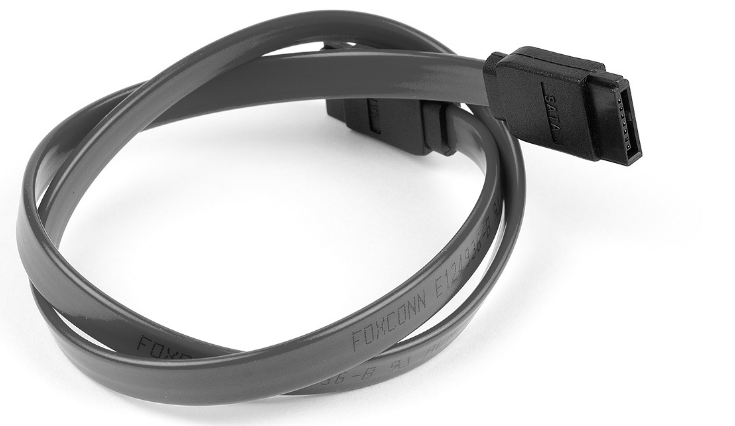
What’s this?
A SATA data cable - the wire that moves data between the drive and the motherboard.
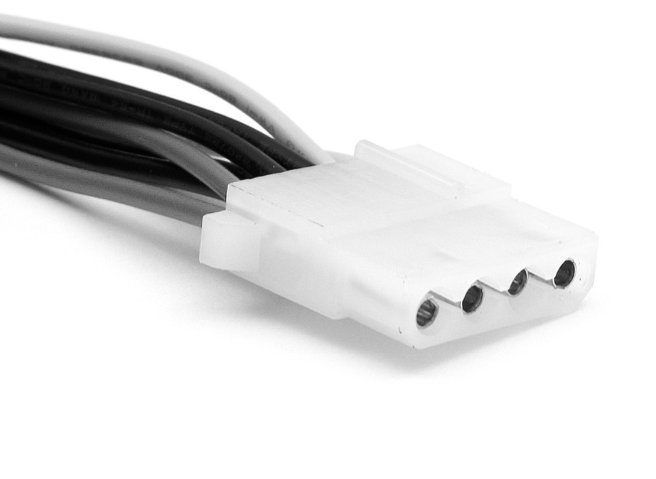
What’s this?
A Molex Connector
What is a Molex connector?
is an older-style power plug inside a PC that supplies electricity to devices like fans, hard drives, or optical drives
External storage connects to ______ _______.
external ports.
Networked computers called ______ are dedicated full time to assisting other computers.
servers
Email servers are meant for
storing and forwarding emails
What are authentication servers for?
They manage user identities
What are web servers for?
they respond to requests for web pages
What do file servers do?
They grant users access to the server’s local storage
What happens when users connect to the file server?
They can view and edit files that they have permission to use.
What does RAID stand for?
Redundant Array of Inexpensive Disks
What does RAID technology do?
multiple drives together to make storage faster, safer, or both, depending on the setup.
What does NAS stand for?
Network-Attached Storage
What does NAS do?
is like a mini file server for your network — it gives you a central place to store and share files, without needing a full computer.
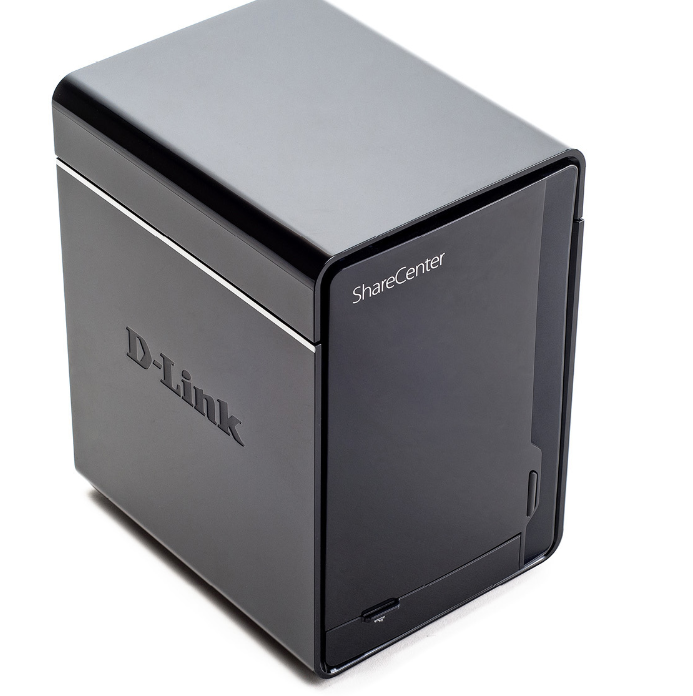
Whats this?
a network attached storage appliance
True or False: You don’t need a file server or NAS appliance to share files on a LAN.
True
What’s an ad hoc network?
is a quick, direct connection between devices, without needing Wi-Fi routers or other network hardware.
True or False: An ad hoc network connects devices directly without any “infrastructure“
True
What are three types of online storage?
Cloud:
a remote storage solution where your data is stored on servers managed by a cloud service provider (like Google Drive, Dropbox, or OneDrive).
How it works: You upload your files to a cloud server and can access them from any device with internet access.
FTP
is a way to transfer files to a remote server over the internet. FTP storage refers to storing files on an FTP server.
How it works: You use an FTP client to connect to the server and upload or download files.
Web-based
Web-based storage refers to storing files on a remote server that is accessed through a web browser without needing specialized software like FTP clients.
you upload files through an online interface (like a website), and the data is stored on the web server.
What is cloud computing?
using the internet to access apps, services, and data instead of keeping them on your local computer.
How would a smart phone user use the cloud?
They would normally store contact lists and documents such as photos in the cloud. This way when you get a smartphone, all of these items are available to the new phone as long as you sign into your cloud account.
What are some free cloud storage services?
iCloud (Apple), Dropbox, and Google Drive
What’s FTP stand for?
File Transfer Protocol
What is FTP?
is a protocol that allows files to be transferred between devices over the internet. It’s one of the most basic and long-standing methods for file sharing.
Is FTP secure or not?
It is not secure, it can require a login, but it sends the credentials and any files you transfer in the clear without encryption where anyone watching can see them.
Secure (SFTP): The standard FTP can be insecure, but there’s also SFTP (Secure FTP), which encrypts the data for more security.
True or False: Developers created multiple secure versions of FTP.
True
What protocol do regular / insecure websites use?
HTTP aka Hypertext Transfer Protocol
What is HTTP?
the protocol used to transfer data over the web. It’s the foundation for loading web pages and transferring files between web servers and browsers
When you visit a website, your browser sends an HTTP request to the server, asking for the web page.
The server responds by sending the requested data back to the browser.
What do protocol do secure websites use?
HTTP over SSL/TLS aka HTTPS
What is HTTPS?
HTTPS (Hypertext Transfer Protocol Secure): This is the secure version of HTTP.
HTTPS uses SSL/TLS encryption, which ensures that the data is encrypted and protected during transmission, making it much more secure for browsing and transferring sensitive data.
What is SSL?
Secure Sockets Layer- a security protocol that was designed to establish an encrypted link between a web server and a web browser, ensuring that all data passed between the two remains private and secure.
What is TLS?
Transport Layer Security - is the successor to SSL and is essentially an updated and more secure version of SSL
 Note
Note  Flashcards (25)