Print Media Production: Test 2
 Studied by 4 people
 Call Kai
 Learn
Learn Practice Test
 Spaced Repetition
 Match
Match Flashcards
 Knowt Play
1/48

Earn XP
Description and Tags
Lectures 6-8
Name | Mastery | Learn | Test | Matching | Spaced | Call with Kai |
|---|
No analytics yet
Send a link to your students to track their progress
49 Terms
Turnaround
the whole production process from start to finish
Q
quantity needed - number of finished pieces, ask for 2-3 times higher quality that you think you need
M
If quantity is more than 1000, specify quantity in M
M=1000 5M=5000 10M=10,000
MM
If quantity is more than a million (1,000,000) specify quantity in MM
MM=1,000,000 2MM=2,000,000
Price Break
printing cost per unit decreases with an increase, in quantity; this is where the cost per unit drops significantly
Over/Under
printers generally allow a 10% over/under tolerance for print runs under 10,000; this means that you could get 10% over the quantity you asked for or 10% under the quantity you asked for - bc there is some paper waste when setting up and shutting down the press
Cost Per Unit
the individual cost of an item after a large quant has been printed; the higher the quantity, the lower the per unit cost
production planing
a roadmap or a strategic approach which defines the specifications, plans, parameters, costs, activities, to achieve goal of project
production planning 7 considerations
Purpose, Audience, Use of Piece, Other Processes, Scheduling, Quantities, Quality
Production planning 7 considerations:
Purpose
physical form (stationary package, brochure, bound publication, etc)
determines quantity - generic — more for various uses at multiple times (ex: letterhead)
- specific — once only usage, exact quantities (ex: invitation)
determines audience
Production planning 7 considerations:
Audience
primary force for Quality - inter-office memo can be different quality than letterhead or business card where customer has contact
who client is changes quality — upscale broker vs local butcher, Fortune 500 vs 25 person small business
Internal/client, viewed only by employees — business documents
external, viewed by a customer — billing, to marketing/advertising materials
Production planning 7 considerations:
Use of Piece
• Life—short term vs archival - affects paper and ink choices
• Durability - menu vs direct mail piece
• Flexibility - will info change in piece frequently or never
• Short term - used to disseminate information then discarded, such as a poster for an event
• Long term or archival - some archival papers can last more than 1000 years, this can affect paper and ink choices
Production planning 7 considerations:
Other Processes
Mailing — meet postal regs
glued
folded/perforated
bound
specialty effects - die cuts, coatings, embossing
Production planning 7 considerations:
Scheduling
turnaround - the whole process from start to finish
schedule backwards from deadline to delivery
factors you control when scheduling
delivery of files on time
delivery of files to printer’s specifications
check proofs promptly (24hrs)
minimize changes
paying on time
Factors the printer controls
scheduling job workflow inhouse
ordering paper
ordering inks if necessary
scheduling subcontractors for special needs, binding, etc
If you are late, expect the printer to be late an equal amount of time
quality can be affected when printer is forced to rush
rush jobs are usually subject to overtime fees
scheduling is more difficult when using multiple vendors
an all-in-one printer may be slightly more expensive but more flexible in meeting deadlines when problems arise
Production planning 7 considerations:
Quantities
consult with client about best quantity
printing cost per unit decreases with an increase in quantity
points where cost per unit drops significantly are called price-breaks
usually a good idea to quote quantities 1.5, 2, and 3 times greater than projected amount
other costs are constant and one-time fees
prepress/trapping
stripping/film-processing
proofing/press checks
plate-making
wet-up/wash-ups
for quantities under 1000 a digital press may be more economical
digital presses are the same cost per unit at any quanity
printers allow a 10% over under tolerance for print runs under 1000
if an exact quantity is necessary specify it in the bid
press size can affect quantity/cost relationships
a smaller sheet quantity with more pieces per sheet may be more economical
plant size of printer affects cost/scheduling/quality
Production planning 7 considerations:
Quality
different printers can deliver different quality printing
four main divisions of printing quality
Basic - standard materials and little quality control, primarily copy shops and quick printers
use toner and sometimes inks
generally handles a maximum of colors and handles small quantities
adequate for line art but contionous tone work loses detail
Commercial - standard materials, trained quality control; color work
sometimes have higher end digital presses
general commercial printing
offset sheet and web
CMYK and spot capability
Premium - high quality materials, refined quality control
color matching is very close
few flaws
4CP+ capability
Showcase - best machines and materials available
exact reproduction of artwork
generally used for pieces that are works of art
prints, museum/archival books, finest/most expensive marketing materials
specking
the process of selling our and submitting a specified proposal for printing work - a printer will us this as a guideline for coming up wit a price for printing services
generally spec a job with 2-5 printers depending on quantity
prepare a comprehensive spec sheet organized with all costs including labor broken out
this forces printer to price a job based on your needs allowing a better comparison between vendors
the printer’s bid is the basis for the printing contract - itemizing all tasks and prices inhibits any add-ons or surprise charges
include a dummy when possible
Preparing the Spec Sheet
description of the job
brochure, letterhead, etc. for company A
frequency of printing
once, every 3 months, yearly
materials to be furnished
quantity
number of finished pieces, ask for 2-3 Q’s to look for price break
specified in hundreds if less than 1000. Q is specified in M’s
trim size
# of colors over # of colors with # of bleeds and what sides; specific inks; specify coverage (ex: 1/0, no bleeds, 4CP/1 bleeds all sides, 4CP+2/2, bleeds top and right)
default color of a press is black
page count
plate changes
paper stock
inserts
binding
delivery/shipping
storage
special effects
InDesign
layout program for multiple page documents; .indd is the suffix to save files
PSD
native Photoshop Document - usually your layered (or unflattened) files before you save to another format; work in this while you make changes, then change appropriate file type for output
LWZ Compressions (Lempel Ziv Welch)
a compressed image is same as original when decompressed
TIFF
Tagged Image File Format - the American National Standards Institute (ANSI) and International Standards Organizations (ISO); RIPs same on only equipment
EPS
Encapsulated Post Script - contains bitmap information for preview image; in PS it is a file type that supports clipping paths, duotone, spot channels
JPEG
Joint Photographic Expert Group - developed for exchanging information via the internet - not suitable for printing
DCS
Desktop Color Separation files - separates data into files for preview images and for each color channel
Portable Document Format - allows user to view and print independent of program that created it (Adobe Acrobat Reader); Adobe Acrobat Pro will allow users to make minor edits to type and image placement; InDesign you can export several different quality levels; smallest file size - for emailing proofs; high quality print - for a printing comp
Trapping
the process where colors are set to slightly overlap each other so white gaps do not appear around objects; don’t do yourself - printers usually do this
What types of trapping are there?
choke and spread
Choke
technique of slightly reducing the size of an image to create a hairline trap or to outline - traps a surrounding light background to a dark, inner foreground object by expanding the edge of the lighter object so the two colors overlap

Spread
technique of slightly enlarging the size of an image to create a hairline trap or outline - traps a surrounding light foreground object to a surrounding dark background by expanding the edge in the inner so the two colors slightly overlap

surprinting
colors do not trap, but overlap or print directly over each other - be careful of black overprints that breaks the colors it overlaps with - can result in a diff tone of the black
proofing
a print made from negative for plates to check for errors and flaws, predict results on press and record how a printing job is intended to appear when finsihed
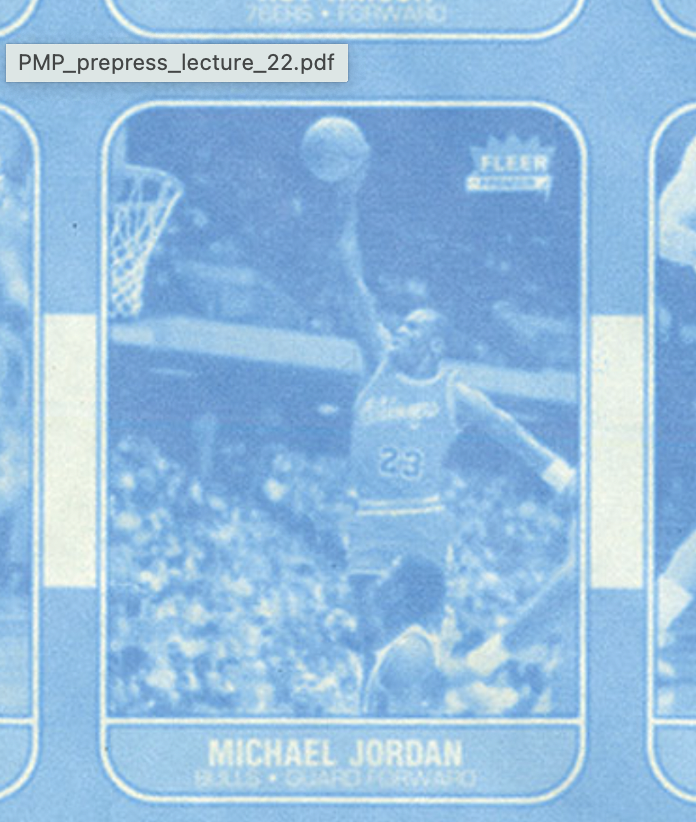
blueline
prepress photographic proof made from stripped negative where all colors show as blue images on white paper - ‘blueline’ is a generic term for proofs made from a variety of materials having identical purposes and similar appearances
Whiteprint or VELOX
a photographic reproduction of camera-ready art, made using a special photographic paper called velox-velox prints are used to make multiple copies of camera-ready art for distribution to various prints advertising media
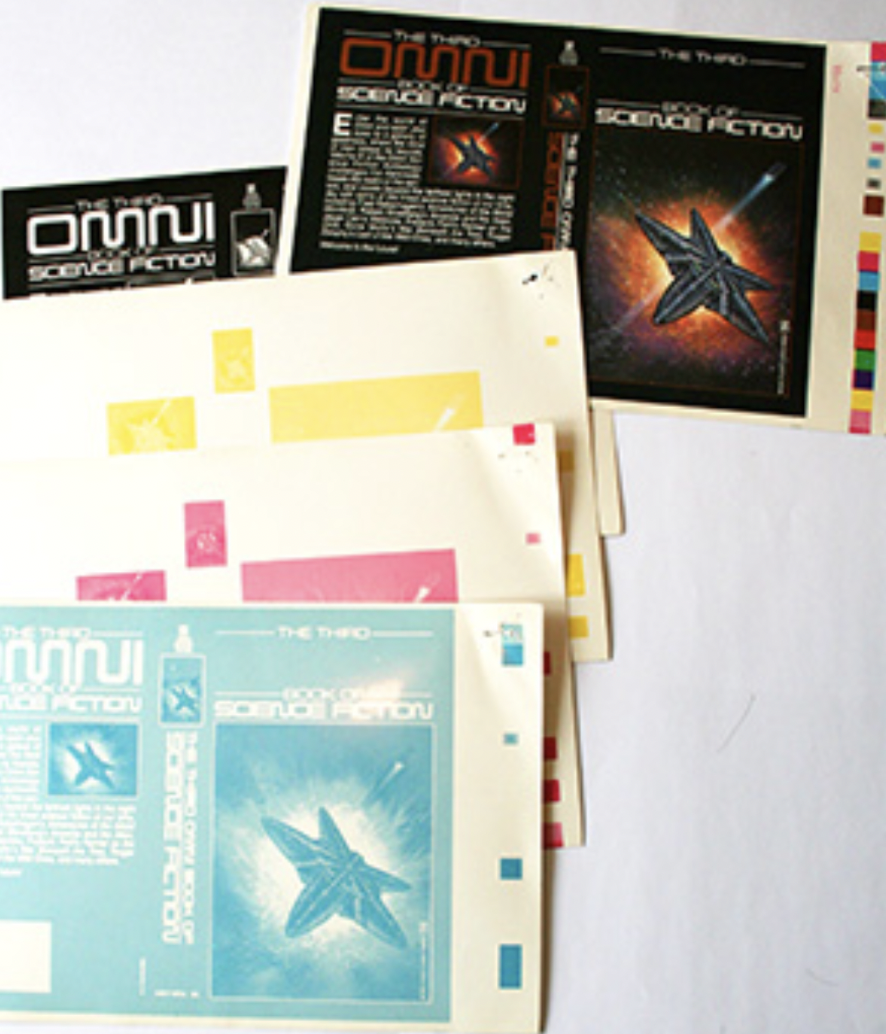
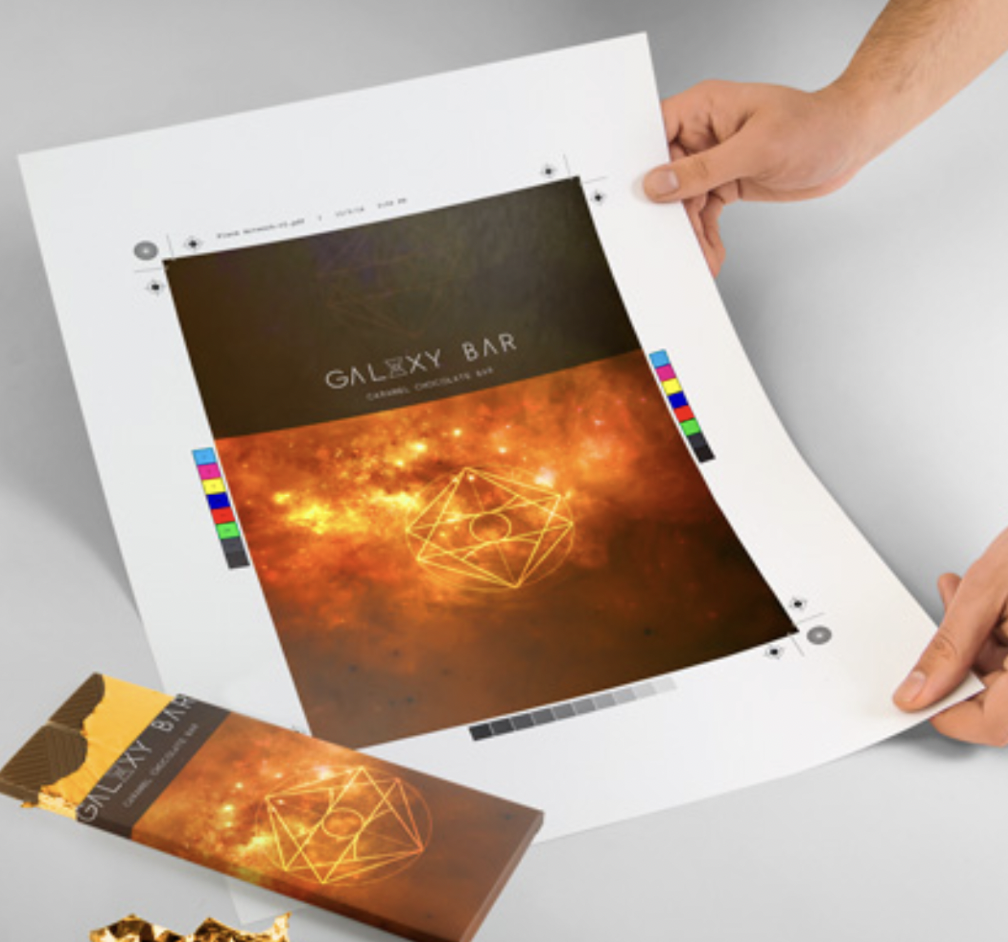
integrals
color proof of separations shown on one piece of proofing paper-also called composition proof, laminate proof, plastic proof, and single-sheet proof
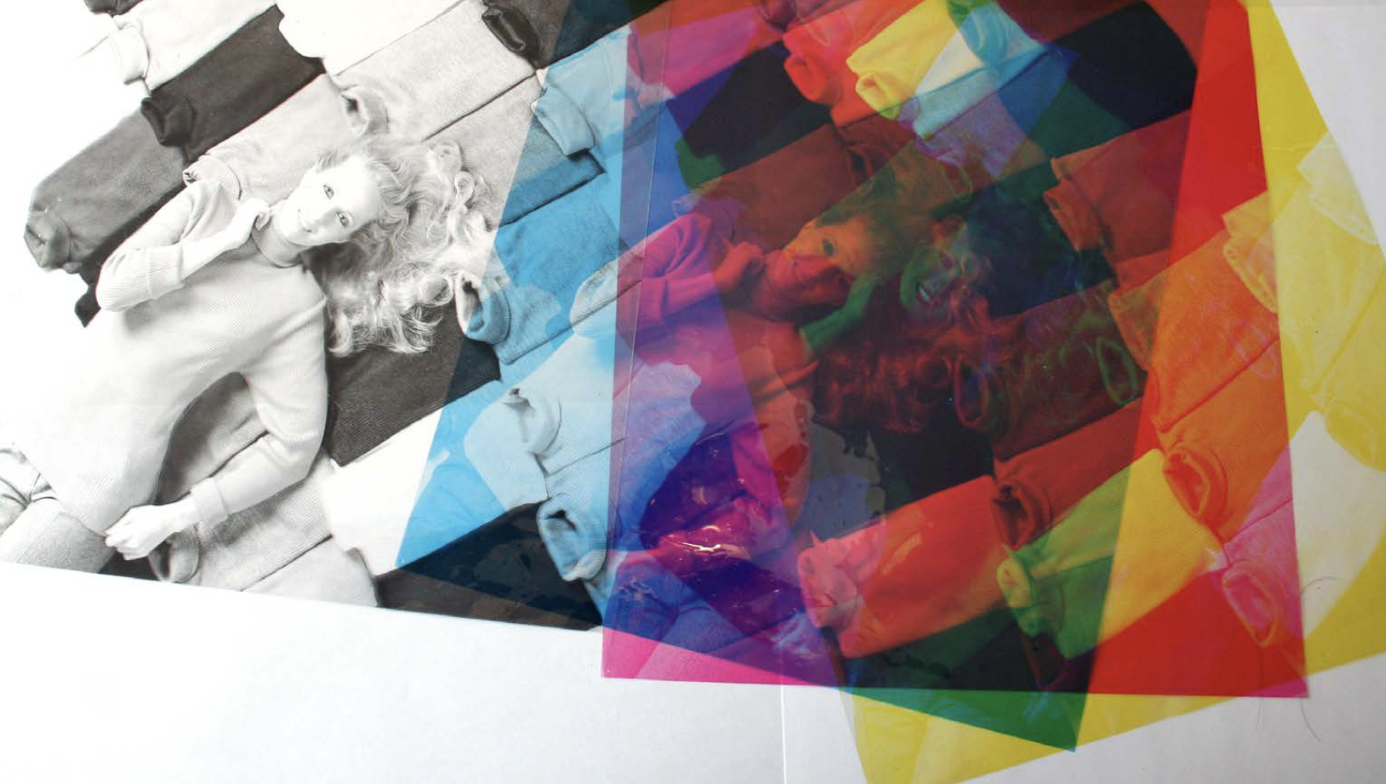
overlays (not used anymore)
color proofs consisting of polyester sheets laid on top of each other with image in register, as compared to integral proof-each sheet represents the image to be printed in one color
dot gain
phenomenon of halftone dots printing larger on paper than they are on films or plates, reducing detail and lowering contrast; also called dot growth, dot spread and press gain
problems on press:
Set Off (offsetting)
ink doesn’t dry properly and transfers from top of sheet to back of another

problems on press:
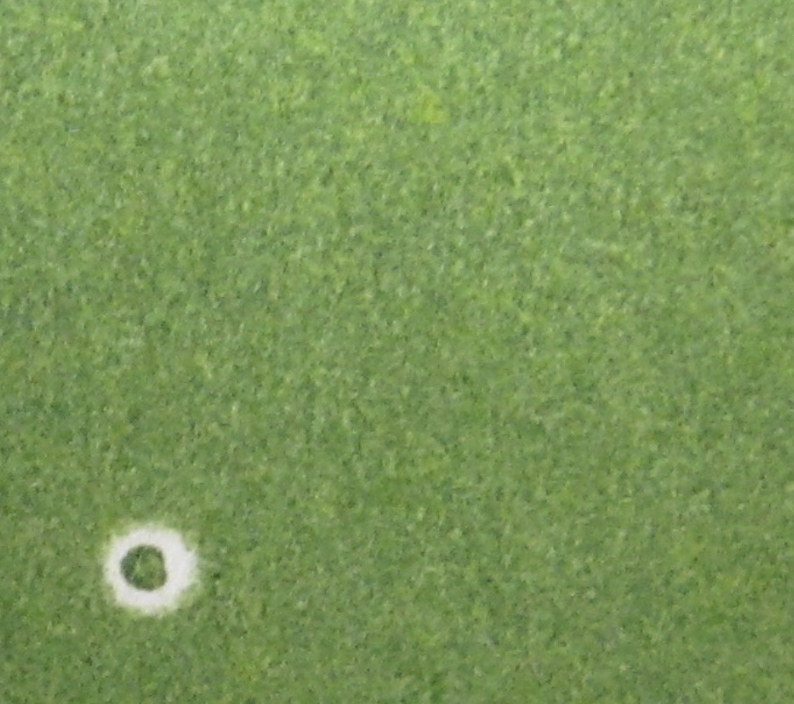
Hickies
dust, dirt on blanket prevents ink from printing creating halos
problems on press:
Show Through
printing from one side interfere with the other due to low opacity
problems on press:
Poor Trapping
incorrect trap, too large/too small, wrong type makes boundary area/overlap very noticeable
problems on press:
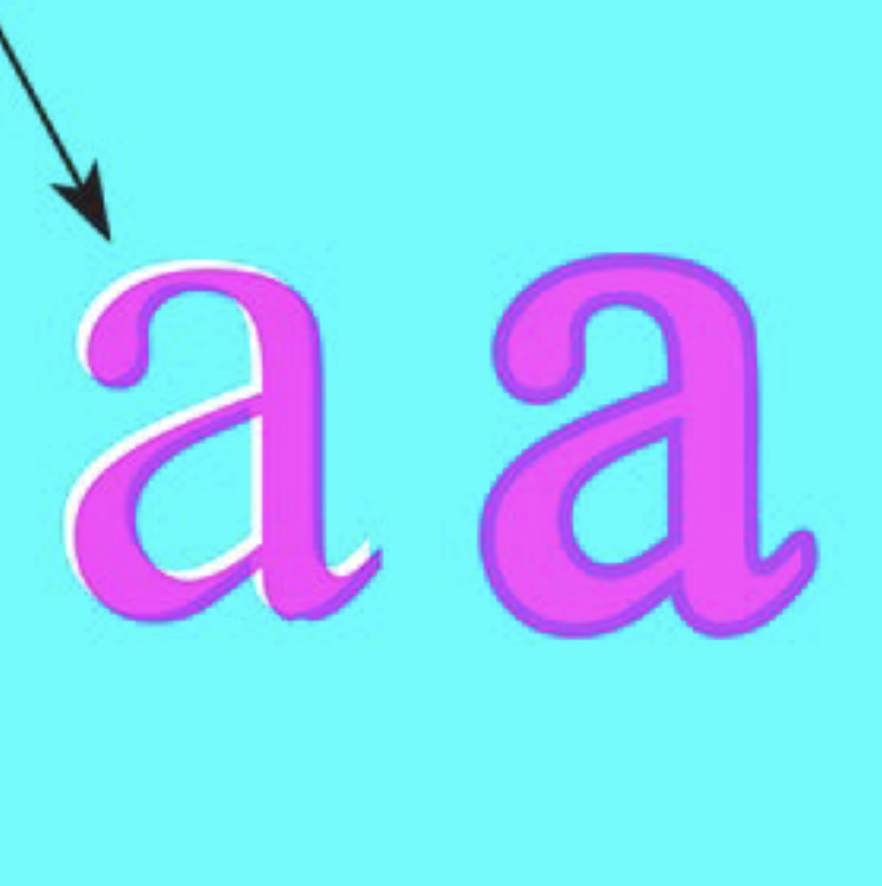
Poor Registration
white gaps between colors, or blurriness due to screens misregistered

What is the purpose of mark ups?
To ensure the professional printer fully understands all aspects of the job that you are giving them, you will need to provide them with Mark-ups.
It allows the person handling your print job the opportunity to see the project without having to view it on the computer. It also acts as a safety net as it will reinforce any discrepancy in your digital file.
File Prep checklist
Name all files, folders and documents in a clear logical manner. Always include file extensions.
Turn in only the files/documents that are needed to open your file. Any extra files or unnecessary items will be confusing.
All images must be placed in the file at 100% of actual size to be used. Slightly larger or smaller is ok, but engaging an image too much in will hurt the print quality.
Include all images, fonts etc. with your file. Check and double check this. Any delay in opening your file could destroy a deadline and can be very costly.
Include a detailed markup with your disk. This is beneficial to you and the printer. It safeguards against potential problems.
A full size color comp should always accompany a print job. This ensures that the printer will understand your piece and back up the pages correctly. Never make a printer guess what you want.
Black and White printouts with mark-ups.
Check Usage of Fonts and Images
Window → Output → Preflight
LINKS AND IMAGES
Image type should be TIF or EPS
Image status should be Linked. If image is missing, locate it before collecting your file.
All images should be in CMYK mode. If your images are RGB, your separations will not print. Change the color mode of the original file.
FONTS
All fonts listed should be used in your document. If there is a font listed that you did not use, locate that font and remove if from your file.
COLORS AND INKS
All colors used in your document are shown in the Colors and link window
Separations Preview
Window → Output → Separations Preview
You can view all your color separated files before printing. Turn the layers off to view only specific separations.
Swatch and Swatch Options
Window → Colors → Swatches → Swatch Options
To highlight special effects including die cut and varnish, create a new spot color (CMYK mode) and change the swatch name. This will allow the effect to print as a separate plate.
Print Separations
File → Print
Marks and Bleeds - In the print window under the Marks and Bleed tab, check All printer’s Marks, this will print crop marks, registration marks, etc.
Under the Marks and Bleed tab, In Bleed and Slug box
uncheck “Use Document Bleed”
check include slug area
set the bleed margins to .25 on all sides
Output - In the print window under the output tab
Color to Separations
Trapping off
All plates that are listed will print as separate pages
Short answer: How to create a spot color to show effect?
draw shape around object you want a special effect
create new color swatch from this
change name to name of effect
change to spot color
change to CMYK
make it a color that will stand out
you know its right when a spot shows in the little grey box next to color
put on separate layer in file
should show up in separations window with CMYK colors
 Note
Note  Flashcards (30)