3.5 Motherboard Form Factors/Compatability
 Call Kai
 Learn
Learn Practice Test
 Spaced Repetition
 Match
Match Flashcards
 Knowt Play
1/14

There's no tags or description
Looks like no tags are added yet.
Name | Mastery | Learn | Test | Matching | Spaced | Call with Kai | Chat |
|---|
No analytics yet
Send a link to your students to track their progress
15 Terms
ATX = ?
ATX = Advanced Technology Extended
Power connectors: 24-pin + 4/8-pin for CPU
12” x 9.6”

What is microATX and its key features?
Smaller than ATX → fewer expansion slots
Backward compatible → similar mounting points & power connectors
9.6” x 9.6”

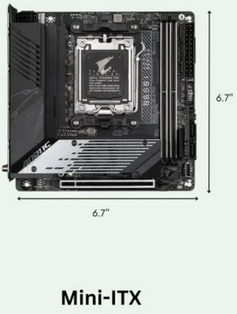
What is Mini-ITX and its key features?
ITX = Information Technology Extended
Small, low-power boards
Screw-compatible with ATX → fits most cases
Ideal for single-purpose computing (e.g., media streaming)
6.7” x 6.7”
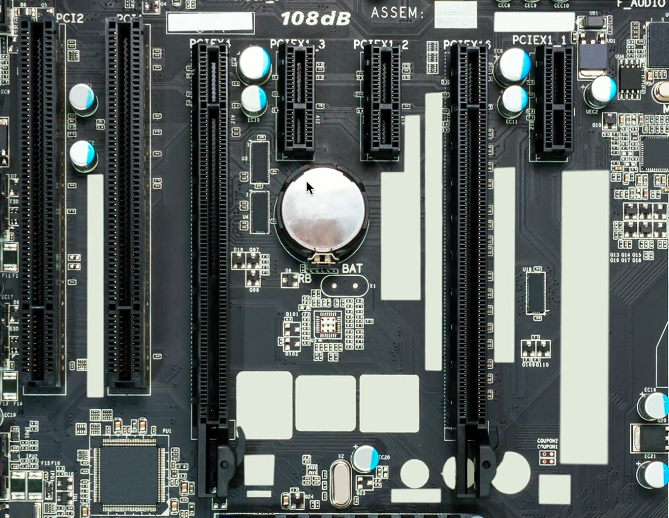
What is PCI Express (PCIe) and how does it differ from PCI?
PCIe = modern replacement for PCI
Communicates serially → unidirectional lanes
Slower devices don’t slow others
Lane counts: x1, x2, x4, x8, x16, x32 (pronounced “by 1,” “by 16”)
Full-duplex lanes → simultaneous send & receive
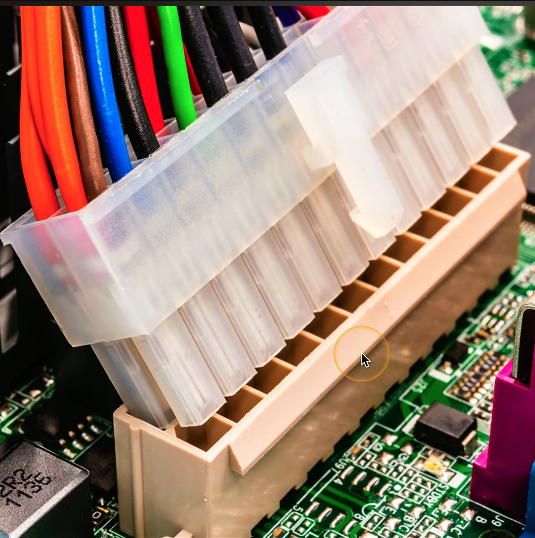
24-pin power = ?
Main motherboard power → 20-pin original, 24-pin for PCIe

Name
24-Pin Main Motherboard power connector
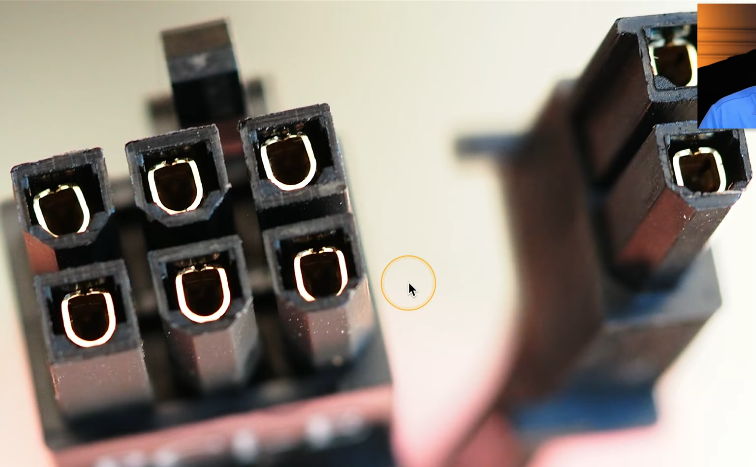
What are PCIe 6-pin and 8-pin power connectors for?
Provide extra +12 V power for high-power PCIe devices (e.g., GPUs)
6-pin = 75 W, 8-pin = 150 W
Some cables split: 6 + 2 = 8-pin → fits both connectors

Name
PCIe 6/8-Pin power connectors
What is a motherboard header?
Used to connect internal components
Power connections
Peripherals (USB, audio)
Lights (LEDs)
Buttons
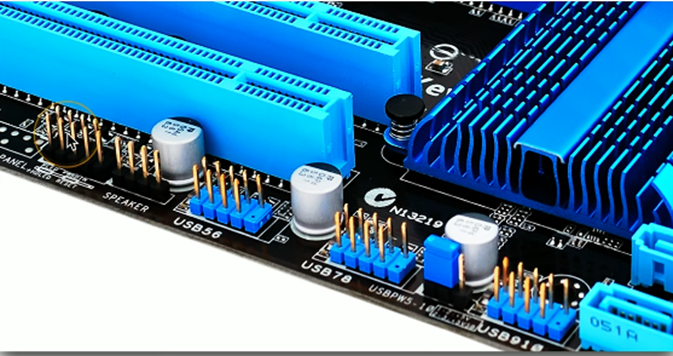

Name
Motherboard Header
What are front panel connectors?
Connect the computer case to the motherboard
Link buttons and indicator lights
Power button
Reset button
Power LED
Drive activity LED

Name
Front Panel Connectors
What should you know about Intel vs AMD compatibility?
CPUs require specific motherboard sockets
Not interchangeable between brands
How do Intel and AMD generally compare?
AMD → often better value (cheaper)
Intel → often performance-focused
Roles can switch over time
How do server motherboards differ from standard motherboards?
More expansion slots (various sizes)
Larger size → often rack-mounted systems
Built for scalability and performance