CompTIA A+ 220-1201 (2.1 - Introduction to IP)
 Studied by 0 people
 Call Kai
 Learn
Learn Practice Test
 Spaced Repetition
 Match
Match Flashcards
 Knowt Play
1/10

Earn XP
Description and Tags
Name | Mastery | Learn | Test | Matching | Spaced | Call with Kai |
|---|
No analytics yet
Send a link to your students to track their progress
11 Terms
A series of moving vans
• Efficiently move large amounts of data
- Use a shipping truck
• The network topology is the road
- Ethernet, DSL, cable system
• The truck is the Internet Protocol (IP)
- We've designed the roads for this truck
• The boxes hold your data
- Boxes of TCP and UDP
• Inside the boxes are more things
- Application information
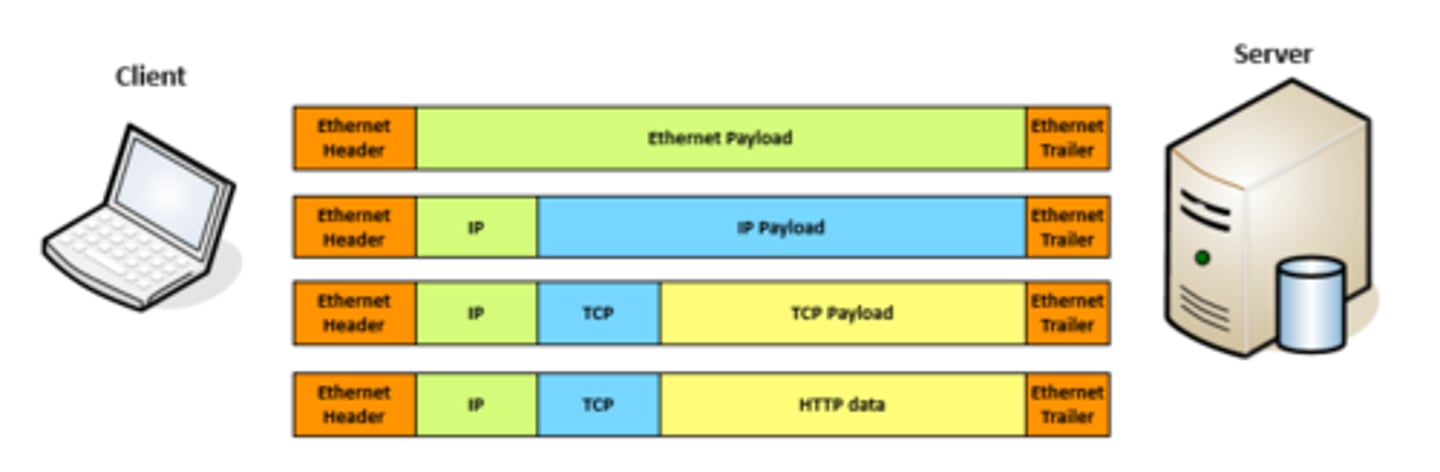
TCP and UDP
• Transported inside of IP
- Encapsulated by the IP protocol
• Two ways to move data from place to place
- Different features for different applications
• OSI Layer 4
- The transport layer
• Multiplexing
- Use many different applications at the same time
- TCP and UDP
TCP - Transmission Control Protocol Communication
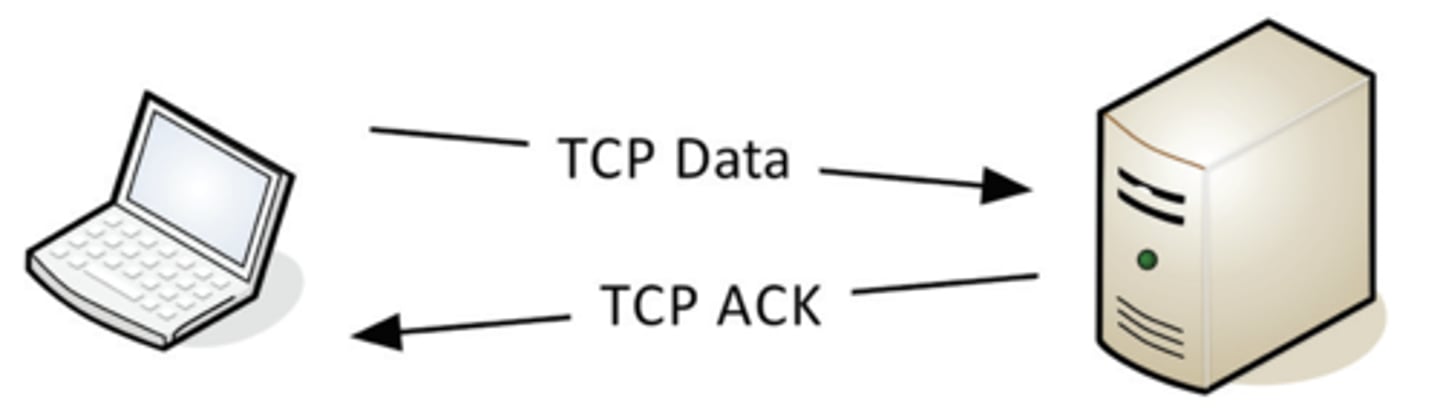
TCP - Transmission Control Protocol
• Connection-oriented
- A formal connection setup and close
• "Reliable" delivery
- Recovery from errors
- Manages out-of-order messages or retransmissions
• Flow control
- The receiver can manage how much data is sent
UDP - User Datagram Protocol Communication
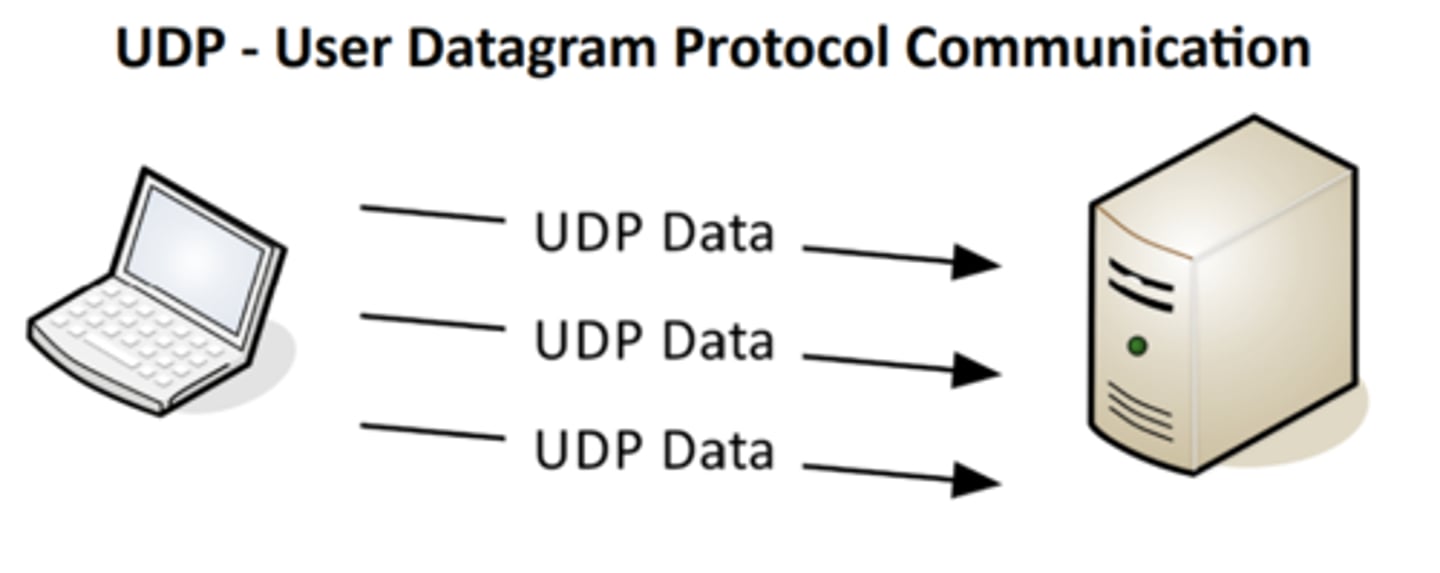
UDP - User Datagram Protocol
• Connectionless - No formal open/close to the connection
• "Unreliable" delivery
- No error recovery, no reordering of data or retransmissions
• No flow control
- Sender determines the amount of data transmitted
Why would you ever use UDP?
• Real-time communication
- There's no way to stop and resend the data
- Time doesn't stop for your network
• Connectionless protocols
- DHCP (Dynamic Host Configuration Protocol)
- TFTP (Trivial File Transfer Protocol)
• The data might not get through
- The application keeps track and decides what to do
- It might not do anything
Communication using TCP
• Connection-oriented protocols prefer a "return receipt"
- HTTPS (Hypertext Transfer Protocol Secure)
- SSH (Secure Shell)
• The application doesn't worry about
out of order frames or missing data
- TCP handles all of the communication overhead
- The application has one job
Speedy delivery
• The IP delivery truck delivers from one (IP) address to
another (IP) address
- Every house has an address, every computer
has an IP address
• Boxes arrive at the house / IP address
- Where do the boxes go? - Each box has a room name
• Port is written on the outside of the box
- Drop the box into the right room
Lots of ports
• IPv4 sockets
- Server IP address, protocol, server application port #
- Client IP address, protocol, client port number
• Non-ephemeral ports - permanent port numbers
- Ports 0 through 1,023 - Usually on a server or service
• Ephemeral ports - temporary port numbers
- Ports 1,024 through 65,535
- Determined in real-time by the client
Port numbers
• TCP and UDP ports can be any number between 0 and 65,535
• Most servers (services) use non-ephemeral
(not-temporary) port numbers
- This isn't always the case - it's just a number.
• Port numbers are for communication, not security
• Service port numbers need to be "well known"
• TCP port numbers aren't the same as UDP port numbers
 Note
Note  Flashcards (43)