CompTIA A+ 220-1201 (3.8 - Laser Printer Maintenance)
 Studied by 0 people
 Call Kai
 Learn
Learn Practice Test
 Spaced Repetition
 Match
Match Flashcards
 Knowt Play
1/4

Earn XP
Description and Tags
Name | Mastery | Learn | Test | Matching | Spaced |
|---|
No study sessions yet.
5 Terms
Laser printer
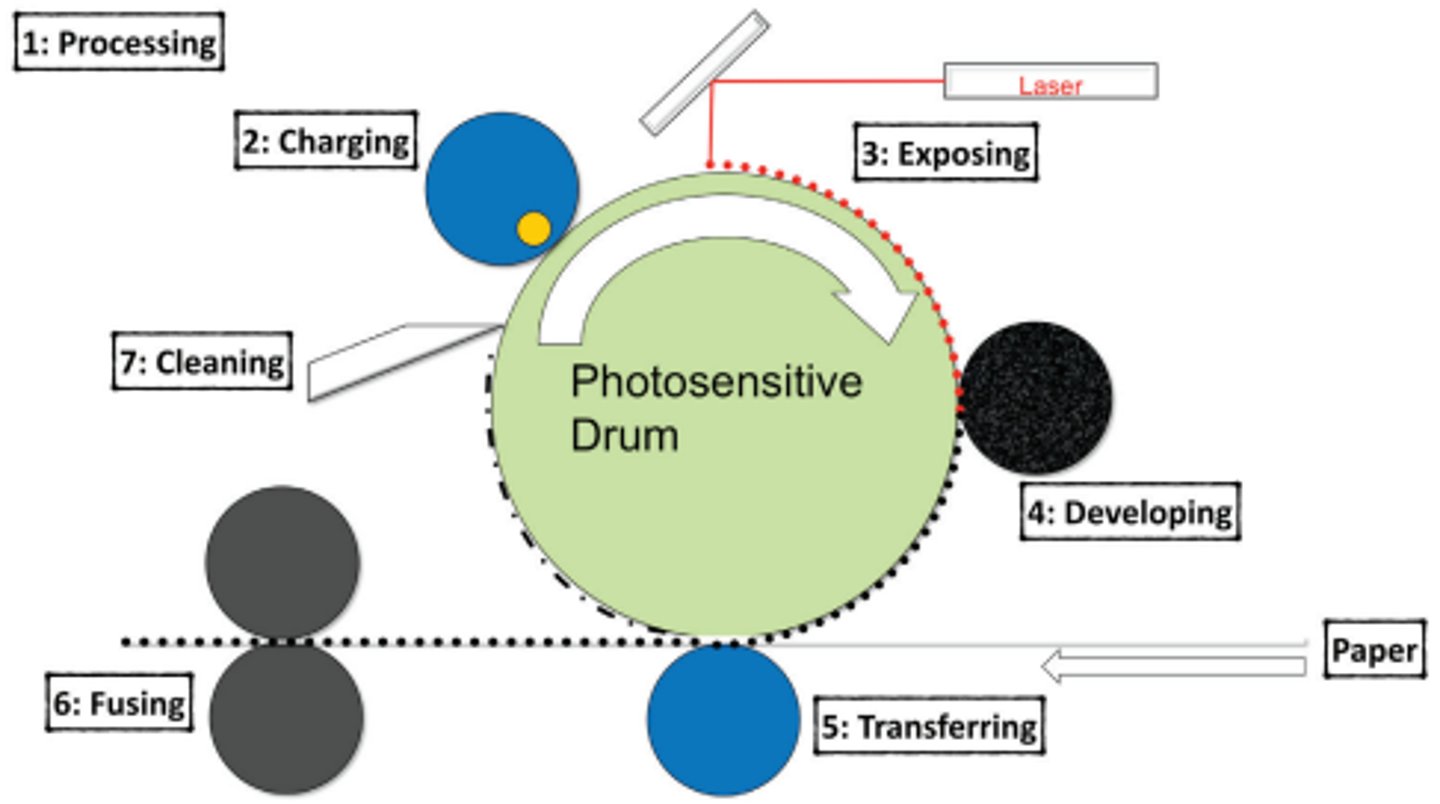
• Combine a laser, high voltage, charged ions, powdered ink, heat, and paper
• Very high quality
• Fast printing speeds
• Very complex
- Many moving parts
- Requires on-printer memory
- Messy on the inside
Replacing the toner cartridge
• Look for the messages
- Low doesn't mean empty
• The toner can also contain the OPC drum
- Organic Photoconductor drum
- Sensitive to light; keep it in the bag
• Power down the printer
- Safety first
• Remove packing strips from the new drum
- Replace it with the old
Laser printer maintenance kit
• Laser printers wear out
- All those moving parts
- Heat and pressure
• Standard maintenance kits
- Replacement feed rollers, new fuser unit, etc.
• When to perform maintenance?
- Check the printer's page counter
• Power down and replace the components
- Fuser units are HOT
• Reset the page counter when you're done!
Laser printer calibration
• Different toner cartridges print with different densities
- Some dark, some light
• Laser printer calibration can adjust the density
- Makes it looks perfect
• Can be automated or a manual process
- Every printer is different
- Check the printer manual
Laser printer cleaning
• Laser printers are dirty
- All that toner and paper dust
• Check the manufacturer's recommendations
- Water, isopropyl alcohol (IPA)
- Don't use harsh chemicals!
• Outside - Damp cloth
• Inside - Wipe dust away
- Don't use a normal vacuum cleaner or
compressed air
- Wash off skin with cold water
- Clean rollers with IPA