LITE 111 PRELIMS
 Call Kai
 Learn
Learn Practice Test
 Spaced Repetition
 Match
Match Flashcards
 Knowt Play
1/192

Earn XP
Description and Tags
Name | Mastery | Learn | Test | Matching | Spaced | Call with Kai | Chat |
|---|
No analytics yet
Send a link to your students to track their progress
193 Terms
Computer
An electronic device that accepts data and instructions, performs logical and mathematical operations, and generates the outputs of the processing.
Outputs/Results
The information that we need.
Speed
The computer can work very fast. It takes only a few seconds for calculations that we take hours to complete. A computer can perform millions (1,000,000) of instructions and even more per second.
Accuracy
Its degree of precision of a computer is very high and every calculation is performed with the same precision.
Diligence
A computer is free from tiredness, lack of concentration, fatigue, etc. It can work for hours without creating any errors.
Versatility
It means the capacity to perform completely different types of work.
Power of Remembering
A computer has the power of storing any amount of information or data. Any information can be stored and recalled as long as you require it, for any number of years.
No IQ (Intelligence Quotient)
A computer is a dumb machine and it cannot do any work without instruction from the user. A computer cannot take its own decision as you can.
No Feelings
It does not have feelings or emotions, taste, knowledge, or experience. Thus it does not get tired even after long hours of work. It does not distinguish between users.
Storage
The computer has an in-built memory where it can store a large amount of data. You can also store data in secondary storage devices.
Speed, accuracy, diligence, versatility, power of remembering, no IQ, no feelings, storage
Enumerate the 8 characteristics and capabilities of a computer (SADVEPENNS)
Information technology (IT)
Use of any computers, storage, networking, and other physical devices, infrastructure, and processes to create, process, store, secure, and exchange all forms of electronic data.
Hardware
Physical equipment
Software
Virtualization and management or automation tools, operating systems, and applications used to perform essential functions.
IT domain
User devices, peripherals, and laptops, smartphones, recording equipment, architectures, methodologies, and regulations governing the use and storage of data are all included in this.
Part of our everyday lives and greatly impacted society
Importance of IT
Protecting and Storing Information
Electronic storage systems are being created to hold the information that is being shared over the internet and internal intranets. (ex. Virtual vaults, Security systems)
Automated Processes
The ability to find ways to complete more work in a shorter amount of time is essential to the success of a company. IT improves a company’s efficiency by implementing automated processes, easing heavy workloads.
Communication
A aspect of human interaction is essential. In the business world, it is imperative to the success of the company. Emailing, video conferencing, and chat rooms allow for easier interactions.
Remote Access/Telecommuting
This enables employees to work from home or while on the road. This gives the employees more flexibility and they are more productive because they can still work when not in the office.
Protecting and storing information, automated processes, communication, remote access or telecommuting
Enumerate the 4 advantages of IT.
Expenses of Implementation and Maintenance
Setup costs for implementing an information technology system within a home or business as well as software training can be very costly.
Elimination of Jobs
By implementing IT systems into a company, tasks take less time. Companies are finding that they can combine jobs and need a smaller staff to operate fully.
Breaches in Security
Information is stored electronically so there are more chances of having security breaches.. Security systems that were state-of-the-art last year are now out-of-date and in desperate need of upgrading.
Security specialist
To protect company data, this person should be kept on staff.
Expenses of implementation and maintenance, elimination of jobs, breaches in security
Enumerate the 3 disadvantages of IT (EXELB).
Information and Communication Technology (ICT)
Technology required for information processing, in particular, the use of electronic computers, communication devices, and software applications to convert, store, protect, process, transmit and retrieve information from anywhere, anytime.
Information
Knowledge obtained from reading, investigation, study, or research.
Communication
Act of transmitting messages. It is a process whereby information is exchanged between individuals using symbols, signs, or verbal interactions.
Technology
Use of scientific knowledge, experience, and resources to create processes and products that fulfill human needs. It is vital in communication.
Communication, job opportunities, education, socializing
Enumerate the 4 uses of ICT in our daily lives.
Access to information, New tools, new opportunities, Communication, Information management
Enumerate the 4 positive impacts of ICT (ANNCI).
Job loss, Reduced personal interaction and physical activity, Cost, Competition
Enumerate the 4 negative impacts of ICT (JOREPHCC).
Pre-Modern Era
There are three classifications of devices that evolved during this era, namely manual-mechanical devices, electromechanical, and electronic devices.
Manual-Mechanical Devices
Devices that are operated manually by the user.
Tally Sticks
An ancient memory aid device to record and document numbers, quantities, or even messages.

Abacus/Counting frame
Considered the first man-made computing device that uses beads and was invented in China.

Napier’s Bones
It is a manually-operated device used for calculating products, quotients, square and cube roots.

John Napier, 1614
Inventor of Napier's bones and its year.
Oughtred’s Slide Rule
It is a mechanical analog computer consisting of movable bars with a precise scale that uses approximations for solving problems like multiplication, division, roots, logarithms, and trigonometry.
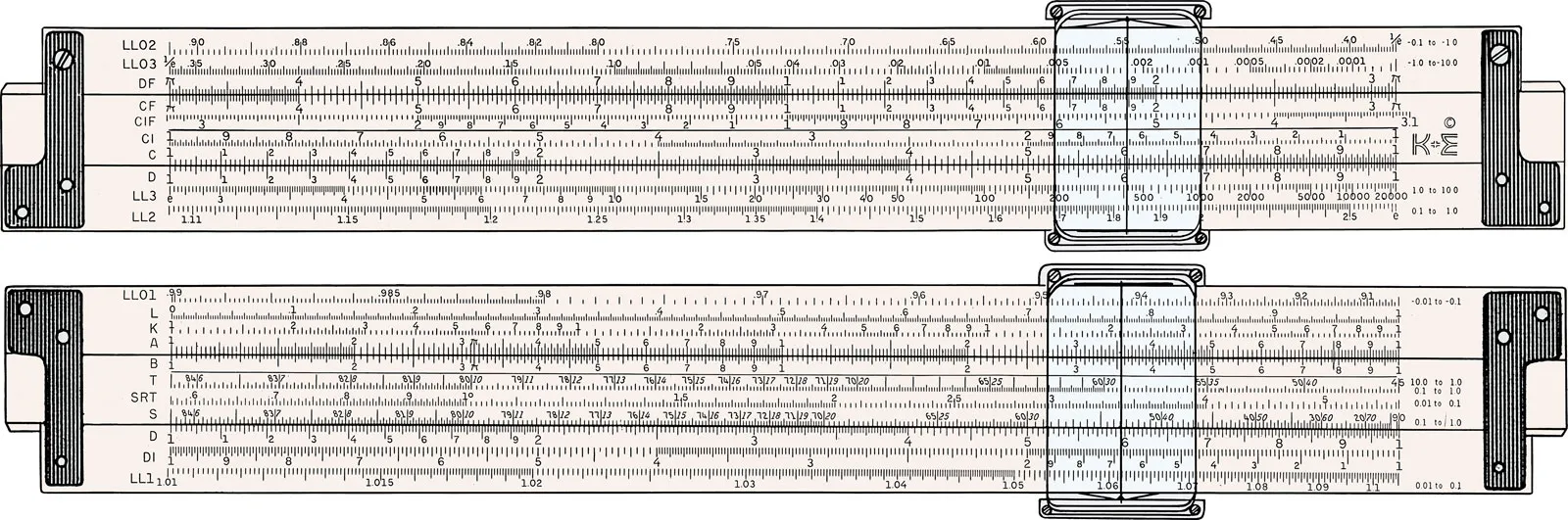
William Oughtred
Inventor of Oughtred’s Slide Rule.
Pascaline Calculator/Adding Machine
It is the first mechanical calculating device that uses cogged wheels that can be used to add and subtract two numbers.

Blaise Pascal,1642
Inventor of Pascaline Calculator and its year.
Stepped Reckoner
The machine can add, subtract, multiply, and divide automatically.

Gottfried Wilhelm Leibniz, 1672
Inventor of Stepped Reckoner and its year.
Babbage’s Difference and Analytical Engines
These engines embodied most of the design of modern computers. It was invented by Charles Babbage.

The Difference engine
Can compute tables
The Analytical engine
Completely automatic and is capable of calculating any mathematical problems.
Arithmometer
The first reliable, useful, and commercially successful calculating machine. The machine could perform the four basic mathematic functions. The first mass-produced calculating machine.

Thomas de Colmar, 1820
Inventor of Arithmometer and its year.
Electronic Devices
The principal components of these are circuit boards, transistors, or silicon chips, and use electrical switches and circuitry instead of mechanical relays.
Atanasoff-Berry-Computer (ABC)
The first special-purpose digital computer that solves simultaneous equations.

John Atanasoff
Inventor of Atanasoff-Berry-Computer.
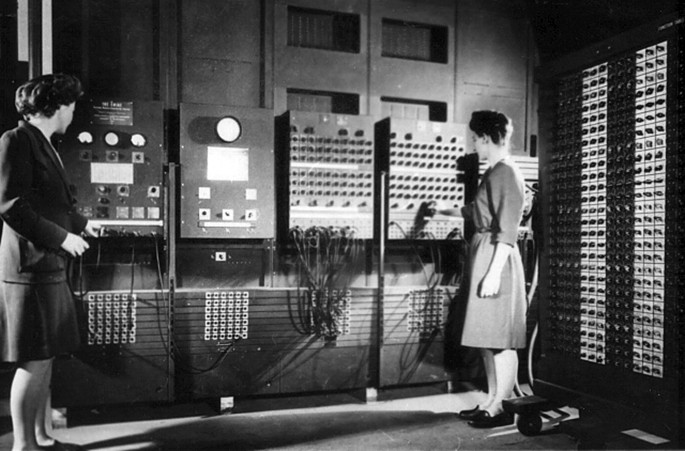
Electronic Numerical Integrator and Calculator (ENIAC)
The first fully electronic general-purpose digital computer ever completed.

John Mauchly and J. Presper Eckert
Inventors of Electronic Numerical Integrator and Calculator
Electronic Discrete Variable Automatic Computer (EDVAC)
The program for the computer stored inside the computer. It has more internal memory than any other computing device to date. Memory was to be provided through the use of mercury delay lines. It is a completely internally programmed machine.
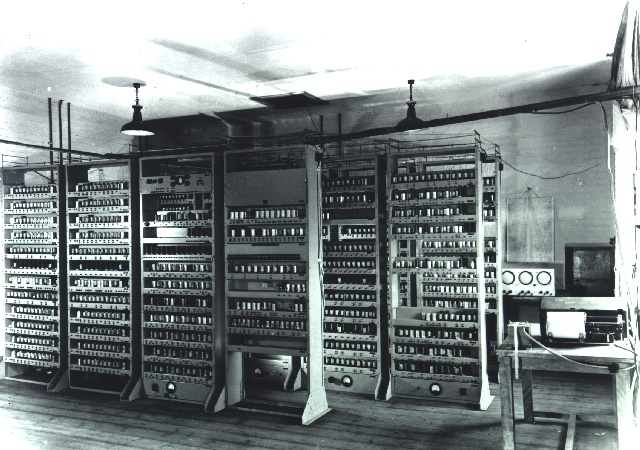
Electronic Delay Storage Automatic Calculator (EDSAC)/Electronic Binary Digital computer
Uses a binary representation of data and internally stored programs; the first full-size stored-program computer provided a formal computing service for users.
Von Neumann
The machine principles the EDSAC was built according to.
Maurice Wilkes, University of Cambridge, England
Builder of the EDSAC and its location.
First Generation Computers
The size of computers during this generation's computers are mainframes. The major hardware features are vacuum tubes and magnetic drums and the processing speed is 1,000 instructions per second.
1951-1958
Years of First Generation Computers
Universal Automatic Computer (UNIVAC)
It is the first commercial business computer.

John Eckert and John Mauchly
Developers of UNIVAC.
IBM 701
The first generation IBM computers.

IBM 650
Most popular 1st generation computer.

Second Generation Computers
The major hardware features of this-generation's computers are transistors and magnetic cores. Its processing speed is 1,000,000 instructions per second and the size is mainframe.
1959-1963
Years of Second Generation Computers.
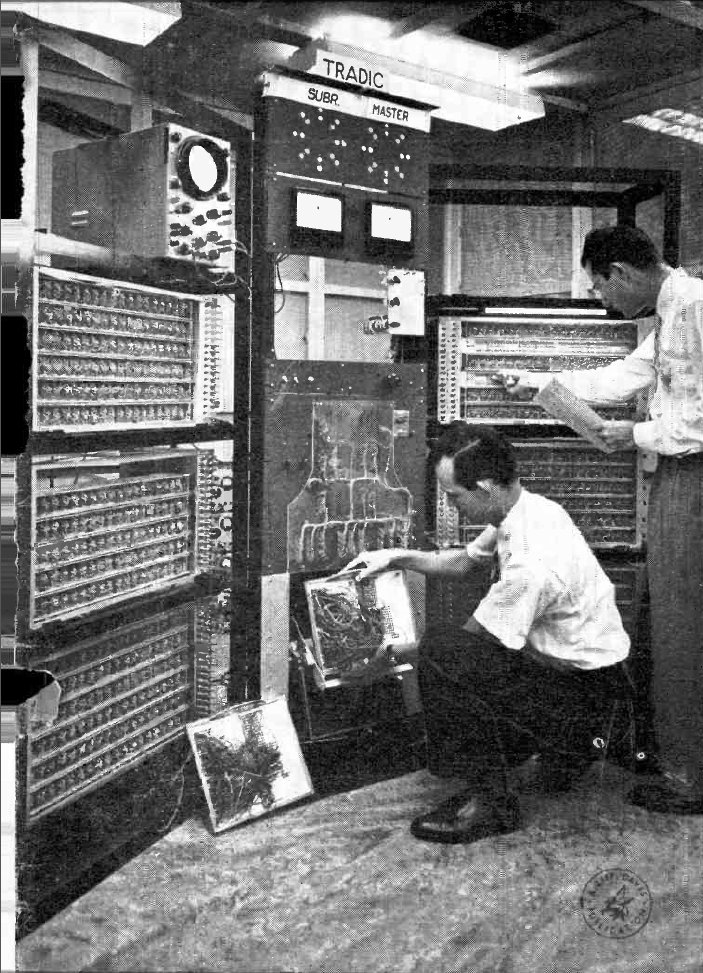
TRADIC
It is the first transistorized computer.
Third Generation Computers
During this generation, minicomputers already became available. The major hardware features are integrated circuits or “chips” and the processing speed is 10,000,000 instructions per second.
1964-1970
Years of Third Generation Computers
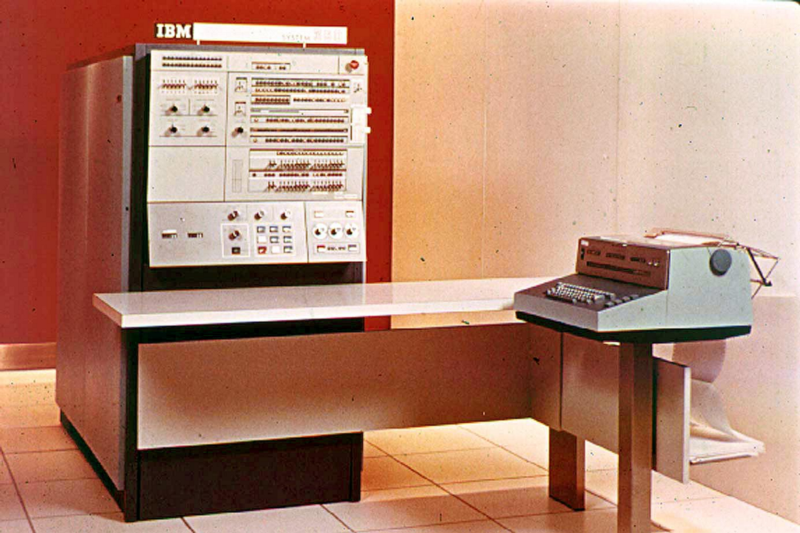
IBM System 360
It is the first general-purpose machine used in science and business.
Fourth Generation Computers
The size of a computer varies from mainframes, minicomputers, and microcomputers. The major hardware features are microprocessors or large-scale integrated circuits. The minimum processing speed is 100,000,000 instructions per second. Led to the development of the Internet. Saw the development of GUIs, the mouse, and handheld devices
1971-present
Years of Fourth Generation Computers.
Fifth Generation Computers
Based on AI. Still in development. The use of parallel processing and superconductors is helping to make artificial intelligence a reality. The goal is to develop devices that respond to natural language input and are capable of learning and self-organization. There are some applications, such as voice recognition, that are being used today.
Present-future
Years of Fifth Generation Computers.
General and special-purpose
Classification of computers according to purpose.
General-purpose computers
Ability to store different programs of instruction and thus, perform a variety of operations. (ex. personal computers, laptops, and tablets)

Special-purpose computers
Designed to perform one specific task. The program of instructions is built into, or permanently stored in the machine. (ex. highway tolls, air traffic control, satellite tracking, airline reservations, and automated teller machines).

Analog, digital, hybrid
Classification of computers according to data handled.
Analog Computers
Used for scientific, engineering, and process control purposes. They deal with quantities that are continuously variable. (ex. speedometer in an automobile).

Analogous
The word analog comes from this word that means similar.
Digital Computers
Machines that specialize in counting. It operates by counting values that are discrete, or separate and distinct.

Hybrid Computers
Combines the measuring capabilities of the analog computer and the logical and control capabilities of the digital computer. It offers an efficient and economical method of working out special types of problems in science and various areas of engineering.
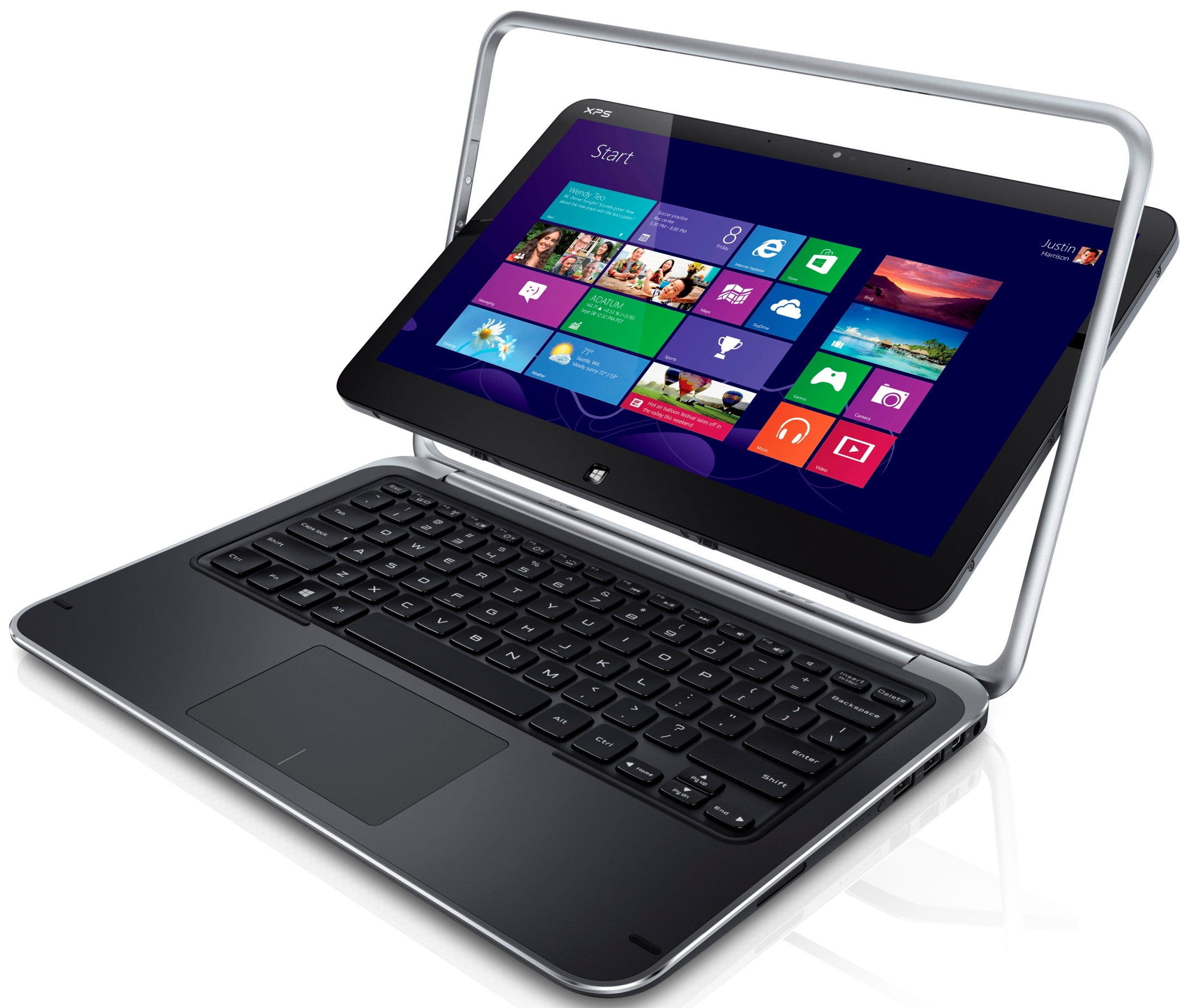
Microcomputers, minicomputers, mainframes, supercomputer
Classification of computers according to capacity.
Supercomputers
Most powerful in terms of speed and accuracy. They are types of computers used in solving complex mathematical computations. They are capable of executing trillions of instructions per second, which is calculated in floating point operations per second (FLOPS).

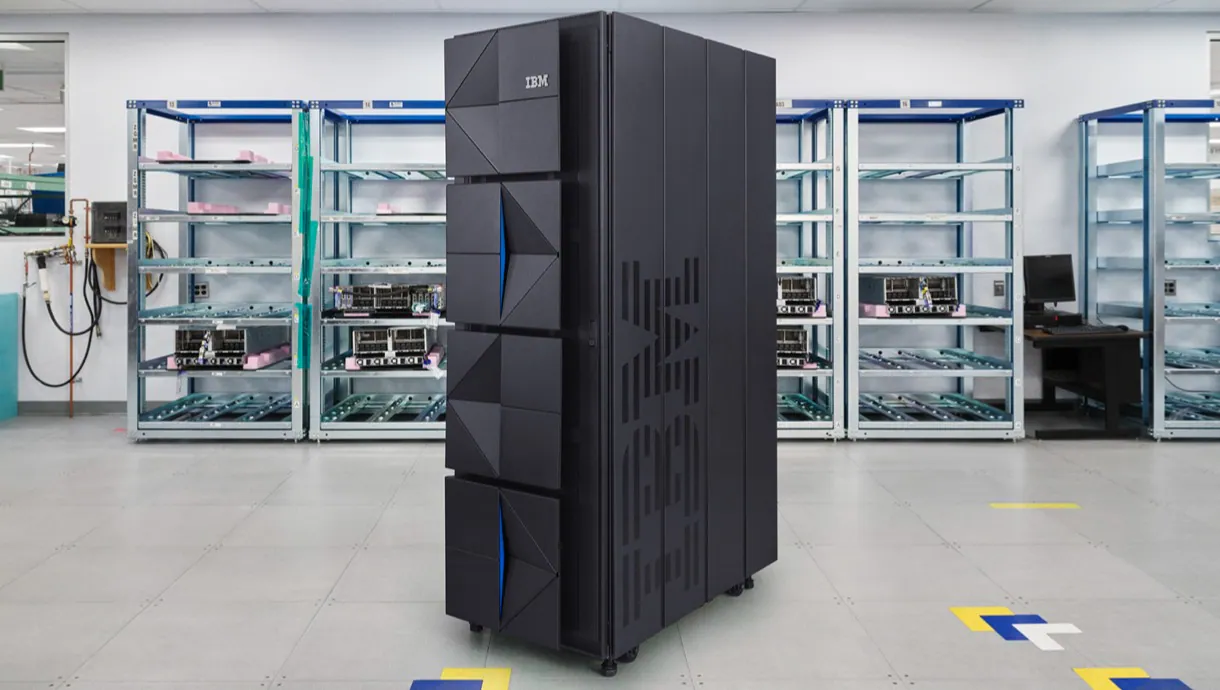
Mainframe computers/Big iron
Large-sized computer types. Powerful but fall short in terms of the computation ability. They are like big file servers, enabling multiple users from nearby and remote locations to access resources at the same time. These systems can handle massive amounts of data going in and out simultaneously. This makes them popular with businesses.
Minicomputers/Mid-range computers
General-purpose devices without the monumental expenses associated with a larger system. Has become almost extinct because of the popularity of personal computers.

Microcomputers/Personal computers
Smallest, least expensive, and most used types of computers. They have small memories, less processing power, are physically smaller, and permit fewer peripherals compared to super and mainframe computers.

Input unit, central processing unit, output unit
The 3 important components of a computer.
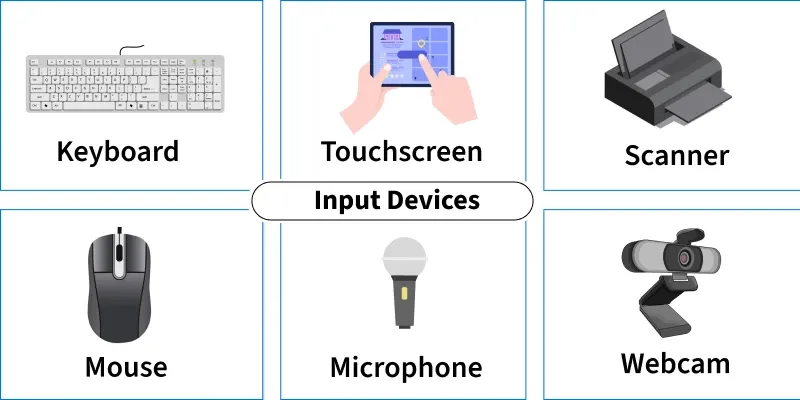
Input unit
Input devices that are attached to the computer that convert it into binary language that the computer understands. (ex. keyboard, mouse, joystick, scanner, etc.)
Central Processing Unit (CPU)
Brain of the computer because it is the control center of the computer. Fetches instruction from memory, interprets, performs computations, then stores or displays output.

Arithmetic Logic Unit, Control Unit, Memory registers
3 main components of the CPU.
Arithmetic and Logic Unit (ALU)
Main, fundamental component of the CPU. Performs mathematical calculations and makes logical decisions.
Control Unit
Coordinates and controls the data flow in and out of the CPU, the ALU, memory registers, and input/output units. Responsible for carrying out all the instructions stored in the program from decoding, interpreting, and sending control signals.
Output Unit
Output devices that are attached to the computer. It converts the binary data coming from the CPU to human understandable form. (ex. monitors, printers, plotters, etc.)
Memory
Stores data and instructions before the execution and the processed data as well.
Internal and external
2 types of memory.
Random-access and read-only
2 types of internal memory.
Random-Access Memory (RAM)
Volatile type of memory referred to as Main Memory or Primary Memory.

Read-Only Memory (ROM)
Contains permanently stored instructions that cannot be changed.
