Network Theory Test - AIT
 Call Kai
 Learn
Learn Practice Test
 Spaced Repetition
 Match
Match Flashcards
 Knowt Play
1/30

Earn XP
Description and Tags
Year 11
Name | Mastery | Learn | Test | Matching | Spaced | Call with Kai | Chat |
|---|
No analytics yet
Send a link to your students to track their progress
31 Terms
What is DNS?
The service that translates URLs to IP addresses.
What is DSL/Cable?
Digital Subscriber Line
A method of sending information using telephone or television cables.
What is Fibre Optic Cable?
A connection that uses light to transmit information.
What is the internet?
A group of computers and servers that are connected to each other.
What is an IP address?
A number assigned to any item that is connected to the Internet.
What are packets?
Small chunks of information that have been carefully formed from larger chunks of information.
What are servers?
Computers that exist only to provide things to others.
What is a URL?
An easy-to-remember address for calling a web page.
What is Wi-Fi?
A wireless method of sending information using radio waves.
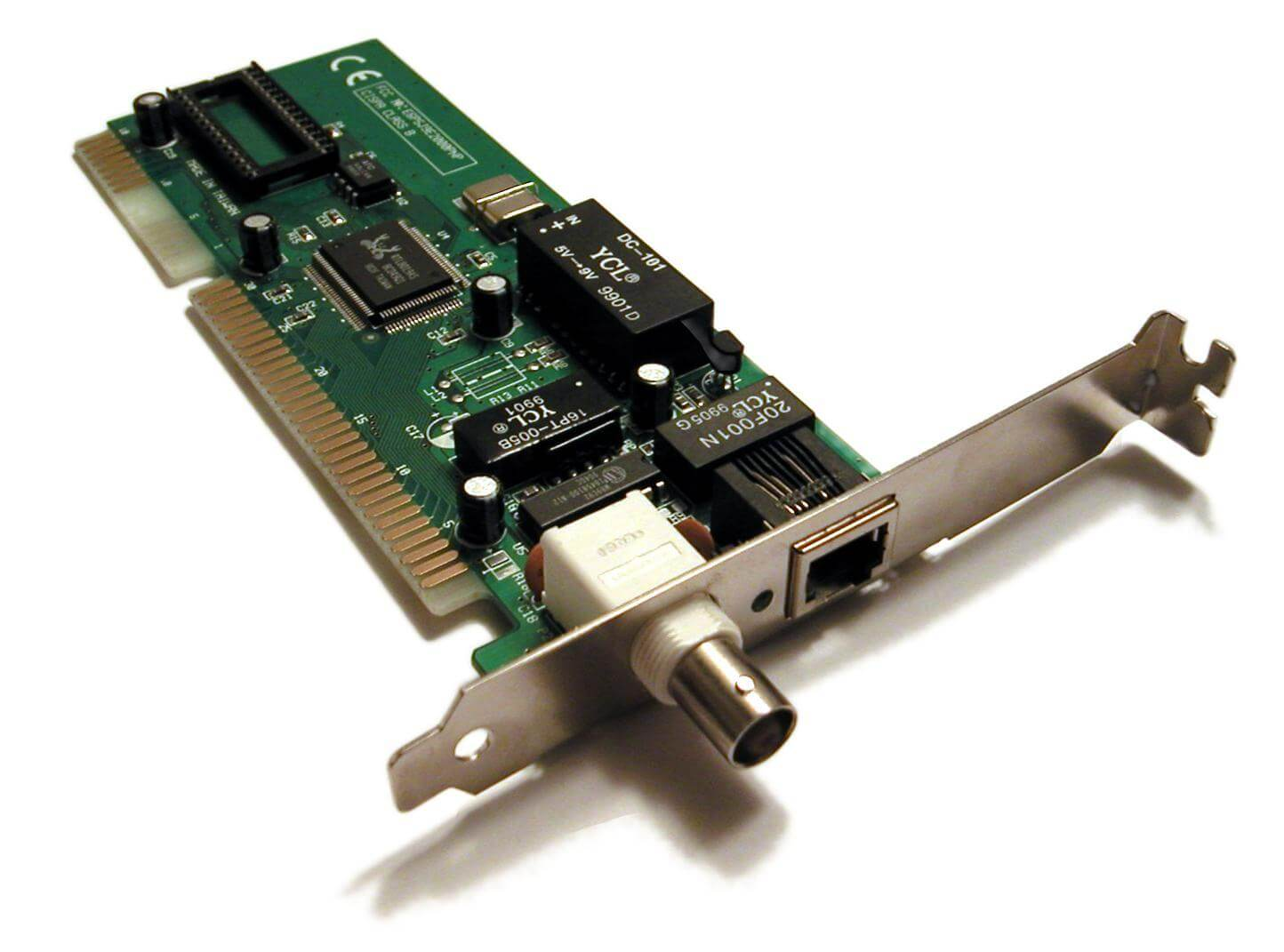
What is an NIC? (Network Interface Card)
Hardware (often built-in today).
Provides the physical/virtual connection between a device and the network.
Types: wired (Ethernet), wireless (Wi-Fi).
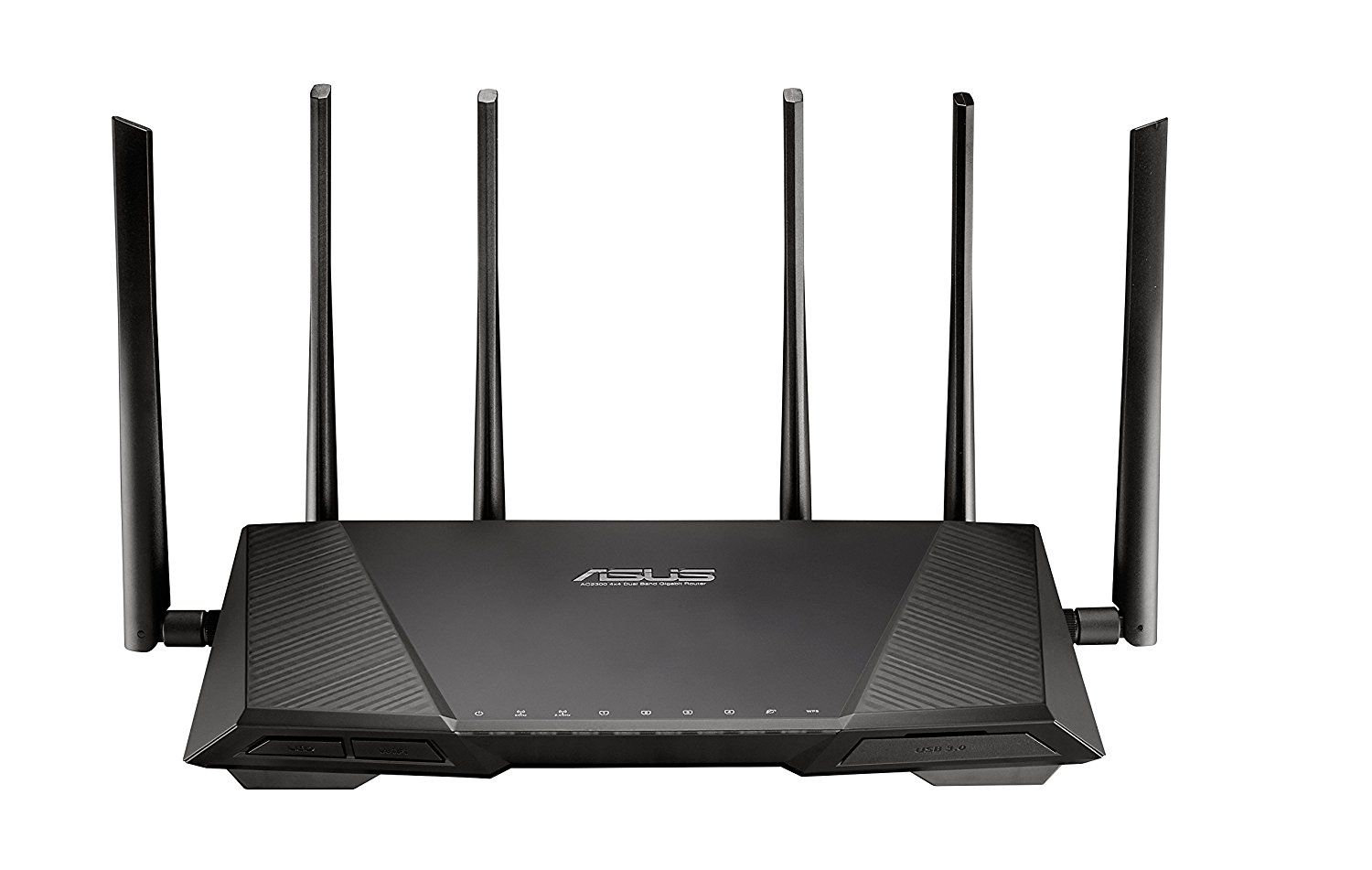
What is a router?
Directs network traffic between devices and to the internet.
Assigns IP addresses via DHCP.
Can provide firewall/security features.
What is an access point?
Extends a network wirelessly.
Allows devices to connect via Wi-Fi rather than Ethernet cables.
Common in schools, workplaces, public Wi-Fi.

What are the considerations for selecting hardware for a personal wireless network?
hardware compatibility
usability
internet service providers (ISP)
Explain hardware compatibility as a consideration for a personal wireless network
Wi-Fi standards: Devices need to support the same Wi-Fi generation as the router (e.g., Wi-Fi 5 or Wi-Fi 6) to get the best performance.
Frequency support: Devices and the router must support the same Wi-Fi frequencies (2.4 GHz, 5 GHz, or 6 GHz).
Network adapters: Older computers may need a compatible Wi-Fi adapter to connect.
Security support: Devices must support the router’s security system (such as WPA2 or WPA3) to connect safely.
Number of devices: The router must be powerful enough to handle all connected devices.
Explain usability as a consideration for a personal wireless network
Easy setup: The router should be simple to install and configure, even for users with limited technical knowledge.
Ease of connection: Devices should be able to connect quickly and easily using features like Wi-Fi passwords or QR code sharing.
Good coverage: The wireless signal should reach all areas where users need internet access without frequent dropouts.
User-friendly management: Router settings should be easy to access, allowing users to change passwords, manage devices, and update settings.
Reliable performance: The network should provide stable speeds for activities such as browsing, streaming, gaming, and video calls.
Explain ISPs as a consideration for a personal wireless network
Modem/router compatibility: Different ISPs may require specific modems or routers to work with their internet service. Users need to make sure their hardware is supported.
ISP-provided hardware vs buying your own: Some ISPs provide a modem/router with their plan, which is easier to set up. Buying your own equipment can give more control and better features.
Internet speed: The speed provided by the ISP affects the type of router needed. Faster internet plans may require better hardware to achieve maximum speeds.
Reliability: A reliable ISP and good-quality router help maintain a stable connection with fewer dropouts.
Customer support: ISP-provided equipment may make it easier to get technical help because the ISP supports the hardware.
Availability: Users must choose an ISP that provides service in their area.
Data limits: Some ISPs have limits on how much data can be used, which may affect users who stream, game, or download large files.
Cost: Different ISPs offer different prices, so users should choose a plan that fits their budget and needs.
What is network security?
The protection of computer systems and networks from unauthorised access, damage, or attacks.
It helps keep data safe, ensures systems run properly, and protects users from threats such as hackers, malware, and viruses.
What is a firewall?
A firewall is a security system that monitors and controls incoming and outgoing network traffic based on security rules.
What are the key components of a firewall rule?
Source – Where the traffic originates
Destination – Where the traffic is going
Port – The service being accessed
Protocol – Type of traffic (TCP/UDP/ICMP)
Action – Allow or deny traffic
Direction – Inbound or outbound traffic
Logging – Records the connection activity
What is virus protection software?
A security program that detects, prevents, and removes malicious software (malware), such as viruses, worms, and trojans.
Key functions of virus protection software?
Scans files and programs for threats.
Detects and blocks malware before it causes harm.
Quarantines or removes infected files.
Provides real-time protection while browsing, downloading, or opening files.
Updates regularly to recognise new threats.
What is the difference between a hardware and software firewall?
Hardware firewall: A physical device that sits between a network and the internet to monitor and filter traffic. It protects multiple devices on a network (e.g., a business router with firewall features).
Software firewall: A program installed on an individual computer or device that controls incoming and outgoing network traffic. It protects that specific device.
What is a personal wireless network?
A small wireless network that connects personal devices over a short distance using technologies such as Wi-Fi or Bluetooth. It allows devices like phones, laptops, and tablets to communicate and share resources.
Describe the role of a Network Interface Card (NIC) in a wireless network
A NIC allows a device to connect to a network by providing the hardware needed to send and receive data wirelessly. It converts data into radio signals for transmission and converts received signals back into data the device can use.
What is the purpose of a router in a personal wireless network?
It joins different networks together, connecting the home network (LAN) to the internet WAN. It also manages and routes traffic by determining the most efficient path to the destination. It assigns local IP addresses to the devices on the network using DHCP.
Describe the function of a wireless access point
A wireless access point transmits and receives radio signals to connect wireless devices to a wired network. It can also extend wireless coverage, allowing devices to connect from a greater distance.
Explain the difference between a router and an access point
A router connects different networks (such as a home network and the internet), directs data traffic, and assigns IP addresses to devices.
A wireless access point (WAP) connects wireless devices to an existing wired network by transmitting and receiving Wi-Fi signals. It extends wireless coverage but does not usually manage network routing.
Explain why usability is important when choosing networking hardware for home users
Makes devices easy to install and configure.
Allows users with limited technical knowledge to manage the network.
Reduces the need for technical support.
Makes troubleshooting and maintenance easier.
Improves the overall user experience.
Describe the role of an Internet Service Provider (ISP) in connecting a home network to the internet
Buys wholesale network access and resells it as an internet plan
Assigns the home network a public IP address
Routes traffic between the home network and the internet
Provides DNS resolution
Handles billing, support, and plan speeds/data allowances
Explain how a firewall helps protect a personal wireless network
Checks incoming and outgoing data packets
Uses security rules to decide what is allowed or blocked
Prevents suspicious connections from reaching devices inside the network
Describe two ways virus protection software improves network security
Scans files and programs for known threats
Removes/quarantines anything suspicious
Helps warn against unsafe downloads