Cannon EOS Rebel T8i (EOS 850D) Nomenclature
 Call Kai
 Learn
Learn Practice Test
 Spaced Repetition
 Match
Match Flashcards
 Knowt Play
1/41

Earn XP
Description and Tags
AOJ 150- Grossmont College
Name | Mastery | Learn | Test | Matching | Spaced | Call with Kai | Chat |
|---|
No analytics yet
Send a link to your students to track their progress
42 Terms

Power Switch:
Turns the camera on, off, or enters Movie mode.

Mode Dial:
Changes camera mode, Manual, Aperture, Shutter, Program, Creative scene, and Auto.
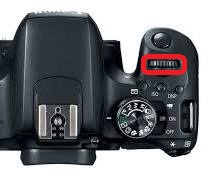
Main Dial:
Change the camera through various settings.

Shutter Button:
Full press- Take photo
Half press- activate auto focus or turn LCD on/off

Built in Flash:
Camera flash (will not be the primary use in this class)
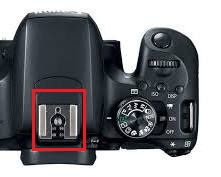
Hot Shoe:
External Flash unit will be attached via hot shoe

Flash Sync Contacts:
How the camera talks to the flash
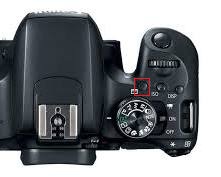
AF Method/AF Area Selection:
Controls Auto Focus point or zones the camera uses to set focusing distance.

Speaker:
Used during movie mode.

Microphone:
Used during movie mode.

Focal Plane Mark:
Exact point where sensor on camera exists. Primarily used during macro photography assisting in determining exact distance between subject & the film plane

Strap Mounts:
Camera strap looped through the two attachments.

Lens Mount Index: Mount body to Lens
EF- Electro focus lenses
EFS- Electro focus lenses (small)

Card slot cover:
Contains the slot for SD Card
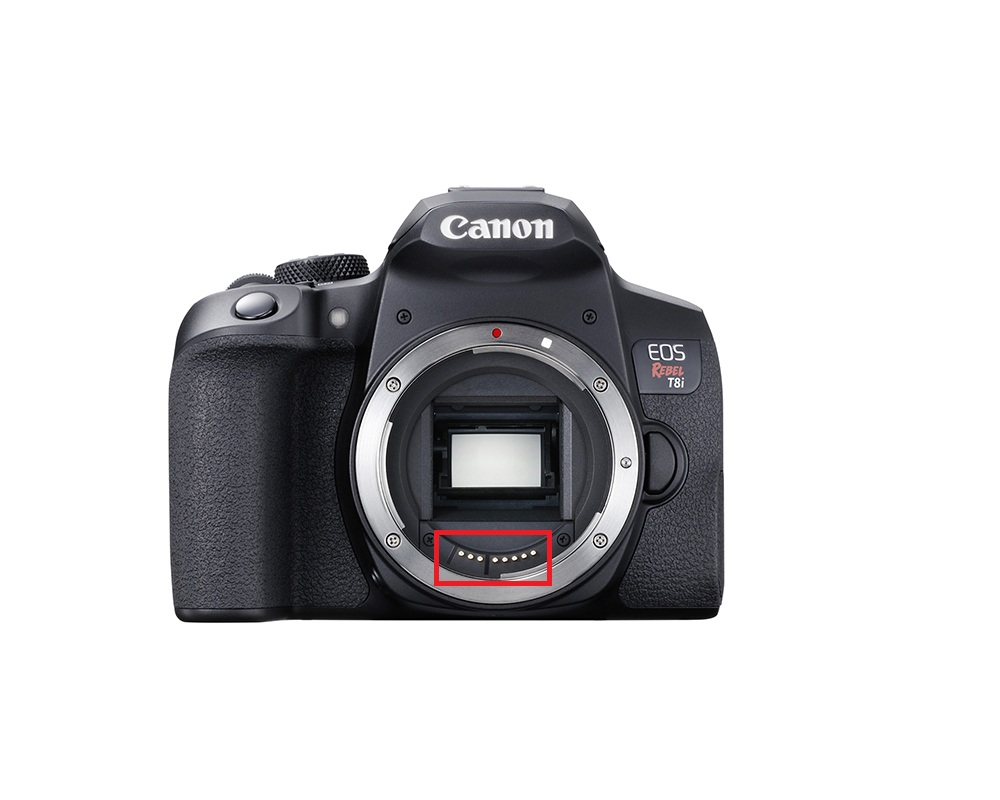
Contacts:
How the camera talks to the lens ( do not touch them)

Lens Release Button:
Releases the lock pin to detach lens from camera (twist lens to complete detachment)

Lens Mount Index ( on the lens):
Marking used to match lens mount to body mount

Lens Cap:
Used to protect lens.

Focusing Ring:
Dial to make the subject look sharp; Manual Focus (MF) must be activated.
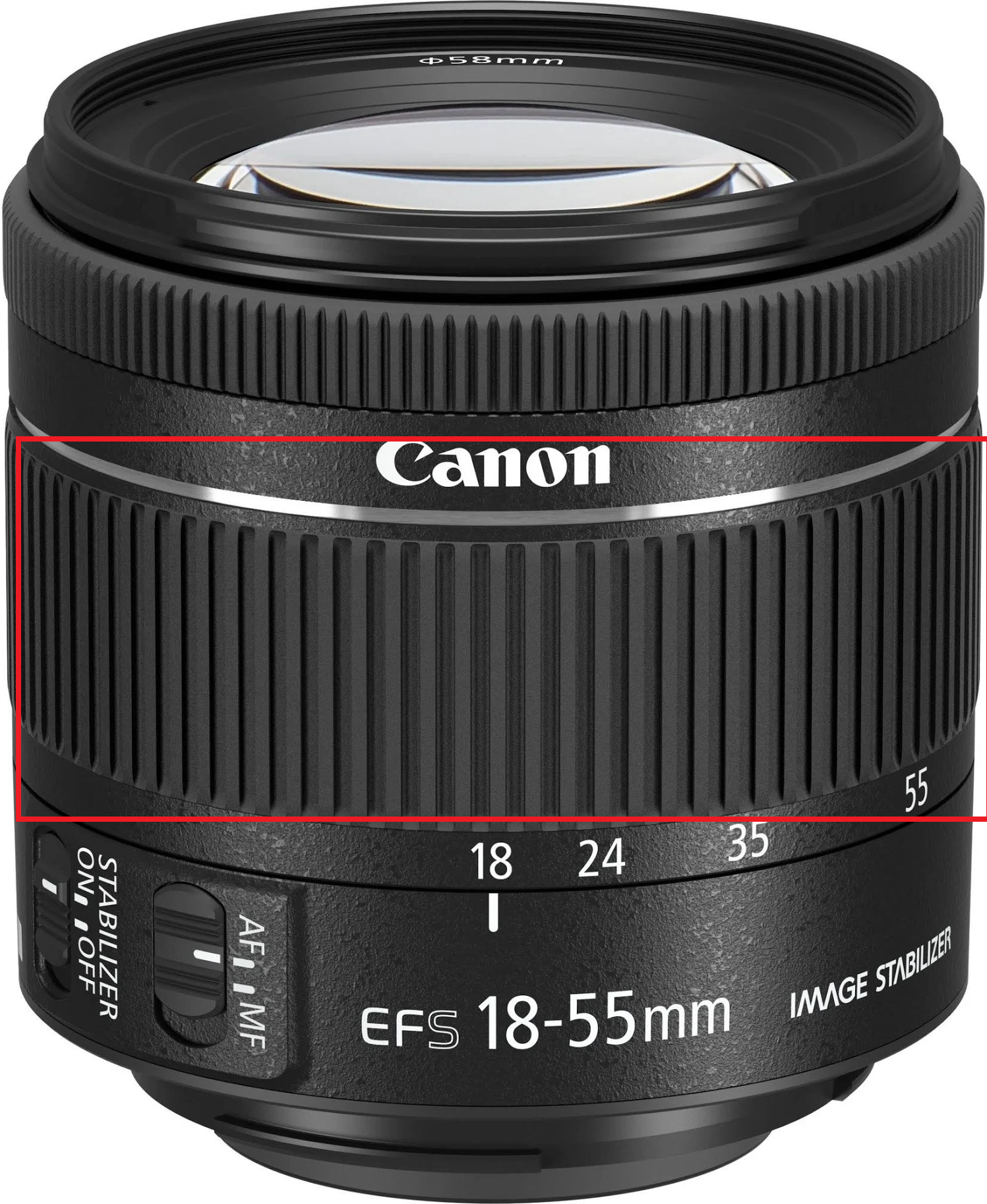
Zoom Ring:
Changes focal length from 18mm to 55mm
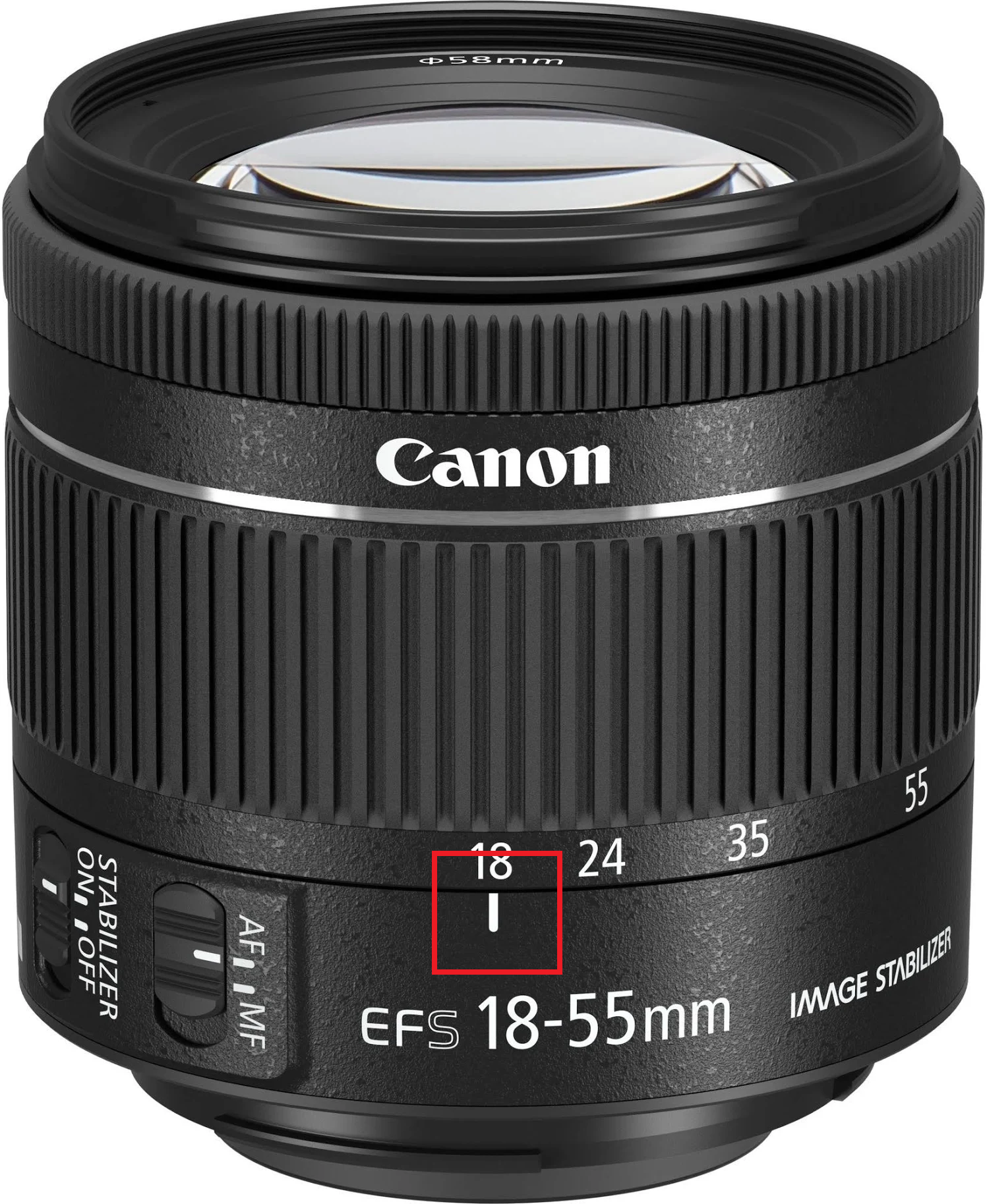
Zoom Position Index:
Line indicating the focal length on the lens

Lens Image stabilizer:
Camera shake is corrected when in “ON” position.

Focus Mode Switch:
Changes the lens from Auto focus to Manual focus

Hood Mount:
Where the hood attaches to the lens, in front of the focusing ring.
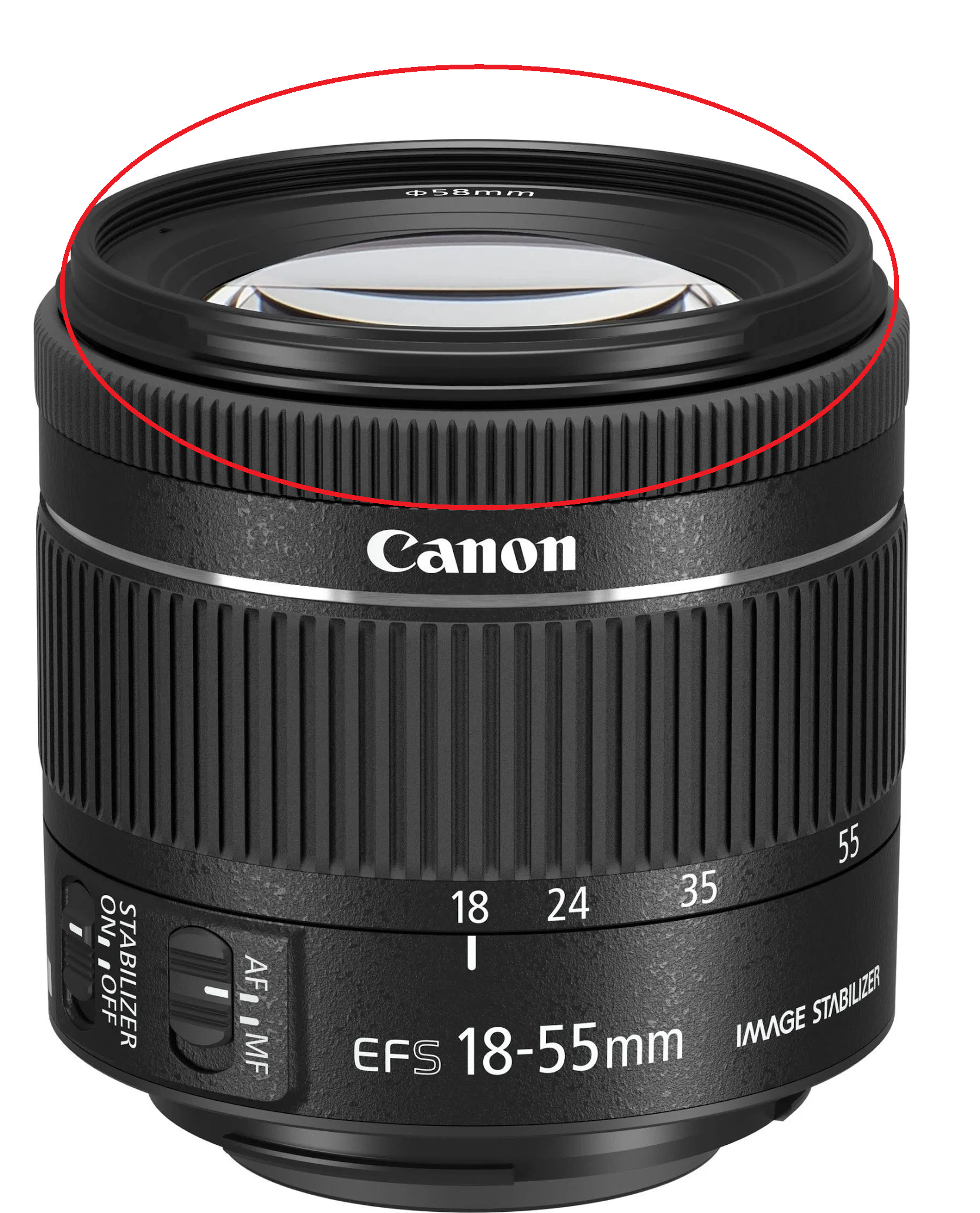
Filter Threads:
Area where filters attach to the lens.

Contacts:
How the lens and camera.

Tripod socket:
Used to attach a camera to a tripod.
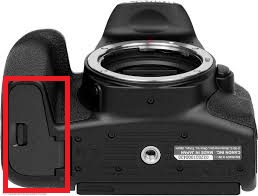
Battery Compartment Cover & Lock:
Camera power must be in “OFF” position
Slide & unlock to load & unload the battery.

Playback/ Review Images Button:
See images you’ve taken.
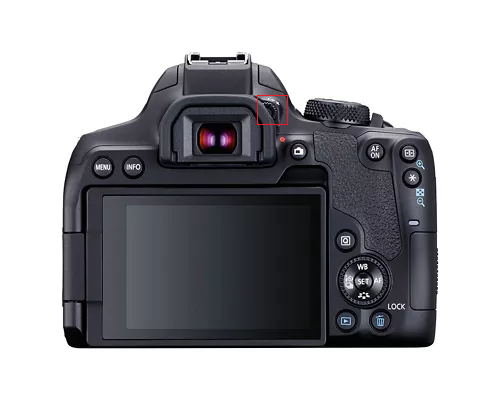
Dioptric adjustment knob:
Knob to adjust the viewfinder sharpness
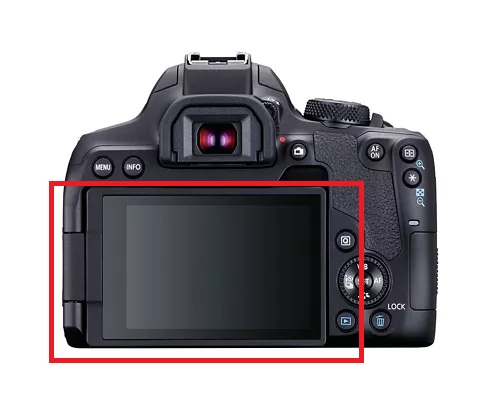
LCD Screen:
Views images & menu functions
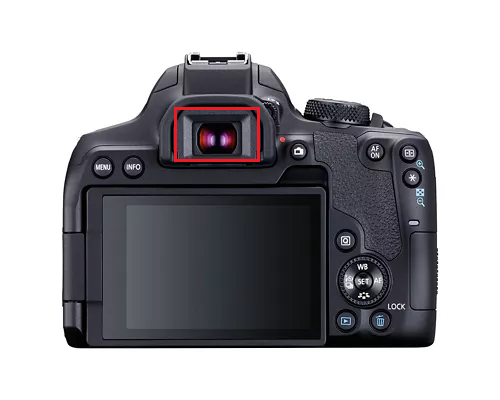
Viewfinder Eyepiece:
What you look through to take photos.
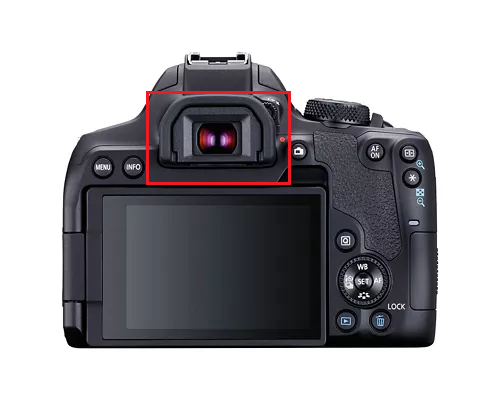
Eyecup:
Covers/protects the viewfinder eyepiece.

Live View/ Movie Mode:
Utilize movie mode ( will not need for class)

Auto Exposure Lock/ Reduce Button:
Locks exposure and reduces the image in viewing mode.
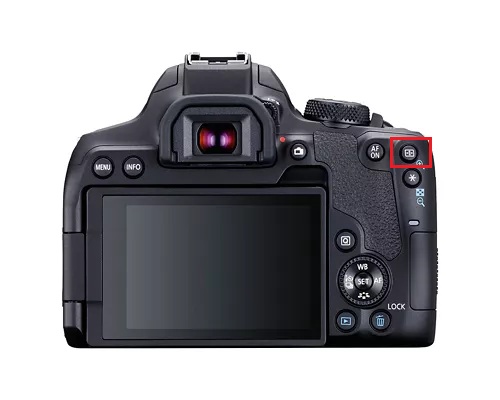
Auto Focus Point Selection/Magnify Button:
Assists with setting focus points.
Enlarges the image in viewing mode.
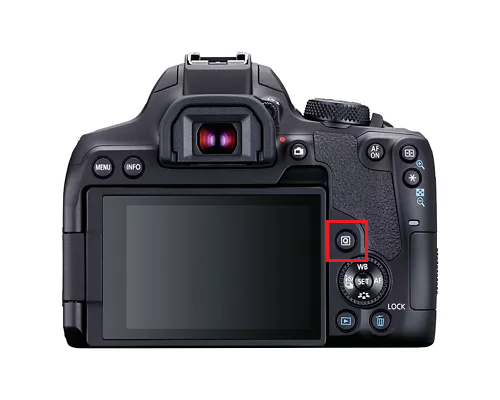
Quick Control Button:
Activates quick control mode, provides fast access to shooting and playback settings.
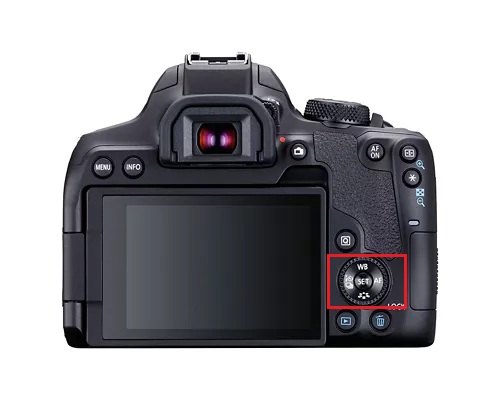
Quick Control Dial:
Changes settings like ISO, exposure compensation, and white balance.

Self Timer Selection:
Changes settings from single shot to 3 shots per second continuous shooting & self timer.

White Balance Selection Button
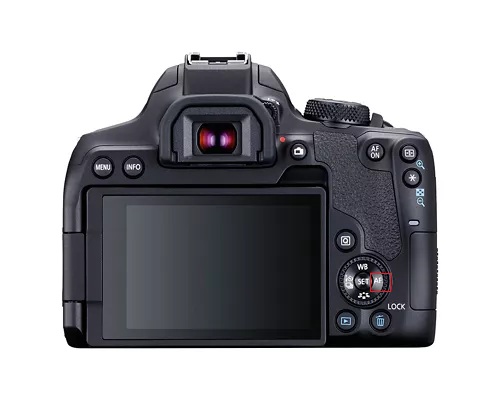
AF Button:
Gives control over where the camera focuses in your scene.
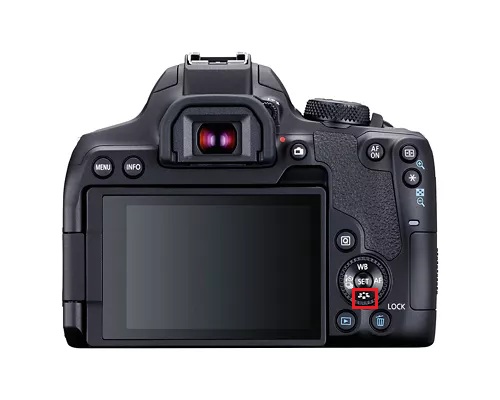
Picture Style Selection Button:
Select features like sharpness, contrast, saturation, and color tone.