APA3131 - 2.1 - Office Ergonomics
 Call Kai
 Learn
Learn Practice Test
 Spaced Repetition
 Match
Match Flashcards
 Knowt Play
1/60

Earn XP
Description and Tags
light
Name | Mastery | Learn | Test | Matching | Spaced | Call with Kai | Chat |
|---|
No analytics yet
Send a link to your students to track their progress
61 Terms
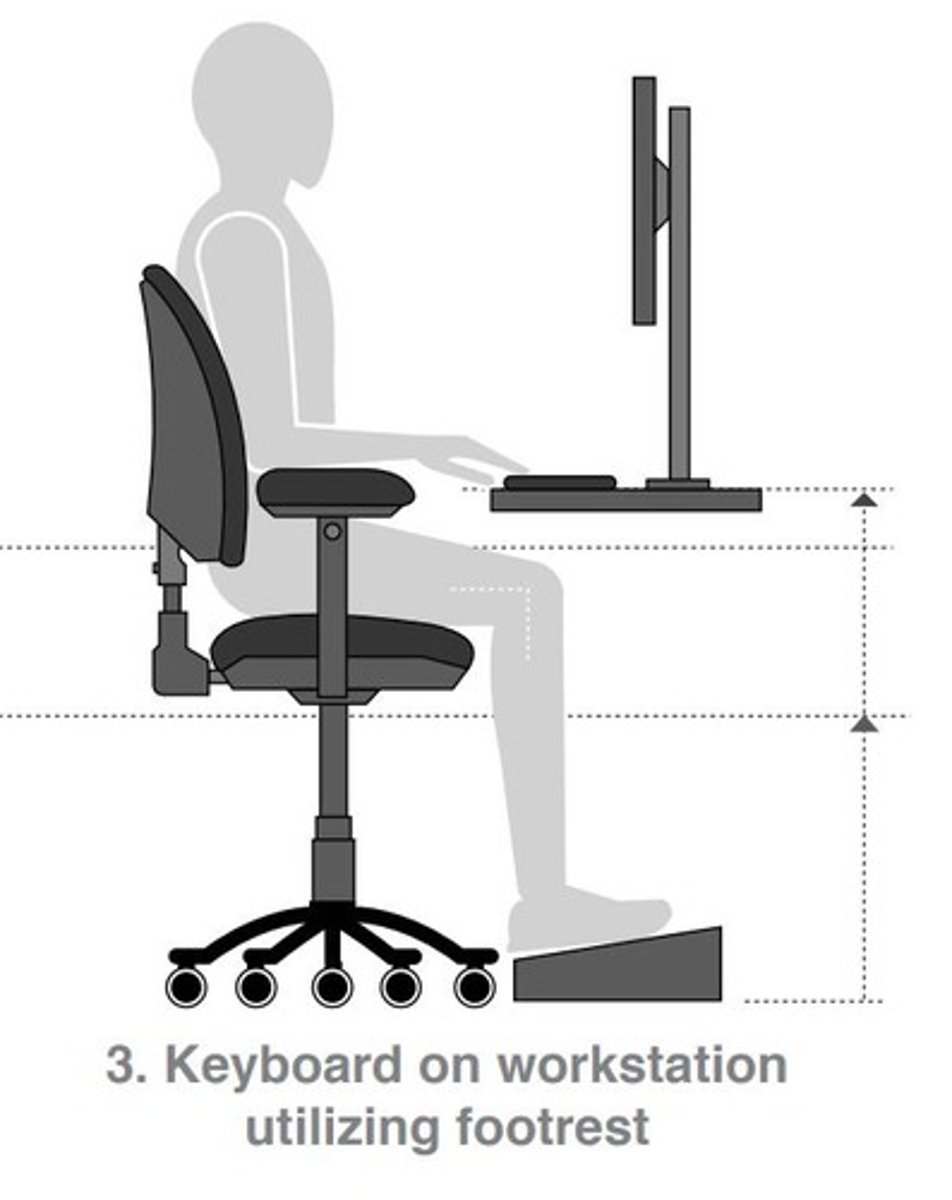
Neutral Posture
Position minimizing strain on body structures.
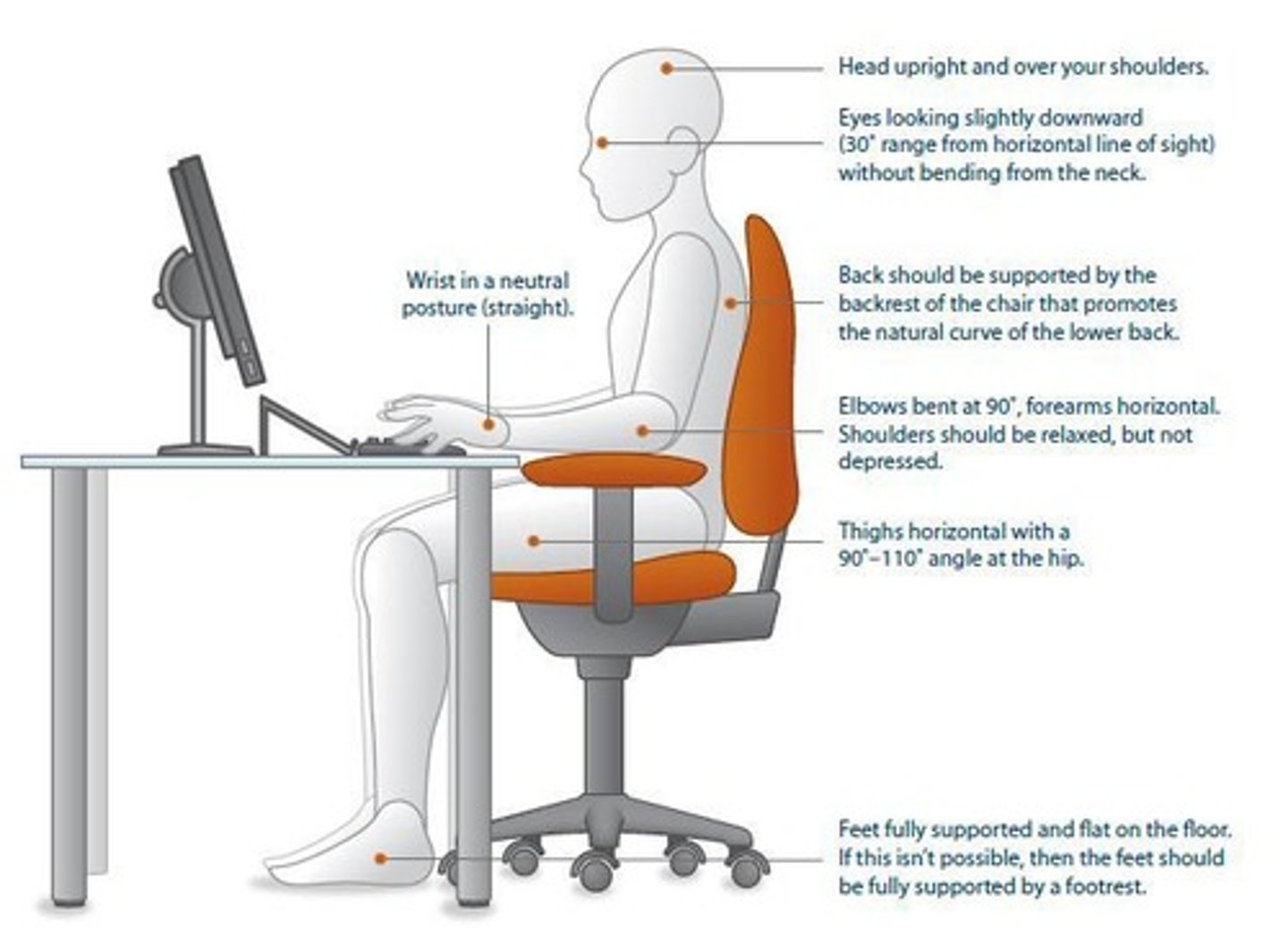
Workstation Evaluation
Systematic assessment of ergonomic setup.
OHCOW Guidelines
Standards for workplace ergonomics and safety.
Ergonomic Chair
Chair adjustable for individual user dimensions.
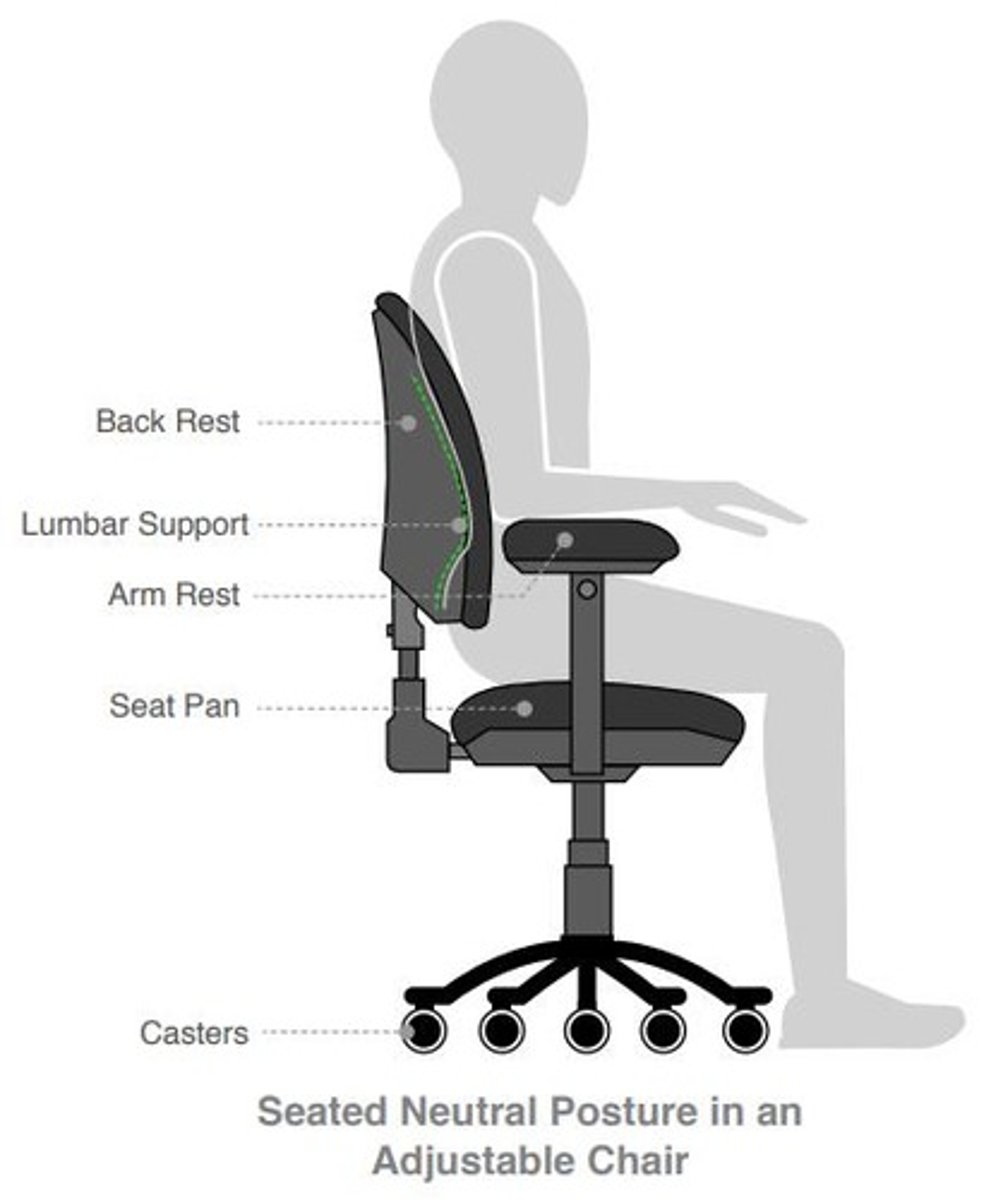
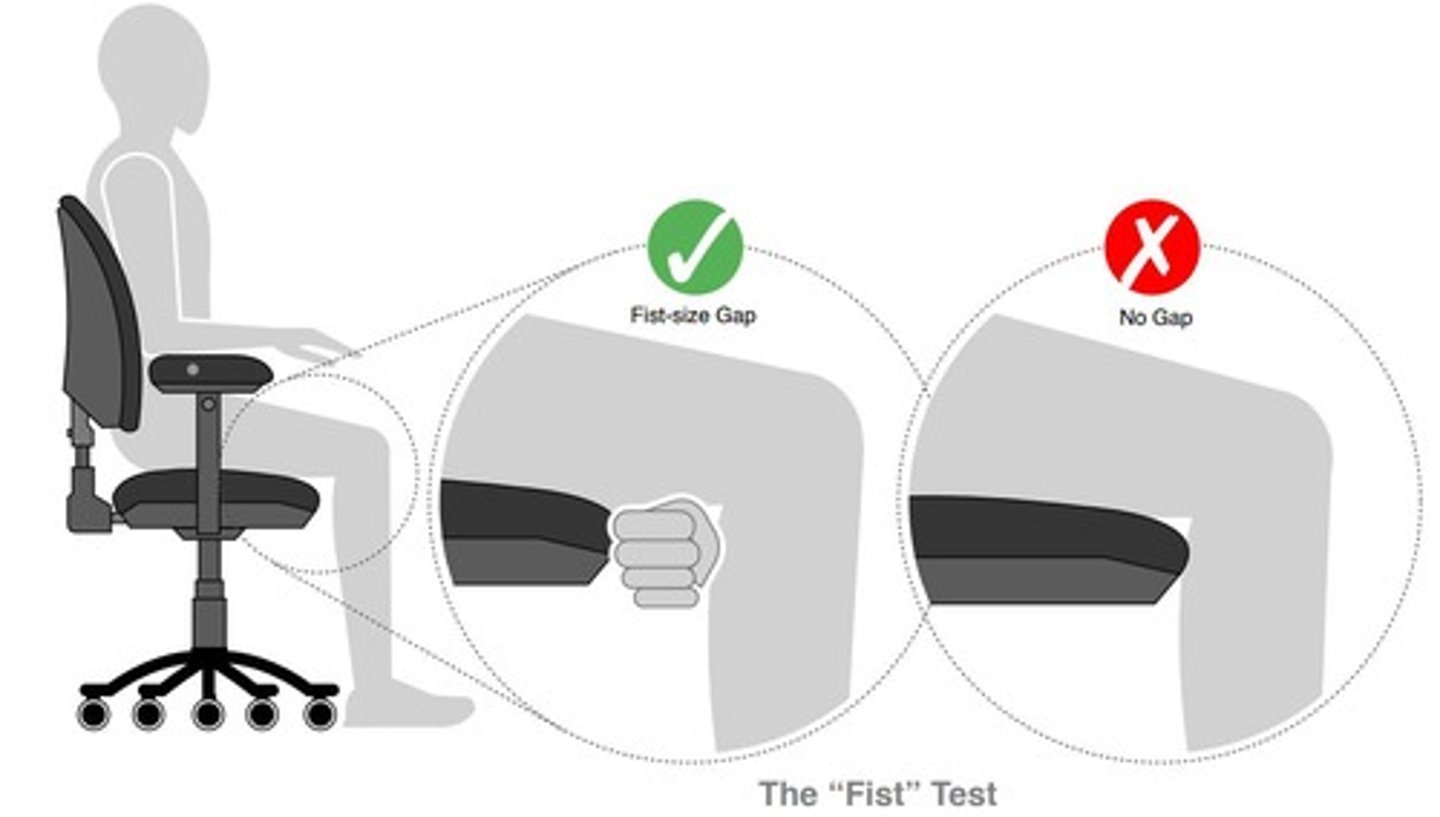
Seat Pan Depth
Space between knee and chair front (~5-7cm).
Thigh Position
Thighs should be parallel to the ground.
Chair Height Adjustment
Thighs parallel, feet flat for proper posture.
Backrest Adjustment
Supports lumbar curve, maintains upright position. Should lock in upright position or allow slight tilt (90-110 at the hip)
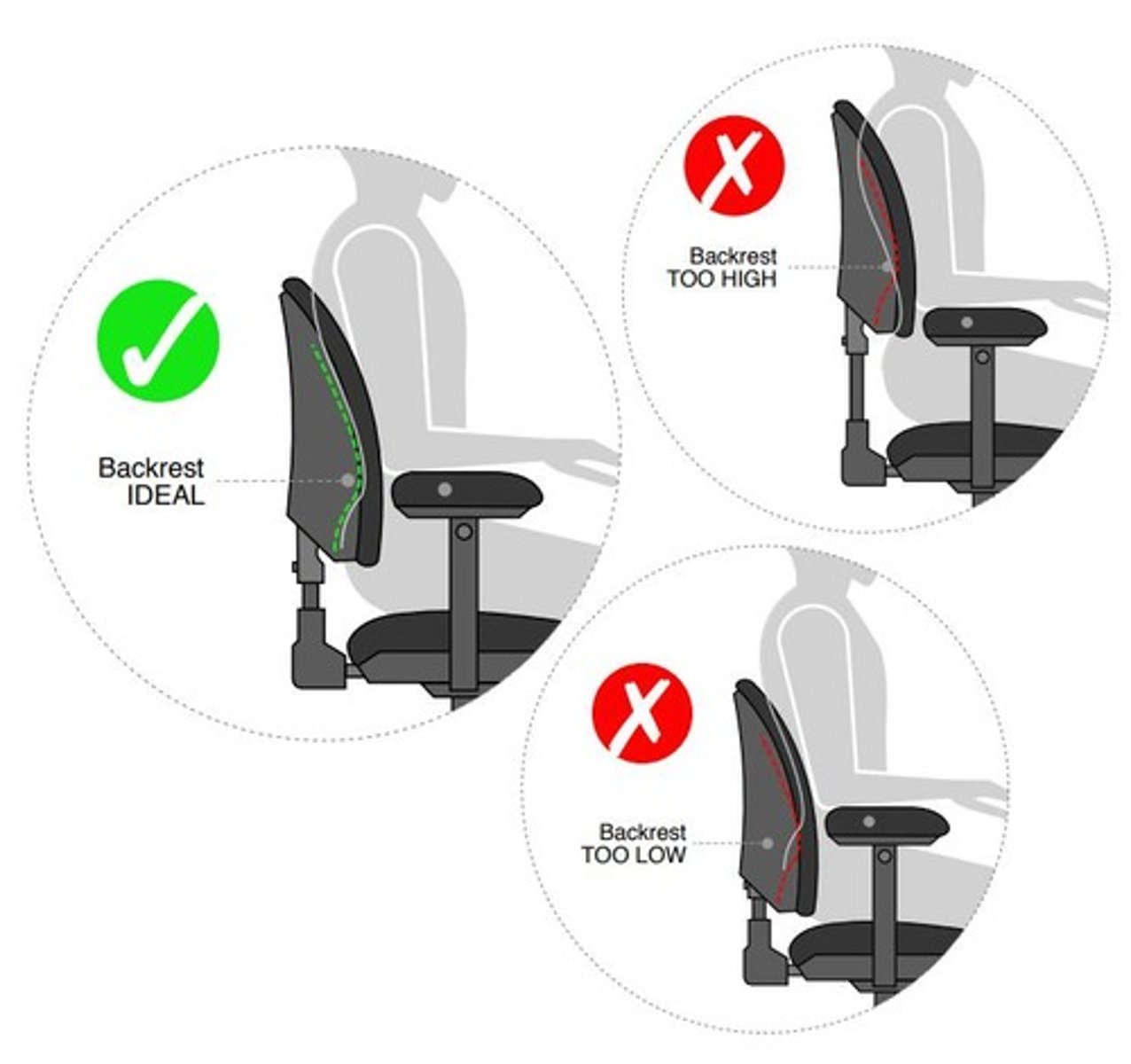
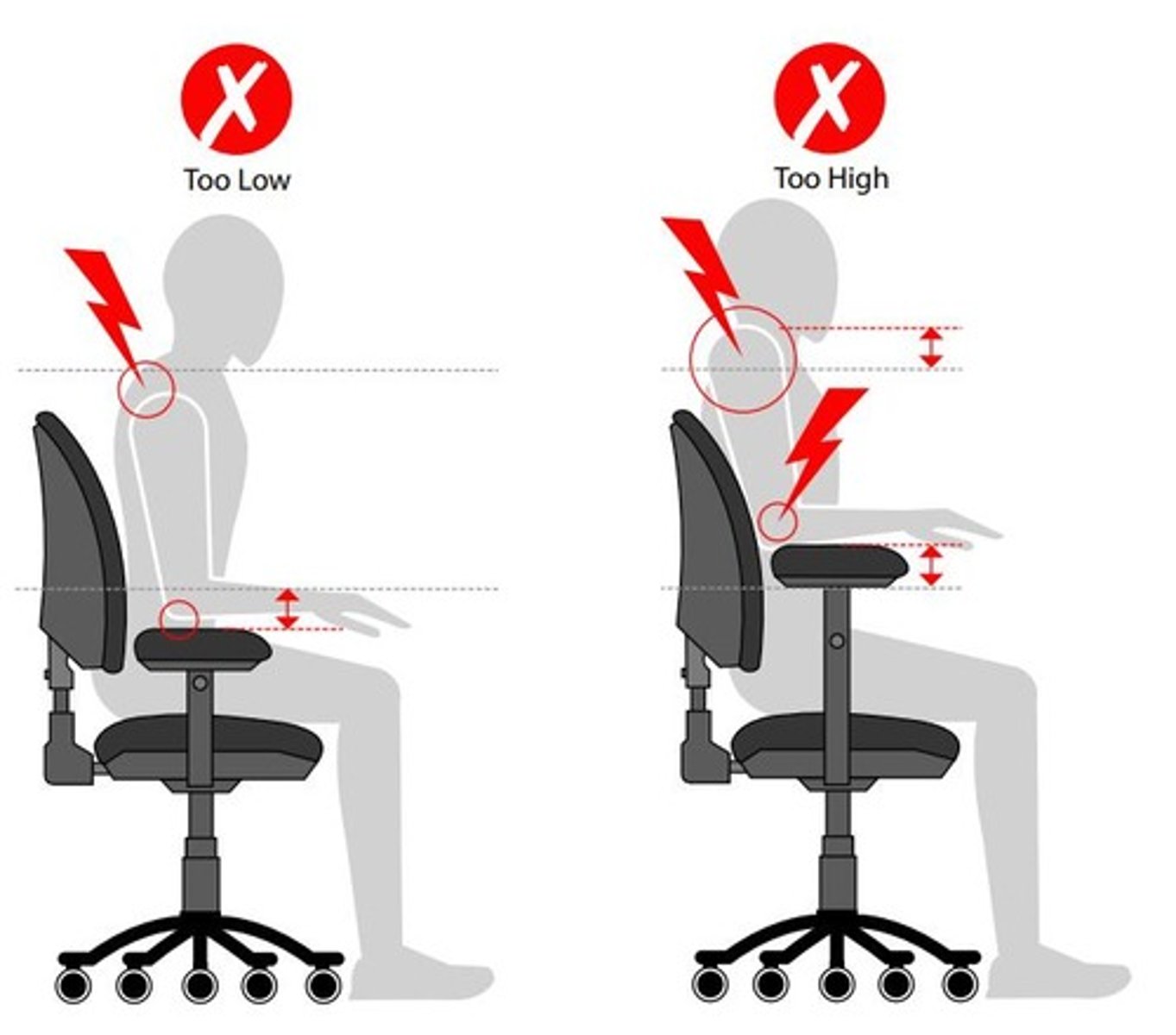
Armrest Height
Should be below resting elbow for comfort. Shoulders relaxed, does not interfere with tasks.
Lumbar Support
Supports lower back, prevents strain in ligs, musc, and tendons during use. Promotes lordotic curve
Input Devices
Tools like keyboard and mouse affecting posture.
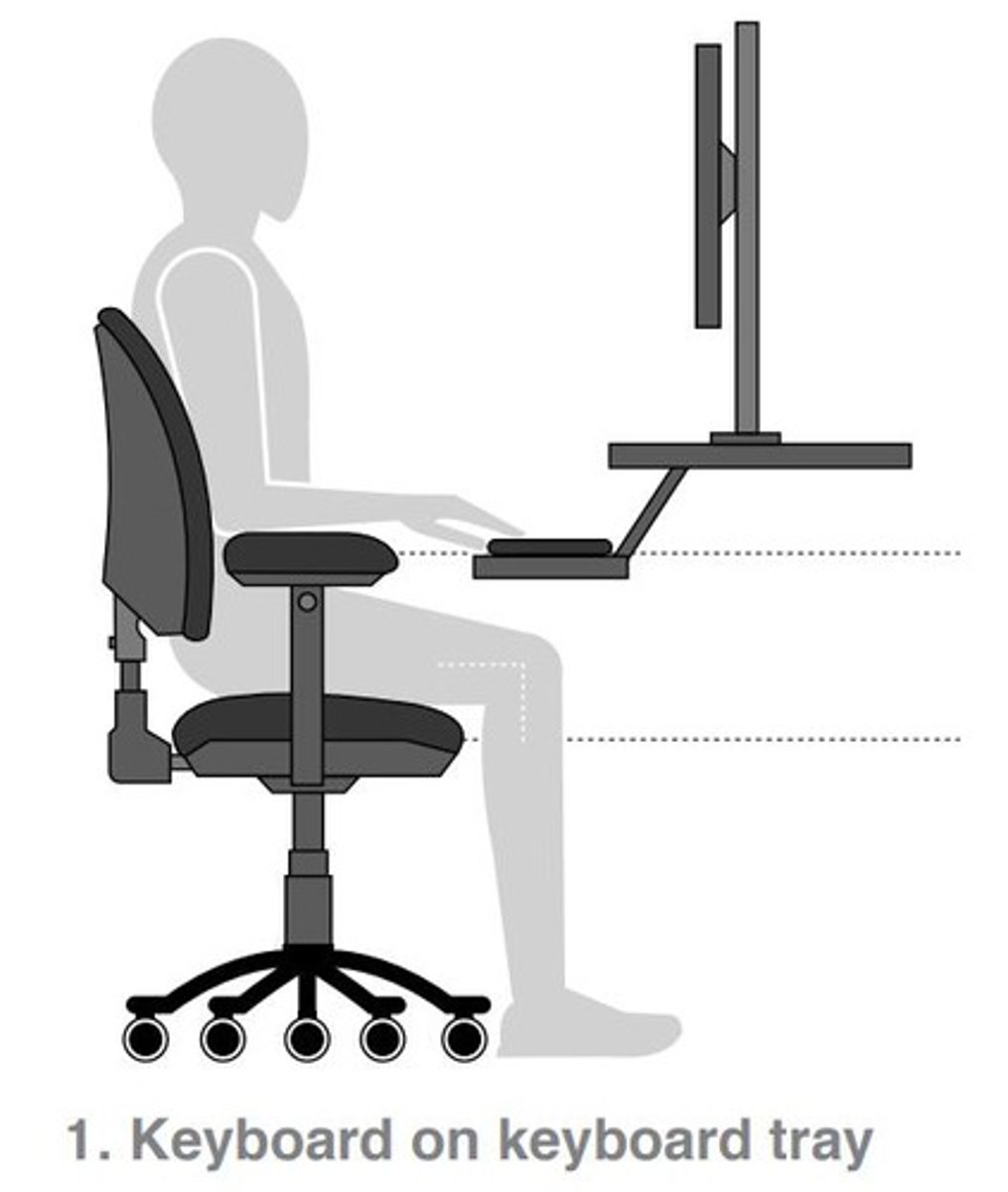
Monitor Position
Should be at eye level to reduce strain.
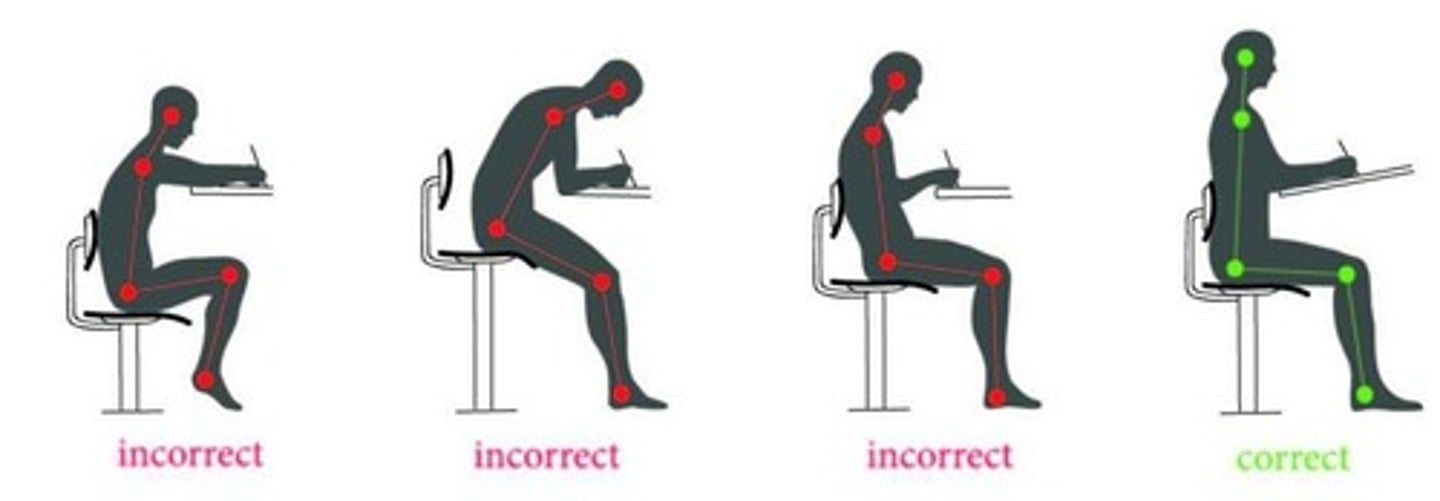
Work Surface Height
Should align with chair for ergonomic use.
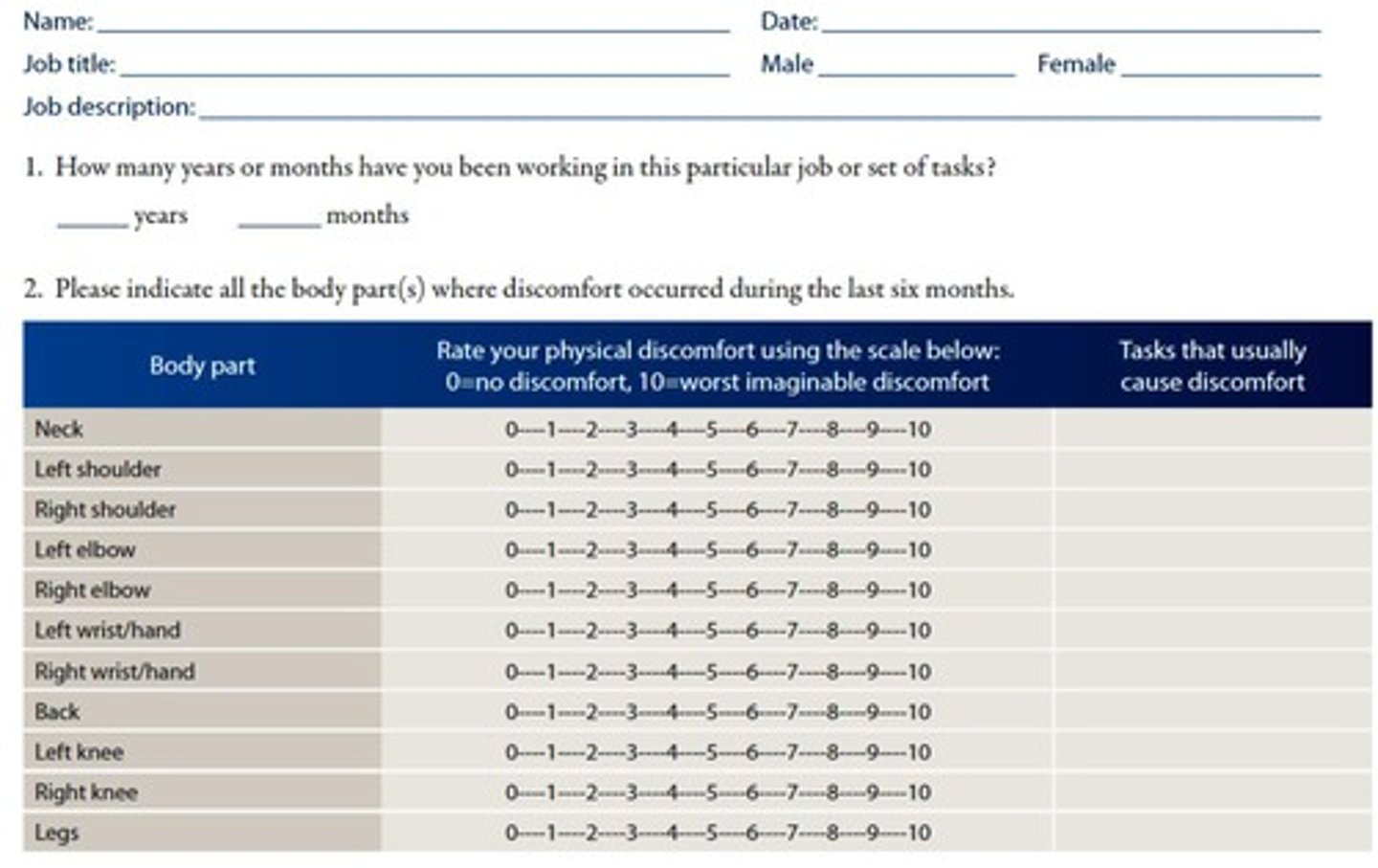
Discomfort Survey
Tool to assess user pain and discomfort. (lists body parts and gets user to rater pain on scale of 1-10, then asks follow up questions on worst rating)
Lighting Considerations
Proper lighting reduces glare and eye strain.
Workflow Analysis
Evaluation of tasks and breaks for efficiency.
Typical Postures
Common positions during work affecting ergonomics.
Seat Pan Position
Seat pan should touch back of the knee.
Thigh Position
Thighs must be parallel to the ground.
Hip Angle
Maintain a 110-degree hip angle.
Armrest Height
Armrests should be higher than work surface.
Footrest Position
Feet must be flat on a footrest.
Keyboard Height
Adjust height for neutral wrist posture.
Keyboard Level
slightly below elbow level, forearms parallel to the ground
Keyboard Proximity
Keep close to body minimize reaching.
Keyboard Tilt
Use flat or slight negative tilt for wrists.
Keyboard Flip Legs
Do not extend.
Non-Adjustable Tray
Reduces height but limits user accommodation/reduces thigh clearance
Adjustable Tray
Allows height and angle adjustment for comfort. Accomodates mouse + keyboard at same height
Mouse Level
Mouse should be at the same level as keyboard.
Mouse Alignment
Mouse must be in line with shoulder.
Monitor Height
Top should be at eye level. Adjust height with adjustable monitor/monitor risers/arms.
Monitor Viewing Angle
Display should be between 0-60 degrees.
Monitor Distance
Monitor should be 40-75 cm away (arms length)
Laptop Usage
Laptops without external devices hinder posture, prevents user from adhering to neutral posture recommendations.
Work Surface Height
Should be at elbow height when seated/standing.
Sit-to-Stand Desks
Mix of sitting and standing can be beneficial.
Work Surface Layout
Organize items by frequency of use (envelope), provide space for all ext equipment, allow user to move through multiple postures
Document Ramps
Prevent excessive neck flexion due to flat documents.
Soft Tissue Compression
Pressure from surfaces affects soft tissue health.
Environmental issues
Factors like lighting, temperature, and noise affecting comfort.
Psychosocial issues
Work pace, workload, and stress impacting employee well-being.
Keyboard level
Keyboard should align with elbow height for comfort.
Mouse height
Mouse should match keyboard height for ergonomic use.
ROSA
Rapid Office Strain Assessment for ergonomic risk evaluation.
ROSA strengths
Provides quick risk quantification and recommendations, considers duration, based on CSA Z412 guidelines.
ROSA limitations
Ignores dual monitors and modern office aspects, as well as does not fully explain variation in worker discomfort.
CSA Z412
Guidelines for office ergonomics in Canada.
Goniometer
Tool for measuring angles in ergonomic assessments.
Anthropometrics
Study of human body measurements for ergonomic design.
Professional report
Document detailing ergonomic evaluation and recommendations.
knee angle
90-130 deg
ankle angle
100-120 deg
workspace envelope: primary zone
Frequently used items, elbow to fingertip distances
workspace envelope: secondary zone
less frequently used items, arm’s length distance
workspace envelope: Tertiary zone
rarely used items, greater than arm’s length distance
docking stations
For laptops, encourage the use of a separate keyboard+ mouse, Allow the monitor height to be adjusted
Multiple monitors: Two monitors and one used more frequently
User centred in front of primary monitor
Two monitors, equal usage
Centred between
Three monitors
• User centred
phones + tablets
Avoid static awkward postures, maintain neutral
posture
• Use hands-free options when possible
• Alternate hands holding the device
• Alternate between thumbs and fingers for typing, use
voice input
• Place tablets on angled stands to avoid prolonged
gripping