Chapter 4 - Asynchronous Control Flow Patterns with Callbacks
 Call Kai
 Learn
Learn Practice Test
 Spaced Repetition
 Match
Match Flashcards
 Knowt Play
1/13

There's no tags or description
Looks like no tags are added yet.
Name | Mastery | Learn | Test | Matching | Spaced | Call with Kai | Chat |
|---|
No analytics yet
Send a link to your students to track their progress
14 Terms
Do not abuse in-place function definitions when defining callback. (What are the 3 callbacks discipline?)
These are some basic principles that can help us keep the nesting level low and
improve the organization of our code in general:
Exit as soon as possible. Use return, continue, or break, depending on the context, to immediately exit the current statement instead of writing (and nesting) complete if...else statements. This will help to keep our code shallow.
Create named functions for callbacks, keeping them out of closures and passing intermediate results as arguments. Naming our functions will also make them look better in stack traces.
Modularize the code. Split the code into smaller, reusable functions whenever possible.
Early return principle. (What it is in callback discipline?)
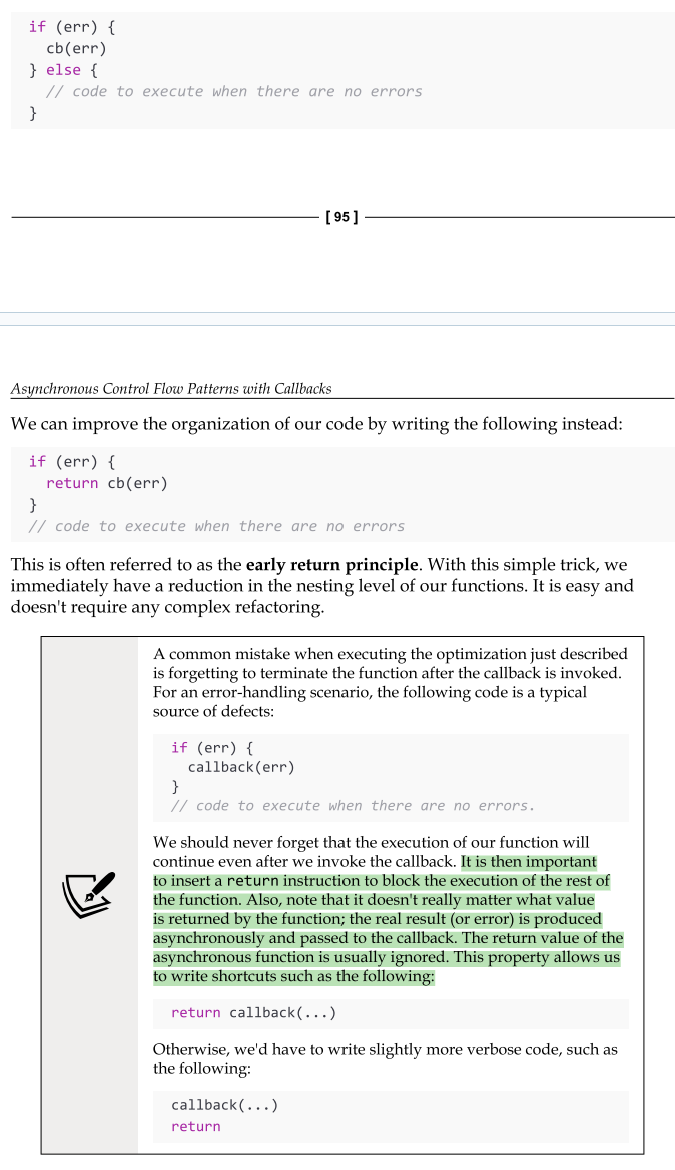
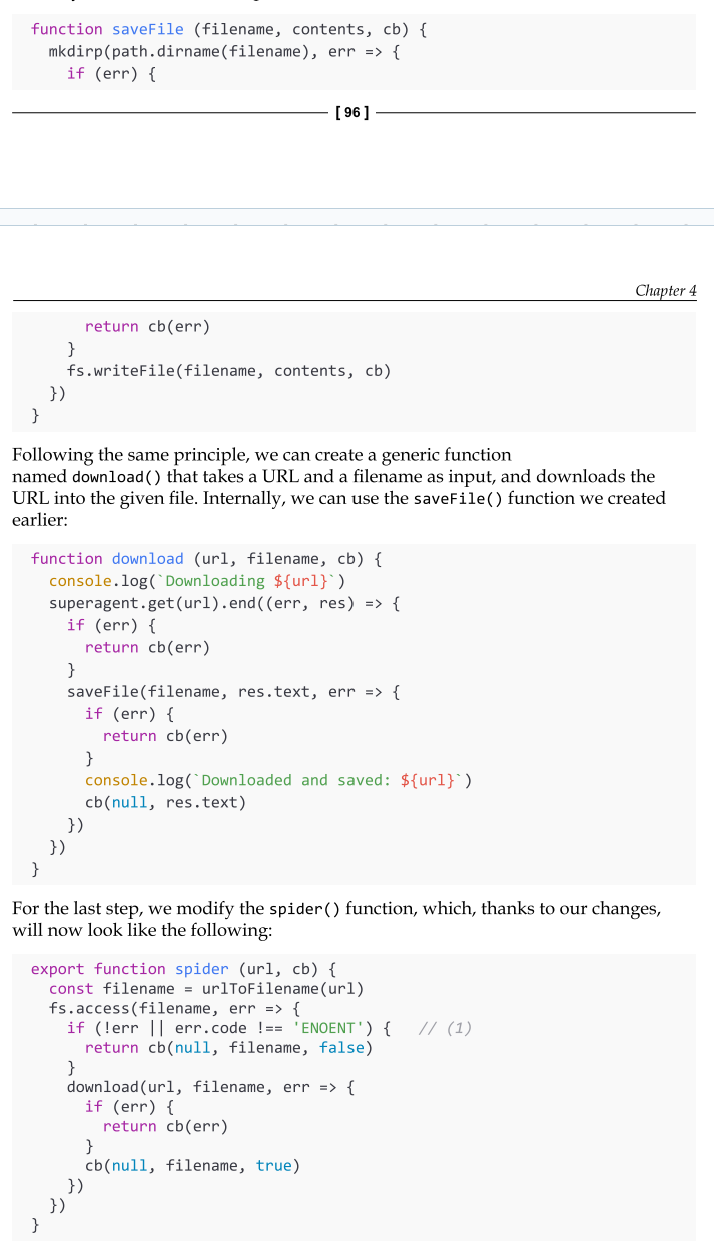
Identifying reusable pieces of code
As a second optimization for our code function, we can try to identify reusable pieces of code. (img for exmaple)
Now that you know how to write clean asynchronous code using callbacks, we are ready to explore some of the most common asynchronous patterns, such as sequential and parallel execution.
Sequential execution
Executing a set of tasks in sequence means running them one at a time, one after the other. The order of execution matters and must be preserved, because the result of a task in the list may affect the execution of the next.
Sequential execution, despite being trivial when implemented using a direct style blocking API, is usually the main cause of the callback hell problem when using asynchronous CPS.
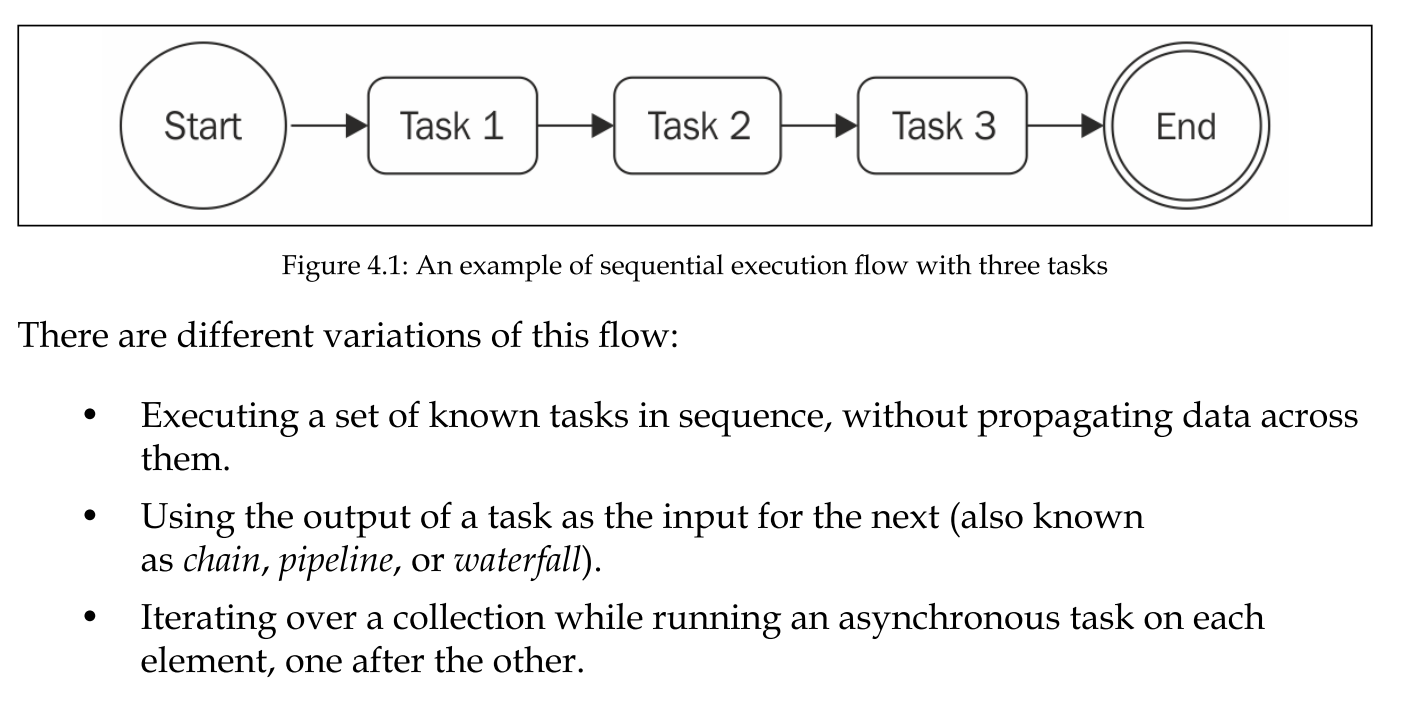
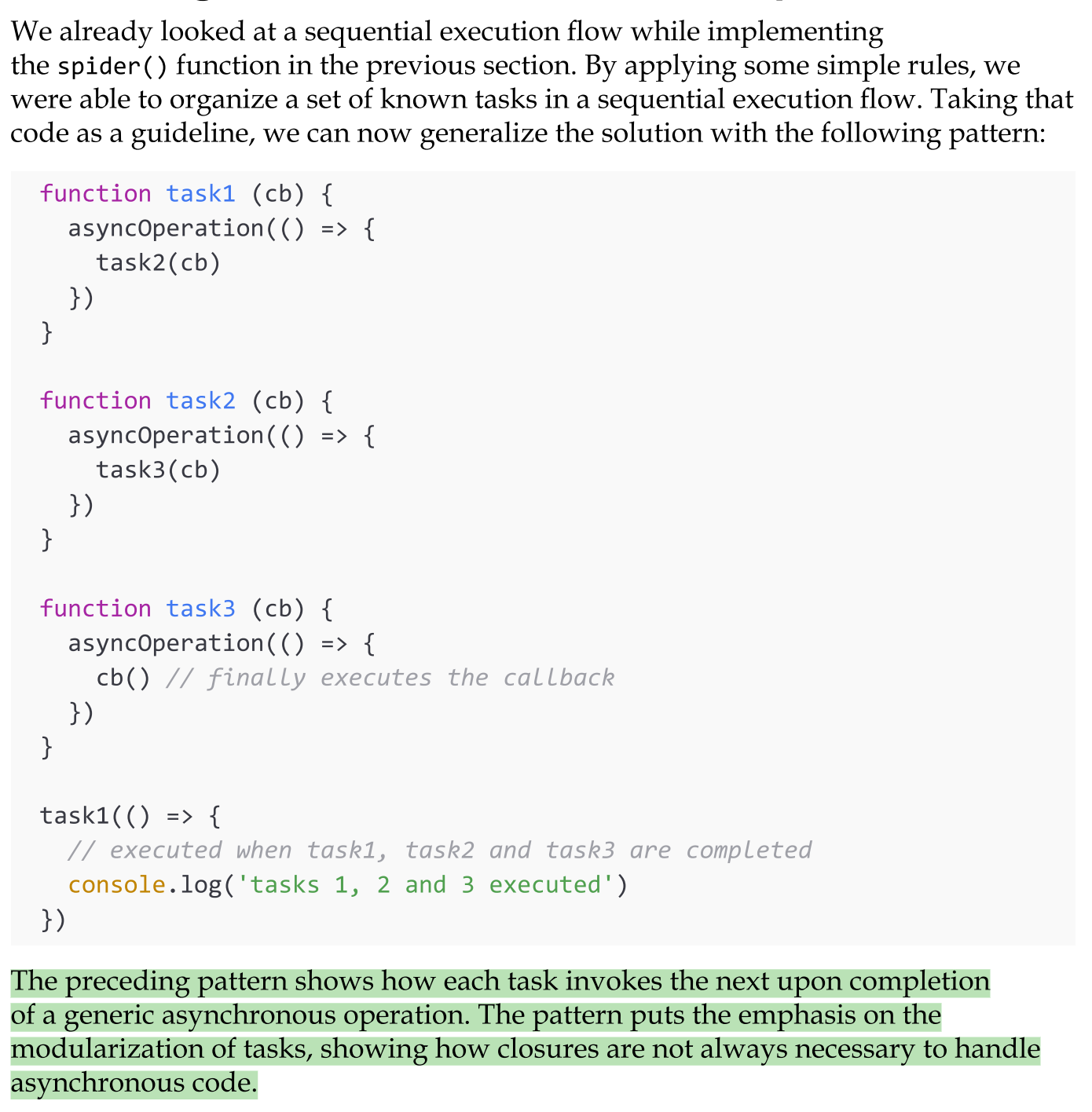
Executing a known set of tasks in sequence
The pattern described in the img works perfectly if we know in advance what and how many tasks are to be executed. This allows us to hardcode the invocation of the next task in the sequence, but what happens if we want to execute an asynchronous operation for each item in a collection? In cases such as this, we can't hardcode the task sequence anymore; instead, we have to build it dynamically.
Sequential iteration
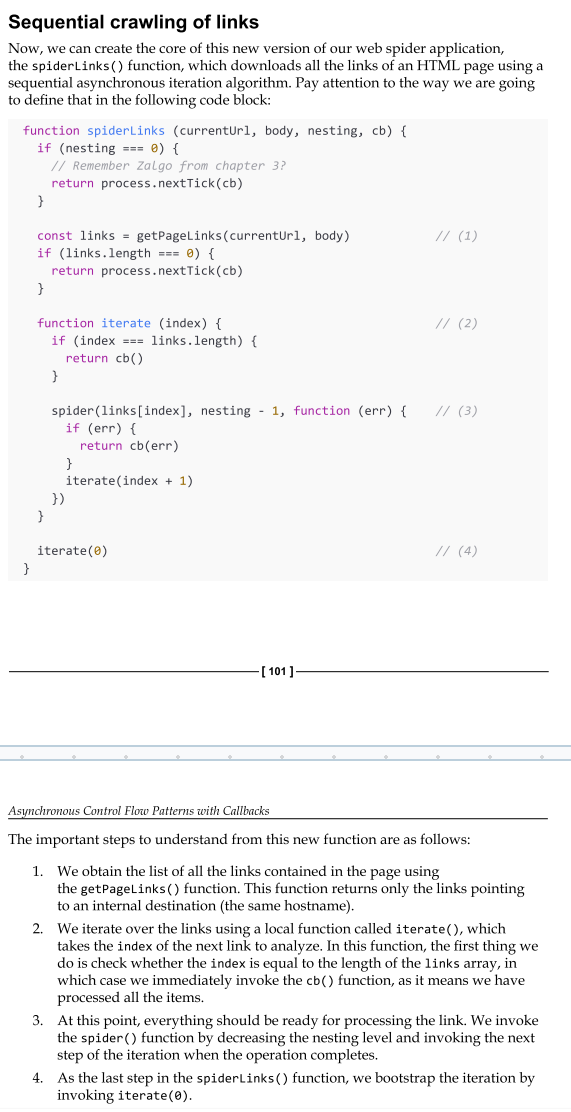
The pattern described in the previous section works perfectly if we know in advance what and how many tasks are to be executed. This allows us to hardcode the invocation of the next task in the sequence, but what happens if we want to execute an asynchronous operation for each item in a collection? In cases such as this, we can't hardcode the task sequence anymore; instead, we have to build it dynamically.
The Sequential Iterator pattern
Execute a list of tasks in sequence by creating a function named iterator, which invokes the next available task in the collection and makes sure to invoke the next step of the iteration when the current task completes.
Iterating while applying an asynchronous operation. (The Sequential Iterator pattern)
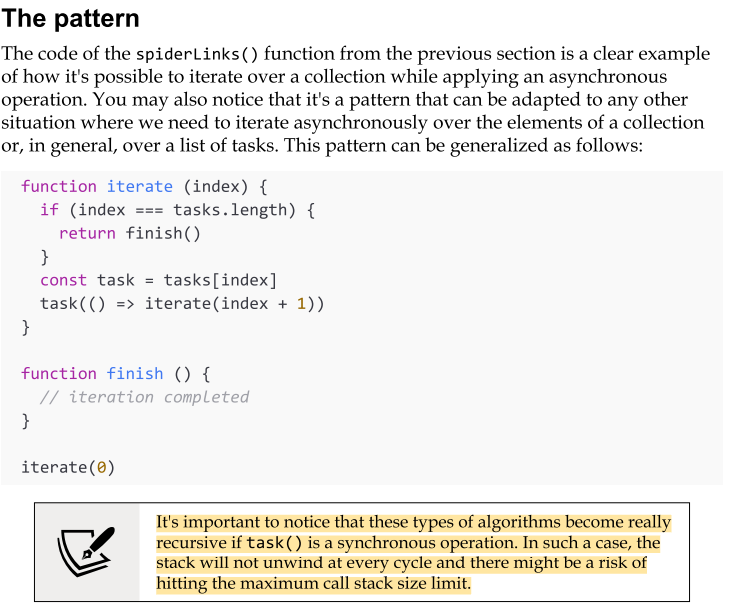
The code of the spiderLinks() function from the previous section is a clear example of how it's possible to iterate over a collection while applying an asynchronous operation.
You may also notice that it's a pattern that can be adapted to any other situation where we need to iterate asynchronously over the elements of a collection or, in general, over a list of tasks.
to address several common needs. Just to mention some examples:
We can map the values of an array asynchronously.
We can pass the results of an operation to the next one in the iteration to implement an asynchronous version of the reduce algorithm.
We can quit the loop prematurely if a particular condition is met
(asynchronous implementation of the Array.some() helper).
We can even iterate over an infinite number of elements.
Parallel execution
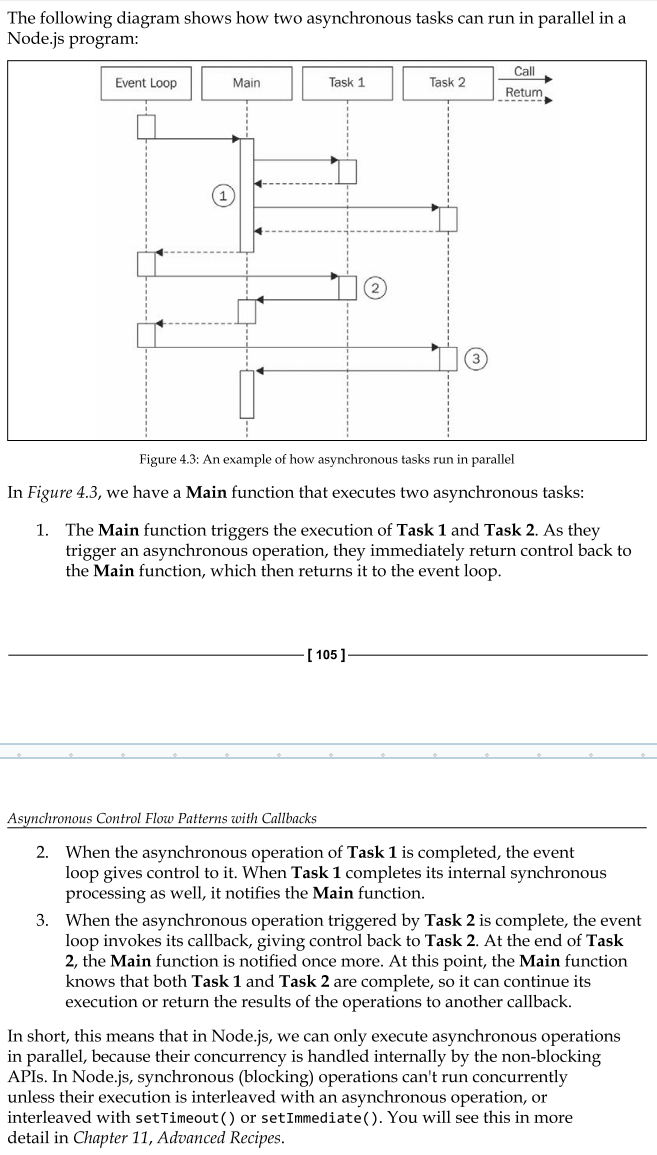
There are some situations where the order of execution of a set of asynchronous tasks is not important, and all we want is to be notified when all those running tasks are completed. Such situations are better handled using a parallel execution flow.
In Node.js, synchronous (blocking) operations can't run concurrently unless their execution is interleaved with an asynchronous operation, or interleaved with setTimeout() or setImmediate().
(for an example: 154-155)
Pattern: The unlimited concurrent execution pattern
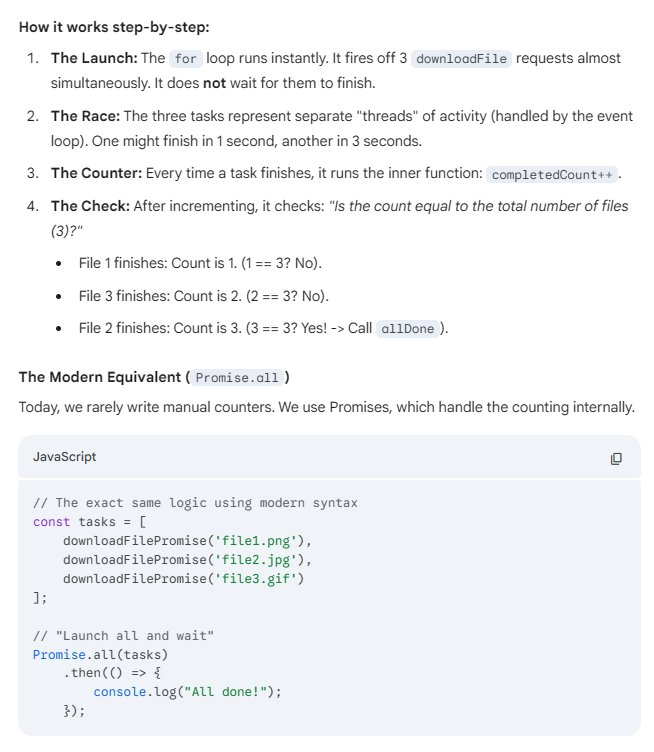
This pattern involves running a set of asynchronous tasks concurrently by launching them all at once and waiting for their completion. All tasks are started immediately, and completion is tracked by counting how many times their callbacks are invoked.
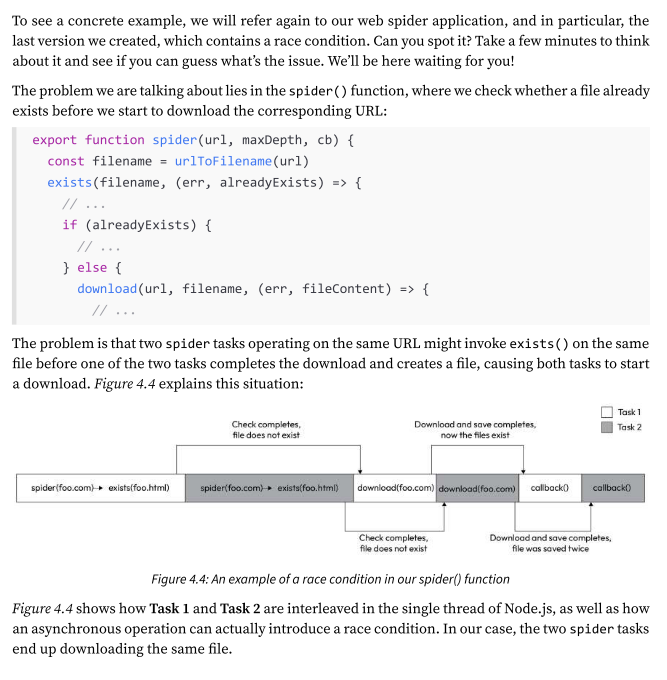
What’s a race condition?
A race condition is a situation where the behaviour of a program depends on the timing of concurrent operations accessing shared resources.
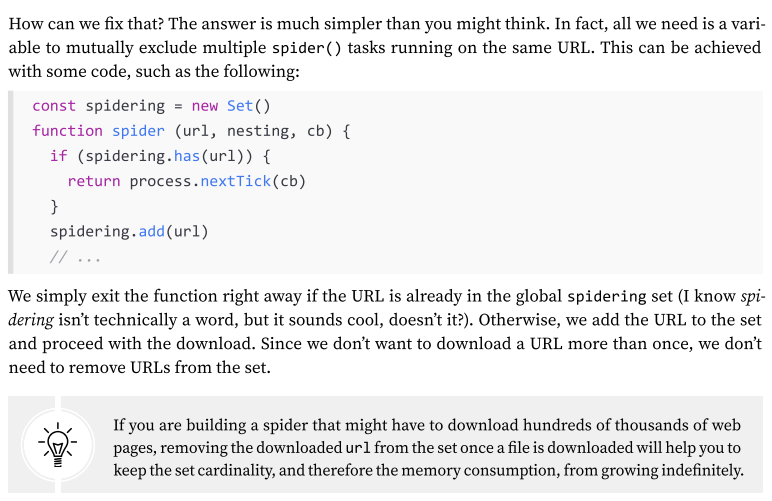
Race conditions can cause all sorts of issues, even in a single-threaded environment like Node.js. In some cases, they can lead to data corruption and are notoriously difficult to debug due to their fleeting nature. That’s why it’s always a good idea to double-check for potential race conditions when running tasks concurrently.
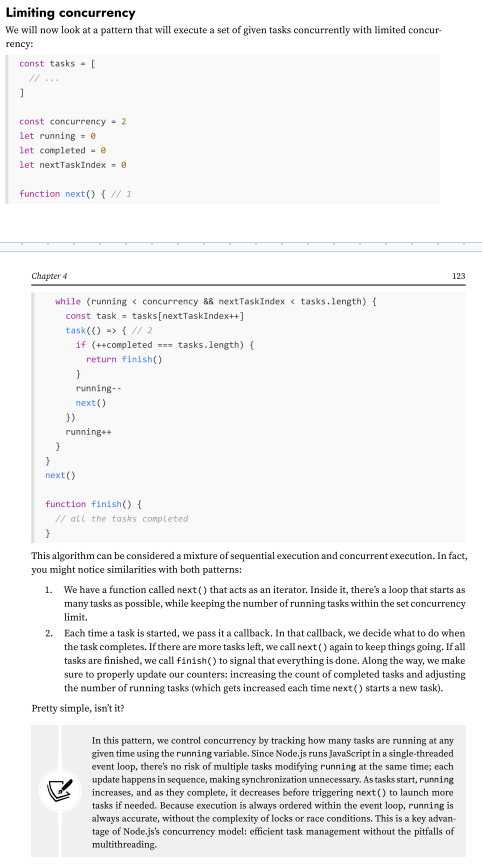
Limited concurrent execution - The problem of running too many concurrent tasks at once
Speaking of concurrent tasks, running too many concurrent tasks at once is usually a bad idea—you could quickly exhaust system memory or run into limits like the maximum number of open file descriptors.
Imagine trying to read thousands of files, access multiple URLs, or execute numerous database queries all at once. The most common issue in such cases is running out of resources. For example, an application might attempt to open too many files at the same time, quickly exhausting the available file descriptors.
we’ll dive into why this can be a problem and how to manage the number of concurrent tasks effectively.
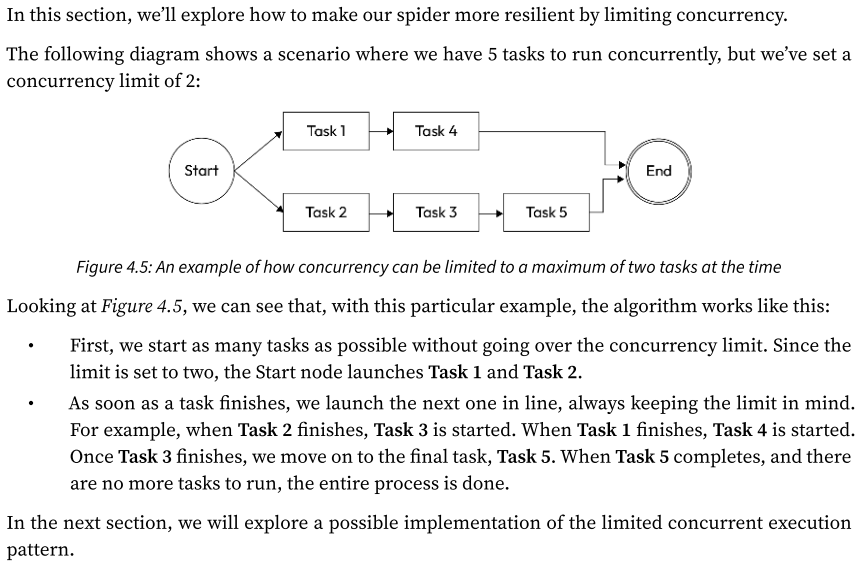
How do we limit the concurrency tasks?
The following diagram shows a scenario where we have 5 tasks to run concurrently, but we’ve set a concurrency limit of 2.
Pattern: Globally limiting concurrency - The funnel pattern (Or Throttling)
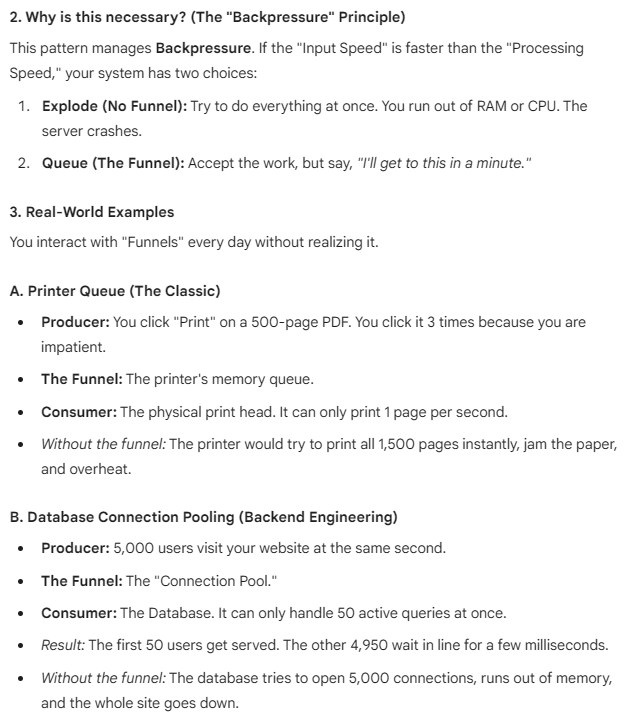
The "Funnel" is a mental model for Flow Control in software. It is one of the most critical concepts for preventing system crashes under heavy load.
In technical terms, you will often hear this referred to as the Producer-Consumer Pattern or Throttling.
1. The Core Concept
Imagine a literal funnel (like for pouring oil into a car engine).
The Top (Wide): You can pour a huge bucket of oil all at once.
The Bottom (Narrow): The oil only drips out at a safe, steady speed.
Without the funnel, if you dumped the bucket directly into the engine, oil would spill everywhere (a system crash).
In software:
The Top: 10,000 tasks arriving instantly (e.g., from users or a web crawler).
The Funnel: A queue that holds them.
The Bottom: A worker that processes them 5 at a time.
(Important example read: 161-167)