WEBPROG: X.3 - Cascading Style Sheets (CSS)
 Call Kai
 Learn
Learn Practice Test
 Spaced Repetition
 Match
Match Flashcards
 Knowt Play
1/26

There's no tags or description
Looks like no tags are added yet.
Name | Mastery | Learn | Test | Matching | Spaced | Call with Kai | Chat |
|---|
No analytics yet
Send a link to your students to track their progress
27 Terms
CSS
This specifies how HTML components should be rendered on screen, paper, or other mediums.
Inline
This method of CSS insertion is used to impart a unique style to a single element. It is placed in the opening tag of an element.
Internal
This method of CSS insertion is used to apply style to only a specific page. It is placed in the head section of the HTML structure.
External
This method of CSS insertion is used to modify the look of a website by changing only one file. An HTML page must reference the style sheet file in the head section of the HTML structure in order to function.
ID Selector
This CSS element selector selects an HTML element based on its ID property. It is unique within a page so it can only be used once. It is identified by a hash symbol (#).
Class Selector
This CSS element selector selects HTML items that have a certain class property. It is identified by a period (.).
Text Color
This property is used to set the color of the text. It can be specified by the HEX value, RGB value, or simply the color name.
Text Alignment
This property is used to set the horizontal alignment of a text. It can be centered, left, right, or justified.
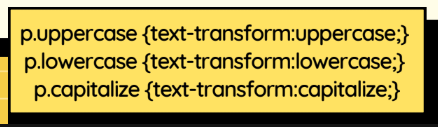
Text Transform
This property is used to turn text into uppercase or lowercase letters, or capitalize the first letter of each word.

Text Indentation
This property is used to specify the indentation of the first line of a text.
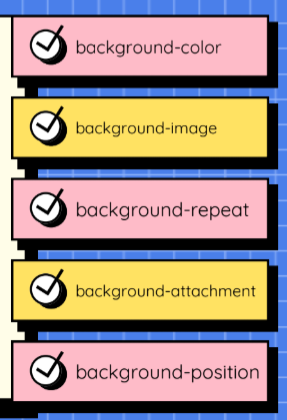
CSS Background
These properties are used to define the background effects of an element.
CSS Units
These are used to specify the length values of properties.
Absolute length
This length unit is fixed and a length expressed in any of these will appear exactly as that size.
Relative length
This length unit specifies a length relative to another length property, and it scales better between different rendering mediums.
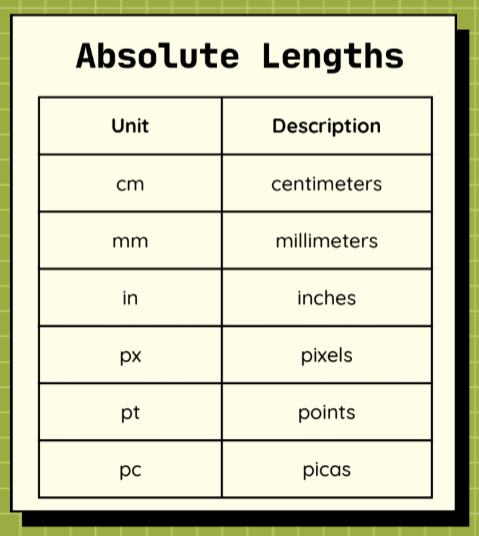
cm - centimeters
mm - millimeters
in - inches
px - pixels
pt - points
pc - picas
What are some examples of absolute length units?
em
This relative length is relative to the font size of the element.
ex
This relative length is relative to the x-height of the current font.
ch
This relative length is relative to the width of the “0”.
rem
This relative length is relative to the font size of the root element.
vw
This relative length is relative to 1% of the width of the viewport.
vh
This relative length is relative to 1% of the height of the viewport.
vmin
This relative length is relative to 1% of the viewport’s smaller dimension.
vmax
This relative length is relative to 1% of the viewport’s larger dimension.
%
This relative length is relative to the parent element.
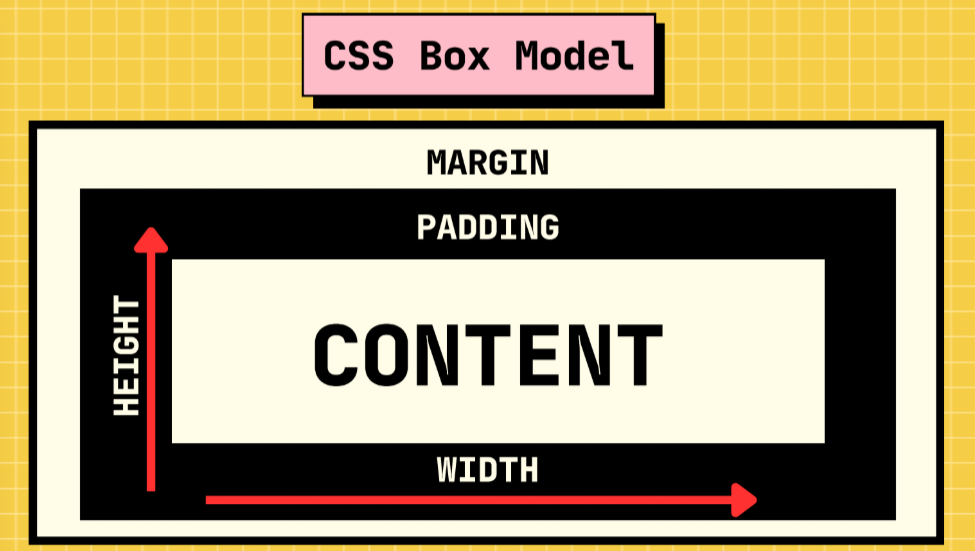
CSS Box Model
This fundamental CSS concept determines how items are organized and positioned on a webpage.
Padding
This property is used to add space around an element inside any given boundary.
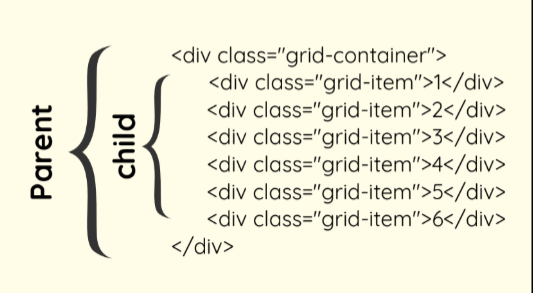
CSS Grid
This layout consists of a parent element with one or more child elements.