gace 315 practice test 4
 Call Kai
 Learn
Learn Practice Test
 Spaced Repetition
 Match
Match Flashcards
 Knowt Play
1/56

There's no tags or description
Looks like no tags are added yet.
Name | Mastery | Learn | Test | Matching | Spaced | Call with Kai | Chat |
|---|
No analytics yet
Send a link to your students to track their progress
57 Terms
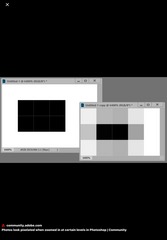
A student enlarges a digital image and notices blocky square artifacts appearing throughout the image. Which issue is MOST likely occurring?
Pixelation
A student compares raster graphics and vector graphics. Which statement is MOST accurate?
Vector graphics use mathematical paths.

The artwork shown is MOST likely created using:
Vector-based illustration where images are made of paths and shapes.
A digital artist chooses vector graphics instead of raster graphics primarily because vector graphics:
Can scale without pixelation
A student saves photographs in RAW format rather than JPG primarily because RAW files:
Preserve more editing information
A teacher explains that RGB color mode is MOST appropriate for:
Screen display
A student preparing an image for commercial printing should MOST likely convert the file to:
CMYK
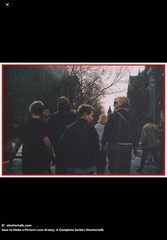
The grainy appearance shown in the images is MOST likely caused by:
High ISO settings
A teacher explains that increasing ISO can help brighten low-light images but may also increase:
Digital noise
A student edits shadows and highlights separately within a digital image. Which visual quality is MOST directly being adjusted?
Tonal range
A digital photographer uses a histogram while editing an image. The histogram primarily displays:
Tonal value distribution
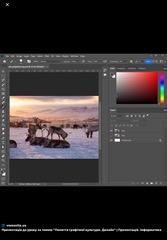
The editing process shown MOST directly demonstrates the use of:
Layers
A teacher explains that layers are valuable in digital editing because they:
Allow non-destructive editing
A student uses the clone stamp tool while editing a portrait photograph. Which task is the student MOST likely performing?
Replacing image content
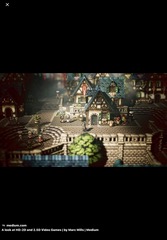
The artworks shown are BEST identified as:
Pixel art
A digital artist intentionally uses visible square pixels to create a retro video-game appearance. Which style is being used?
Pixel art
A student comparing raster art and vector art would correctly conclude that raster art is MORE likely to:
Become pixelated when enlarged
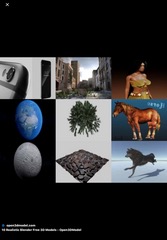
The process shown in the images is MOST closely associated with:
3D modeling
A digital artist creates a virtual three-dimensional character within computer software. Which process is MOST directly demonstrated?
3D modeling
A teacher explains that rendering in digital art refers to:
Producing the final visual output
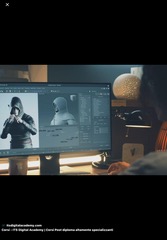
The digital artworks shown are MOST closely associated with:
Motion graphics
A student rapidly displays sequential images to create the illusion of movement. Which principle is MOST directly involved?
Persistence of vision
A digital artist creates an animated advertisement combining moving text and graphics. Which field is MOST directly involved?
Motion graphics
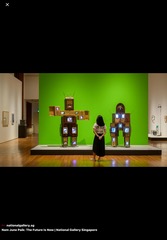
The artworks shown are MOST associated with:
Video and electronic media art
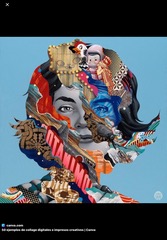
The artworks shown BEST demonstrate:
Mixed media digital collage
A teacher explains that white balance adjustments are primarily used to:
Correct color temperature

The visual difference shown in the images MOST likely resulted from changes in:
White balance
A student enlarges a logo for a billboard without losing quality. Which type of graphics file is MOST likely being used?
Vector graphic
A teacher explains that vector graphics are especially useful for logos because they:
Scale cleanly at any size
The artworks shown are MOST closely associated with:
Raster-based digital painting
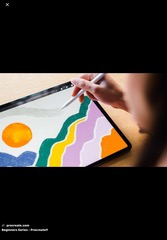
A digital artist paints directly on a tablet using brushes that simulate paint textures. Which medium is MOST directly involved?
Raster digital painting
A teacher comparing RGB and CMYK color systems would MOST likely explain that RGB is primarily intended for:
Screen-based display
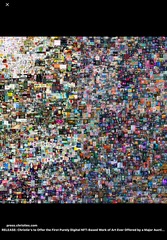
The artworks shown are MOST closely associated with:
NFT and contemporary digital art culture
A student studying Beeple would MOST likely examine:
NFT and digital illustration culture
A digital photographer compares JPG and RAW files. JPG files are MORE likely to:
Compress image information
A student accidentally flattens all image layers into one layer. Which editing advantage is MOST directly lost?
Non-destructive editing flexibility
A student studying Andreas Gursky would MOST likely discuss:
Large-scale digitally influenced photography
A teacher explains that increasing image resolution primarily increases:
Pixel detail

The artworks shown MOST strongly emphasize:
Media critique through text and image
A student studying Barbara Kruger would MOST likely discuss:
Feminist media critique
A digital artist creates artwork entirely from mathematical curves and anchor points. Which type of art is MOST directly being created?
Vector art
A student edits a photograph by changing overall color intensity. Which adjustment is MOST directly being changed?
Saturation
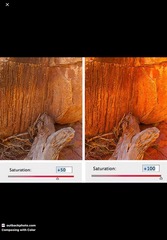
The vivid color intensity shown in the images MOST likely results from increased:
Saturation
A student comparing digital photography and traditional darkroom photography would correctly conclude that digital photography is MORE likely to involve:
Non-destructive editing software
A teacher asks students to identify software MOST commonly associated with vector illustration. Which answer is correct?
Adobe Illustrator
A teacher explains that digital art differs from traditional media primarily because digital art:
Often allows flexible editing and duplication
A teacher wants students to design a logo for a school club and then apply it to T‑shirts, posters, and social media icons. Which choice of media is MOST appropriate for this assignment's goals?
Use a vector-based design program to create a clean, scalable logo that can be exported for print and web
In a digital design course, students often lose work or overwrite files. A teacher wants to model good file management. Which practice should the teacher emphasize?
Save iterative versions (e.g., poster_v1, poster_v2), keep organized folders by project, and back up work to cloud or external storage
A high school digital art assignment asks students to create a digital collage commenting on consumer culture. One student plans to combine photos they took of local stores with vector graphics they create, and add text. The student asks if they can also use a few company logos found online. What is the BEST teacher response?
You may use logos as part of a critical artwork, but you should create them yourself or use them under fair-use guidelines and discuss appropriation and context.
Students are designing an interactive art website where visitors can click buttons to reveal different artworks. One student's prototype has: Buttons placed randomly in different corners on each screen, Some buttons labeled "A," "B," "C" with no description, No clear "Back" or "Home" option. The teacher wants to improve user experience (UX). Which change is BEST?
Use consistent button placement, clear descriptive labels (e.g., "Landscapes," "Portraits"), and a visible home/back navigation area on every page
A teacher introduces simple frame‑by‑frame animation in a digital program. A student's animation of a bouncing ball looks very choppy. To improve smoothness of movement, which advice is MOST appropriate?
Add more in‑between frames where the ball moves smaller distances between positions
In a digital photography class, a student wants to adjust brightness and contrast without permanently changing the original photo. Which approach is BEST?
Use adjustment layers in the photo-editing software so changes can be modified or turned off later
A student creates a digital illustration for a poster in a raster (bitmap) program at 400 × 600 pixels and then tries to print it as a 24 × 36 inch poster. The print looks blurry and pixelated. What concept does the teacher need to explain?
Resolution and pixels per inch (PPI) and how they affect print quality.
A teacher has students create self‑portraits using a tablet and stylus in a drawing app with layers. The teacher says, "One advantage of digital drawing is that you can undo and work in layers." Which classroom task BEST takes advantage of these digital features?
Ask students to sketch on one layer, add color on a new layer, and use undo to experiment with different color schemes without redrawing the whole portrait
A student creates a poster in a graphic design program and plans to both print it and post it online. The teacher explains different file formats: Which combination is MOST appropriate?
Save a high-resolution PDF or TIFF for printing, and a compressed JPEG or PNG at screen resolution for web use.
A teacher introduces two digital tools:Program A works with pixels and is good for editing photographs, Program B works with paths and anchor points, allowing logos to be scaled infinitely without losing quality. The teacher explains that Program B is best for creating a logo that might be used on posters, websites, and T‑shirts. What is the MAIN reason?
Vector graphics can be resized without becoming blurry or pixelated.
A student wants to use a striking photo they found online for a poster they will publicly display. The teacher wants to model ethical digital practice. Which option is BEST?
Look for images that are labeled for reuse (Creative Commons or public domain), or get permission from the creator, and provide attribution.