CS 1315 Final
 Call Kai
 Learn
Learn Practice Test
 Spaced Repetition
 Match
Match Flashcards
 Knowt Play
1/63

There's no tags or description
Looks like no tags are added yet.
Name | Mastery | Learn | Test | Matching | Spaced | Call with Kai | Chat |
|---|
No analytics yet
Send a link to your students to track their progress
64 Terms
syntax error
The program does not run, caught by the interpreter
runtime error
The program runs, but produces an error, caught by the interpreter
semantic error
The program runs, and does not produce an error, caught by the programmer. The program produces unexpected output
type conversion - int()
int, float, numeric str, True = 1, False = 0. Ex: can not convert int(“three”).
type conversion - float()
int, float, numeric str, True = 1.0, False = 0.0. Ex: can not convert float(“three”).
type conversion - str()
int, float, numeric str, str, True = “True”, False = “False”
type conversion - bool()
all data types = True except bool(False) and bool(0)
*
multiplication
/
division
//
floor division, a whole number
bigger number % smaller number
modulus, gives remainder after floor division
smaller number % bigger number
result is the smaller number
Order of Precedence
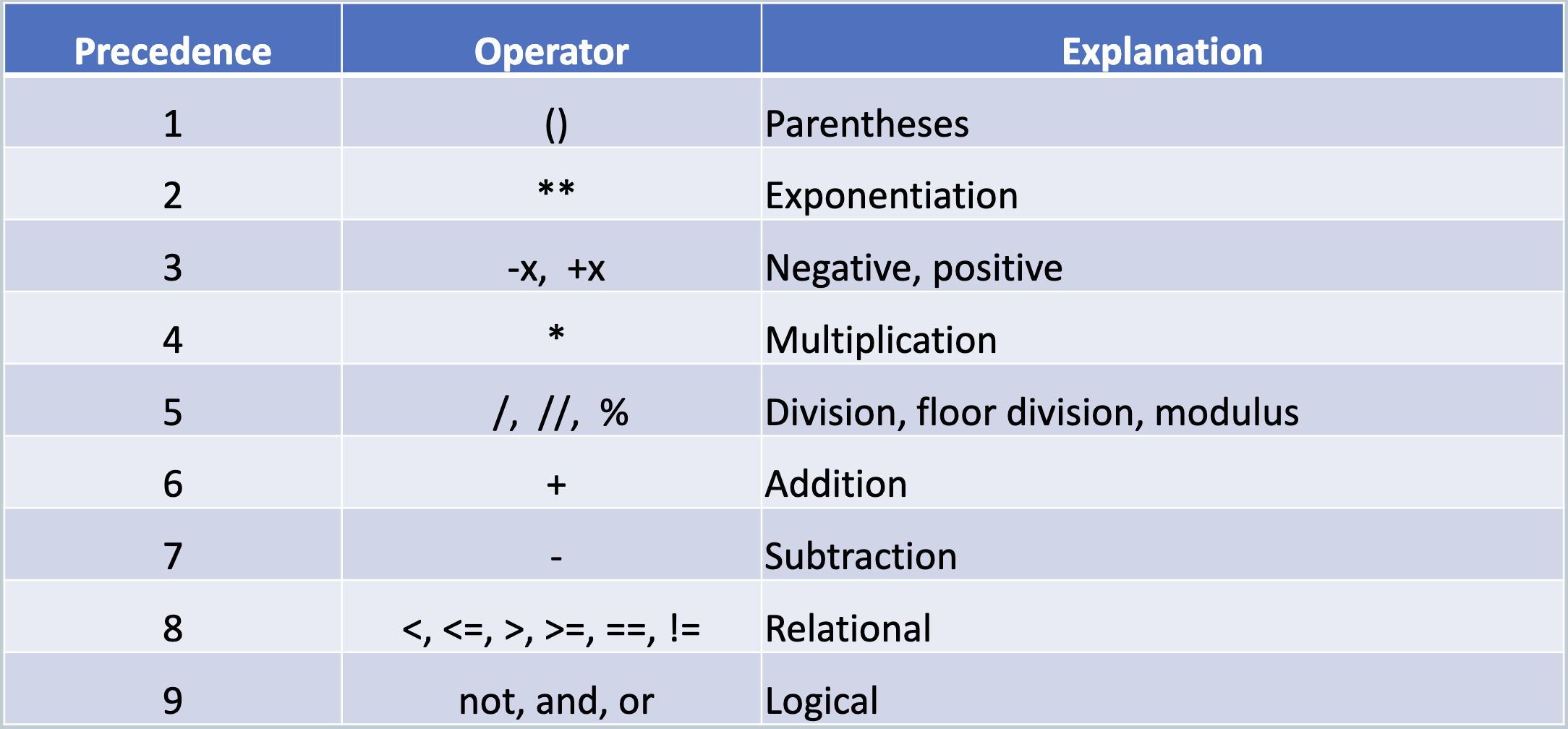
PEMDAS + R + L
print()
displays a value on the screen
input()
gets input from the user to assign to a variable
immutable
once created, object cannot be changed. If it is repeated, a new variable is assigned. EX: str
Operator: *
makes copies of operand. multiplication of numeric literals. repetition of a str literal by an integer
Operator: +
addition of numeric literals, concatenation of str literals
Operators: not (!), and (&), or (|)
True and True is True, all others are False
False or False is False, all others are True
not False is True
not True is False
\n
new line
\t
tab
\\
back slash
\’
single quote
\”
double quote
len()
The number of characters in a string is called the length of the string. Empty string (“ ”) has len() of 0. Each character in a string has an index value; 0 through len()-1
index[0]
first char
index[–1] or [len()-1]
last char
Operator: []
returns a char at a given string index, spaces count as chars
f-string
formatted string literal. Use {} to refer to variables. Ex: print(f “{name} your total is ${total:.2f}.”) → Bob your total is $5.40.
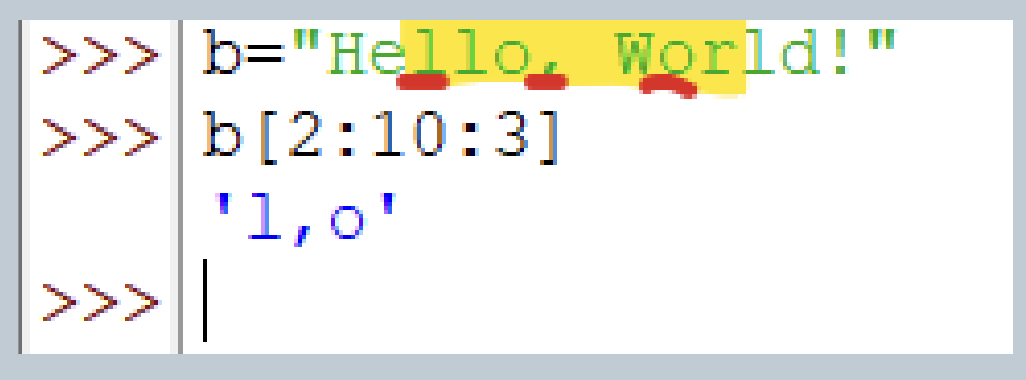
slicing [X:X:X]
[start:stop:step] spaces count as chars so include them in the steps
steps do not depend on index number, just number of chars
Default start is index[0], default stop is index[-1], default step is 1
last char is not included
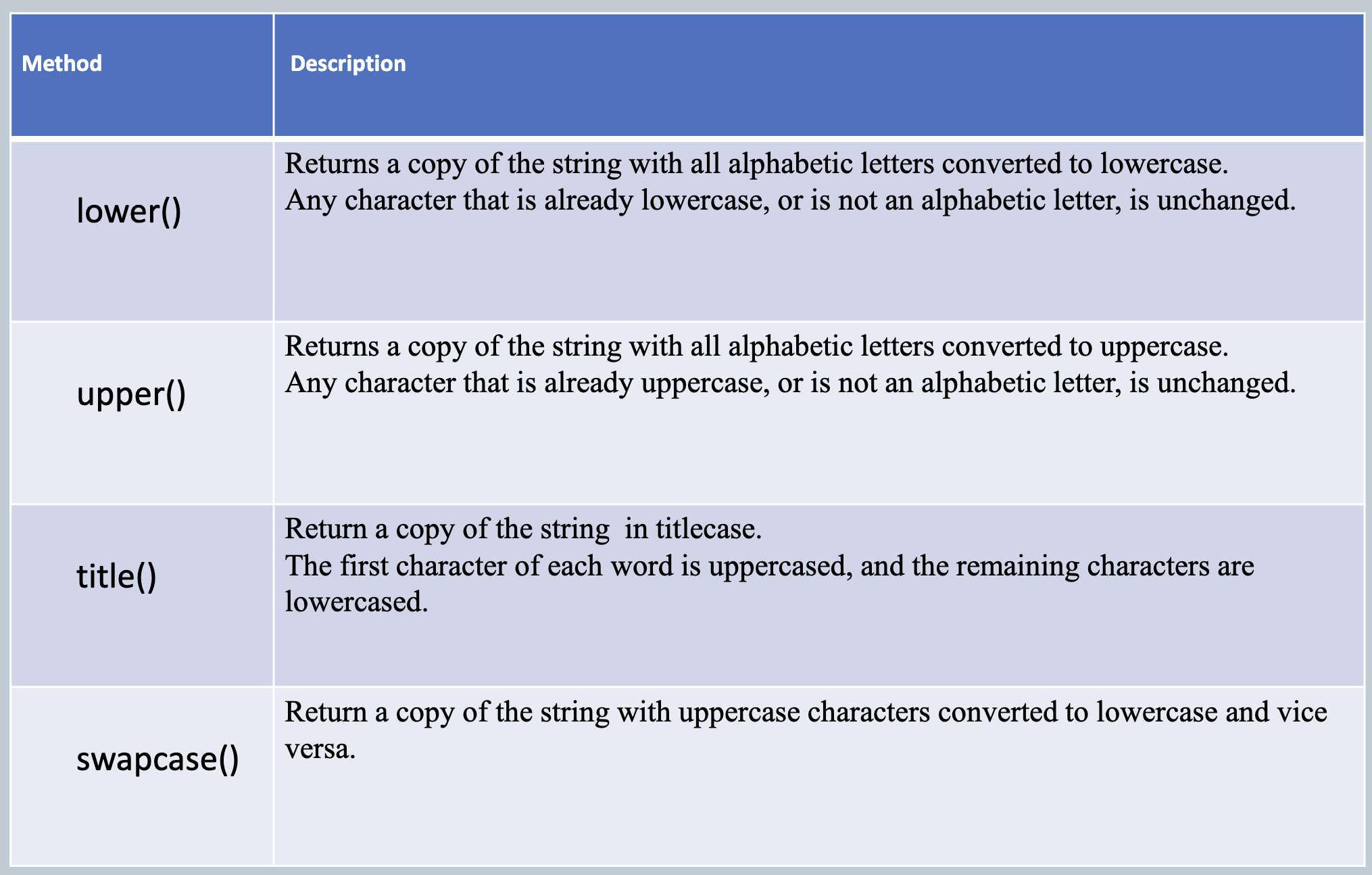
string methods no arguments
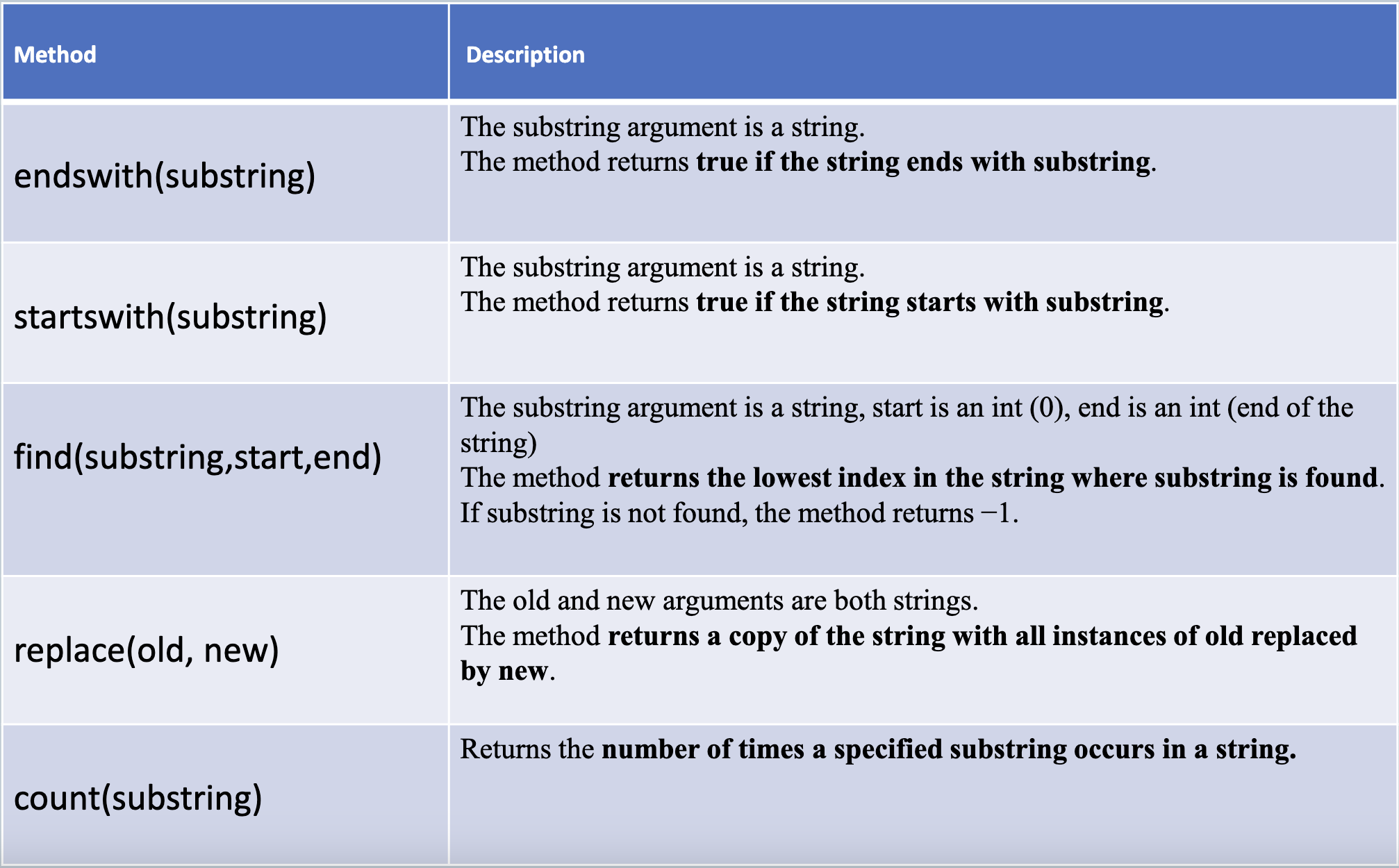
string methods with arguments
Operator: in
tests for membership
while loop
condition-controlled
for loop
count-controlled
lists
defined by []
indexable
mutable
list.remove(value)
Removes the first occurrence of a specified value
list.insert(index,value)
Adds an element at the specified index position
list.append(value)
sed to add items to a list – item is appended to the end of the existing list
del list[index]
removes an element from a list - can be used to delete a single index of a list, a slice of a list, or the complete list
list.insert(index,value)
inserts an element at the specified position
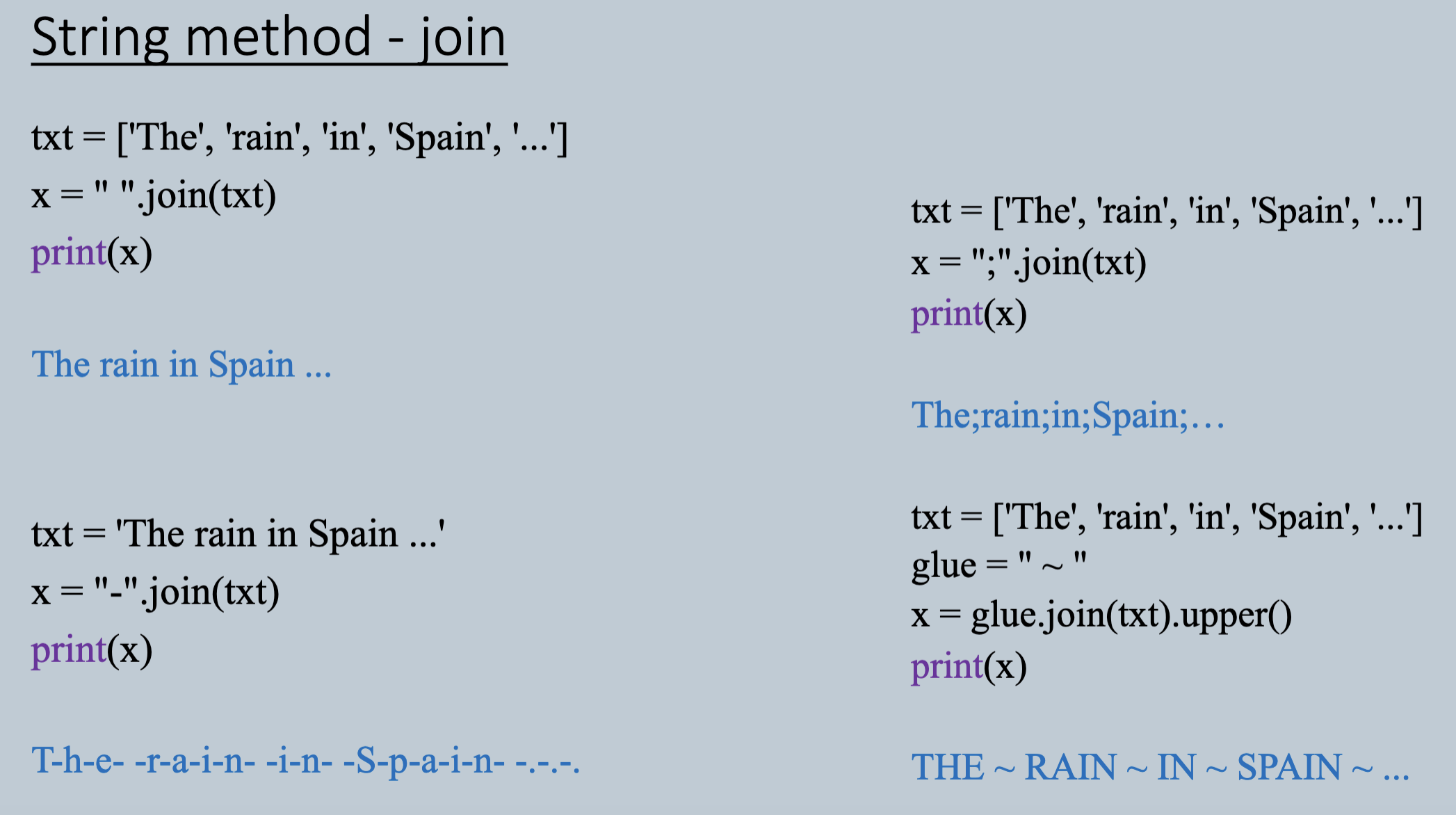
separator.join(iterable)
returns all items in an iterable and joins them into one string.
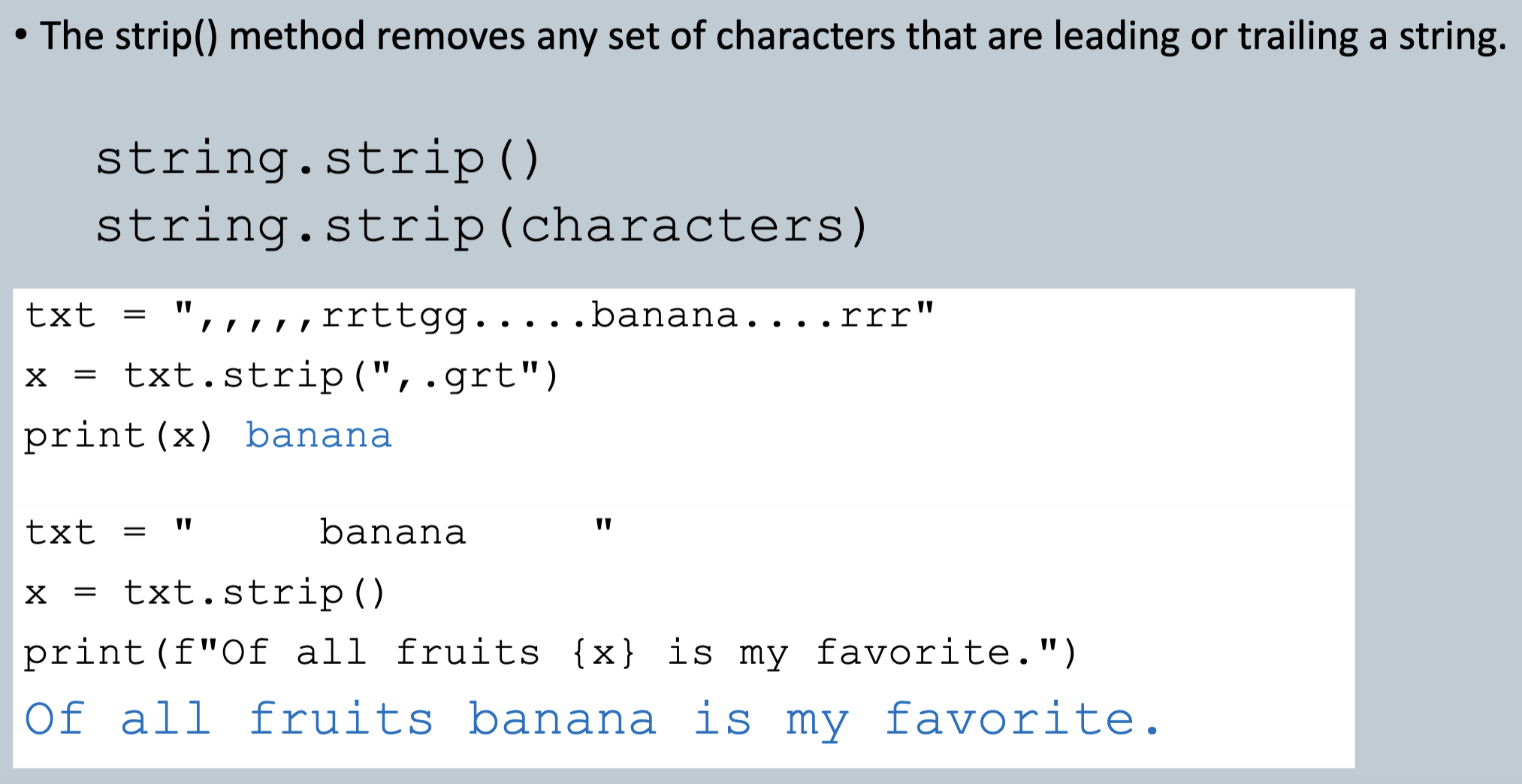
string.strip()
removes any set of characters that are leading or trailing a string
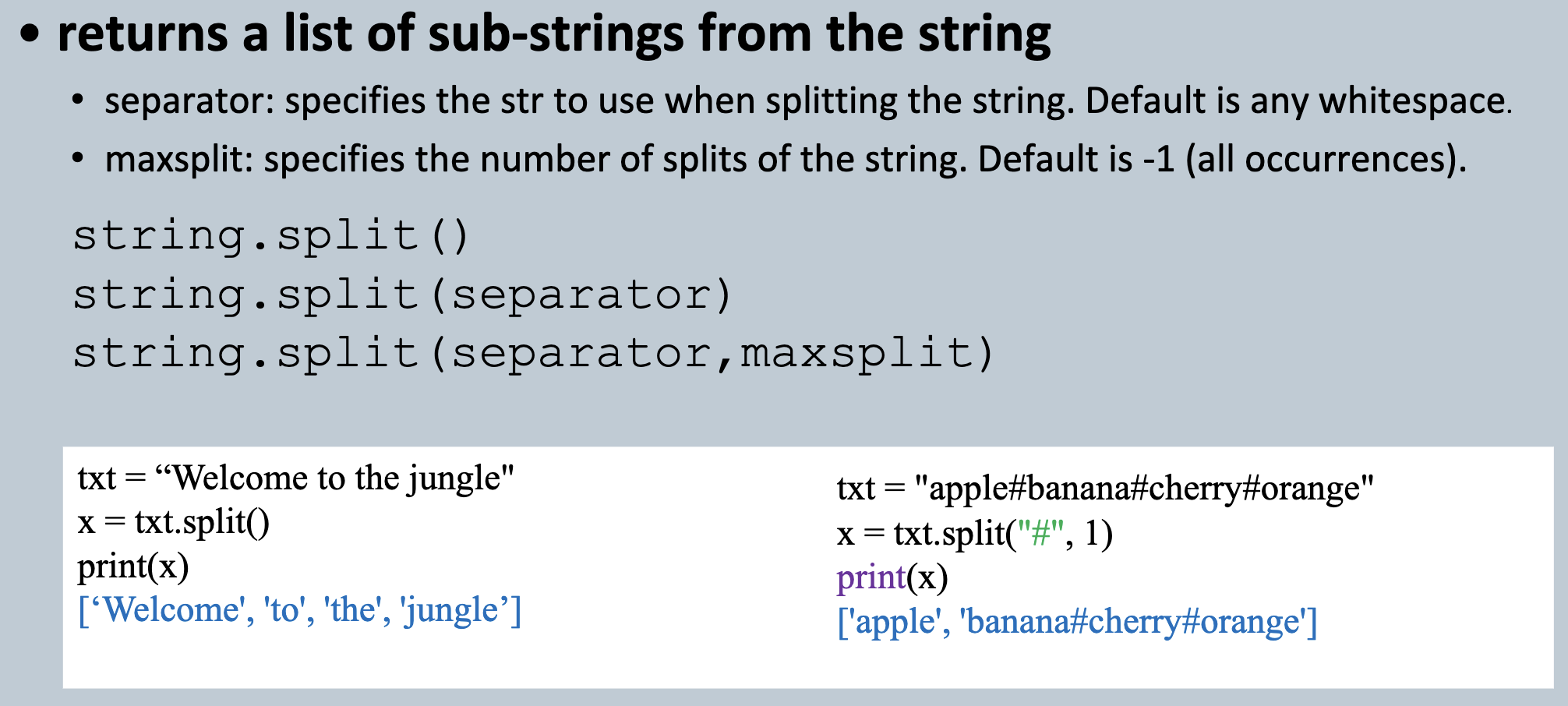
string.split()
returns a list of sub-strings from the string
break
used to break out of a for loop or a while loop
tuple
a comma-separated sequence of values enclosed in parentheses.
immutable
EX: oneTup = (5,)
can use + and * to add to tuple or multiply
packing
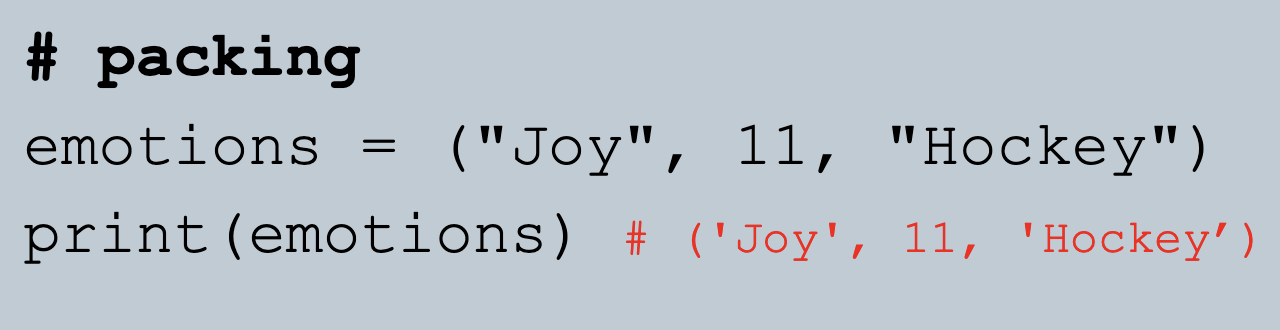
refers to tuples
unpacking
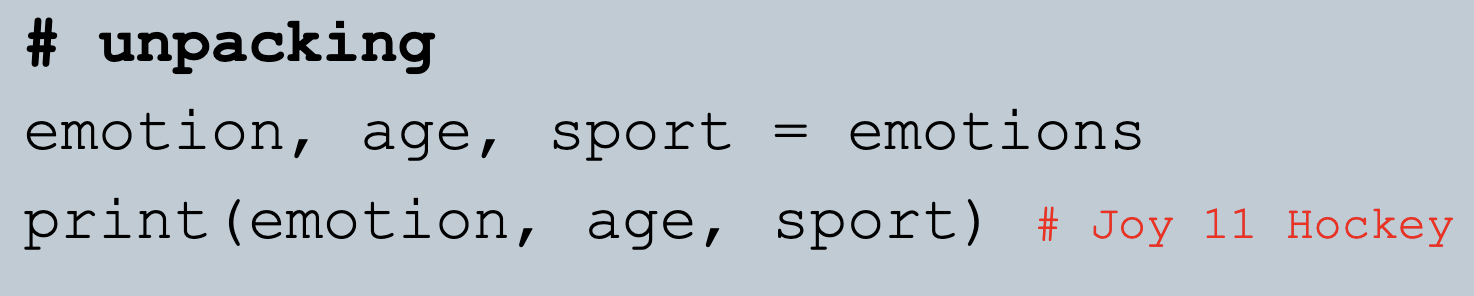
refers to tuples
tuple.index(value)
searches for a specified value and returns the first position if found
open txt: Reading mode
retrieving data from an input file
file_objectname = open(filename, 'r')
open txt: Writing mode
saving data to an output file
file_objectname = open(filename, 'w')
open txt: Appending mode
adding data to an existing file, will create a file if the specified file does not exist
file_objectname = open(filename, 'a')
open txt: Creating mode
will create a file, returns an error if the file exist
file_objectname = open(filename, 'x')
.read()
read all characters as a single str
used to read entire file contents as a str.
.readline()
returns one line from the file
used to read a line from the file as a str
.readlines()
Returns a list of strings, each representing a single line of the file
used to read each line as a str into a list.
.write()
used to write data to a file, will overwrite any existing data, and does not include a newline character
.close()
always close your files, as all changes are not written until after close.
txt files
A plain text file containing unformatted text
csv files
A comma-separated values file used for storing tabular data
•Each line represents a data record.
•Fields within the record are separated by commas.
csv.reader()
Reads rows from a CSV file
Converts each row into a list of strings
csv.writer()
writes rows to a CSV file
Writes iterable data (e.g., list/tuple) to a CSV file
{}
indicates a dictionary
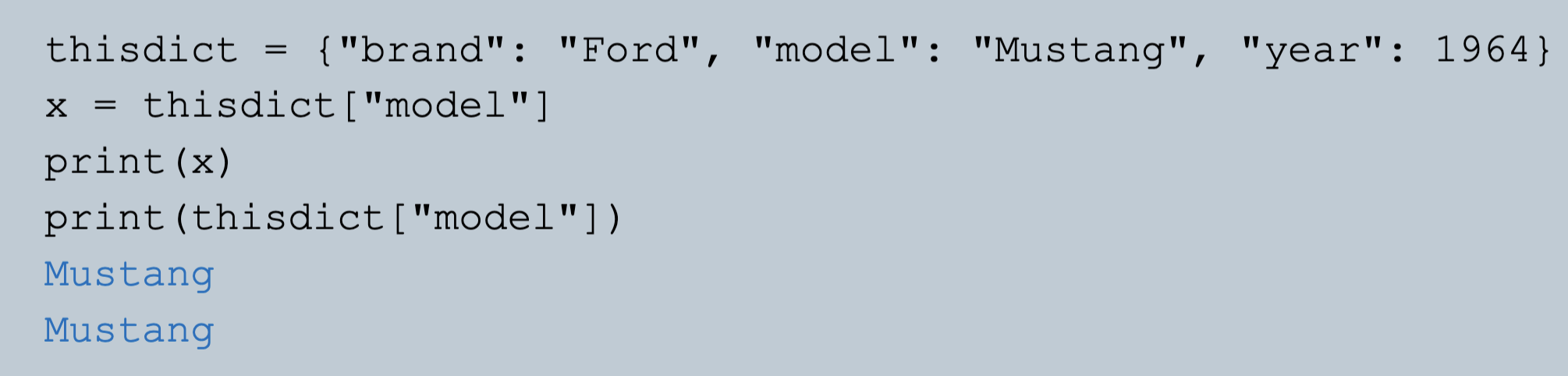
how to index into a dictionary
use the key