CompSystems 245 - Week 1 - Lecture 1, 2 and 3 - Number Systems
 Call Kai
 Learn
Learn Practice Test
 Spaced Repetition
 Match
Match Flashcards
 Knowt Play
1/15

There's no tags or description
Looks like no tags are added yet.
Name | Mastery | Learn | Test | Matching | Spaced | Call with Kai | Chat |
|---|
No analytics yet
Send a link to your students to track their progress
16 Terms
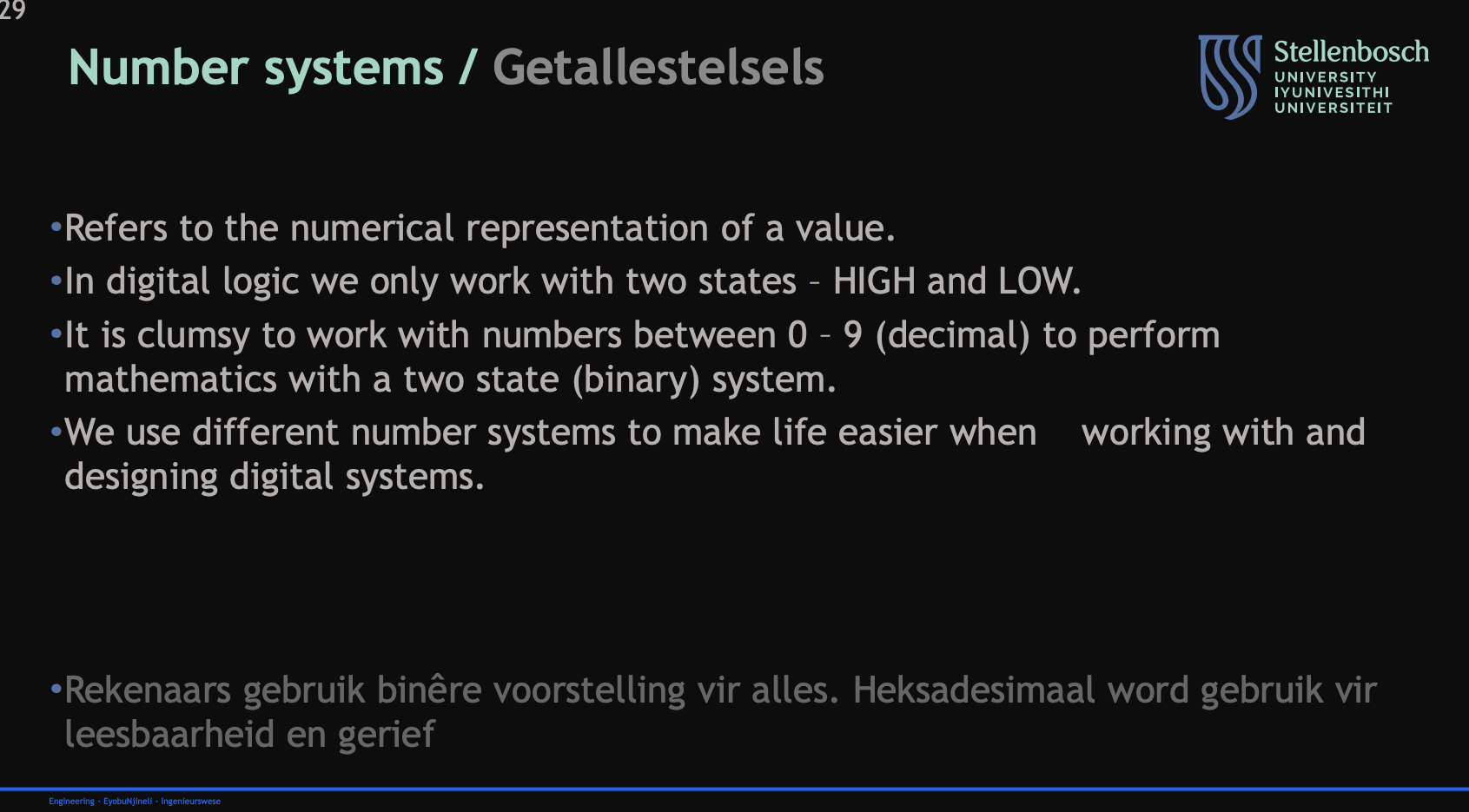
Describe what is meant by a number system:
Definition
in reference to digital logic
why we use different number systems for digital systems
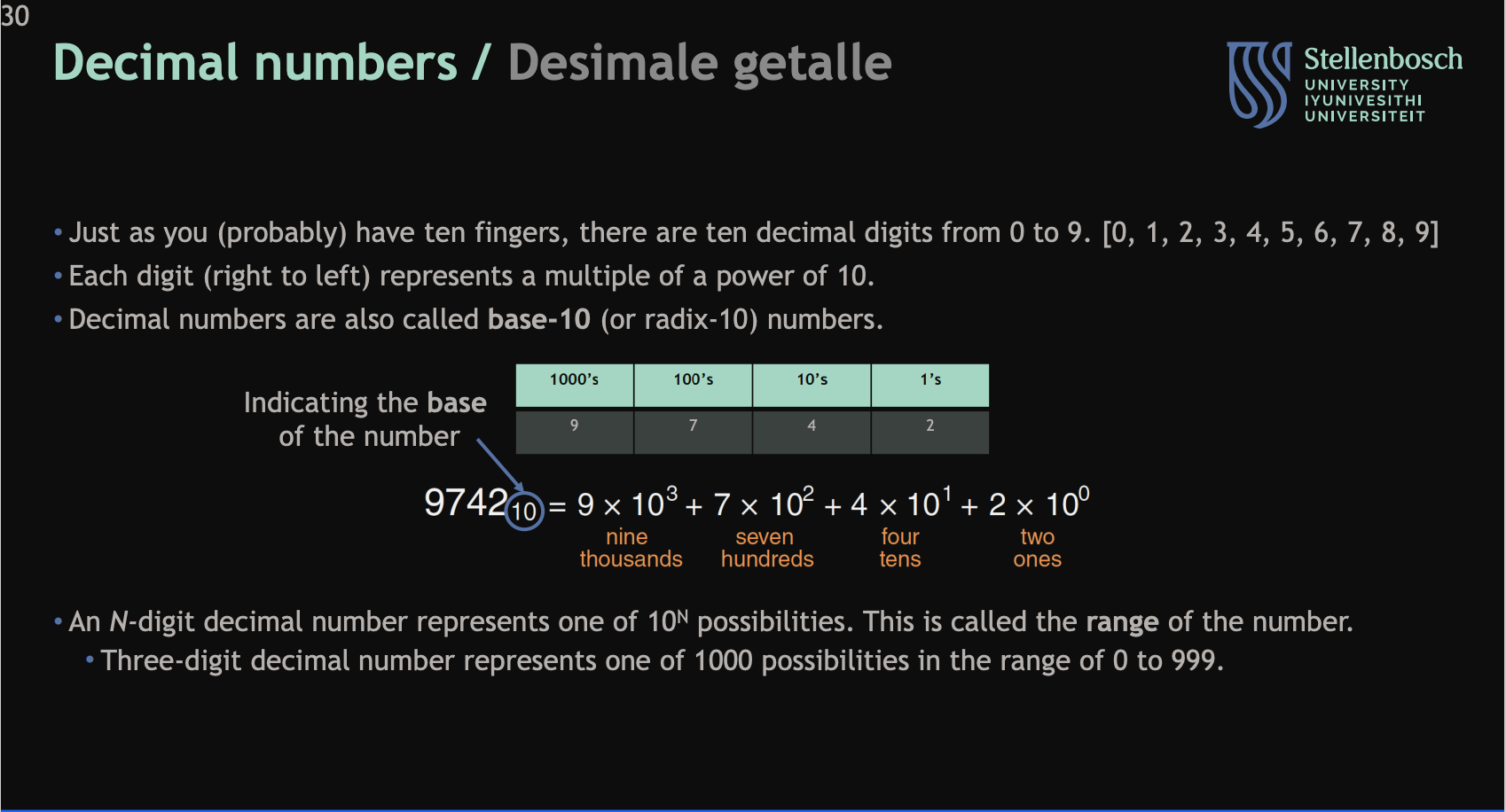
Describe the Decimal Number system:
the digits
what each one represents
the range of an n-digit decimal number
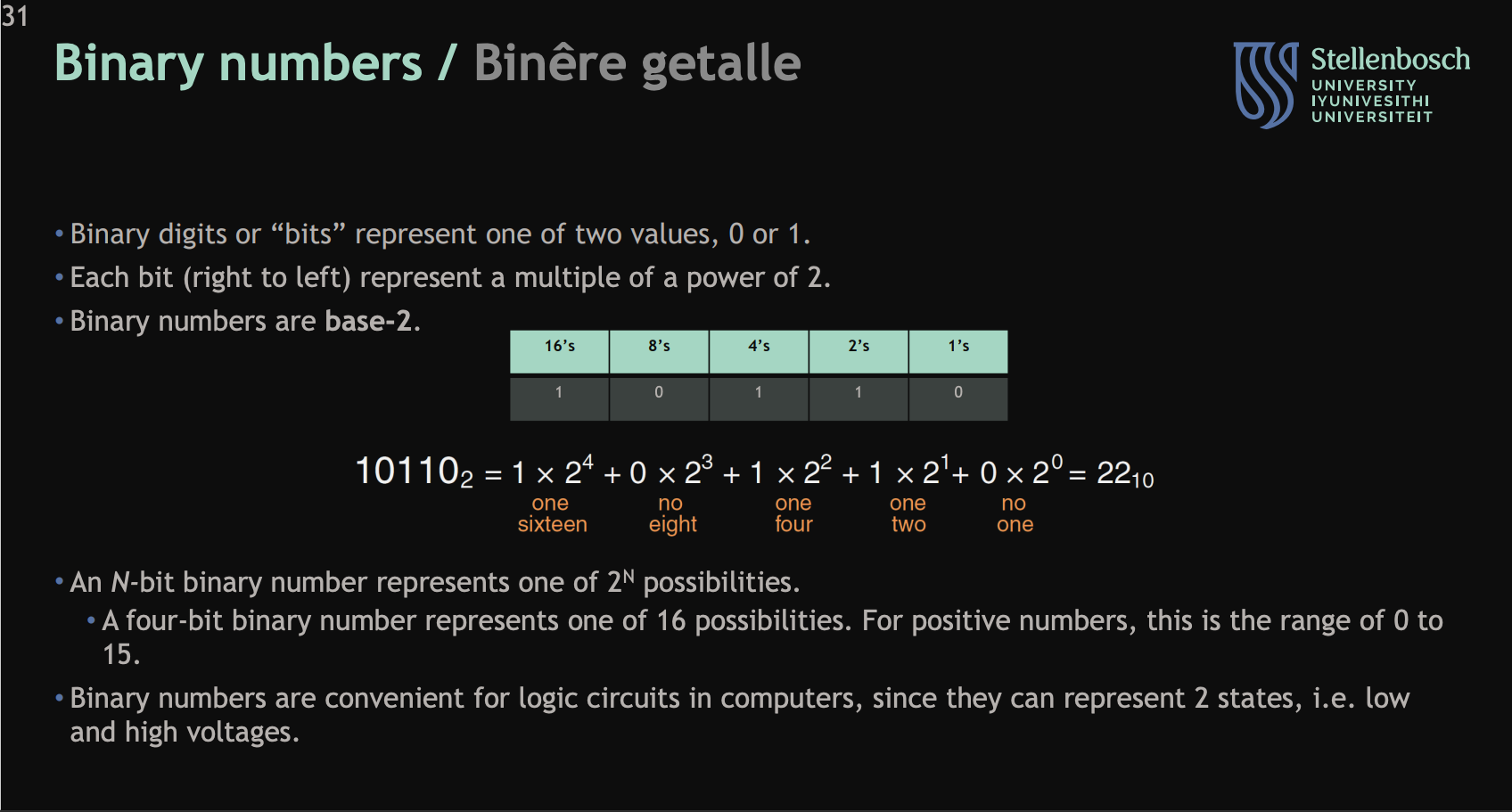
Describe the binary number system:
the digits
what each one represents
the range of an n digit binary number
why they are used for computers
Describe the hexadecimal number system:
the digits
what each one represents
why its used

Describe the conversion of numbers between hexadecimal, deanery and binary systems:
Write the first 15 numbers of each number system

Describe how binary is represented in memory
Just a pattern of bits
the CPU determines what a pattern of bits in memory is
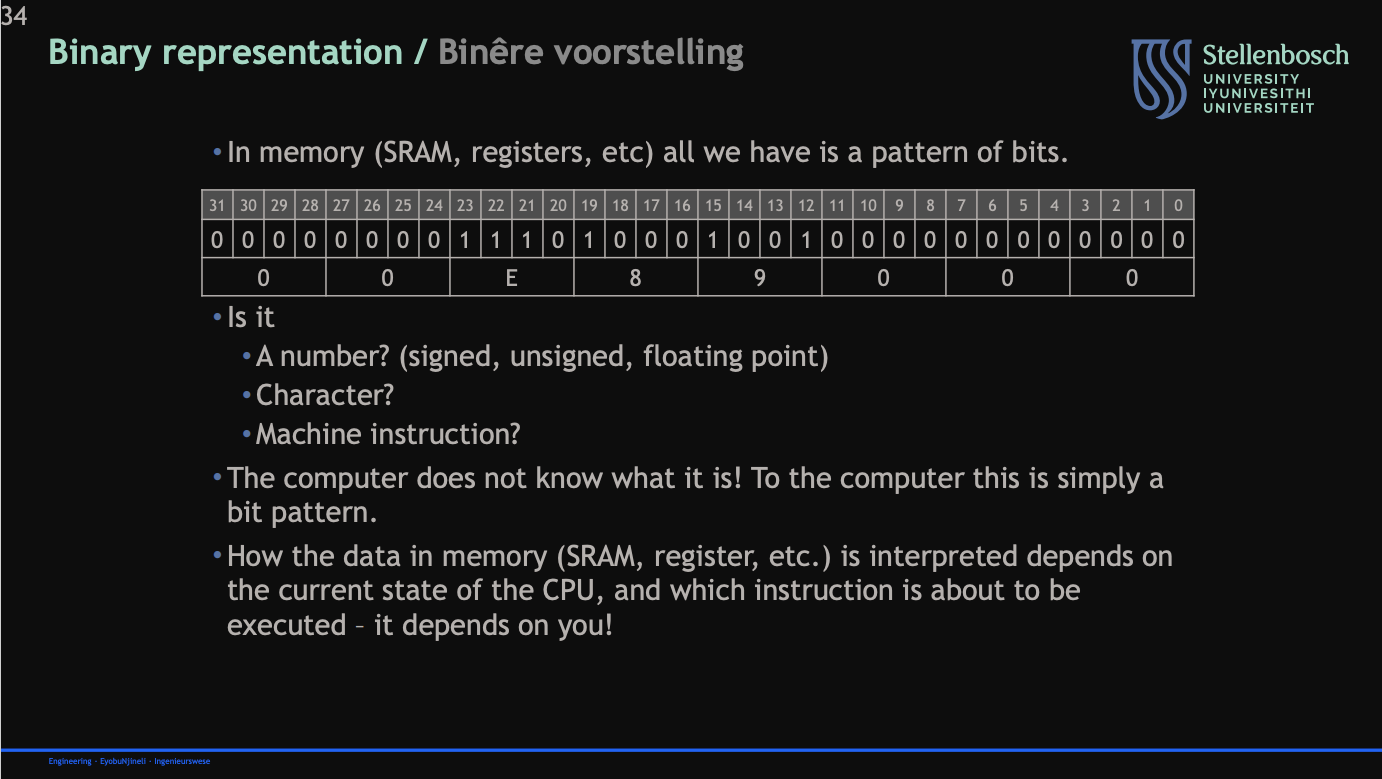
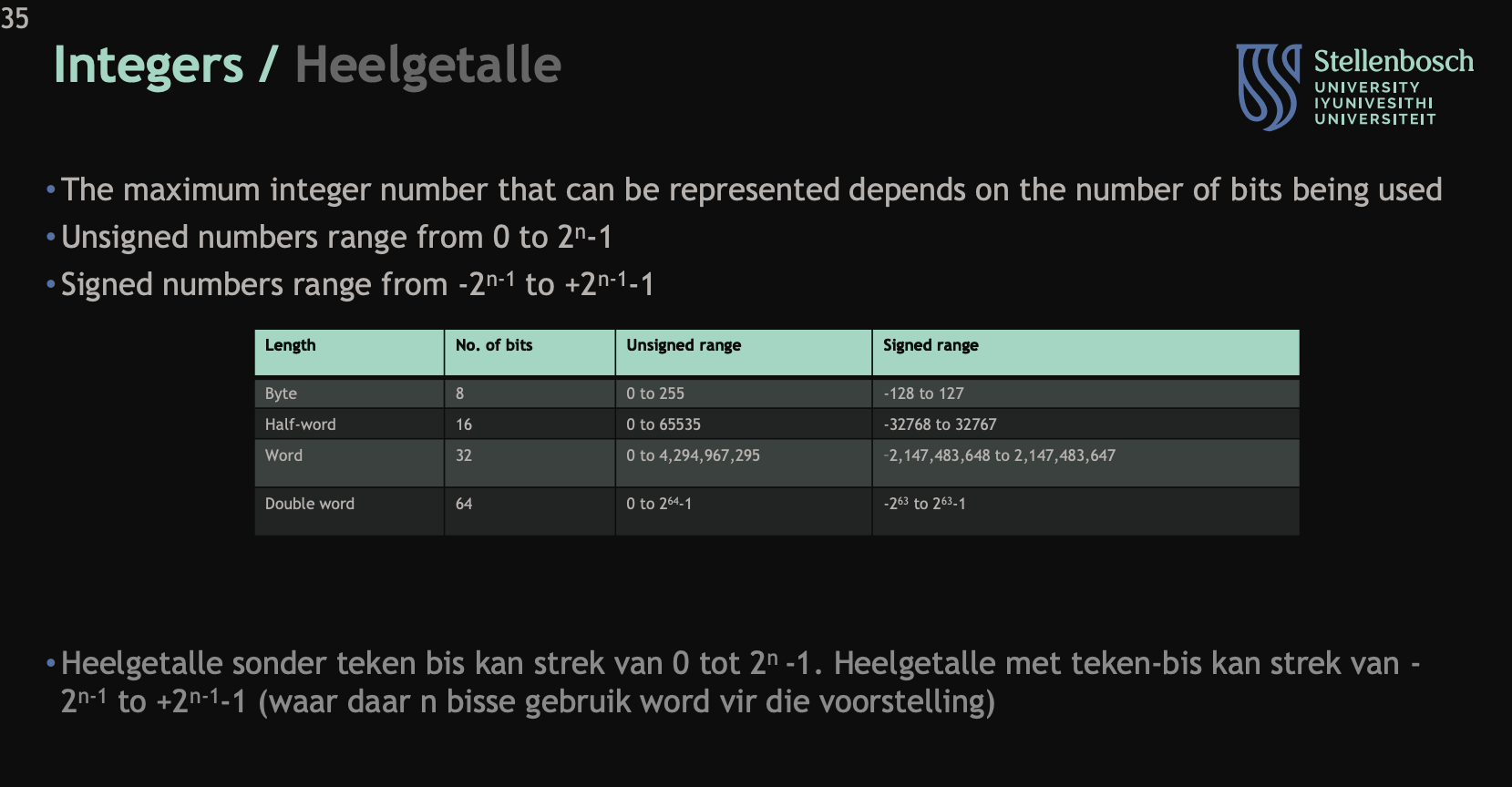
Describe integers:
Range of signed and unsigned numbers depending on whether its a:
byte
half-word
word
double word
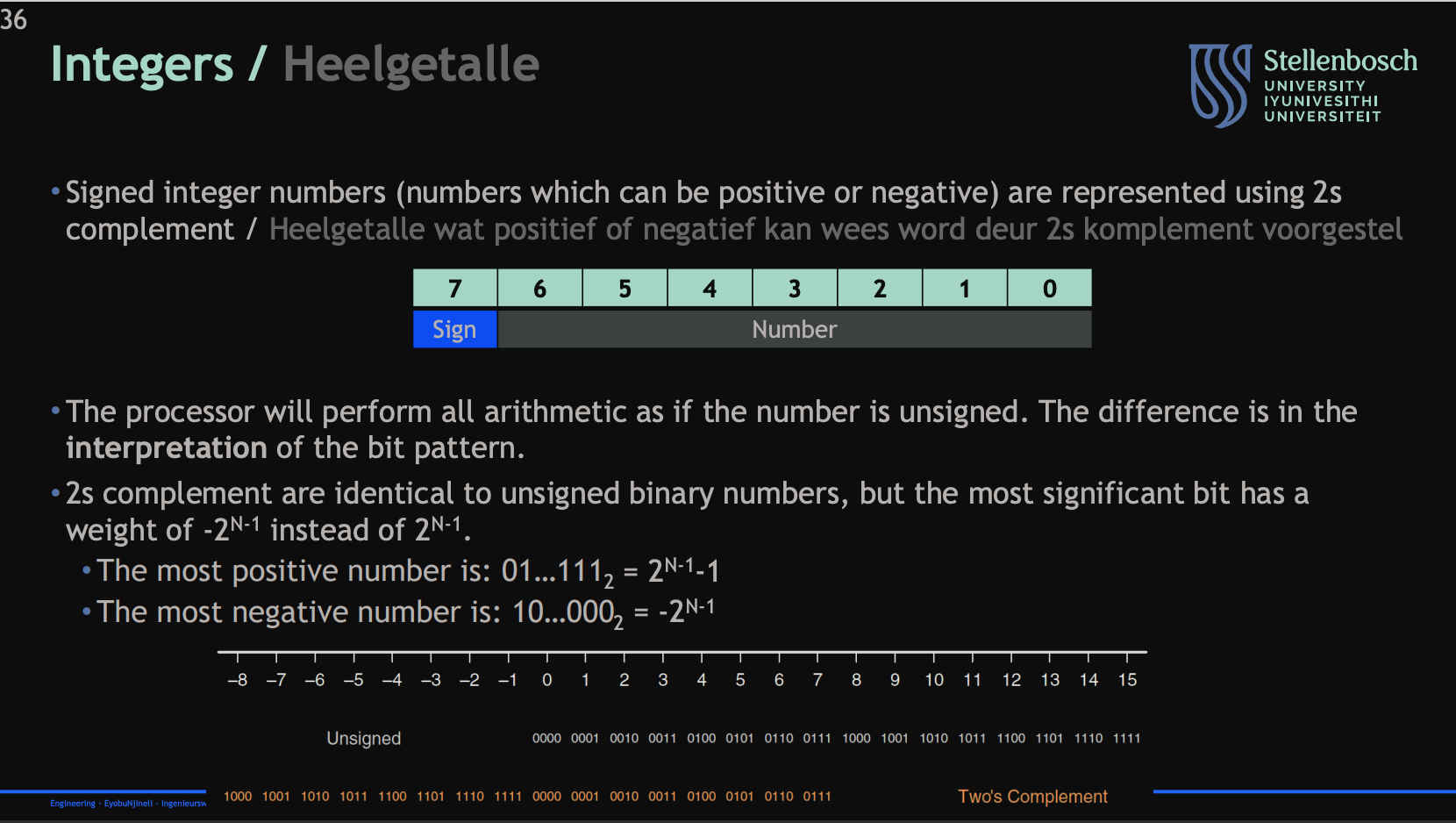
Describe how integers are represented in 2s complement:
2s complement
How the processor handles 2s complement bits
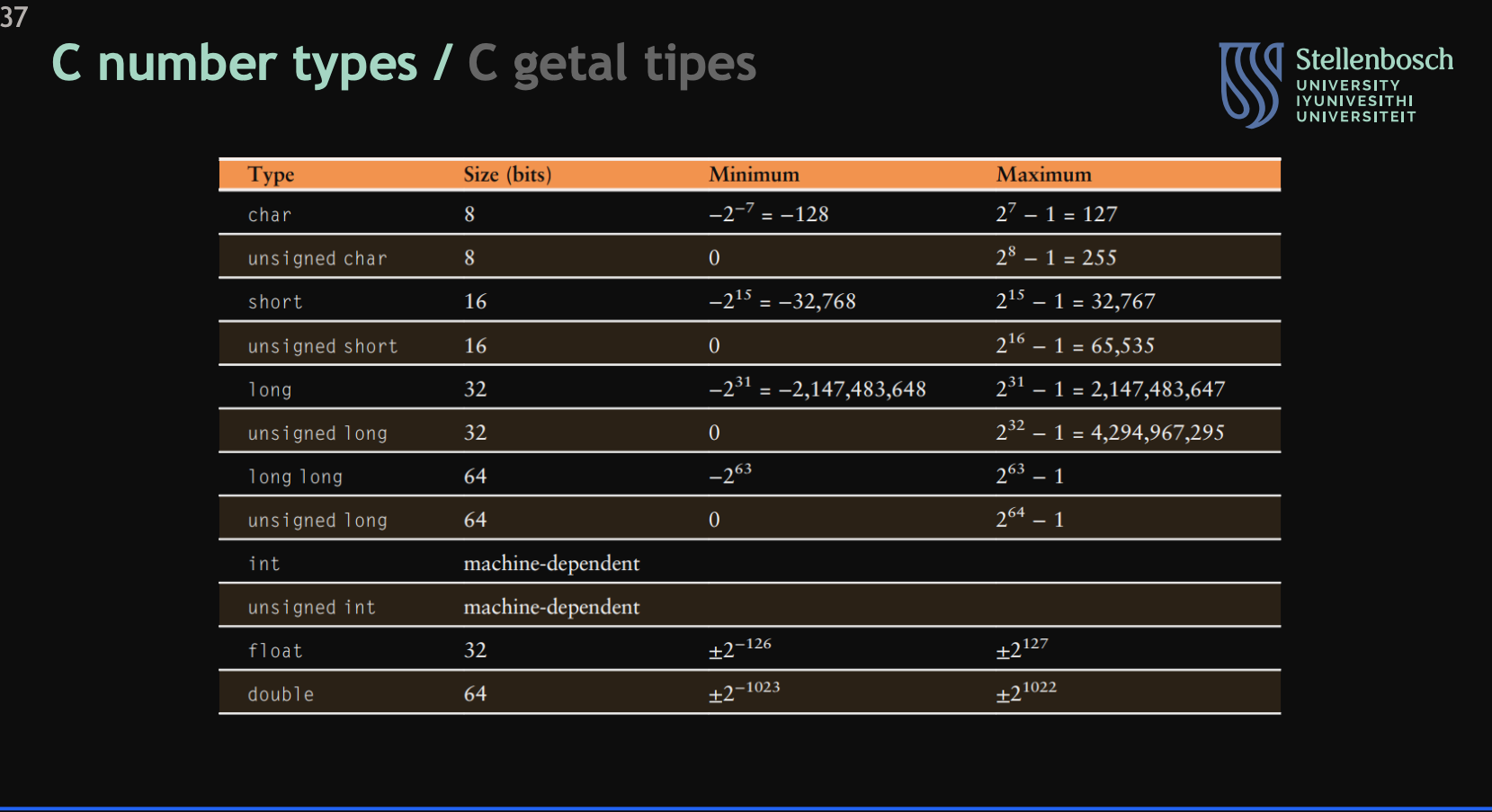
Describe the C number types:
List them
their size
maximum values
minimum values
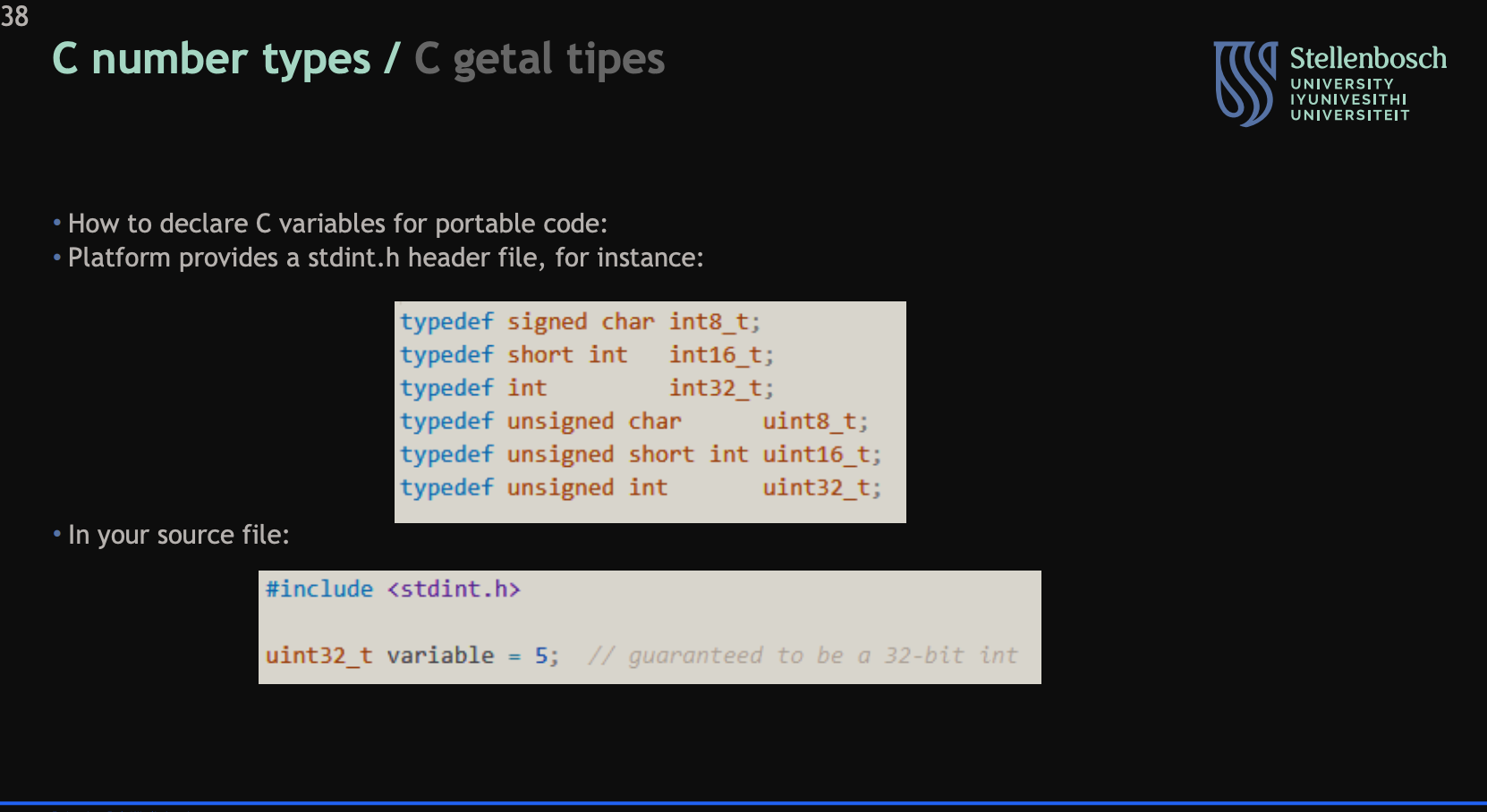
Describe how the number types in C are defined:
their decleration
use of header files
how they are used in a source file
Describe Floating point numbers:
Their purpose
How they are written
Breakdown of their bit pattern depending on size

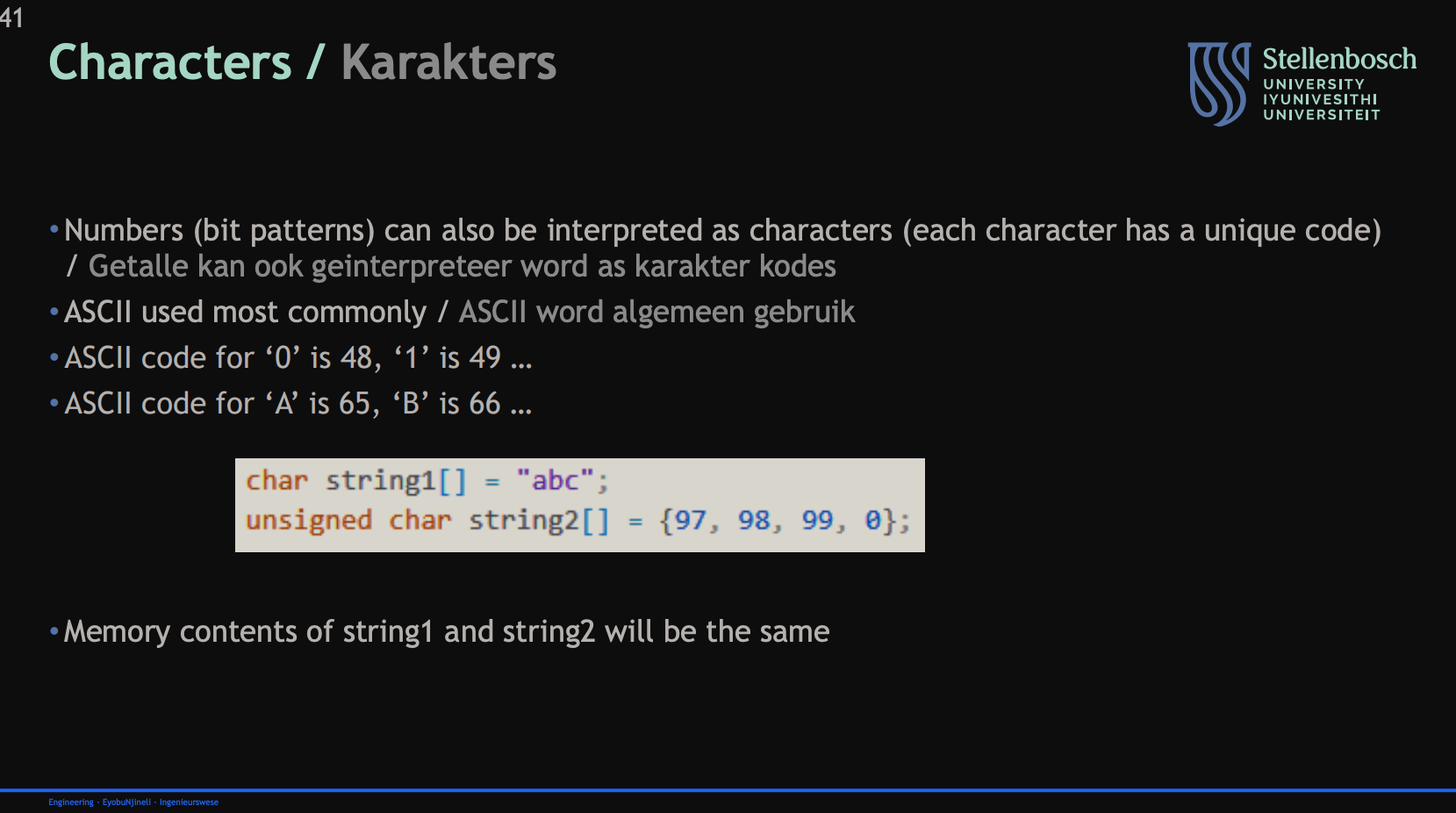
Describe characters in C:
what they are
the type of characters used
how they are defined and used
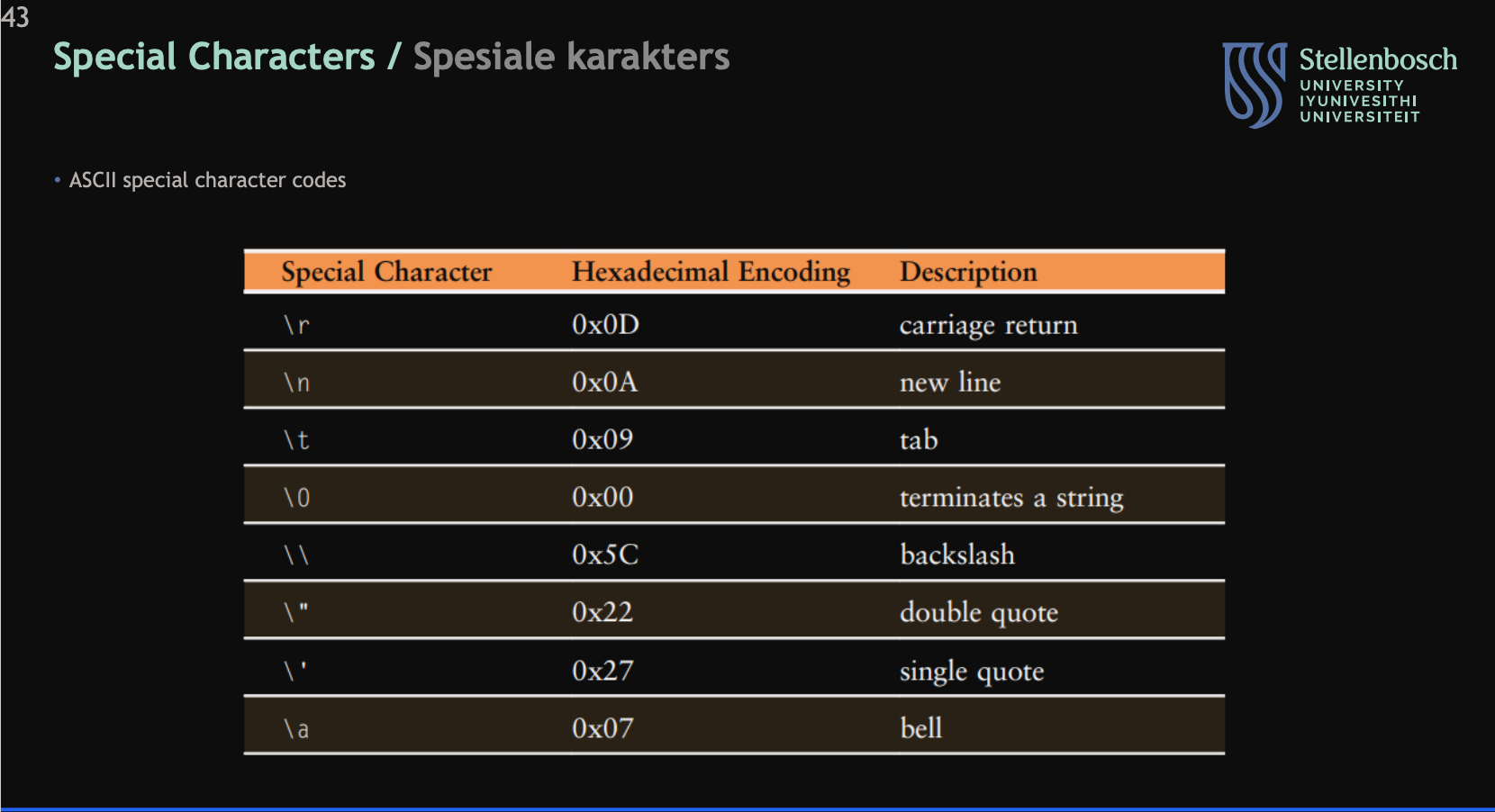
Describe the special characters in C:
the special character
hexadecimal form
what they do
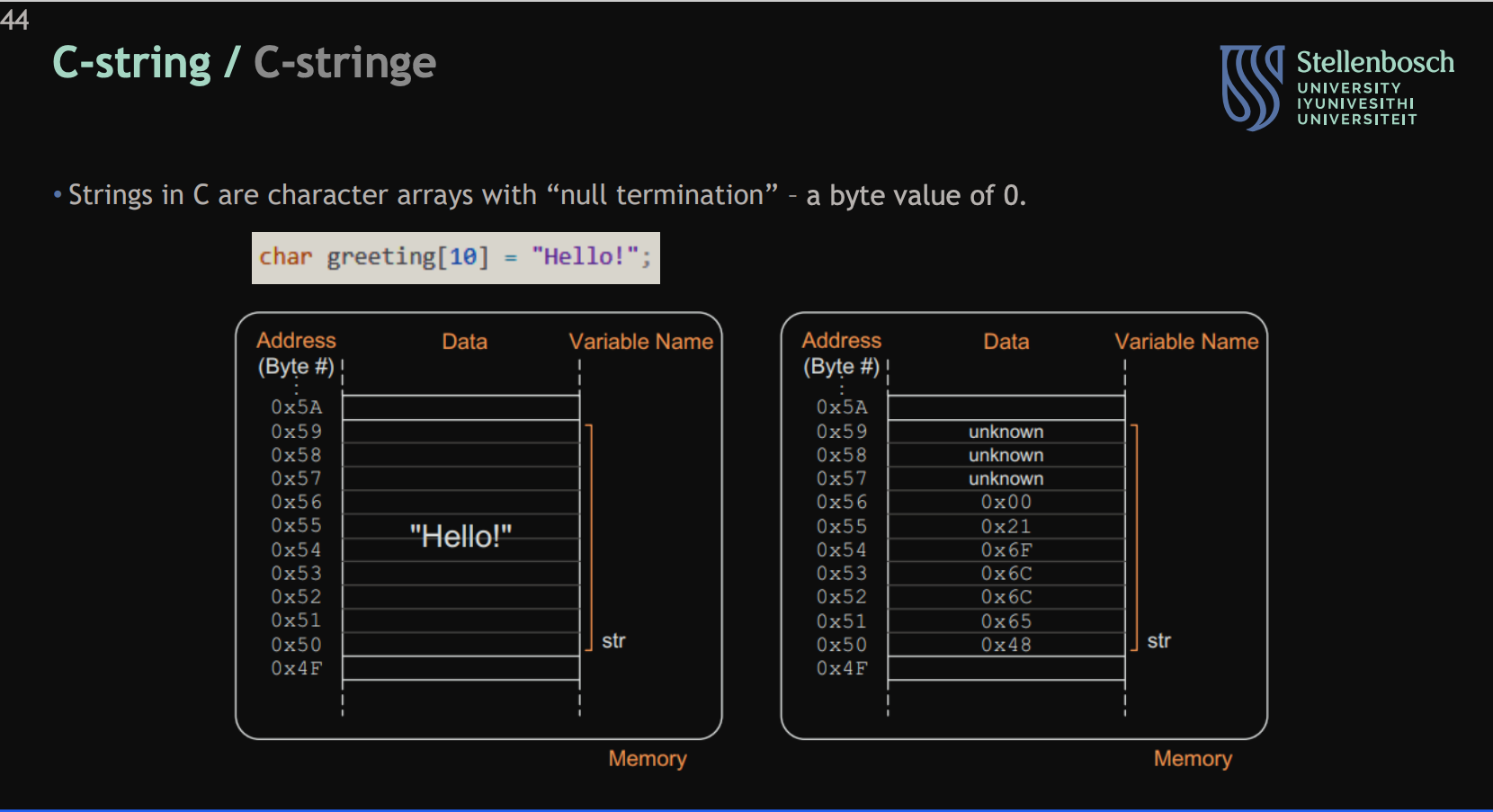
Describe the null terminator in c strings:
What they do
what they are
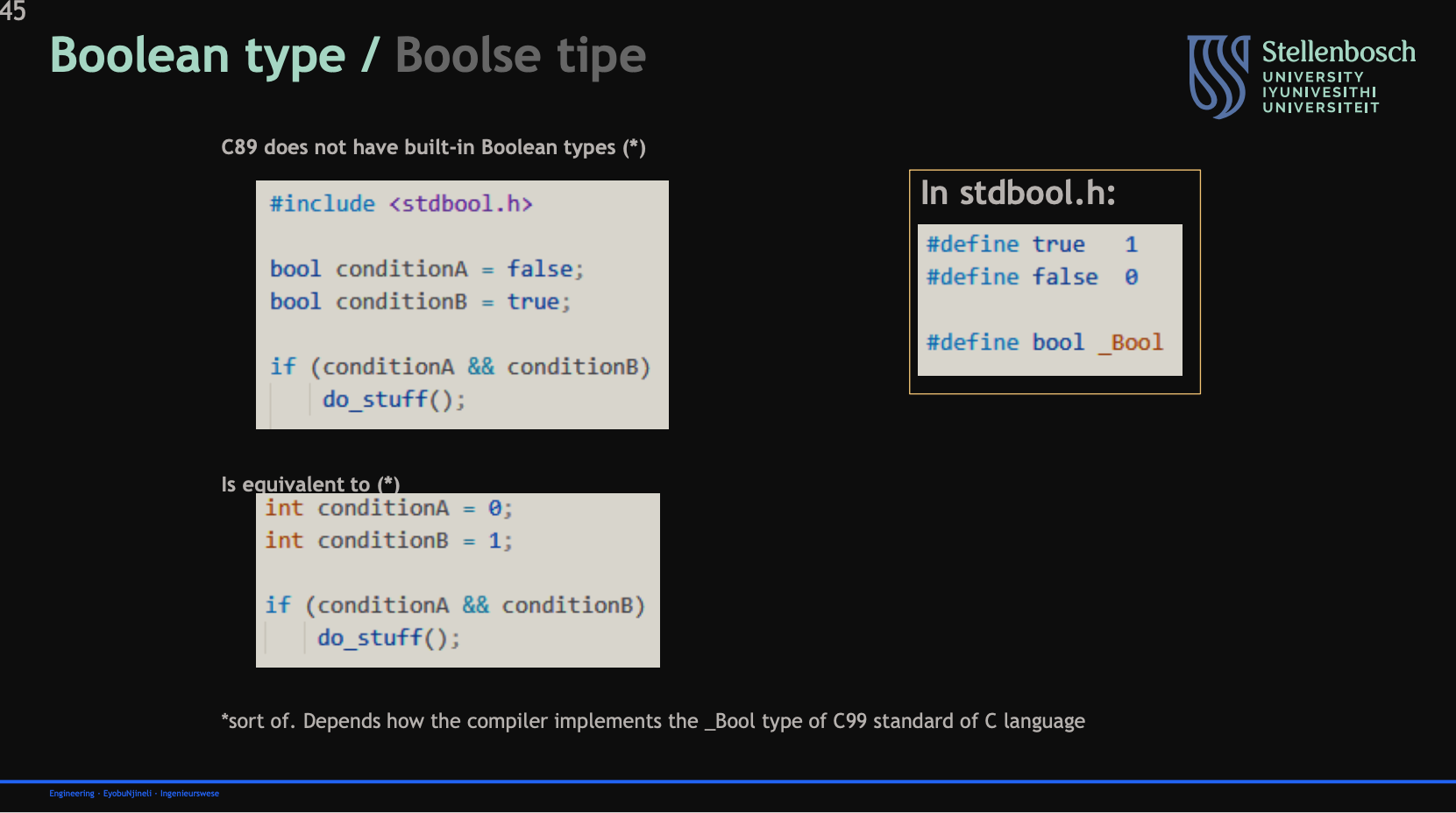
Describe the boolean data type in C:
how it is defined in C89
how to make use of it
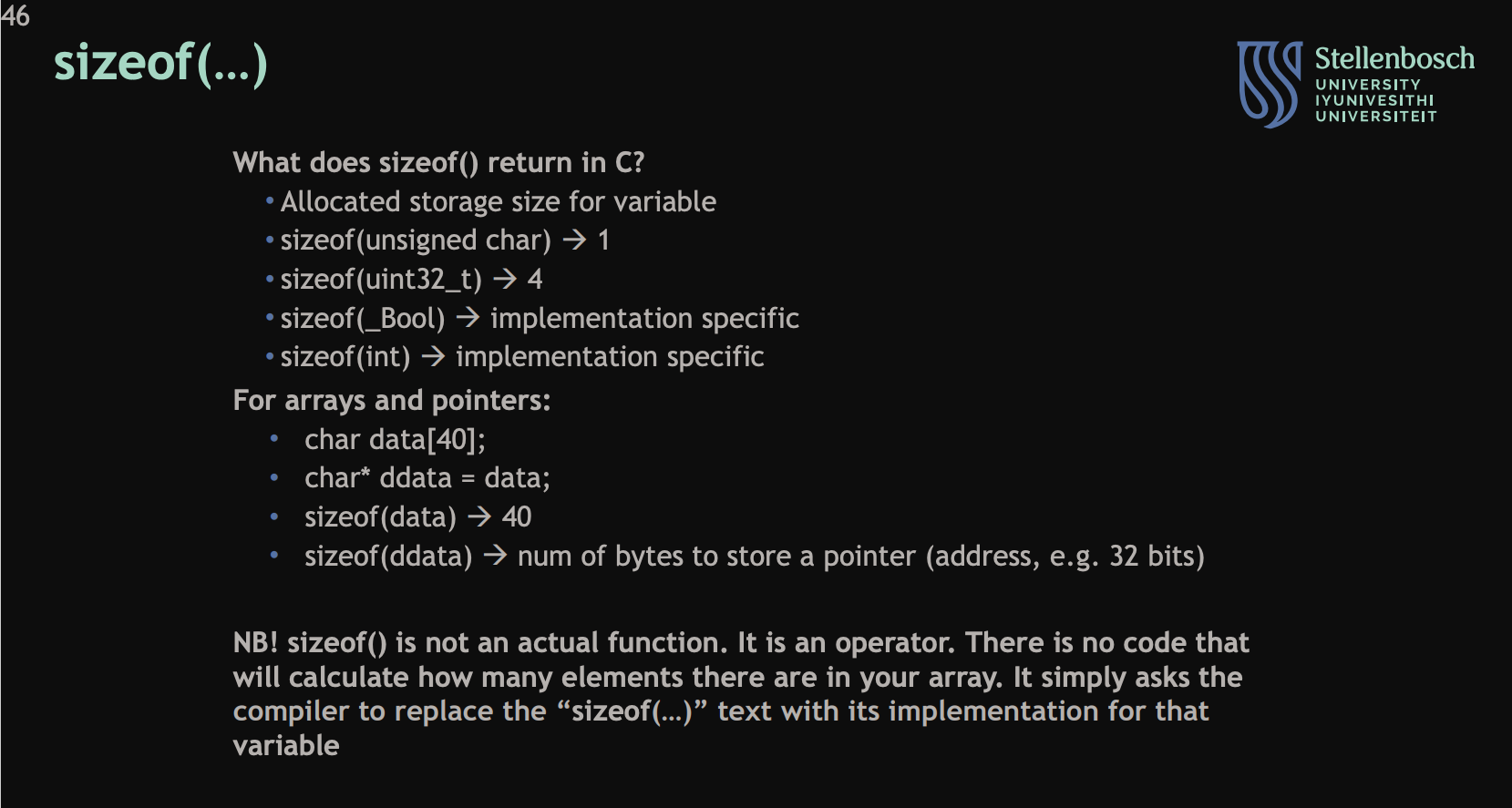
Describe the sizeof() operator:
what it returns depending on data type