My Course Test 1
 Call Kai
 Learn
Learn Practice Test
 Spaced Repetition
 Match
Match Flashcards
 Knowt Play
1/215

There's no tags or description
Looks like no tags are added yet.
Name | Mastery | Learn | Test | Matching | Spaced | Call with Kai | Chat |
|---|
No analytics yet
Send a link to your students to track their progress
216 Terms
Provides the necessary electrical power to make the computer operate
Power supply
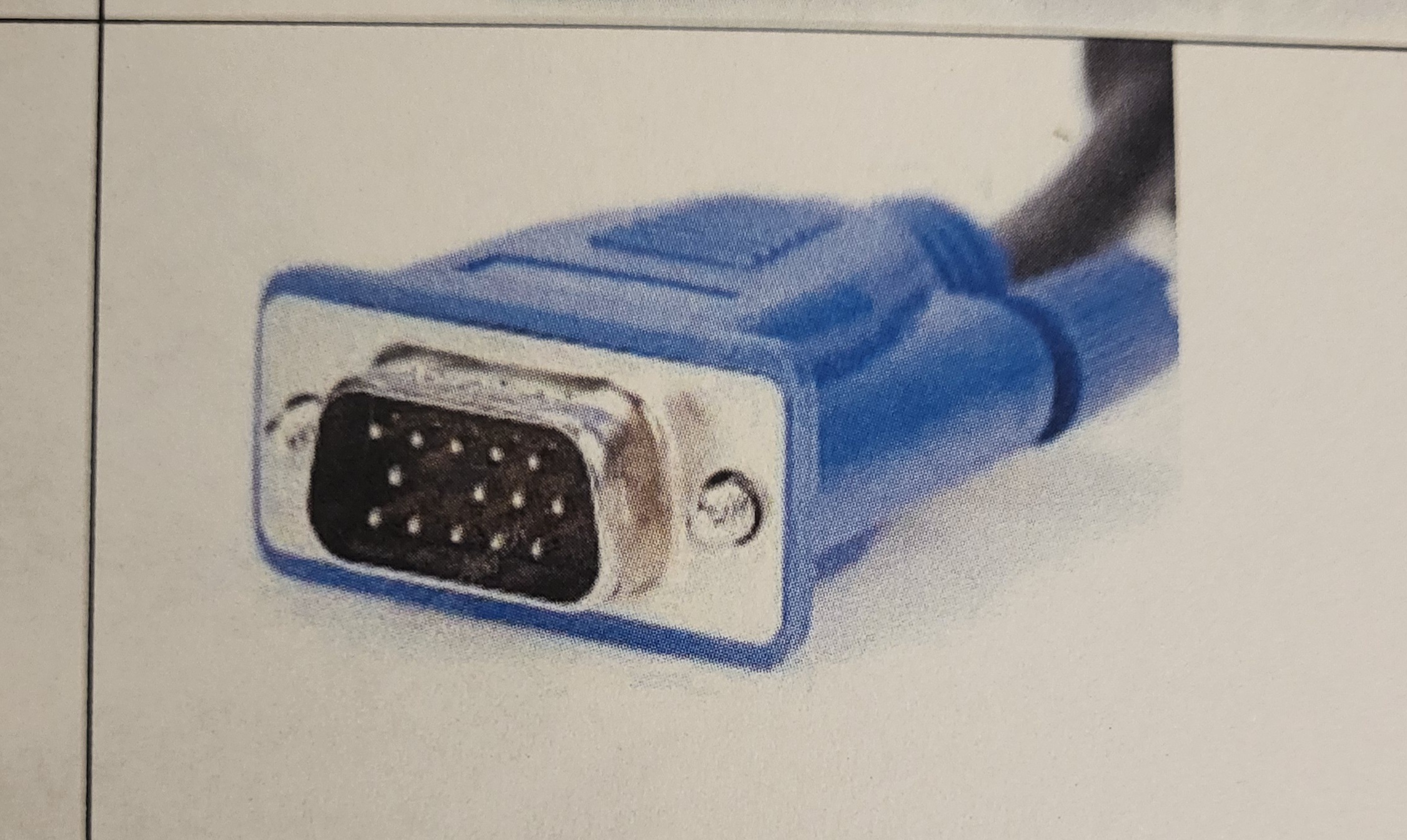
What type of connector is this?
HD15
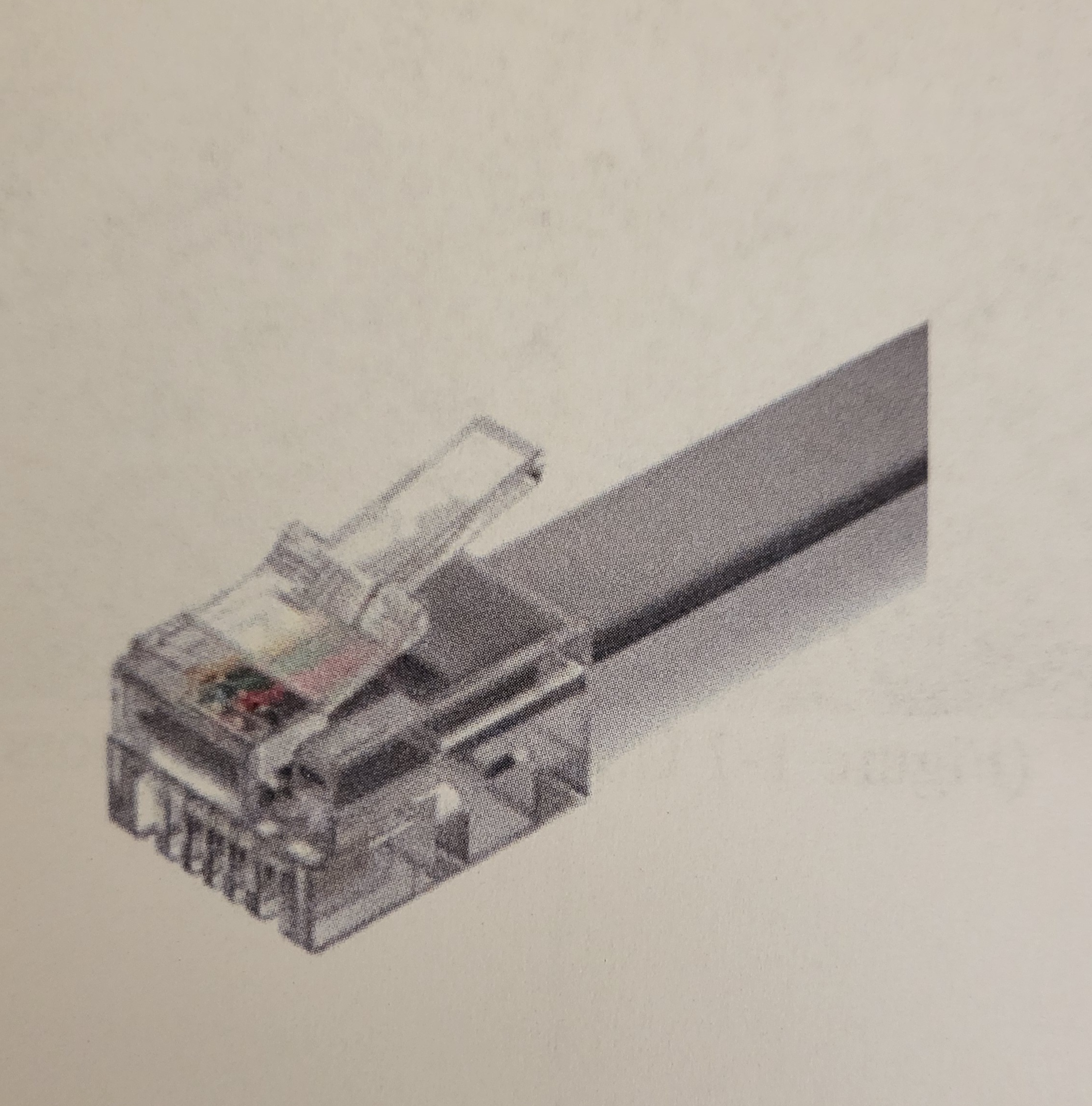
What type of connector is this?
RJ-11
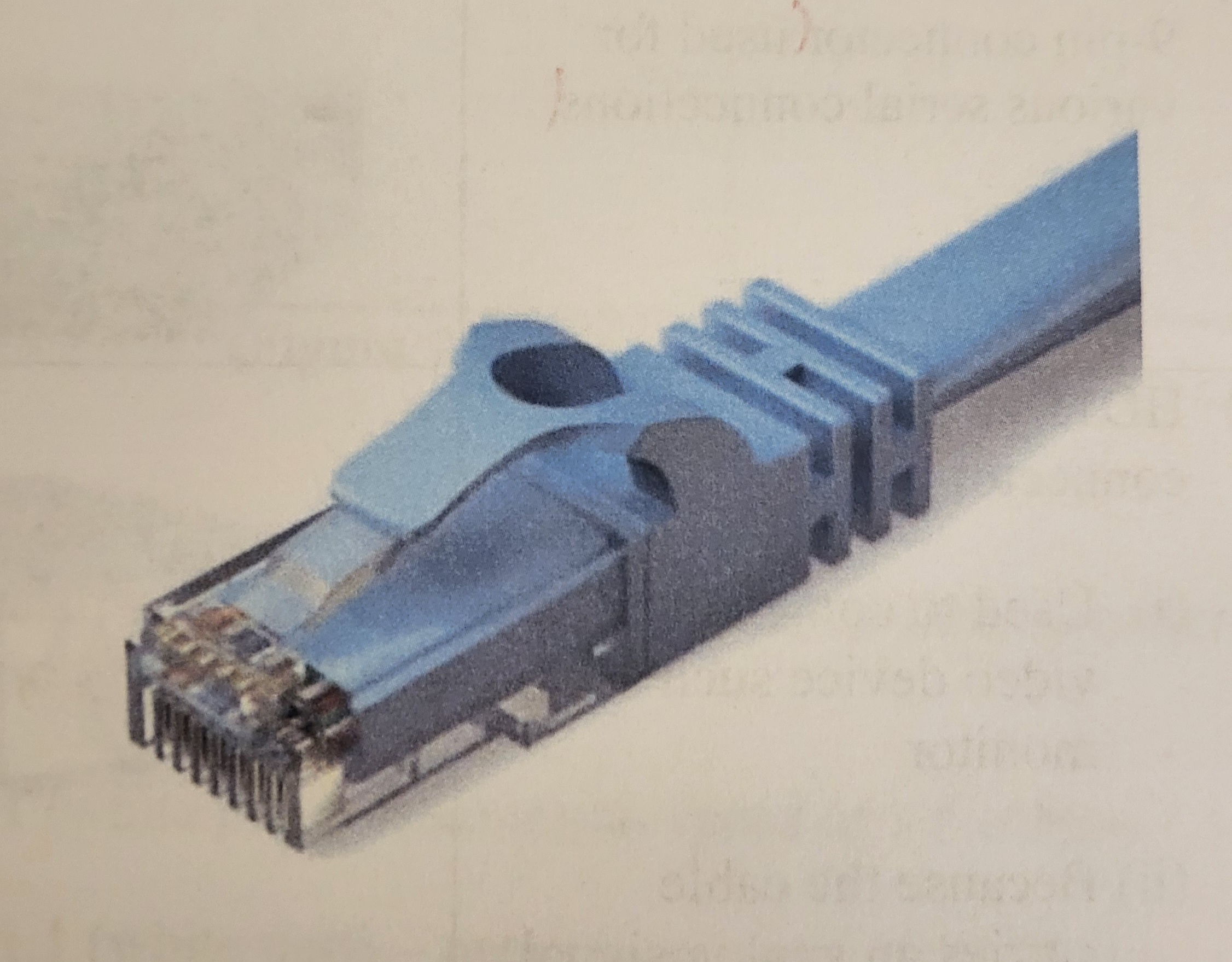
What type of connector is this?
RJ-45
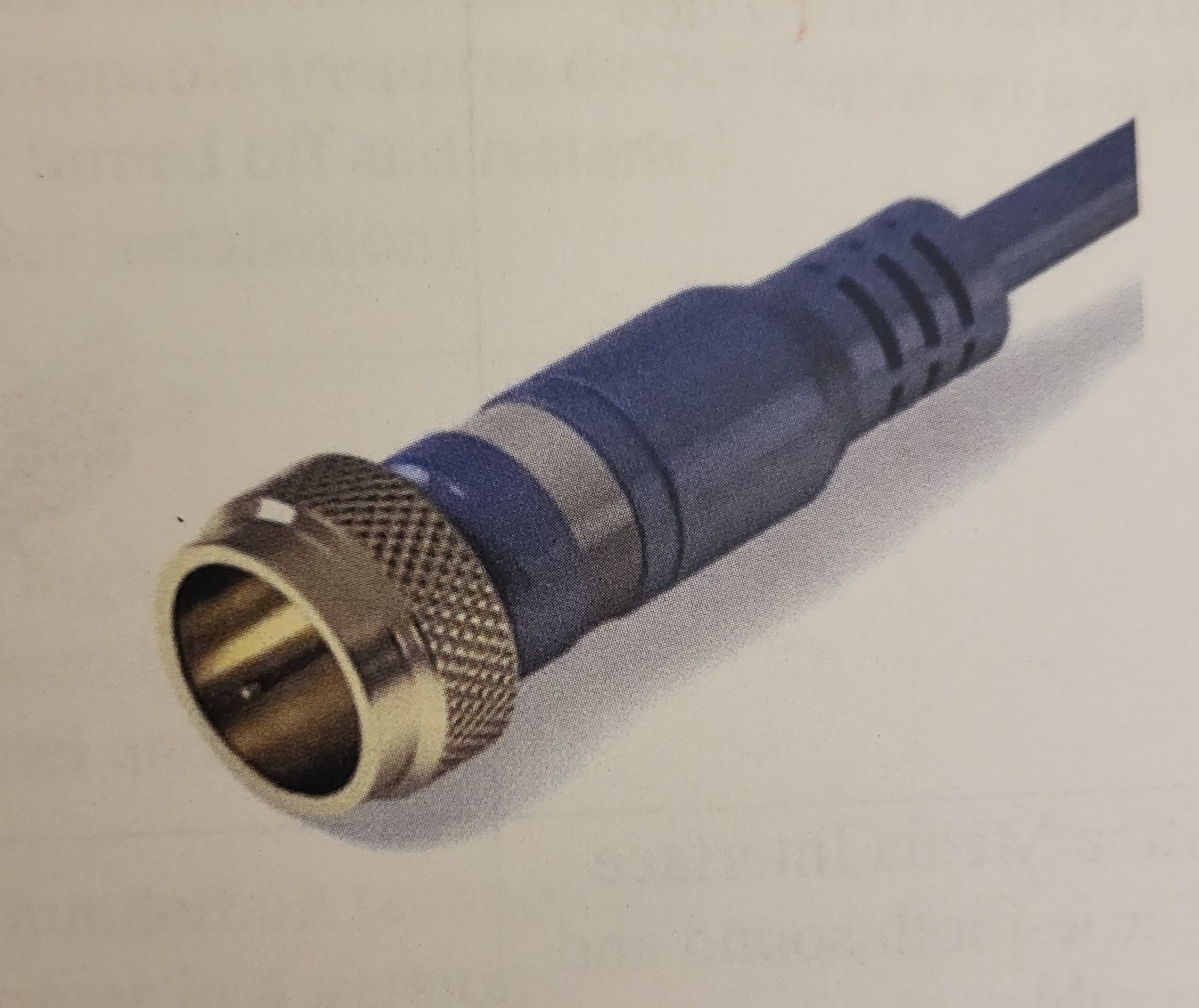
What type of connector is this?
RG-6
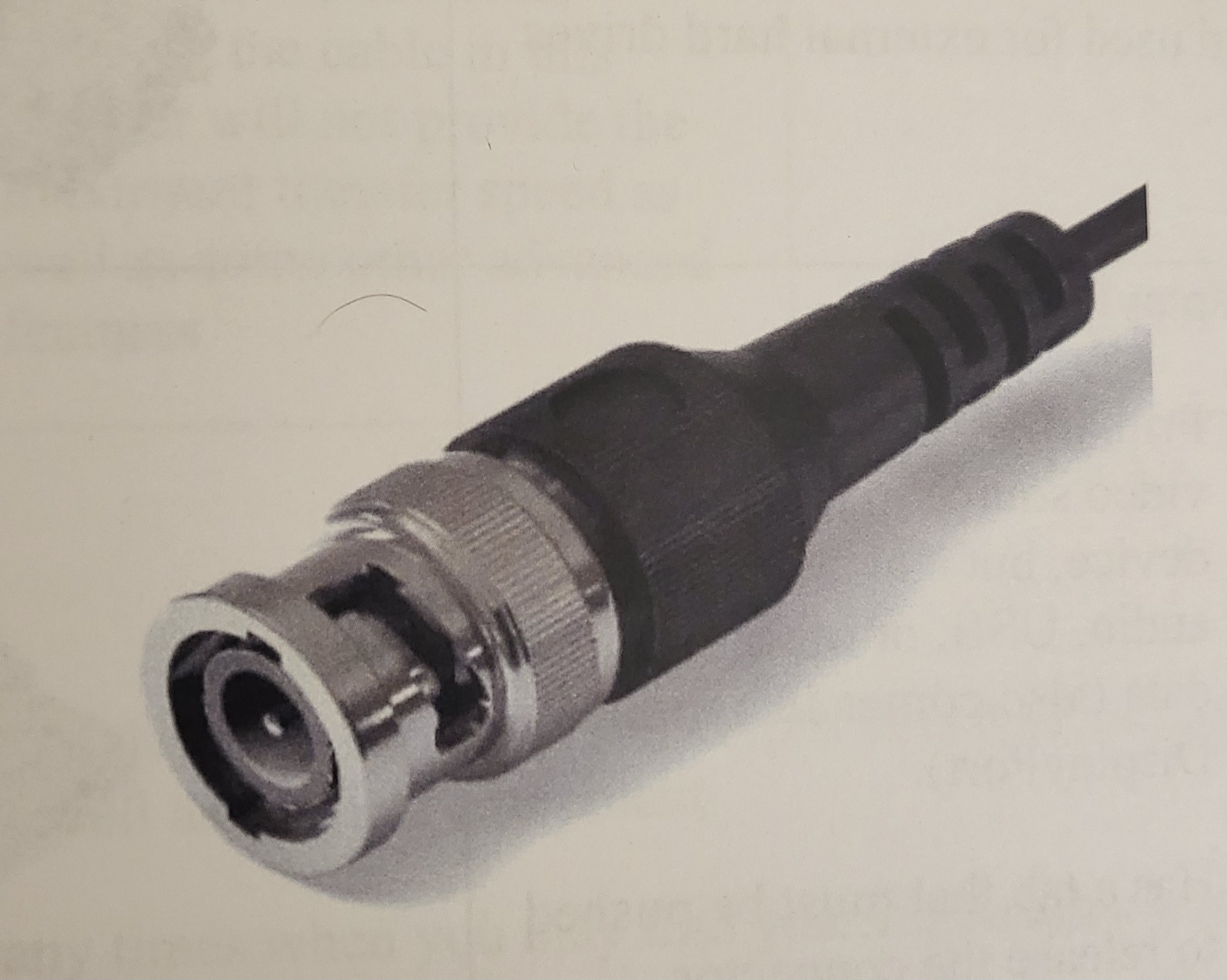
What type of connector is this?
RG-59
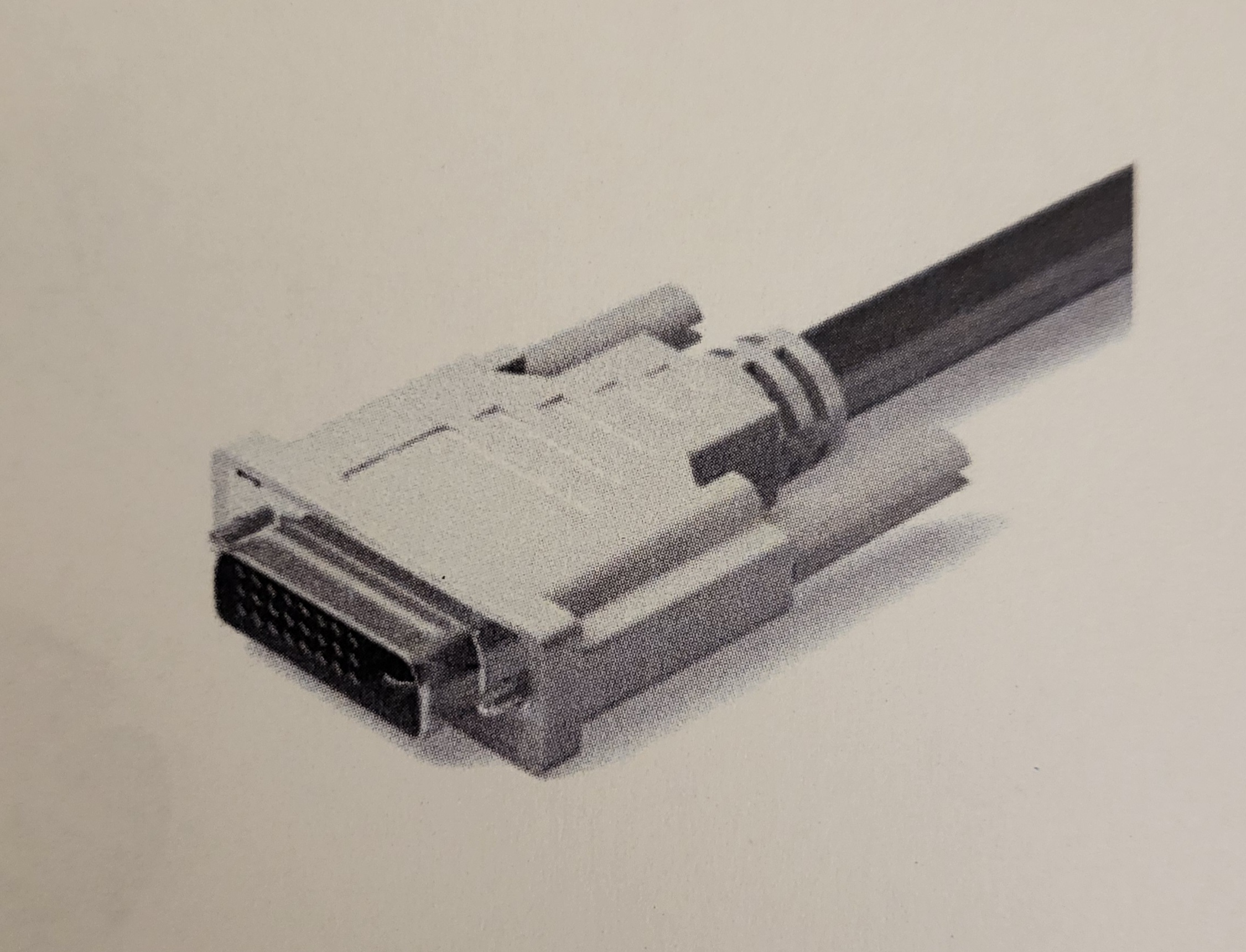
What type of connector is this?
DVI
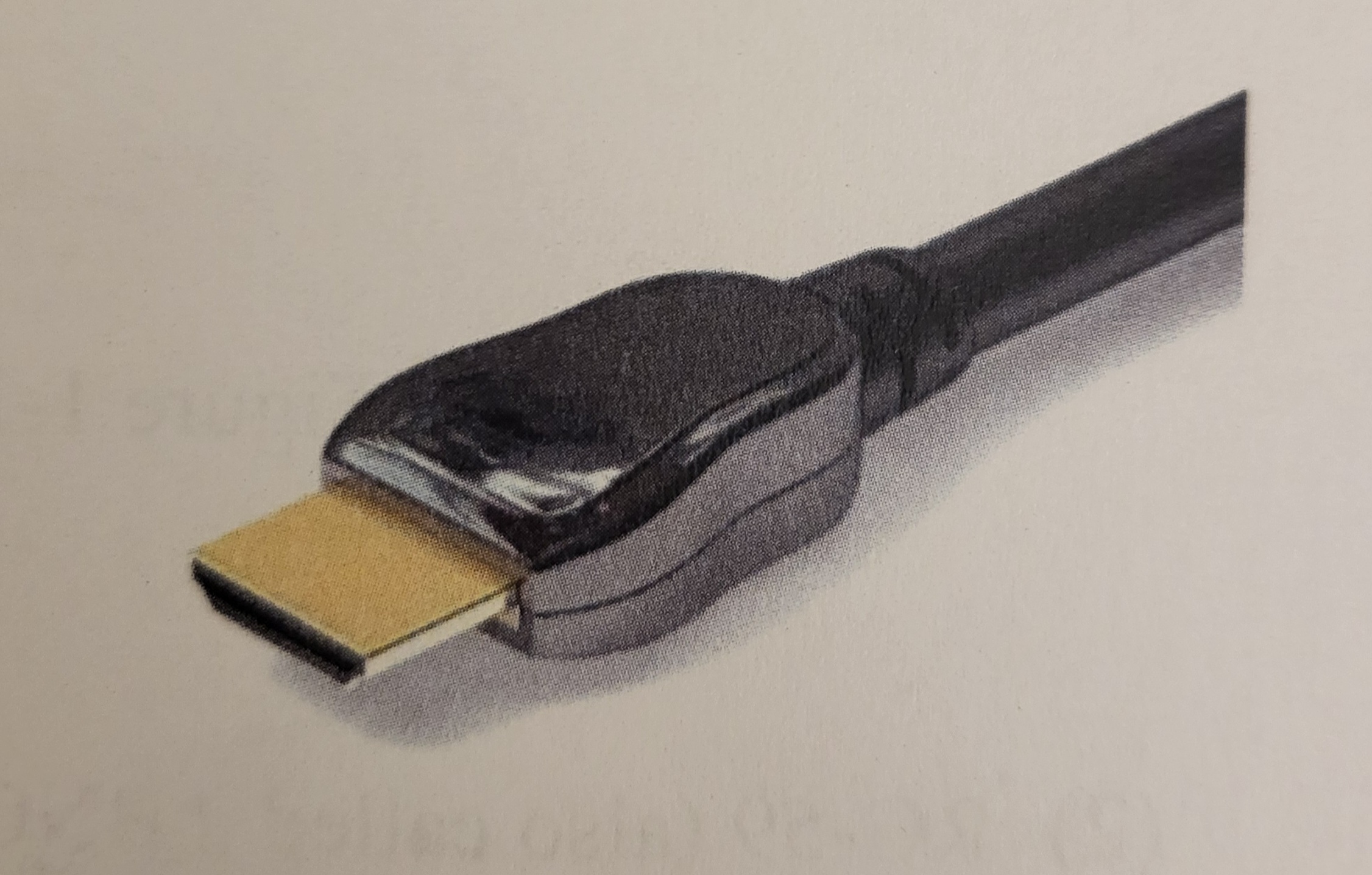
What type of connector is this?
HDMI
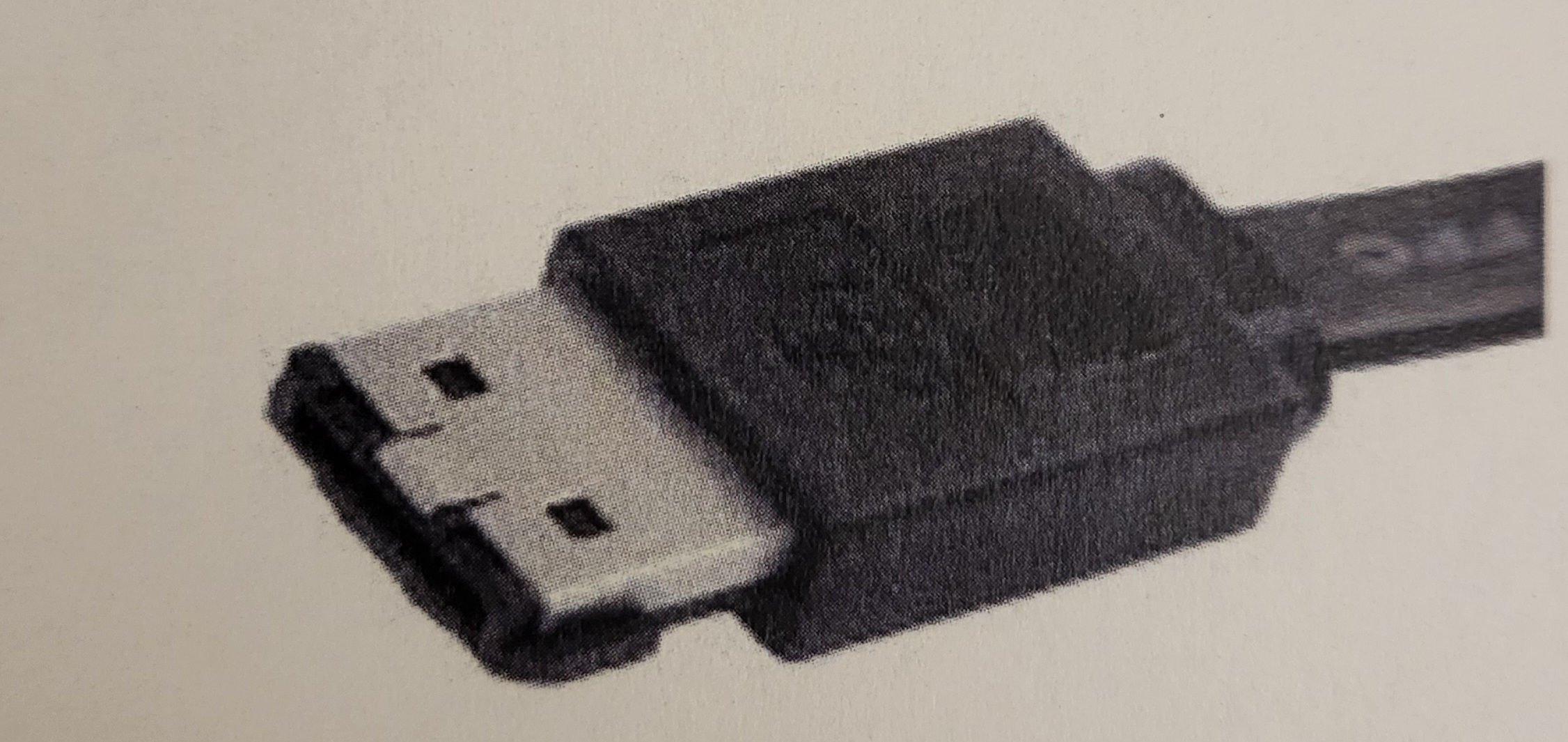
What type of connector is this?
eSATA
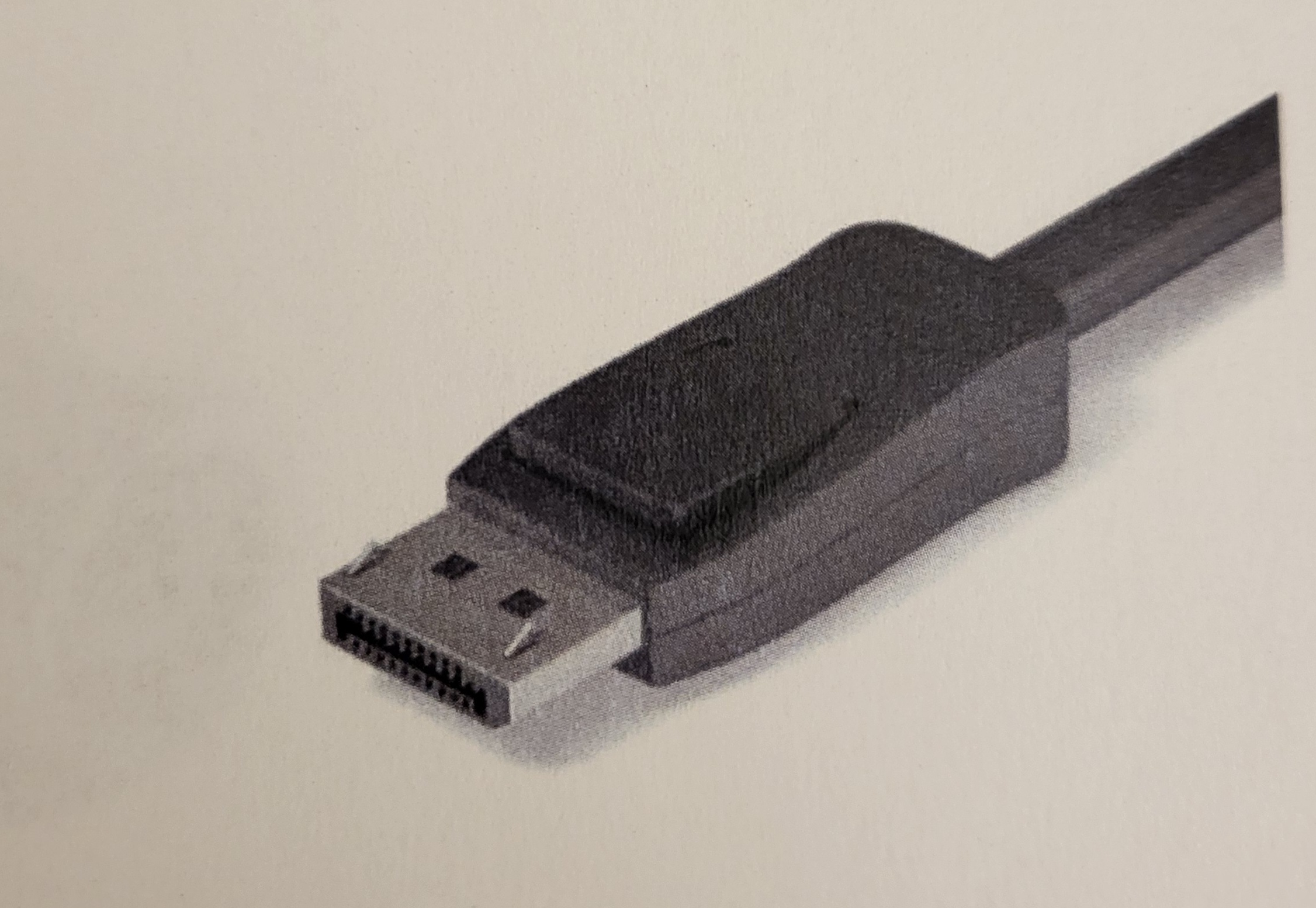
What type of connector is this?
DisplayPort
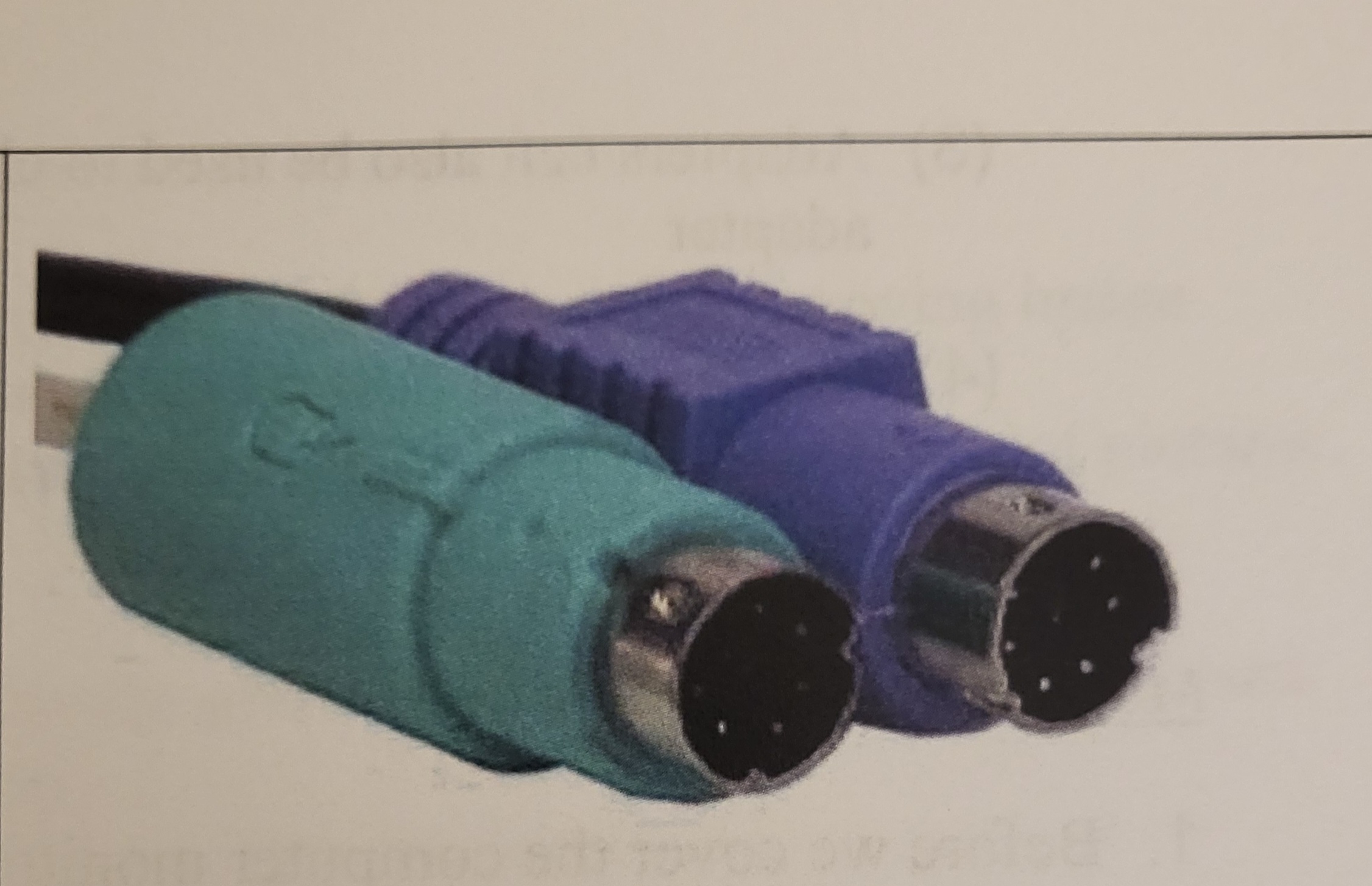
What type of connector is this?
PS/2
ATX voltage standard provides what DC voltage levels
±5, ±12, and +3.3V
What V is used to power onboard electronics?
5V and 3.3V
Used to elimimate the variations in raw power supplied to the wall
Surge protection
Supply AC power during power sags or outages
Uninterruptable Power Supply (UPS)
What are the basic parts of a hard drive?
Platters, read/write heads, actuator arm
What is the original type of hard drive storage?
Hard Disk Drives
The faster the rotational speed
The faster the read/write process of the drive
What happens when the rotational speed goes faster?
More noise and heat
Storage device with moving parts
Hard Disk Drive
Storage device with no moving parts
Solid State Drive
How do SSDs store data?
In memory modules as a series or positive and negative charges
What are the common hard drive interfaces?
Parallel ATA, Serial ATA, PCIe, Serial Attached SCSI
A standard SATA drive requires what?
SATA power connector, SATA data
True or False: SATA connectors can also be used for other non-hard drive components such as optical drives.
True
Mounts directly to the motherboard, no cables
M.2
What is the Next General Form Factor?
M.2
What are some external storage devices?
External hard drive, USB disk drive, memory cards
What are the components of computing?
Hardware, OS, Applications/programs
The physical things you can touch
Hardware
Controls the hardware
OS
Enable the user to do specific tasks on a computing device
Applications/programs
What are the stages of computing?
Input, processing, output
What are the basic hardware components?
System unit, CPU, RAM, Hard drive
All processing and storage takes place here
System unit
Primary component within the system unit
CPU
Holds programs that are currently being used
RAM
Holds programs not currently being used
Hard drive
These are needed for CPU operation to read and/or write data
Data bus, Address bus
Simply carries data
Data bus
Can read and write data
Data bus
Designates a specific physical address
Address bus
Max number of clock cycles the CPU can handle in a given amount of time (Hz)
Clock speed
Provides a signal to the CPU telling it that it is time to read an instruction and perform an operation
Clock chip
Keeps copies of frequently used instructions
Cache
Happens when the CPU operates at a higher speed than the RAM can supply information
Wait state or pipeline stall
Throttle back during periods of low load
Speed Step
Ramp up during periods of high load
Turbo boost
Concept of running more than one OS
Virtualization
Virtualization that runs directly on top of the host hardware and has direct access to the hardware
Hardware-based Virtualization
Virtualization that is installed on top of the host machines OS
Software-based Virtualization
How a device appears to the user or OS
Logical core
An actual device or arrangement
Physical core
Allows logical core to appear as physical core to the OS
Hyper-threading
Video processing portion of the computer
GPU
CPU Architectures
Complex Instruction Set Computer and Reduced Instruction Set Computer
Extremely powerful and require less code for programs to run
Complex Instruction Set Computer
Leaner and faster but requires more code
Reduced Instruction Set Computer (RISC)
Feature of CPU sockets designed ro make installation of a CPU easier
Zero Insertion Force (ZIF)
CPU problems fall into these
Overheating and catastrophic failure
Package types
Dual In-line Memory Module (DIMM) and Small Outline Dual In-line Memory Module (SODIMM)
Types of RAM
Static and Dynamic
Made of MOSFETS and flip flops, does not need to be refreshed, used for cache, more expensive
Static RAM
Made of MOSFETs and capacitors, must be refreshed, used for main system memory, less expensive
Dynamic RAM
Measured in clock cycles (CL1, CL2)
Latency
The lower the CL value
The better the performance
On boards with 4 or more slots
paired slots (color coded usually)
If memory error is suspected
Reseating the RAM or swap with another module
The physical size of the motherboard and general location of components and ports
Form factor
Commonly found in laptops and mobile devices
Proprietary form factors
Defines the type of processor and RAM the motherboard requires
Chipset
Allows for the addition of new hardware to a computer system
Expansion bus
Latest, fastest, and most popular expansion bus
PCI Express
Tell the OS how to interact with an expansion card
Device drivers
Device drivers are also known as
Firmware
The most difficult problems to solve
Ethereal
Prevent motherboard failures
Cleaning
A common, general purpose connection for use within the installation of peripherals
Universal serial bus
What color USB port is the fastest?
Red
What does a yellow USB port indicate?
That the port is always on
Used for various serial connections
Serial connector (COM)
Used to connect a video device such as a monitor, degraded signal quality over long distances
VGA (HD15)
Carries video
Digital Visual Interface (DVI)
Carries both sound and video
High-definition media interface
What is the most common type of computer display crystal?
Liquid display crystal
How do LCDs work?
On the principle of the polarity of light
What provides the instructions needed for a device to perform a set of basic tasks?
Basic Input Output Services
Tests the CPU, RAM, and GPU
Before video test
What are beeps in the before video test
Errors
The first method to troubleshoot and Windows boot problem
Safe mode
If a problem is not in Safe Mode, what can be assumed?
Default settings and basic drivers are not the issue
This is a peer network, no computer has control over any other computer.
Workgroups
What do domains require?
A server to control access to the network and its resources
How many computers can be in a domain?
Thousands
When is the file system on a hard drive established?
During formatting
An effective way to see if the correct driver is installed, if Windows detected the correct piece of hardware, or if there is a resource sharing conflict.
Device manager
What does Windows defender do?
Filters network data transmission, block harmful communications, turn TCP/IP ports on or off, and provides the computer with protection from attacks by filtering traffic
The study of communication process among various computing devices pr computer systems which are linked together in order to exchange information to share resources.
Networking
Smallest and most basic type of network, managed by one person or a single device
Personal Area Network (PAN)
The most common and original network, connects groups of computers across short distances
Local Area Network (LAN)