Unit 4 - Fundamentals of Computer Systems | Quizlet
 Call Kai
 Learn
Learn Practice Test
 Spaced Repetition
 Match
Match Flashcards
 Knowt Play
1/56

There's no tags or description
Looks like no tags are added yet.
Name | Mastery | Learn | Test | Matching | Spaced | Call with Kai |
|---|
No analytics yet
Send a link to your students to track their progress
57 Terms
What is Hardware?
Physical components of a computer system
What is Software?
All the programs that help the computer system to function.
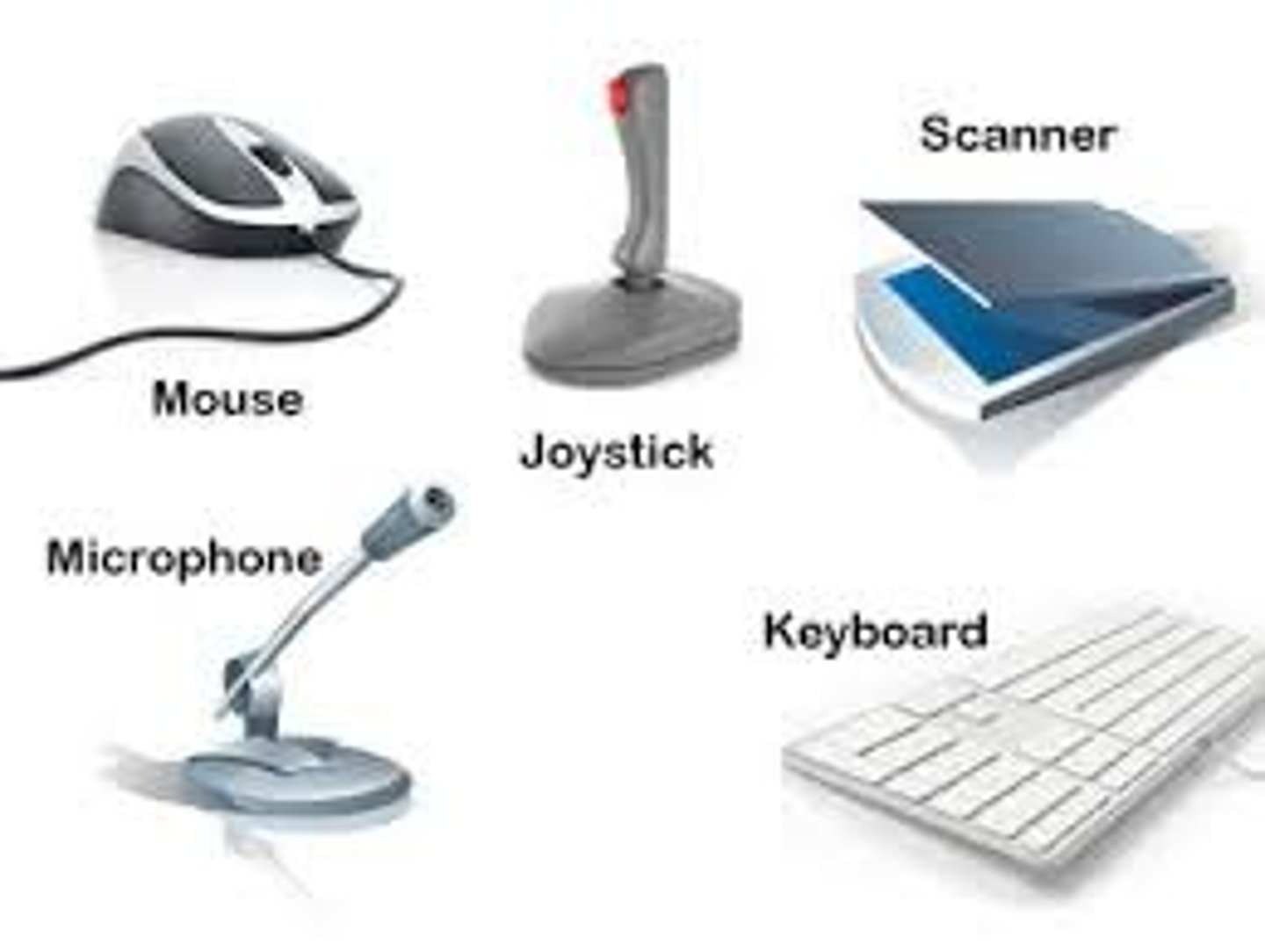
Give some examples of Hardware
Mouse, Keyboard, Monitor, Printer, RAM, Hard Drive, CPU, Motherboard
Give some examples of Software
Microsoft office, Google Chrome, Tiktok, Facebook, Android OS, Virus Checker
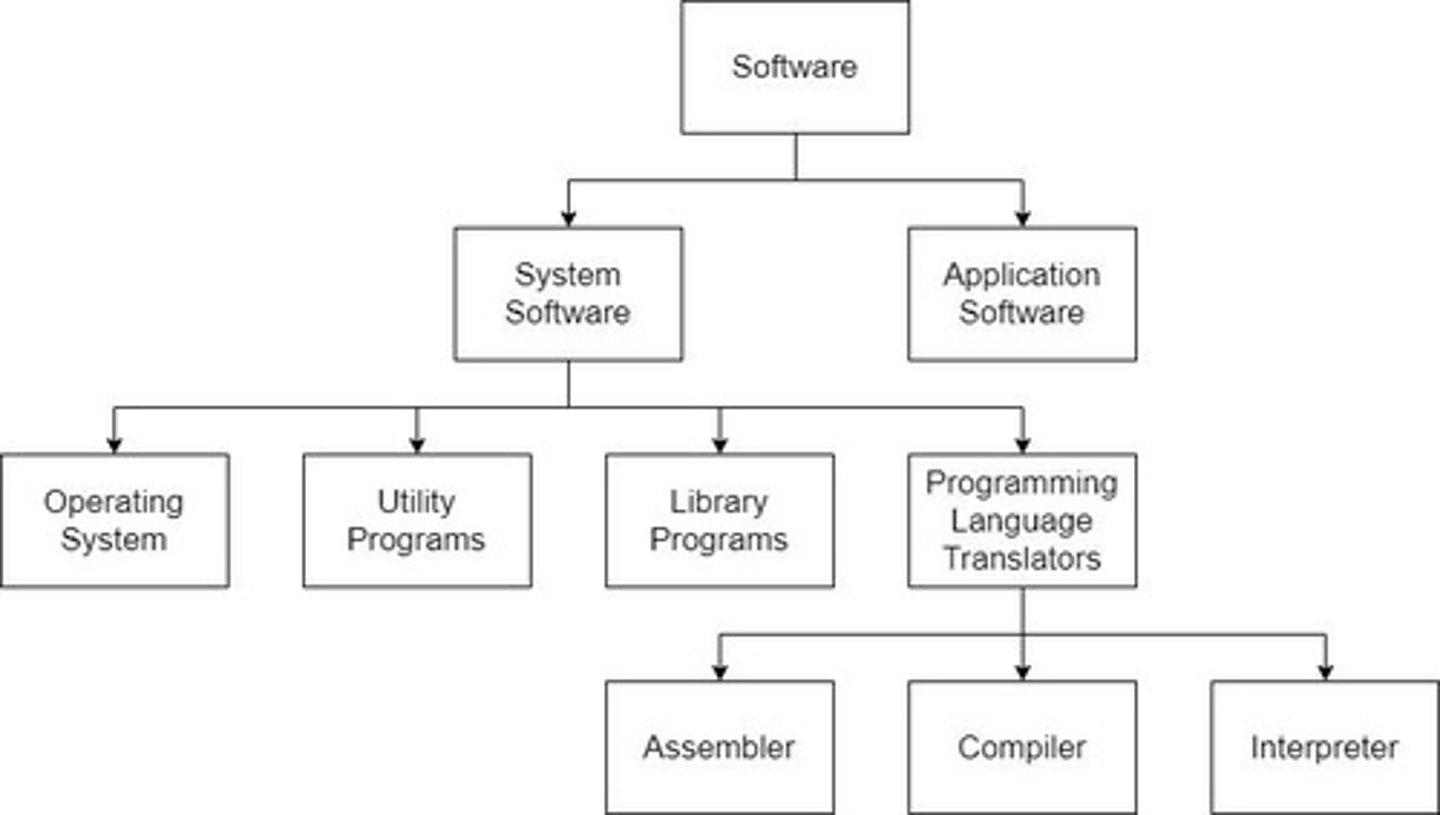
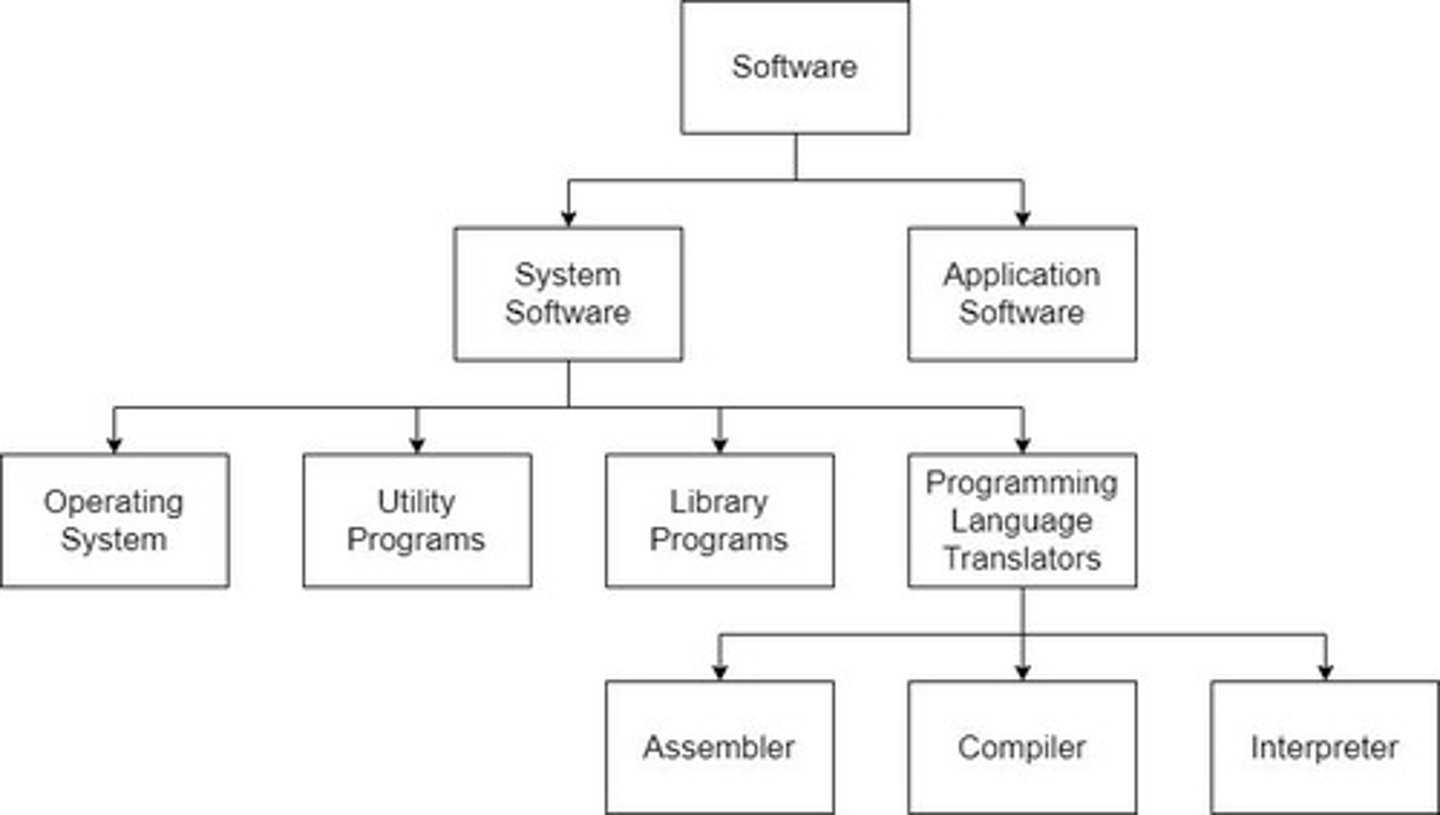
What is System Software?
It is required to run and manage computer's hardware and software.
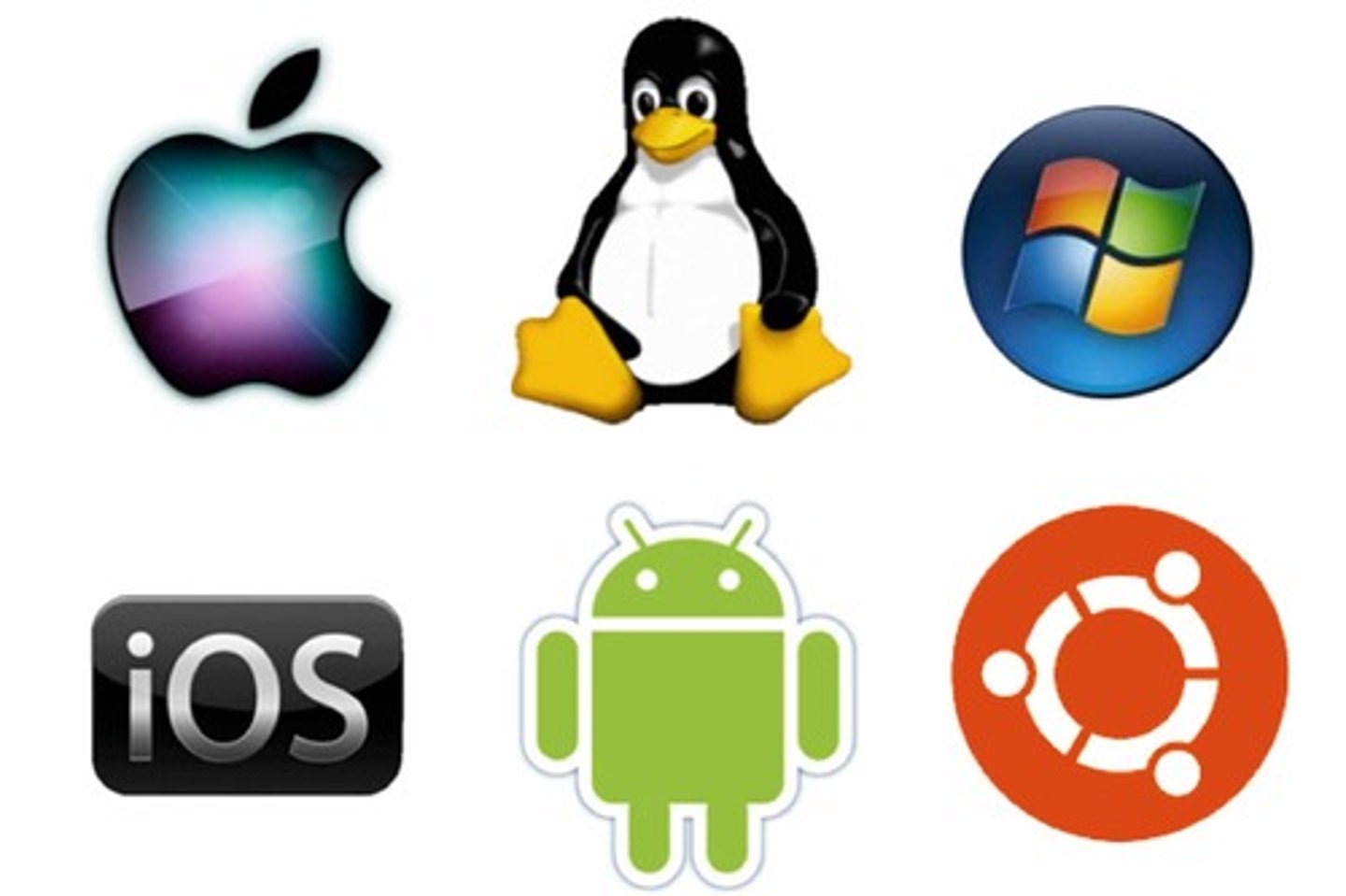
What is an Operating System?
It's software that allows the computer's hardware and software to communicate, acting as a middle man.
What is Utility Software?
Designed to configure and maintain a computer system.
Give examples of Utility Software?
1. Defragment a disk
2. Install/uninstall software
3. Keep software up to date
4. Virus checkers
What is a Library? Give an example
Collection of premade routines that can be used by other programs
Example: Python uses Random and Turtle
What are Translators?
Software tools that are used to convert machine code to source code and vice versa
What is a Complier?
Translates all source code into machine code before it is executed
What is an Interpreter?
Translates one line at a time from the source code into machine code.
What is an Assembler?
Translates assembly language into machine language.

What is Application Software? Give examples
Allows you to complete different tasks.
1. Word processors
2. Image editors
3. Internet Browsers
What is General Purpose? Give examples
General purpose packages that can be used for a range of tasks
1. Word processors - for letters, posters, textbooks
2. Graphics packages - Image retouching, video editing, drawing diagrams
What is Special Purpose? Give examples
Performs a task for a specific job
1. Media Players
2. Calendar Programs
3. Online Payment Systems
What is Off-the-shelf software?
Software that is ready-made and available for anyone to buy.
What are some advantages for Off-the-shelf software?
1. Costs are lower as development costs are shared between buyers
2. Well-tested
3. Available for anyone to use
What are some disadvantages for Off-the-shelf software?
1. Little to no control on what features there are
2. May not do exactly what you want
What is Bespoke software?
Software that is specifically designed for a specific organisation or user's purpose
What are some advantages for Bespoke software?
1. Complete control over the process
2. Gives you all the functionality you need as you choose the tools you want
What are some disadvantages for Bespoke software?
1. Takes a long time to develop. Can be months or years
2. Very expensive
GIve some examples of Operating Systems?
Windows, MacOS, Linux, Unix
What is processor scheduling?
The OS decides which instruction goes next in the CPU to get processed
What is memory management?
Shares RAM between different programs that are currently running.
What is resource management?
Managing all hardware like the CPU, Memory, Monitor and other peripheral devices.
What is back up management?
Automatically backs up data by making copies
What is peripheral management
Allows hardware to communicate with the computer like a keyboard/printer. It translates between the computer and the peripheral devices.
What is a disk defragmenter?
Reorganises files into alphabetical order and opens up free spaces in memory.
What is a virus checker?
Checks internet downloads for viruses and removes them.
Loader
A small program held in the ROM that sends instructions to load the OS.
OS Loading Process
When the computer is switched on, the ROM sends instructions to load the OS by copying it from storage into RAM.
Memory Management
The OS shares RAM between the different programs that are currently running.
Virtual Memory
When RAM is full, the OS uses virtual memory by swapping currently unused data into it.
Operating System (OS)
Allows the user and the hardware to communicate with each other.
Loader
A small program held in the ROM.
API (Application Programming Interface)
Allows users to click a mouse without knowing how the actions are carried out.
Memory Management
The OS shares RAM between different programs and uses virtual memory when RAM is full.
Virtual Memory
Used by the OS to store unused data when RAM is full.
Process Scheduling
Allows multiple programs to run simultaneously.
Multitasking
Having more than one program open and running at the same time.
Scheduler
The OS component that ensures CPU time is used efficiently.
Backing Store Management
Keeps track of file storage locations and free space for save operations.
Peripheral Management
Handles peripheral devices using device drivers.
Interrupt Handling
Manages signals from peripherals or software that require the OS to stop current processing.
Interrupt
A signal that causes the OS to stop processing its current list of instructions.
Resource Management
The OS decides which instructions to prioritize for CPU processing.
Assembly Language
Low-level programming language that uses mnemonic codes to represent machine instructions
High-level language
A programming language that is designed to be easy for humans to read and write.
Low-level language
Written closer to machine code rather than human language
Advantages of high level programming language
1. Faster to write and debug
2. Easy to learn and use
3. High level languages programs are portable
Disadvantage of high level programming language
Program runs slower because it requires translation to machine code, which can be slower.
Imperative high-level language
Consists of commands for the computer to perform
Declarative language
Focuses on what the program should do without listing the steps needed.
Intermediate code
In between high level and low level languages.
Examples: C, Java, Bytecode
Procedural Programming
Program built from one or more subroutines
Bytecode
Intermediate language between machine code and high level