The order-to-cash process (O2C)
 Studied by 0 people
 Call Kai
 Learn
Learn Practice Test
 Spaced Repetition
 Match
Match Flashcards
 Knowt Play
1/11

There's no tags or description
Looks like no tags are added yet.
Name | Mastery | Learn | Test | Matching | Spaced |
|---|
No study sessions yet.
12 Terms
Step 1: Handling Customer Inquiry (Sales Rep)
Receives inquiries via phone, email, or web; identifies the customer and logs the inquiry for tracking

Step 2: Creating Sales Quotes (Sales Rep)
Prepares sales quotes with fixed terms/discounts; performs ATP (Available-to-Promise) check to ensure availability .

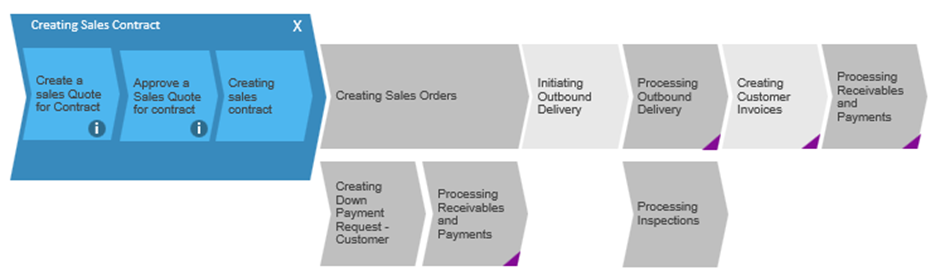
Step 3: Creating Sales Contract (Sales Rep)
(Optional) Creates a sales contract with fixed terms based on an approved quote .
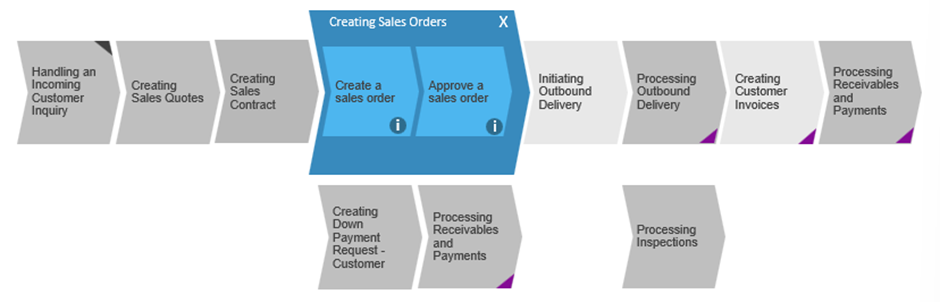
Step 4: Creating Sales Orders (Sales Rep)
Quote is converted to an order; system performs final credit limit check and releases to logistics .
Step 5: Creating Down Payment Request (Sales Rep)
(Optional) For high-value orders, a request is issued and recorded before final invoicing.

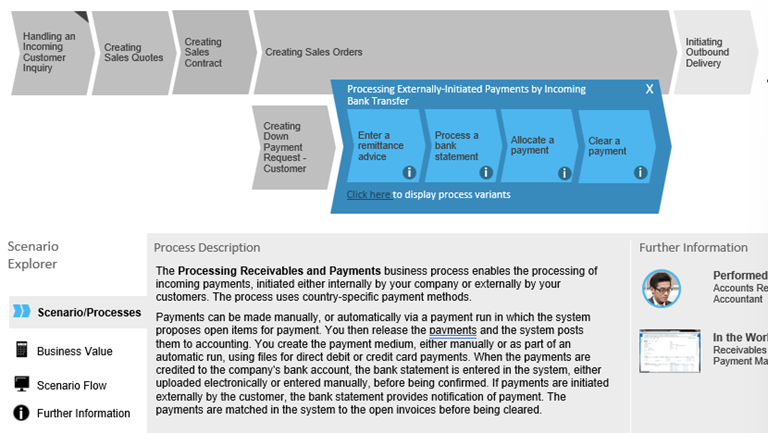
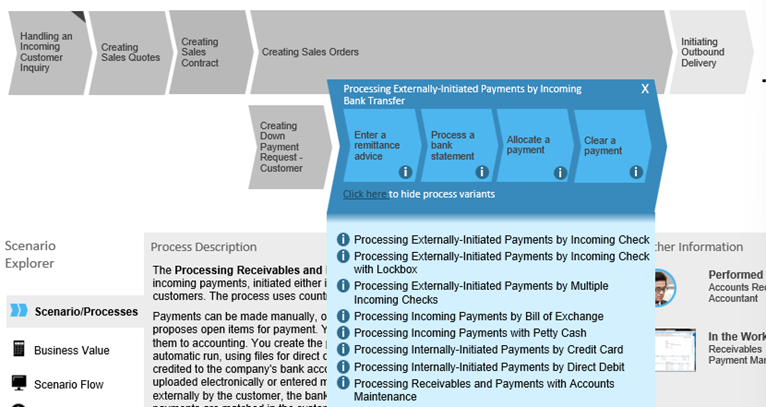
Step 6: Processing Payments (A/R Accountant)
Manages incoming payments (transfer, direct debit, card); matches bank statements to open invoices
Step 7: Initiating Outbound Delivery (Warehouse Mgr)
Checks availability and allocates stock; releases the order to logistics .
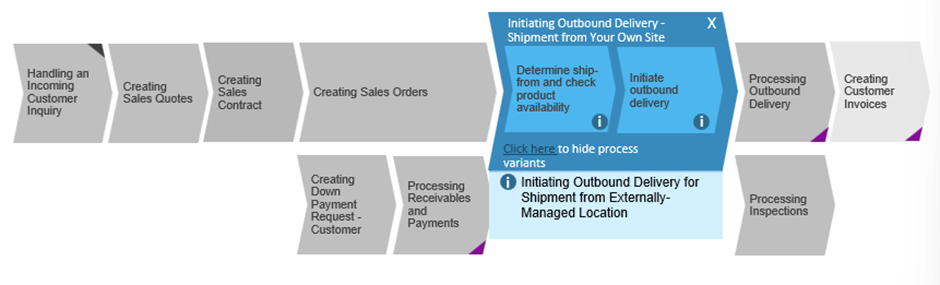
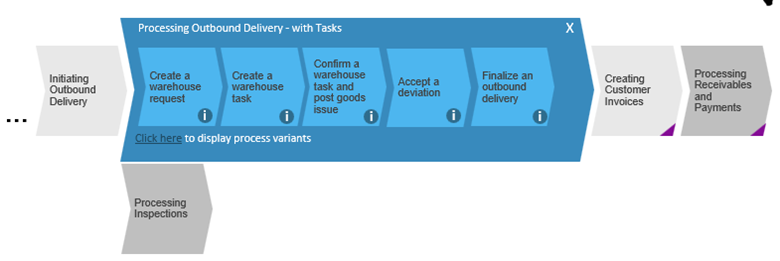
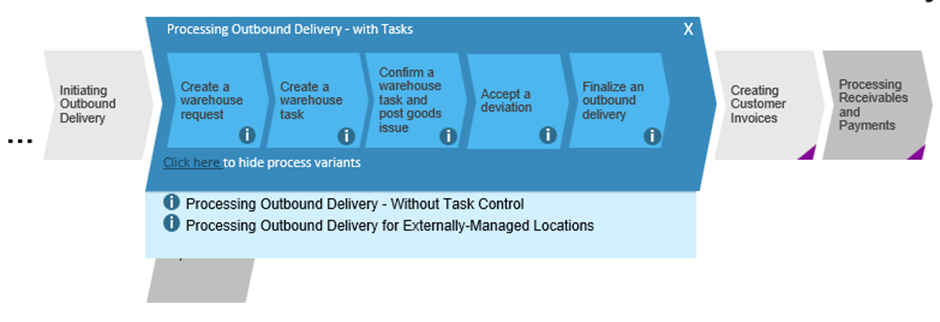
Step 8: Processing Outbound Delivery (Warehouse Operator)
Picks, packs, and ships goods; posts a "Goods Issue" which reduces inventory and records COGS .
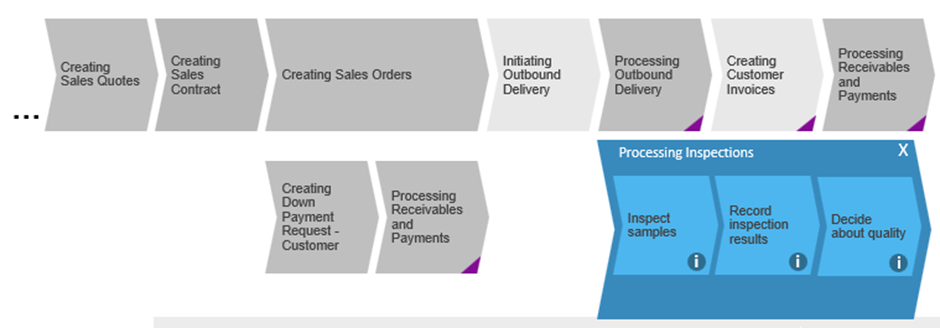
Step 9: Processing Inspections (Quality Engineer/Inspector)
Final quality checks performed before goods leave the warehouse to meet specifications .
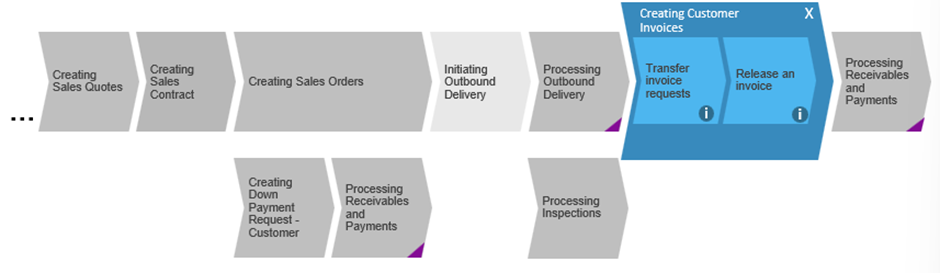
Step 10: Creating Customer Invoices (A/R Accountant)
Delivery triggers automatic invoice requests; invoices can be combined for multiple deliveries
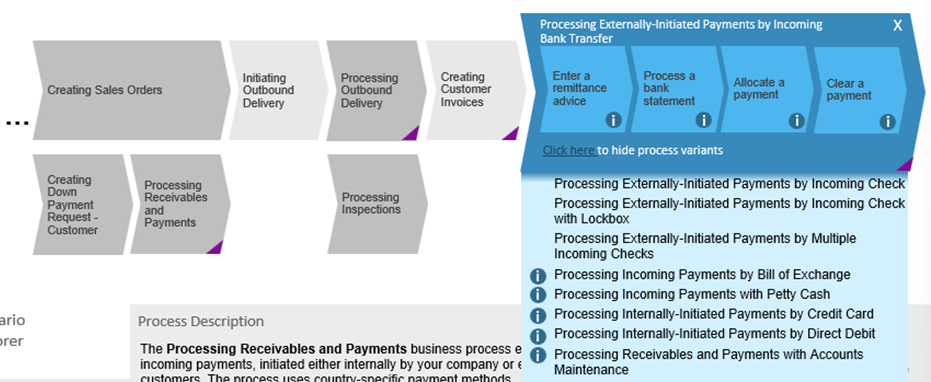
Step 11: Processing Receivables and Payments (Account receivables and payments)
· SAP manages all incoming payments (manual or automated).
· Payments can be by bank transfer, direct debit, credit card, etc.
· Bank statements are uploaded and matched to open invoices.
· Once cleared, revenue and cash balances are updated in accounting.
Business Value of O2C
Automates pricing/delivery, provides margin visibility, and increases customer satisfaction through reliable ATP.