3.5 Cooling/3.6 Power

0.0(0)
Studied by 0 people
call kaiCall Kai
learnLearn
examPractice Test
spaced repetitionSpaced Repetition
heart puzzleMatch
flashcardsFlashcards
GameKnowt Play
Card Sorting

1/19

encourage image

There's no tags or description

Looks like no tags are added yet.

Last updated 3:42 AM on 4/8/26
Name
Mastery
Learn
Test
Matching
Spaced
Call with Kai

No analytics yet

Send a link to your students to track their progress

20 Terms

1
New cards

How does airflow cool a computer?

  • Fans pull cool air in, push hot air out

  • Air flows over components → absorbs heat

  • Good case layout improves airflow

2
New cards

Why is proper airflow important?

  • Prevents overheating

  • Improves performance & lifespan

  • Poor airflow = trapped heat

3
New cards

What should you know about fan specifications?

  • Standard sizes (80mm, 120mm, 200mm)

  • Faster = more cooling but more noise

  • Speed adjusts based on temperature

4
New cards

What is passive (fanless) cooling?

  • No fans → silent operation

  • Uses heat sinks only

  • For low-power or quiet systems

5
New cards

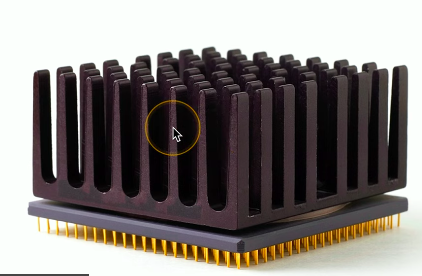
What does a heat sink do?

  • Dissipates heat via metal fins

  • Increases surface area for cooling

  • Made of aluminum or copper

<ul><li><p>Dissipates heat via <strong>metal fins</strong></p></li><li><p>Increases surface area for cooling</p></li><li><p>Made of aluminum or copper</p></li></ul><p></p>
6
New cards

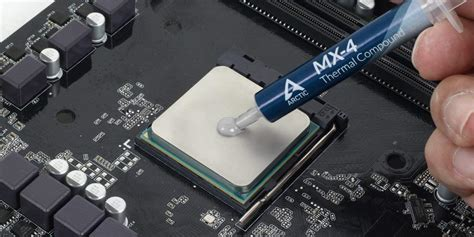
What is thermal paste used for?

  • Improves heat transfer between CPU & heat sink

  • Fills air gaps

  • Use small (pea-sized) amount

<ul><li><p>Improves heat transfer between CPU &amp; heat sink</p></li><li><p>Fills air gaps</p></li><li><p>Use <strong>small (pea-sized) amount</strong></p></li></ul><p></p>
7
New cards

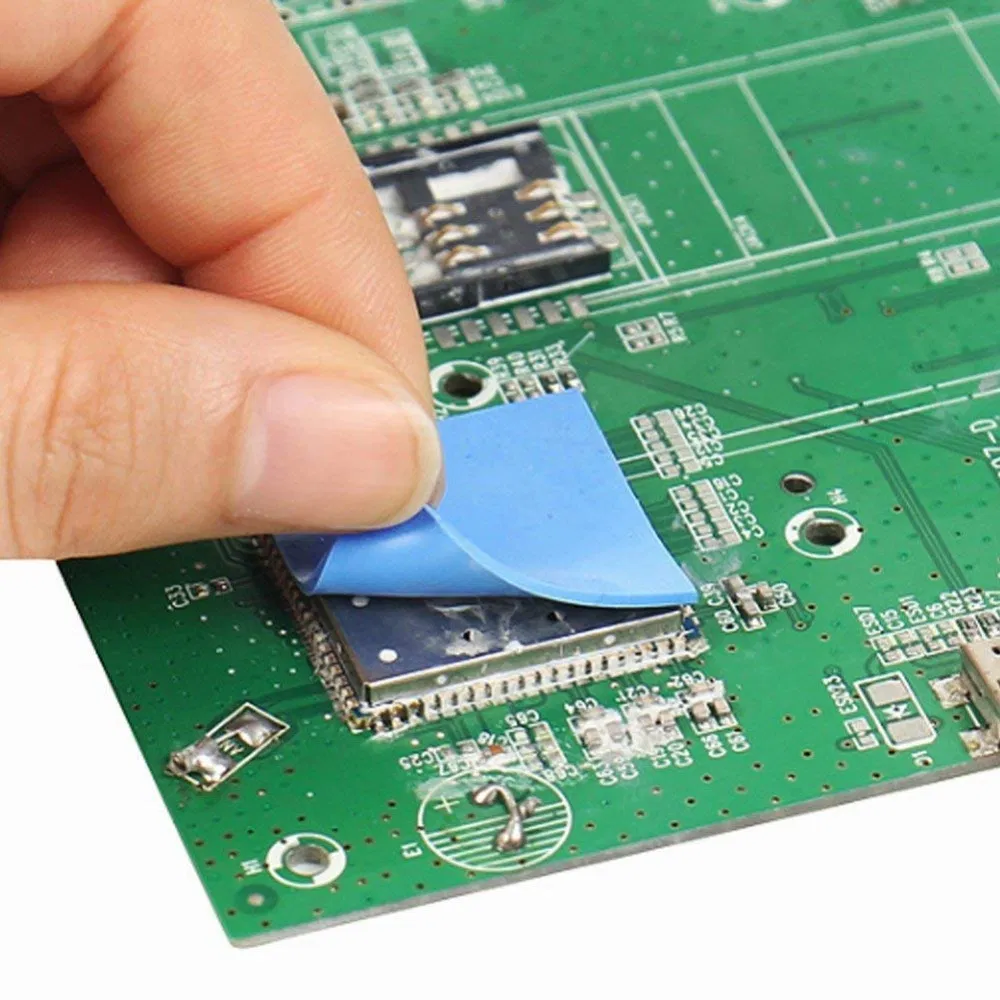
What is a thermal pad?

  • Alternative to thermal paste

  • Cleaner, easier to apply

  • Less effective, not reusable

<ul><li><p>Alternative to thermal paste</p></li><li><p>Cleaner, easier to apply</p></li><li><p>Less effective, <strong>not reusable</strong></p></li></ul><p></p>
8
New cards

How does liquid cooling work?

  • Coolant absorbs heat from CPU

  • Moves to radiator → cooled by fans

  • Used in high-performance systems (gaming, overclocking)
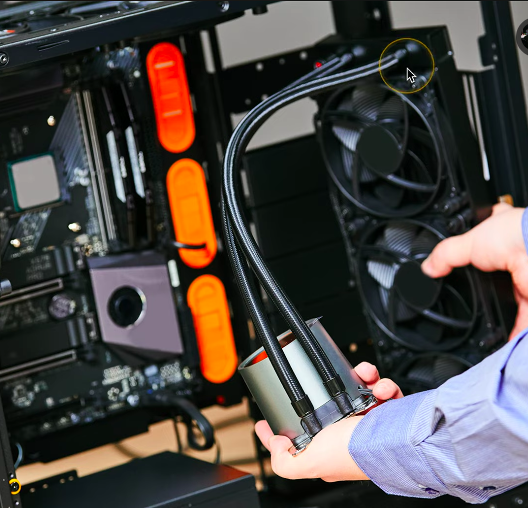
<ul><li><p>Coolant absorbs heat from CPU</p></li><li><p>Moves to radiator → cooled by fans</p></li><li><p>Used in <strong>high-performance systems</strong> (gaming, overclocking)</p></li></ul><p></p>
9
New cards

How are expansion cards cooled?

  • High-end cards (GPUs) have built-in fans

  • Direct airflow onto hot components

10
New cards

What does a computer power supply do?

  • Converts AC → DC power

  • Provides 3.3V, 5V, 12V to components

  • Powers entire system

11
New cards

Why is the power supply important?

  • Supplies power to all components

  • Failure = system won’t run

  • Critical for stability

12
New cards

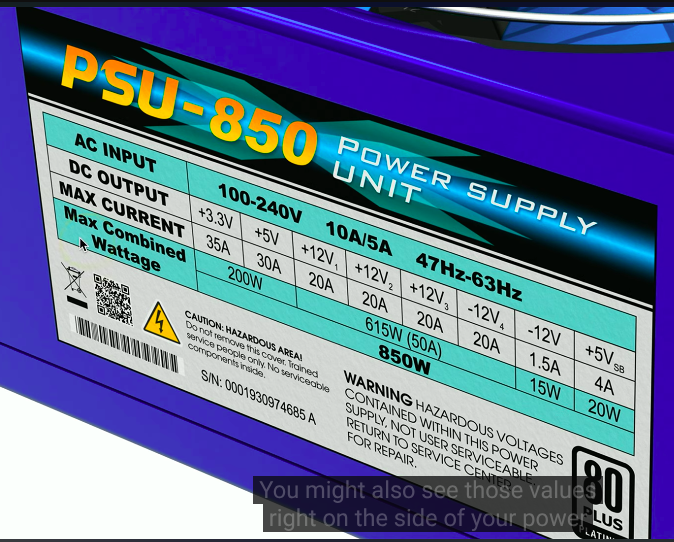
What is the relationship between volts, amps, and watts?

  • Watts = Volts × Amps

  • Volts = electrical pressure

  • Amps = flow of electricity

13
New cards

What is the difference between AC and DC?

  • AC → alternating current (wall power)

  • DC → direct current (used by computer)

  • PSU converts AC → DC

14
New cards

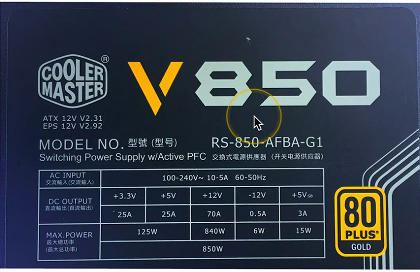
What voltages are used by computer components?

  • +12V → GPU, drives, fans

  • +5V / +3.3V → motherboard, RAM

  • +5VSB → standby power

<ul><li><p><strong>+12V</strong> → GPU, drives, fans</p></li><li><p><strong>+5V / +3.3V</strong> → motherboard, RAM</p></li><li><p><strong>+5VSB</strong> → standby power</p></li></ul><p></p>
15
New cards

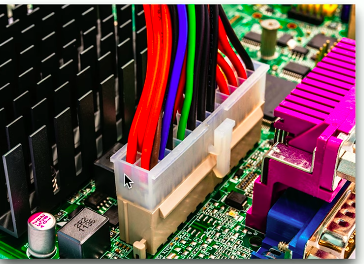
What is the 24-pin motherboard connector?

  • Main motherboard power

  • Provides multiple voltages

  • Replaced older 20-pin

<ul><li><p>Main motherboard power</p></li><li><p>Provides multiple voltages</p></li><li><p>Replaced older 20-pin</p></li></ul><p></p>
16
New cards

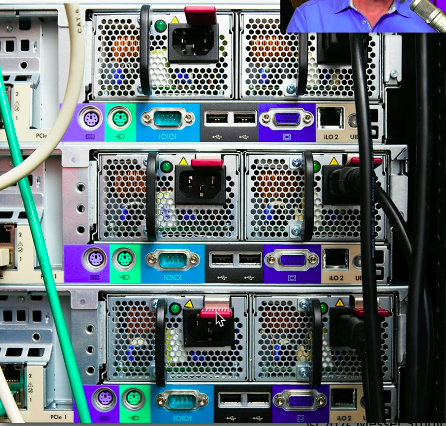
What is a redundant power supply?

  • Multiple PSUs in one system

  • Each can handle full load

  • Hot-swappable → no downtime

<ul><li><p>Multiple PSUs in one system</p></li><li><p>Each can handle full load</p></li><li><p><strong>Hot-swappable</strong> → no downtime</p></li></ul><p></p>
17
New cards

What is the difference between modular and fixed power supplies?

  • Fixed → all cables attached

  • Modular → removable cables

  • Modular improves airflow & cable management
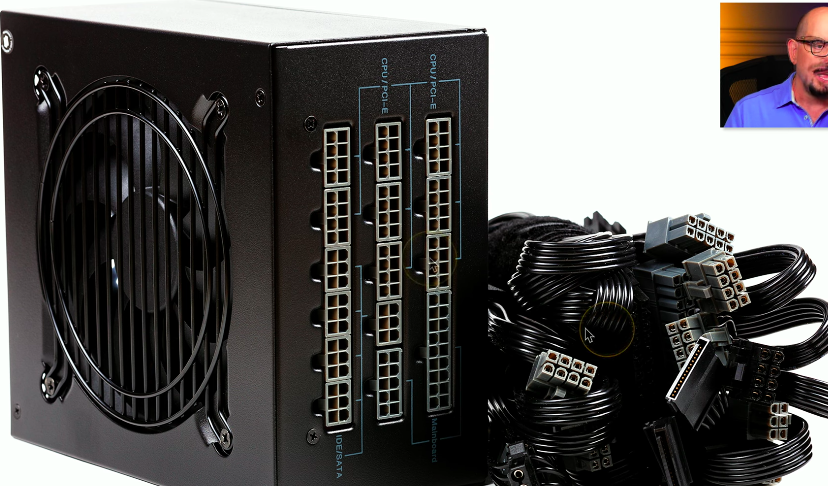
<ul><li><p><strong>Fixed</strong> → all cables attached</p></li><li><p><strong>Modular</strong> → removable cables</p></li><li><p>Modular improves airflow &amp; cable management</p></li></ul><p></p>
18
New cards

How do you choose the right power supply wattage?

  • Add total system wattage

  • GPUs use the most power

  • Use ~50% capacity rule

<ul><li><p>Add total system wattage</p></li><li><p>GPUs use the most power</p></li><li><p>Use ~<strong>50% capacity rule</strong></p></li></ul><p></p>
19
New cards

Why is PSU efficiency important?

  • Less energy wasted as heat

  • More efficient (80–96%)

  • Saves power and reduces cooling needs

20
New cards

What are basic electrical safety rules?

  • Always disconnect power before working

  • Never touch live electrical components