IT Fundamentals Midterm
 Studied by 0 people
 Call Kai
 Learn
Learn Practice Test
 Spaced Repetition
 Match
Match Flashcards
 Knowt Play
1/62

There's no tags or description
Looks like no tags are added yet.
Name | Mastery | Learn | Test | Matching | Spaced |
|---|
No study sessions yet.
63 Terms
Information Technology
The technology used in creating, maintaining, and making information accessible, which includes:
The task of gathering data and processing it into information
The ability to spread information through technology
The technology that permits these tasks, and the people in charge of maintaining its infrastructure
IT is also responsible for training and the help desk → IT person is responsible for teaching new and current users how to use the IT infrastructure.
[This may include such simple things as logging into the computer system, setting up printers, accessing shared files, and perhaps training employees in how to use work-related software.]
System Administration
The process of maintaining the operating system of a computer system requires:
An understanding of software, hardware, and programming
Software: Installing software, making that software available, troubleshooting, and making sure it is running efficiently
—
Hardware: Administration requires installing new hardware and troubleshooting existing hardware.
Networks: Maintain computer networks, troubleshoot networks, and secure networks from intrusion
May be limited to the administration of the computers, printers, and file servers, but may also extend to network administration (even web server, ftp server, mail server, database server administration)
May be required to train users in a system
Specific tasks include:
Creating new user accounts
Password management - Making sure that all users have passwords that agree with the security policy
File protection management - Making sure that files are appropriately protected
Security —> Installing and maintaining a firewall
Should keep up with the updates of the operating system they maintain
Should be reachable 24/7
Security Administrator
Install, configure, and administer firewall; create security policies; troubleshoot computer system (including network); work proactively against intrusions
Web Developer
Design and create web pages and scripts for web pages; maintain websites
Switching Users
A feature that allows the user to interrupt their own session, let someone else (ex. a family member) log into their account and do their work, and then return to your account —> helps when users need to change accounts to access permissions (a family member needs a file that the permissions are set for them to be readable only by themselves)
Linux Command: su username (you will be in the same working directory, so you might follow the su command with a cd ~ for that user’s home directory)
WIndows: Shut down and switch users
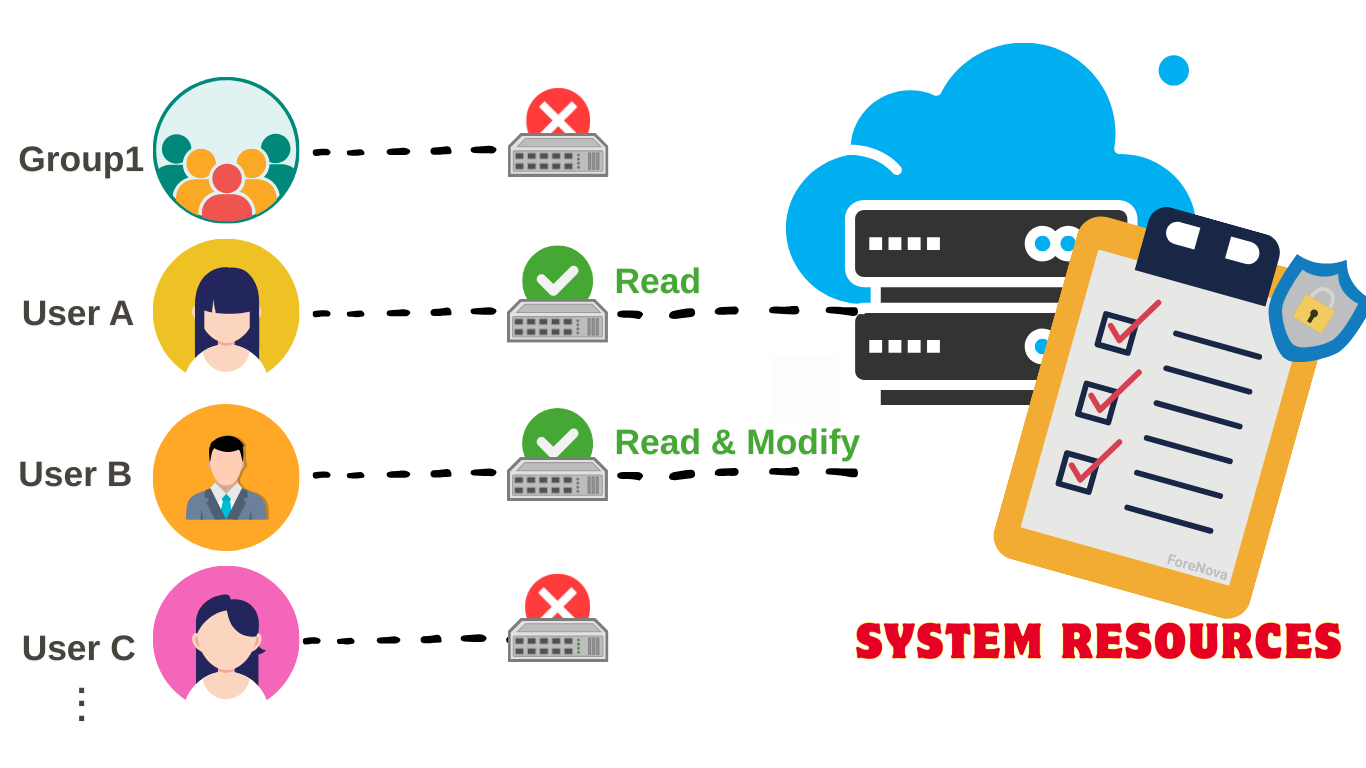
Access Control Lists (ACLs)
Used in some operating systems to implement protection of the system resources, for every resource, there is a list that describes for every user in the system what their access rights are for that resource
Able to specify different access rights for every user, but it also requires storage space that grows with each user you add to the list
Then you can save files into that directory, as well as copy or move files into that directory (saving creates a brand new copy of a file you are actively working on, while moving relocates a file that already exists)
What does it mean if a directory is writable?
User (u), Group (g), Other (o)
UGO stands for..
-l
Command-line option flag that means "long-listing" or "list in detail” to display detailed information surrounding files, like permissions, extended directory contents
Viewing permissions in Linux: ls -l
chmod
Changes file or directory permissions in Linux. It lets you specify who can read, write, or execute a file using symbolic (xxxxx u+x file, or u=rmx,g=rx,o=x) or numeric (xxxxx 755 file) modes.
Creating files and putting them into directories
What is the purpose of this: touch directory0/file_{7..11}
touch
Creates an empty file if it doesn’t exist, or updates the access and modification timestamps of an existing file. Commonly used to quickly generate placeholder files or refresh file modification times.
&&
Combines two commands; the second runs only if the first succeeds (no error).
Examples:
mkdir test; cd test
echo "First"; echo "Second"
;
Combines two commands so the second runs regardless of whether the first fails.
Examples:
mkdir test; cd test
echo "First"; echo "Second"
chown / chgrp
Changes the ownership of a file or directory to a specified user and/or group. It’s used to control who owns and manages files on the system.
xxxxx user1 file.txt # changes owner to user1
xxxxx user1:group1 file.txt # changes owner to user1 and group to group1
A symbolic link
In a long listing (from ls -l), the first character indicates the file type, not permissions. What does l indicate?
A directory
In a long listing (from ls -l), the first character indicates the file type, not permissions. What does d indicate?
A regular file
In a long listing (from ls -l), the first character indicates the file type, not permissions. What does -indicate?
A name and ID number, along with a list of users who are part of that group; permissions can be established so that the owner has certain access rights, and group members have different access rights
What is a group, actually?
groupadd
Linux command-line utility used to create a new group (group creation can also be accomplished through the User Manager GUI)
When creating a group, like adding a user, you may specify the group ID number, or it can default to being 1 greater than the last created group
Example:
sudo groupadd developers
—
To add a user to an existing group, you can use either useradd with the –G parameter, or usermod (modify user)
Example:
sudo useradd -m -s /bin/bash -G developers,designers alex
useradd
Linux command-line utility used to create a new user account, doesn't log them in or create a password --> just makes the account
sudo
Allows a permitted user to execute a command with the security privileges of another user, typically the superuser (root). It’s used for administrative tasks that require elevated permissions. For example, xxxx useradd alex or xxxx groupadd admins lets you create users and groups system-wide, actions only root can normally perform
Example:
sudo usermod -aG developers alex
Now the user alex is a member of the developers group, which can be used for shared permissions or access control.
Multiuser systems
Require user accounts so the operating system knows who the current user is
Must be administered by a system administrator
etc/shadow
A system file in Linux that securely stores user password information in hashed (encrypted) form. Only the root user or processes with special privileges can read it, keeping passwords protected from normal users.
Each line corresponds to a user account and contains fields like the username, hashed password, and password expiration data.
Username
Password
Days since last password change
Minimum days before the password can be changed again
Maximum valid number of days before it should be changed
Waning period: Days before the user is warned
(There’s more, but they are not relevant)
What is the format of a typical etc/shadow line?
An agent who uses the computer: set of data, directories, and privileges granted to the user
What is a user? (either human or software)
Includes end-users (access to own file-space, usually no access to system resources)
System administrators
1 greater than the last user added to the system.
What is the default account number when adding a user?
Yes
Do different user IDs in Linux's User Manager range so they can be assigned for different groups?
Database Administrator
Install, configure, and maintain database and database management system; back up database; create accounts; train users.
Web Administrator
Install, configure, and maintain website through web server; secure website; work with developers.
Network Administrator
Purchase, configure, and connect computer network; maintain computer network; troubleshoot network; secure network from intrusion.
They deal with the physical shit —> physically laying down cables, making connections, working with the network hardware, and configuring individual machines so they’ll be able to use the network
Both the system administrator and network administrator may work on system firewalls!
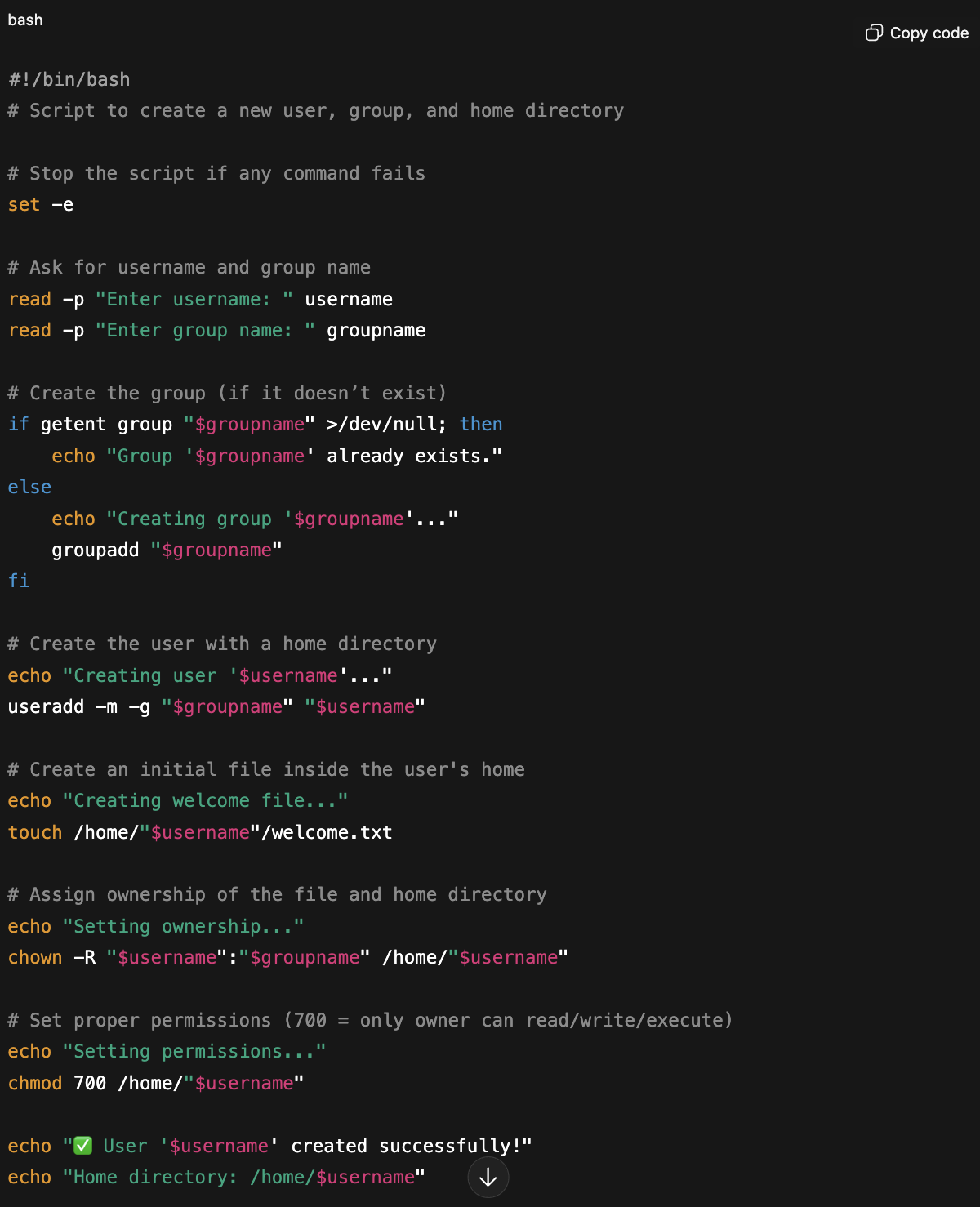
Shell Scripts
Text files that call those individual commands and others in sequence to automate tasks; packages of commands that entire sequence into one reusable action.
Adds intelligence (logic, checks, conditions) -> things you can't easily do with raw commands alone
What is system level programming?
Creating shell scripts to automate processes, and manipulating configuration files for system services
Computer
A piece of electronic programmable equipment that is capable of running programs, interacting with a user (via input–output devices), and storing data.
Tasks are referred to as the IPOS (input, processing, output, storage) cycle
Requires a processor (Central Processing Unit), memory to store the program and data, input and output capabilities
Long-Term Storage
Includes hard disks, flash memory, and optical disks; It holds much more data than short-term memory, and its capacity is effectively unlimited since more can be added.
Short-Term Storage
Holds data temporarily while the computer is running, allowing quick access for active programs. It is usually made up of RAM, which is fast but loses all data when the computer is turned off.
RAM (Random Access Memory)
a type of computer memory that temporarily stores data and instructions the CPU needs while the computer is running. It allows fast access and processing, but all stored information is lost when the computer is turned off.
Compilation
The concept of translating a program from a more readable language like Python or Java into the computer's native machine language.
Operating System (OS)
A program with a primary task of allowing a computer user to easily access the hardware and software of a computer system; it could be considered as required to maintain the computer’s environment
About control (allowing the user to control the actions of the software) and convenience (providing access in an easy-to-use manner)
Manages computer resources (memory, input/output devices)
Provides an interface through which a human can interact with the computer
Allows an application program to interact with these other system resources
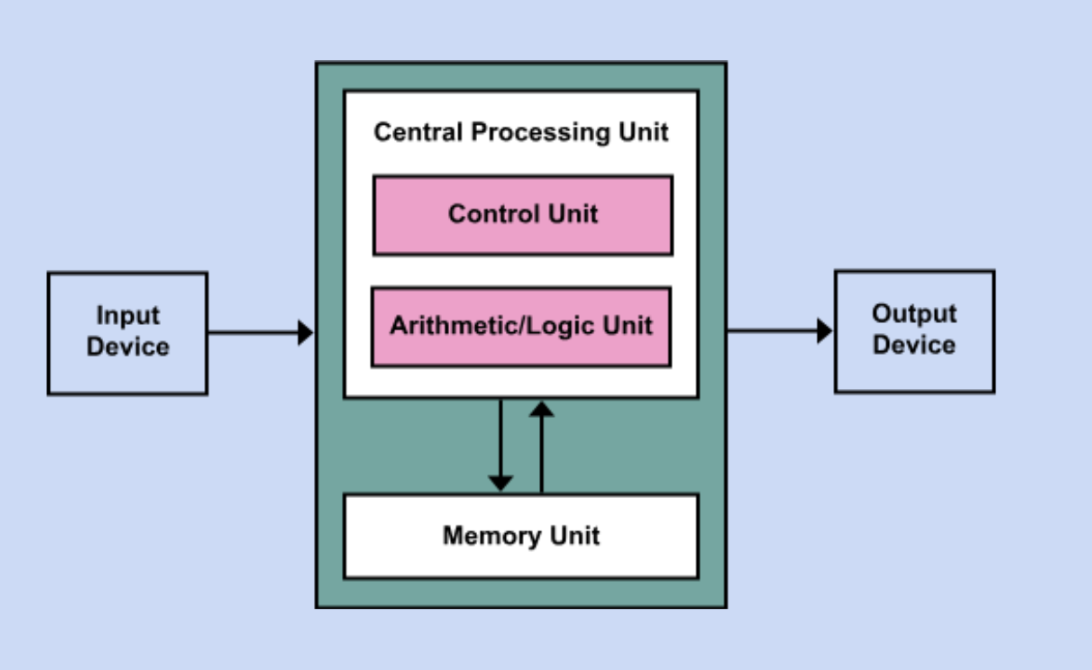
Von Neumann Architecture
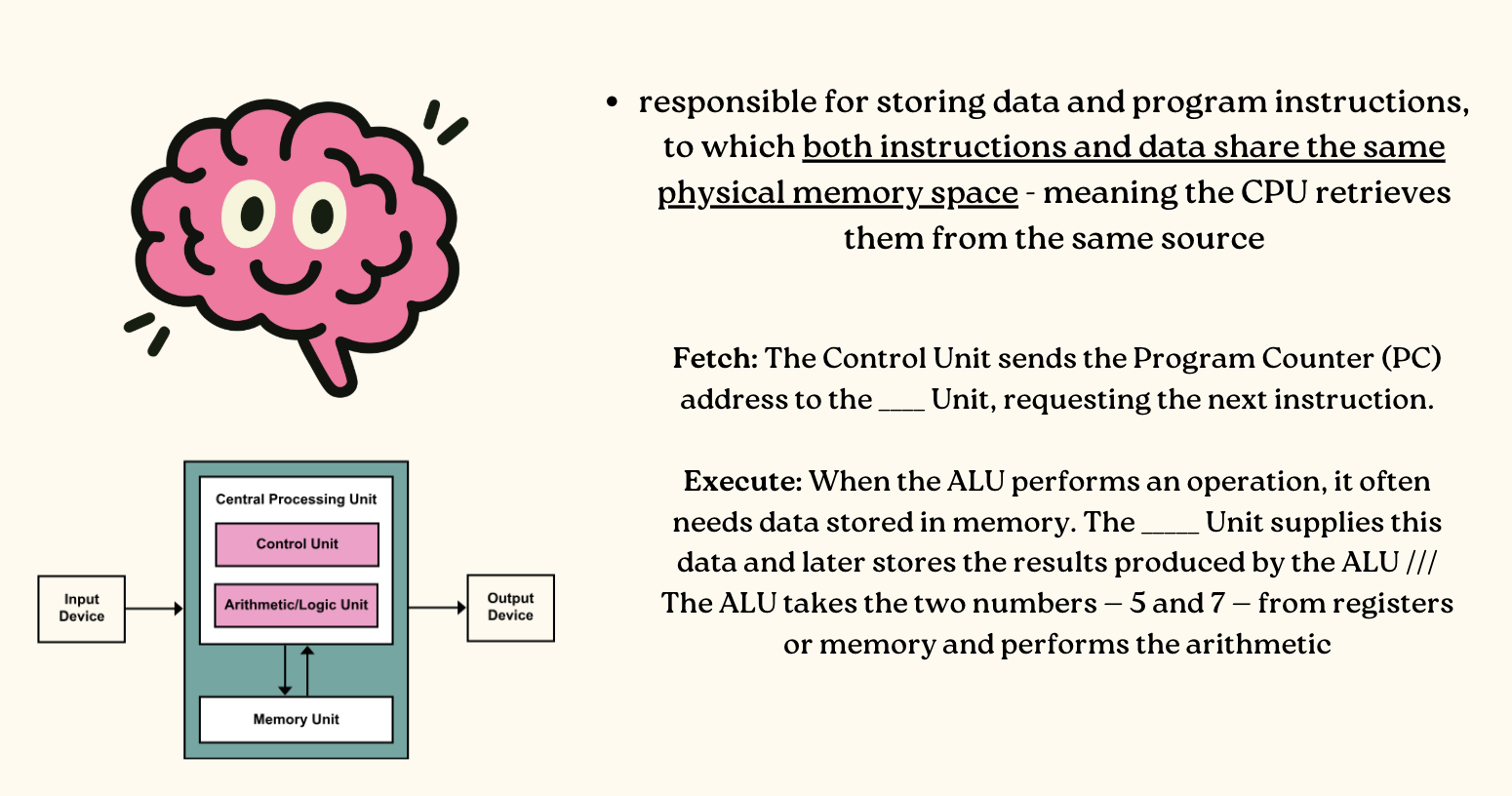
A foundational model for modern computers. It describes a system where the computer's hardware components work together to perform operations using a shared memory for both data and instructions.
Peripheral Device
Any hardware component that connects to a computer to add functionality or allow interaction, but isn’t part of the computer’s core architecture (the CPU, motherboard, or RAM).
Input Device
A peripheral device through which data and programs from the outside world are entered into a computer system. (Examples: Keyboards, microphones, drawing tablets)
Output Device
A peripheral device through which data and programs comes from the computer system and enters the device (Monitors, speakers, printers)
Bus
A set of physical wires or pathways that connect all major components of a computer so they can send and receive data.
Allows us to plug in expansion cards, like peripheral devices, or connect to peripheral devices through ports at the back of the computer
The Kernel
The core part of an operating system that directly interacts with hardware.
- Manages critical tasks like memory allocation, process control, and device communication.
- Without this, the software wouldn’t be able to use the computer’s physical resources.
Primary OS tasks: process management, resource management, memory management, file management, protection, and security
The Shell
Outer layer, personalized interface of the OS; a working environment we can leave and join, we can be part of different xxxxxx at once
Takes your commands and translates them into instructions the kernel understands, and shows you the results
Either command-line shells or graphical shells
GUI shells: Point and click - Moving the mouse, dragging a file
Command-line shells: Text-based, typing commands instead of clicking
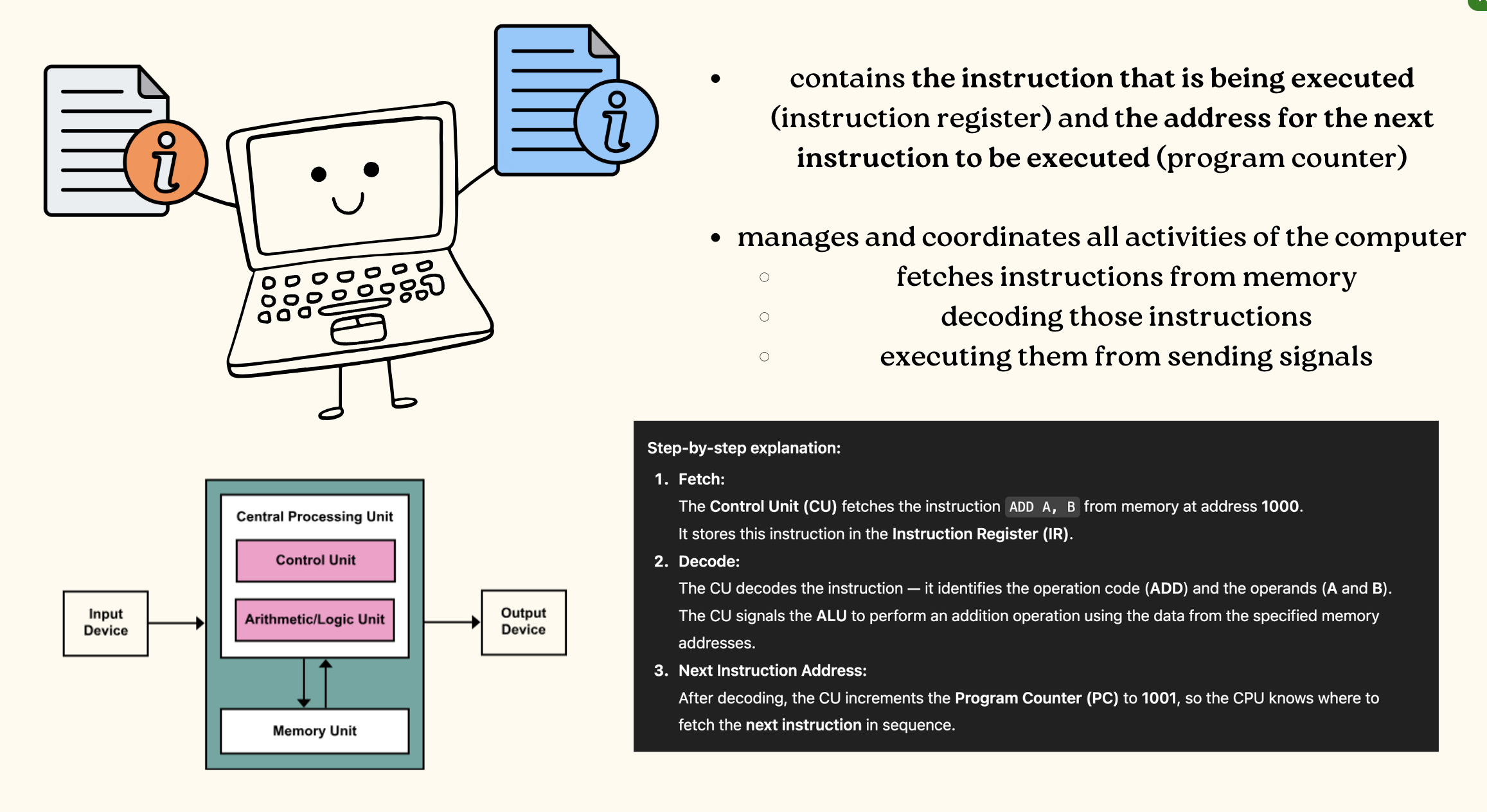
Control Unit
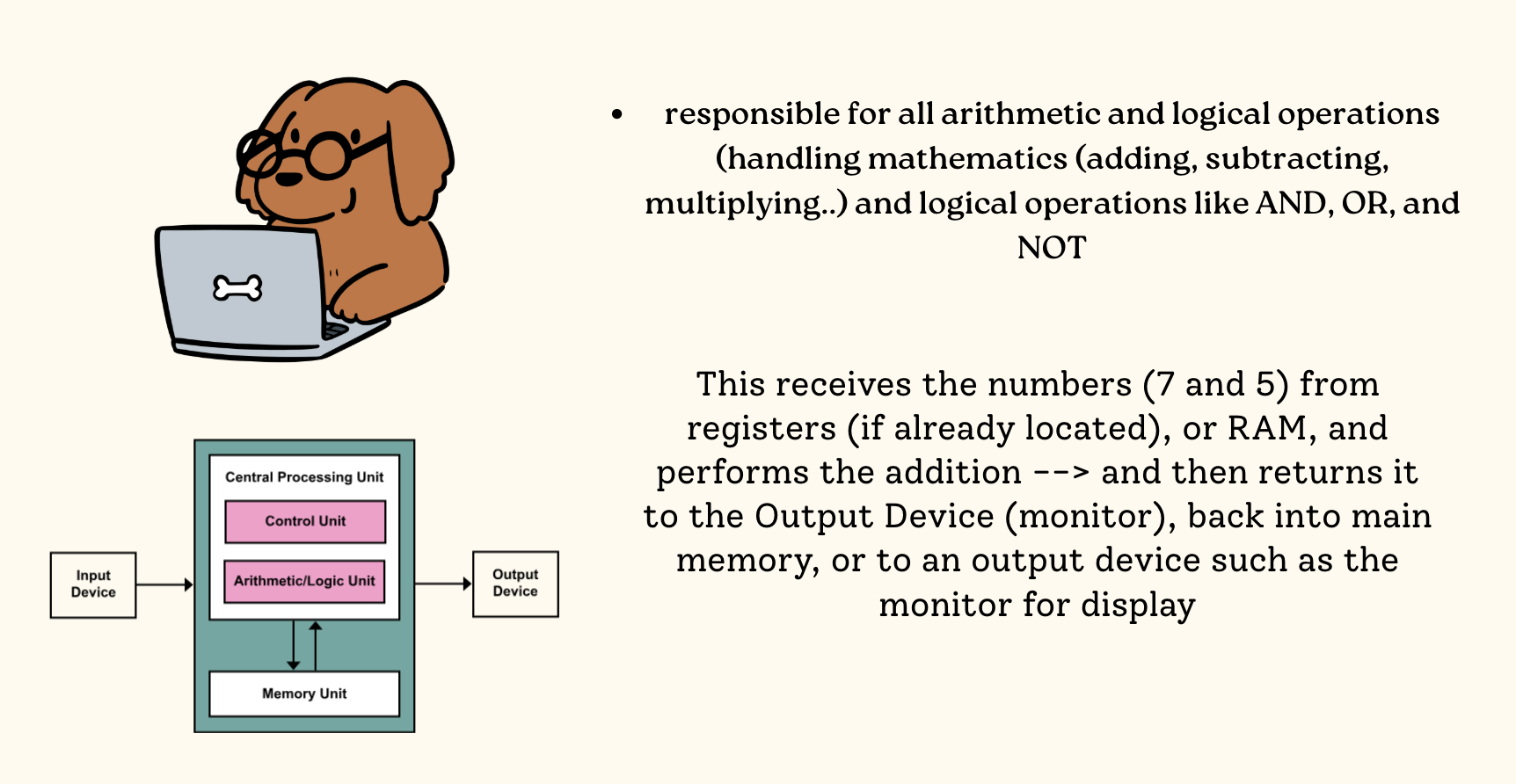
Arithmetic Logic Unit
Fetch Execute Cycle
The fundamental process by which a CPU repeatedly fetches, decodes, and executes instructions from memory to run programs.
Memory Unit
Technical-Based Computer Systems
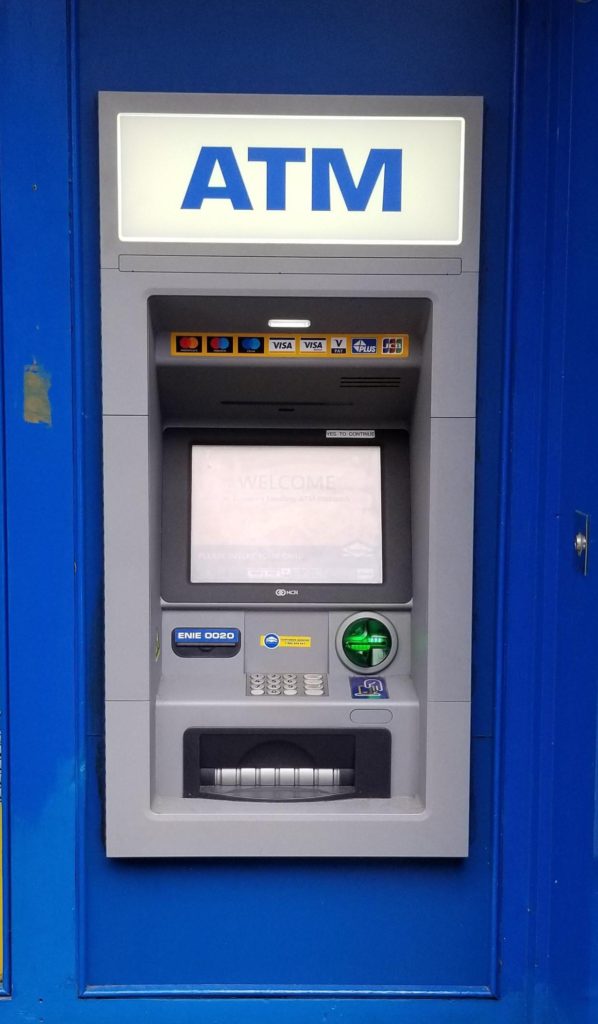
Systems that include hardware and software but where the operators and operational processes are not normally considered to be part of the system. The system is not self-aware.
Example — ATM: Works together to process transactions, but the customer and bank staff are not part of that system
Example - Network Router: It's hardware circuitry and embedded software handles data traffic automatically.
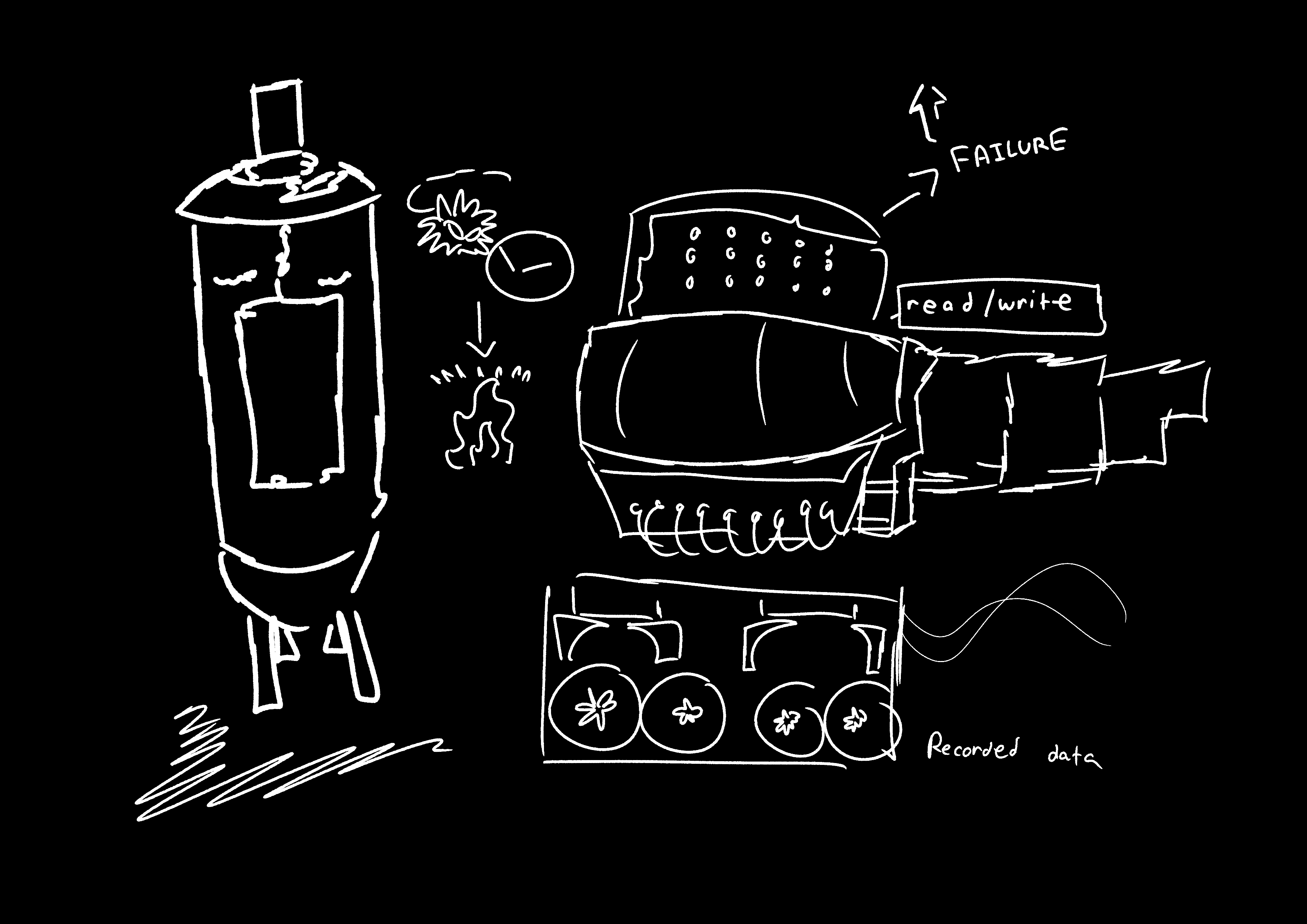
First Generation of Hardware
Vacuum Tubes
Large, unreliable, and generated significant heat due to the movement of electrons colliding with atoms. The inefficiency produced excess heat rather than useful electrical work.
Magnetic Drum
An early memory device that rotated under a read/write head. It was inexpensive to make but had a very high failure rate.
Card Readers and Magnetic Tape Drives
Sequential storage devices that replaced punched cards. Magnetic tapes were used to record data (1s and 0s) similarly to how tape recorders stored sound.
Second Generation of Hardware
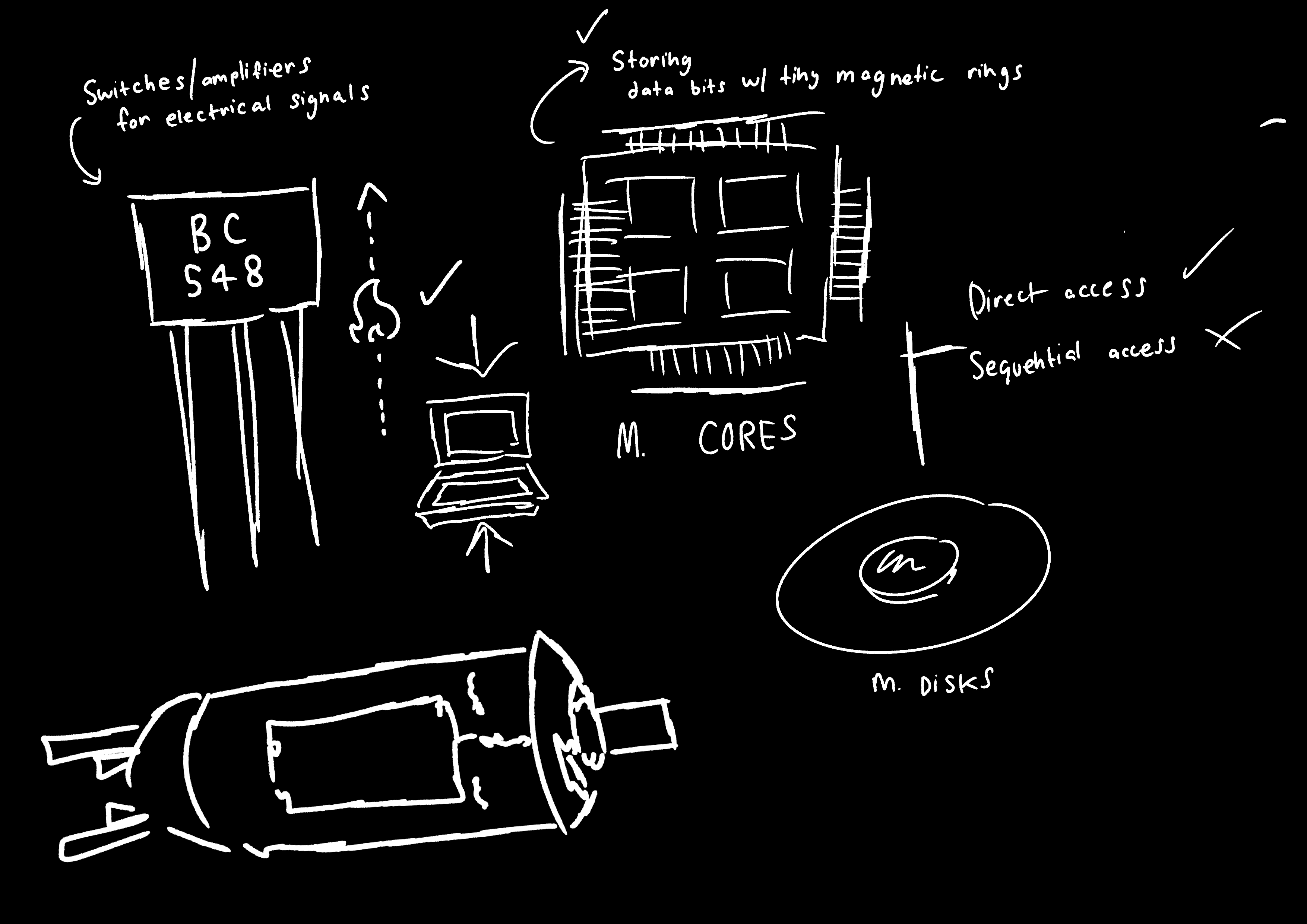
Transistor
Replaced the vacuum tube — much smaller, faster, more durable, and cheaper, allowing computers to become more compact and efficient.
Magnetic Cores
Replaced magnetic drums; provided faster, direct access to data by storing bits using tiny magnetic rings.
Magnetic Disks
Replaced magnetic tape for storage; allowed direct (random) access to data instead of sequential access.
Third Generation of Hardware
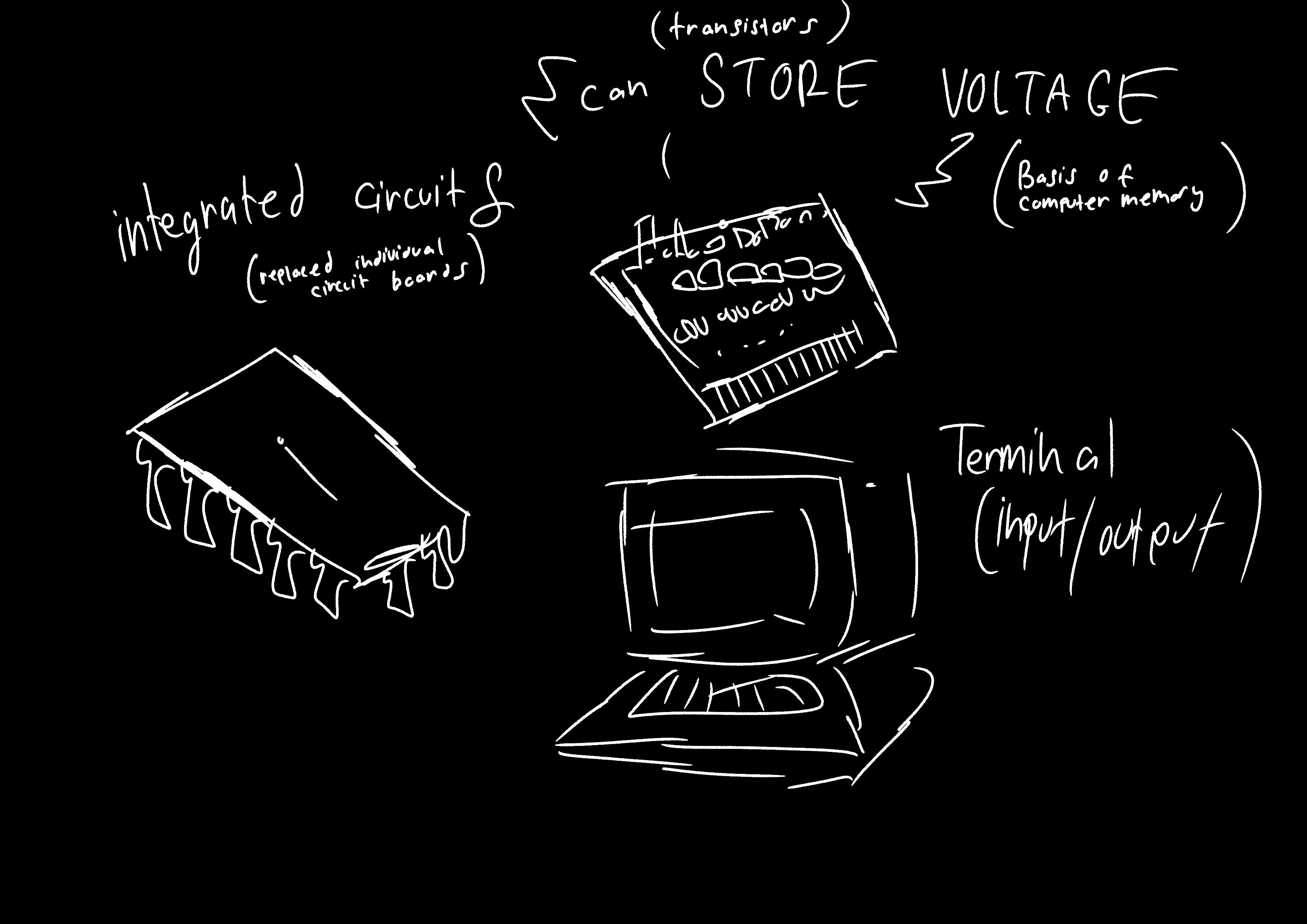
Integrated Circuits (ICs)
Replaced individual circuit boards with miniaturized circuits on silicon chips — smaller, cheaper, faster, and more reliable.
Transistors (as Memory)
Began to store voltage as well as conduct signals, forming the basis for computer memory that could retain information during operation.
Terminal
An input/output device combining a keyboard and screen, replacing typewriters and printed output from earlier generations.
Fourth Generation of Hardware
Large-Scale Integration (LSI)
Major advances in chip technology packed thousands (later millions) of components into a single chip, increasing speed and power.
Personal Computers and Workstations
PCs entered the commercial market, with new companies like Apple, Sun, and Dell leading development.
Portable Computing Devices
Laptops, tablets, and smartphones made computing personal and mobile — giving nearly everyone access to a powerful portable computer.
Registers
These are small, high-speed storage locations built directly into the CPU, often inside or next to the Arithmetic Logic Unit (ALU)
They temporarily hold data, instructions, or intermediate results that the ALU needs while performing calculations or logic operations
They allow the ALU to work efficiently without constantly accessing slower main memory.
Instruction Register (IR)
Control Unit —> Contains the instruction that is being executed ◦
Program Counter (PC)
Control Unit —> Contains the address of the next instruction to be executed
Multiprogramming / Multitasking
A technique where the computer’s main memory holds several programs at once, all waiting to use the CPU (when one program is paused, for example, waiting for input or data from storage — another program can use the CPU instead)
How does this work?
1. Several programs are loaded into main memory simultaneously
The Operating System (OS) manages which program is currently using the CPU.
When one program pauses, for example, to read data from disk or wait for user input, he OS immediately switches the CPU to another ready program.
This constant switching makes it appear as if the programs are running at the same time, even though only one uses the CPU at any given instant.
Multiprogramming: The goal is efficiency — making sure the CPU never sits idle.
Multi-tasking:
A timer is used to time how long each process is executed. When the timer elapses, it interrupts the CPU and the OS then is invoked to force a switch between processes
Memory Management
The function of the operating system (OS) that handles how the computer’s main memory (RAM) is used, by keeping track of which parts of memory are in use, which parts are free, which programs are stored where, and how much memory each program needs.
Device Drivers
Specialized software programs that allow the operating system (OS) to communicate with hardware devices.
Examples: Printer Driver, Keyboard Driver, Mouse Driver, Network Driver
You install a device driver for each new piece of hardware that you add to your computer system, usually packaged with the hardware or available on the Internet.
Process Management
How a computer runs programs by managing processes, which are active instances of programs.
A program is just static, but a process is active and changes over time
Each process can either be:
Running: Being executed
Waiting: Paused for input/output or memory
Ready: In memory, ready to run
^ The O.S is responsible for starting, stopping, and managing them while dealing with inputs/outputs and interruptions
Interrupt: Forces the CPU to pause what its doing and pays attention to what it was doing, figuring out what caused the interruption, and then executing an interrupt handler to deal with it