1.8 - macos Features
 Call Kai
 Learn
Learn Practice Test
 Spaced Repetition
 Match
Match Flashcards
 Knowt Play
1/20

There's no tags or description
Looks like no tags are added yet.
Name | Mastery | Learn | Test | Matching | Spaced | Call with Kai | Chat |
|---|
No analytics yet
Send a link to your students to track their progress
21 Terms
Mission Control
Quickly view everything running by spreading the desktop into a viewable area; swipe up with three fingers or press Control-Up arrow.
Spaces
Feature for creating multiple desktops; added from within Mission Control.
Keychain
macOS password management for passwords, notes, and certificates; accessed via Keychain Access.
How are Keychain passwords/secure notes protected?
They are encrypted, using the login password as the key.
Spotlight
macOS search tool to find files, apps, images, etc.; opened via magnifying glass (upper right) or Command-Space.
Where do you configure Spotlight search categories?
System Preferences / Spotlight (enable/disable categories).
iCloud
Apple cloud service that integrates macOS, iOS, and iPadOS to share calendars, photos, documents, and contacts across systems.
iCloud Drive
Cloud-based file storage integrated into the OS; similar to Google Drive or Dropbox.
iMessage vs Messages
iMessage is the service; Messages is the app.
Where are iCloud sync options configured?
In the Apple Account section.
Gestures
Trackpad actions using one, two, or three fingers (swipe, pinch, click) to extend capabilities; customized in System Preferences / Trackpad.
Finder
The central macOS file manager (comparable to Windows File Explorer) for launching, deleting, and renaming files, plus access to remote devices.
Remote Disc
Feature to use an optical drive from another computer for copying files; will NOT work with audio CDs or video DVDs.
Where is Remote Disc sharing set up?
System Preferences / Sharing; it then appears in Finder.
Dock
Bar for fast app access and launching; a dot under an icon shows a running app; can hold folders and be moved or auto-hidden.
Continuity
Feature to work seamlessly across Apple devices (e.g., iPhone as Mac webcam, screen mirroring, AirDrop); synchronized through iCloud.
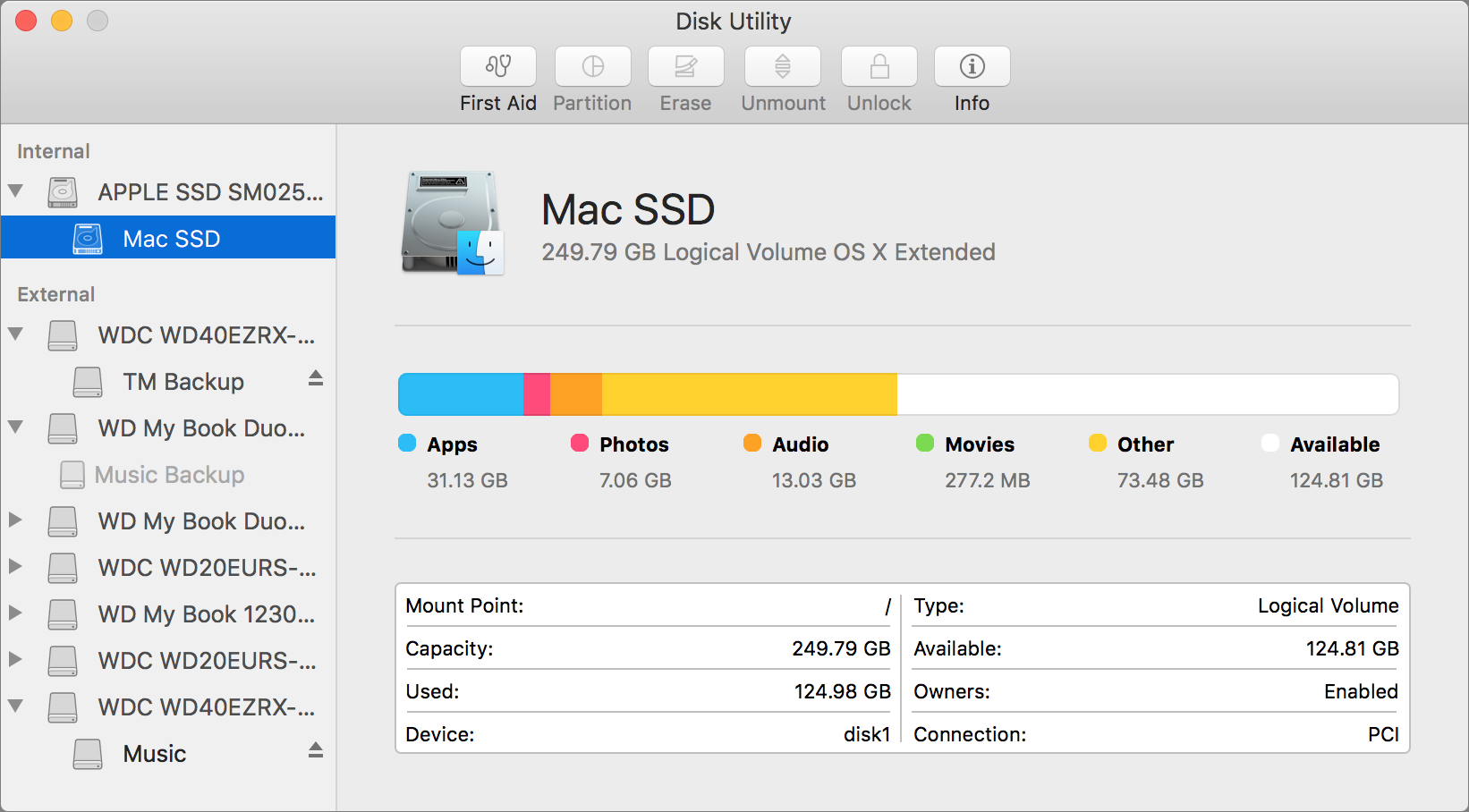
Disk Utility
Tool to manage disks and images; verify/repair file systems, modify partitions, erase disks, and create/convert/restore disk images.
FileVault
Full Disk Encryption (FDE) for macOS; decryption uses a local key or iCloud authentication and requires proper login before macOS can start.
Where is FileVault located?
System Preferences > Security & Privacy > FileVault.
Terminal
Command line access to macOS for running scripts, managing files, and configuring OS/application settings without a GUI.
Force Quit
Stops an unresponsive application; open with Command-Option-Escape, or hold Option and right-click the app in the Dock.