04. Computer Systems
 Call Kai
 Learn
Learn Practice Test
 Spaced Repetition
 Match
Match Flashcards
 Knowt Play
1/49

There's no tags or description
Looks like no tags are added yet.
Name | Mastery | Learn | Test | Matching | Spaced | Call with Kai | Chat |
|---|
No analytics yet
Send a link to your students to track their progress
50 Terms
Hardware
the physical components that make up a computer system.
Software
the instructions that are executed by a computer and control the computer’s hardware.
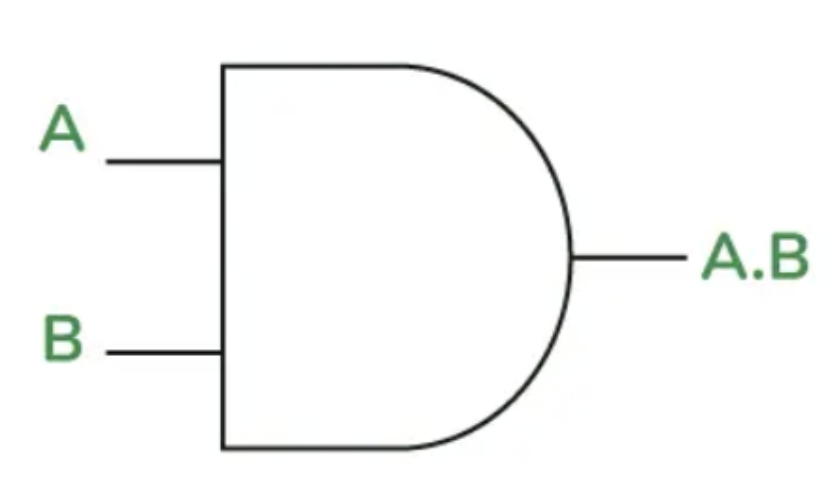
AND gate (A.B)
A and B must be 1 for the output to be 1.
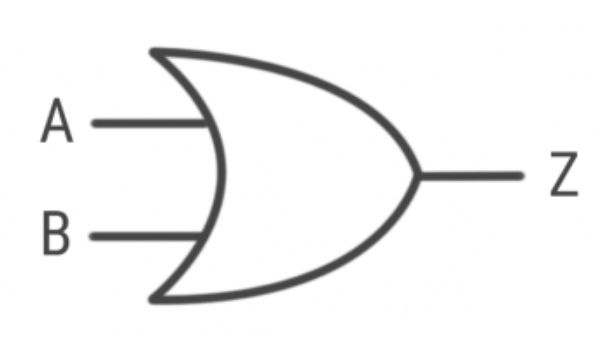
OR gate (A+B)
A or B must be 1 for the output to be 1.
If both A and B are 1, then the output will still be 1.
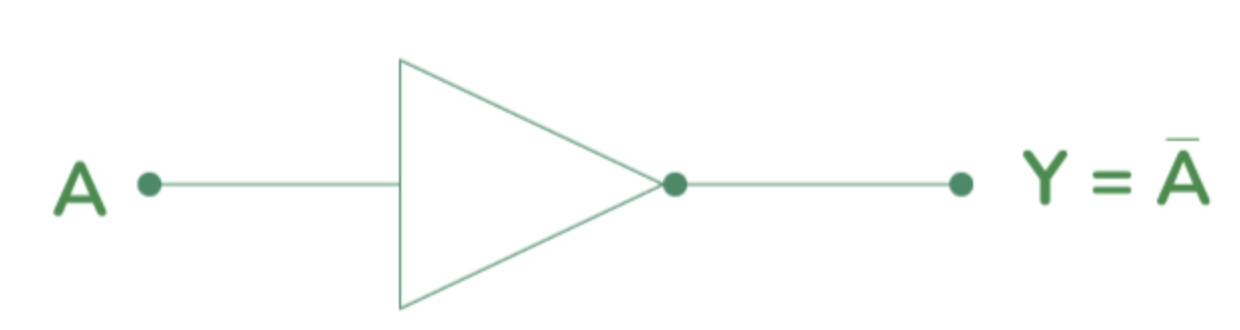
NOT gate (Ā)
the output is the opposite of what is inputted.
if 1 is inputted, 0 will be the output.
likewise, if 0 is inputted, 1 will be the output.
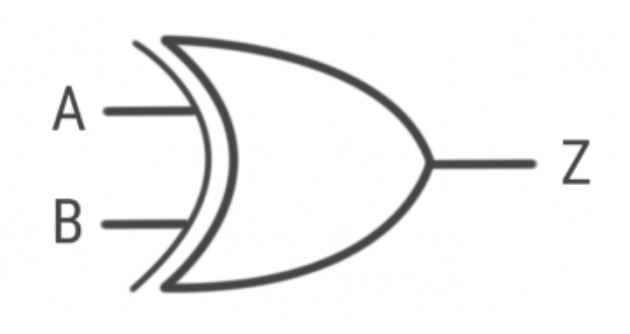
XOR gate (A⊕B)
either A or B must be 1 for the output to be 1.
if both A and B are 1, then the output will be 0.
Application software
programs that perform user-oriented or end-user tasks.

Examples of application software
web-browsers
spreadsheets
games
video editing software
audio editing software
System software
manages the computer system resources, and acts as a platform to run applications.
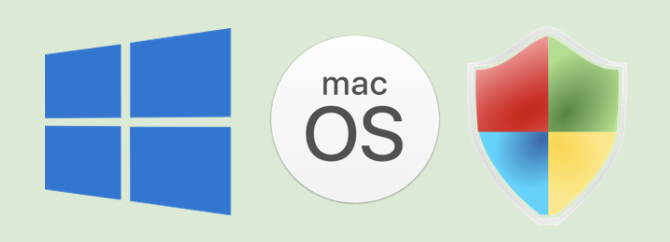
Examples of system software
OS
manage the computer’s hardware and create an environment for applications to run.
utility software
programs that allow the user to maintain the computer system/perform system-oriented tasks.
Functions of OS
managing memory
controls which parts of memory are being used by the process
managing processors/processes
schedules which processes are to be executed
managing applications
control what data applications can access
managing I/O (hardware) devices
allows devices to send and receive data
managing security
protect the computer system against malware
managing storage
load data and programs into computer’s memory
Examples of utility software
defragmentation
backup
encryption
compression
High-level languages
human-readable, therefore easier to develop and debug
one statement equates to multiple machine code commands
often portable - can run on different types of CPU
must be translated into machine code in order for the CPU to execute
Low-level languages
provide exact control over the CPU, allowing for maximum efficiency
difficult to read by humans
will only run on one type of CPU
Machine code and assembly language
both are low-level languages.
there is a 1:1 mapping between machine code instructions and assembly language mnemonics.
Machine code
machine code instructions are in binary form.
for any program to be processed by a processor, it must be translated into machine code.
machine code is not portable across different processor architectures.
Translator
special type of software that translates computer programs from human-readable source code to machine code which the CPU can run.
translators are essential, as CPU can only execute instructions that are in binary (machine code).
3 types of translators:
compilers
interpreters
assemblers
Assemblers
translate low-level assembly language into machine code.
translate the whole program in one go.
Compilers
translate the whole program in one go.
stand-alone program does not require the compiler/source code to run.
produce a list of syntax errors at the end of translation.
do not execute the programming code - instead create an executable file.
Interpreters
translate the program one line at a time.
program requires interpreter to be present on the computer to run.
execute the programming code as it’s being translated
stop execution as soon as an error is encountered.
von Neumann architecture
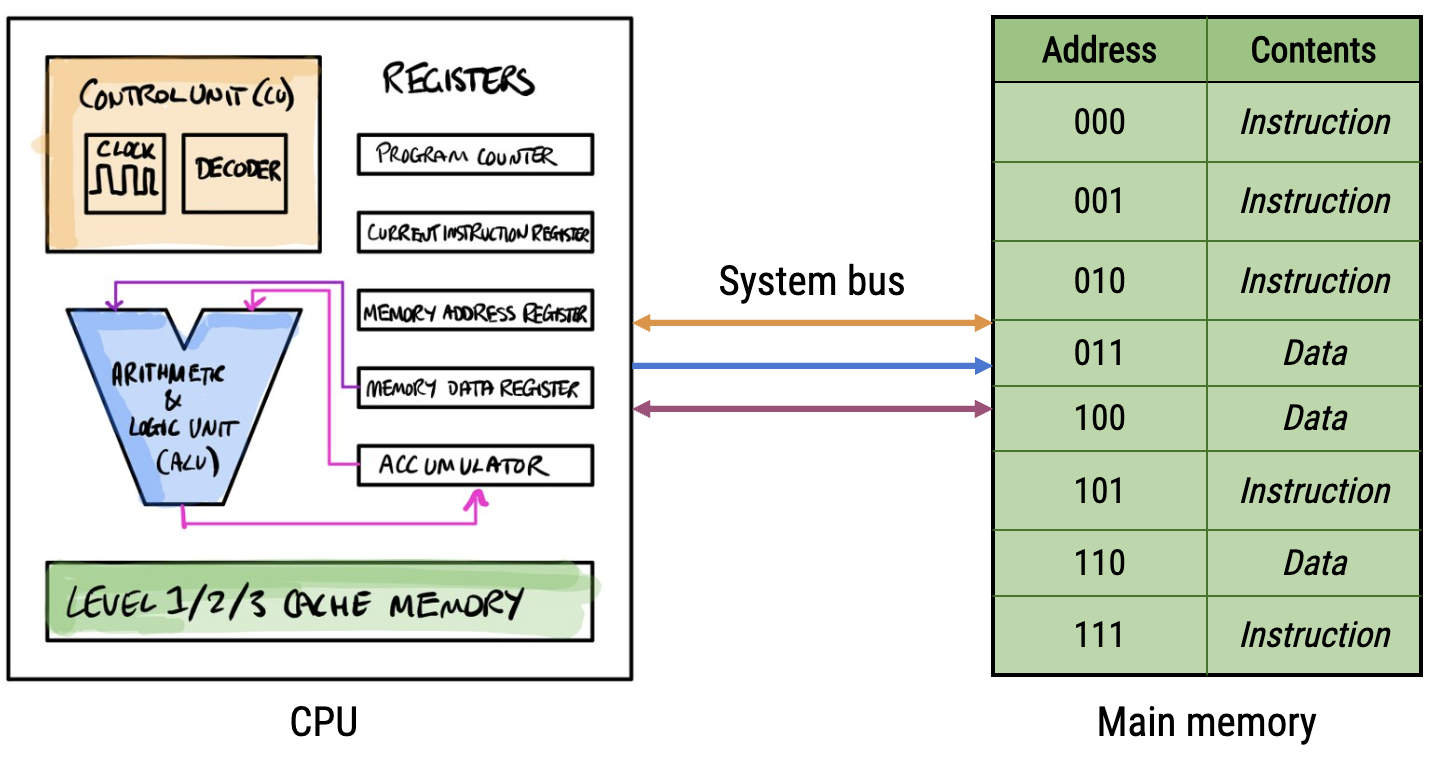
ALU
used during the fetch-execute cycle to:
execute mathematical instructions
execute logical instructions
compare values held in registers
Control unit
contains a decoder that interprets the instructions loaded from memory and sends control signals to the appropriate components within the computer.
during the FEC, the control unit decodes the fetched instructions and controls the fetching of data and writing from/to memory.
contains the CPU’s clock, which allows the CPU to synchronise operations and set the overall clock speed of the CPU, which controls the number of instructions carried out each second.
Registers
special purpose, small units of memory found within the CPU.
each register is used for a specific purpose in the FEC, holding a specific piece of data needed by the CPU to control and perform operations.
Bus
a collection of wires through which data and signals are transmitted from one component to another
Cache memory
very fast memory found within or close to the CPU.
unlike registers, cache memory can store either data or instructions to and is much faster but much smaller in capacity than RAM.
during the FEC, cache memory is used to store frequently used instructions and data.
Main memory
ROM & RAM.
used to store data and instructions for the CPU to process.
programs are permanently stored in secondary storage, and must be loaded into main memory for the CPU to process and execute.
main memory is directly accessible by the CPU.
Clock speed’s impact on CPU performance
the faster the clock, the more instructions can be processed per second
CPU cores’ impact on CPU performance
each CPU core has its own ALU, control unit and L1/L2 cache.
multi-core CPUs can therefore process multiple instructions simultaneously, leading to a potential increase in CPU performance.
the programs must be optimised for parallel-processing.
Cache memory’s impact on CPU performance
increased cache size allows more frequently used instructions to be stored in cache memory
this makes the CPU’s retrieval of frequently used instructions quicker, allowing it to process and therefore execute the operations commanded by the instructions quicker
this improves CPU performance
however, cache memory is quite expensive on a cost/GB basis
Fetch-execute cycle
fetch: the next instruction to be processed by the CPU is fetched from main memory.
decode: the instruction to be carried out is identified by the control unit, and control signals are sent by it to the appropriate component to perform the operation.
execute: the operation is carried out by the appropriate component within the CPU.
RAM
volatile memory
temporarily stores program instructions and data while they are being processed by the CPU
much faster than secondary storage, but more expensive on a cost/GB basis
OS is copied into RAM when the computer starts up
ROM
permanently stores program instructions and data, but cannot have new data written to it
non-volatile
made from flash memory - cannot be altered without being ‘re-flashed’
stores the BIOS (Basic Input-Output Sequence) that the CPU executes as soon as it is turned on
What does BIOS contain?
instructions that load the Operating System from secondary storage into RAM for the computer to continue booting up
Why is secondary storage required?
to permanently store software and data
to provide “virtual memory” when RAM’s capacity is maximised
The structure of magnetic hard disc drives
hard discs contain many platters which spin at very high speeds
the surface of these platters contain many tiny magnetised regions, the magnetic orientations of which represent 1s and 0s
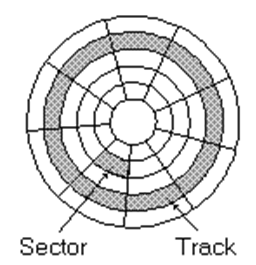
each platter is divided into tracks and sectors
the intersections of tracks and sectors are called blocks
How is data read from magnetic hard disc drives?
as the platters spin, the magnetic read-write head is moved to the correct track on the disc where data should be written to or read from
data is read by the read/write head one block at a time, and is transferred to an I/O controller on the motherboard via a data cable
Advantages of magnetic hard disc drives
large capacity
cheap per gigabyte of storage
long-lasting and reliable if not dropped or overused
portable HDDs can be used to back up and transport large quantities of data
Disadvantages of magnetic hard disc drives
relatively slow access times
susceptible to wear and tear due to moving parts
can get damaged if moved or dropped when in use - not very robust
can be noisy
How do solid state drives work?
data is stored electronically in flash memory cells, which use floating gate transistors to trap or release electrons
the presence or absence of electrons represents 1s and 0s, allowing data to be stored without power
a controller chip manages how data is read, written and erased
Advantages of SSDs
faster than HDDs due to lack of moving parts
more robust - no moving parts
more portable - smaller and use less power than HDDs
reasonably large capacity (up to 1 TB)
Disadvantages of SSDs
smaller capacity than HDDs
more expensive on a cost/GB basis
limited read/write cycles before becoming unreliable
How does optical storage work?
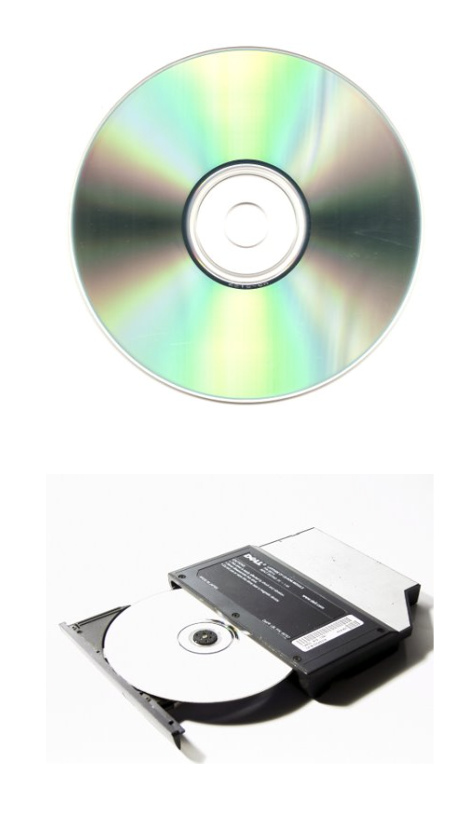
use laser light to retrieve data from the surface of optical media (e.g. CDs, DVDs)
surface is covered by pits & lands
when the disc spins, the transitions between pits and lands are encoded as 1s, and no transitions are encoded as 0s
Advantages of optical storage
cheap to mass produce
faster access times than HDDs
Disadvantages of optical storage
prone to scratches that can damage the disc surface and corrupt data
slower data transfer times than HDDs and SSDs
Cloud storage
remote storage accessed via the Internet
data is stored in HDDs and SSDs in remote data centres all around the world
more secure and reliable than the other secondary storage media because backup, server management, firewall and anti-virus is all handled by the Cloud provider
Advantages of cloud storage
files and applications can be accessed from any Internet-connected device in the world
files on the Cloud can easily be shared by sending the recipient a URL
security and backup is managed by the host company
Disadvantages of cloud storage
a reliable Internet connection is required to access your files and applications
Cloud data can be targeted by hackers more easily than if it was stored locally
ongoing subscription fee may become expensive
Embedded systems
computer systems with a specific functions that are built into physical products, devices or machines
embedded systems' programs are stored in ROM, so there is no need for secondary storage
e.g. control system in a washing machine
Non- embedded systems
general purpose computer systems that perform many tasks and have replaceable software
e.g. PCs, smartphones