3.4 Storage Devices/RAID
 Call Kai
 Learn
Learn Practice Test
 Spaced Repetition
 Match
Match Flashcards
 Knowt Play
1/27

There's no tags or description
Looks like no tags are added yet.
Name | Mastery | Learn | Test | Matching | Spaced | Call with Kai | Chat |
|---|
No analytics yet
Send a link to your students to track their progress
28 Terms
What is an (HDD)?
Hard Disk Drive
Magnetic storage
Uses spinning platters + moving actuator arm
What is an (SSD)?
Solid-State Drive
No moving parts
Uses flash memory
What can you do to increase the lifespan of you SSD?
Disable regularly scheduled defragmentation of the SSD
There’s no need for it and defragmentation will do alot of writes witch are limited on an SSD
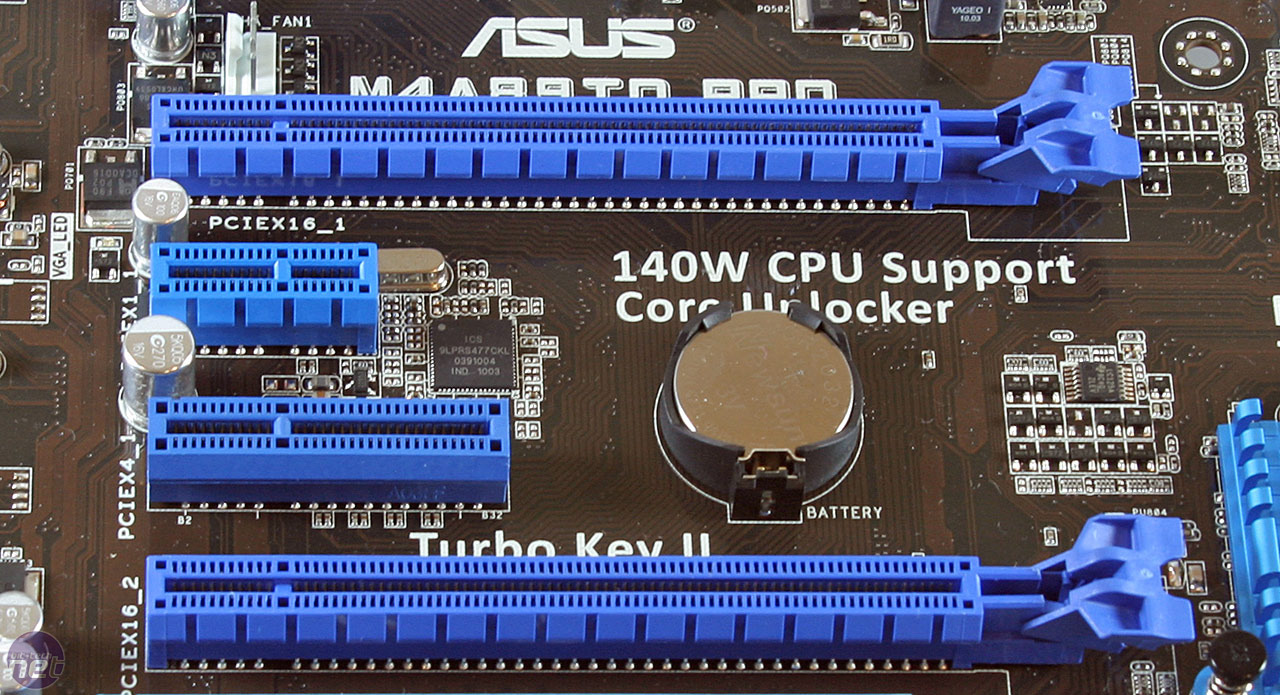
What is PCI Express storage?
Peripheral Component Interconnect Express
high-speed connection directly to motherboard
used by modern SSDs
Benefits:
very high throughput
low latency
What is NVMe?
Non-Volatile Memory Express
protocol designed specifically for SSDs
runs over PCIe
Advantages:
lower latency
much faster than SATA
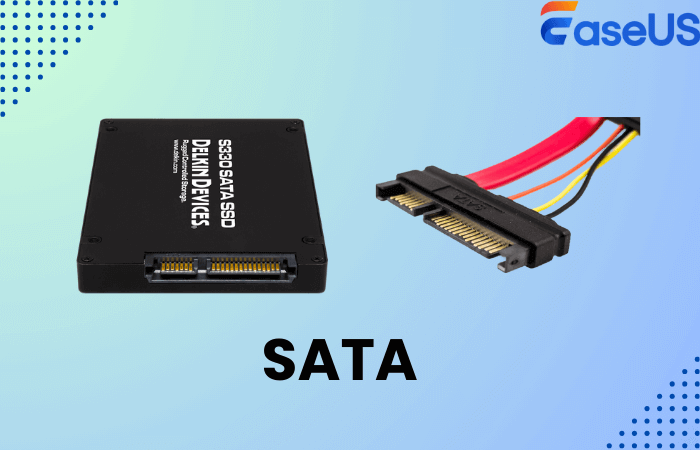
NVMe = SSD optimized protocolWhat is SATA used for?
connects storage devices (HDD/SSD)
uses Advanced Host Controller Interface AHCI protocol
Speed:
up to 6 Gbps (~600 MB/s)
Originally designed for hard drives, not SSD speeds.
What is SAS?
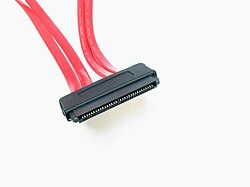
Serial Attached SCSI (Small Computer System Interface)
enterprise storage interface
faster and more reliable than SATA
What is SAS used for?
Enterprise servers and storage arrays
What is mSATA?
mini-SATA
smaller version of SATA
used in laptops
Status:
mostly replaced by M.2
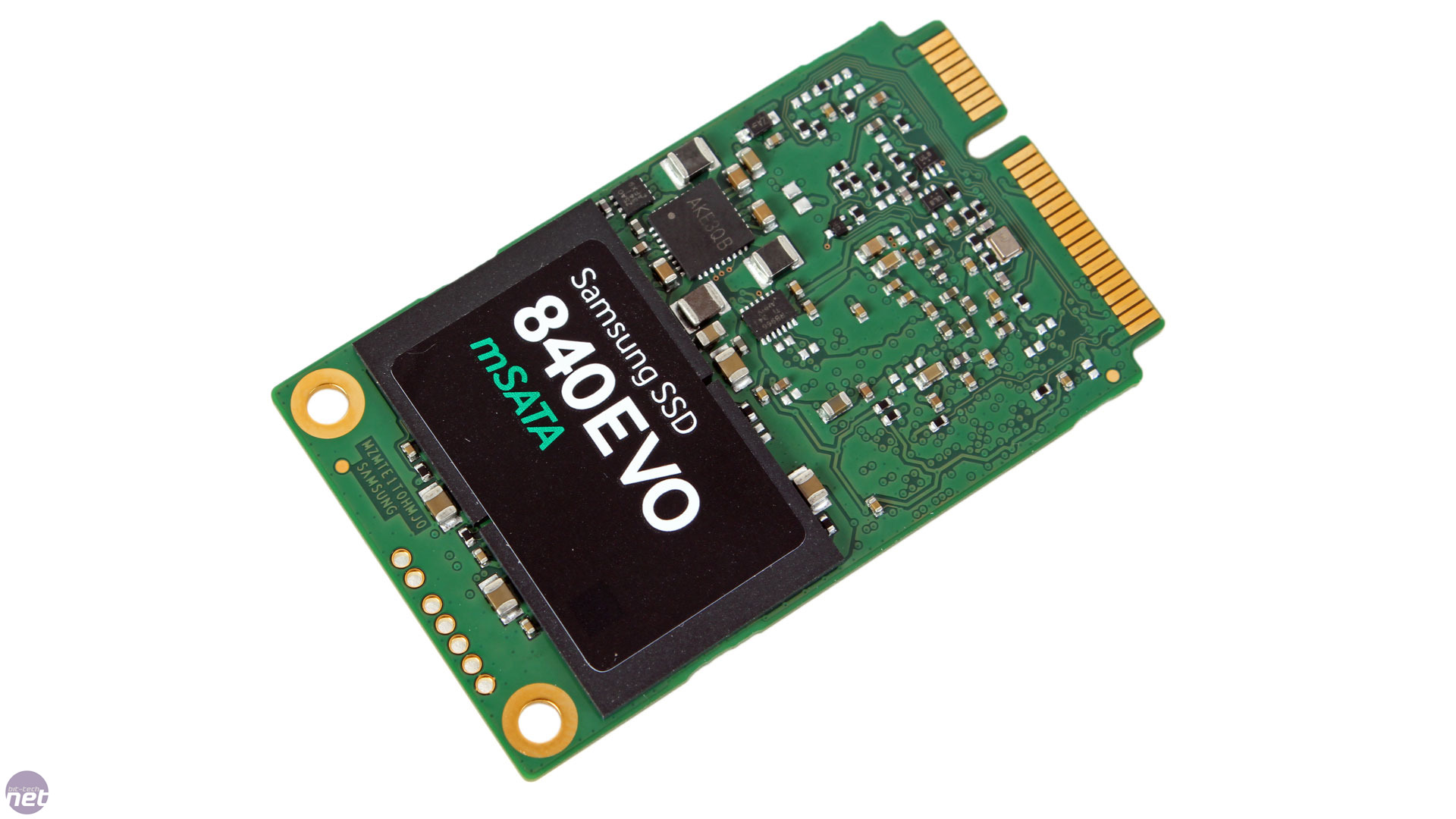
What is the M.2 interface?
compact SSD form factor
no cables (plugs directly into motherboard)
Can use:
SATA
PCIe (NVMe)
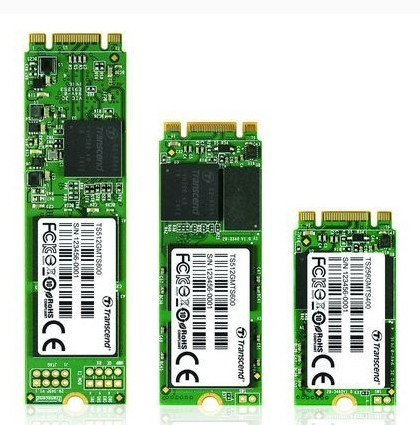
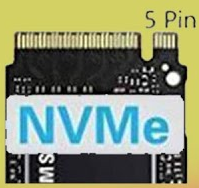
Identify the M.2 SSD Key
M key
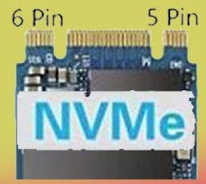
Identify the M.2 SSD Key
B + M Key
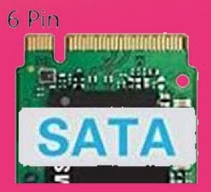
Identify the M.2 SSD Key
B Key
What are flash drives?
portable storage using EEPROM flash memory
electrically erasable programmable read-only memory
Features:
limited write cycles
What are the key characteristics of optical drives?
Slow; mainly for archival media
Formats: CD, DVD, Blu-Ray
RAID purpose?
Protects data with multiple drives
Not a backup
What does RAID stand for, and what are the common RAID levels?
RAID = Redundant Array of Independent (Inexpensive) Disks
RAID 0 – Striping (no redundancy)
RAID 1 – Mirroring (full redundancy)
RAID 5 – Striping + 1 parity drive
RAID 6 – Striping + 2 parity drives
RAID 10 (1+0) – Stripe of mirrors (nested RAID)
“Zero Stripes, One Mirror, Five Parity, Six Double, Ten Mirrors Striped.”
0 → Zero Stripes → RAID 0 = striping only, no redundancy
1 → One Mirror → RAID 1 = mirroring
5 → Five Parity → RAID 5 = stripe + 1 parity drive
6 → Six Double → RAID 6 = stripe + 2 parity drives
10 → Ten Mirrors Striped → RAID 10 = stripe of mirrors
What is RAID 0 and its characteristics?
Purpose = Stripe across drives → fast
No redundancy → one failure = data loss
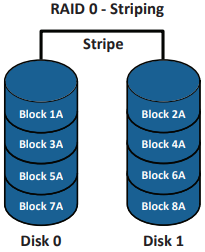
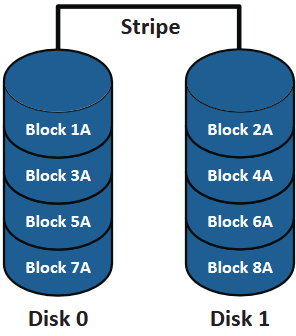
Identify the RAID type
RAID 0
What is RAID 1 and its characteristics?
Mirrors data across 2 drives → full redundancy
Safe if one drive fails
Slower write speed (data copied to both drives)
Faster read speeds than single drive
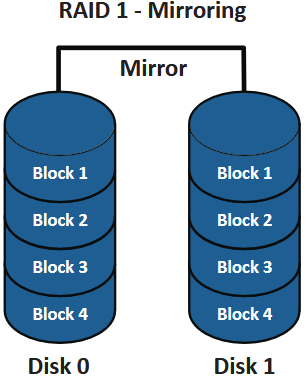
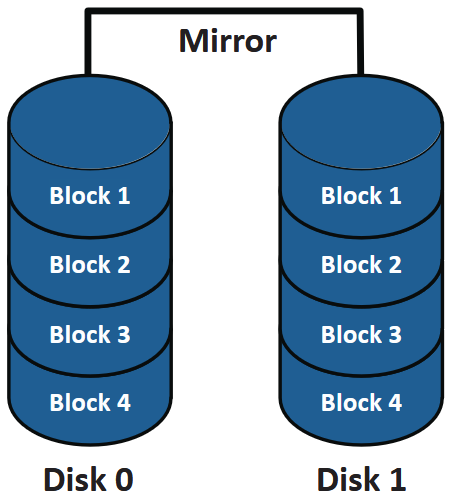
Identify the RAID type
RAID 1
What is RAID 5 and its characteristics?
Stripe data across 3+ drives with 1 parity drive
Combines performance + redundancy
Can survive one drive failure
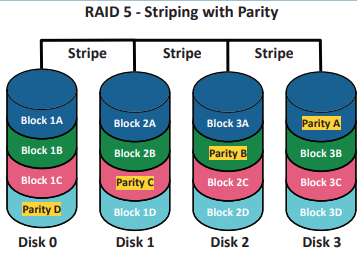
Identify the RAID type
RAID 5
What is RAID 6 and its characteristics?
Stripe data across 4+ drives with 2 parity drives
Can survive two drive failures
Slightly slower than RAID 5 due to extra parity
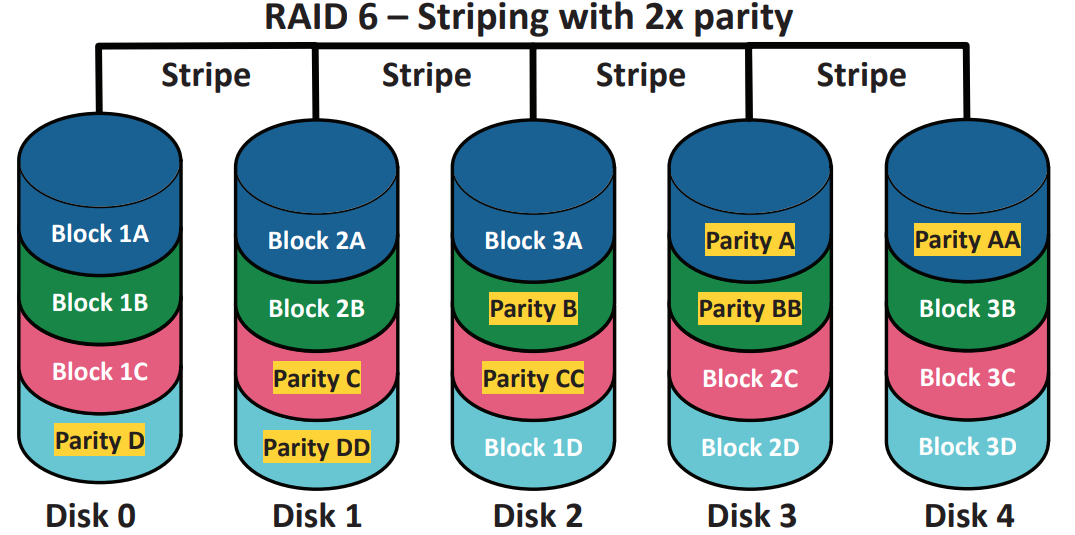
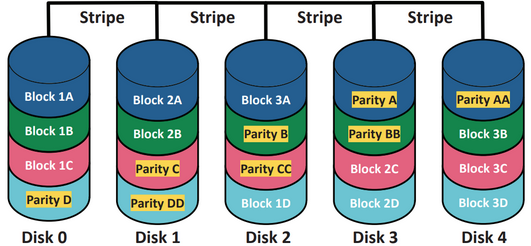
Identify the RAID type
RAID 6
What is RAID 10 and its characteristics?
Nested RAID → stripe of mirrors
Combines speed (striping) + redundancy (mirroring)
Can survive multiple drive failures depending on which drives fail
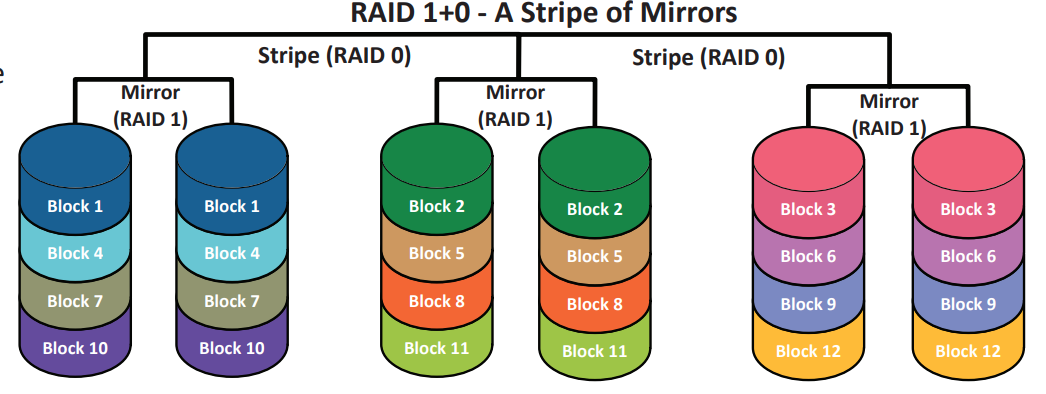
Identify the RAID type
RAID 10