5.2 Troubleshooting Storage Devices
 Call Kai
 Learn
Learn Practice Test
 Spaced Repetition
 Match
Match Flashcards
 Knowt Play
1/21

There's no tags or description
Looks like no tags are added yet.
Name | Mastery | Learn | Test | Matching | Spaced | Call with Kai | Chat |
|---|
No analytics yet
Send a link to your students to track their progress
22 Terms
Q: What indicates a read/write failure?
A: Errors like "Cannot read from the source disk."
Q: What are signs of slow storage performance?
A: Constant LED activity and repeated retries.
Q: What does loud clicking/grinding usually mean?
A: Mechanical HDD failure ("click of death") — drive is likely dead.
Q: What are first troubleshooting steps for disk failure?
Get a backup if possible
check cables
check for overheating
verify power supply.
Q: How do you run thorough disk diagnostics?
A: Use manufacturer diagnostics (may run overnight) preferably on a known-good computer.
Q: Why do HDDs make grinding/clicking noises?
A: Mechanical parts (spinning platters, actuator arms) with tight tolerances — metal-on-metal failure.
Q: What are symptoms when a drive is not recognized at boot?
A: "Boot device not found", no lights, beeps, or error messages if video works.
Q: What does "OS not found" mean?
A: Drive detected but no valid OS installed on that device.
Q: How do you troubleshoot boot failures?
A: Check cables, verify BIOS boot order, disable removable drives, check storage interfaces, try different SATA ports or another PC.
Q: Why is data recovery difficult from failed HDDs?
A: Mechanical failures are costly/time-consuming and recovery may fail — always maintain backups.
Q: How does a RAID failure typically present?
A: Clear alerts: error messages, emails, audible alarms; controller shows failed drive details.
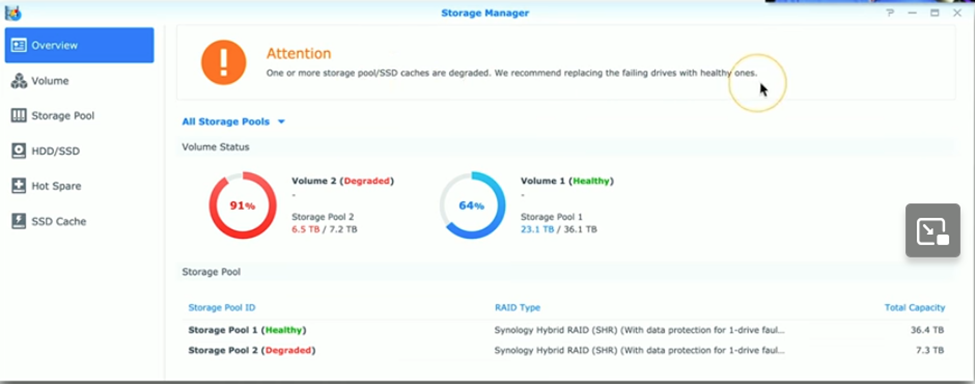
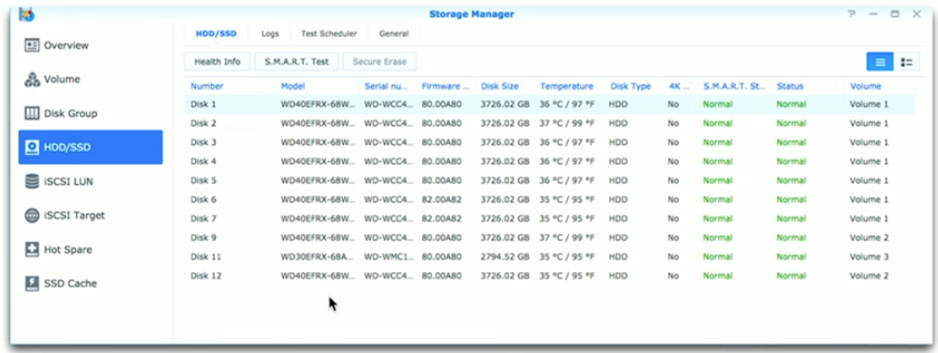
Q: What must you do before replacing RAID drives?
A: Identify RAID type and check RAID console; don’t remove drives until you confirm which is bad.
Q: What does SMART do for drives?
A: Self-Monitoring, Analysis, and Reporting Technology — detects warning signs and enables scheduled checks.
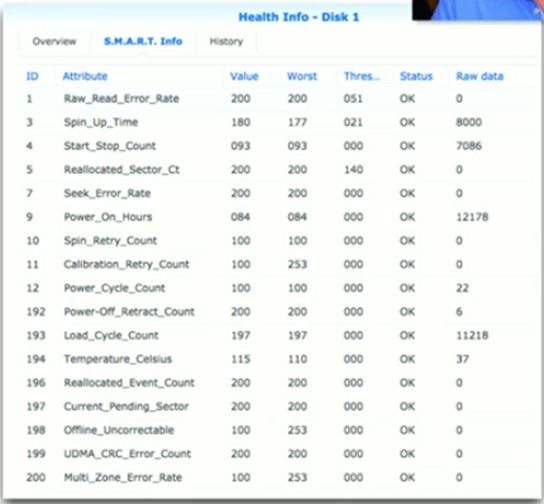
Q: How should SMART be used?
A: Monitor metrics over time, enable automated notifications, back up and replace drives when metrics worsen.
Q: What causes long read/write times?
A: Delays can occur at memory, bus, spin-up, or device level — many possible bottlenecks.
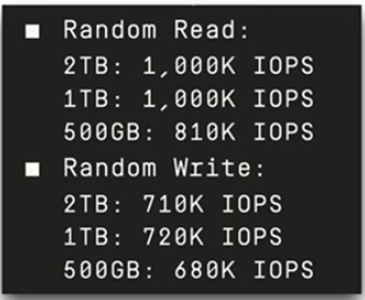
Q: What is IOPS and example values?
A: Input/output operations per second; HDD ~200 IOPS, SSD up to ~1,000,000 IOPS (illustrative).
Q: What if an internal drive is missing in OS?
A: Check BIOS config/logs and reseat or replace cables; test drive in another computer.
Q: What to check for missing external drives?
A: Power and signal cables, drive enclosure, and USB/SATA connections.
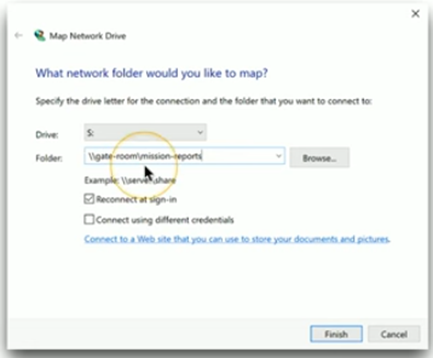
Q: Why might mapped network drives disappear?
A: Reconnect-at-sign-in not enabled, login scripts failed, or network/server unavailable.
Q: What causes an array to appear missing?
A: Faulty or missing RAID controller, controller misconfiguration, or failed controller hardware.
Q: What info can a RAID controller provide?
A: Drive status (optimal/inactive), processor/memory, which keys to press, and configuration utility access.
Q: What’s the single best defense against storage failure?
A: Maintain recent, well-managed backups.