Section 2 Cable types
 Note
Note Call Kai
 Learn
Learn Practice Test
 Spaced Repetition
 Match
Match Flashcards
 Knowt Play
1/34

There's no tags or description
Looks like no tags are added yet.
Name | Mastery | Learn | Test | Matching | Spaced | Call with Kai | Chat |
|---|
No analytics yet
Send a link to your students to track their progress
35 Terms
What does a USB type A connector look like?
A flat rectangular connector that can only be plugged in one way.
Where is USB type A commonly used?
On printers and laptops, supporting USB standards from 1.0 to 3.0 and above.
What are the three different types of USB type B connectors?
Type B Standard, Type B Mini, and Type B Micro.
Where is the Type B Standard connector typically used?
For printers and larger devices.
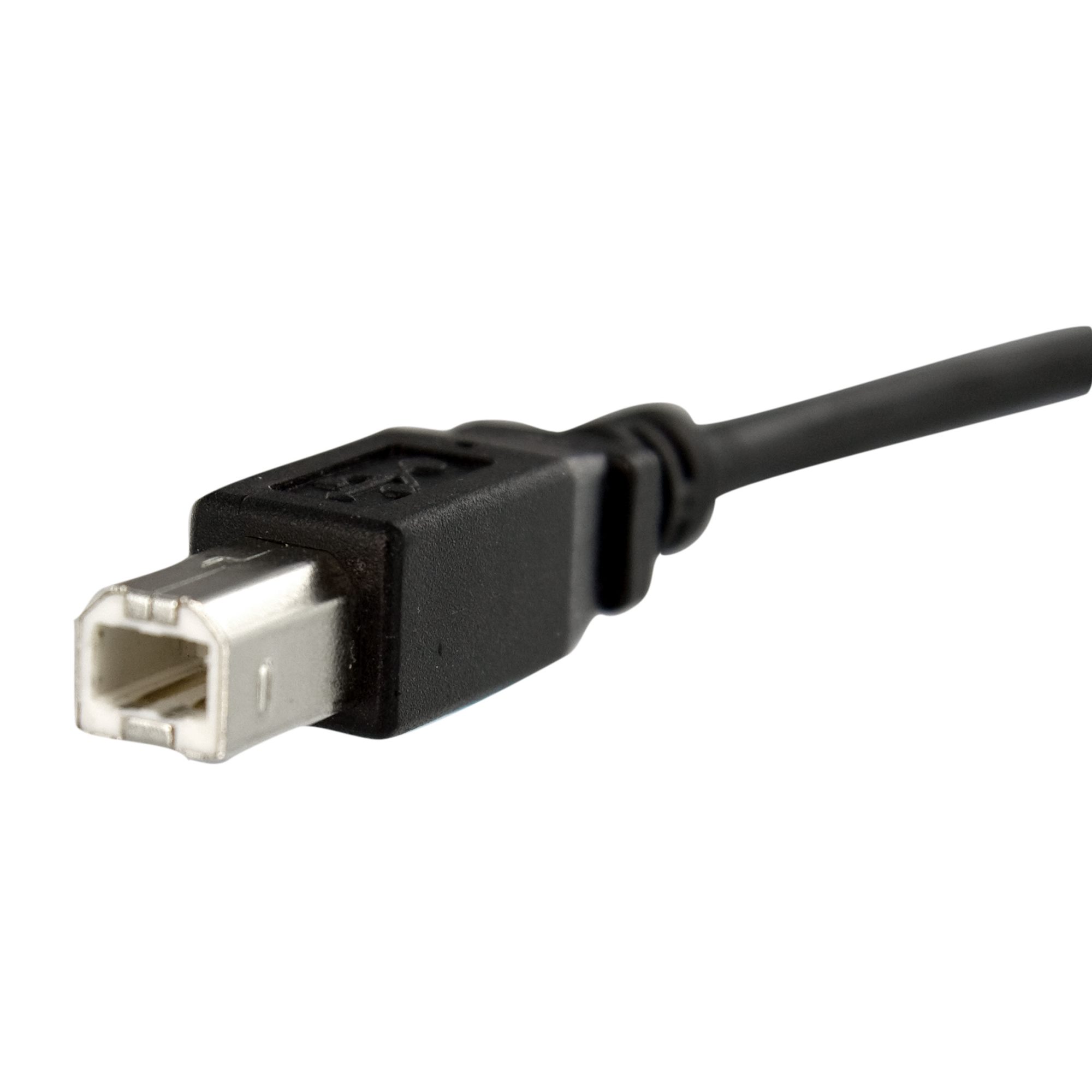
What USB connector is this?
Type B Standard
Where is the Type B Mini connector commonly used?
In portable devices such as cameras and older mobile phones.
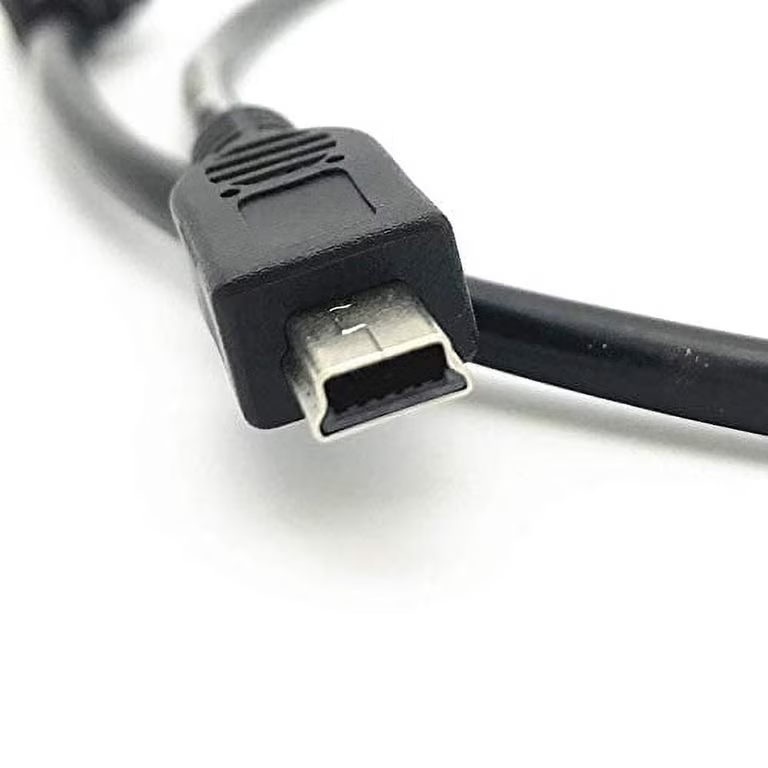
What USB connector is this?
Type B mini
Where is the Type B Micro connector predominantly used?
In smartphones and tablets.
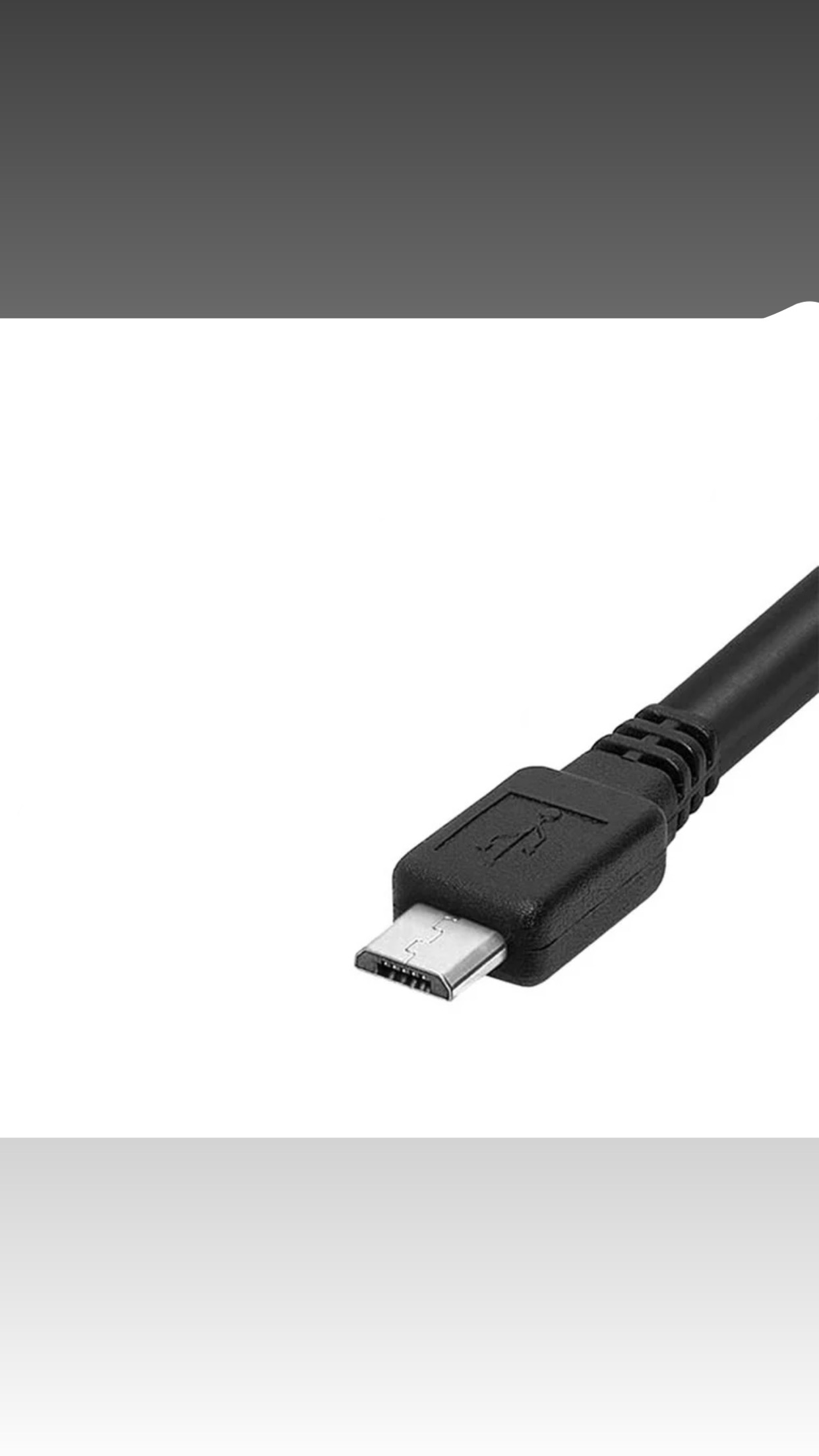
What Usb Connector is this?
Type B micro
Where is the USB 3.0 Type B Micro connector typically used?
For larger devices like printers and external hard drives.
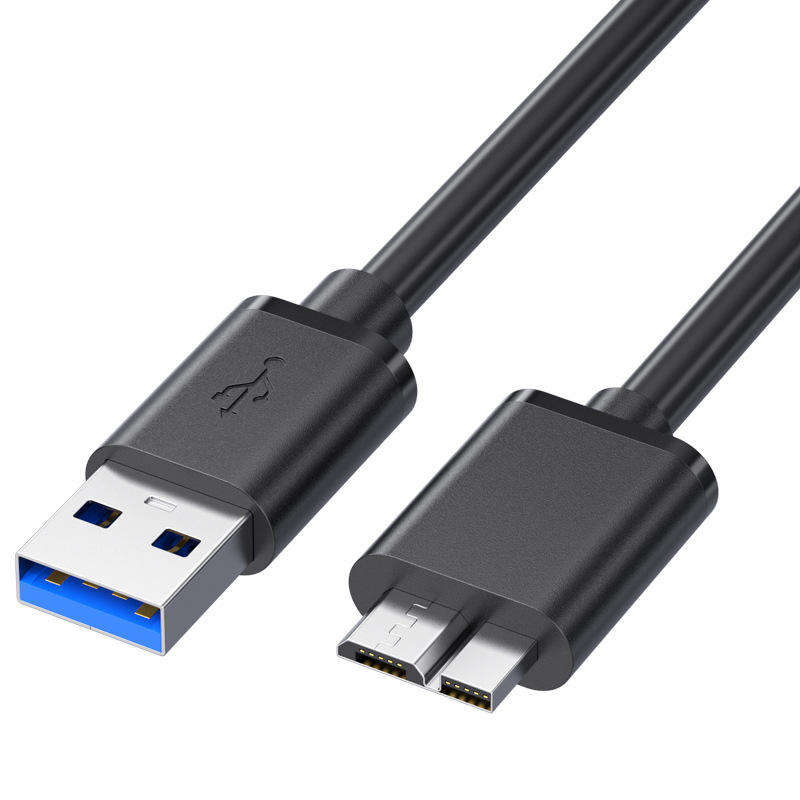
What USB connector is this?
Like two connectors put together.
What does a USB Type C connector look like?
A reversible connector that is oval-shaped.
Where is USB Type C used?
In smartphones, laptops, tablets, and other devices for charging and data transfer.
What are the protocols supported by USB Type C?
USB 3.1, Thunderbolt 3, and DisplayPort.
What is the transfer rate of USB 1.0?
1.5 Mbps (Low Speed) with a max length of 9 feet.
What is the market name for USB 1.1?
Full Speed with a transfer rate of 12 Mbps.
What is the transfer rate and market name of USB 2.0?
480 Mbps, Hi-Speed.
What is the transfer rate of USB 3.1 Gen 1?
5 Gbps, SuperSpeed.
What is the transfer rate of USB 3.1 Gen 2?
10 Gbps, SuperSpeed+.
What is the transfer rate of USB 3.2 Gen 2x2?
20 Gbps, SuperSpeed USB 20Gbps.
What is the transfer rate of USB 4?
40 Gbps.
What does HDMI stand for?
High Definition Multimedia Interface.
What resolutions can lower-resolution HDMI display?
1080p or 1920 by 1080 pixels.
What do high-resolution HDMI cables support?
4k and 8k resolutions with refresh rates of 60, 120, or 144 hertz.
What is HDCP?
High-bandwidth Digital Content Protection that validates a device's connection to a display.
What is a Type A HDMI connector?
The regular full-size HDMI connector.
What is a Type C HDMI connector?
The mini HDMI connector.
What is a Type D HDMI connector?
The micro HDMI connector.
What does Category 1 HDMI support?
Basic 1080p and 60 hertz.
What does Category 2 HDMI support?
Higher resolutions like 4k and 8k and higher refresh rates of 60, 120, 144 hertz.
What does DVI-A support?
Only analog signals.
What does DVI-D support?
Only digital signals.
What does DVI-I support?
Both analog and digital signals.
What is DVI an evolution of?
VGA (Video Graphics Array).
What does VGA use?
A 15-pin standard analog video interface port.