ComSci AS level Theory
 Call Kai
 Learn
Learn Practice Test
 Spaced Repetition
 Match
Match Flashcards
 Knowt Play
1/250

There's no tags or description
Looks like no tags are added yet.
Name | Mastery | Learn | Test | Matching | Spaced | Call with Kai |
|---|
No analytics yet
Send a link to your students to track their progress
251 Terms
Cloud computing
accessing a service/files/software on a remote server
Private cloud
Dedicated/bespoke services/storage on a remote server only available to company
Public cloud
Computing services offered by 3rd party provider over the public Internet, open/available to anyone with the appropriate equipment/software/credentials
Router
hardware component that receives and sends data between two networks operating on the same protocol // a device that forwards packets to their correct destinations in a network
Wireless Network Interface Card (WNIC)
hardware component that allows a device to connect to a wireless network // Provides a MAC address to the device to identify it on the wireless network
Repeater
hardware component that restores the digital signal so it can be transmitted over greater distances
Wireless Access Point (WAP)
hardware component that provides radio communication from the central device to nodes on the network (and vice versa)
Bit streaming
continuous ordered flow of bits over a communication path
Static IP address
an IP address that is fixed / doesn't change each time a device re-joins a LAN / network
Dynamic IP address
an IP address that may be refreshed / changed each time a device re-joins a LAN / network
Public IP address
an IP address that is assigned to a device to allow direct access on the internet
Private IP address
an IP address used for internal LAN communication only
DNS (Domain Name Service)
a decentralized naming system that translates human-readable domain names into IP addresses, facilitating internet communication
Characteristics of a WAN
● Covers a large geographical area
● External/public infrastructure is used
● Non-dedicated hardware
Characteristics of a LAN
● Covers a small geographical area
● The infrastructure is privately owned // not controlled by external organisations
Differences between a WAN and a LAN
● WAN covers a large geographical area and LAN covers a small geographical area
● LAN connections between devices are usually physical, whereas the WAN connections are often virtual
● A LAN has a high data transfer rate, whereas a WAN has a low data transfer rate
● The ownership of a LAN is private; the ownership of a WAN can be private or public
● LAN is usually more secure than a WAN because protection is easier to implement
Benefits of connecting computers to a LAN
● Allows the sharing of files/data // Allows communication between the devices
● Allows the sharing of resources e.g. hardware / software (applications)
● Allows central management // by example, backup, security, etc.
Key features of a peer-to-peer network
● All computers are of equal status
● Each computer provides access to resources and data // data is distributed
● Computers can communicate and share resources
● Each computer is responsible for its own security
Drawbacks of peer-to-peer network
● Reduced security // no central management of security
○ ... only as secure as the weakest computer on the network
○ ... each computer is at risk from viruses from other computers
● No central management of backup
○ ... if the data from one computer is not backed up it is lost to all of them
● No central management of files/software
○ ... consistency may be difficult to maintain
○ ... each computer may have different software from the others
● Individual computers may respond slower
○ ... because they are being accessed by other computers
● In order to share files etc. all the computers involved need to be switched on
○ ... so the files etc. may not be always available
Common applications of client-server model
● File server
● Printer server
● Email server
● Web server
Role of clients and servers on the Internet
● Web pages/files are saved on servers
● Clients send requests to the web servers
● Web servers process the requests
● ...and return the results to the client
● ... client displays the results to the user
What is meant by a thick‑client model?
● The server performs minimal / some processing for the client
● The clients also do most of their own processing/work independently // most of the resources are installed locally
Role of the different computers in thin-client model
● Server performs all processes required by the task and/or data storage
● Clients only sends requests to the server and displays the returned results
Characteristics of thin-client
● Data is not stored on the client computer
● Client computer is reliant on access to server
● Client computer heavily reliant on network/internet connection
● Client computer requires few local resources/memory
● Client computer performs minimal functions/processes
How packets are transmitted between two devices in a star topology
● Sending computer transmits packets directly to switch/router/central device
● Switch/router/central device checks destination address of packet and forwards directly to that device
Advantage of implementing a star topology instead of a bus topology
● Star topology is more resilient to faults
○ ...because there is no single cable and leads to less disruption
● Higher performance as fewer collisions
○ ...because each device in the network is only connected to the switch
● Easier to add new nodes
○ ...because each device in the network connects directly to the switch
● Easier to fault find compared to bus topology
What is meant by a mesh topology?
● All computers are connected to at least one other device
● There are multiple routes between devices
● The computers can act as relays, passing packets on towards the final destination
Advantages of using a mesh topology instead of a bus topology
● If one line goes down there are more routes available
● Improved security as not using one main line
● No/fewer collisions
● New nodes can be added without interruption or interfering with other nodes
● More secure because data is sent over a dedicated connection
Benefits of cloud computing
● Can be accessed anywhere with Internet access
● Do not need to install security // security might be better
● Do not need to perform backups
● Do not need to buy specific software/hardware
● Can easily share documents
● Can have multiple people working on the same document
Disadvantages of storing data on a public cloud compared to storing data on a server in a Local Area Network (LAN)
● There could be a possible loss of control unlike the LAN
○ ...because the data is stored on a remote infrastructure / someone else's infrastructure
○ ...reliance on external agency to complete tasks, e.g. backups, security
● Requires reliable internet connection
○ ...to ensure access to the remote data, more likely with LAN
● Increased recurring costs
○ ...as cloud provider charges must be paid, costs for LAN once only
Benefits to the company of using private cloud storage instead of public cloud storage
● Not reliant on a third party
● ... gives greater control over security/privacy
● ... gives greater control over backup
● Storage can be tailored/scalable to company requirements
● e.g. the amount of storage accessible/ facilitating the sharing of files
Benefits of using wired connection
● Faster connection // higher bandwidth
● .... needed when downloading/streaming large files
● ... less time waiting / less latency / fewer delays
● More reliable / stable connection
● ... is less susceptible to issues with distance/walls/interference
● More secure
Benefits of using wireless connection
● Freedom of movement
○ ... can move between different rooms with a mobile device and still receive/transmit data
○ ... no need of a physical connection
● Easily expanded if friends want to access the same network
● Less cabling / expertise is needed
○ ... making the initial setup less expensive
Transmission media that can be used to transfer data in the WAN
● Copper cable: carries data as electrical signals and can consist of twisted pair and coaxial
● Fibre optic: transmits data as pulses of light, uses (a bundle of) glass/plastic threads to transmit data
● Radio waves / microwaves: transmits electromagnetic waves on different frequencies
Differences between fibre-optic cables and copper cables
● Fibre optic data is transmitted using light, copper cable through electrical signals
● Fibre optic has higher bandwidth than copper cable // Fibre optic has higher transmission rates than copper cable
● Fibre optic has smaller risk of (noise) interference than copper cable
● Fibre optic can be used over longer distances than copper cable before repeaters are needed
● Fibre optic is much more difficult to hack into than copper cable
● Fibre optic is more prone to damage than copper cable
Advantages of transmitting data using satellites instead of copper cables
● Not fixed to a single location
● Allows access in remote / rural areas
Disadvantages of transmitting data using satellites instead of copper cables
● High latency / lag / slow to connect
● More expensive than wired methods, as need extra equipment
● Signal is affected by bad weather
● The transmission speed is slower than fixed line broadband
● Direct line of sight needed
Purpose of Switch
● To allow two or more devices to communicate with one another
● To connect individual devices to each other
● To receive transmissions and forward them to their destination
Purpose of Wireless Access Point (WAP)
● To allow connection of devices (to the central device) using radio signals / Wi-Fi
● To allow the central device to send / receive radio signals / Wi-Fi signals
● To allow wireless enabled devices to connect to a wired network
Purpose of bridge
● To connect two LANs / segments with the same protocol
● To transmit data between two networks with the same protocol
Functions of Wireless Network Interface Card (WNIC)
● Provide interface to wireless network
○ ... as an antenna
● Receives analogue radio waves
○ ... convert them to digital / binary
● Checks incoming transmissions for correct MAC / IP address
○ ... ignore transmissions not intended for it
● Encrypts / encodes the data // Decrypts / decodes the data
● Takes digital/binary input and converts to analogue waves
... sends the radio waves via the antenna
Role of routers in the transmission of data through the internet
● Receives packets from internet
● Analyses the destination IP address of each packet
● Forwards the packet towards its destination
● ... using the routing table
● Maintains/updates the routing table
● Finds the most efficient route to the destination
What is meant by Ethernet?
● A protocol (suite)
● For data transmission over standard / universal wired / cabled network connections
● Uses Carrier Sense Multiple Access / Collision Detection (CSMA/CD)
● Data is transmitted in frames
● ... each frame has a source and destination (IP/MAC) address
● ... and error checking data (so damaged frames can be resent)
Describe CSMA/CD
● A workstation / node (wishing to transmit) listens to the communication channel
● ...data is only sent when the channel is free // ... if channel is free data is sent
● Because there is more than one computer connected to the same transmission medium
● ... two workstations can start to transmit at the same time, causing a collision
● If a collision happens, the workstations send a (jamming) signal / abort transmission
● ...and each waits a random amount of time before attempting to resend
Tasks performed by devices to deal with collisions when using the Carrier Sense Multiple Access / Collision Detection (CSMA/CD) protocol in a network
● To monitor the communications channel
● To send data only when there is no data being transmitted / the line is quiet / idle
● To detect a collision and then stop transmissions of further data // transmit a jamming signal
● To calculate a random wait time / back-off time
● ... then retransmit the data after that random wait time
Increase random time if multiple collisions
Drawbacks of using CSMA/CD
● Random time increased each time so can be infinite waiting
● May be constant jamming signal so nothing ever sends
● Certain nodes cannot be prioritised
● High power consumption
● Only suitable for short distance network // limited distance
● Not scalable // more nodes means exponentially longer waiting times
Differences between real-time and on-demand bit streaming
● Real-time is direct from source whereas on-demand is prerecorded/downloaded to view later
● Real-time cannot be re-watched, on-demand can be paused, re-watched etc.
● Real-time plays continually, on-demand downloads sections/blocks and cannot play until next section is downloaded
How bit streaming is used in a real-time video conference?
● Data is compressed before transmitting
● The video and audio are transmitted continuously as a series of bits
● The video is uploaded to a media server
● On download, the media server sends the data to a buffer
● The buffer stores data from server until the receiving device can process it
● The receiving device receives the bit stream from the buffer
Differences btw Internet and WWW
● Internet is the infrastructure / global collection of networks
● World Wide Web is the collection of interlinked, multimedia web pages / content, webpages are written in HTML
● The World Wide Web is accessed over the Internet
● WWW uses HTTP protocol to transfer web pages, Internet uses IP protocol
Role of the PSTN (Public Switched Telephone Network) in the transmission of data through the internet
● The PSTN consists of many different types of communication lines
● ... therefore the digital data may need to be converted into a different form/analogue signal
● Data is transmitted in both directions at the same time // duplex data transmission
● Using a PSTN the communication passes through different switching centres/ISPs
Why the router has a public IP address?
To be visible to and accessible by other devices on the internet
Differences between an IPv4 and IPv6 address
● The numbers in an IPv4 address are separated by full stops and in an IPv6 address they are separated by colons
● IPv4 has 4 groups of digits whilst IPv6 has 8 groups
● IPv4 is usually represented in denary whilst IPv6 is usually represented in hexadecimal
● IPv4 groups are between 0 and 255 whilst IPv6 is between 0 and FFFF
● IPv4 is 32 bits whilst IPv6 is 128 bits
Purpose of subnetting in a network
● It allows the network to be divided into smaller networks
○ ... which reduces traffic in some parts of the network // reduces congestion
○ ... because traffic only travels through the parts necessary
○ ... which hides the complexity of network
○ ... and allows for easier maintenance of the network
● To improve the security of the LAN
○ ... so that devices do not receive unintended data
○ ... so that a compromised device does not expose the whole network
○ ... so not all devices can access all segments
● To make the network management easier
○ ... because faults can be isolated more efficiently
● To make the network easier to expand // For better control of network growth
○ ... by allowing for greater range of IP addresses to be available
● To improve network performance
Two parts of an IP address in a subnetwork
● IP address is made up of a network ID and a host ID
○ Each device in a subnetwork has the same network ID // Each subnetwork has a different network ID
○ Every device in each subnetwork has a different host ID but the same network ID // the host ID uniquely identifies the device within the subnetwork
Differences btw Public and Private IP address
● Private IP is only known within the LAN, public IP is known outside of the LAN/ on Internet
● Public is allocated by ISP, private is allocated by the router
● Public addresses are unique throughout the Internet, private addresses are unique only within the LAN
● Private IP addresses are more secure than public IP addresses
● NAT (Network Address Translation) is necessary for a private IP address to access the Internet directly.
● 0.0.0.1 to 10.255.255.254 and 172.16.0.1 to 172.31.255.254 and 192.168.0.1.to 192.168.255.254 form the private address space // IP addresses from the private address space are never assigned as public.
Use of modems when data are transmitted over the Internet [1 mark]
Convert digital data into analogue (or vice versa) for transmission down phone lines
Use of dedicated lines when data are transmitted via the Internet [1 mark]
Used to provide a direct/ private connection which therefore provides faster transmission
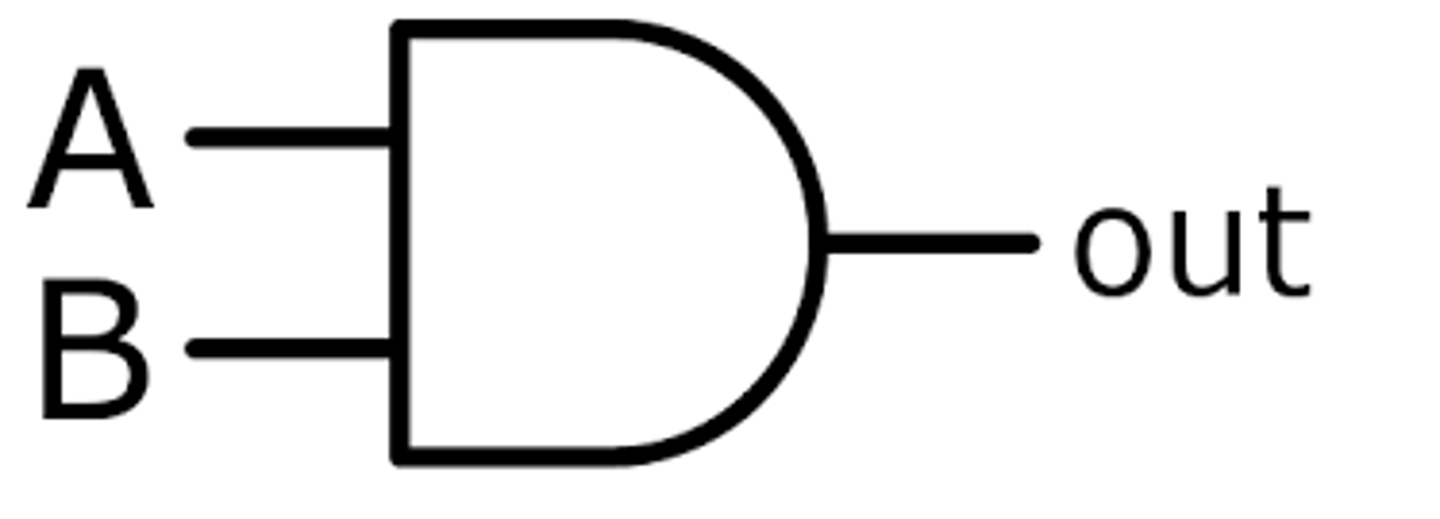
AND gate description
A logic gate that has two inputs. If both inputs are '1' it will output '1', otherwise it will output '0'.
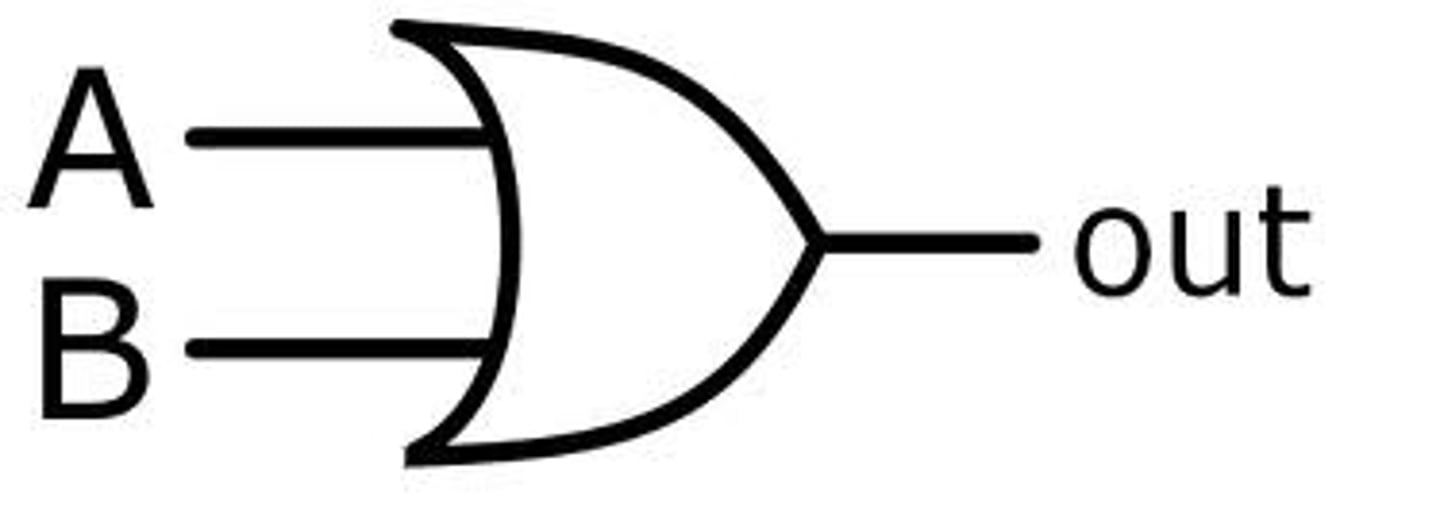
OR gate description
A logic gate that has two inputs. If either or both of the two inputs is '1', its output is '1'
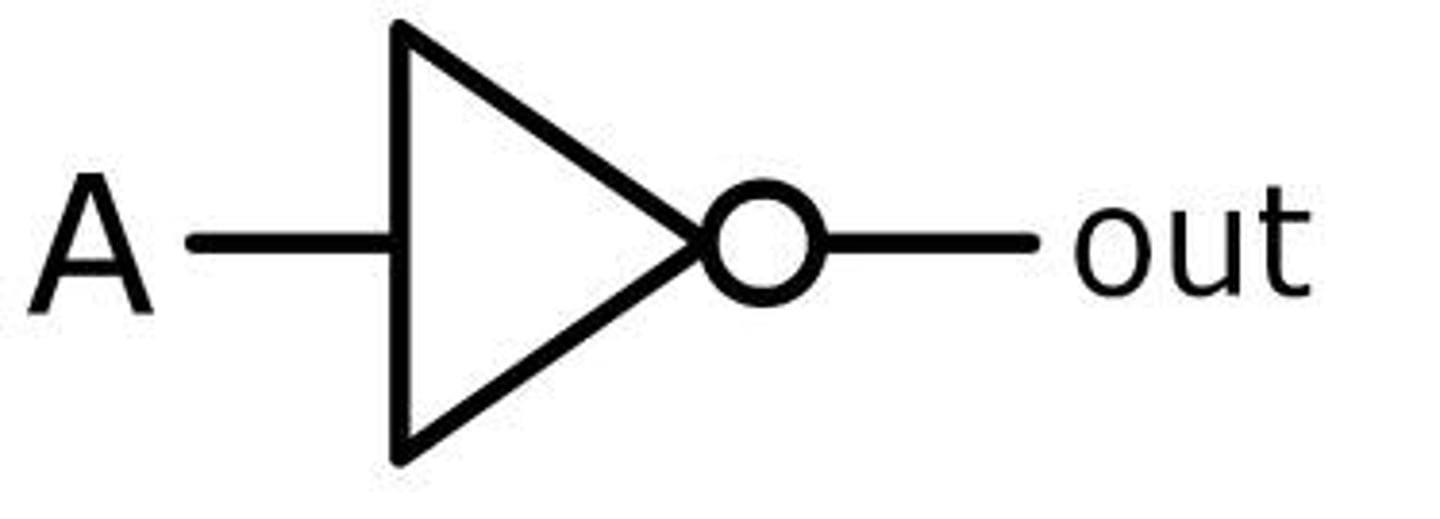
NOT gate description
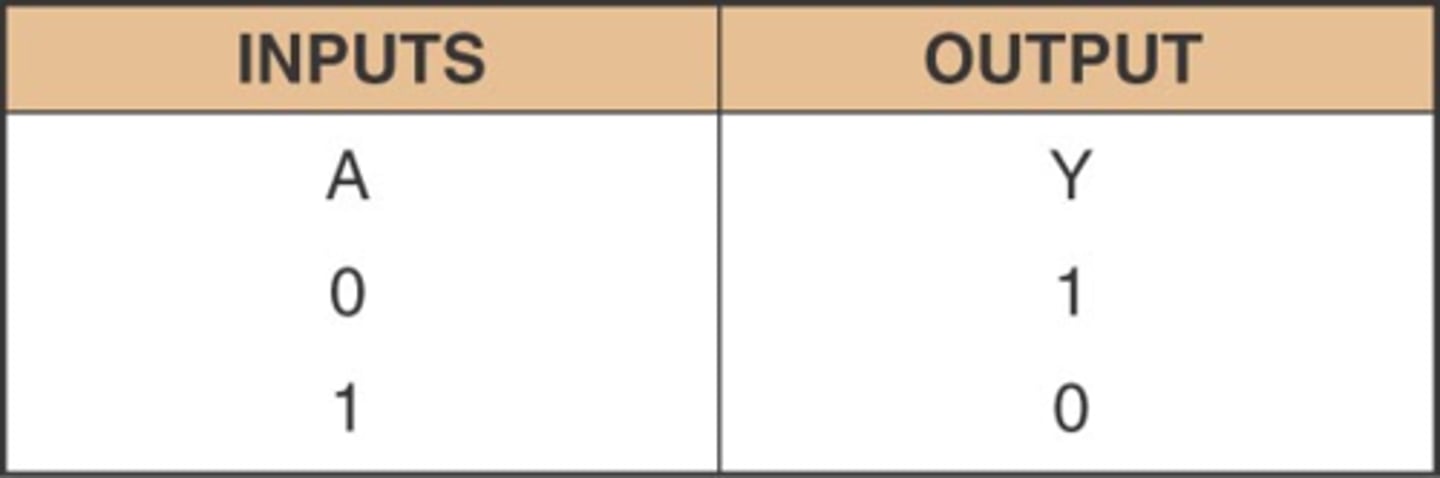
A logic gate that has one input. If the input is '0', its output is '1'. If the input is '1', its output is '0'
Also called an INVERTER gate.
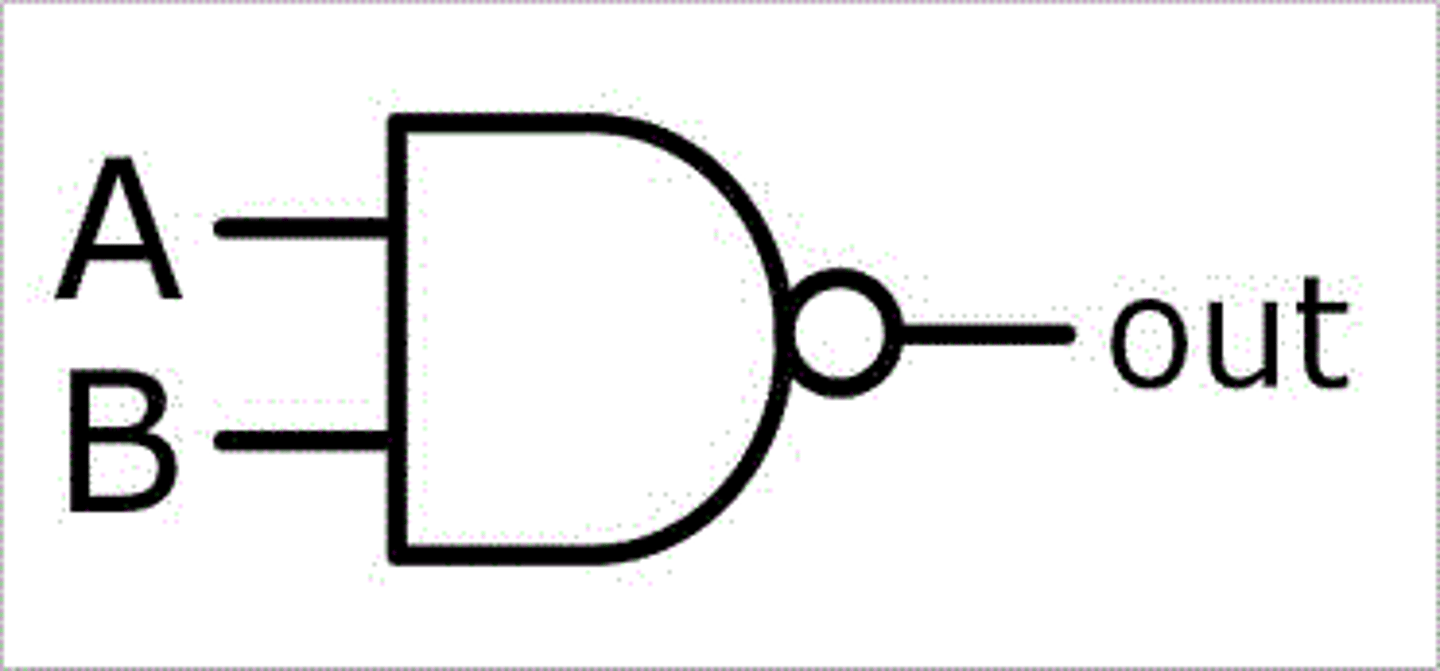
NAND gate description
Combination of a NOT and an AND gate. If an AND gate gives an output of 0, then this gate gives an output of 1
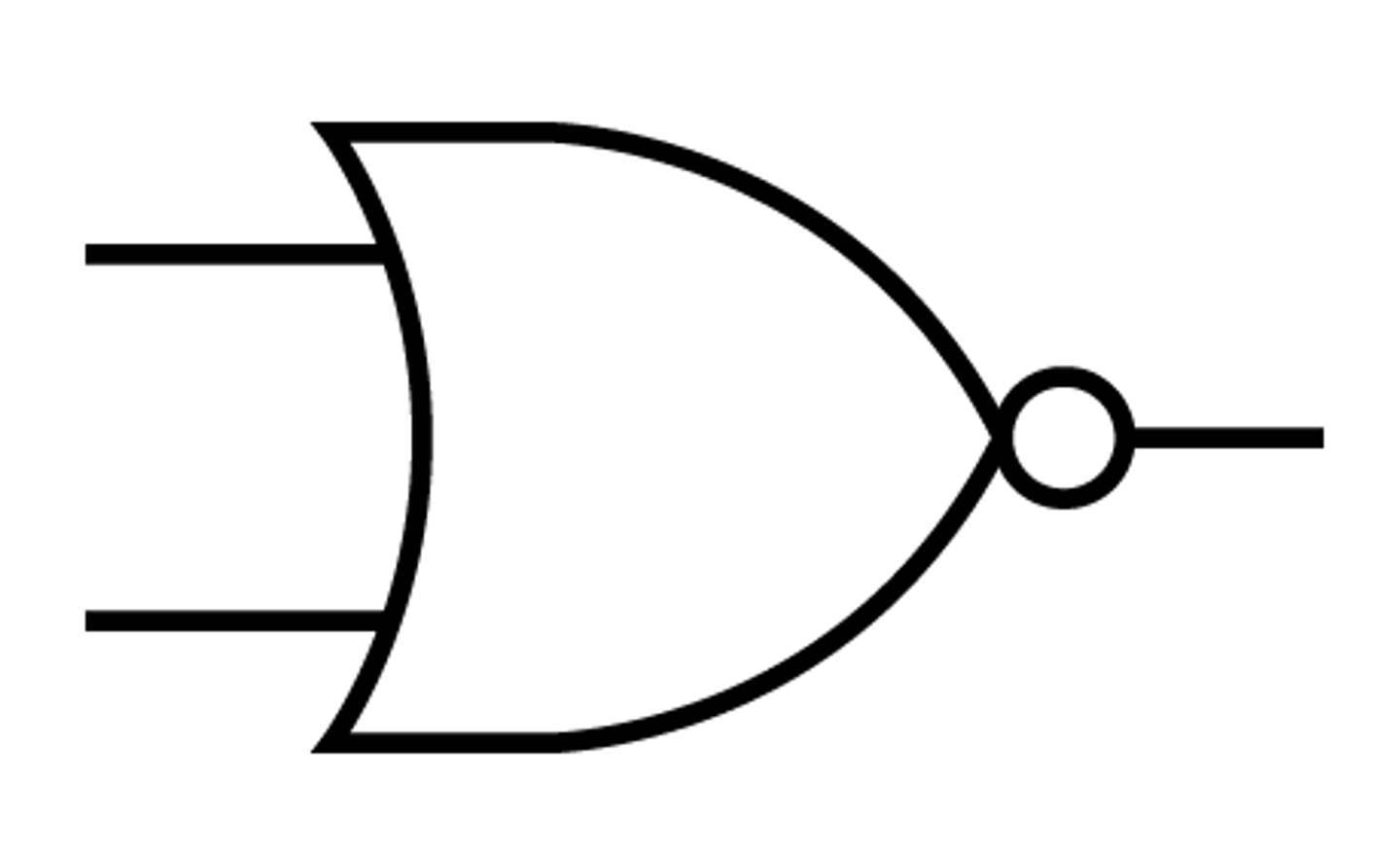
NOR gate description
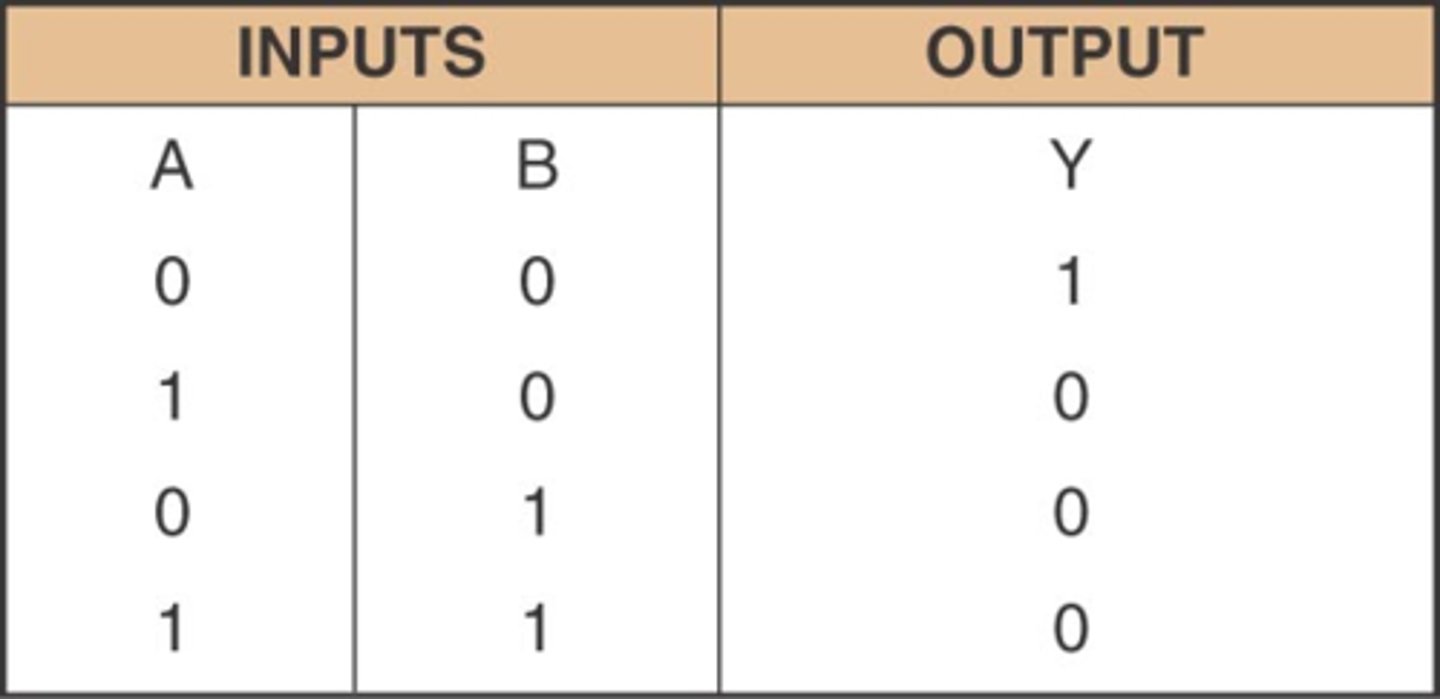
Logic circuit that operates like an OR gate followed by an INVERTER. The output of this gate is LOW (logic level 0) when any or all inputs are HIGH (logic level 1).
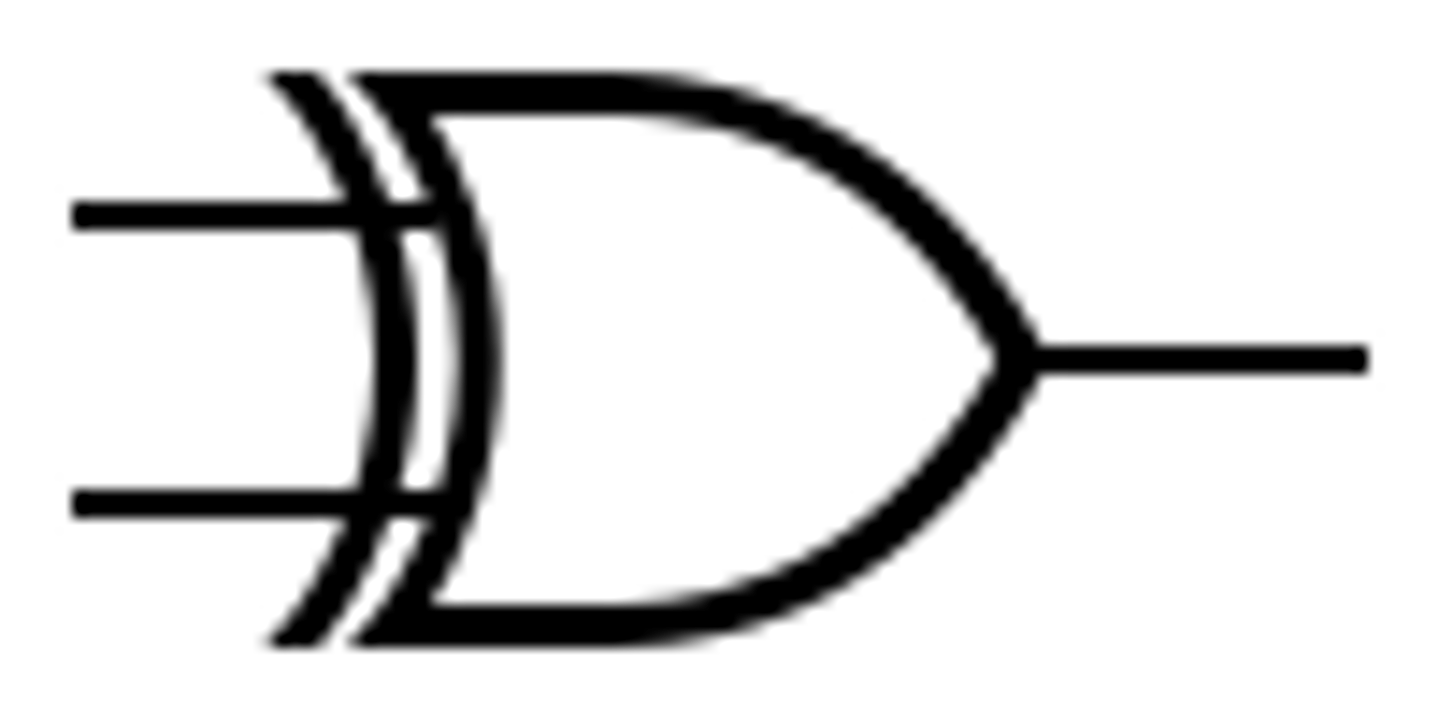
XOR gate description
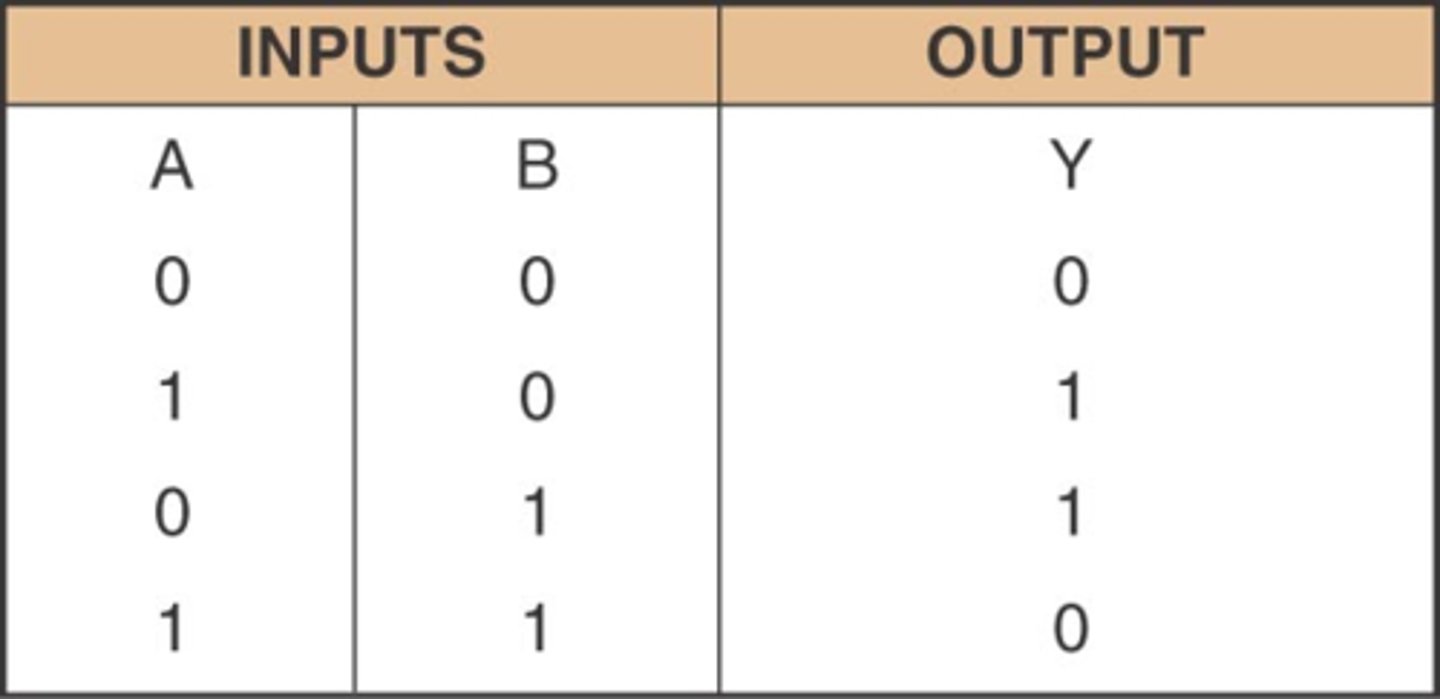
A logic gate that outputs HIGH (logic level 1) when only one of its inputs is HIGH (logic level 1)
NAND gate symbol
AND gate symbol
NOT gate symbol
OR gate symbol
NOR gate symbol
AND truth table
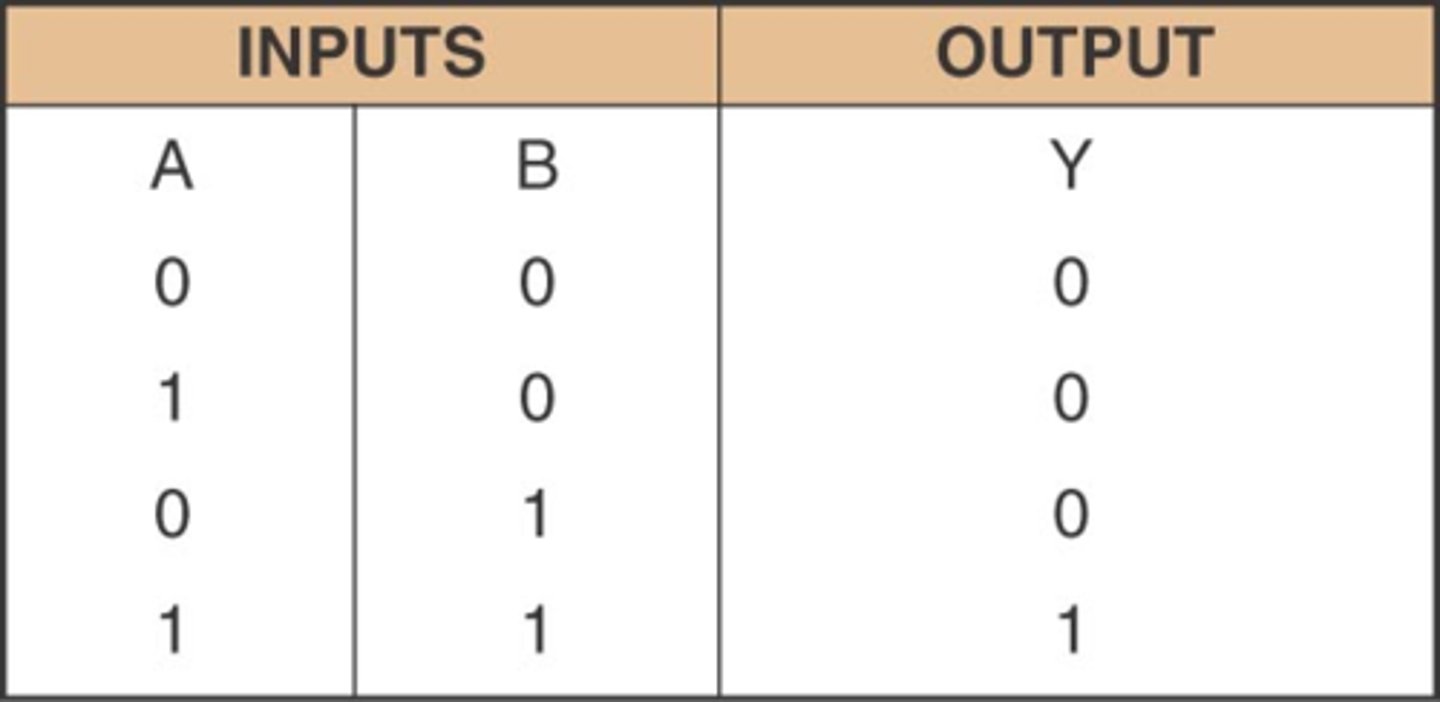
NAND truth table
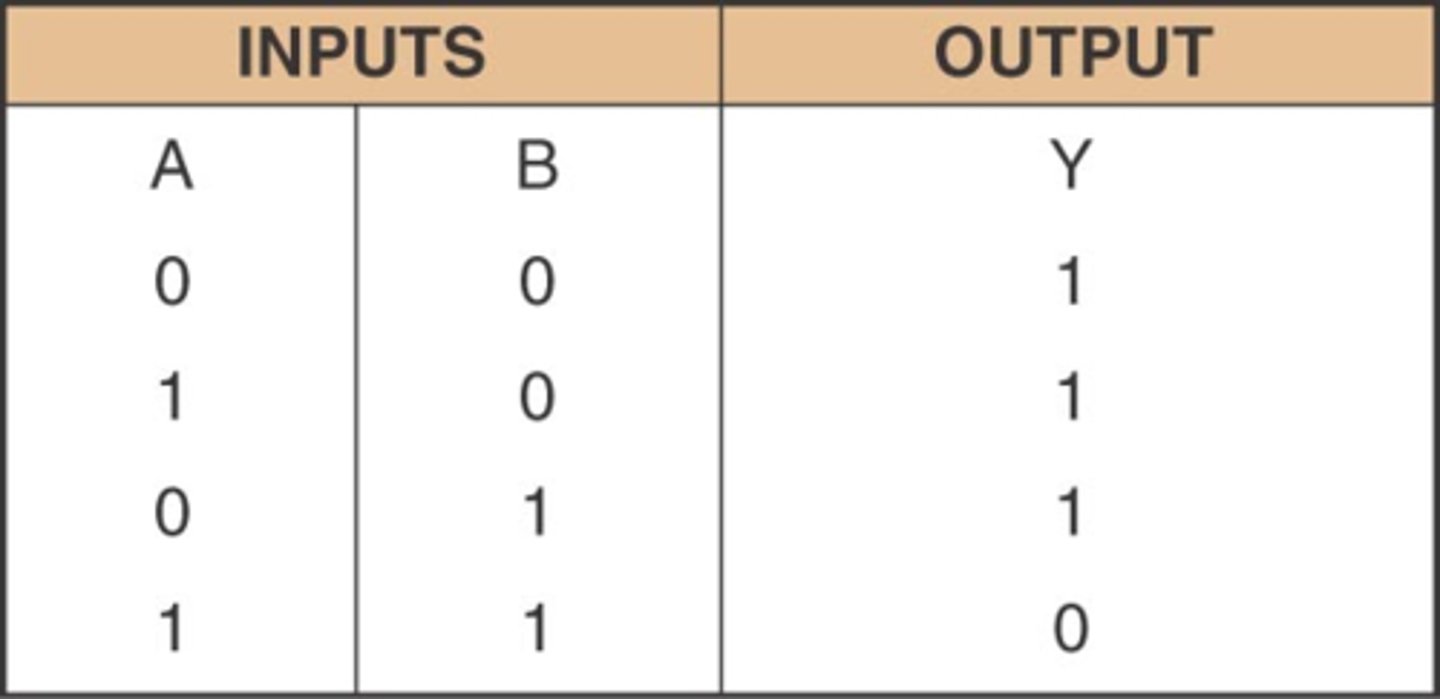
OR truth table
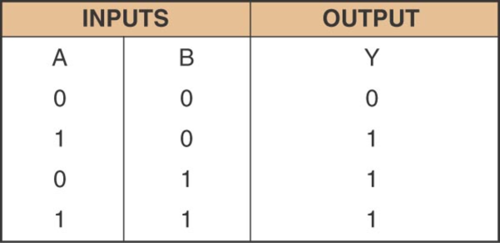
NOT truth table
NOR truth table
XOR truth table
Digital signal description
A system of discrete states: high or low, on or off, 1 or O.
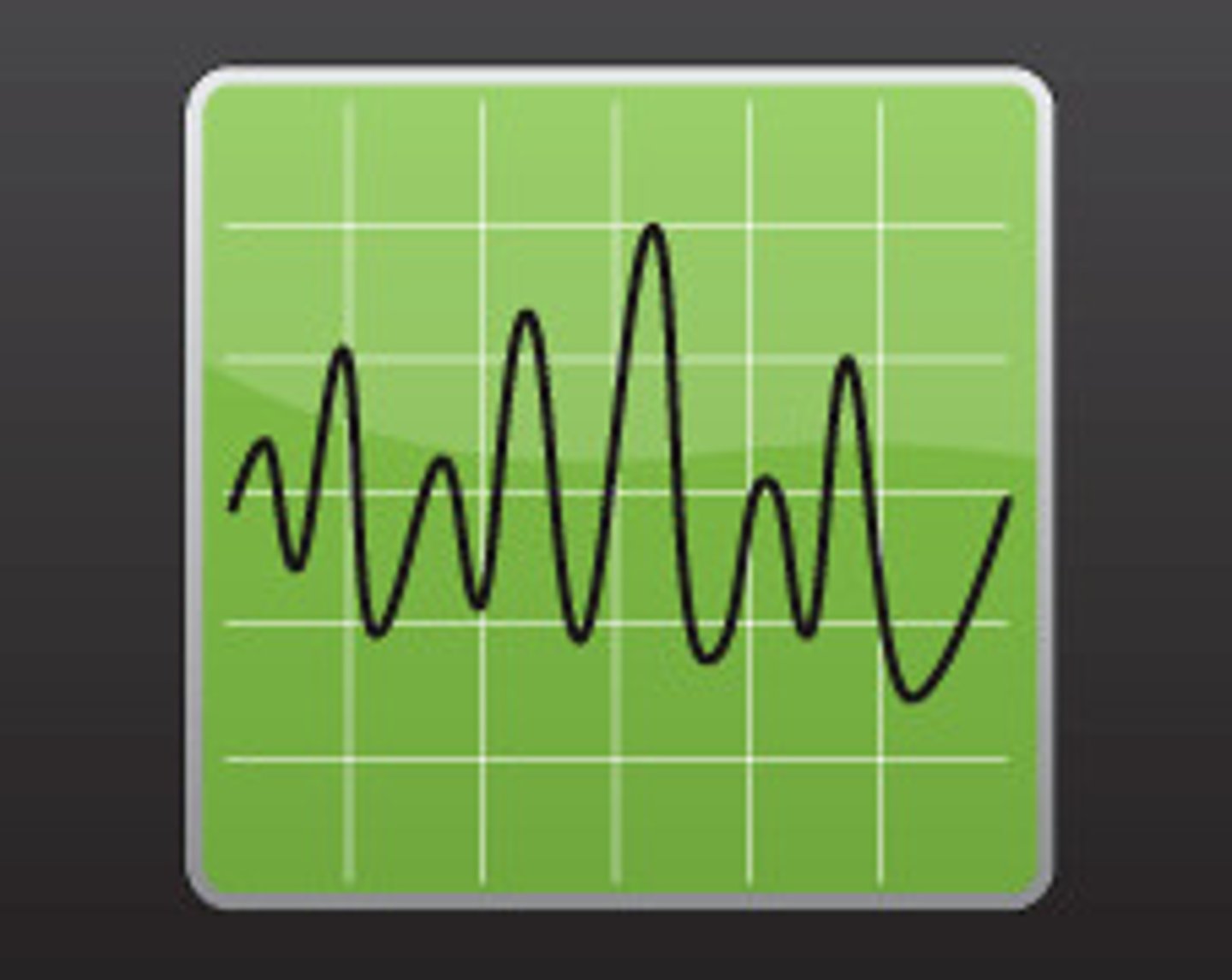
Analogue signal
Digital signal
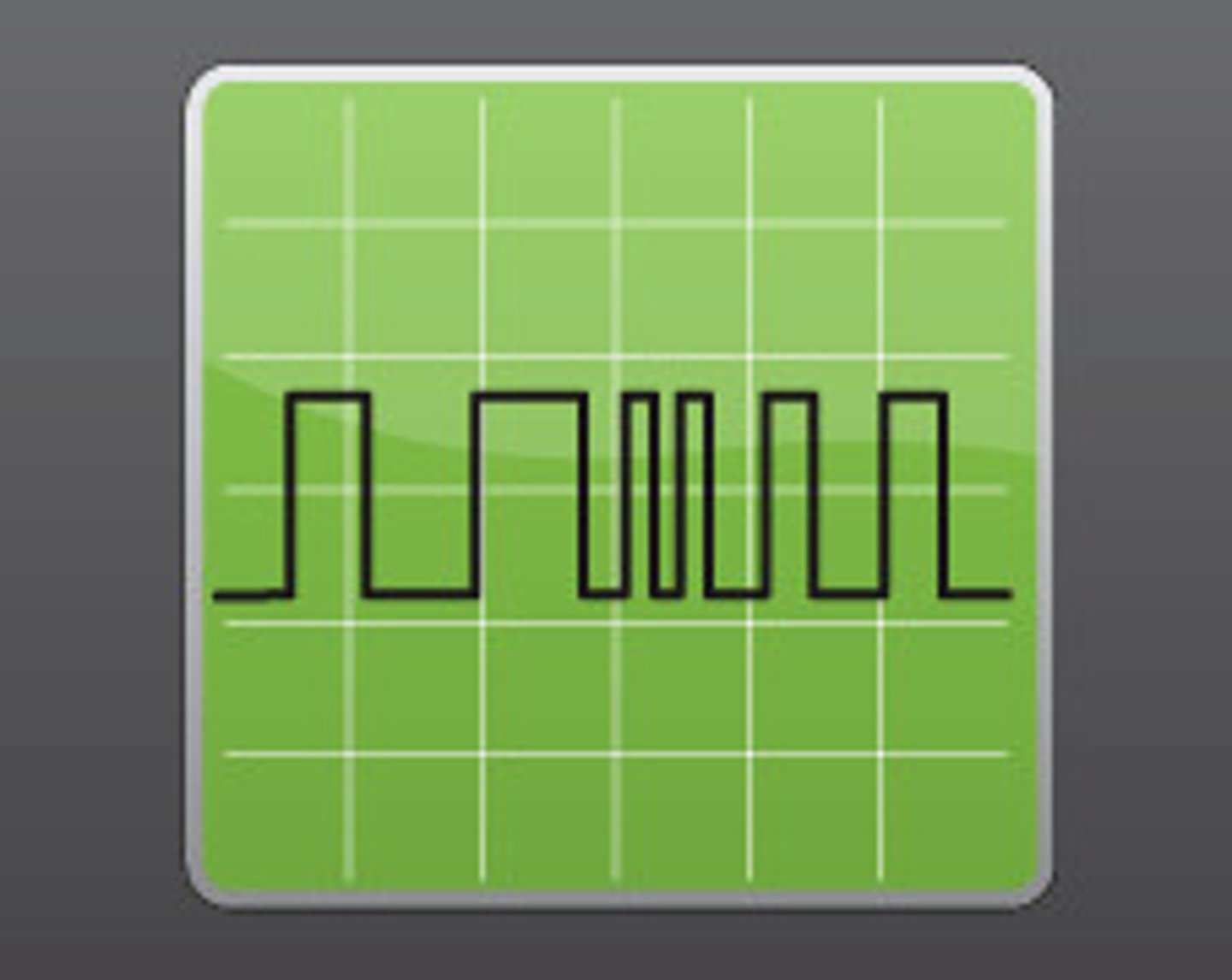
Analogue signal
A system where the data varies continuously with time and can have any value between two limits.
XOR gate symbol
Entity
a real-life object that is represented as a table // an object that data is stored about
Attribute
an item of data about an entity
Field
A column/attribute in a table
Record
a row in a table in a database
Tuple
A row of data in a table about one instance of an object
Primary key
the unique attribute / combination of attributes used to identify the record / tuple
Candidate key
a field that could be a primary key but is not // an attribute or smallest set of attributes in a table where no tuple has the same value
Secondary key
an additional/alternative key used as well as the primary key to locate specific data // a candidate key that has not been chosen as a primary key
Foreign key
a field in one table that is linked to a Primary Key in another table
Data dictionary
stores metadata for a database, identifies the characteristics of the data that will be stored
Query processor
software that allows the user to enter criteria, then finds and returns the appropriate result // software that processes and executes queries written in SQL
Developer interface
a software tool that allows the user to create items such as tables, forms and reports
Benefits of using a relational database instead of a file-based approach
● There is reduced data redundancy // less repeated data
○ ... because each item of data is only stored once
● Data consistency is maintained // Data integrity is improved
○ ... changes in one table will automatically update in another
○ ... linked data cannot be entered differently in two tables
● Program-data independence is ensured
○ ... changes to the data do not require programs to be re-written // queries are not dependent on the structure of the data
● Complex queries are easier to run
● Different views can be provided
○ .... so users can only see specific aspects of the database
● Multiple concurrent access is possible
○ ... through record locking
Explain the reasons why referential integrity is important in a database
● Referential Integrity makes sure data is consistent
● Referential Integrity makes sure all data is up-to-date
● Referential integrity ensures that every foreign key has a corresponding primary key
● Referential Integrity prevents records from being added / deleted / modified incorrectly
● Referential Integrity makes sure that if data is changed in one place the change is reflected in all related records
● Referential Integrity makes sure any queries return accurate and complete results
Description of the three normal forms
● First Normal Form (1NF): no repeating groups of attributes
● Second Normal Form (2NF): no partial dependencies
● Third Normal Form (3NF): no non-key dependencies
Explain how a DBMS supports data integrity
● Referential integrity is enforced
● ... such as cascade update/delete // if the data is changed in one place it is updated in every other place
● validation/verification rules
Items that are stored in a data dictionary
● Table name
● Field name // attribute
● Data type
● Type of validation
● Primary Key
● Foreign Key
● Relationships
Describe what is meant by a logical schema
● Conceptual design
● Platform/database independent overview of the database
● Is used to design the physical structure
● Appropriate example e.g. Design of entities / E-R diagram / views
Purpose of a query processor in a DBMS
● Allows the user to enter criteria
● Searches for the data that meets the entered criteria
● Organises the results to be displayed to the user
Ways in which access rights can be used to protect data in database
● Access rights give individuals access to different elements by having different accounts / logins which have different access rights e.g. read only // no access / read / write
● Specific views can be assigned to groups of users
○ e.g. managers can only see the data for their own shop(s)
Describe methods that a DBMS can use to improve the security of a database
● Backup / recovery procedures
○ ... automatically takes copies of the database and store off site on a regular basis / weekly, etc.
○ ... so that the data can be recovered if lost
● Use of access rights
○ ... some users are given different access permissions to different tables
○ ... read/write, read only, full access, etc.
● Views
○ ... different users are able to see different parts of the database
○ ... only see what users need to see
● Record and table locking
○ ... prevents simultaneous access to data
○ ... so updates are not lost // data is not overwritten
● Encryption
○ ... the data is turned into ciphertext
○ ... so it cannot be understood without a decryption key