Representating Digital Media (Representing Video)
0.0(0)
Studied by 0 people Call Kai
 Learn
Learn Practice Test
 Spaced Repetition
 Match
Match Flashcards
 Knowt Play
Card Sorting
1/20

Earn XP
Description and Tags
Last updated 4:45 AM on 5/31/26
Name | Mastery | Learn | Test | Matching | Spaced | Call with Kai |
|---|
No analytics yet
Send a link to your students to track their progress
21 Terms
1
New cards
Analog TV of the past century
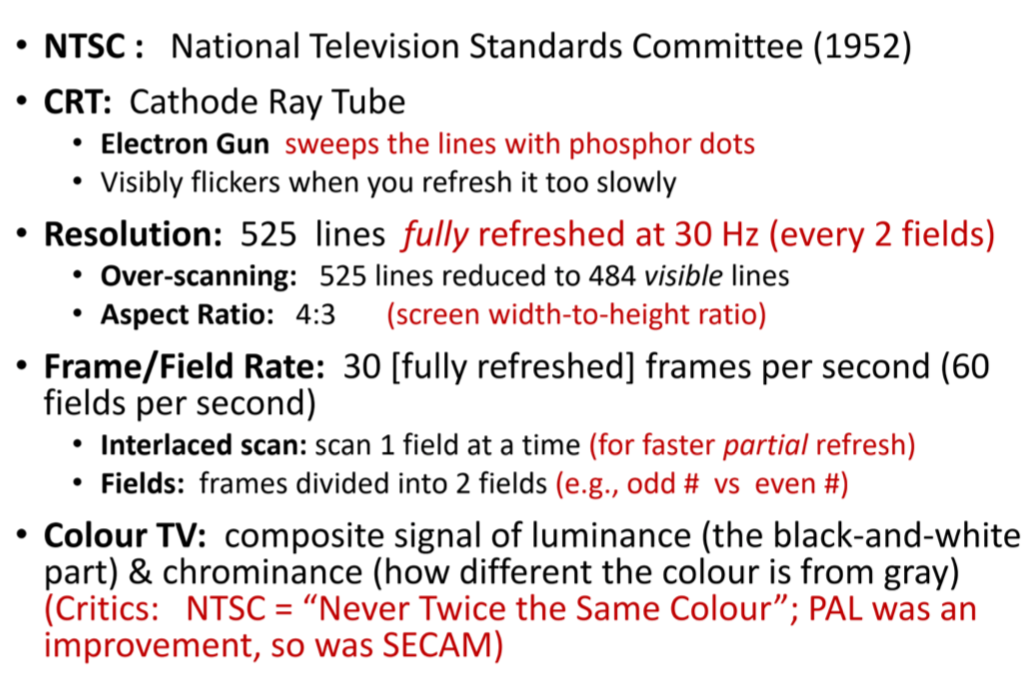
2
New cards
Today
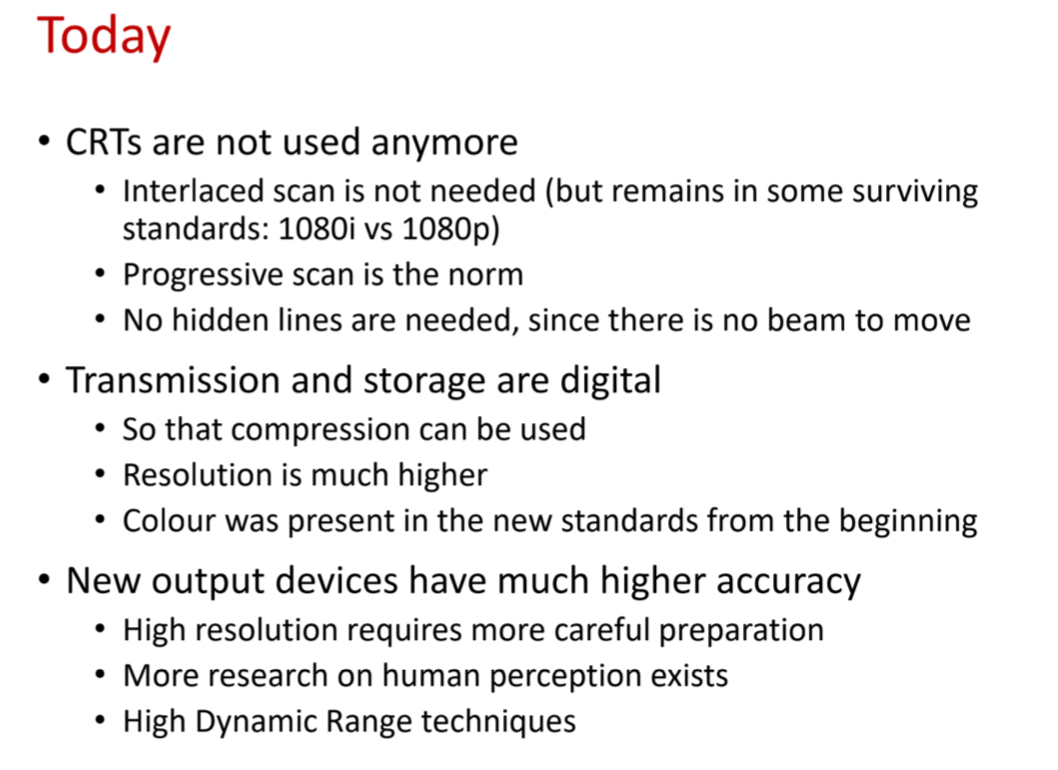
3
New cards
Virtual Reality
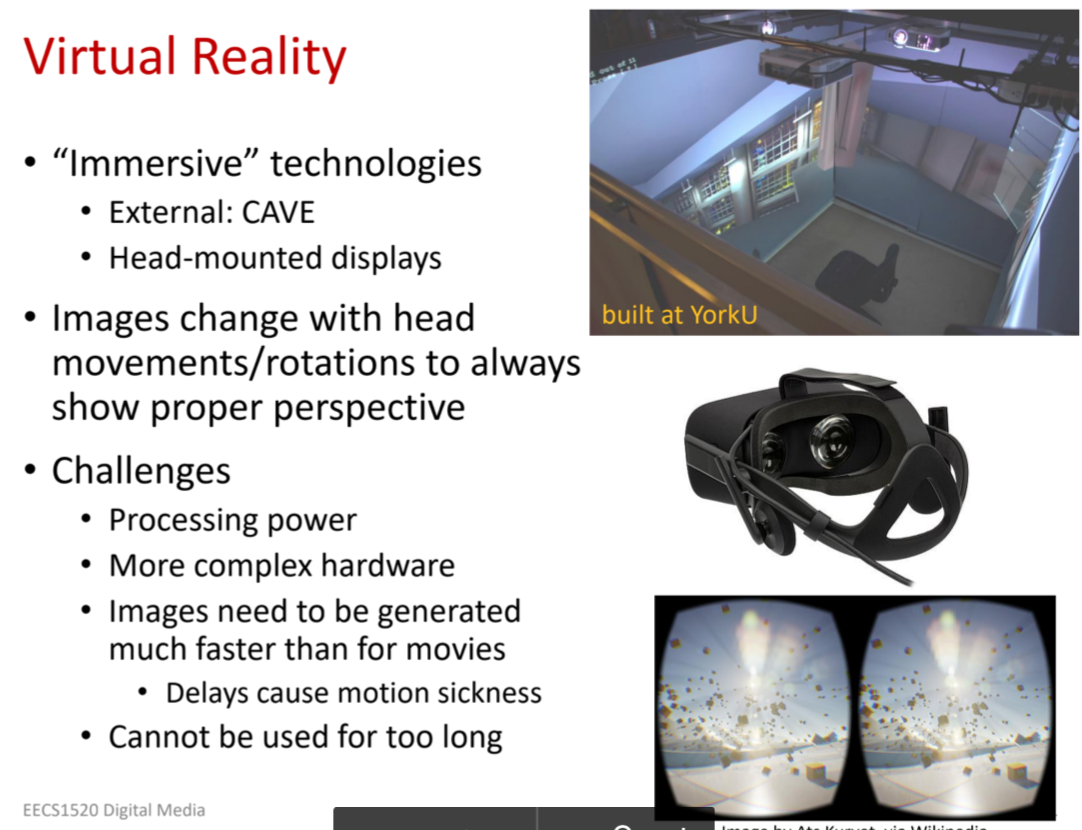
4
New cards
Video: Structure and Properties
- Comprised of frames of still images (combined with audio)
- When viewed in rapid succession, the images give the appearance of motion
- Typical frame rates are 24-30
frames per second to 60 fps
-Example: 3600 frames per
hour at 30 fps
- Aspect Ratio: 16:9 typically
- (Display width divided by
height of the display)
- When viewed in rapid succession, the images give the appearance of motion
- Typical frame rates are 24-30
frames per second to 60 fps
-Example: 3600 frames per
hour at 30 fps
- Aspect Ratio: 16:9 typically
- (Display width divided by
height of the display)
5
New cards
Video Compression TESTABLE
- Typically little change between successive video frames
-Use techniques to remove that redundant info
-Use techniques to remove that redundant info
6
New cards
Spatial (intra-frame_ techniques
Use information from within the same frame to reduce file size
7
New cards
Temporal (inter-frame) techniques
- Use data from nearby frames (before or after) to reduce the file size
- Key frames (i-frames):
-Typically compressed using only spatial techniques (like JPEG)
- Can be reproduced independently
- Key frames (i-frames):
-Typically compressed using only spatial techniques (like JPEG)
- Can be reproduced independently
8
New cards
P-frames and B-frames
other frames encoded by saving differences between ti and previous key-frame (P=Predictive, B=Bidirectional)
If a key-frame is lost or skipped the displayed video can be distorted
If a key-frame is lost or skipped the displayed video can be distorted
9
New cards
Bitrate vs Size
If the bitrate is too low, the video becomes pixelated
10
New cards
Types of BItrate
1. Constant bitrate (CBR):
2.Variable Bitrate (VBR):
2.Variable Bitrate (VBR):
11
New cards
Constant bitrate (CBR):
same bit rate throughout the video
12
New cards
Variable Bitrate (VBR):
Allows higher bit rates during fast motion scenes, and lower bitrates when there is little motion
13
New cards
Example Codes: Should Know These
1.HuffYUV (Huffman, YUV colour space)
2. MPEG-2
3. H.264
4. H.265 (HEVC)
2. MPEG-2
3. H.264
4. H.265 (HEVC)
14
New cards
HuffYUV (Huffman, YUV colour space)
Lossless, Huffman encoding, compression ratios around 47% (don't need to memorise the number of CR)
15
New cards
MPEG-2
Lossy, temporal and spatial compression, Huffman encoding
Compression ratios around 3.3% (don't need to memorise the number of CR)
Highly dependant on bitrate and other encoding options
Compression ratios around 3.3% (don't need to memorise the number of CR)
Highly dependant on bitrate and other encoding options
16
New cards
H.264
Lossy, temporal and spatial compression, frame prediction
Compression ratios around 1.6% (don't need to memorise the number of CR)
- Highly dependent on bitrate and other encoding options
Perceived quality higher than MPEG-2 at same bitrate
Compression ratios around 1.6% (don't need to memorise the number of CR)
- Highly dependent on bitrate and other encoding options
Perceived quality higher than MPEG-2 at same bitrate
17
New cards
H.265 (HEVC)
Successor of H.264: further 50% reduction of size, much more complex!
Often drains battery faster
Often drains battery faster
18
New cards
Differences between video codec and video file containers
19
New cards
File containers:
Combine a video stream and an audio stream into one file (or compressed video stream and compressed audio stream)
Does not necessarily indicate the codecs used
Some allow for additional data:
Does not necessarily indicate the codecs used
Some allow for additional data:
20
New cards
Some allow for additional data:
Additional video stream representing different viewing angles
Multiple language audio tracks
Optional subtitles
Multiple language audio tracks
Optional subtitles
21
New cards
Containers are indicated by?
the file extension
.avi (audio Video Interleave): very old
.mp4 (MPEG-4): supports multiple audio/video streams and subtitles, but limited codecs
.mkv (matroska): like mp4, but supports unlimited streams and unlimited codecs
.avi (audio Video Interleave): very old
.mp4 (MPEG-4): supports multiple audio/video streams and subtitles, but limited codecs
.mkv (matroska): like mp4, but supports unlimited streams and unlimited codecs