15 - Displays and Image Processing. Understanding Ultrasound Physics
 Call Kai
 Learn
Learn Practice Test
 Spaced Repetition
 Match
Match Flashcards
 Knowt Play
1/49

There's no tags or description
Looks like no tags are added yet.
Name | Mastery | Learn | Test | Matching | Spaced | Call with Kai |
|---|
No analytics yet
Send a link to your students to track their progress
50 Terms
Display Controls
contrast and brightness
Bistable
The prefix "bi" means 2.
Composed of only 2 shades:
-Black
-White

Gray Scale Display
Display in which several values of pixel brightnesses may be displayed.
-Present multiple levels of brightness.
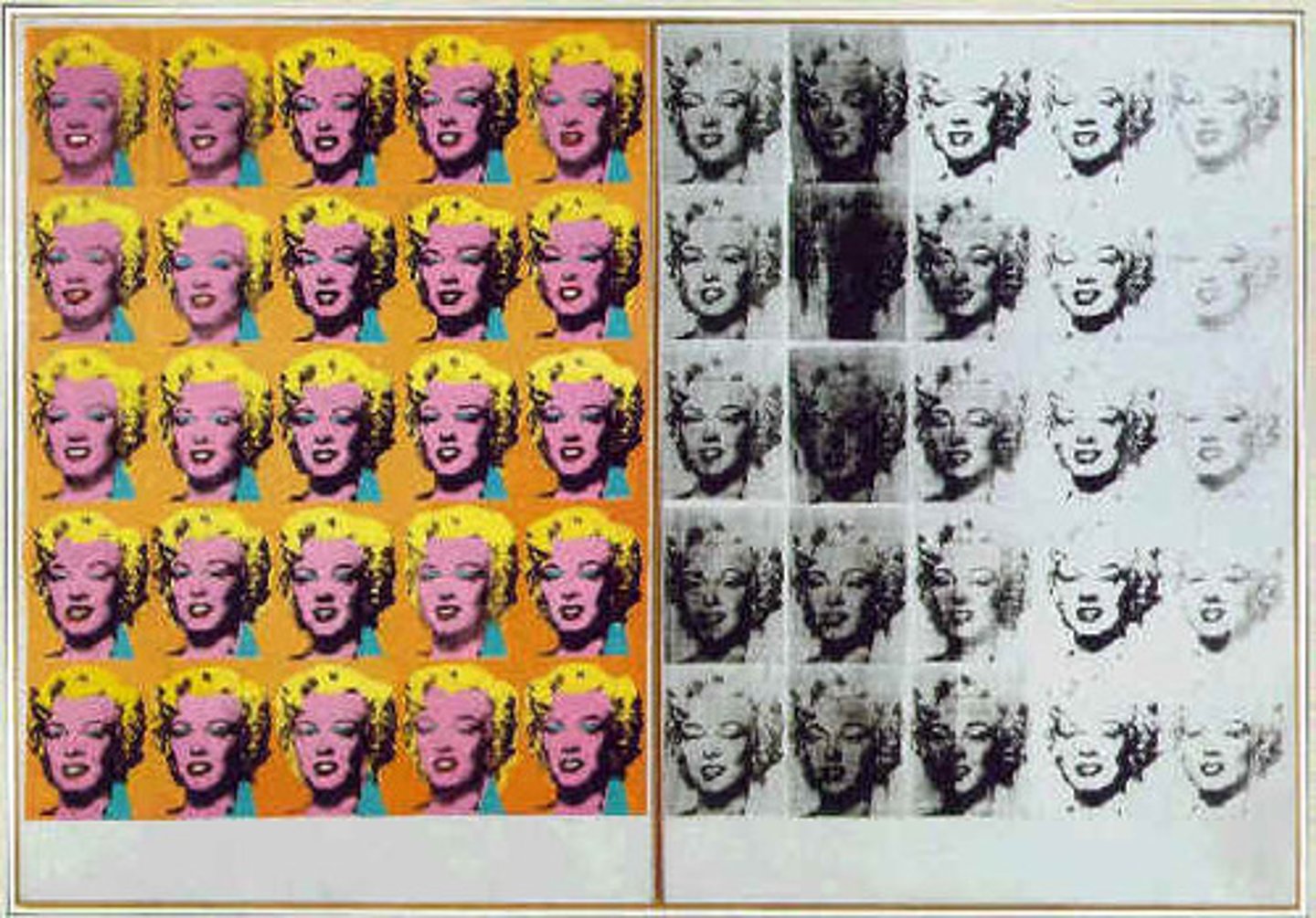
Contrast
Determines the range of brilliancies within the displayed image.
Bistable images, in which only white and black appear, are high contrast.
Brightness
determines the brilliance of the displayed image.
Scan Converters
makes grayscale imaging possible by storing the image data then displays it on the screen.
Storage of the image information in the scan converter is called "writing".
Later, image data is "read" from the scan converter for display on the monitor.
The scan converter translates the information from the spoke format into the video format.
The data stored in the scan converter can be altered between the writing process and the reading process.
The scan converter converts the penetration pattern into a horizontal line pattern.
Analog Numbers
* Real world
* Unlimited choices
* Continuous values
Digital Numbers
* computer world
* Limited choices
*Discrete values
Analog Scan Converter
the first type of scan converter and made gray scale imaging possible.
spatial resolution
Is "image detail"
limitations of analog scan converters
- Image fades over time
- Image flickering
- Instability
- Deterioration
Digital Scan Converter
uses computer technology to convert images into numbers, a process called digitizing.
Advantages of digital scan converters
- Uniformity: consistent gray scale quality throughout the image
- Stability: does not fade or drift
- Durability: not affected by age or heavy use
- Speed: nearly instant processing
- Accuracy: error-free
Two important elements of digital scan converters are:
1. Pixel
2. Bit
Pixel
Short for "picture element" it is the fundamental unit of a digital image, typically a tiny square or dot which contains a single point of color of a larger image.
Pixel density
The number of device pixels on a physical surface; often measured in pixels per inch.
low pixel density
1. few pixels per inch
2. larger pixels
3. less detailed image
4. lower spatial resolution
high pixel density
1. many pixels per inch
2. smaller pixels
3. more detailed image
4. higher spatial resolution
Bit
A contraction of "Binary Digit". A bit is the single unit of information in a computer, typically represented as a 0 or 1.
byte
a group of 8 bits
Calculating the number of gray shades
2^number of bits (ex. 2 bits = 2^2=4)
# of bits: 4 = 16 number of shades = 2^4 (2 to the power of 4)
Always 2 to the power of number of bits
word
Consists of two bytes, or 16 bits.
fewer bits per pixel
fewer shades of gray
low contrast resolution
more bits per pixel
more shades of gray
improved contrast resolution
calculating the number of gray shades
2^number of bits (ex. 2 bits = 2^2=4
pixels
image element
image detail
spatial resolution
bits
computer memory
gray shades
contrast resolution
analog and digital image data
Converting information from analog to digital form is advantageous because digital information is far less susceptible to contamination.
analog to digital converter
to move information form the real world (analog) to the computer world (digital) requires a translator, called an analog-to-digital or A-to-D converter. And, vise-versa
preprocessing
Manipulation of image data before storage in the scan converter.
time gain compensation, log compression, write magnification, persistence, spatial compounding, edge enhancement, fill-in interpolation
postprocessing
Manipulation of image data after storage in the scan converter.
any change after freeze frame, black/white inversion, read magnification, contrast variation, 3-D rendering
magnification
Improve visualization of anatomic detail by enlarging a portion of an image to fill the entire screen.
the selected part of the image is known as the region of interest, or ROI.
2 different forms of magnification exist:
1. read magnification
2. write magnification
Read magnification
Occurs after the image data is stored in the scan converter.
Rad magnification of the ROI creates larger pixels from the information that is already in the scan converter.
The sonographer identifies the ROI, and the system reads and displays only the original data that pertains to the region of interest. The ROI is not rescanned.
write magnification
Applied during data acquisition, before storage in the scan converter.
The ultrasound system then rescans only the ROI and writes new data into the scan converter.
write magnification rescans the ROI and creates a new image with increased spatial resolution.
Hint: With write magnification, temporal resolution may be improved if the bottom of the region of interest (ROI) is shallower than the original image's depth of view.
Read Magnification
uses old data,
postprocessing,
larger pixel size,
same # of pixels as in the original ROI,
unchanged spatial resolution,
unchanged temporal resolution
Write Magnification
acquires new data,
preprocessing,
identical pixel size,
more pixels than in the original ROI,
improved spatial resolution,
may improve temporal resolution
Coded Excitation
Occurs in the pulser.
coded excitation provides
-higher signal-to-noise ratio
-improved axial resolution
-improved spatial resolution
-improved contrast resolution
-deeper penetration
Spatial compounding
technique that eliminates edge shadowing because the object is imaged at different angles.
Reduces shadowing artifacts.
Reduces speckles.
drops framerate. = degraded or more poor temporal resolution
frequency compounding
advanced technique that reduces speckle artifact and noise in ultrasound images.
the reflected signal is divided into sub-bands of limited frequencies, and an image is created fro each sub-band. The images from the sub-bands are then combined, or compounded into a single image.
The reflected sound wave is divided into parts with different frequency ranges, called sub-bands.
edge enhancement
image processing method that makes pictures look sharper.
Increases the image contrast in the area immediately around the edge.
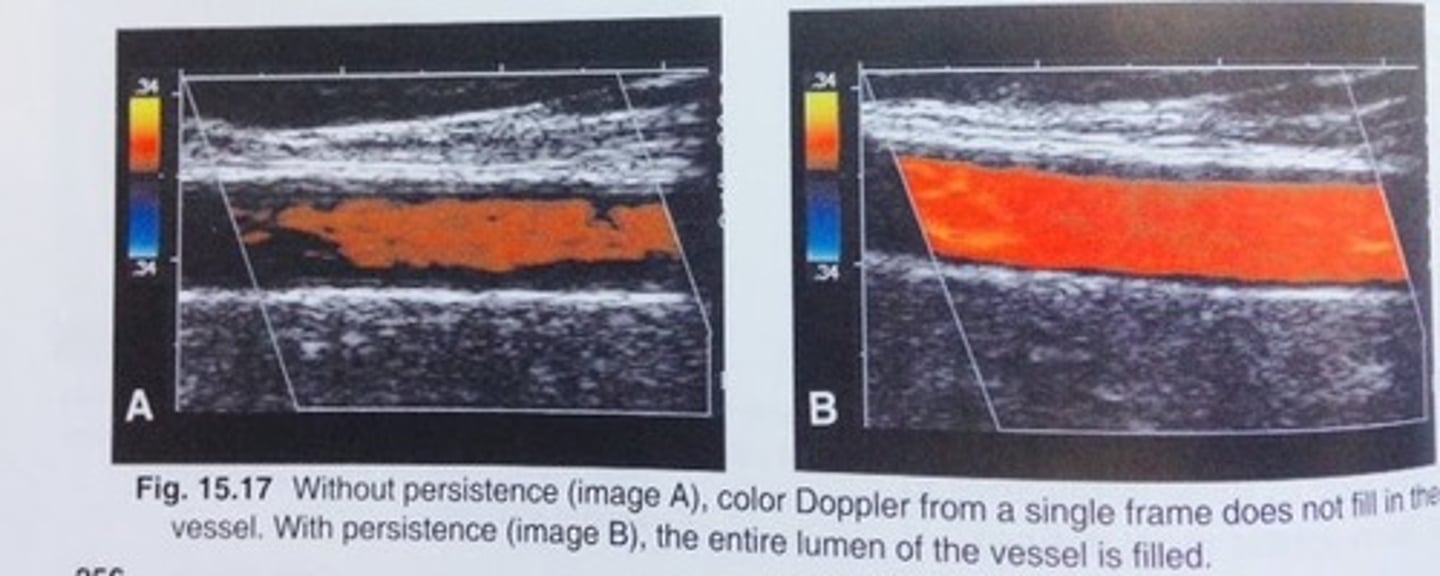
Temporal compounding
Also called Persistence or Temporal averaging is an image processing technique that continues to display information from older images.
Reduction in the displayed frame rate, which in turn, reduces temporal resolution.
Most effective with slowly moving structures.
Superimposes the current frame on previous frames to create a smoother image.
Used to "enhance image"
Higher signal to noise ratio.
fill-in interpolation
-a method of constructing new simulated data points to fill in the gaps of missing data in a way that cannot be detected by the observer.
Form of preprocessing.
Predicts what information lies between the gaps, and improves spatial resolution.
Decreases frame rate = poor temporal resolution
Elastography
A sonographic technique employed to evaluate a mass based on its stiffness, ultimately providing a prediction as to if the mass is more likely malignant or benign.
What happens when compression is applied to the mass. Great for Cancer diagnosis / research.
PACS
Picture Archiving and Communication System
3 major advantages:
-virtually instant access to archived studies
-no degradation of data, which often happens over extended time periods with analog archiving.
-"store and forward" telemedicine, the ability to electronically transmit images and reports to remote sites.
Computer hard drives are the primary digital storage devices used in PACS.
DICOM
Digital imaging and communications in medicine, a standard protocol used for blending a picture archiving and communications system and various imaging modalities
Paper Media
Example:
Charts from pen writers
Advantages:
Portability
Does not require a device to read
Disadvantages:
Bulky, hard to store
Difficult to make copies
Cannot display dynamic images
Magnetic Media
Examples:
Computer discs
computer memory
magnetic tape
video tape
Advantages:
Able to store large amounts of information efficiently
can store and play dynamic images
can record color
Disadvantages:
can be erased by strong magnetic fields
Chemically Mediated Photographs
Examples:
photographs
flat films
multiformat camera film
Advantages:
high resolution
accepted in the medical community
can produce color images
disadvantages:
bulky, difficult to store and retrieve
requires chemical processing
artifacts can arise from dirt or chemical contamination
optical media
examples:
laser discs
compact discs
advantages:
store huge amounts of data
inexpensive
not erased by exposure to magnetic fields
disadvantages:
requires a display system
no standardized format for image display and storage