Gmetrix Certification
 Call Kai
 Learn
Learn Practice Test
 Spaced Repetition
 Match
Match Flashcards
 Knowt Play
1/113

There's no tags or description
Looks like no tags are added yet.
Name | Mastery | Learn | Test | Matching | Spaced | Call with Kai |
|---|
No analytics yet
Send a link to your students to track their progress
114 Terms
When you open fusion team what 3 project opts are available?
Open, Secret, Closed
A reservation badge is a white dot applied to the lower right corner of your avatar while you are editing a design.
True
To isolate components to control their visibility, select in the browser, RT click and select isolate
True
Which tools can be used to rotate a design at any angle?
View Cube and Orbit
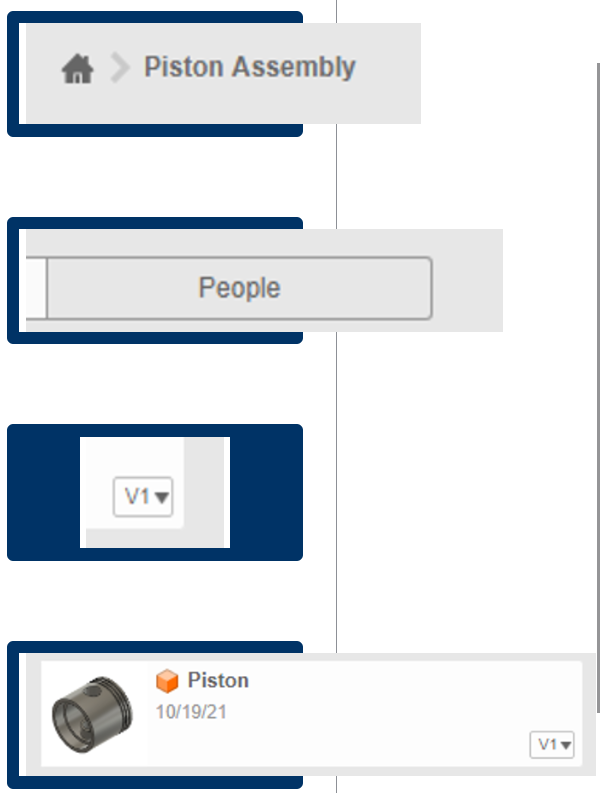
File Structure, Share Projects Access Versions, Fusion Design (.f3d file)
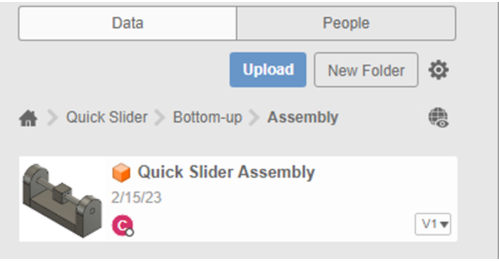
What Fusion 360 project is the Quick Slider assembly stored in?
Quick Slider
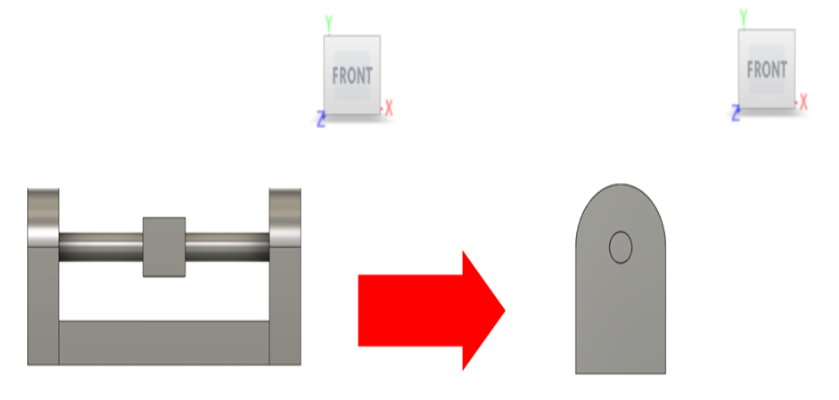
Which view option allows a user to set a new front view that is different from the original front view modeled for the design?
Set Current View as Front
A benefit of Fusion 360 files is that they are…
Saved on the “Cloud”
Holding the Shift key and the middle mouse button will allow you to…
Orbit
Where can you find information about file and project folders?
Data Panel
The keyboard shortcut to create a line is…
L
Which component in the Browser has been hidden?
Slider Block
Which panel contains the Fillet feature?
Modify
Refer to the image of the Grid Settings window. If Snap to Grid is active and considering the Major Grid Spacing and Minor Subdivisions, what is the smallest increment the cursor will snap to?
0.50
A window selection is performed in a sketch with the following shapes, which shapes will be completely selected after the operation? (Choose two)
Rectangle and Circle
No, Yes, No
You need to change the visual style of Model 1 to Model 2. From the Visual Style menu, which setting should be selected?
Shaded with Visible Edges Only
Considering the ViewCube orientation, if a designer wanted to build a model in the orientation as shown, which origin plane should be selected to create the initial sketch?
XZ Plane
A construction axis needs to be added to the model as shown. Which work feature allows for the creation of this axis with a single selection?
Axis through a Cylinder/Cone/Torus
Review the 3D model shown and interpret which sketch tools the designer may have used to create the model. For each sketch tool, select Yes if the sketch tool is applicable to create geometry for the model. Select No if the sketch tool is not applicable.
Yes, No, Yes, No
Which sketch tool allows you to create a circle by only defining points on the circle's diameter?
2-Point Circle
What tool was used to create the purple sketch lines as shown on the active sketch?
Project Geometry
You need to make Sketch 1 look like Sketch 2. Which sketch editing tool should you use?
Offset
Which geometric constraint would be appropriate to apply if Line 1 and Line 2 are to the same height?
Collinear
If Line A and Line B are collinear, what is the final dimension needed to fully constrain the sketch?
Height of Line A and Line B
The design for a beverage cup is modeled using parametric equations with the cup's base diameter being used control to the cup's size and location of features. If the designer needed to change the size of the cup from an adult size to a child's size, and changes the cup's base diameter to 2.00 inches, what will the height of the child size cup be?
4.50
Which tool allows you to quickly create a spring by just drawing the diameter like the one shown?
Coil
What Boolean operation found in the Extrude menu would generate the result shown?
Intersect
If a designer wants to quickly create a series of the same hole arranged in a symmetrical pattern around an axis, which tool would be the most efficient to make this happen?
Circular Pattern
Yes, No, No
Yes, Yes, No, No
Yes, No, No, No
Which Create Form tool allows you to create the form shown in the least amount of steps?
Box
Which Edit Form tool allows you to edit the faces on the form as shown?
Weld Vertices
No, Yes, No, Yes
You need to update an out of date component in an assembly. Which methods allow you to do this? (Choose two)
Select the link icon with the exclamation point in the quick access toolbar.
Right-click on the component name in the Browser and select Get Latest Version.
Yes, No, Yes, No
A designer would like the arm bar (Component 2) to translate along the Z-axis within the grooves of the base (Component 1). Which joint type would be best for achieving this motion?
Slider
Which modify tool allows for moving an object to selected geometry on another object as shown?
Align
Based upon the Edit Motion Limits window, what is the total range of motion that the slider joint is allowed to have?
80 mm
A designer creates an assembly and is needing to check if all parts are free of collision with one another.
Which tool would provide a report of the components and any overlapping elements in the assembly?
Interference Analysis
Which of the following Browser Settings allow for changing the sheet size of a current drawing?
Sheet Settings
Select the correct visual style setting that would give a full color appearance without hidden lines.
B
Which dimension tools allow you to create the dimension as shown? (Choose two)
Dimension and Diameter Dimension
What annotation element shows the name, quantity, and provide details for components in an assembly?
Parts List
Simple, Counterbore, Countersink, Threaded (Tapped)
Construction Line, Centerline, Sketch Grid, Snap Toggle
Once a design is modeled, a designer needs to create engineering drawings of a proposed design so it can be manufactured.
Which workspace should the designer complete this task?
Drawing
*******************
Yes, Yes, No, Yes
A window selection is performed in a sketch shown in the image.
Based upon the highlighted selections, which selection filter was applied?
Dimensions
Another designer shared a model that they created.
Based upon the image, drag and drop the three actions they took in the order of completion.

1. A component is created.
2. The profile sketch is created as the base sketch.
3. An extrusion feature is used to create the body.
The camera setting of Model 1 was set in perspective and changed to look like Model 2.
What setting was used to change the appearance?
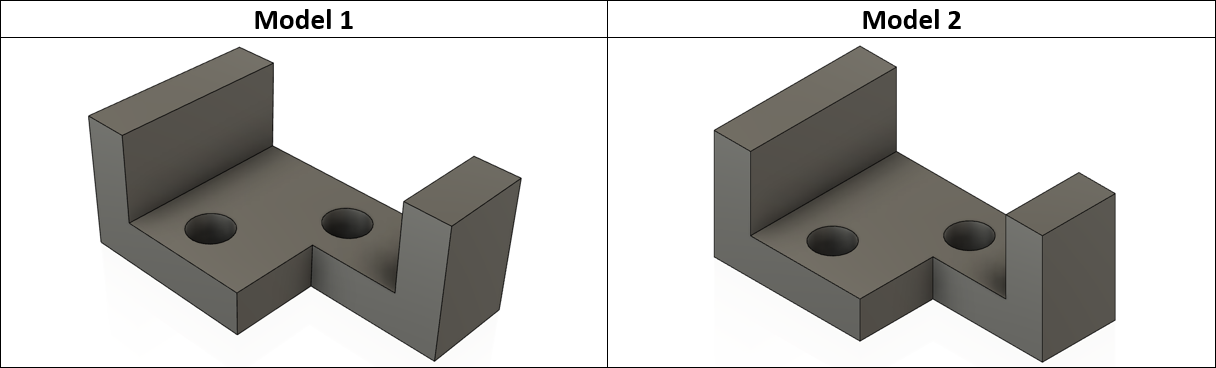
Orthographic
A new sketch is being created on an existing model.
What work feature is being used as the sketch plane?
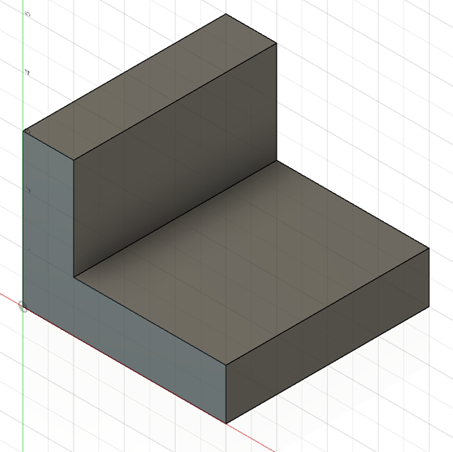
Planar Face
You need to create a construction plane on the model as shown.
Which tools allow you to do this? (Choose two)
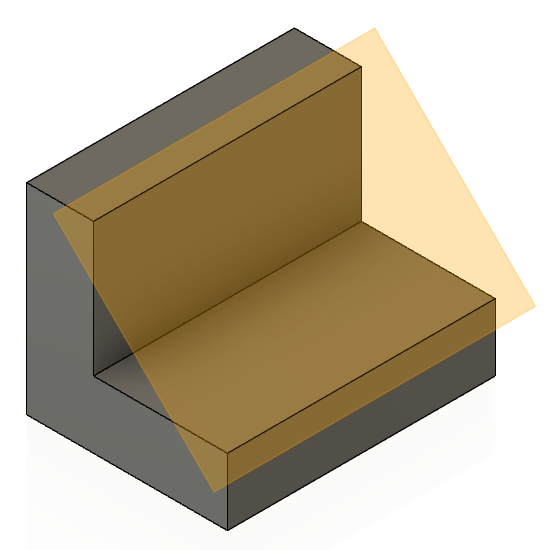
Plane at Angle and Plane Through Three Points
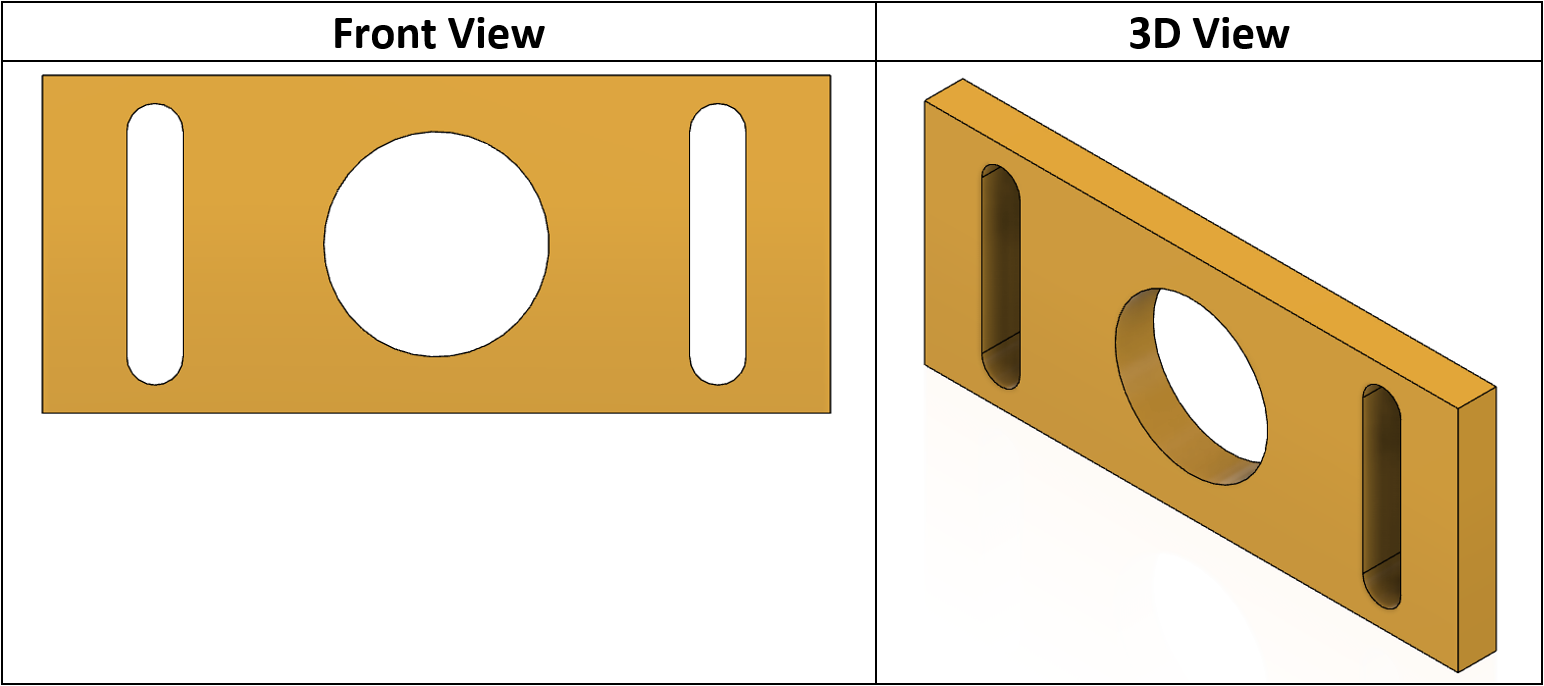
Yes, Yes, Yes, No
Which sketch tool allows you to create a polygon by defining a side length and then specify the number of sides?
Edge Polygon
A designer wants to reuse the geometry from a previous modeling operation on a new sketch plane.
Which tool allows this?
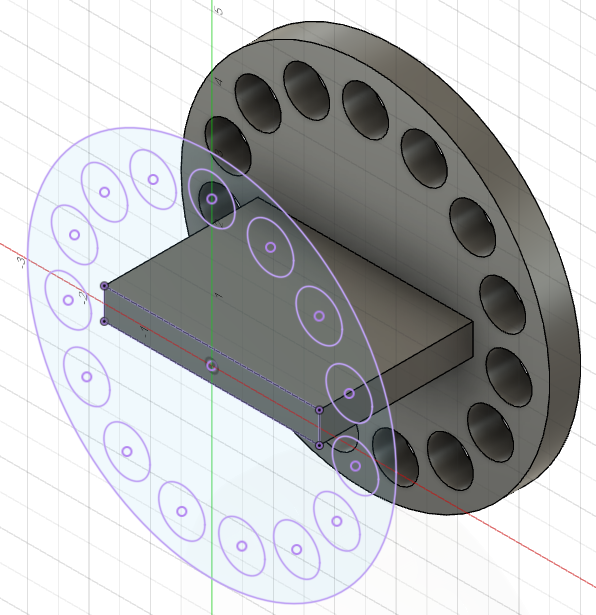
Project Geometry
You need to make Sketch 1 look like Sketch 2.
Which sketch editing tool should be used?
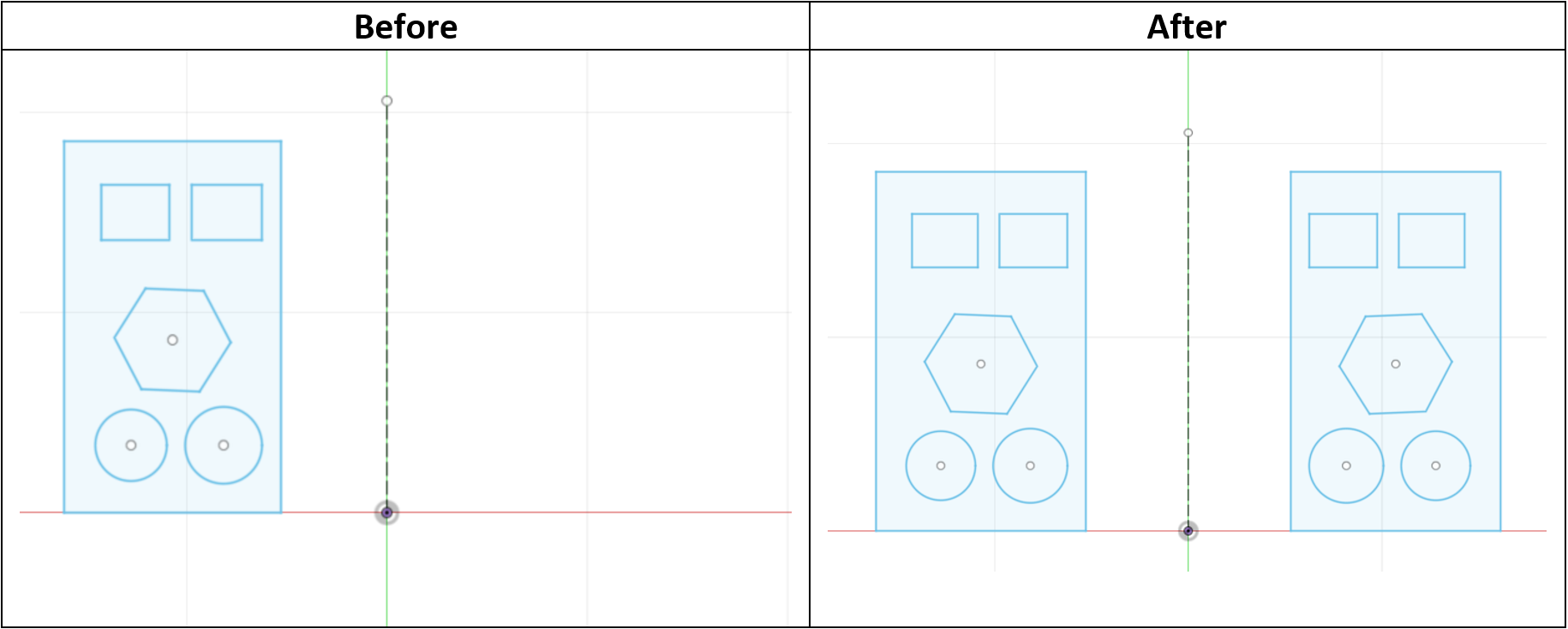
Mirror
Based on the image, drag and drop the geometric constraints into the order in which they were applied.
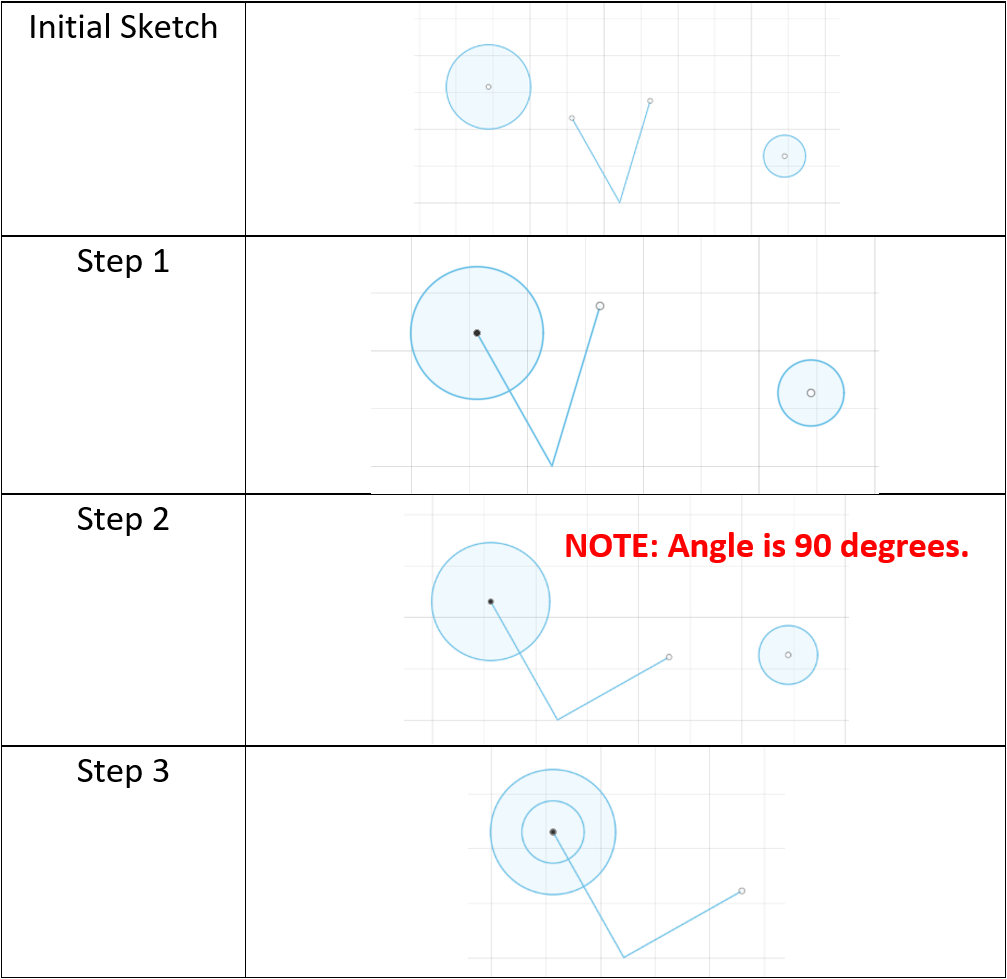
Step 1 - Coincident
Step 2 - Perpendicular
Step 3 - Concentric
Select Yes if the Method can be used to dimension the overall width of the rectangle as shown, and No if not.
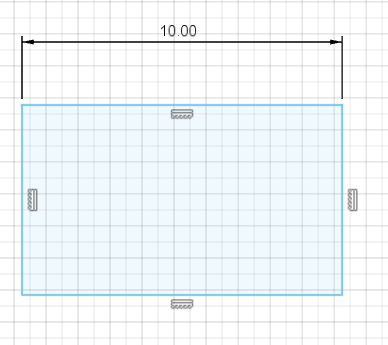
Yes, Yes, No, Yes
The design for a beverage cup is modeled using parametric equations, with the cup's base diameter being used to control its size and the location of features.
If the designer needed to change the cup from an adult size to a child's by changing the base diameter to two (2) inches, what will the new wall thickness be?
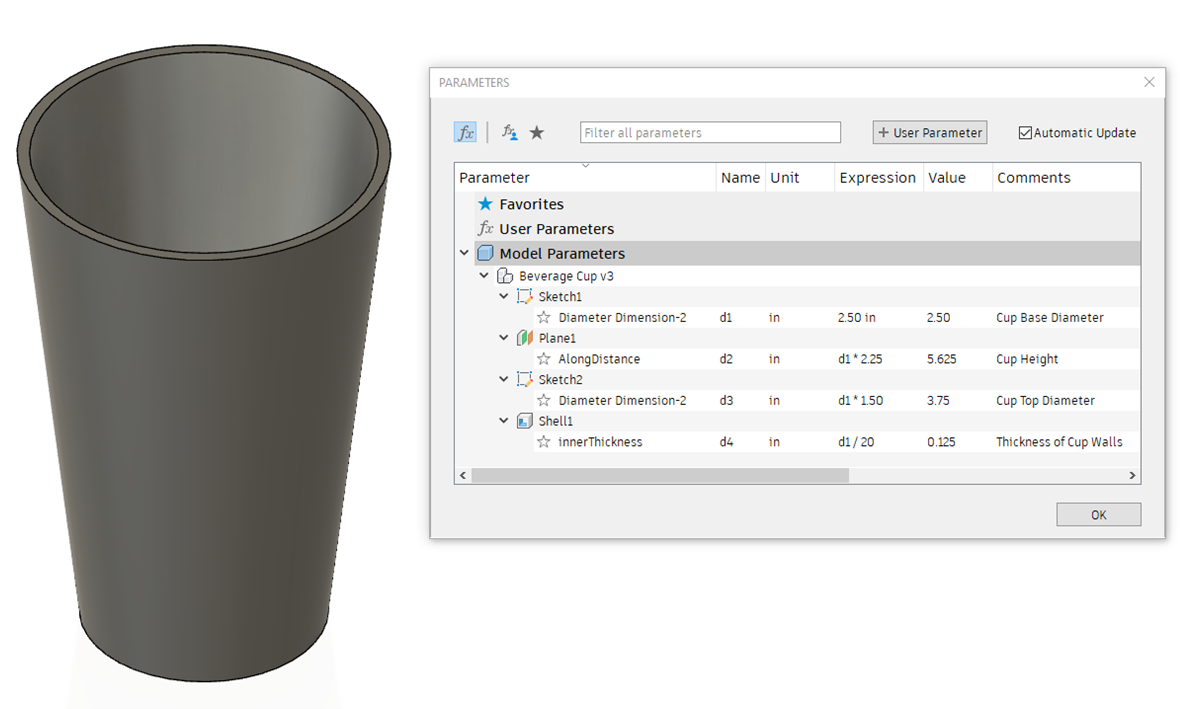
0.10 in
Which tool allows you to quickly create a hollow tube by selecting a path and specifying the section type and size like the one shown?
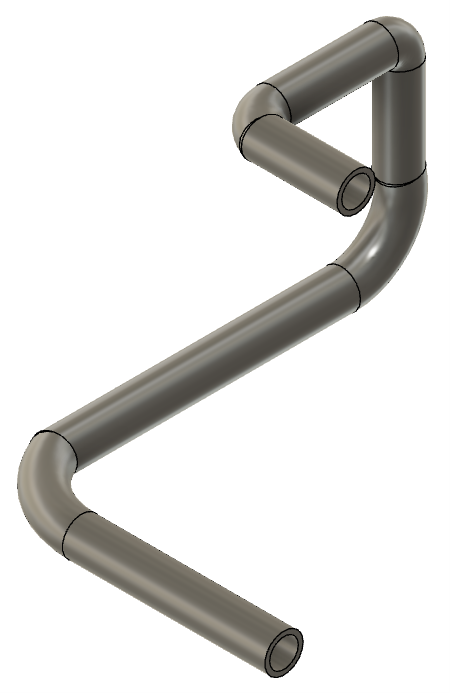
Pipe
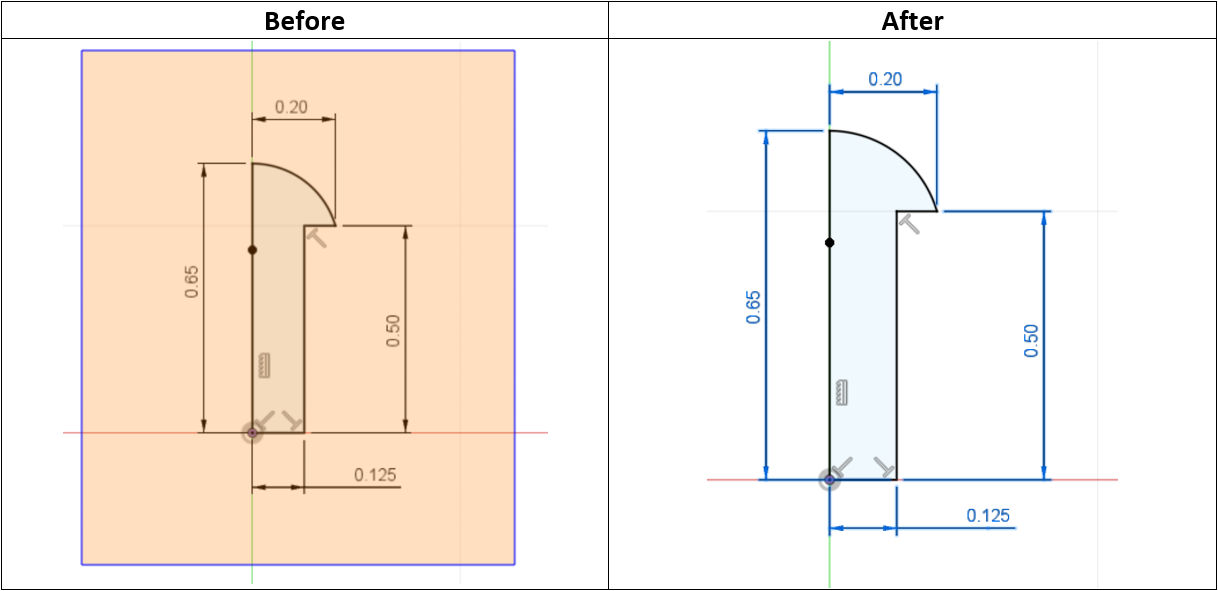
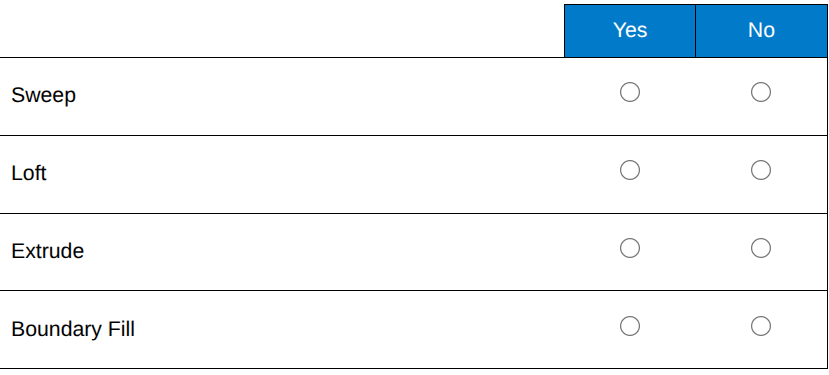
Which tool allows creation of a solid body from the Before profile below?
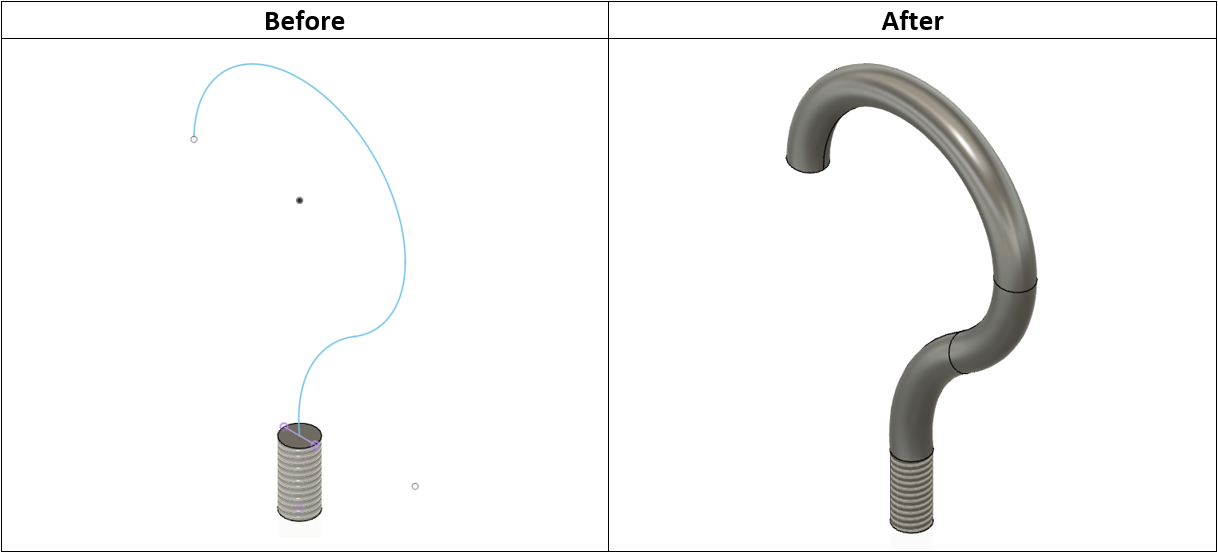
Sweep
Use Drag and Drop to match the hole types with their respective image.
Threaded (Tapped)
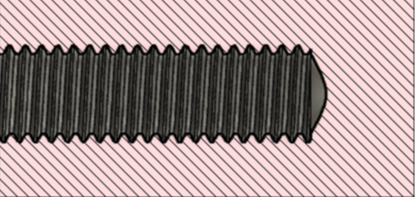
Counterbore

Countersink

Simple
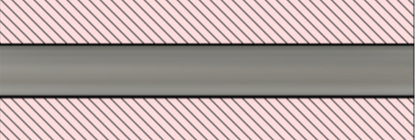
Based on the image, how many total instances of the patterned object will appear after the operation?

25
A designer needs to chamfer the edges of a model with a 45 degree angle.
What chamfer types allow for creating this type of chamfer? (Choose two)

Equal Distance and Distance and Angle
What inspect tool creates a view that cuts through all visible objects in a design to reveal interior details and obscured features?
Section Analysis
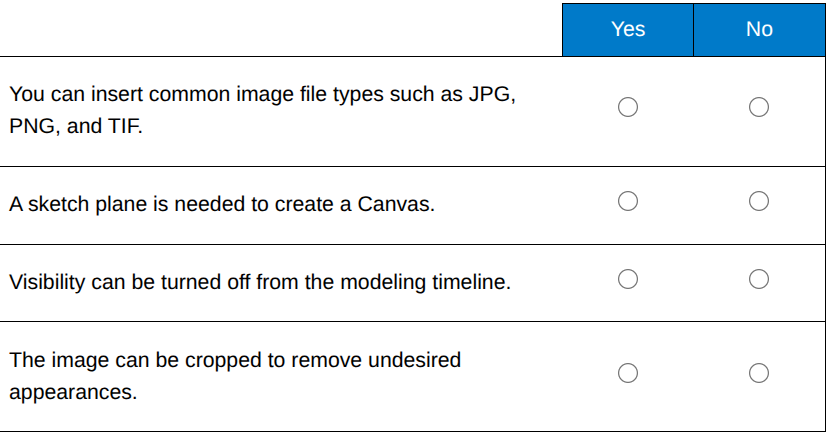
For each statement about the Canvas Tool, select Yes if the statement is True and No if it is False.
Yes, Yes, No, No
Which Create Form tool allows you to create the form shown in the least amount of steps?

Quadball
Which Edit Form tool allows creation of a solid body from the Before image?

Thicken
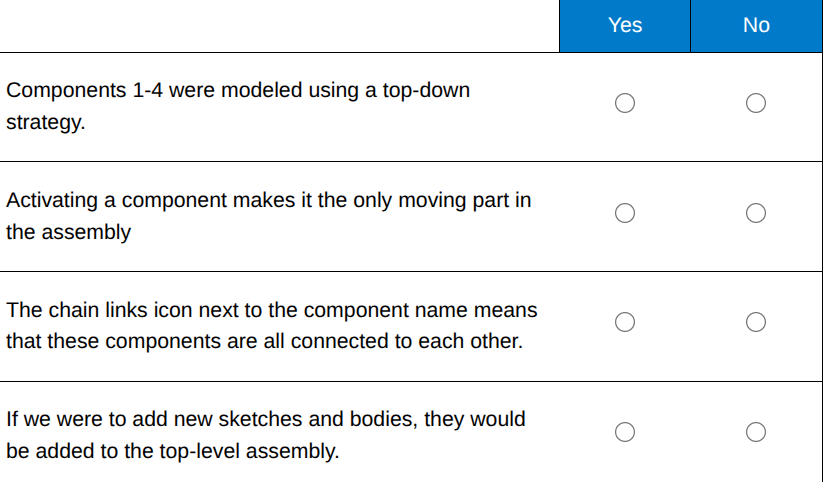
Based on the image, for each statement about the assembly, select Yes if it is true and No if it is false.

Yes, No, No, Yes
Based on the image, which component is out of date and needs to be updated to the most recent version?

Base
A designer would like the crank shaft (Component 2) to rotate about the X-axis within the Crank Case (Component 1). Which joint type would be best for achieving this motion?

Revolute
Which option removes all degrees of freedom from a component that is first placed into an assembly?
Ground
Which assembly option allows the changing of the starting position of the Horizontal Bar from being aligned with the X-axis to being aligned with the Y-axis as shown?

Drive Joints
A designer runs an interference analysis on an assembly.
Based on the image, which component was made incorrectly and needs revision?

ROLLER
Which methods will result in adding another sheet to the drawing file? (Choose two)
Right-click in the Drawing Navigation bar at the bottom of the screen and select Add Sheet.
Select the large plus icon at in the Drawing Navigation bar.
The top view was created using which drawing view command?

Projected View
Which dimension tool allows creating dimensions as shown? (Choose two)

Dimension and Angular Dimension
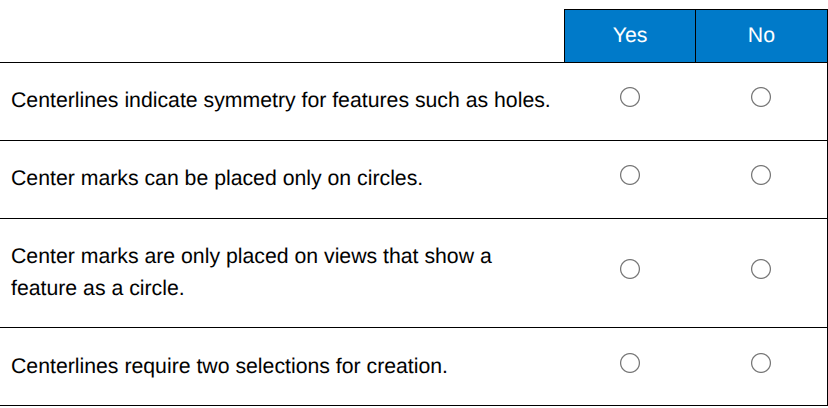
For each statement about center marks and centerlines, select Yes if the statement is True and No if it is False.
Yes, No, Yes, Yes
You are creating a few new designs that need to be created in metric units specified as millimeters (mm). Currently, the unit type is set to inches for the design file.
Which settings allow for changing of units and setting a specific unit type as default? (Choose two)

Document Settings and Preferences
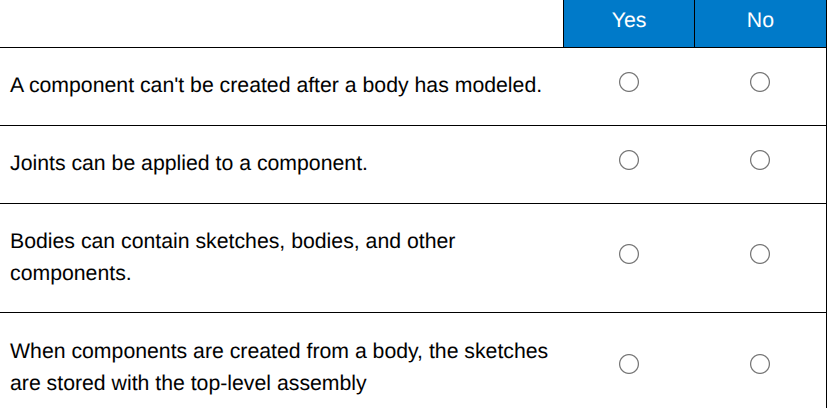
For each statement about bodies and components, select Yes if the statement is True and No if the statement is False
No, Yes, No, Yes
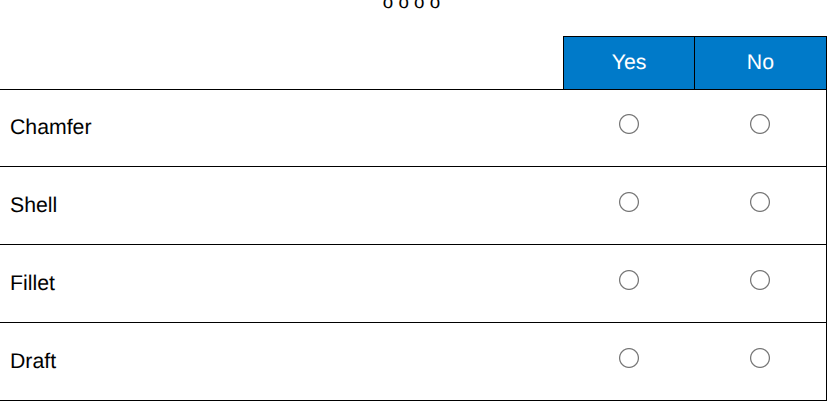
Which tool allows you to add rounded edges to the box, cube?

No, No, Yes, Yes
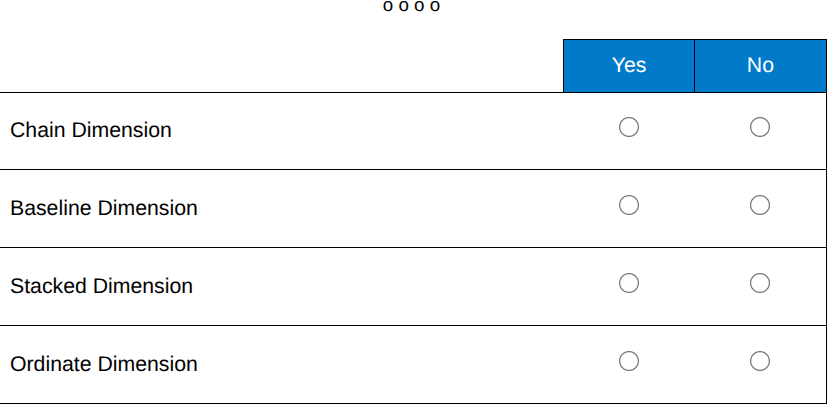
Which dimension tool allows you to create dimensions in the front view as shown?

No, Yes, No, No
Which tool allows you to create identical copies of features arranged evenly as shown?

No, No, No, Yes
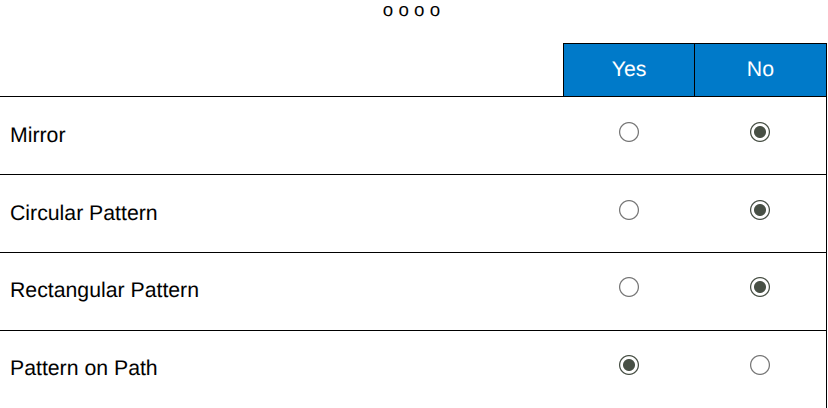
Which three tools were used to build the part shown?

No, Yes, No, No
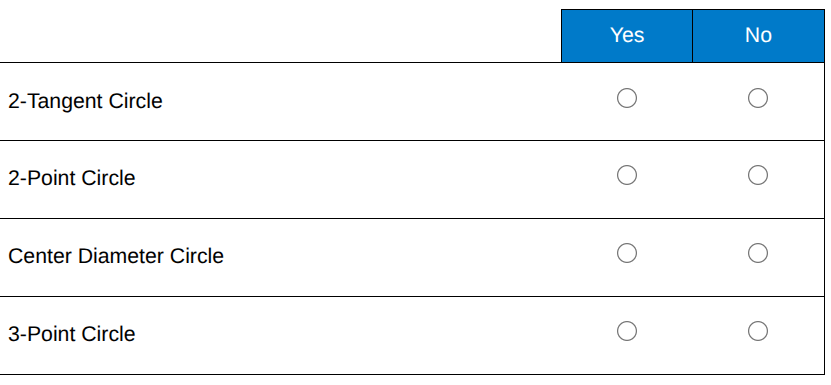
Which tool will allow you to create the circle in one operation?

Yes, No, No, No
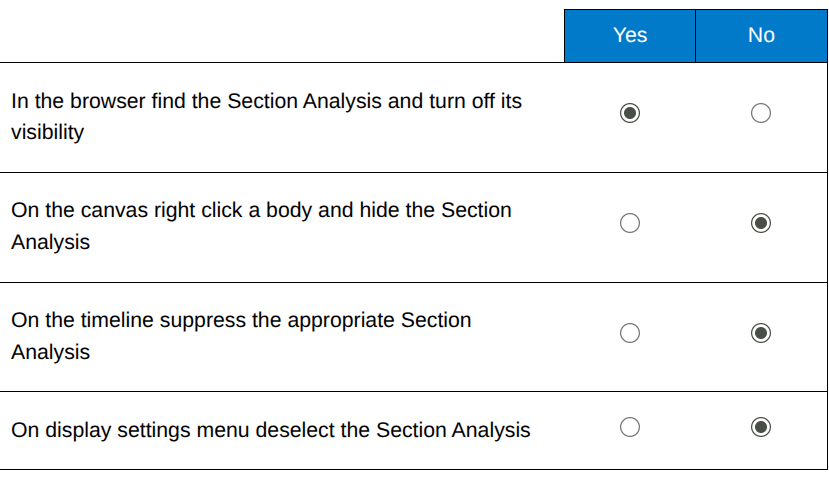
How do you unhide the Section Analysis so the full model is visible?

Yes, No, No, No
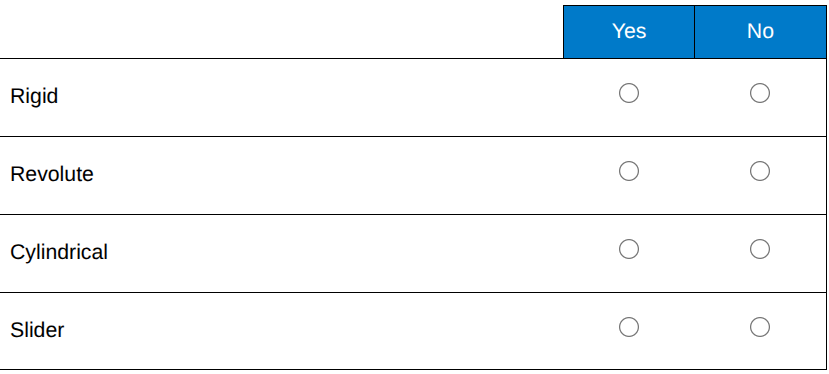
Which motion type on a joint allows a component to rotate around the joint origin without additional transition?
No, Yes, No, No
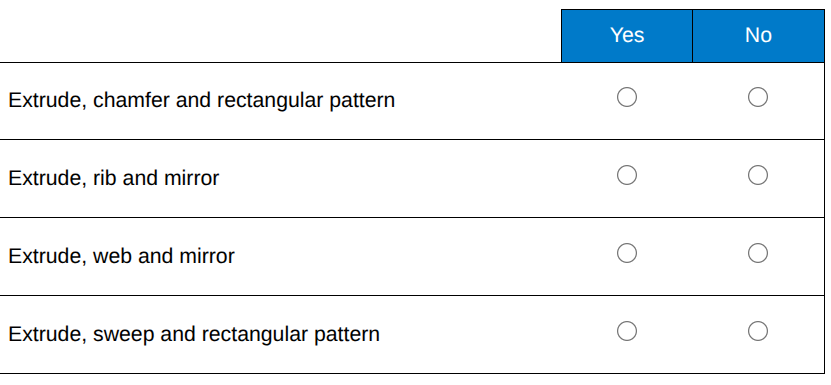
Which tool will allow you to create a solid body from the profile shown?

No, Yes, No, No
Which tabs are available in the ribbon?
Solid, Surface, Plastic, Mesh, Utilities, Sheet Metal
What tools are in the navigation bar?
Look At, Orbit, Grid Snap, Zoom, Display Settings, Fit, Pan, Viewports
How do you edit Preferences?
Select Username upper right corner
he opt to set Appearance is in the Display Settings in which group?
Visual styles
What does the out-of-date icon indicate?
Linked file needs update
What can be used to control visibility of a body/component?
Opacity CTRL
Where does the section analysis tool live?
Inspect
What are the 3 Radius Types available in the Fillet cmd?
Chord Length, Variable, Constant
When drawing a line what does the selecting the check mark accomplish?
Ends the line segment but keeps the cmd active
What 3 types of corners are available in the Chamfer cmd?
Blemd, Miter, Chamfer