d2 - advanced gui programming
 Call Kai
 Learn
Learn Practice Test
 Spaced Repetition
 Match
Match Flashcards
 Knowt Play
1/8

There's no tags or description
Looks like no tags are added yet.
Name | Mastery | Learn | Test | Matching | Spaced | Call with Kai |
|---|
No analytics yet
Send a link to your students to track their progress
9 Terms
layout managers
an object that controls the size and position of components
Border
Flow
Grid
Card
Box
GridBag
layout managers (all has Layout in the end)
BorderLayout
default manager for content panes, divides the container into five specific regions. north south east west center
FlowLayout
arranges components in a line, much like words in a pragraph
GridLayout
divides the container into a grid or equal sized cells, you define # of rows and columns, can also define horizontal and vertical gaps
CardLayout
treats each component as a “card”. only one component is visible at a time
BoxLayout
organizes components into a single row or column unlike Flow, doesn’t wrap components in a new line simply stacks them
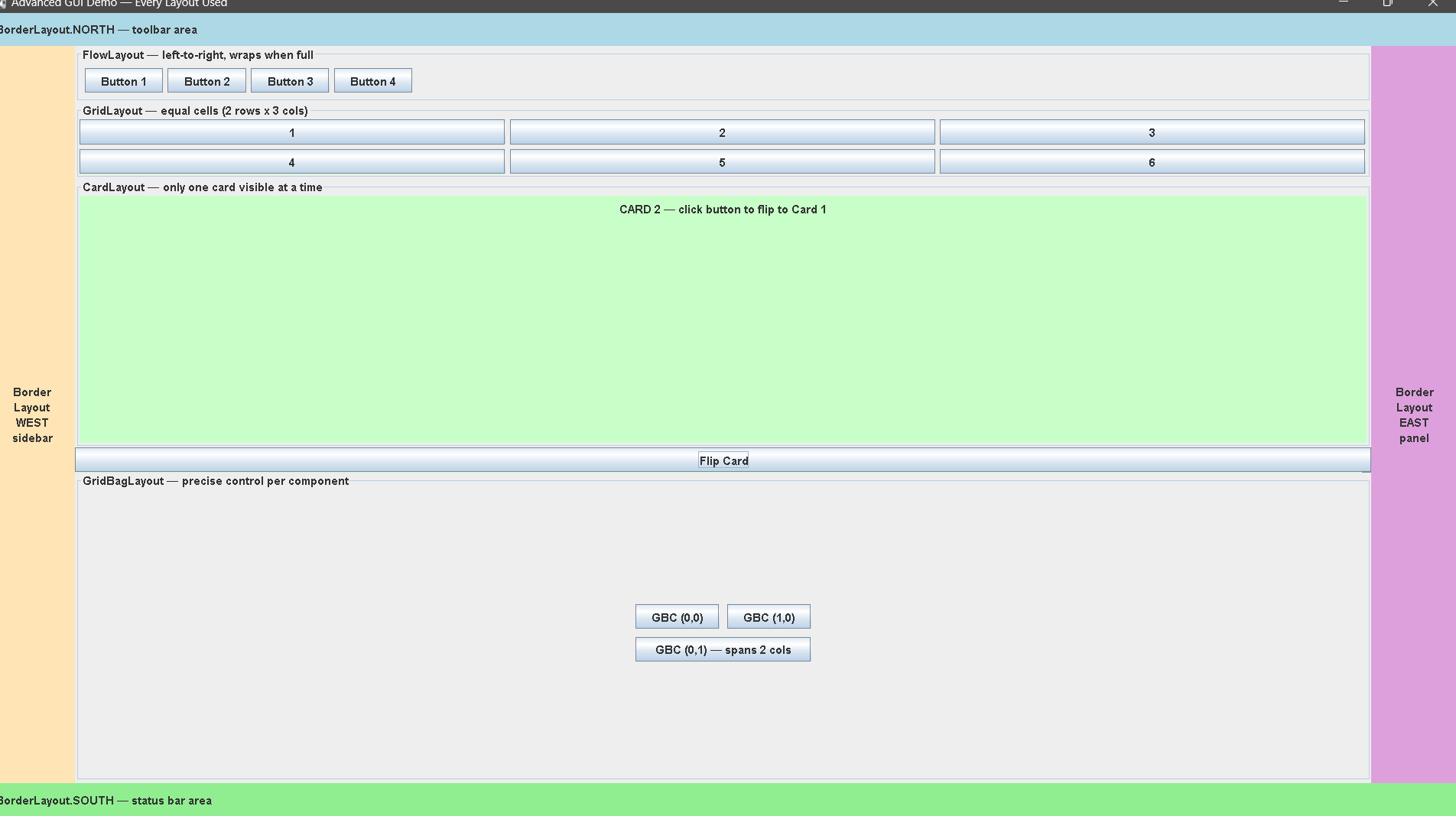
GridBoxLayout
most flexible and complex layout manager, allows you to set specific constraints for size, placement, and alignment for every individual component
nesting panels
this technique allows you to combine the strengths of diff layout managers