File Systems and Permissions
 Call Kai
 Learn
Learn Practice Test
 Spaced Repetition
 Match
Match Flashcards
 Knowt Play
1/37

There's no tags or description
Looks like no tags are added yet.
Name | Mastery | Learn | Test | Matching | Spaced | Call with Kai |
|---|
No analytics yet
Send a link to your students to track their progress
38 Terms
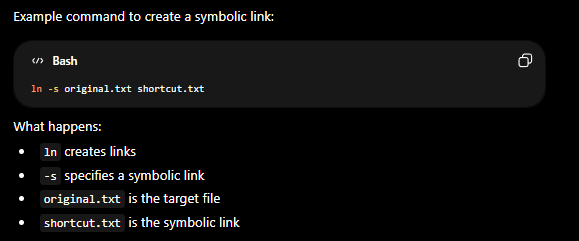
A ___ (or symlink) is a special type of file that points to another file or directory. Instead of containing its own data, it stores a path to a target location. It acts like a shortcut in Linux. If a program accesses the ___, Linux automatically redirects it to the target file or directory.
symbolic link
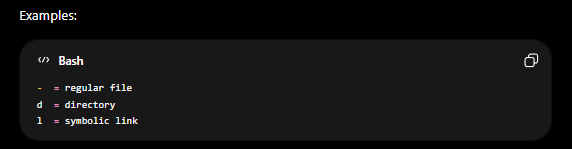
ls -l
In ___ output, the first character indicates the file type.
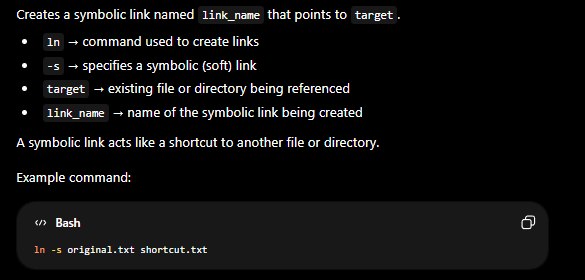
ln -s target link_name
Creates a symbolic link named link_name pointing to target.
Metadata
Information stored about a file rather than the file’s actual contents. In Linux, ___ describes properties of a file such as ownership, permissions, timestamps, size, and inode information. Helps the operating system manage files and allows users to view details about them.
Inode
Internal filesystem data structure storing metadata about a file except its filename.
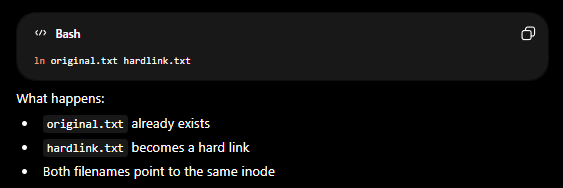
hard link
A ___ is another directory entry that points to the same inode as an existing file. Because both names reference the same inode, they both refer to the exact same file data on disk. Unlike a symbolic link, a ___ does not point to a pathname. Instead, it directly references the same inode and underlying file contents.
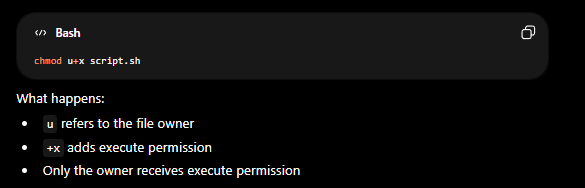
chmod
Stands for change mode. It is a Linux command used to change file or directory permissions.
User classes
___ are categories of users used by Linux permissions to determine who can read, write, or execute files and directories. These user classes are commonly used with the chmod command to modify permissions.
chmod operators
Are symbols used with the chmod command to control how permissions are changed on files and directories.
permissions
Determine what actions users can perform on files and directories (Ex: r = read, w = write, x = execute).
permission numeric values
___ are the numeric representations of Linux file permissions used with commands like chmod. (Ex: r = 4, w = 2, x = 1)

Read Permission
Permission allowing viewing file contents. Has numeric value of 4

write permission
Permission allowing modification of a file. Has numeric value of 2

execute permission
Permission allowing a file to run as a program or script. Has numeric value of 1.
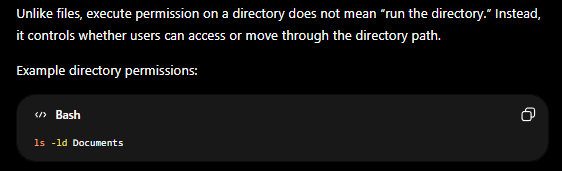
directory execute permission
Allows entering or traversing a directory.
umask
Stands for user file-creation mode mask. It controls the default permissions assigned to new files and directories when they are created in Linux. Removes permissions from the system’s default permission settings.
666
Default starting ‘Files’ permissions are usually
777
Default starting ‘Directories’ permissions are usually
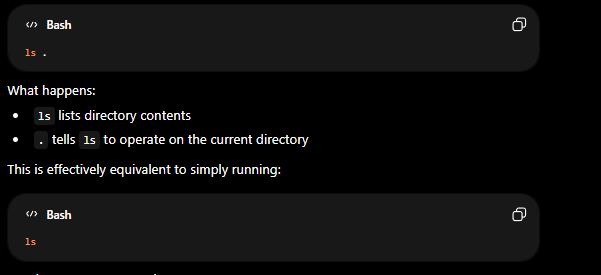
.
The ___ directory entry refers to the current directory in Linux. It is a special directory entry automatically present inside every directory and is commonly used to reference the directory you are currently working in.
..
The ___ directory entry refers to the parent directory in Linux. It is a special directory entry automatically present inside every directory and is used to move up one level in the filesystem hierarchy.
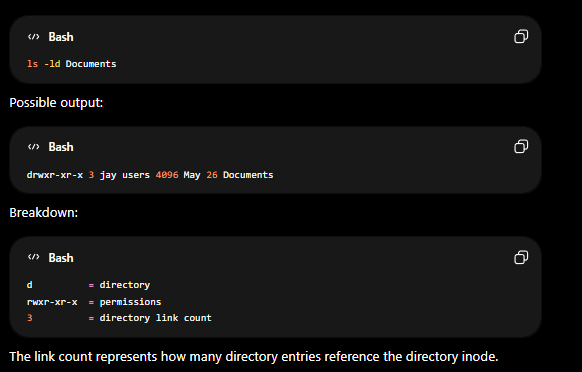
directory link count
___ is the number of hard links that point to a directory’s inode. This value appears in the ls -l output immediately after the permissions field.
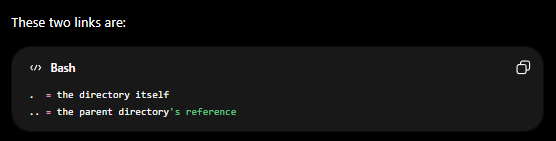
empty directory link count
An ___ starts at 2 in Linux because two hard links already point to the directory’s inode.
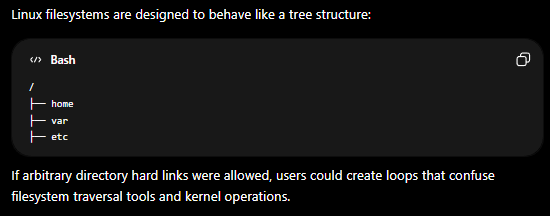
manual hard links
___ to directories are generally forbidden in Linux filesystems because they can create filesystem loops and cyclic directory structures. A hard link points directly to an inode. Allowing users to manually create hard links to directories would make the filesystem graph circular instead of hierarchical.
timestamp
Metadata recording times such as modification or access time.
filesystem
Structure Linux uses to organize and store files/directories.
Owner
[User Class] u
Group
[User Class] g
Others
[User Class] o
all users
[User Class] a
+ =
[chmod Operators] Add Permissions
- =
[chmod Operators] remove permissions
= = set
[chmod Operators] exact permissions
read
[Permissions] r
write
[Permissions] w
execute
[Permissions] x
4
[Permissions Numeric Values] r
2
[Permissions Numeric Values] w
1
[Permissions Numeric Values] x