A+ C1
 Call Kai
 Learn
Learn Practice Test
 Spaced Repetition
 Match
Match Flashcards
 Knowt Play
1/492

There's no tags or description
Looks like no tags are added yet.
Name | Mastery | Learn | Test | Matching | Spaced | Call with Kai |
|---|
No analytics yet
Send a link to your students to track their progress
493 Terms
Q: What is a form factor?
A: The physical size, shape, and layout of a hardware component — determines compatibility (e.g., SO-DIMM vs DIMM, M.2 vs 2.5 inch, ATX vs Mini-ITX)
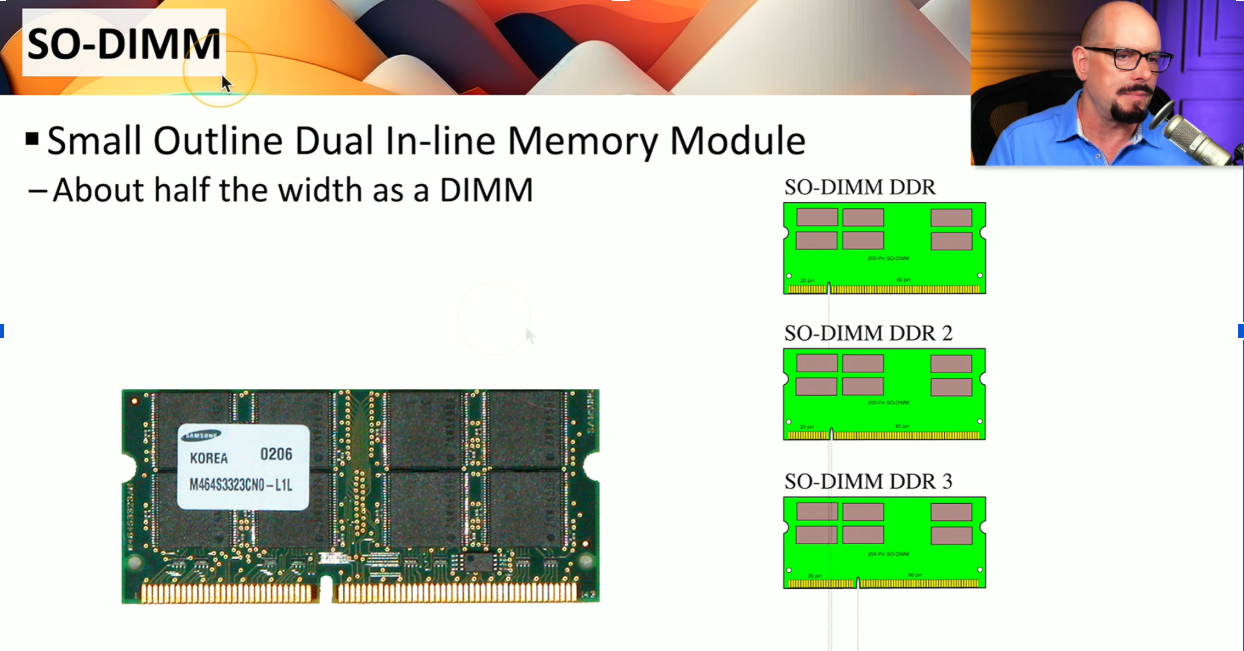
Q: What does SO-DIMM stand for?
A: Small Outline Dual In-line Memory Module — the smaller RAM form factor used in laptops
Q: What happens if laptop RAM is soldered to the motherboard?
A: It cannot be upgraded — entire motherboard must be replaced
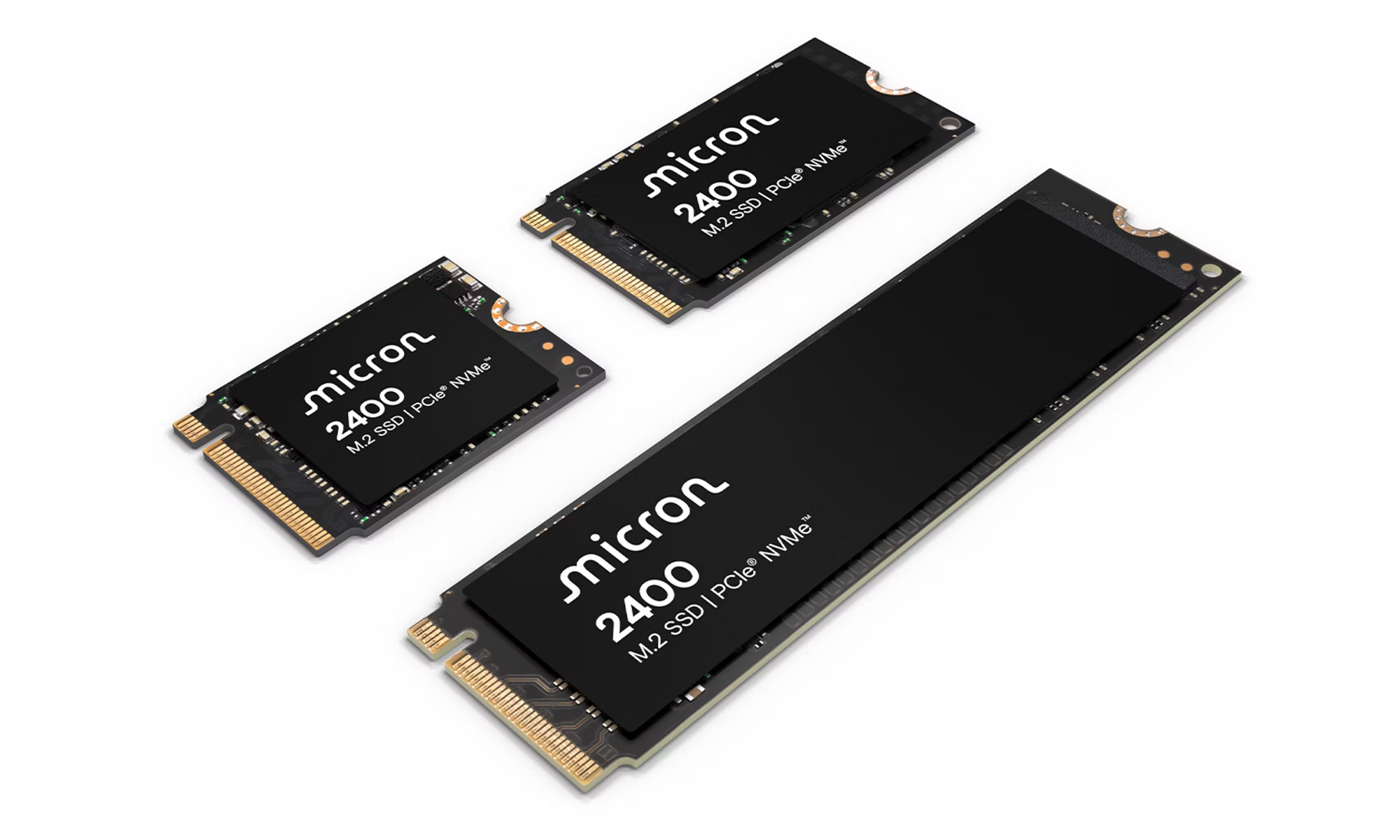
Q: What are the two storage form factors used in laptops?
A: 2.5 inch (HDD or SSD) and M.2
Q: What is the advantage of M.2 over a 2.5 inch drive in a laptop?
A: Smaller form factor, single connection, easier installation
Q: What is imaging/cloning software used for?
A: Creates an exact duplicate of one drive onto another — used when upgrading from HDD to SSD
Q: How can you diagnose whether a laptop keyboard problem is hardware or OS-related?
A: Plug in an external USB keyboard — if it works, the issue is with the built-in keyboard hardware
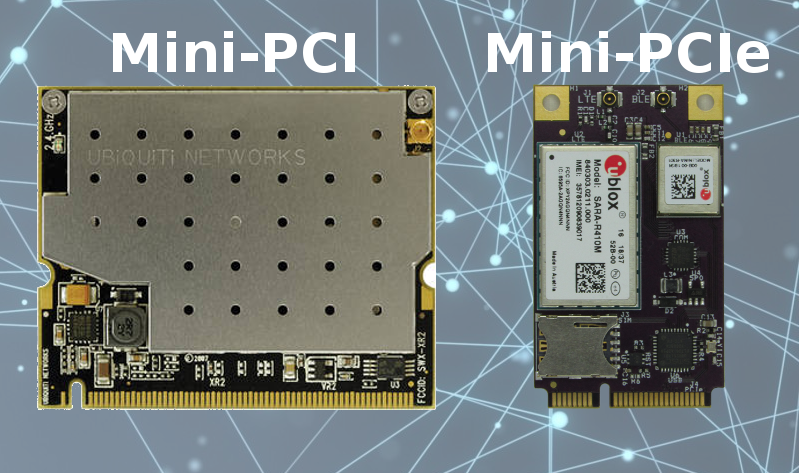
Q: What wireless card types provide 802.11 in older laptops?
A: Mini PCI or Mini PCIe cards
Q: What is Bluetooth's network classification?
A: PAN — Personal Area Network
Q: What are the two Windows Hello biometric authentication methods?
A: Windows Hello Face (facial recognition) and Windows Hello Fingerprint
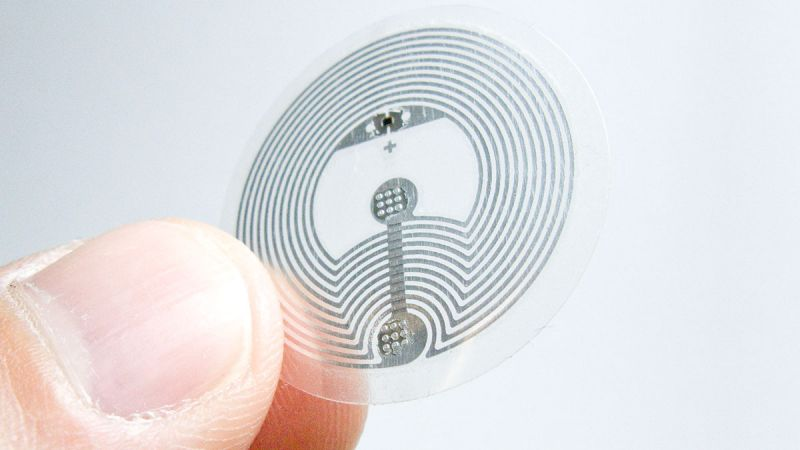
Q: What is NFC and what is its typical range?
A: Near Field Communication — ~4 cm or less; used for payments, access control, and authentication
1.2 Connecting Mobile Devices
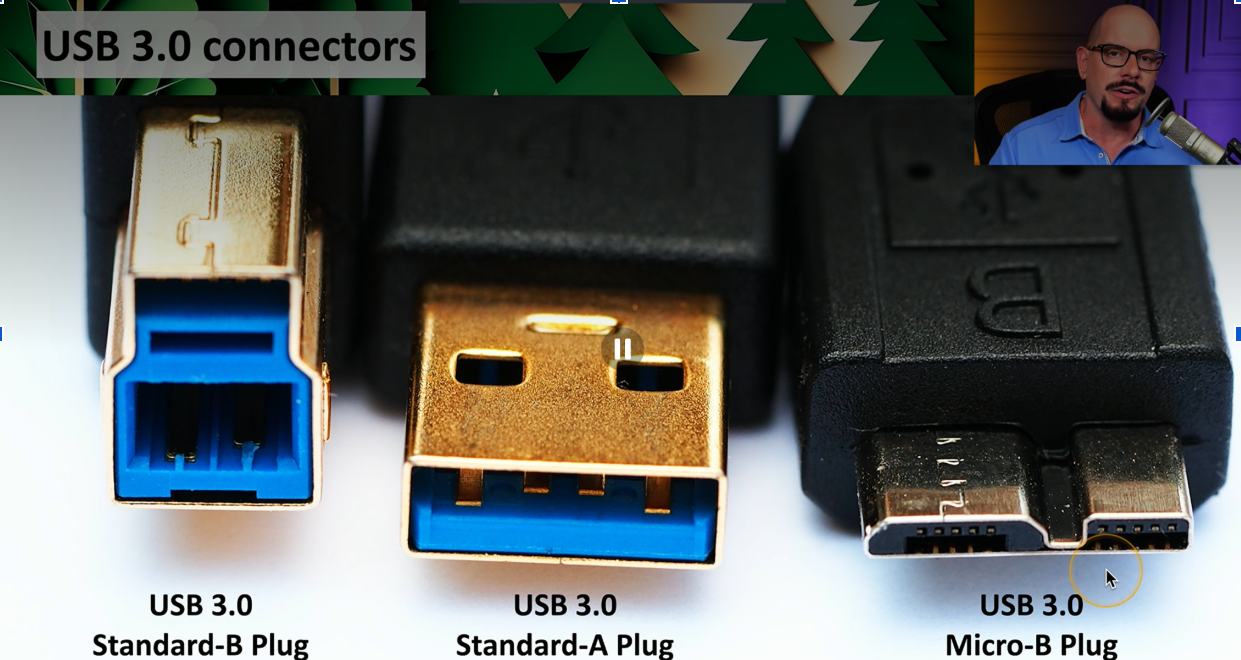
Q: What is USB-C's key physical advantage over older USB connectors?
A: Reversible — plugs in either orientation; also carries video signals like DisplayPort and HDMI
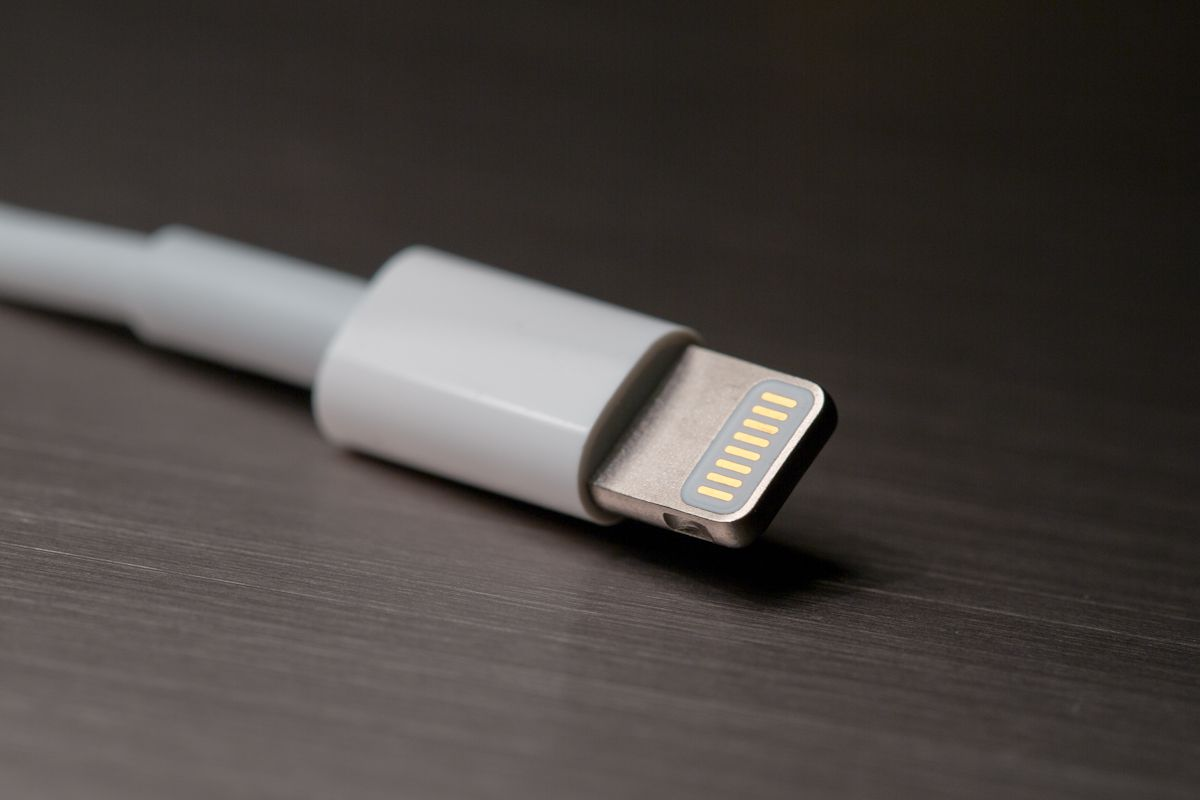
Q: What is Apple's Lightning connector?
A: A proprietary 8-pin Apple connector used on older iPhones/iPads; reversible
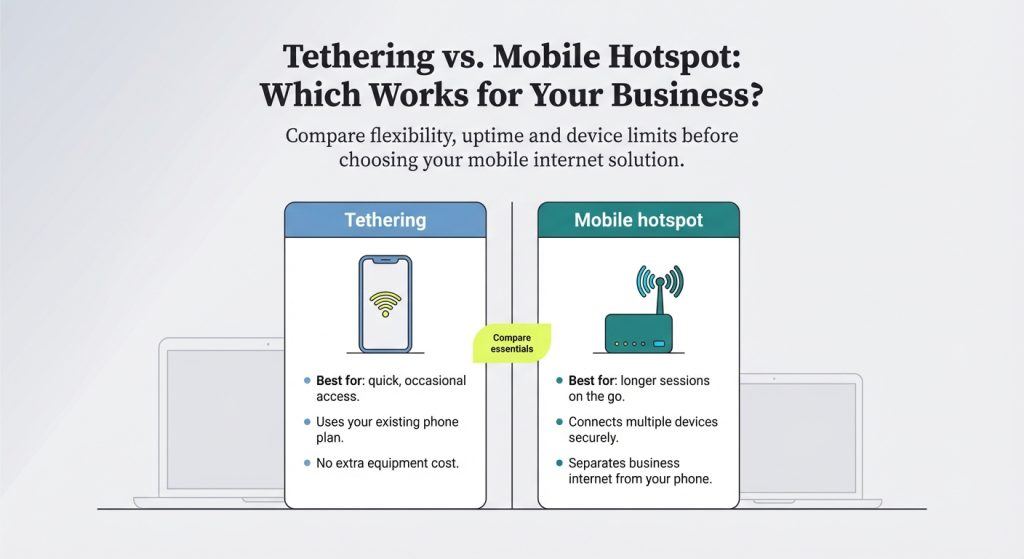
Q: What is the difference between a hotspot and tethering?
A: Hotspot = multiple devices share your phone's internet; Tethering = only one device connects
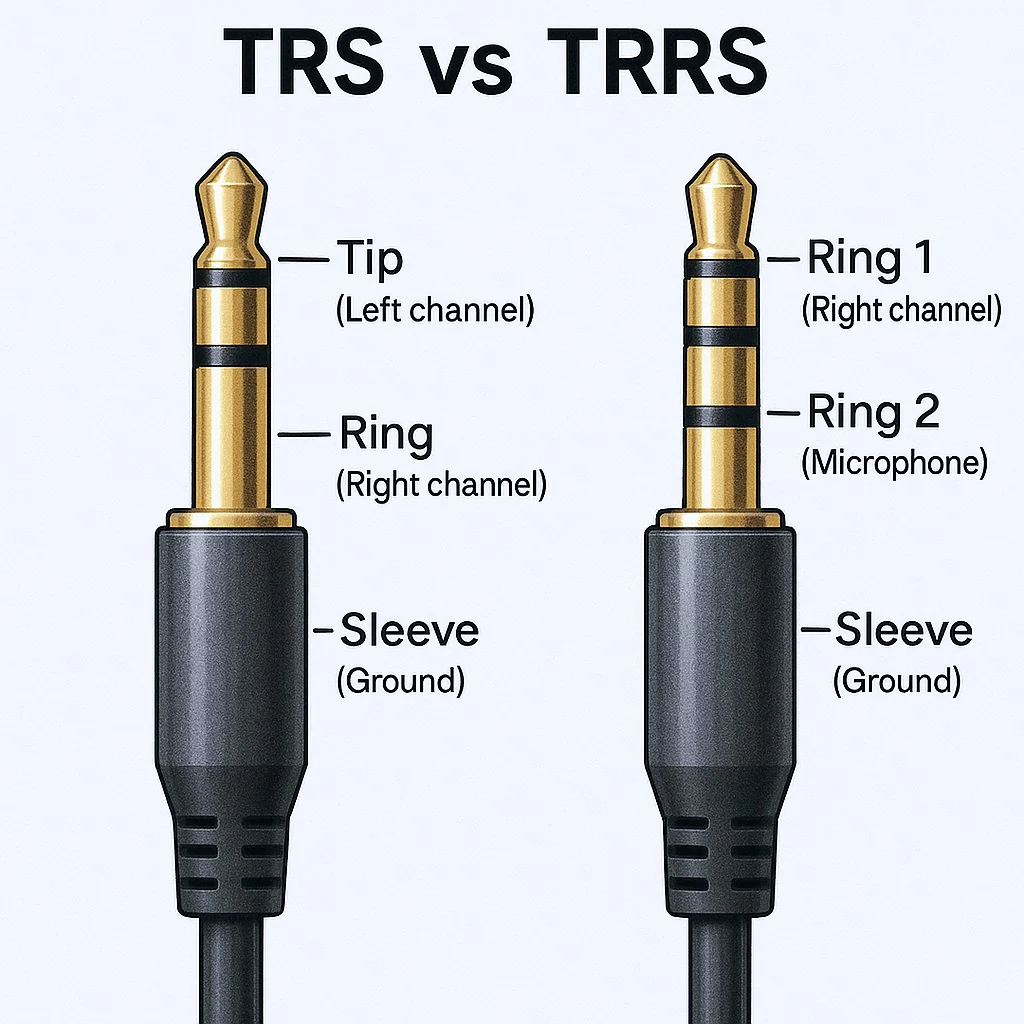
Q: What is a TRRS connector?
A: Tip-Ring-Ring-Sleeve — a 3.5mm analog audio jack used for wired headsets
Q: What is a docking station?
A: Connects/disconnects a laptop from all peripherals at once; can support full-size adapter cards; laptop-specific
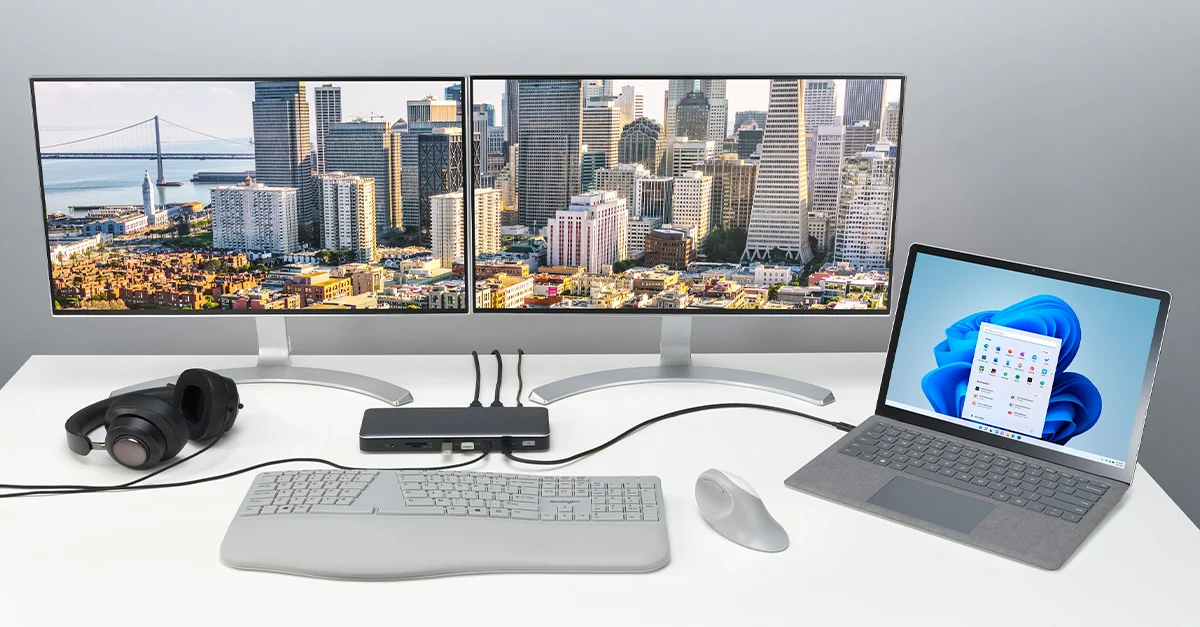
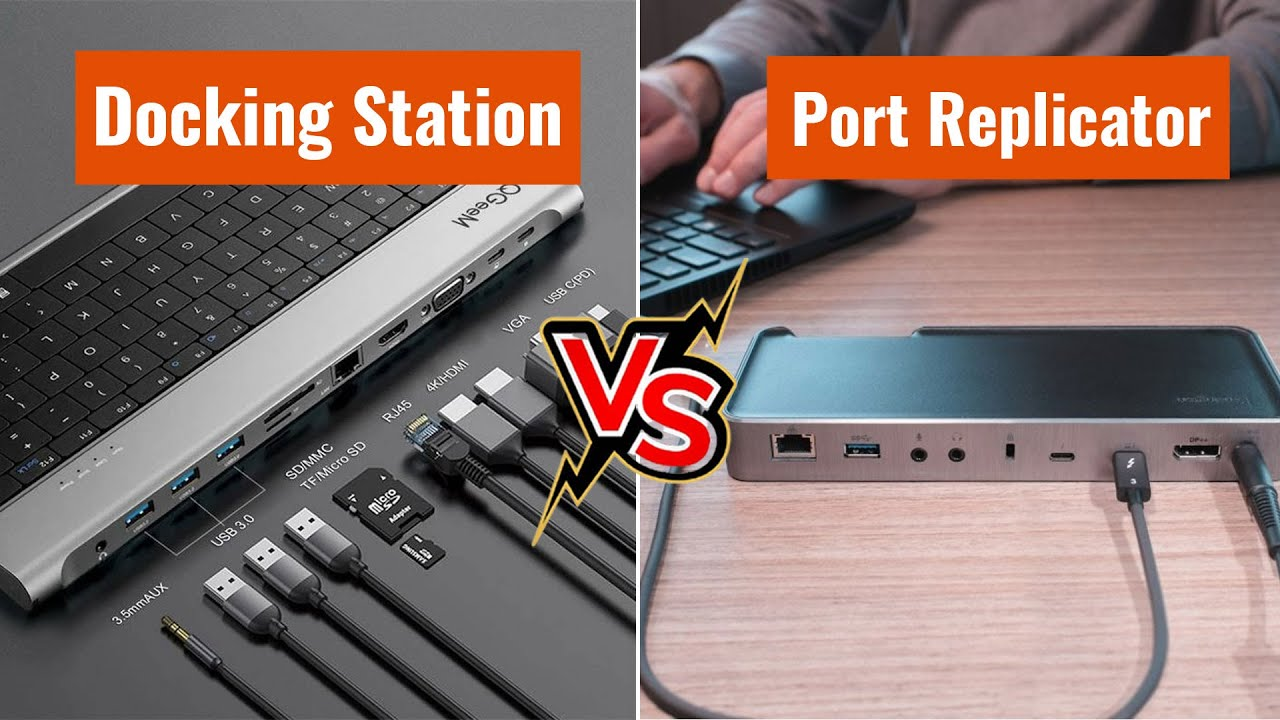
Q: What is the difference between a docking station and a port replicator?
A: Docking stations are laptop-specific and support adapter cards; port replicators connect via USB and work with almost any laptop
Q: What is Bluetooth pairing and when do you have to do it?
A: A one-time setup process using a PIN to securely connect two Bluetooth devices — after pairing, they reconnect automatically
1.3 Mobile Device Networks
Q: What does LTE stand for and what generation is it?
A: Long-Term Evolution — 4G

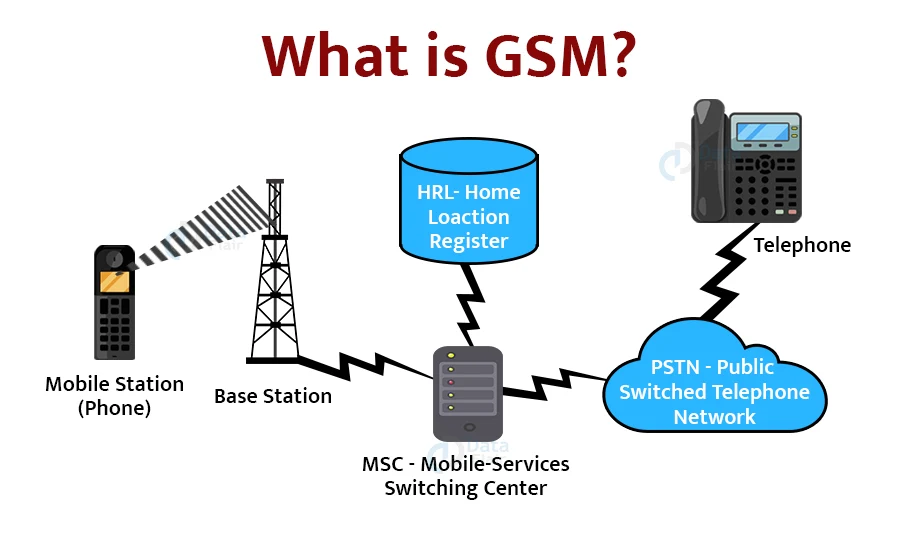
Q: What does GSM stand for?
A: Global System for Mobile Communications — the technology 4G is based on; uses SIM cards
Q: When was 5G introduced?
A: 2020
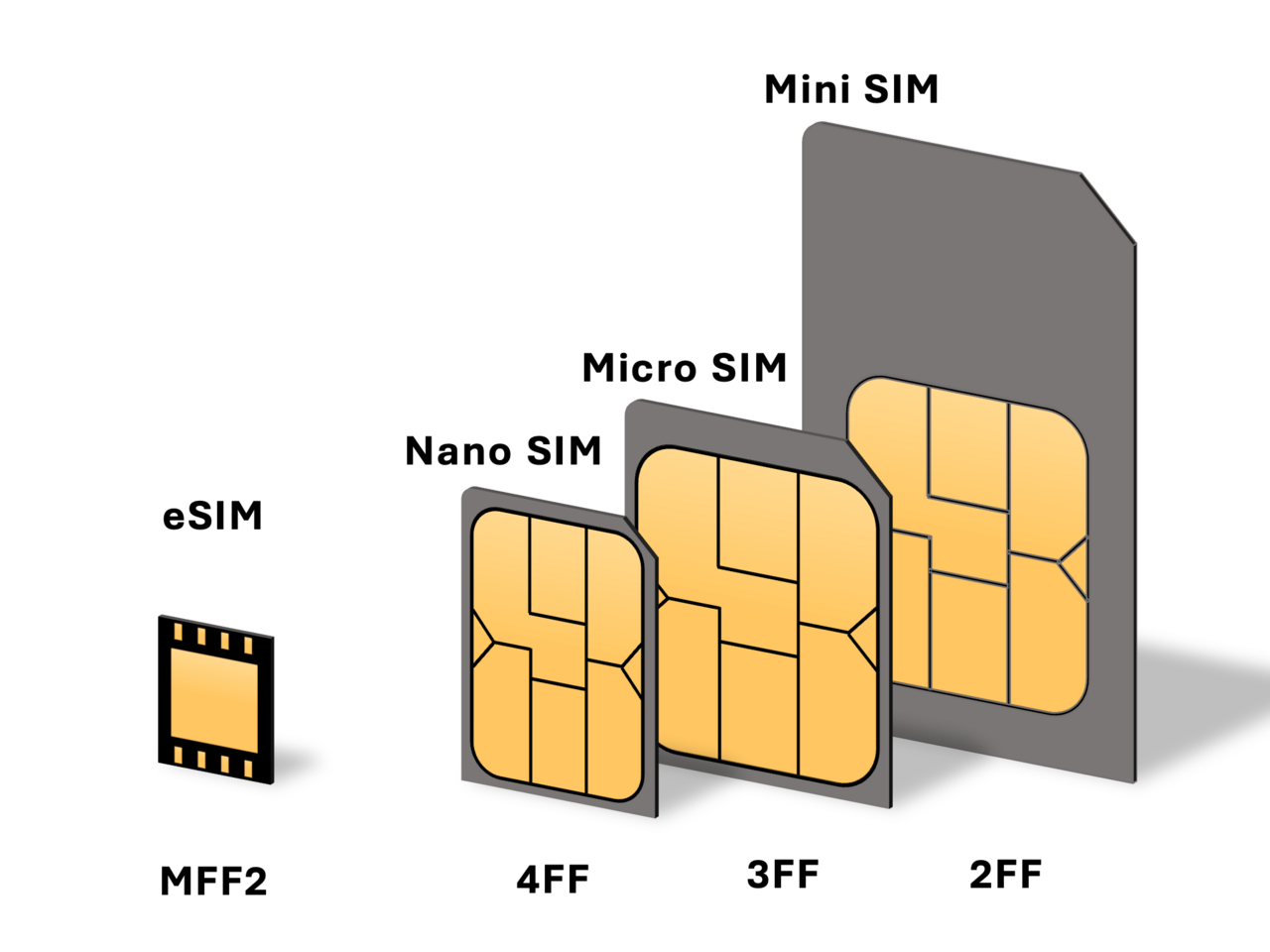
Q: What is a SIM card and what does it store?
A: Subscriber Identity Module — stores carrier info, phone number, subscriber ID, contacts, and messages
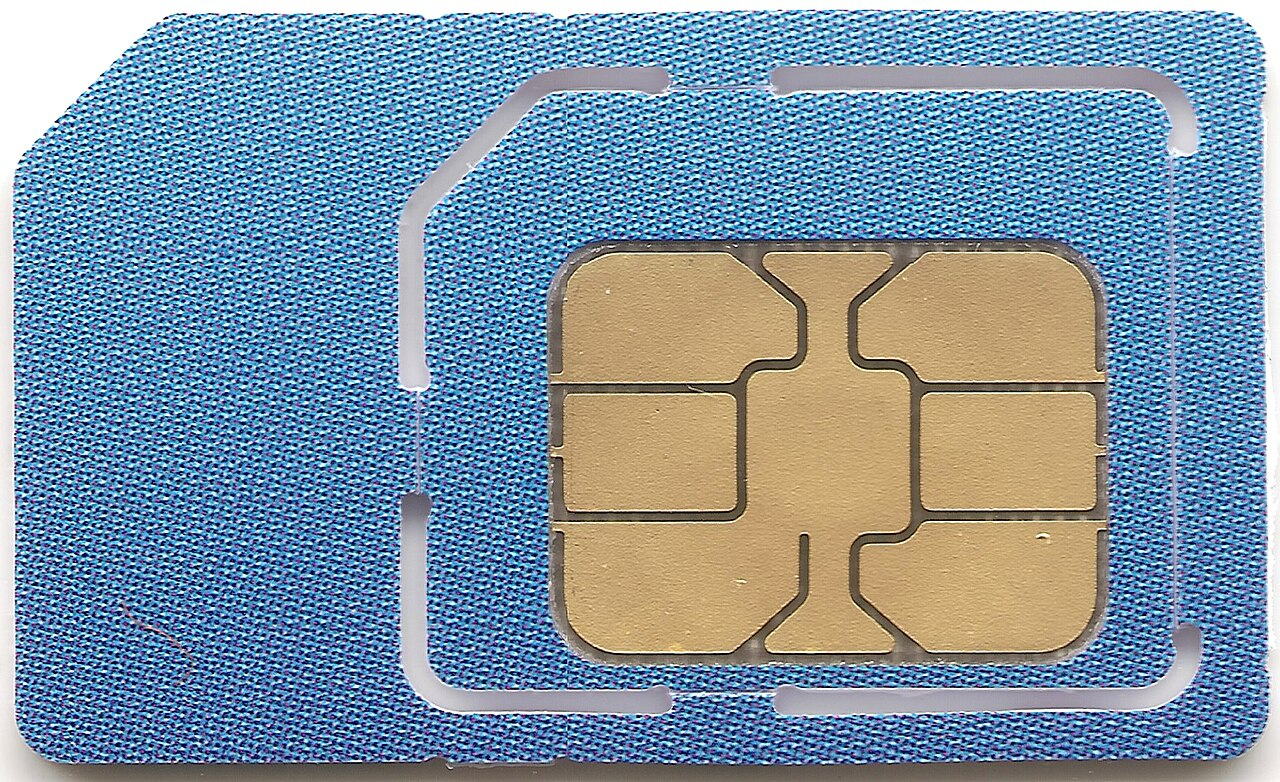
Q: What is an eSIM?
A: An embedded SIM built into the phone — transferred between devices via software or QR code, no physical swap
Q: How many satellites must a phone see for accurate GPS?
A: Four
Q: What are two alternatives to GPS for location when GPS is unavailable?
A: Wi-Fi triangulation and cellular tower triangulation
Q: What is airplane mode?
A: Disables all wireless communication on a device (cellular, Wi-Fi, Bluetooth) — individual radios can be re-enabled manually after
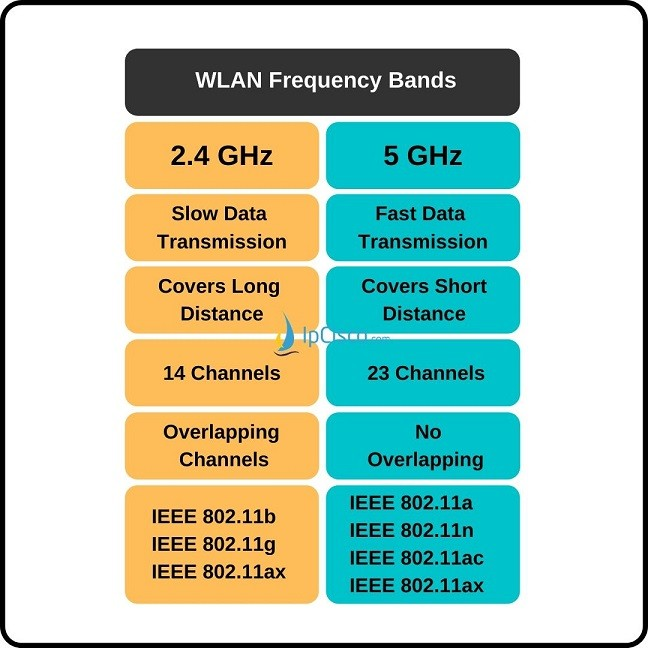
Q: What are the two main Wi-Fi frequency bands?
A: 2.4 GHz (longer range, slower, more interference) and 5 GHz (shorter range, faster, less interference)
1.4 Mobile Device Management
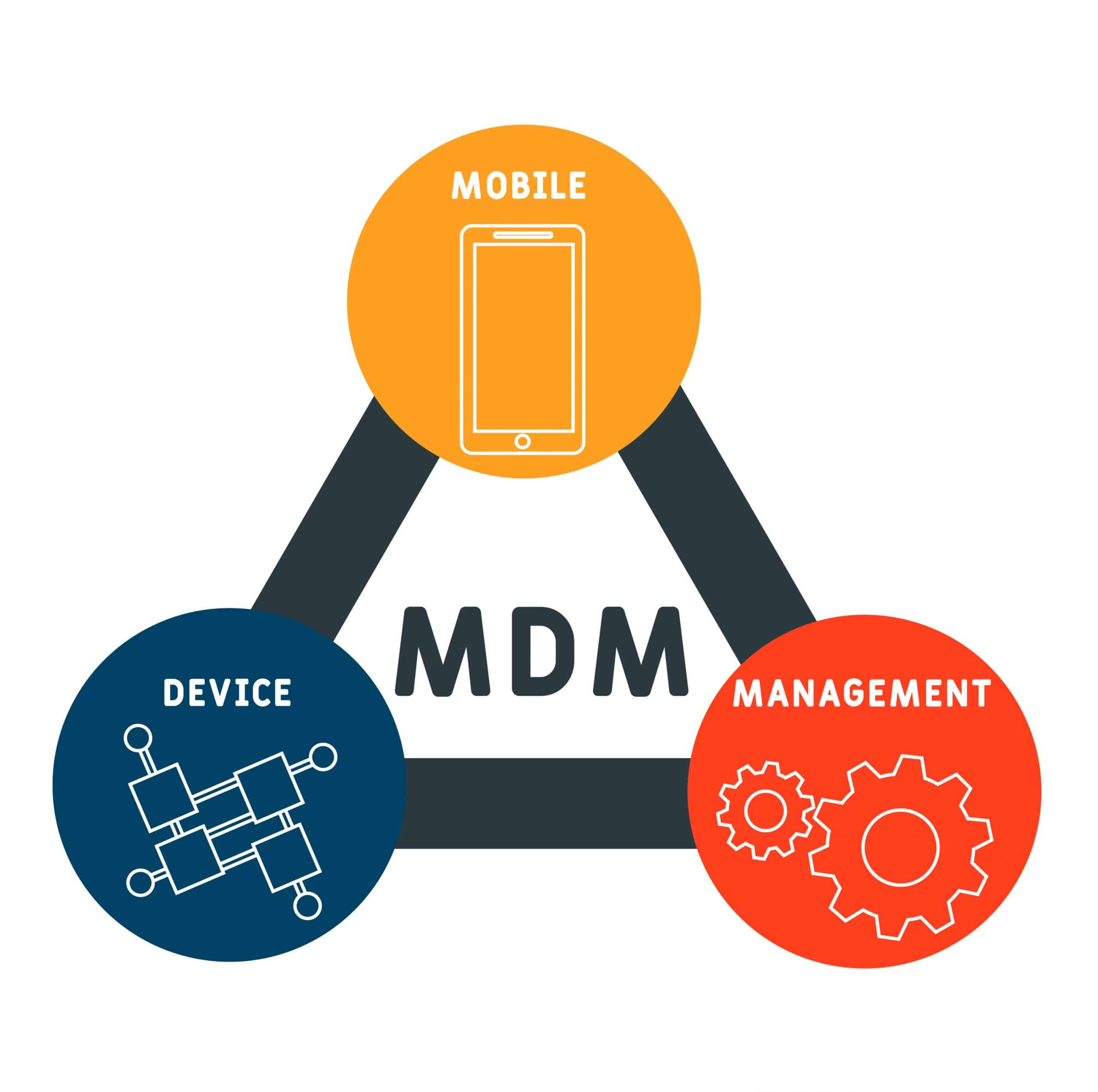
Q: What is MDM?
A: Mobile Device Manager — centrally manages and enforces policies on mobile devices in an organization
Q: What does BYOD stand for?
A: Bring Your Own Device — employee uses their personal phone for work
Q: What does COPE stand for?
A: Corporate Owned, Personally Enabled — company owns and controls the device but allows personal use
Q: What does CYOD stand for?
A: Choose Your Own Device — employee selects from a company-approved list of devices
Q: What can an MDM control on a device?
A: Apps, camera, GPS, screen locks, email config, sync settings, MFA requirements, and more
Q: What is the purpose of partitioning on a BYOD device via MDM?
A: Separates personal data from corporate data on the same phone
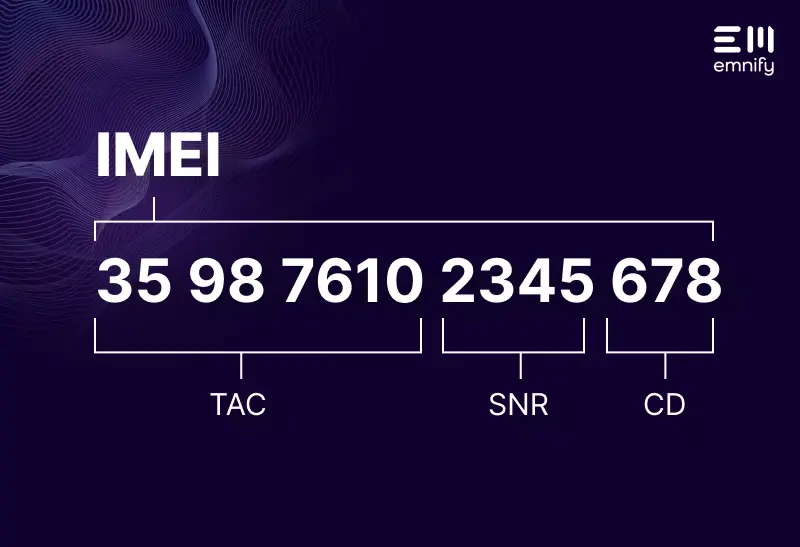
Q: What is an IMEI?
A: International Mobile Equipment Identity — unique identifier for a mobile device
2.1 - Introduction to IP
Q: What is Messer's networking analogy for IP?
A: Network = roads. IP = the truck. TCP/UDP = boxes on the truck. Data = what's inside the boxes.
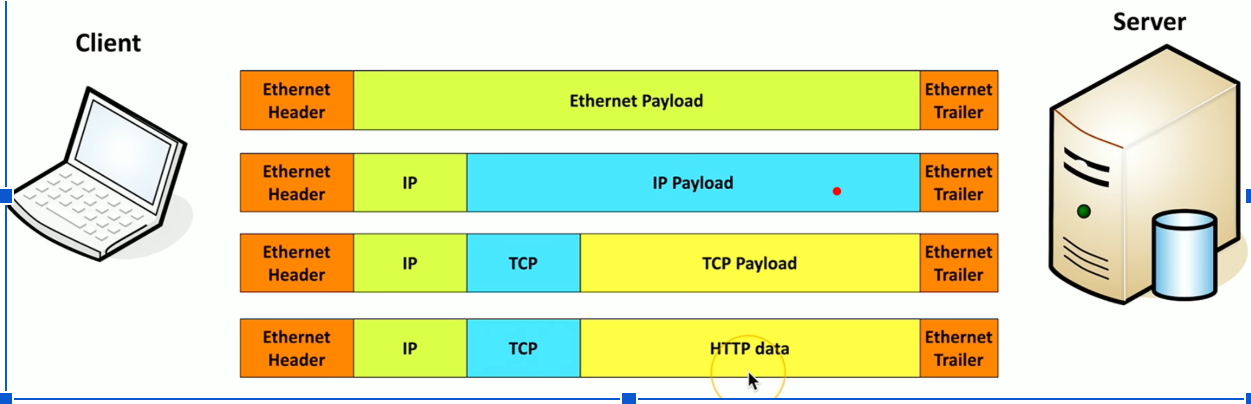
Q: What is encapsulation?
A: Wrapping data in layers of headers as it travels down the network stack — e.g., HTTP inside TCP inside IP inside Ethernet
Q: What is TCP?
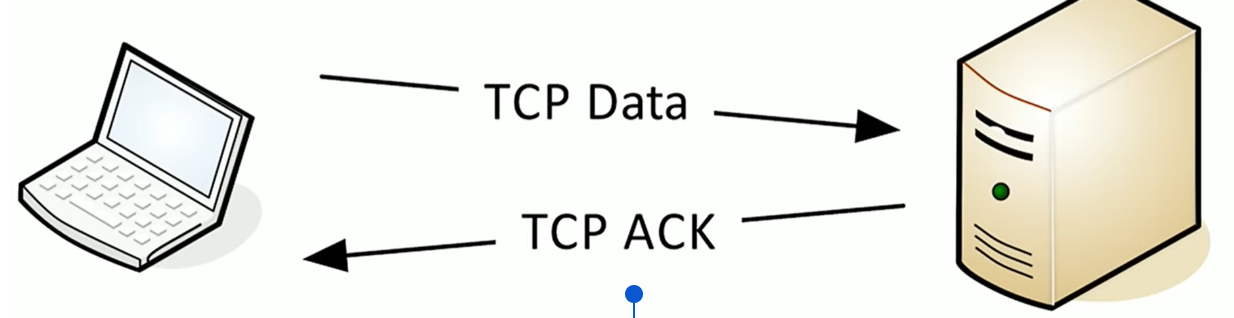
A: Transmission Control Protocol — connection-oriented, reliable; uses acknowledgments, error recovery, and flow control
Q: What does "connection-oriented" mean in TCP?
A: A formal session is established before data is sent and formally closed after — like saying hello and goodbye on a phone call
Q: What is UDP?
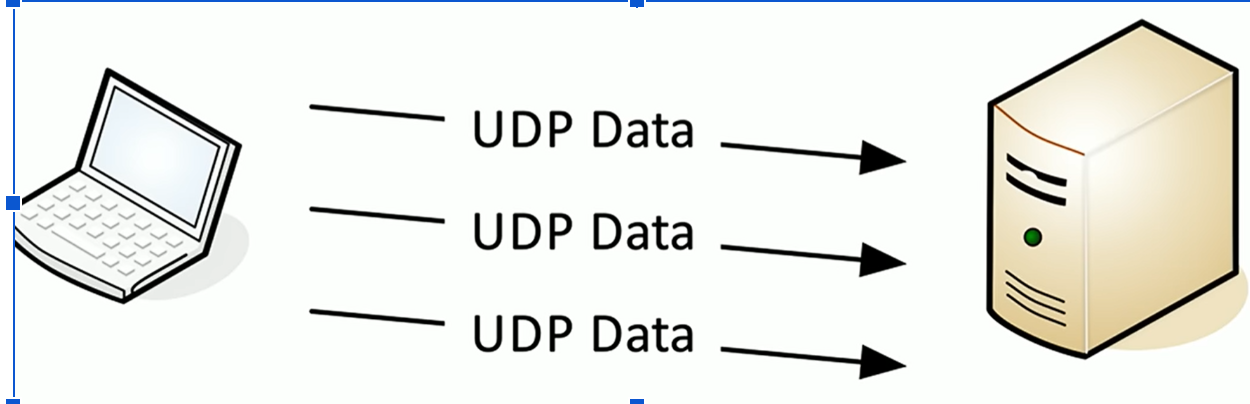
A: User Datagram Protocol — connectionless, no acknowledgments, no retransmission, best effort delivery
Q: Why use UDP over TCP?
A: When real-time delivery matters more than reliability — VoIP and video streaming use UDP because lost data can't be rewound
Q: What protocols use TCP?
A: HTTP, HTTPS, SSH, FTP, SMTP, IMAP, POP3, RDP, Telnet, LDAP
Q: What protocols use UDP?
A: DHCP, DNS, TFTP, VoIP, video streaming, SNMP
Q: What is a port number?
A: A number that identifies which application receives incoming data — like a room name written on a box
Q: What is a nonephemeral (well-known) port?
A: A fixed permanent port used by servers/services — ports 0-1,023
Q: What is an ephemeral port?
A: A temporary randomly assigned client-side port for one session — ports 1,024-65,535; discarded after the session ends
Q: What is the full port number range for TCP and UDP?
A: 0-65,535 — TCP port 80 and UDP port 80 are NOT the same
Q: Are port numbers a security mechanism?
A: No — they are reference numbers only, not a security feature
Q: What is multiplexing in networking?
A: Sending multiple types of traffic simultaneously using different port numbers — enabled by TCP/UDP
2.1 - Common Ports (must memorize cold)
Q: What port does FTP use and for what?
A: TCP 20 (active data transfer) and TCP 21 (control/administration)
Q: What port does SSH use?
A: TCP 22 — encrypted remote command line access
Q: What port does Telnet use and what's the key difference from SSH?
A: TCP 23 — same function as SSH but sends everything unencrypted (in the clear)
Q: What port does SMTP use?
A: TCP 25 — sends email between servers
Q: What port does DNS use?
A: UDP 53 (also TCP 53 for large transfers) — resolves domain names to IP addresses
Q: What ports does DHCP use?
A: UDP 67 (server) and UDP 68 (client) — automatically assigns IP addresses
Q: What port does HTTP use?
A: TCP 80 — unencrypted web traffic
Q: What port does HTTPS use?
A: TCP 443 — encrypted web traffic using TLS
Q: What port does POP3 use?
A: TCP 110 — downloads email to local device
Q: What port does IMAP use?
A: TCP 143 — syncs email across multiple devices/clients
Q: What port does SMB use and what is SMB?
A: TCP 445 — Server Message Block; used for Windows file sharing and printer queues
Q: What port does LDAP use?
A: TCP 389 — Lightweight Directory Access Protocol; used to query directory services like Active Directory
Q: What port does RDP use?
A: TCP 3389 — Remote Desktop Protocol; remotely controls Windows desktops
Q: What is NetBIOS and what ports does it use?
A: Older Windows protocol — UDP 137 (name service) and TCP 139 (session/file transfer); replaced by SMB on port 445
2.2 - Wireless Network Technologies
Q: What organization standardizes Wi-Fi and what is the standard called?
A: IEEE — 802.11 Committee; networks are called 802.11 networks
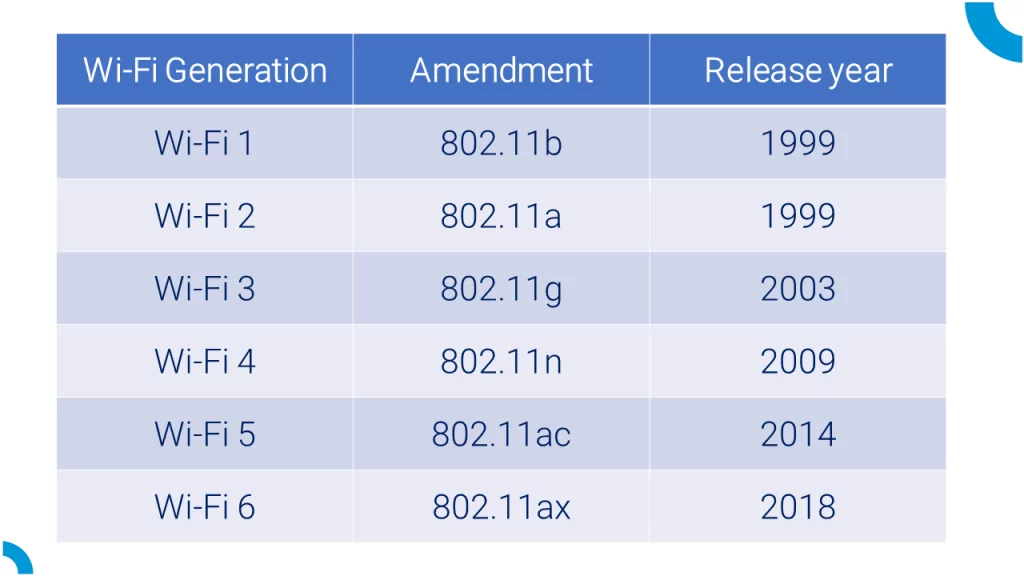
Q: What are the Wi-Fi generation names?
A: 802.11ac = Wi-Fi 5 | 802.11ax = Wi-Fi 6/6E | 802.11be = Wi-Fi 7
Q: What three frequency bands do Wi-Fi networks use?
A: 2.4 GHz, 5 GHz, and 6 GHz
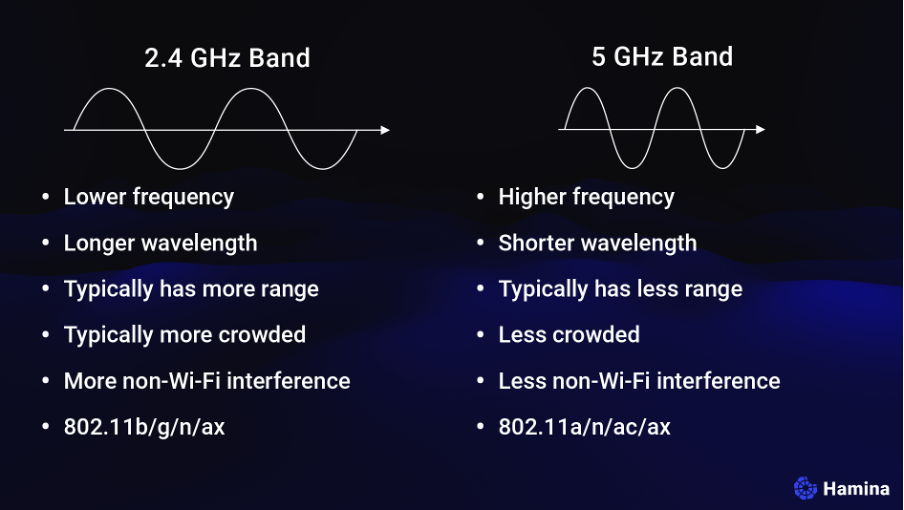
Q: What is the difference between 2.4 GHz and 5 GHz Wi-Fi?
A: 2.4 GHz = longer range, slower, more interference (only 3 non-overlapping channels); 5 GHz = shorter range, faster, less interference, more channels
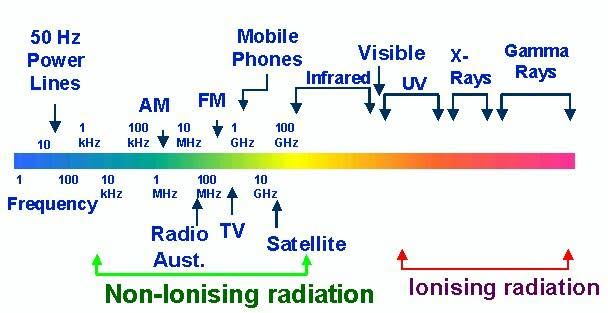
Q: What frequency does Bluetooth use?
A: 2.4 GHz — same ISM band as 2.4 GHz Wi-Fi
Q: What is the ISM band?
A: Industrial, Scientific, and Medical — unlicensed 2.4 GHz spectrum; shared by Bluetooth, Wi-Fi, microwaves
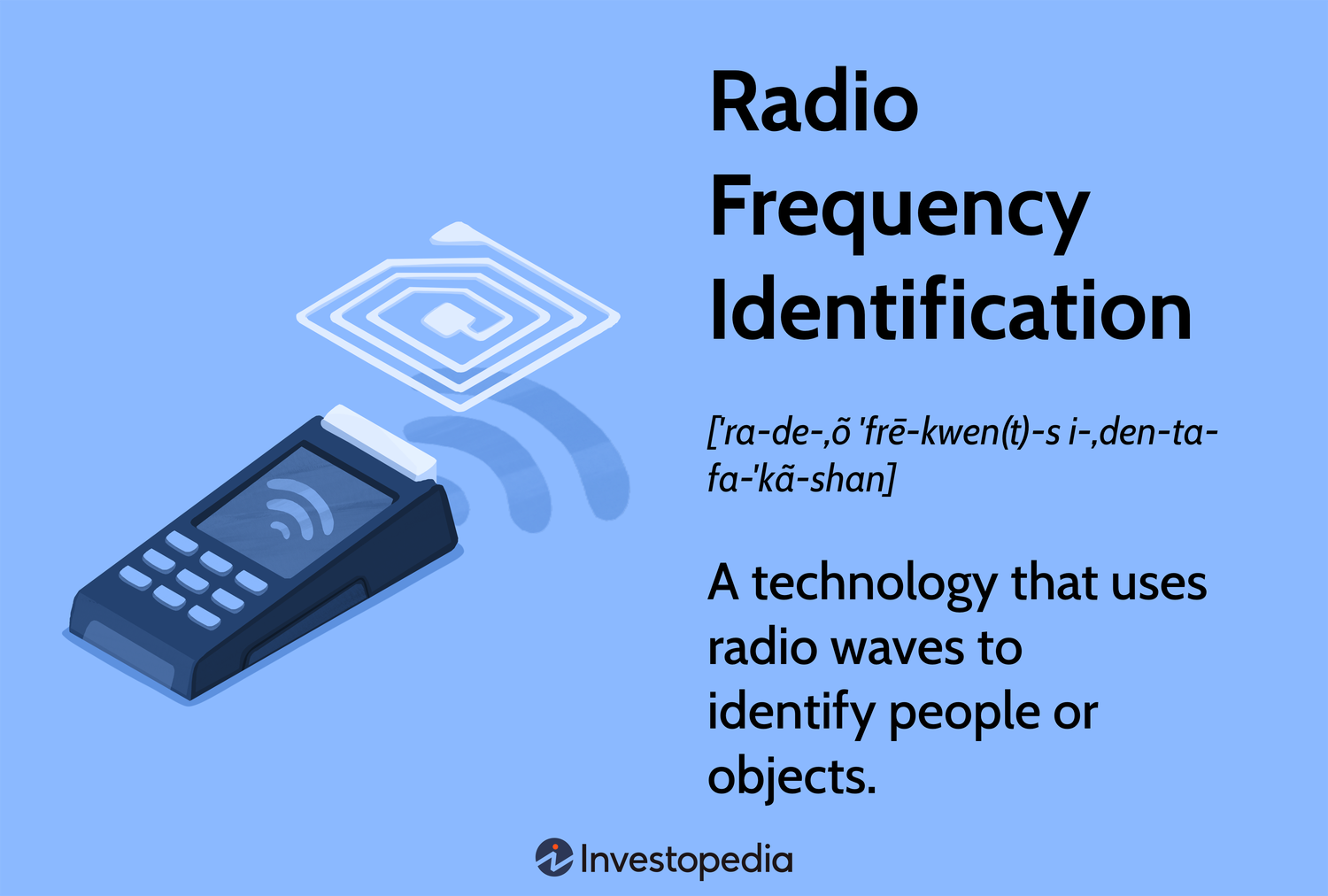
Q: What is RFID and how does it work?
A: Radio Frequency Identification — passive tags have no battery; power from scanner's radio frequency activates the tag which sends back an ID code
Q: What is NFC and how does it extend RFID?
A: Near Field Communication — builds on RFID by adding two-way communication; used for payments, access control, and device pairing
Q: What is the max range of consumer Bluetooth devices?
A: ~10 meters
2.3 - Network Services
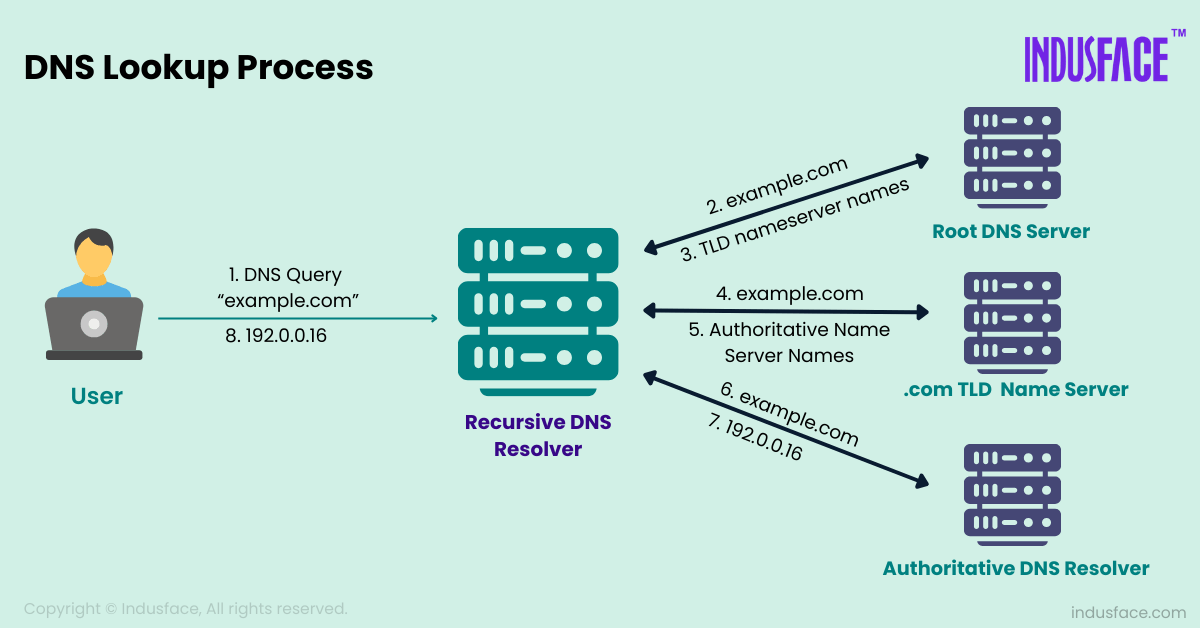
Q: What is DNS and what does it do?
A: Domain Name System — translates fully qualified domain names (like professormesser.com) into IP addresses
Q: What is DHCP?
A: Dynamic Host Configuration Protocol — automatically assigns IP address, subnet mask, default gateway, and DNS server to devices on a network
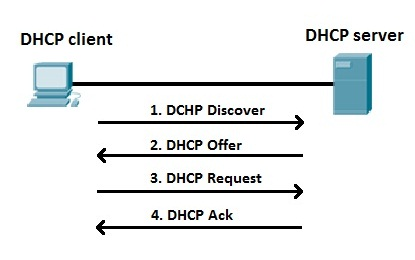
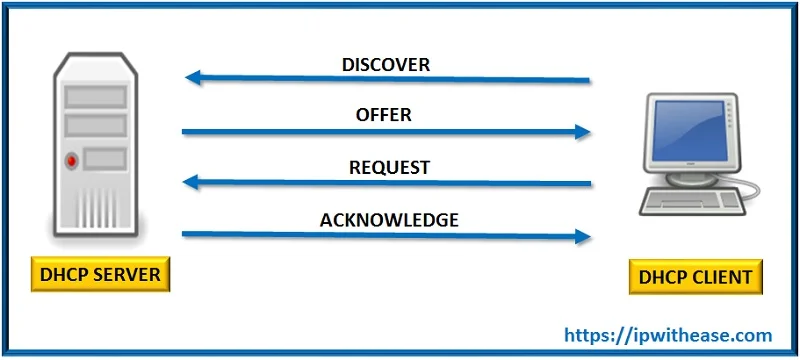
Q: What is the DORA process?
A: The 4-step DHCP process: Discover → Offer → Request → Acknowledge
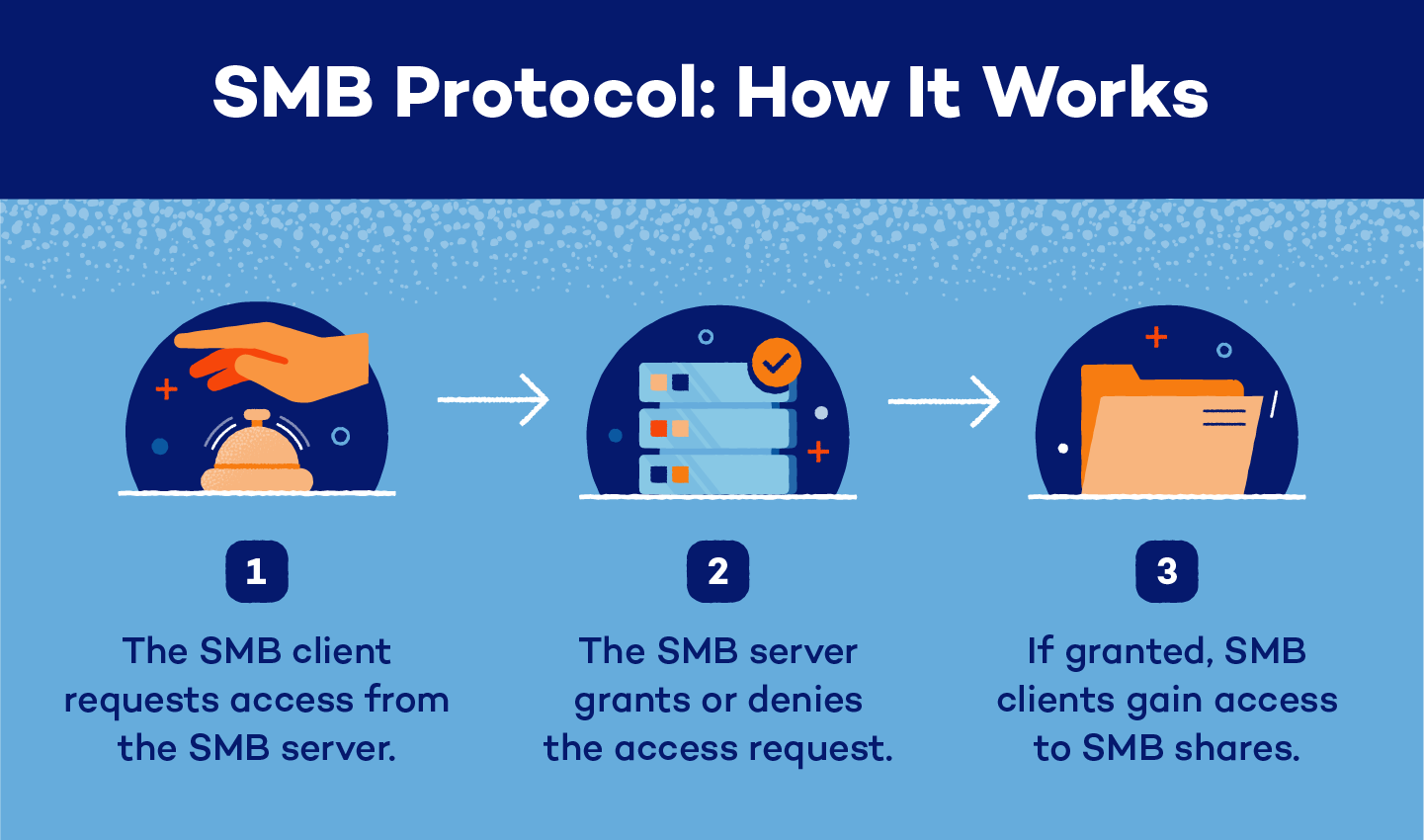
Q: What is SMB?
A: Server Message Block — Windows protocol for file sharing, printer queues, and device communication; also called CIFS
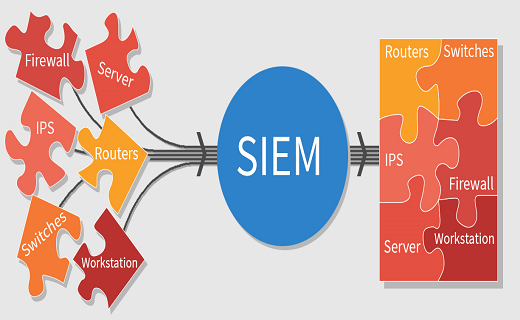
Q: What is a SIEM?
A: Security Information and Event Manager — central server that consolidates syslog data from all devices for correlation and analysis
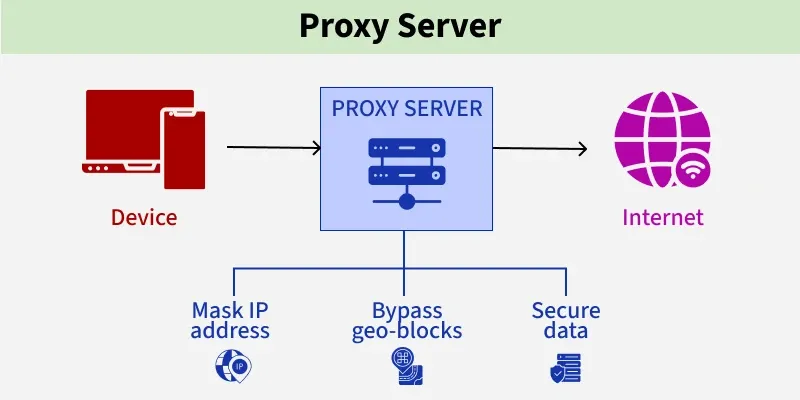
Q: What is a proxy server?
A: A server that receives client requests, forwards them to the destination, evaluates the response, and returns it to the client — used for security, caching, and content filtering
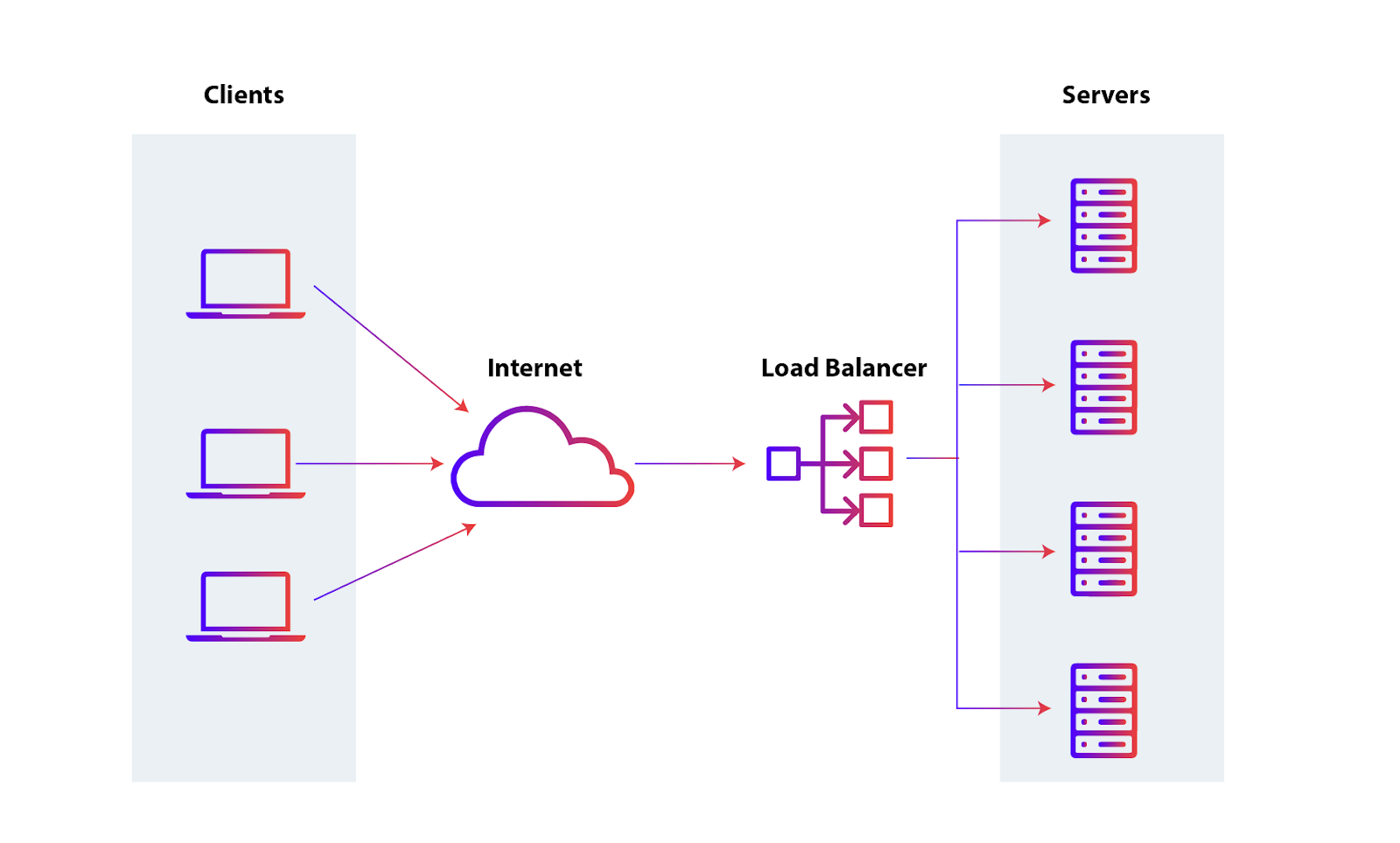
Q: What is a load balancer?
A: Distributes incoming requests evenly across multiple servers — automatically removes failed servers from rotation
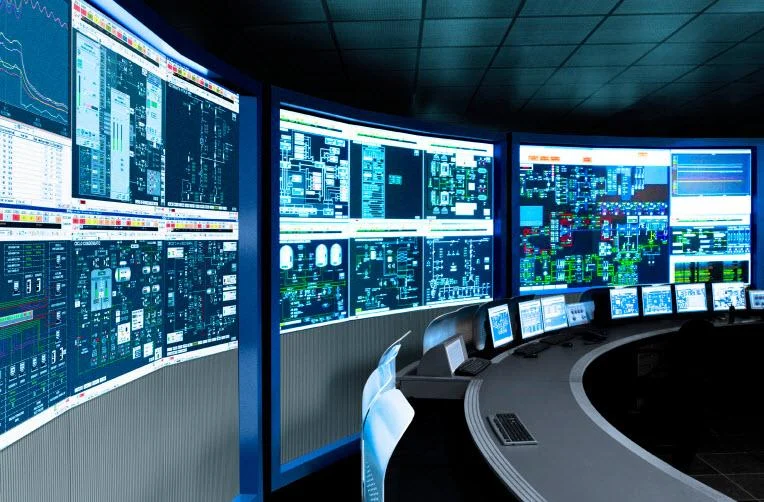
Q: What is SCADA/ICS?
A: Supervisory Control and Data Acquisition / Industrial Control System — manages large-scale industrial equipment (power, oil, manufacturing) over a network
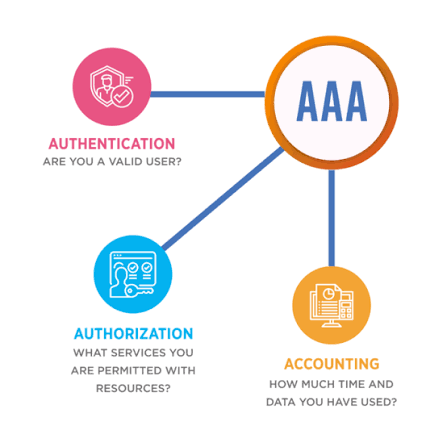
Q: What is an AAA server?
A: Authentication, Authorization, and Accounting server — verifies credentials and controls access to network resources
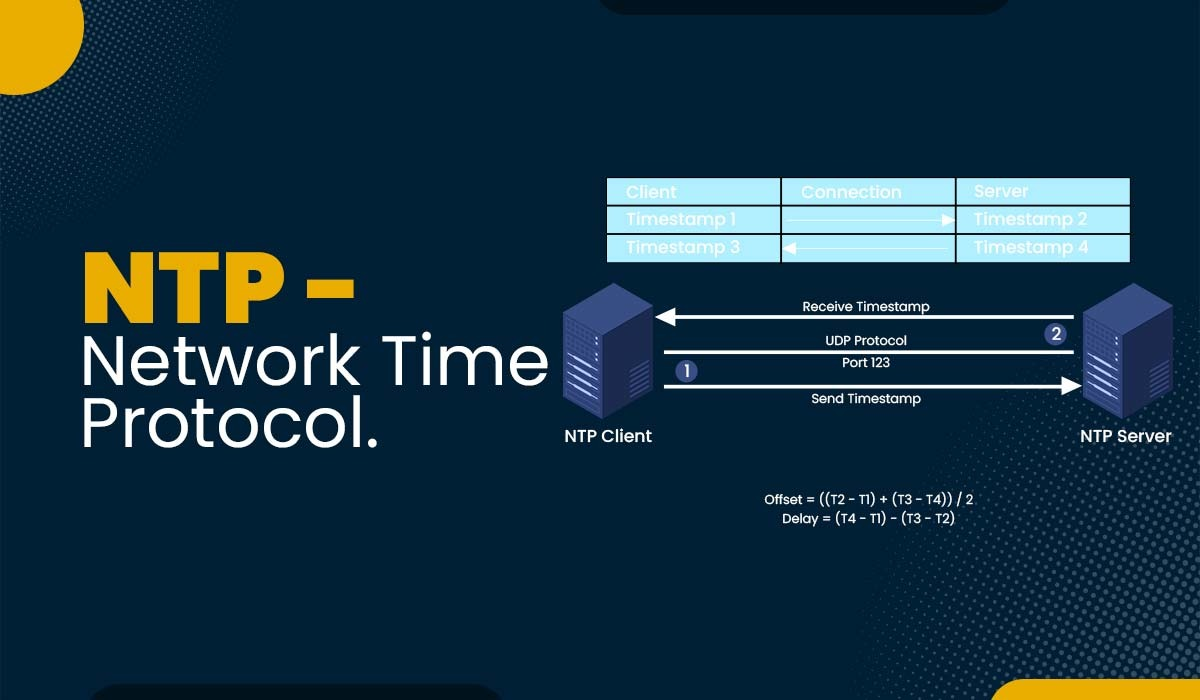
Q: What is NTP?
A: Network Time Protocol — keeps all devices synchronized to the correct date and time; critical for logs and encryption
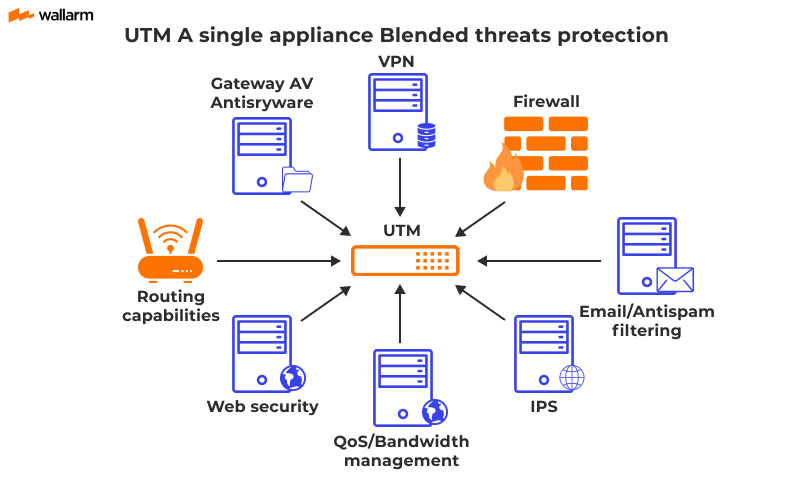
Q: What is a UTM?
A: Unified Threat Management — all-in-one security appliance combining firewall, IPS, content filtering, spam filter, and VPN
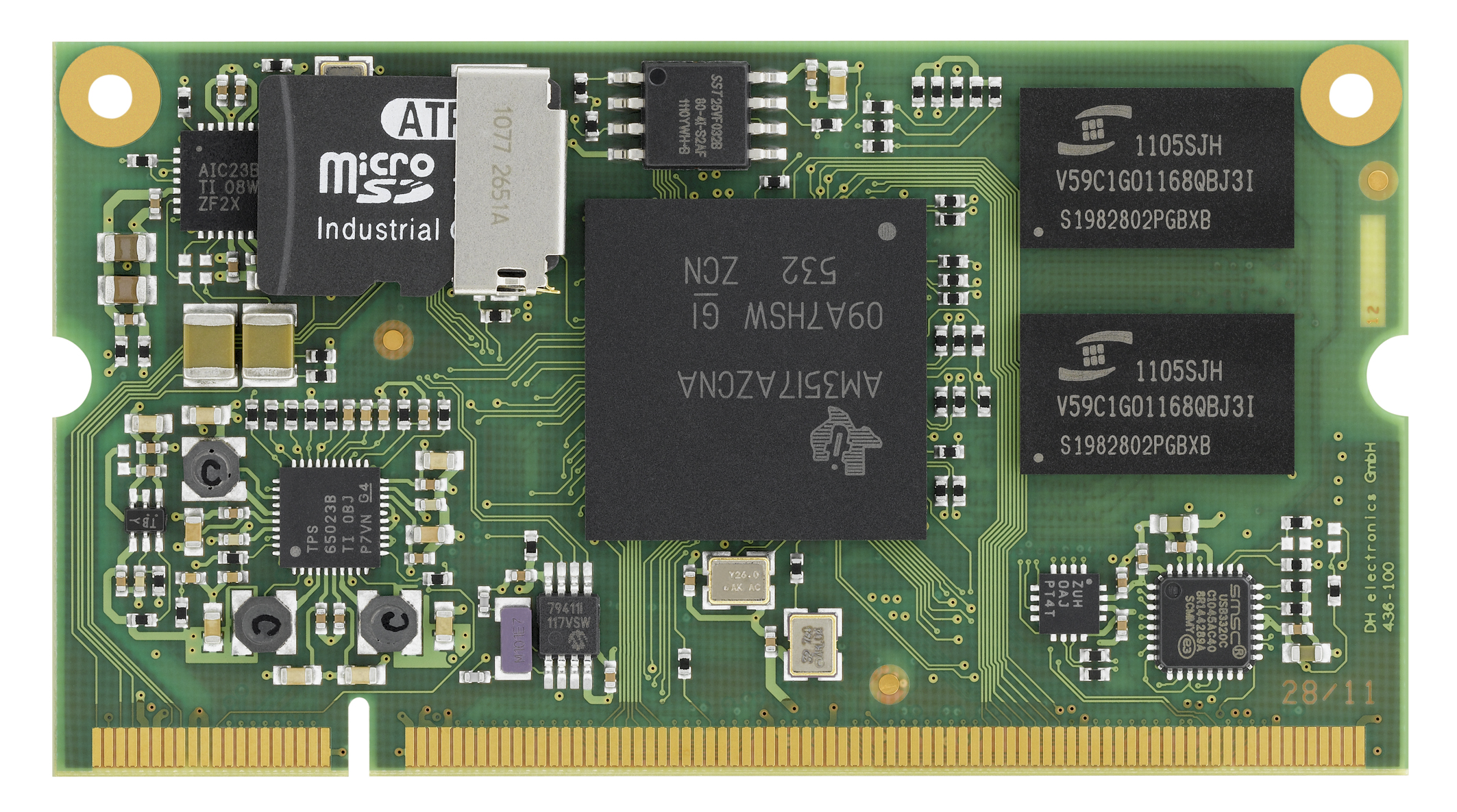
Q: What is an embedded system?
A: A purpose-built device where the OS is not directly accessible to the user — e.g., fire alarm systems, time clocks
2.4 - DNS Configuration
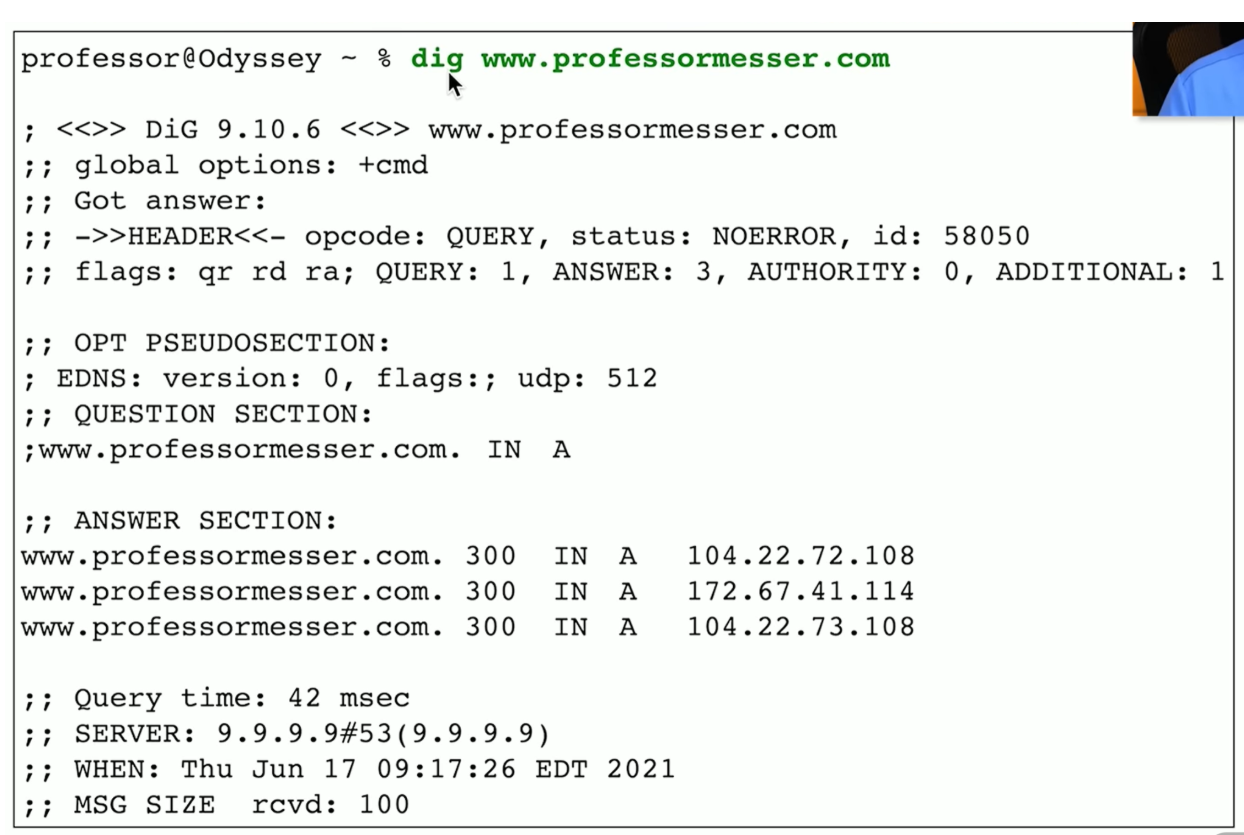
Q: What is a DNS A record?
A: Maps a hostname to an IPv4 address
Q: What is a DNS AAAA record?
A: Maps a hostname to an IPv6 address (quad-A record)
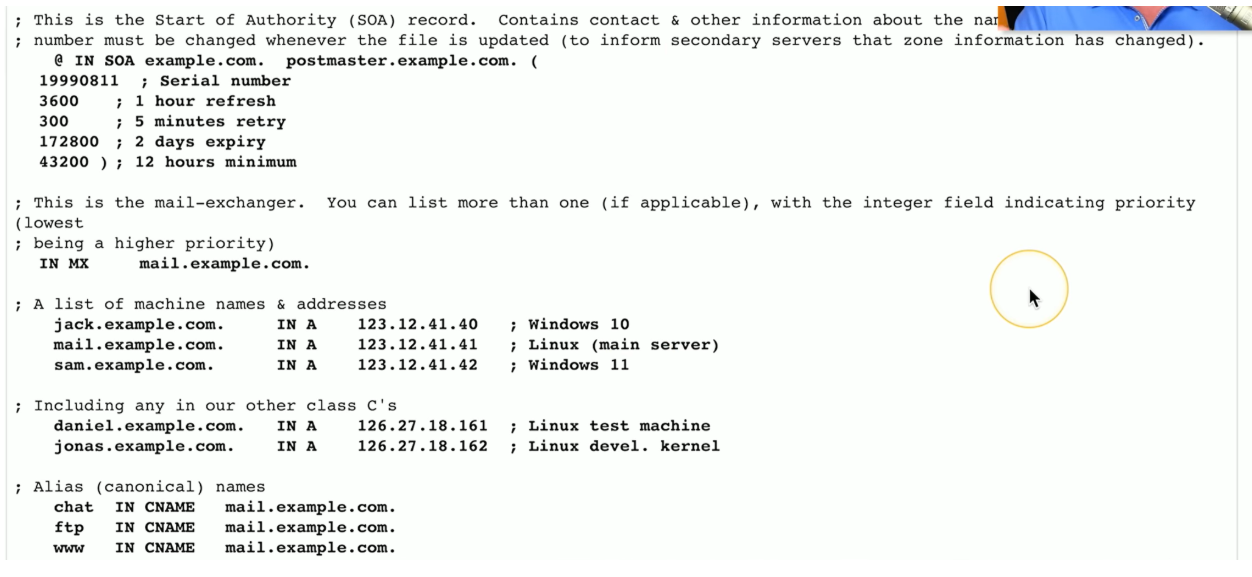
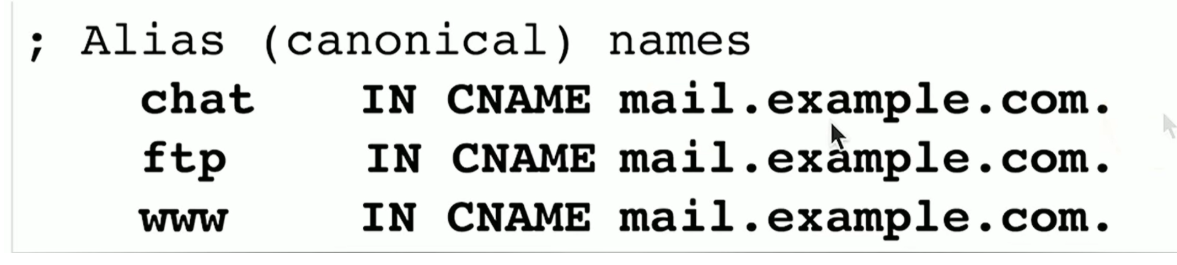
Q: What is a DNS CNAME record?
A: Canonical Name — an alias that points one hostname to another (e.g., www → mail.example.com)
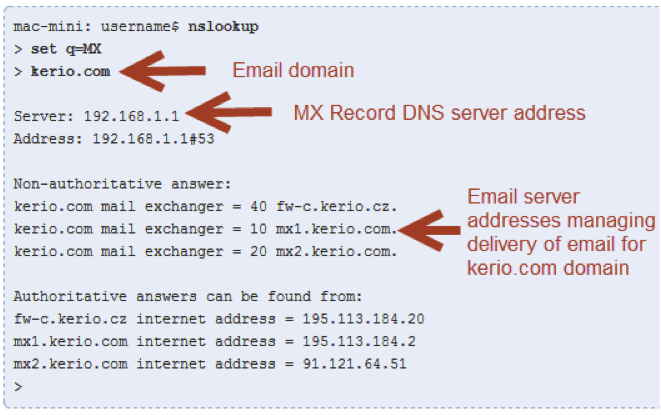
Q: What is a DNS MX record?
A: Mail Exchanger — specifies which server handles email for a domain
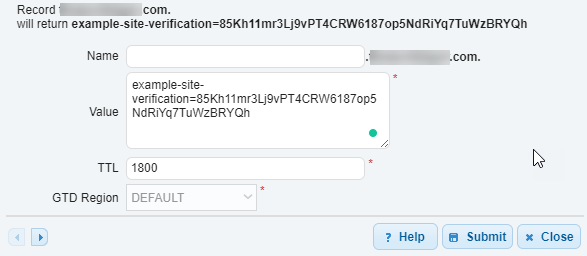
Q: What is a DNS TXT record?
A: A human-readable text record stored in DNS — used for SPF, DKIM, and DMARC email verification
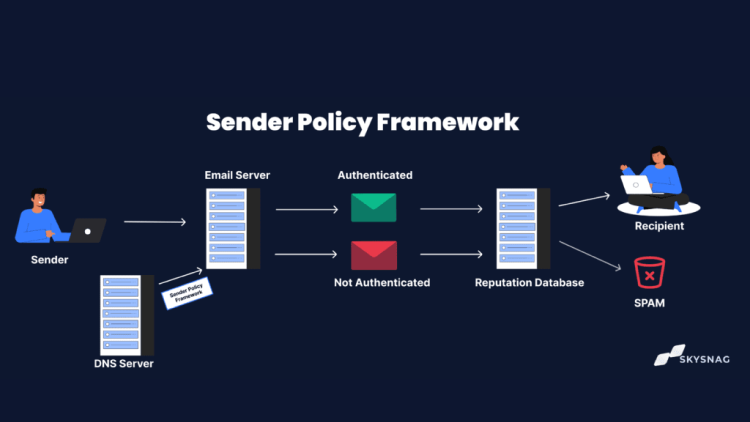
Q: What is SPF?
A: Sender Policy Framework — a TXT record listing authorized email servers for a domain; prevents spoofing
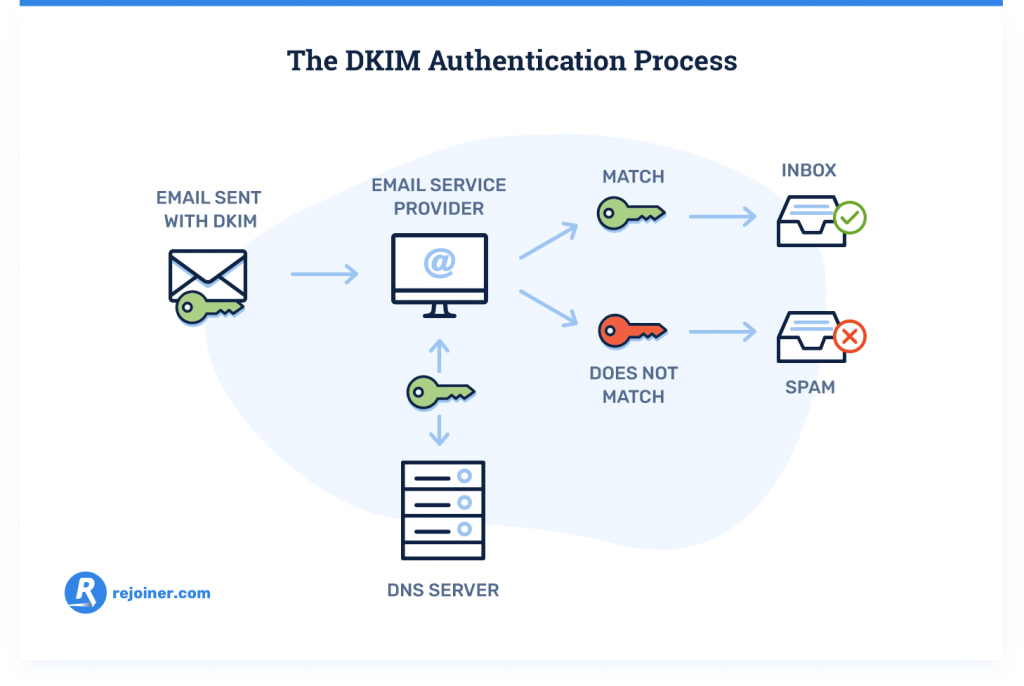
Q: What is DKIM?
A: Domain Keys Identified Mail — digitally signs outgoing email with a private key; receiving servers verify using the public key in DNS
Q: What is DMARC?
A: Domain Based Message Authentication Reporting and Conformance — tells receiving servers what to do with emails that fail SPF/DKIM checks (allow, quarantine, or reject)
Q: What command queries DNS on Linux/macOS?
A: dig — e.g., dig www.professormesser.com