FAULTY RADIOGRAPHS- Terms and Defintions
 Call Kai
 Learn
Learn Practice Test
 Spaced Repetition
 Match
Match Flashcards
 Knowt Play
1/42

There's no tags or description
Looks like no tags are added yet.
Name | Mastery | Learn | Test | Matching | Spaced | Call with Kai | Chat |
|---|
No analytics yet
Send a link to your students to track their progress
43 Terms
Films with errors should be avoided due to the following
reasons:
● Poor radiographs contribute to a loss of diagnostic information
● Loss of professional and patient time
● Expose the patient to unnecessary radiation
● Waste of film (money)
Causes:
The majority of the errors produced can be categorized into three groups:
Processing Errors
Technique and Projection Errors
Exposure Errors
Processing Error can be Divide into 2 Which are?
Chemical Errors
Film Handling Errors
Chemical Errors(LDBR|BBWY)
Light image
Dark image
Blank image
Reticulation
Black spot or patch
Black line
White spot or patch
Yellowish brown discoloration

Light Radiographs processing errors
Underdeveloped
Depleted Developer Solution
Diluted or Contaminated Developer
Excessive Fixation

Dark Radiographs processing errors
1. Overdevelopment
● Temperature too high
2. Developer concentration too high
3. Inadequate fixation
4. Exposure to light
5. Improper safelighting

Reticulation
-When the film is subjected to a sudden temperature change between the developer and water.
-It appears as cracked film.
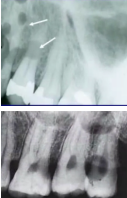
Black spots or patches
Developer contamination before immersion into the developer solution
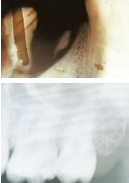
Black Line
Developer contamination processing hanger clips
Dirty roller in automatic processor

White spot or patch
Contamination of fixer before immersion

Yellowish or Brown Discoloration
Exhausted solution or insufficient fixing
Expired or dirty solution
Film Handling Errors(WD|FOF|SSS)
Writing lines
Developer cut-off
Fixer cut-off
Overlapped film
Fingernail artifact
Smudge
Scratched film
Static electricit
Writing Lines
Appear on the radiograph due to writing on the film packet with ballpoint or lead pencil It may appear black or white
Finger Nail Artifact
Black or white crescent shape mark due to rough handling of film

Developer cut off
A straight blank white border due to underdeveloped portion. The film may not be completely immersed

Fixer cut off
A straight black border. The film may not be completely immersed in fixer solution
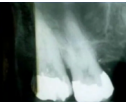
Overlapped film
Film that overlap in developer are white, while that overlap in fixer are black
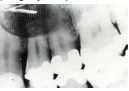
Smudge (fingerprint)
When the film touched by the fingers contaminated with developer or fixer

Scratched film
White lines appear on the film due to careless handling of the film.
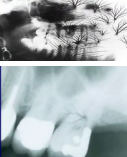
Static Electricity
Thin black branching lines
Occurs when two surfaces are rubbed together against each other vigorously, this creates an electric charge with visible light emitted which is capable of exposing the x-ray film, thus leading to ionization of AgBr crystals at this area.
Occur most frequently during periods of low humidity
Technique and Projection errors can be divided into two
Patient preparation error
Film placement artifact
Patient preparation error:
● Radiopaque artifact
● Blurred image
● Pressure mark
Film placement artifact:(DR|DAC|DABD)
Double image
Reversed film
Dot artifact
Apices cut off
Crown not shown
Dropped film corner
Area of interest not shown
Blackline
Distortion
Projection Errors
● Incorrect vertical angulation.
● Incorrect horizontal angulation
● PID alignment artifact
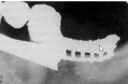
Radiopaque artifact
Dental appliances, body piercings, jewelry & eye glasses left in the mouth during exposure will appear as radiopaque artifacts superimposed over the dental image.
Correction: all these items should be removed before placing the film
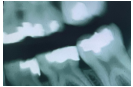
Blurred image
Movement of the film, patient or X-ray tube head during exposure will result in a blurred image. Correction: the operator should explain for the patient & remind him to remain motionless during exposure.
Pressure Mark
Pressure from the incisal edge & cusps of the teeth (mostly in the pediatric occlusal radiograph). May appear black or white. Correction: ask the patient to bite gently.

Double Image
When an exposed film is exposed the resulting film will have 2 superimposed images

Reversed Film
Low Density with herring bone, tire track or dotted pattern, as a result of directing the X-ray through the lead foil side of the film back

Dot Artifact
The identification(embossed) dot produces a circular radiolucent artifact on the final radiograph. This may interfere with interpretation of the apical areas of teeth.
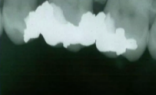
Apices Cut off
Occur when the film is not positioned apically enough to record the entire tooth

Crown now shown
There is no enough film extending occlusally.

Dropped Film Corner
The film edge is not placed parallel to the occlusal surface of the teeth.

Area of interest not shown
This is the result of not placing the film to Cover all the teeth in the area of interest and not centralizing the film over the area of interest
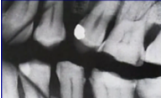
Black Line
Due to excessive bending of the film prior to its placement inside the patient’s mouth(pressure causes ionization of silver halide upon processing will be darker).

Distortion
Due to bending of the film to eliminate the patient’s discomfort specially in lower premolar area and upper central incisor.

Incorrect Vertical Angulation
It will lead to:
● Elongated image due to insufficient vertical angulation(too flat), or
● Shortened Image due to excessive vertical angulation(too steep)
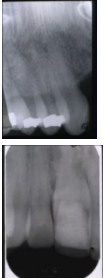
Incorrect Horizontal Angulation
Is the appearance of the interproximal of adjacent teeth over each other. This is due to Improper Horizontal Angulation due tue improper alignment of the Centric Relation through the contact points I.e. Not Parallel to interproximal surfaces

PID alignment artifact
If the PID is misaligned and the x-ray is not centered over the film, a partial image is seen on the resultant radiograph, this partial image is called cone-cut. It appear as clear area with curved outline. - Hindi naexposed yung buong film
Exposure Errors
1. Blank Image
2. Low Density Image
3. High Density Image
4. Image with high and low contrast
Blank Image
A film that did not receive radiation will have no image and will appear clear.

Low Density Faint Image
Sometimes caused by regulation, yung mga hindi napipindot ng maayos. E.g. Minsan nagmamadali ang nakaproject is central incisors pero ang kukunin is premolars

High Density Image