CS - Algorithms
 Call Kai
 Learn
Learn Practice Test
 Spaced Repetition
 Match
Match Flashcards
 Knowt Play
1/35

There's no tags or description
Looks like no tags are added yet.
Name | Mastery | Learn | Test | Matching | Spaced | Call with Kai | Chat |
|---|
No analytics yet
Send a link to your students to track their progress
36 Terms
Computational thinking
Smart problem solving - 3 key components - abstraction, decomposition and algorithmic thinking
Abstraction
Involves ignoring unnecessary information and focus only on the important facts
Why is abstraction used?
It simplifies a problem to make it less complex - making it more straightforward to understand and create a solution
Decomposition
Break down a problem down into smaller tasks so that it is easier to solve
Why is decomposition used?
Each individual problem can be separately tested and solved - also enables different people to work on the different parts of a larger problem that can be later recombined to produce a full solution
Algorithmic Thinking
Coming up with a series of logical steps to get from problem to a solution
Algorithm
Set of instructions, presented in a logical sequence
Flowcharts
Can be used to visually represent an algorithm

Start/Stop Terminator or Terminal - used at the beginning and end of an algorithm

Input/Output - For values that are put in or taken out

Operation (Process) - For instructions and calculations

Decision - For a question (usually yes or no)
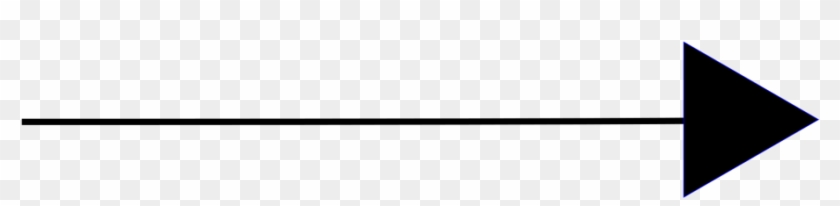
Direction of flow - to connect boxes and show direction

Subprogram - a call to a separate, reusable sequence of actions or function defined elsewhere
Sequence
Only has one route from start to stop
Selection
Has decisions which give multiple routes from start to stop
Iteration
Contains a loop that lets you repeat a task
Pseudocode
A simple way of writing an algorithm without using a specific programming language
Trace Tables
Track value of variables as a program is run. Each row represents another iteration and each column stores the value of the variable as it changes
Linear search
The most simple search algorithm - each data item is searched in order from the first value to the last as if they were all laid out in a line (the list does not have to be in any order before it is searched and its a sequential search - list is searched in sequence from first to last)
Pros of Linear search
Simple, works on unordered lists
Cons of Linear search
List must be ordered first and inefficient at searching large lists
Key features of linear search
Loop is used to check first value in a list and increment by 1, checking each value for a match to the target and reaching last element of list without finding a match means the value is not included
Binary Search
Find the middle item - for n items it’s (n+1)/2 and round up if needed. If this is the item you want, then stop search, if not compare the two items, if item you want comes after the middle item, cut the first half of the list, otherwise cut the second half. Repeat until item is found or run out of items
Pros of Binary search
Efficient at searching large lists
Cons of Binary search
Prerequisite - list must be ordered first
Key points of a binary search
A midpoint, lowpoint and highpoint are calculated and a while loop is used to repeatedly compare the midpoint to the target value and the upper or lower half of the data is ignored if the midpoint does not equal the target
Merge Sort
Divides the list in half, again and again until each data item is separated. Then the items are combined in the same way as they were divided, but now in the correct order - “divide and conquer”
Key features of a merge sort
Calls itself from within the subroutine (recursive algorithm) and it continually splits sublists into a left side and right side until each sublist has a length of 1
What’s good about Merge sort?
High efficiency in large lists
Bubble sort
Based on the comparison of adjacent data elements, they are swapped if they are not in the correct order. The algorithm will only stop when a complete iteration through the data is completed with no swaps made.
Cons of Bubble sort
Not suitable for large lists
Key features of Bubble sort
Uses an outer while loop (condition controlled) to check no swaps have been made, uses an inner loop (count controlled) to repeat through the length of the data set and uses a flag (boolean value) to track if a swap has been made and uses temporary values to help correctly swap elements
Insertion Sort
The list is logically split into sorted values on the left and unsorted on the right. Starting from the left, values from the unsorted part are checked and inserted at the correct position in the sorted part. This continues until the last item is reached and sorted.
Why are insertion sorts good?
Are efficient for small data sets but would be slow to sort large sets compared to a merge sort.
Key features of a insertion sort
Users an outer loop (count controlled) to iterate through and find each value in the list, uses an inner while loop (condition controlled) to find the current value’s correct position in the sorted part of the list and an insertion sort moves backwards to find the correct position - decreasing the index within the loop