Photo 2 Midterm
 Call Kai
 Learn
Learn Practice Test
 Spaced Repetition
 Match
Match Flashcards
 Knowt Play
1/25

There's no tags or description
Looks like no tags are added yet.
Name | Mastery | Learn | Test | Matching | Spaced | Call with Kai | Chat |
|---|
No analytics yet
Send a link to your students to track their progress
26 Terms
Global Corrections
LEVELS - creates/adjusts exposure
CURVES - creates/adjusts contrast
COLOR BALANCE - adjusts color casts in highlights, midtones, and shadows
Local Corrections
Quick Select to make a selection
Adjustment layers (curves, levels, color balance) can be added to make local corrections in that selection
White areas in mask = areas that are altered
Black areas = areas that are not affected
Paintbrush to paint mask - use lower opacities to create softness
Methods of selecting
Quick mask - very exact. paint the areas you want selected
Quick select - down and dirty, detects difference in tone of edges
Magic wand - a little more exact, selects by tone of similar pixels
Layers
Copy & Paste - creates new layer
Rotate, flip, distort - made through edit, transform
Opacity - only works w/ layers. BACKGROUND is not a layer.
Blending modes - changes effect of layer (overlay, color dodge, etc)

Clipping Mask
There’s a base layer that acts as the mask
The clipped layer is on top - takes on the shape and boundaries of the layer below

Layer Masks
Blends layers. Good for seamless images.
Blending Modes
Controls how the pixels of one layer (the blend layer) interact and mix with the pixels of the layer beneath it (the base layer).
They are non-destructive
File Formats
PSD - Photoshop document, preserves layers, masks, etc. Used for designing and editing
TIF - High resolution format that uses lossless compression, meaning no image data is thrown away. (used for scans)
JPG - Lossy image format, permanently discards tiny, unnoticeable details to shrink file size
Proper use of the scanner
Place document face-down - adjust settings for resolution and file type, save output.
Adjust resolution based on how big or small the scan will be in your work.
Scanning formula
Input (ppi) = magnification x output (dpi)
dpi (dots per inch)
always 300 dpi
important to know how big to blow up a scan/image
Example: 1200 ppi = 4 x 300 dpi
6000 = 20 x 300 dpi
ISO
Controls how sensitive the sensor will be to available light.
Low numbers = less sensitive
under 400
High numbers = very sensitive
over 800
more sensitive and more noise
Aperture
a hole, opening, or gap that controls how much light passes through
F stop is the numerical measurement or ratio used to describe the size of that opening
F-stop - low numbers - shallow depth of field and more light. high numbers - wide depth of field and less light will be let in.
large opening, shallow depth of field - under 5.6
small opening, wide depth of field - above 11
Shutter Speed
Controls how long the light will be let in for.
numbers represent fractions of a second
low numbers = shutter opens and closes slowly
more light is let into the camera but movement will be captured
high numbers = shutter opens and closes quickly
light is let into the camera for a smaller fraction of a second. movement is frozen.
60-2000 freezes motions
2” - 30 captures movement
Light Meter
light meter tells you if the image will be over, under or correctly exposed.
0 = correctly exposed, negatives = underexposed, positives = overexposed
Stop
a unit of measurement that describes a doubling (increasing by one stop) or halving (decreasing by one stop) of the amount of light in an exposure
Shooting in Camera Raw
uncompressed file format
gives maximum control and flexibility

Angie Buckley
family history, memory, identity, uses old photographs

Sam Wang
circular images, mainly black and white

David Hillard
large-scale, multipanel color photographs based on his experiences
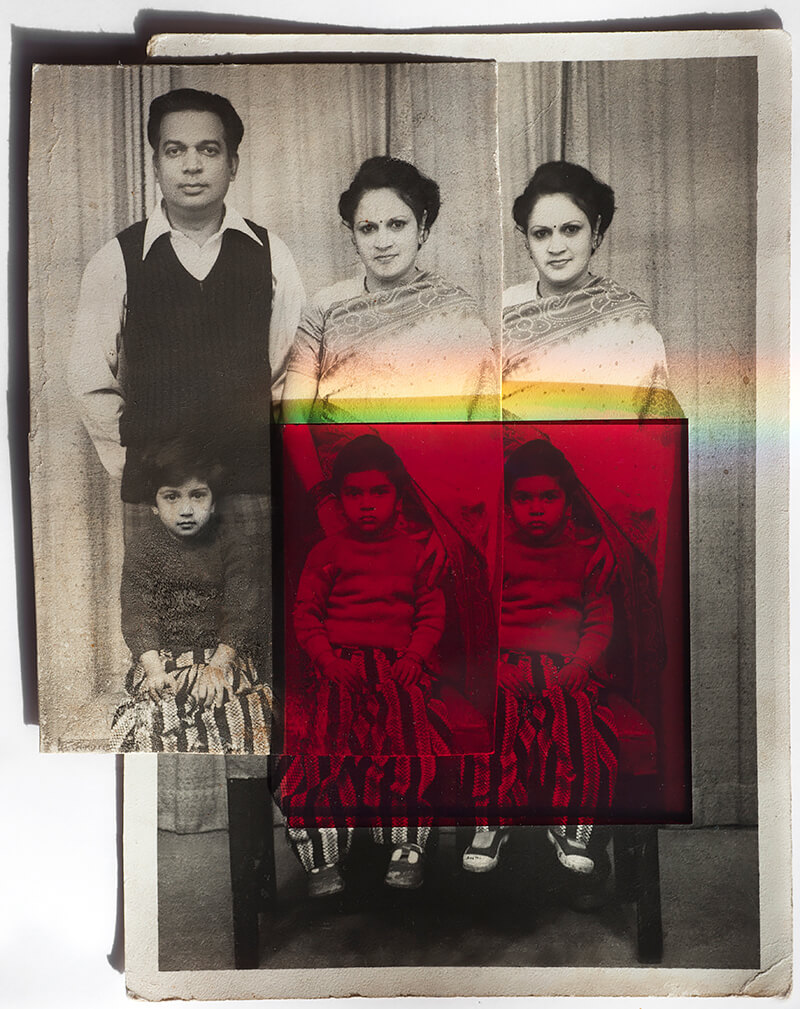
Priya Kambli
indian cultural experiences, relates color content and form, immigrants trying to embrace the american way of life

Thomas Kellner
filmstrips printed in full, create large photos, proximity and alignment of vertical contents throughout the image
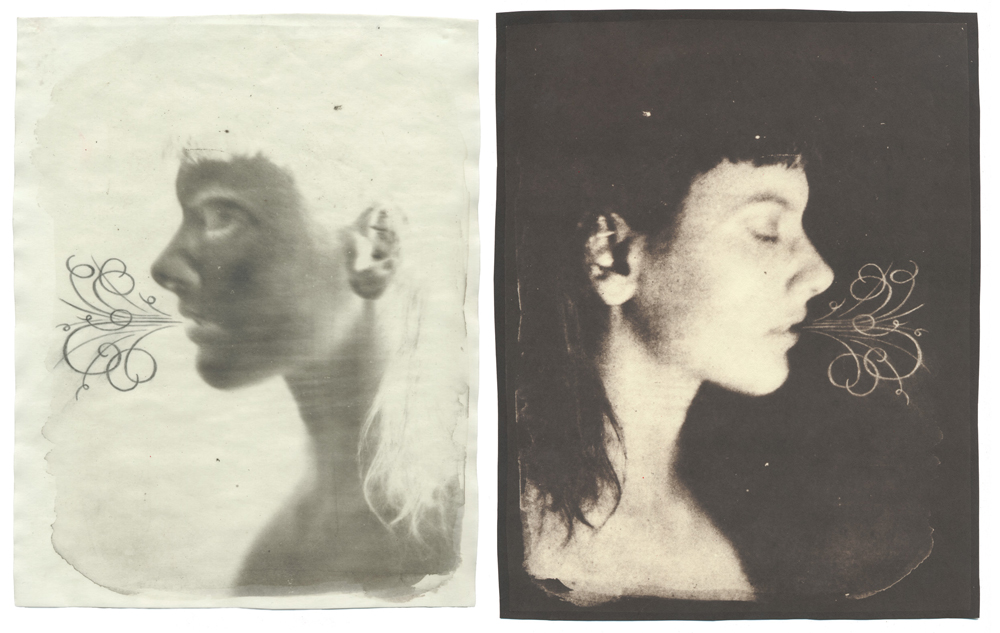
Dan Estabrook
combined use of historic photographic processes and drawing, his process combines with form and content to create meaning, seen in his diptychs and grid images, diptychs pair original paper negatives with their resulting positive prints

Olivo Barbieri
makes huge waterfalls and coastlines seem like small/miniature models

Sean Wilkinson
out of focus’s photos, subject and background merge, light dissolves edges
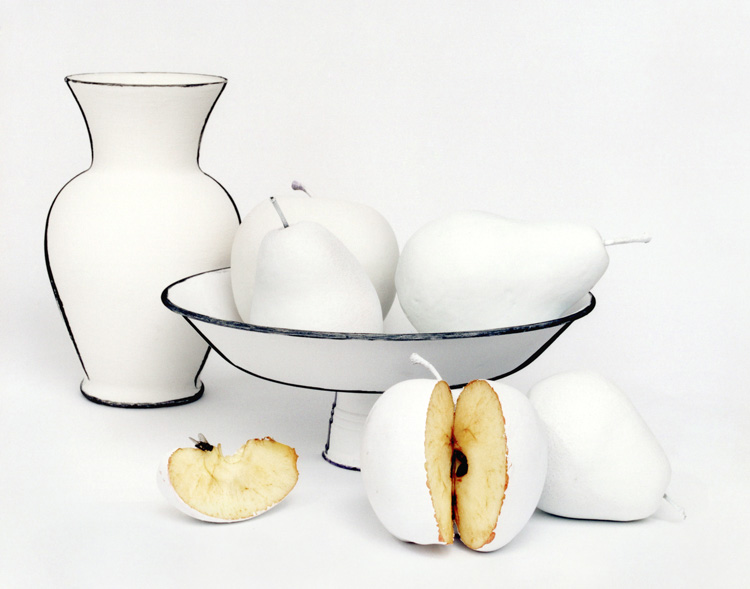
Cynthia Greig
between humorous irony and serious theoretical photographic study, juxtaposes miniature objects in the frame with their actual size human users

Virgilio Ferreira
lack of focus metaphorically, hazy look, a world of strangeness and similarity hallucinatory made of blurred and ever changing boundaries