Chapter 7,8 - Higher-order components in modern world - React Context and performance
 Call Kai
 Learn
 Practice Test
 Spaced Repetition
 Match
 Flashcards
 Knowt Play
1/19

There's no tags or description
Looks like no tags are added yet.
20 Terms
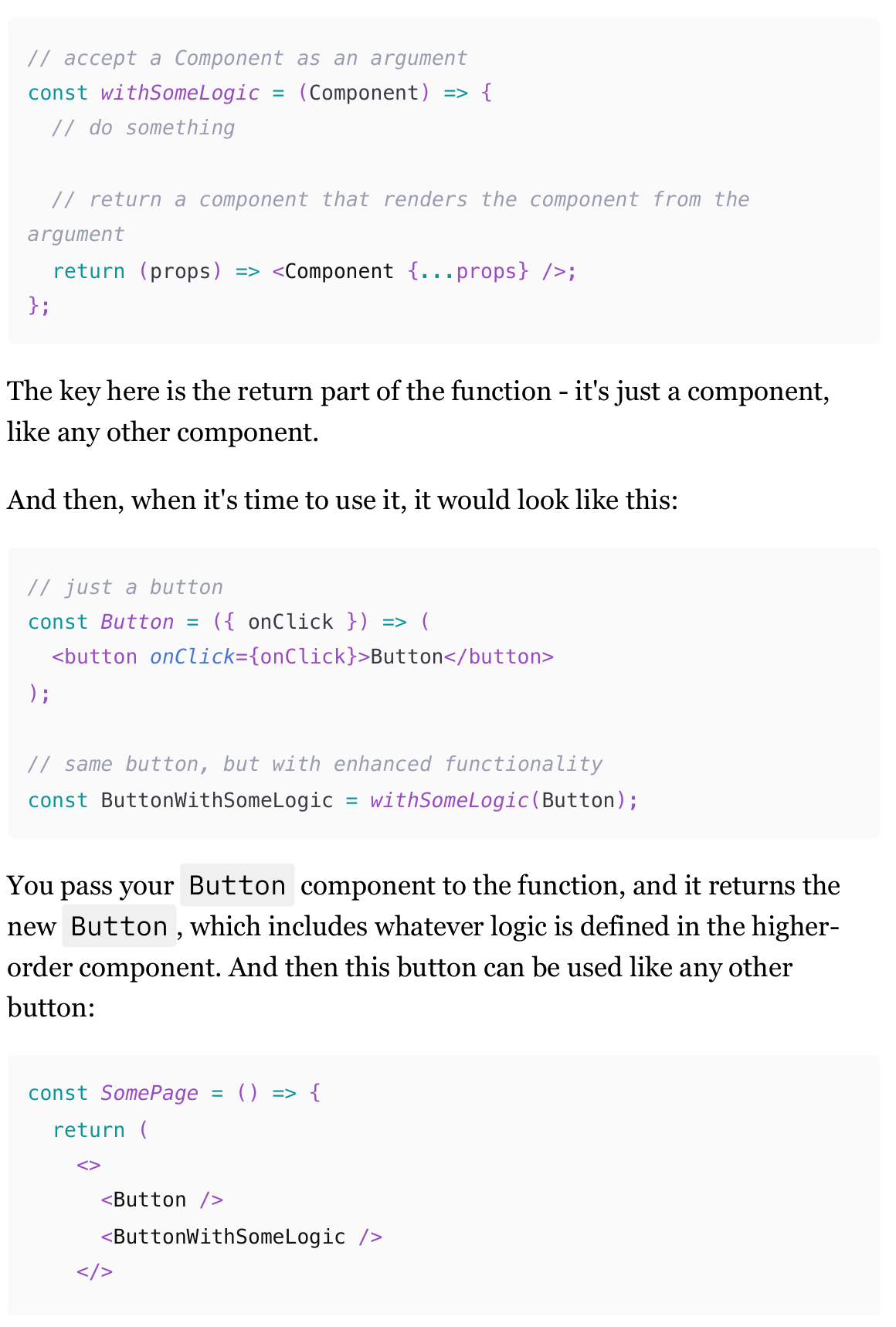
What is a High-Order Component
it's a function that accepts a component as one of its arguments, executes some logic, and then returns another component that renders the component from the argument.
(hooks replaced this as well.)
Use cases of High-Order Components
while hooks have probably replaced 99% of shared logic concerns and 100% of use cases for accessing context, higher-order components can still be useful even in modern code. Mostly for enhancing callbacks, React lifecycle events, and intercepting DOM and keyboard events. Only if you're feeling fancy, of course. Those use cases can also be implemented with hooks, just not as elegantly.
Enhancing callbacks (A HOC use case)
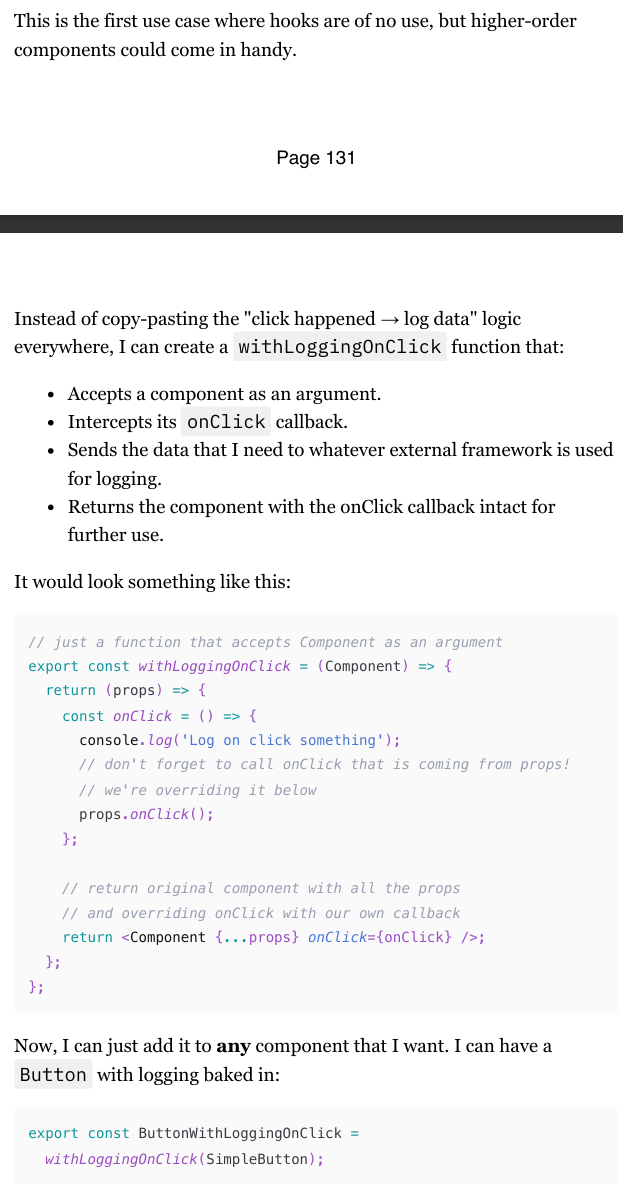
The problem we're trying to solve is how to consistently send advanced logging events whenever a callback, like an onClick event, is triggered across various components in a React application.
Using hooks, you might add logging directly within each component's callback, but this approach can lead to repetitive code and potential errors. For example, you might have a Button component with an onClick callback that logs events, and then you would need to repeat this logic in every component that requires logging.
Adding data to the higher-order component
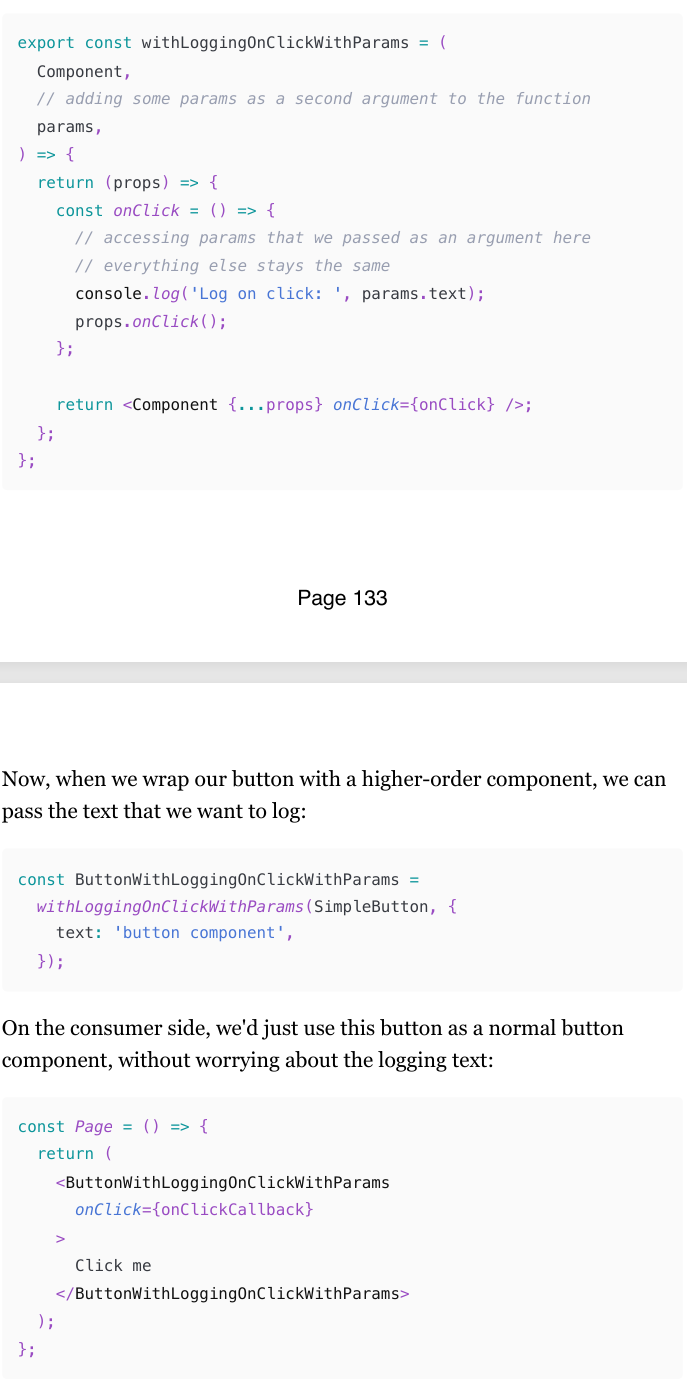
Considering that a higher-order component is nothing more than just a function, we can do that easily. We just need to add some other arguments to the function, that's it.
Adding dynamic data to HOC as a prop
What if we want to send different texts in different contexts of where the button is used?
Also very easy to solve: instead of passing that text as a function's argument, we can just pass it as a prop to the resulting button.
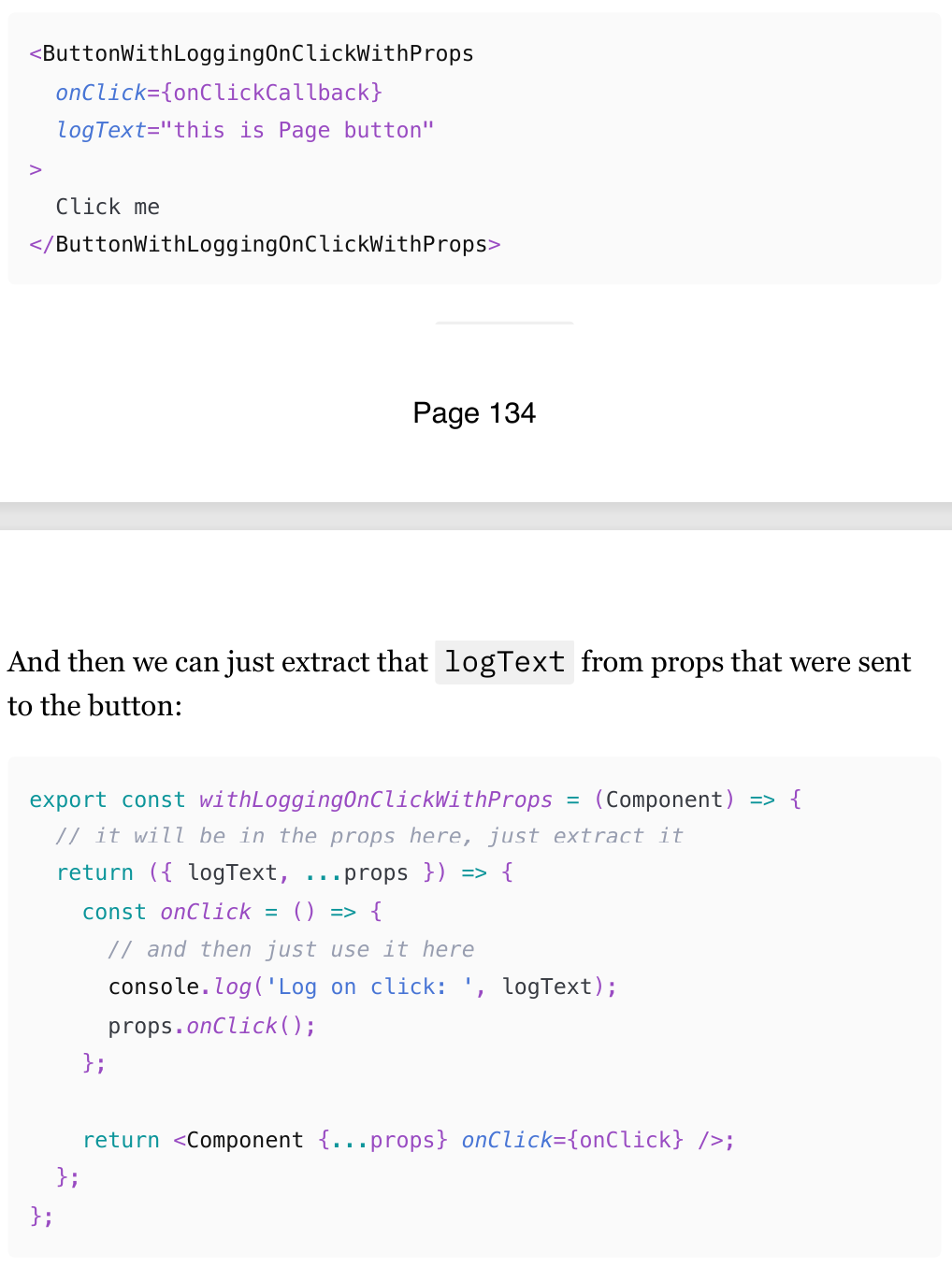
Enhancing React lifecycle events
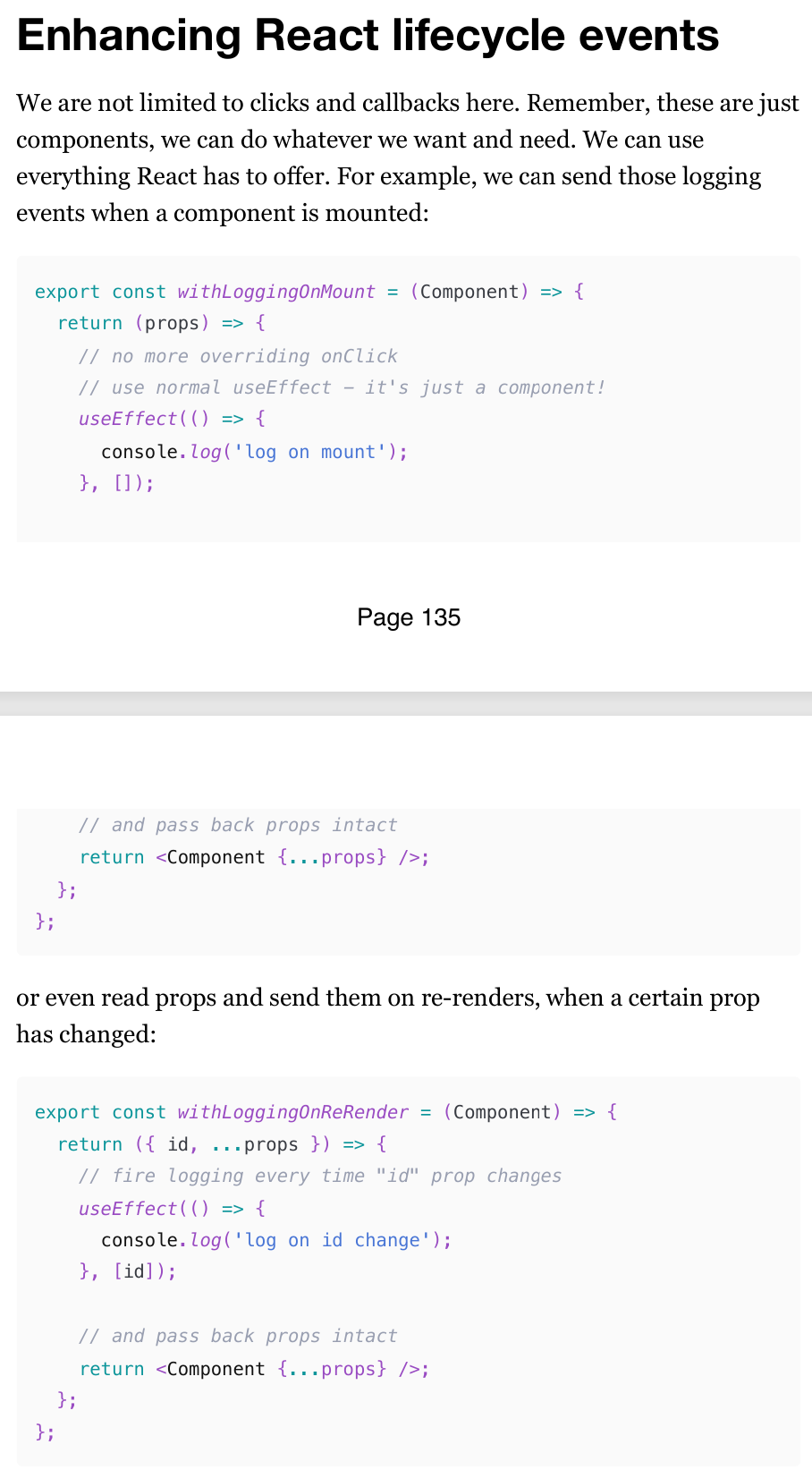
We are not limited to clicks and callbacks with HOC.
Remember, these are just components, we can do whatever we want and need. We can use everything React has to offer.
For example, we can send those logging events when a component is mounted.
Intercepting DOM events
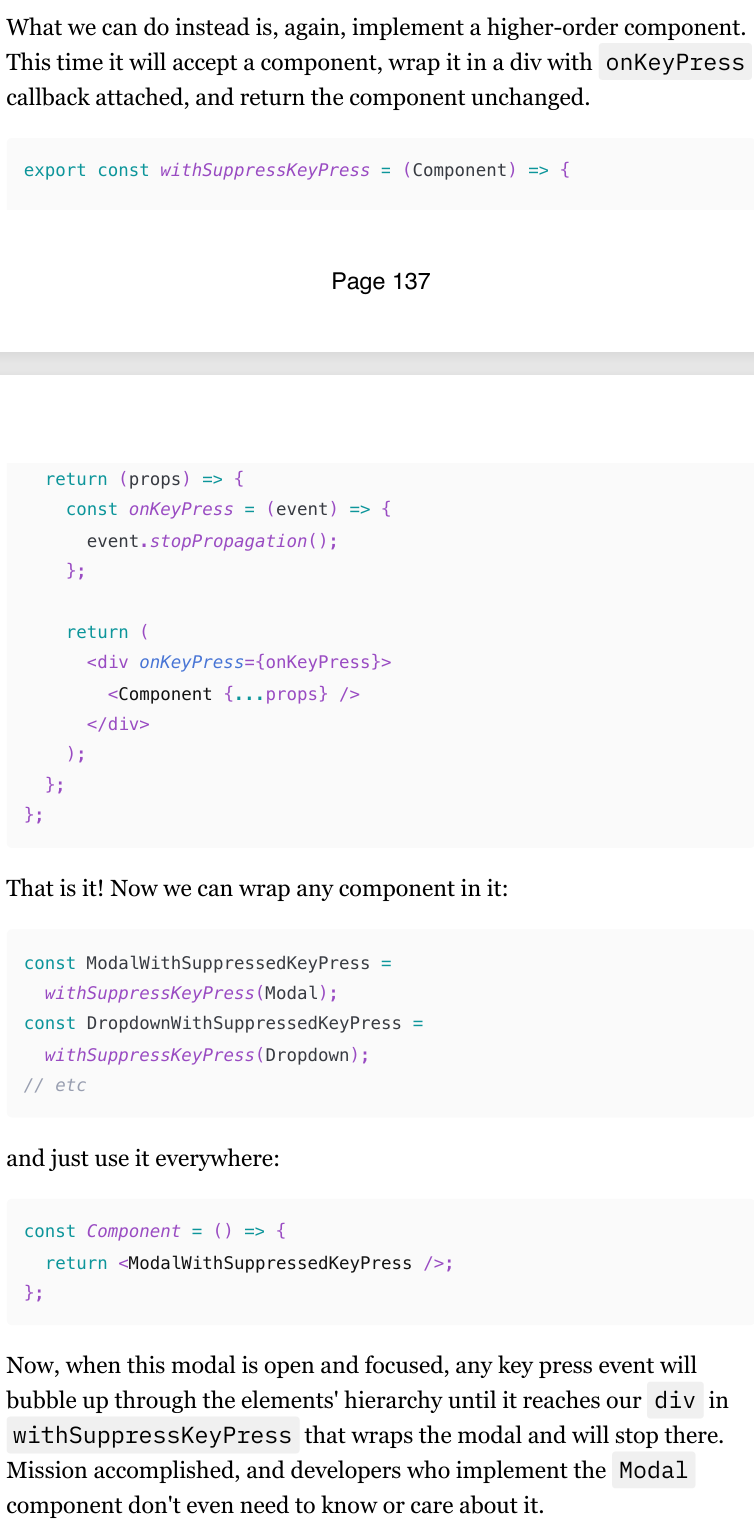
Another very useful application of higher-order components is intercepting various DOM and keyboard events.
Imagine, for example, you're implementing some sort of keyboard shortcuts functionality for your page. When specific keys are pressed, you want to do various things, like opening dialogs, creating issues, etc.
Do it manually with useEffect will lead to multiple duplicates of logic in various components. But the same story as with onClick logging - what if you have multiple components where you want to see this logic? Copy-paste that event.stopPropagation everywhere?
Context (understanding the concept)
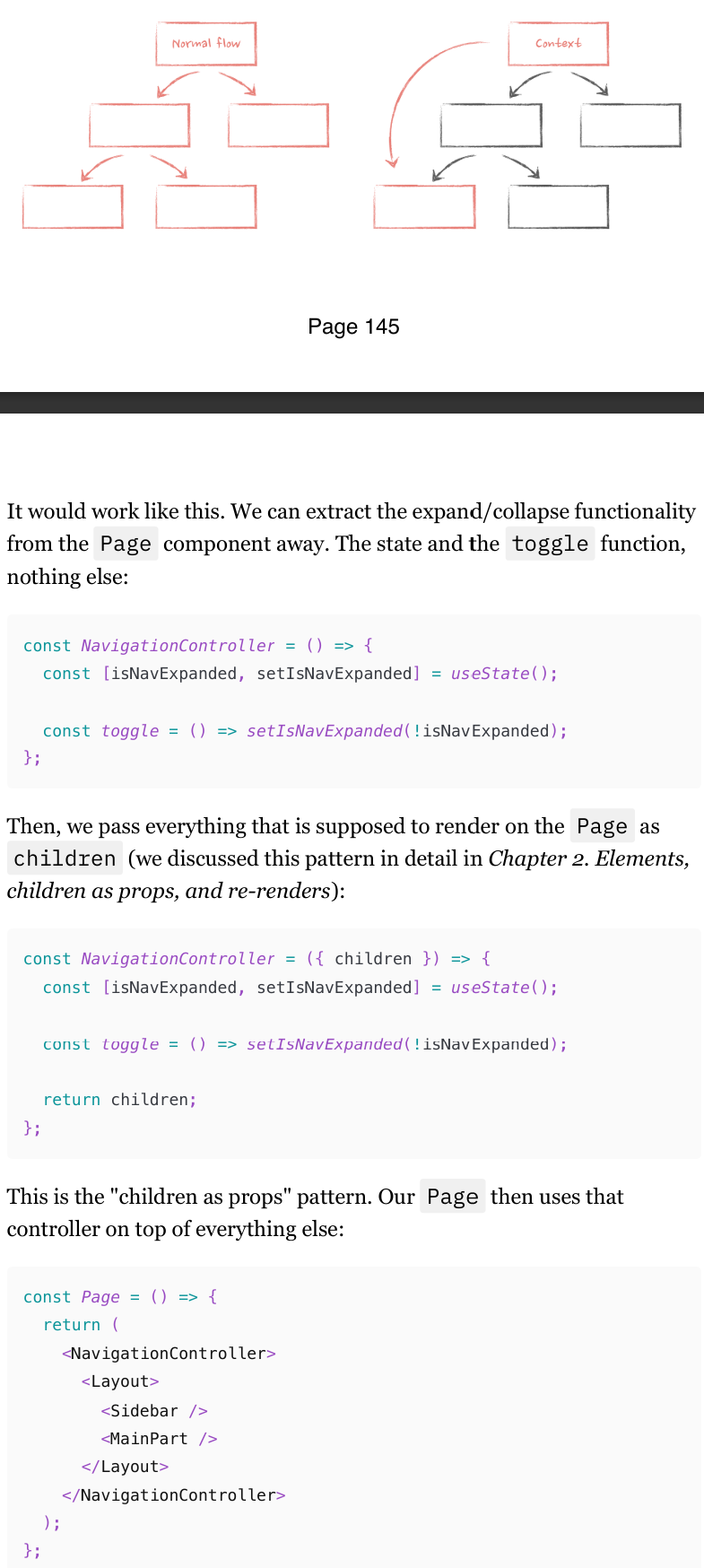
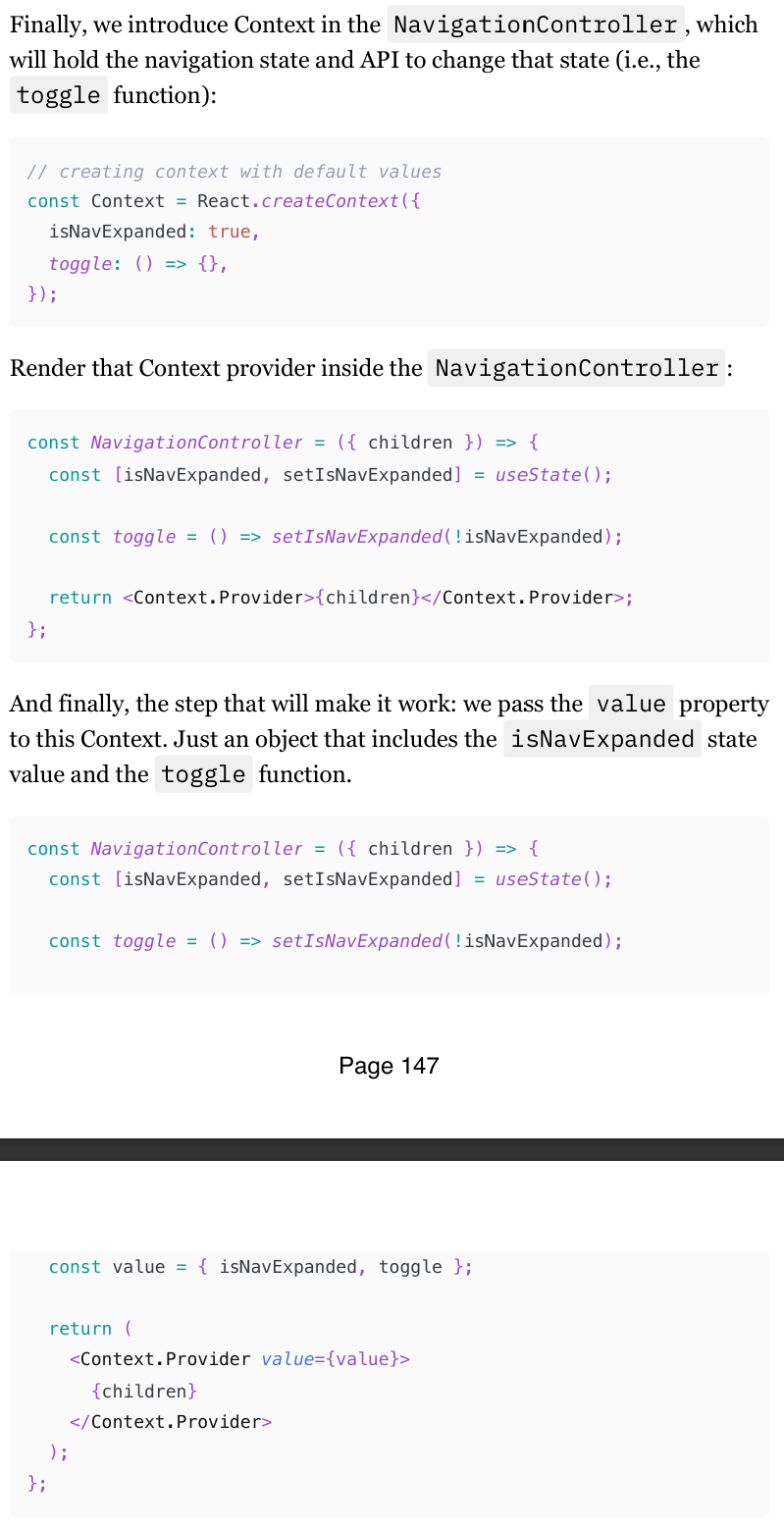
Context (or any context-like state management library) is very powerful. What they allow us to do is escape that tree of components and, instead of passing data through props, we can pass it directly from the component at the very top to the component at the bottom
createContext API
createContextlets you create a context that components can provide or read.createContextreturns a context object.
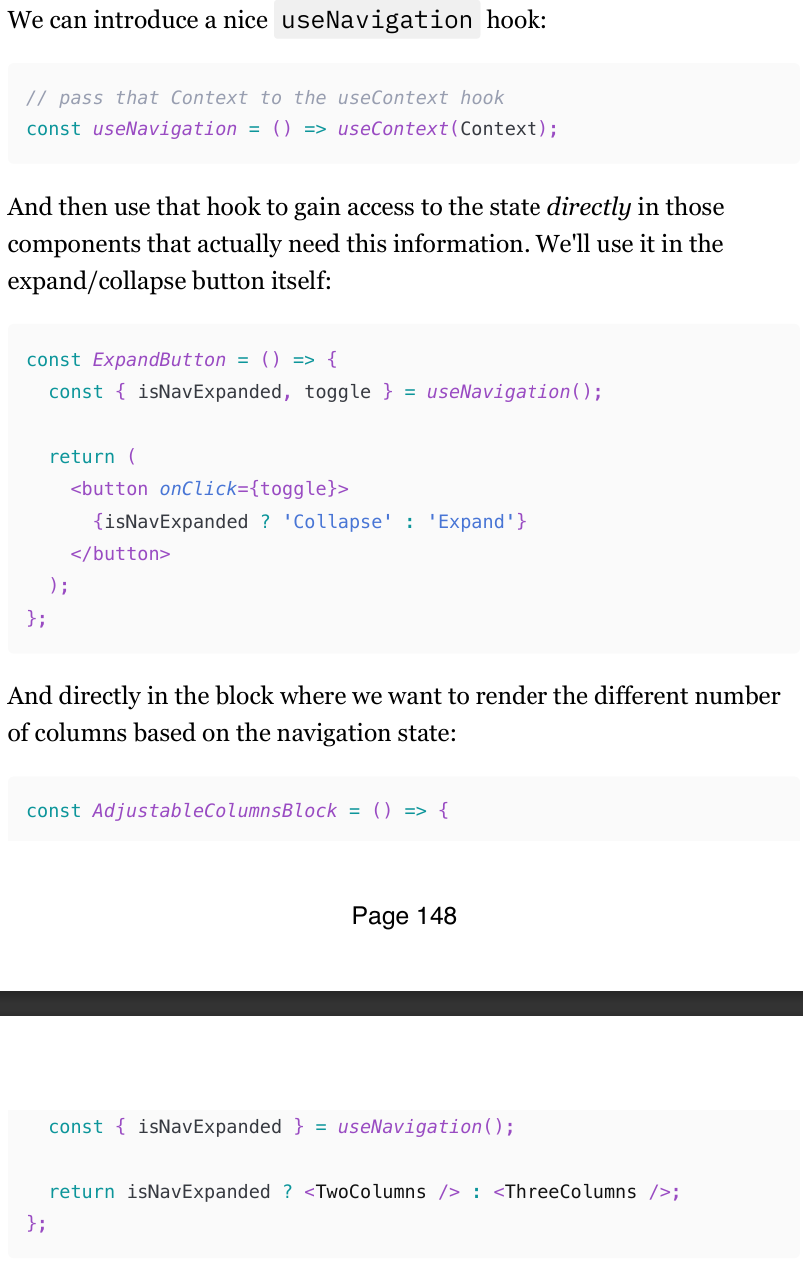
useContext Hook
Now every component that happens to be rendered down the tree from that provider of the created Context (even if they are passed as props like our now have access to that children !) will value through the useContext hook.
Context concerns
There are three major things that you need to know like the back of your hand when introducing Context into the app:
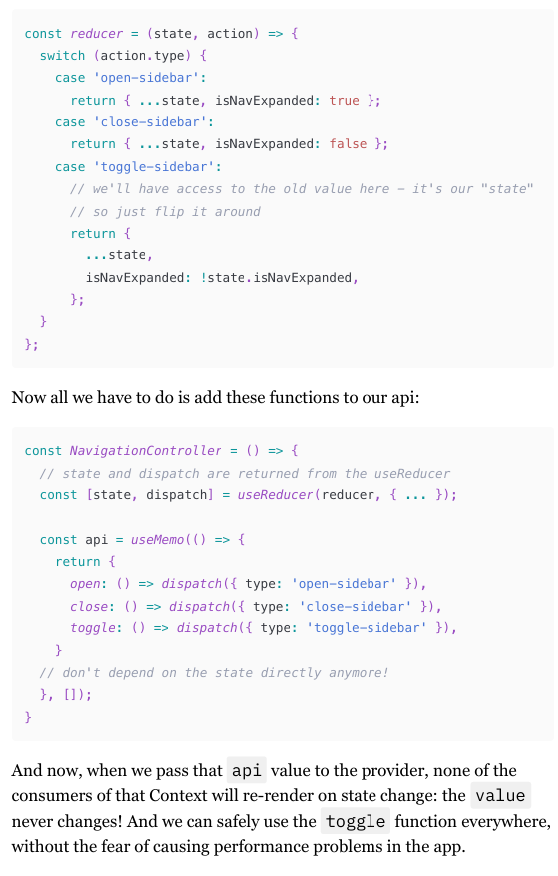
Context consumers will re-render when the value on the Provider changes.
All of them will re-render, even if they don't use the part of the value that actually changed.
Those re-renders can't be prevented with memoization (easily).
Context value change
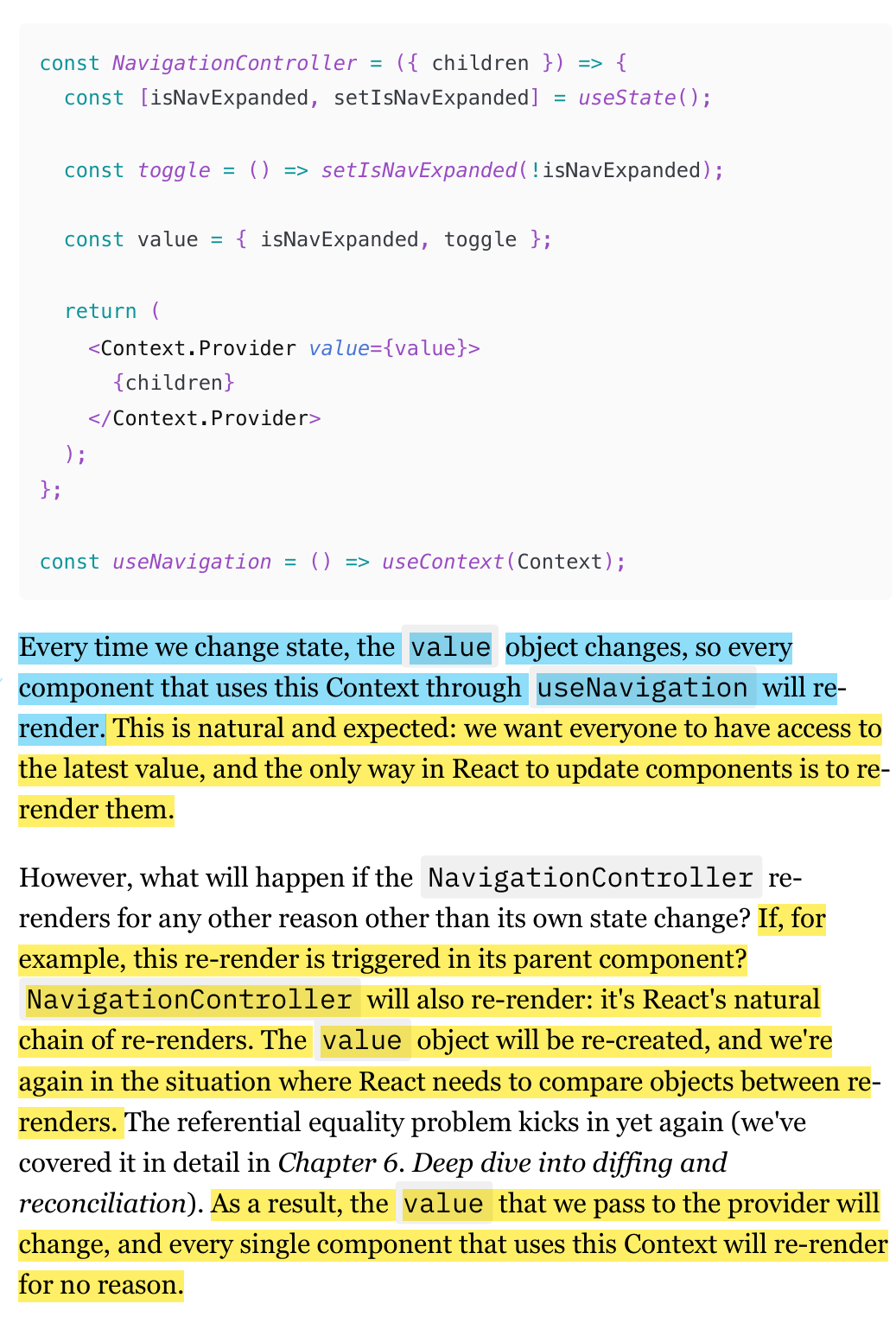
Every time the value prop on the Context provider changes, everyone who uses this Context will re-render.
If the parent component of the component that wraps Context Provider, state change, then the Value props changes, and causing all the components that use Context will render
Context value change re-rendering solution
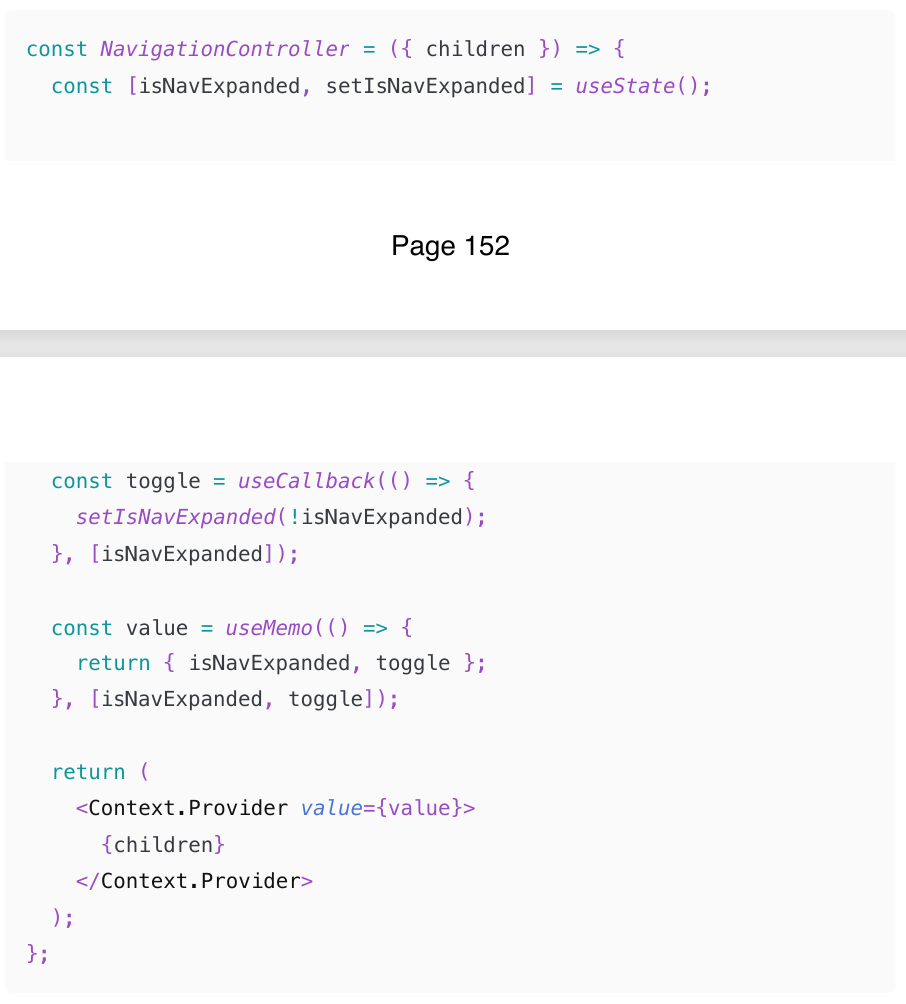
To solve re-rendering problem Value prop that causes components to re-render that use Context, is using useMemo and useCallback to memoize the value passed to the provider.
This is one of the few cases where always memoizing by default is actually not premature optimization. It will prevent much bigger problems in the future that will almost inevitably occur.
Preventing unnecessary Context re-use an interesting technique called "splitting providers" to achieve the desired result.renders: split providers
When using React Context, all components that consume the context will re-render whenever the context value changes, even if the part of the context they use hasn't changed (components will re-render even if the specific data it relies on within the context hasn't been updated.). This can lead to unnecessary re-renders.
To avoid unnecessary re-renders, you can split the context into multiple contexts, each responsible for a specific part of the state
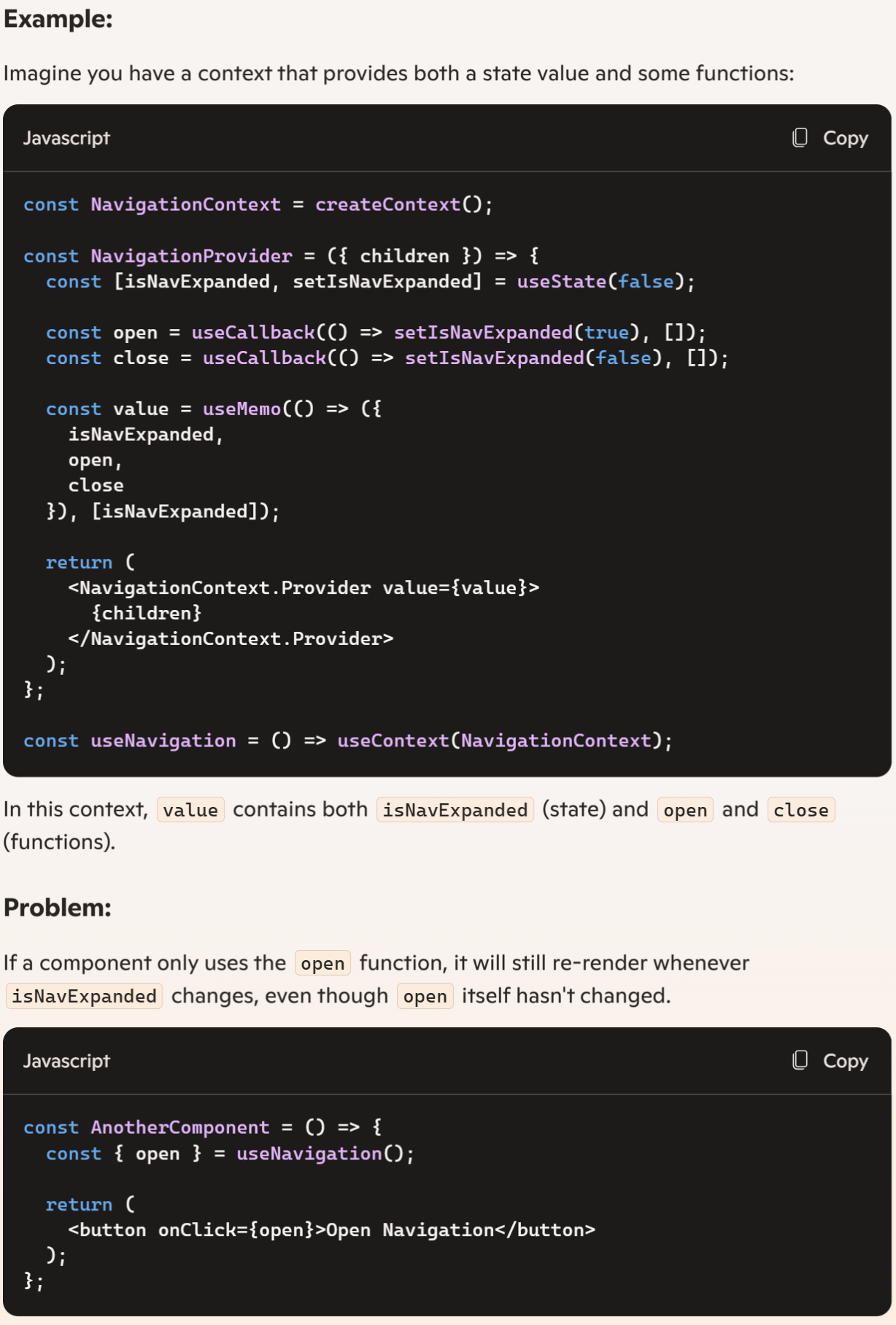
Split providers. To prevent unnecessary context rerendering
We can use an interesting technique called "splitting providers" to achieve the desired result.
Instead of just one Context that holds everything, we can create two: one will hold the value that changes, and another one will hold those that don't.
(154-158)
Reducers
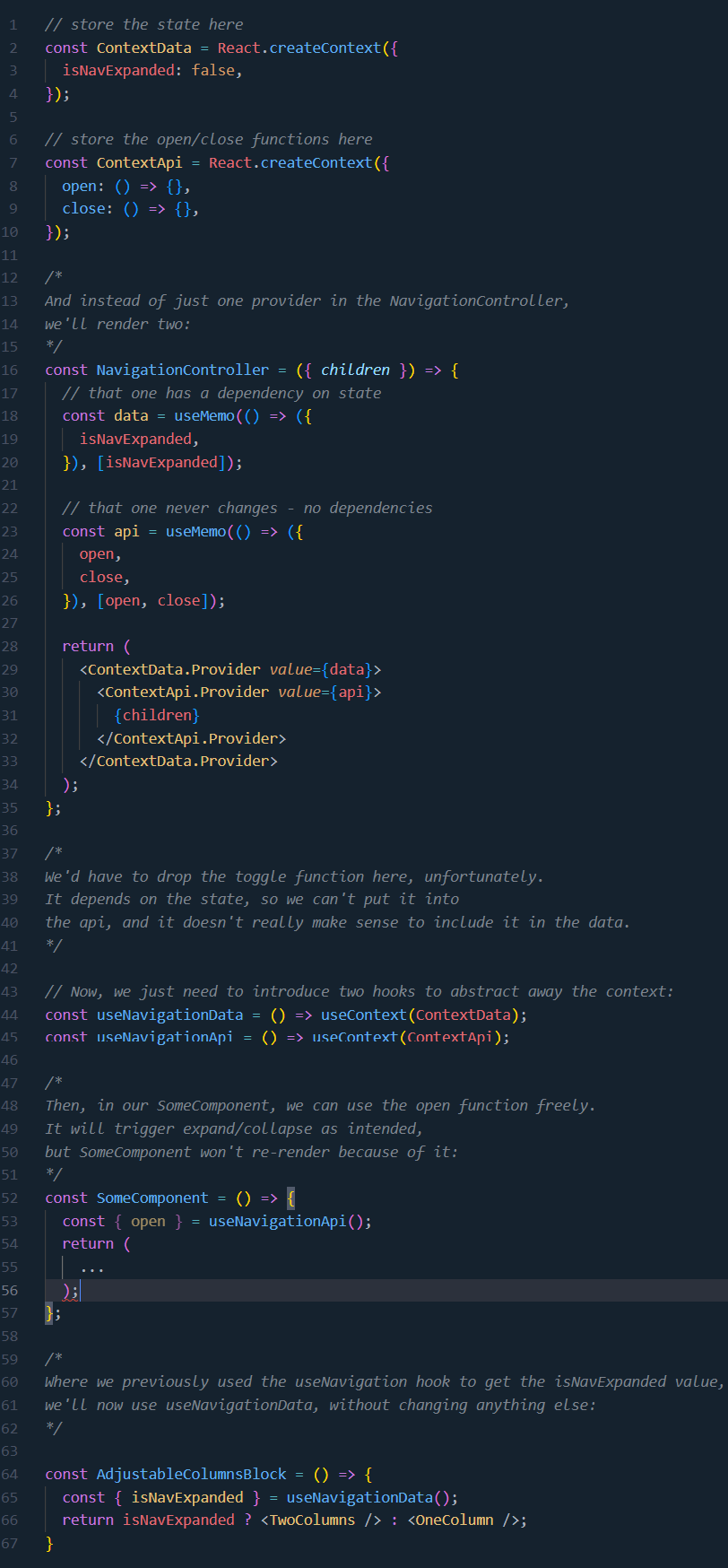
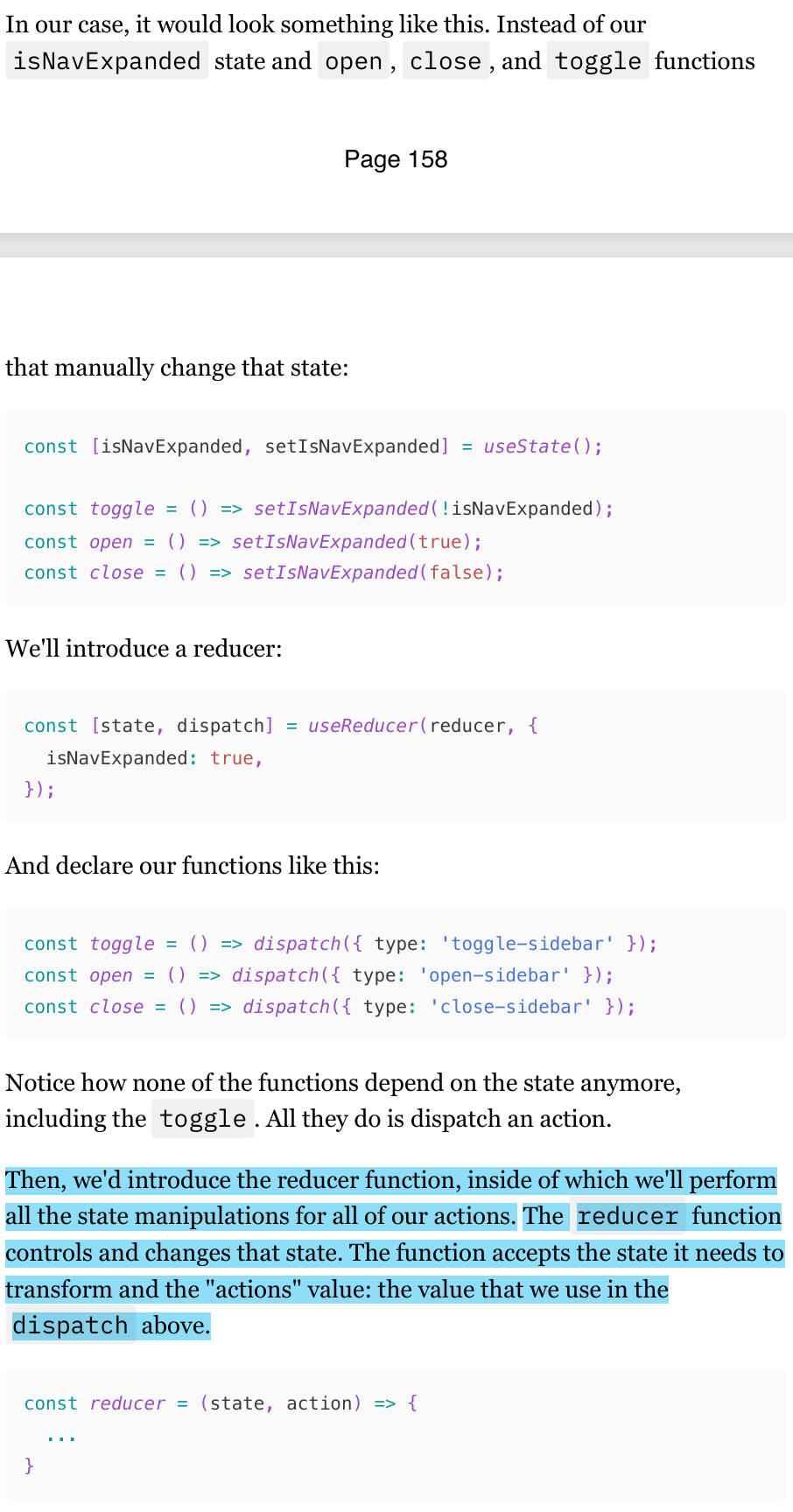
useReducer is a different way to manage a component's state.
Instead of being aware of the state we're changing and manipulating it manually, the reducers pattern allows us just to dispatch named "actions".
This reducer pattern is especially powerful when you have multiple state variables and more complex actions to perform on the state, rather than just flipping a boolean from false to true.
But from the re-render perspective, it's the same as useState : updating the state through dispatch will force the component to re-render.
Context selectors
Context selectors are a way to optimize the use of React Context in performance-sensitive areas by selecting only the necessary values from the context, thus avoiding unnecessary re-renders. When you use useContext, any change in the context value will trigger a re-render of every consumer, which can be inefficient.
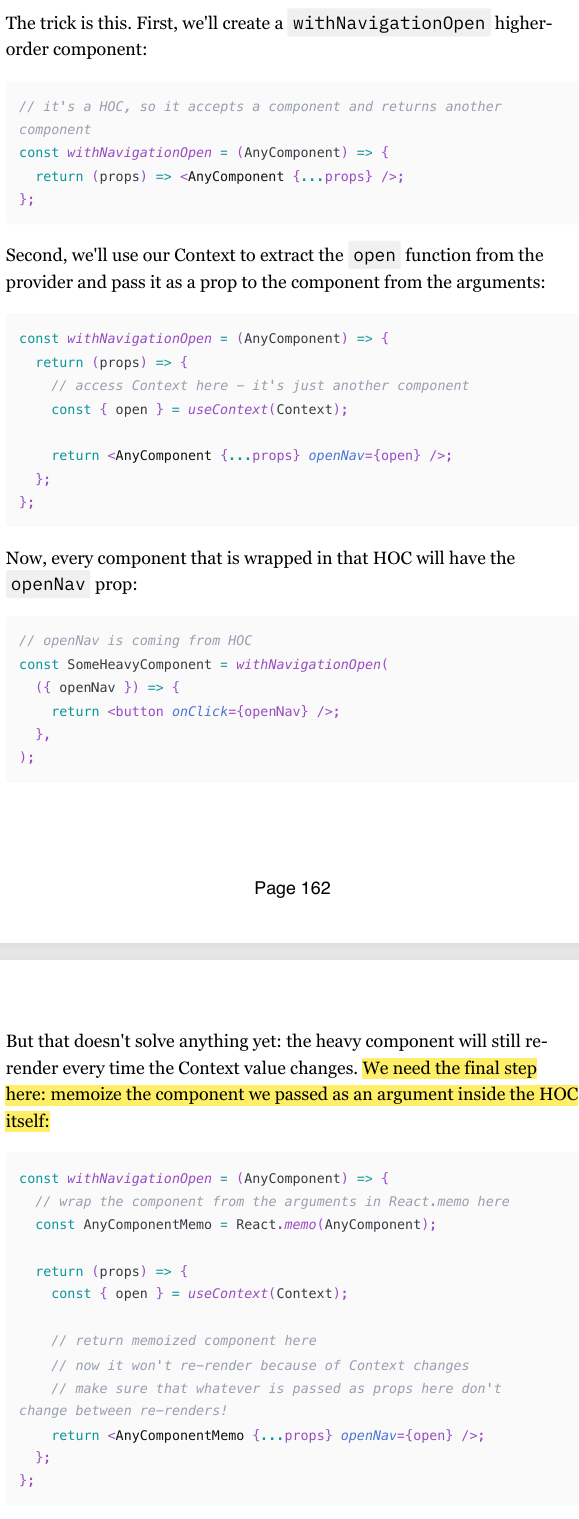
To solve this issue, is to use Higher Order Components (HOCs) to create a custom hook that only subscribes to the specific part of the context you need.
when the Context value changes,
the component that uses anything from Context will still re-render: our unnamed component that we return from the withNavigationOpen function.
But this component renders another component that is memoized. So if its props don't change, it won't re-render because of this re-render.
And the props won't change: those that are spread are coming from "outside", so they won't be affected by the context change.
And the open function is memoized inside the Context provider itself.