3 Part 2
 Call Kai
 Learn
 Practice Test
 Spaced Repetition
 Match
 Flashcards
 Knowt Play
1/108

There's no tags or description
Looks like no tags are added yet.
109 Terms
TIA
Telecommunications Industry Association
Defines classes of networkign standards
IEC 11801
T568A - Pin 1
White and Green
T568A - Pin 2
Green
T568A - Pin 3
White and Orange
T568A - Pin 4
Blue
T568A - Pin 5
White and Blue
T568A - Pin 6
Orange
T568A - Pin 7
White and Brown
T568A - Pin 8
Brown

T568A
T568B - Pin 1
White and Orange
T568B - Pin 2
Orange
T568B - Pin 3
White and Green
T568B - Pin 4
Blue
T568B - Pin 5
White and Blue
T568B - Pin 6
Green
T568B - Pin 7
White and Brown
T568B - Pin 8
Brown
What is the difference between T568A & T568B
Pin 1-2 and Pin 5-6

T568B
Transmission by light
Fiber optic cable
Types of fiber optic cable
Multimode Fiber & Single-Mode Fiber
Short-range communication for fiber optic (up to 2 km)
Multimode Fiber
What fiber optic cable would be used inside a build/in short range places
Multimode Fiber
Long-range communication for fiber optic (up to 100km)
Single-Mode Fiber
USB
Universal Serial Bus
USB 1.1: Low Speed
1.5 mb per sec
USB 1.1: Full Speed
12 mb per sec
USB 2.0 Speed
480 mb per sec
USB 3.0: Superspeed
5 gb per sec
USB 3.1 Speed
10 Gbit/s per sec
USB 3.2 Speed
20 Gbit/s per sec

Type - Standard-A plug

Type - Standard-B plug

Mini-B plug

Micro-B plug
What plug would a printer most likely use
Type: Standard-B plug

USB 3.0: Standard-B plug

USB 3.0: Micro-B plug

DB-9
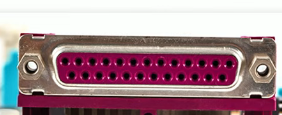
DB-25
Letter in serial cables (ex. DB-9) refers to
connector size/number of pins
Serial cables send what signals
RS-232
RS-232
Recommended Standard 232
A console cable/plug will
directly connect to the device
Consle cable/plug uses what type of connection
Serial connection via RJ-45
What is a console cable used for?
Directly connects a computer to a router or switch to configure and manage the device through the CLI. (When all else fails)
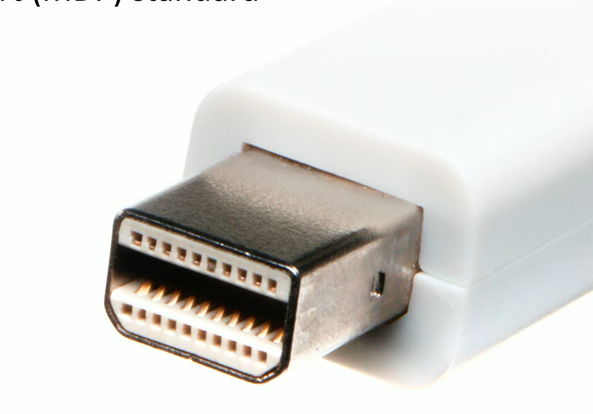
Thunderbolt
High-speed serial connector
Thunderbolt
What connector does Thunderbolt 1 & 2 use?
Mini DisplayPort
What connector does Thunderbolt 3 & 4 use?
USB-C
How many channels does thunderbolt 1 have
2 Channels
Thunderbolt 1 has how many Gbit/s per channel
10 Gbit/s
Total throughput of Thunderbolt 1
20 Gbit/s
What is Thunderbolt 2's aggregated bandwidth when combining two channels?
20 Gbps (combines two 10 Gbps channels into one aggregated 20 Gbps channel).
Total throughput of Thunderbolt 3
40 Gbit/s
Total throughput of Thunderbolt 2
20 GBit/s
Thunderbolt 3 maximum distance: Copper cable
3 meters (9.84 feet)
Thunderbolt 3 maximum distance: Optical cable
60 meters (197 ft)
HDMI has how many pins
19 pins (Type A)

DVI-D

DVI-I
Digital information sent in packetized form
DisplayPort
DVI
Digital Visual Interface

DVI-A

DVI-D (single link)

DVI-D (dual link)

DVI-I (single link)

DVI-I (dual link)
Analog Signals and backward compatibility with VGA
DVI-A
Digital signals
DVI-D
What does DVI not support?
Audio
What does HDMI support?
Audio + Video
What does DisplayPort support?
Audio + Video
Digital and analog in the same connector
DVI-I (Integrated)
VGA
Video Graphics Array
what type of connector is VGA?
DB-15/DE-15
What does VGA support?
Video only
What type of signal is VGA
Analog signal (no digital)
SATA
Serial AT Attachment
What is the maximum theoretical transfer speed of SATA Revision 1.0 (SATA I)?
1.5 Gbit/s
What is the maximum theoretical transfer speed of SATA Revision 2.0 (SATA II)?
3 Gbit/s
What is the maximum theoretical transfer speed of SATA Revision 3.0 (SATA III)?
6 Gbit/s
What is the maximum theoretical transfer speed of SATA Revision 3.2 (SATA 3.2)?
16 Gbit/s
eSATA
external SATA
How many pins does a SATA power connector have?
15 pins
How many pins does a SATA data connector have?
7 pins
Where does a SATA power cable connect?
PSU to the HDD/SSD.
Where does a SATA data cable connect?
Motherboard → HDD/SSD

SATA
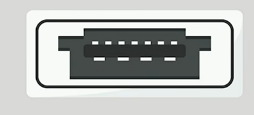
eSATA
HDMI is backward-compatible with
DVI-D
VGA is backward-compatible with
DVI-A & DVI-I
How can a laptop without a built-in Ethernet port connect to a wired network?
USB-to-Ethernet adapter
Expands one USB port into multiple ports to connect additional peripherals.
USB Hub
6P2C (6 position, 2 conductors)
RJ-11
Which connector is commonly used for telephone and DSL connections?
RJ-11
8P8C (8 position, 8 conductors)
RJ-45

RJ-11