Fruity Limiter

0.0(0)
Studied by 0 people
call kaiCall Kai
learnLearn
examPractice Test
spaced repetitionSpaced Repetition
heart puzzleMatch
flashcardsFlashcards
GameKnowt Play
Card Sorting

1/44

flashcard set

Earn XP

Description and Tags

For all things compression,limiting,noise gating,transient shaping,gain staging

45 Terms

1
New cards

The signal flow of when compressing,limiting,and gating it is?

Noise Gate -> Compressor -> Limiter

2
New cards
<p>The goal of a ? is to</p><p>To eliminate quiet background noise, hiss, and room bleed when audio falls below a threshold.</p>

The goal of a ? is to

To eliminate quiet background noise, hiss, and room bleed when audio falls below a threshold.

Noise gate

3
New cards
<p>What are the 3 main knobs in the Noise Gate section?</p><p>(No particular order)</p>

What are the 3 main knobs in the Noise Gate section?

(No particular order)

THR (Threshold), REL (Release), and GAIN.

4
New cards
<p>Soloing a silent gap on the playlist and observing the noise floor level is a <strong><em>prerequisite </em></strong> for setting a ?? threshold with </p>

Soloing a silent gap on the playlist and observing the noise floor level is a prerequisite for setting a ?? threshold with

Noise gate

5
New cards
<p>How fast or smooth the gate closes once audio drops below the threshold is controlled by which knob ? in a noise gate</p>

How fast or smooth the gate closes once audio drops below the threshold is controlled by which knob ? in a noise gate

REL knob in a noise gate

6
New cards
<p>The goal of ? Mode is to act as a <strong><em>brick wall</em></strong> safety ceiling that prevents digital audio clipping.</p>

The goal of ? Mode is to act as a brick wall safety ceiling that prevents digital audio clipping.

Limit mode

7
New cards
<p>What are the 3 <strong><em>main </em></strong>knobs in the LOUDNESS section of Limiter Mode? </p><p>(No particular order)</p>

What are the 3 main knobs in the LOUDNESS section of Limiter Mode?

(No particular order)

CEIL (Ceiling), GAIN (Input Gain), and SAT (Saturation).

8
New cards
<p>The ? knob do in Limiter Mode,  sets the absolute peak volume limit that no audio signal can cross. </p>

The ? knob do in Limiter Mode, sets the absolute peak volume limit that no audio signal can cross.

Ceiling

9
New cards
<p>The ? knob should typically be set to between -0.1 dB and -0.5 dB to prevent ?.</p>

The ? knob should typically be set to between -0.1 dB and -0.5 dB to prevent ?.

Ceiling,Clipping
10
New cards
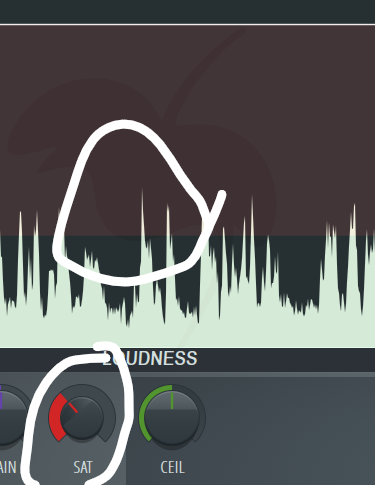
<p>The ? knob adds soft-clipping saturation/warmth when the signal hits the ceiling.</p>

The ? knob adds soft-clipping saturation/warmth when the signal hits the ceiling.

SAT (saturation)

11
New cards
<p>What are the 3 main knobs in the ENVELOPE section of Limiter Mode? </p><p>(No particular order)</p>

What are the 3 main knobs in the ENVELOPE section of Limiter Mode?

(No particular order)

ATT (Attack/Lookahead), REL (Release), and SUSTAIN.

12
New cards
<p>Since a <strong><em>Limiter </em></strong>ONLY needs to catch extreme stray peaks <strong><em>WITHOUT </em></strong>altering tone or dynamics.</p><p>You can leave it’s ? settings at its default</p>

Since a Limiter ONLY needs to catch extreme stray peaks WITHOUT altering tone or dynamics.

You can leave it’s ? settings at its default

Envelope settings

13
New cards
<p>The THRES knob in ? Mode Sets the dB volume level where <strong><em>compression </em></strong>or <strong><em>expansion </em></strong>starts.</p>

The THRES knob in ? Mode Sets the dB volume level where compression or expansion starts.

Compression (COMP)

14
New cards
<p>What happens when you turn the RATIO knob to the <strong><em>right </em></strong>in Compressor Mode?</p>

What happens when you turn the RATIO knob to the right in Compressor Mode?

Downward compression

15
New cards
<p>When you turn the RATIO knob to the <strong><em>left </em></strong>(below 1:1) in Compressor Mode ? occurs</p>

When you turn the RATIO knob to the left (below 1:1) in Compressor Mode ? occurs

Upwards compression

16
New cards
<p>When <strong><em>Compressing (or expanding)</em></strong>, ? attack lets initial transients pass through</p>

When Compressing (or expanding), ? attack lets initial transients pass through

Slow attack

17
New cards
<p>When compressing the ? knob </p><p>Holds peak compression flat for a set time before the release phase begins. </p>

When compressing the ? knob

Holds peak compression flat for a set time before the release phase begins.

Sustain

18
New cards
<p>The ? knob may be to keep long 808 glides or sustained vocal notes locked at a stable volume.</p>

The ? knob may be to keep long 808 glides or sustained vocal notes locked at a stable volume.

Sustain

19
New cards
<p>The ? knob controls how gradually compression transitions from uncompressed to compressed around the threshold.</p>

The ? knob controls how gradually compression transitions from uncompressed to compressed around the threshold.

Knee

20
New cards
<p>? or the ? Knob, boosts the overall output volume to compensate for any signal reduction caused by compression.</p>

? or the ? Knob, boosts the overall output volume to compensate for any signal reduction caused by compression.

Makeup Gain (GAIN KNOB)

21
New cards
<p>Prerequisite for ? is to gain stage</p><p>IE; Gain stage raw audio clips to peak around -18 dB to -12 dB before hitting the compressor.</p>

Prerequisite for ? is to gain stage

IE; Gain stage raw audio clips to peak around -18 dB to -12 dB before hitting the compressor.

Compression

22
New cards
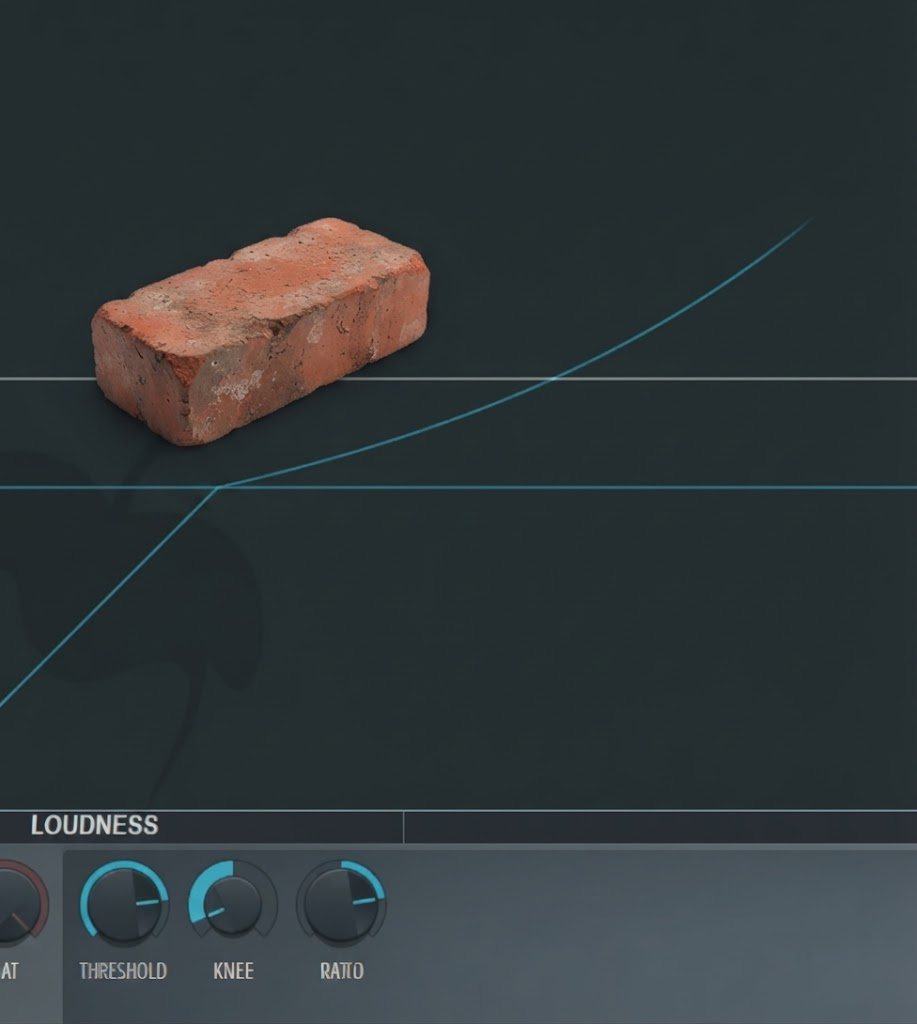
<p>The ? is set to -5dB</p><p>A ? Knee is being applied</p><p>And ? compression is being applied</p>

The ? is set to -5dB

A ? Knee is being applied

And ? compression is being applied

Threshold,Hard knee,Downward compression

23
New cards
<p>A ? Knee is being applied</p><p>And ? Compression is being applied</p>

A ? Knee is being applied

And ? Compression is being applied

Soft knee, downward compression

24
New cards
<p>A ? Knee is being applied </p>

A ? Knee is being applied

Soft

25
New cards
<p>A ? Knee is being applied</p>

A ? Knee is being applied

Hard

26
New cards
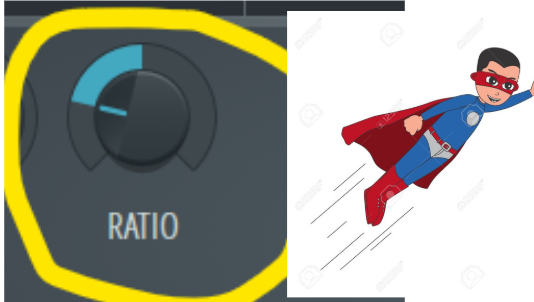
<p>? Compression is being applied because the knob is turned <strong><em>rightward </em></strong></p>

? Compression is being applied because the knob is turned rightward

Downward
27
New cards
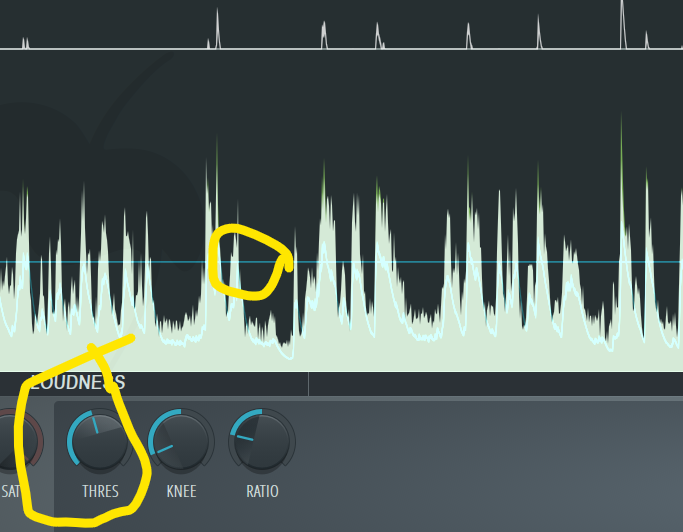
<p>? compression is being applied because the knob is twisted <strong><em>leftward</em></strong></p>

? compression is being applied because the knob is twisted leftward

Upward
28
New cards
<p>The ? is affecting <strong><em>most </em></strong>of the audio (except the noise of course)</p>

The ? is affecting most of the audio (except the noise of course)

Threshold

29
New cards
<p>The threshold is affecting majority of the signal</p><p>A ? Knee is being applied</p><p>?Ward compression is being applied</p>

The threshold is affecting majority of the signal

A ? Knee is being applied

?Ward compression is being applied

Threshold, hard knee, Upwards compression

30
New cards

Turning the knee control left = ?

Turning it right = ?

Hard knee , soft knee

31
New cards

Turning the knee control right = ?

Turning it left = ?

Soft knee, hard knee.

32
New cards
<p>No compression is being applied because the <strong>? </strong>is exceeding the audio signal peaks</p>

No compression is being applied because the ? is exceeding the audio signal peaks

threshold

33
New cards

Turning the knee knob left =?

Hard knee

34
New cards

Turning the knee knob right =?

Soft knee

35
New cards

If I want a hard knee I’ll turn the knob?

If I want a soft knee I’ll turn the knob?

Hard knee, soft knee.

36
New cards
<p>? Compression is being applied </p>

? Compression is being applied

Upwards compression

37
New cards
<p>? Compression is being applied </p>

? Compression is being applied

Downwards
38
New cards
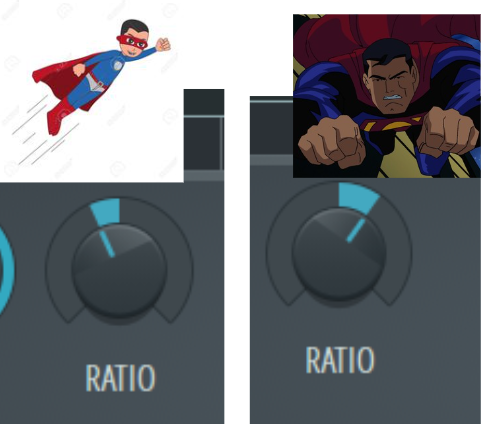
<p>The 1st ratio setting is ? Compression</p><p>The 2nd ratio setting is ? Compression</p>

The 1st ratio setting is ? Compression

The 2nd ratio setting is ? Compression

Upward vs downward
39
New cards
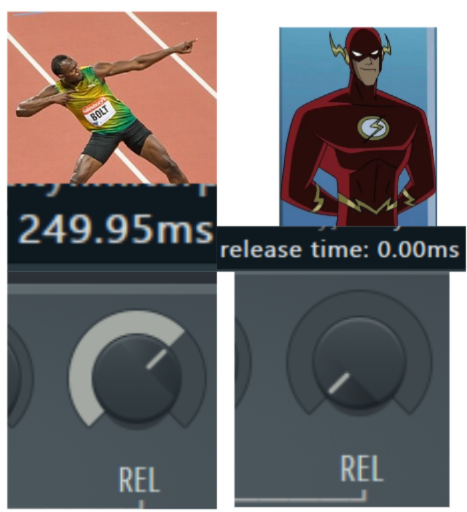
<p>Anything ? 250ms (0.25 seconds) Is considered a fast release</p><p>(0ms is the fastest)</p>

Anything ? 250ms (0.25 seconds) Is considered a fast release

(0ms is the fastest)

under

40
New cards
<p>Annything ? 250ms (0.25 Seconds) is considered a slow release</p><p>2000ms ( 2 seconds is the slowest)</p>

Annything ? 250ms (0.25 Seconds) is considered a slow release

2000ms ( 2 seconds is the slowest)

over

41
New cards
<p><strong>A ? release is being applied to</strong> create aggressive pumping at 50 ms to boost beat energy.</p>

A ? release is being applied to create aggressive pumping at 50 ms to boost beat energy.

Fast

42
New cards
<p><strong>A ? release is being applied for Vocal leveling</strong></p><p>Smooths volume gently over long phrases at 800 ms</p>

A ? release is being applied for Vocal leveling

Smooths volume gently over long phrases at 800 ms

Slow
43
New cards
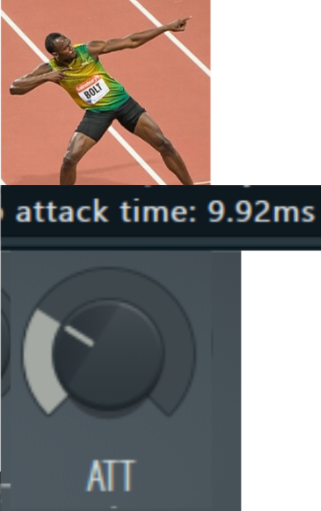
<p>A Fast attack is anything ? <strong>0.01 seconds</strong></p><p> (clamps down instantly on transients, useful for peak control and limiting).</p>

A Fast attack is anything ? 0.01 seconds

(clamps down instantly on transients, useful for peak control and limiting).

Under

44
New cards
<p><strong>A moderate attack (10 ms to 50 ms or 0.01 to 0.05 seconds</strong></p><p> (allows the initial punch of a kick or snare to pass through before clamping down)</p>

A moderate attack (10 ms to 50 ms or 0.01 to 0.05 seconds

(allows the initial punch of a kick or snare to pass through before clamping down)

:)

45
New cards
<p><strong>A slow attack is anything ? 50 ms</strong> (<strong>0.05 seconds</strong> up to <strong>1 second)</strong></p><p> (leaves transients completely uncompressed for maximum punch and snap).</p>

A slow attack is anything ? 50 ms (0.05 seconds up to 1 second)

(leaves transients completely uncompressed for maximum punch and snap).

Over