Thẻ ghi nhớ: iGCSE - Unit 1 - Data representation - GCSE
 Call Kai
 Learn
Learn Practice Test
 Spaced Repetition
 Match
Match Flashcards
 Knowt Play
1/69

There's no tags or description
Looks like no tags are added yet.
Name | Mastery | Learn | Test | Matching | Spaced | Call with Kai | Chat |
|---|
No analytics yet
Send a link to your students to track their progress
70 Terms
Character set
A defined list of characters recognised by the computer hardware and software.

Denary System
Number system with base 10
Binary
The binary number system is base 2, using only bits 0 and 1.
Analogue data
Non-discrete, Continuous data
e.g. a sound wave
Digital data
Discrete data that has only two values
By example, e.g. binary data / 1's and 0's
Binary headings
128 64 32 16 8 4 2 1
Binary to Denary Conversion
Each time
a 1 appears in a column, the column value is added to the total.

Denary to Binary Conversion
1. Starting left to right on the binary table
2. Does 128 go into our number
3. If no write a 0 and move onto 64
4. If yes, write 1 and subtract 128 from the number and move onto 64 with the new number
PNG
Lossless picture file format
.WAV
uncompressed audio files
.FLAC
lossless compressed audio files
1KB (kilobyte)
1,000 bytes
1MB (megabyte)
1,000 kilobytes
1GB (gigabyte)
1,000 megabytes
1TB (terabyte)
1,000 gigabytes
1PB (petabyte)
1,000 terabytes
Hexadecimal Number System
Number system with base 16.
Hex uses
HTML colours
• e.g. blue 0000FF
Display machine code/programs/memory dump
• e.g. 5F 3A 09 F1
Display (MAC) addresses
• e.g. 01-23-45-67-89-AB-CD
Display ASCII/Unicode values
• e.g. %41 for A
Display error codes
• e.g. error #404 page not found
IPv6 addresses
e.g. 2001:0db8:85a3:0000:0000:8a2e:0370:7334
When using machine code, do programmers use hexadecimal or binary? Why?
Hex, because it is easier to read and remember with less symbols. - 16 bit number = 4 hex digits
Easier to convert binary to hex and vice versa
Less likely to make errors
Easier to spot errors with fewer characters
Would hexadecimal mainly be used in a high-level language or a low-level language?
Low-level
How many binary bits does one character in hexadecimal represent?
4
ASCII
American Standard Code for Information Interchange is a character set.
Each letter on the keyboard has a unique value that can be represented in hexadecimal or decimal.
Bit
Binary Digit. Either 1 or 0, On or Off.
Byte
A collection of 8 bits.
What are the 16 hex digits?
0-9
A - 10
B - 11
C - 12
D - 13
E - 14
F -15
Memory Dump
Output of memory contents onto the printer or screen.
Usually represented in hexadecimal.
JPG
Joint Photographic Experts Group
1. LOSSY
2. Photograph compression to a reduced size.
3. Rely on properties of the human eye (inability to see certain colour differences etc)
ADC
Analogue to Digital Converter
Converts physical values into discrete digital values.
Could be used in speech recognition.
Logic Gates
These take in binary inputs and produce a binary output using gates to regulate the output
Logic Circuits
These are made up of several logic gates and are designed to carry out a specific function.
Truth Tables
Logically work out the output of a logic circuit by writing a table.
AND logic gate

OR logic gate

NOT logic gate

NAND logic gate

NOR logic gate
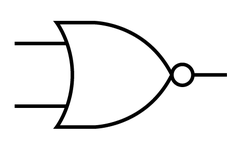
XOR logic gate

DAC
Converts digital data in a computer into an analogue item, like what happens in speakers
MP3
Uses lossy audio compression
90% smaller than uncompressed CD music files
Quality of sound retained by using perceptual music shaping.
Perceptual music shaping
Refers to the process of removing inaudible sounds in order to make a file size smaller.
e.g.
Noises at frequencies that humans cannot hear
Quiet sounds that cannot be heard over louder sounds
MP4
Lossy video file format
How to convert denary - hexadecimal
Divide the denary number by 16 to get the number of full 16s that go into the number
Then put the remainder on the end
Denary 19 becomes:
19 / 16 = 1 r 3 so the hex value for 19 is 13
"one, three" not "Thirteen"
Binary to hex conversion
Take a binary word of 8 bits
1 1 0 0 1 1 0 1
Divide into two nibbles of 4 bits
1 1 0 0 1 1 0 1
Convert each nibble into hex and put back together
1 1 0 0 = 12 = C in Hex + 1 1 0 1 = D in Hex
So 1 1 0 0 1 1 0 1 = CD in Hex
Hex to denary conversion
16 1
A 6
Multiply the left-hand digit by 16, then add the units
Hex to binary conversion
Split the two hex characters
4 = 0100
C = 1100
So 4C = 0100 1100 in binary
Binary Addition Rules
0 + 0 = 0
0 + 1 = 1
1 + 0 = 1
1 + 1 = 0 Carry 1
1 + 1 + 1 = 1 Carry 1
Overflow error
When the result of an addition is too big for the number of bits the computer works with
Pixels
The smallest identifiable area of an image
Each pixel is a single colour and is given a binary value which represents that colour e.g. 11000000 might equal Red
A pixel's colour can be changed by changing this value
The image resolution
The concentration of pixels within a specific area
The area is defined by the image width and height in pixels e.g. 1920x1080
Colour (or bit) depth
Each pixel can represent a finite number of colours
A pixel can be n bits
The number of combinations = 2n
A higher bit depth gives a greater range of colour and a better quality/accurate of image
Metadata
data that describes other data (i.e.: dimensions)
How to calculate image file size
1) Find the total number of pixels
2) Work out how many bits per pixel given the number of colours (colour depth)
3) Find the file size in bits. Resolution x Bit Depth
4) Convert this to bytes
MIDI
Musical Instrument Digital Interface file
• Stores a set of commands / instructions for how the sound should be played
• Does not store the actual sounds
• Data in the file has been recorded using digital instruments
• Specifies pitch of the note // specifies the note to be played
• Specifies when each note plays and stops playing // Specifies key on/off
• Specifies duration of the note
• Specifies volume of the note
• Specifies the tempo
• Specifies the type of instrument
MIDI benefits and drawbacks
The full sound signal does not need to be transmitted, only the instructions to play the sound
It is up to the instrument to create the sound
This significantly reduces the amount of data transmitted
Drawback
As sounds are synthesised, they may be less realistic
Sample resolution
The number of bits (audio bit depth) used to record each measurement
More bits used per sample enables the height of the wave to be more accurately measured but increases file size
Sampling rate
The frequency (rate) at which samples are taken
Sample rate is usually measured in Hertz (Hz)
1Hz = 1 sample per second
Correlates with sound quality.
Higher sampling rate = more accurate the representation of sound
Calculating sound file sizes
File size (bits) = sample rate x resolution x seconds
Compression
a method or protocol for using fewer bits to represent the original information
Lossy Compression
Reduction of file size by removing certain, redundant information from the file
The eliminated data is unrecoverable.
Tries to recreate an file without the omitted data
Much smaller file sizes but there will be some loss of quality
Lossy Image Compression
A compression algorithm is used
Permanently deleting some data // file cannot be restored to original
Colour depth / colour palette can be reduced
Resolution can be reduced // number of pixels can be reduced
Less bits will be required for each pixel / colour
Lossless compression
Every bit of the original data can be recovered from the compressed file.
the uncompressed image will be the same as the original with no loss of data
Works by looking for patterns in the data
Larger compressed file sizes than lossy
Lossless text compression
Finds patterns in original text.
Encodes each pattern in a dictionary
File is recovered from dictionary
Lossless image compression
A compression algorithm is used
No data is removed in the compression process
An index/dictionary of pixels is created
The number of times a pixel is repeated in a row is stored
Run length encoding
Reasons to Compress data
Download/buffering times decrease
Smaller files = fewer packets = faster transmission time
Reduces traffic over the Internet
Less chance of collisions or transmission errors
Data allowances do not run out as quickly = Saves money
Voice can be transmitted fast enough to keep up with speech in a video
Saves spending more money on data storage e.g. hard drives, cloud etc
Faster to back-up data
Frame rate
The number of images / frames processed per second
Higher frame rates can decrease motion blur from high speed objects
Run Length Encoding (RLE)
Lossless compression technique
Summarises consecutive patterns of the same data
Works well with image and sound data where data could be repeated many times

RLE of sound
Sound recordings can have many thousands of samples taken every second
The same sound or note played for a fraction of a second could result in hundreds of identical samples
RLE records one example of the sample and how many times it consecutively repeats

Dynamic range
Difference between the largest and smallest signal a system can record or reproduce
Unicode
Uses 16, 24 or 32 bits / two, three or four bytes
Unicode is designed to be a superset of ASCII
Designed so that most characters (in other languages) can be represented
Bitmap images
Defines a display space and the colour for each pixel or "bit" in the display space