CompTIA Module 2 Installing Motherboards and Connectors
 Call Kai
 Learn
 Practice Test
 Spaced Repetition
 Match
 Flashcards
 Knowt Play
1/33

There's no tags or description
Looks like no tags are added yet.
34 Terms
What are the two categories that PC components are divided into?
PC components are divided into user-handled peripheral devices and internal components housed in the system case.
What are some examples of peripheral devices?
input devices
keyboard
mouse
mic
camera
output devices
monitor
speakers
external storage
What does the case or chassis contain?
It contains the internal components such as the motherboard, the CPU, memory modules, adapter cards, fixed disks, and the PSU
T/F “PCs can also be purchased as all-in-one units”
True; All-in-one means that the internal components are contained within a case that is also a monitor
How do you open a desktop computer’s case?
In a tower case, the side cover usually slides off and it is secured by screws or clips and may have anti-tamper mechanisms.
You should always refer to system documentation and follow recommended steps.
What does the front panel provides access to? ; Can the front panel be removed?
The front panel provides access to removable media drives, a power switch, and LEDs
Yes, it can be removed but you may have to remove the side panel first to access its screws or clips

Label This

What does the rear panel provide access to
it provides access to the PSU sockets which include an integral fan exhaust
what must be done for proper cooling?
ensure the fan is unobstructed

Label

What is the motherboard’s I/O ports used for?
they are used for for peripheral connections
What is the purpose of I/O shiels and blanking plates?
Prevent gaps in the case which can cause
dust entry, leading to component overheating
increased exposure to ESD which can damage chips
increased exposure to electromagnetic interference EMI which can cause temporary or permanent faults
What does an I/O port do?
it connects devices to the PC via peripheral cables
Are all ports specific?
no, some ports support various devices
where are external ports located?
they are located at the rear or front of the PC through case cutouts and can be on the motherboard or an expansion card

please label all the I/O ports on a motherboard

what is a hardware port?
the external connection point for a bus interface, allowing data to transfer to and from devices
what is a connector?
the part of a peripheral cable that fits into the matching port
what is the standard for connecting most peripheral devices to a computer?
Universal Serial Bus (USB)
how is a USB managed?
it is managed by a host controller which supports multiple ports of the same bus
why do most PC motherboards have multiple USB controllers?
each controller can theoretically support 127 devices but to overcome bandwidth limitations PC motherboards have multiple USB controllers each with 3 or 4 ports.

what is this?
USB port symbol
What are the 4 USB 2 connector form factors?
Type A
Type B
Type B Mini
Type B Micro
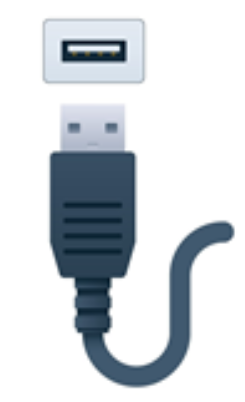
Identify the port and connector and describe it
Type A
flat rectangular connector for host and some peripheral devices
inserted w/ USB symbol facing up