Strings
 Call Kai
 Learn
Learn Practice Test
 Spaced Repetition
 Match
Match Flashcards
 Knowt Play
1/12

There's no tags or description
Looks like no tags are added yet.
Name | Mastery | Learn | Test | Matching | Spaced | Call with Kai | Chat |
|---|
No analytics yet
Send a link to your students to track their progress
13 Terms
True or false: Strings are mutable
False. Strings are immutable. They can’t be changed.
How are strings similar to lists?
You can iterate through characters of a string, just like elements of a list. You can also do slicing and indexing.

place_name = "Maryland"
print(place_name[:4])
print(place_name[3])
print(place_name[2:5])
What would each of these produce?
Mary
y
ryl

Why would this fail?
Bc strings are immutable!!!
What list functions work on strings?
len and list (casting a string to a list)
When casting to a list, it treats each letter as an element

What are string methods? Name the string methods
Methods that operate on strings (these are called methods because they act on some value with a dot between them)
strip: remove leading and trailing value, by default, whitespace.
Format: .strip ( )
Does NOT remove values in the middle of strings. Only leading (before) and trailing (after).
If you pass a value, it strips that value. This is not limited to one character. It removes whatever you put in the parentheses, even words.
Ex. my_string = "AAAAAAAAAAZAAAAAAAAAA"
print(my_string.strip("A"))
Python outputs: Z (bc it strips all the A’s)
split: splits a string into a list of smaller things
Format: .split( )
Ex: my_string = "I like pizza"
print(my_string.split())
Python outputs: ["I", "like", "pizza"]
join: put list into string (inverse of split)
Format: " ".join(my_list)
“ “ means put a space between each item
Empty delimiter ““ means put nothing between each item.
Ex: print ("-".join(["2026", "09", "10"])
Python outputs: 2026-09-10
Ex: print (““.join[abc])
Python outputs: abc
replace: replace a string with another string
Ex: my_string = "Hello"
print (my_string.replace("ll", "ee"))
Python outputs: Heeeo
lower: make lowercase
upper: make uppercase

What will this print?
I am spaced out.
Remember, an empty strip removes whitespace. Also, strip only removes from the beginning and end, not the middle.

What will this print?
BZZZZZZZZZZZZz
Bc .strip() only removes characters from the BEGINNING and END. It does not mean remove all Z’s.
Python starts at the left and removes all the Z’s up till B and then stops bc that’s a diff letter
Then it looks at the right side for Z’s to remove. Bc the far end on the right starts with z, python immediately stops bc it has nothing to remove.
What is a delimiter? If we had (my_list = [1,2,3]), what would be the delimiter?
The thing that separates items. The commas would be the delimiter
True or false: You can split on an empty delimeter?
False.
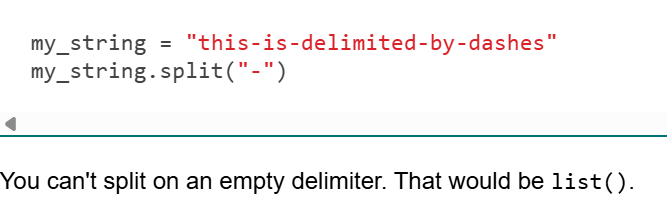
True or false: Split can be used to turn a word into a list where every letter is a new element
False. To turn a string into a list, you use the list() function

What would this produce?
[" ", "b", "b", "b", " "]
.split(“a”) basically means to split the string wherever you see the letter a.
The “a”s themselves are removed from the pieces because they're being used as the separator.
Notice that there is nothing before or after the last a, so Python represents those empty spaces as the empty strings you see in the beginning and end.
How to make a string input case insensitive? What about space insensitive?
Case insensitive: Use .lower( )
This will convert whatever the user types into lowercase.
Ex: order = input (“What would you like to order?”).lower()
Space insensitive: Use .split()
Empty parenthesis means remove space delimiter before and at the end of string.
Ex: order = input (“What would you like to order?”).split()
To make case and space insensitive use both of these:
Ex: order = input (“What would you like to order?”).lower().split()