Unit 3 - Field Tech Training
 Call Kai
 Learn
Learn Practice Test
 Spaced Repetition
 Match
Match Flashcards
 Knowt Play
1/14

There's no tags or description
Looks like no tags are added yet.
Name | Mastery | Learn | Test | Matching | Spaced | Call with Kai | Chat |
|---|
No analytics yet
Send a link to your students to track their progress
15 Terms
How to eject printer toner?
Log into the printer as an admin
Go to supplies and select the toner cartridge you need to replace
press the eject button
Then open the toner tray, and the designated toner cartridge should be swapped
Six ethernet troubleshooting steps
restart the device
check if the account is locked
check for network adapters
Replace the ethernet cable
ping the device
check if the computer is on Corporate Wi-Fi
How do you ping a device?
Open Command Prompt
In Command Prompt enter ping Asset tag
How do you check if the computer is on Corporate Wi-Fi?
Open Command Prompt
In Command Prompt enter ipconfig /all
look for the default Gateway
make sure that it is on 172.20.140
How do you check the IP address of a printer?
Open up Print Manager
Double click on the app title icon
click on Print Servers
Open up \\pcorpprt03
Click on printers
click on the printer described
Click on Port and look at the one highlighted
How do you do Hardware troubleshooting?
reboot the computer
ensure that all cables are plugged in securely
unplug the cables and plug them back in
review the Dell Diagnostic Indicators for desktops and Dell Peripheral Manager for Wireless Keyboards and mice
What is a VGA?

What is a DVI?

What is a USB-C?

What is a USB-A?
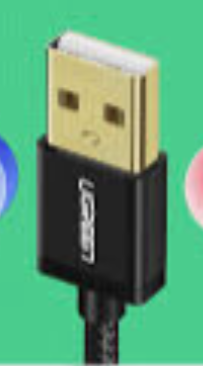
What is a USB-B?

How do you do display troubleshooting
Check that if you click, Win + P, the display setting is on extend
check the cables
monitor
docking station
Display Troubleshooting (Check the cables)
unplug the cables and plug them back in
try switching old cables with new cables
try plugging into a different port
Display Troubleshooting (Monitor)
Make sure the monitor is powered on
try switching through different inputs
check the refresh rate in settings to see where it should be set for the device
Display Troubleshooting (Docking Station)
Make sure the docking station is powered on
the laptop is plugged in and powered on
try unplugging the laptop and plugging it back in